
Still frustrated with DocuPile’s CAD limitations?
You’re not alone—so many engineering teams hit a wall with DocuPile’s weak CAD integration, confusing version control, and headaches around collaborating on shared files.
These limits can derail projects and drain your team’s productivity, leaving you juggling outdated files and wasted effort.
It gets worse when every delay eats into your deadlines or budgets, and your team’s morale slips as they battle workarounds that shouldn’t be necessary. The longer you put up with these issues, the greater the risk to project quality and client satisfaction.

Thankfully, smarter alternatives are within easy reach this year that can wipe out these frustrations for good.
In this article, I’m showing you the best DocuPile alternatives that actually deliver real CAD file management, top-grade version control, and document collaboration engineers need—spotlighting solutions like FileCenter, Autodesk, M-Files, and more.
You’ll unlock smoother workflows and better outcomes for every project.
Let’s find your upgrade.
Quick Summary:
| # | Alternative | Rating | Best For |
|---|---|---|---|
| 1 | Autodesk Vault Professional → | Users needing deep CAD control | |
| 2 | Siemens Teamcenter → | Teams requiring unified PDM workflows | |
| 3 | Accruent Meridian → | Engineers needing asset-centric control | |
| 4 | RecordsKeeper.ai → | Users prioritizing blockchain security | |
| 5 | FileCenter → | Small teams seeking simplicity |
1. FileCenter

Feeling boxed in by DocuPile’s rigid workflows?
FileCenter steps in with a desktop-first system, making file organization easy and familiar—no complicated learning curve or convoluted structures slowing down your engineering team.
You’ll find FileCenter uses a “cabinet-drawer” approach, letting you categorize and access documents in recognizable Windows-like folders. It’s a breath of fresh air compared to DocuPile, which can feel generic and hard to navigate.
Plus, with one-time license options avoiding constant subscription payments, you’re not tethered to ongoing cloud costs that often pile up with DocuPile.
Here’s how FileCenter moves your engineering workflows forward.
Instead of struggling with DocuPile’s complexity, FileCenter offers intuitive file management that mimics how your team already organizes physical and digital files.
What really stands out is the integrated scanning and OCR that turns paper drawings into searchable PDFs, eliminating document silos and making it easier for engineers to locate older CAD files. This practical feature makes digitizing legacy engineering documents much faster if you’re switching over.
Additionally, the cost-effective licensing model means you can own your document management system outright, which helps keep budgets in check while supporting smooth team adoption and workflow continuity.
The result is a straightforward transition that supports your engineering documents without the fuss.
Key features:
- Familiar cabinet-drawer structure for filing mirrors how engineers organize physical and digital files, ensuring quick adoption and minimizing disruption when moving away from DocuPile’s interface.
- Perpetual one-time license option lets you pay once for desktop use, relieving engineering teams from recurring subscription fees that can strain long-term budgets.
- Integrated scanning and OCR for digitizing drawings streamlines the transformation of paper CAD documents into searchable, organized files, offering a practical benefit over DocuPile’s more basic OCR options.
Verdict: FileCenter delivers what DocuPile can miss: lower costs, a friendlier interface, and time-saving file routing. Small engineering firms have reported saving $18,000–$20,000 per year by automating document workflows—proof that switching can solve the practical pain points DocuPile leaves unaddressed.
2. Autodesk Vault Professional

Frustrated by DocuPile’s CAD limitations and clunky versioning?
Autodesk Vault Professional stands apart with native CAD integration, advanced lifecycle control, and automated change management—all designed to handle the engineering complexities DocuPile misses for your team.
Here’s how Autodesk Vault Professional addresses your core pain by managing CAD relationships and revisions at a much deeper level than DocuPile, greatly reducing your risk of broken drawings, lost versions, or accidental overwrites.
The difference is immediately noticeable.
Now let’s look at what this unlocks for you.
Autodesk Vault Professional tackles document chaos with true engineering data management, purpose-built around complex CAD files rather than being a generic DMS like DocuPile.
You’ll see the benefits right away: it keeps every XREF, assembly, and linked file under control directly in your CAD apps, while automatic revision histories and secure audit trails keep design work air-tight for every project and regulatory need.
Another standout is the replication feature. You and your engineers can sync design data across distributed offices, boosting performance and local access no matter where your team is. This means less frustration and fewer delays from slow, error-prone file sharing. Bringing these advanced controls together gives your projects real efficiency gains DocuPile struggles to match.
That’s document control designed for how you really work.
Key features:
- Native CAD relationship management in Autodesk apps keeps assemblies, XREFs, and file links intact within design software, so you never worry about broken references or incomplete drawing sets again.
- Automated engineering change processes handle revisions, sign-offs, and approvals, ensuring each iteration and release is tracked and controlled better than DocuPile’s basic version history.
- Replication across multiple sites for distributed teams synchronizes your design data, giving worldwide offices immediate access while dramatically improving collaboration for your engineers working remotely.
Verdict: Autodesk Vault Professional is a far more robust alternative to DocuPile for engineering document management. Its deep CAD integration, real-world engineering change management, and replication features let you manage CAD data at scale. If you need control that DocuPile cannot deliver, this is worth a closer look.
3. RecordsKeeper.ai

Are you worried your files aren’t as secure as you need?
RecordsKeeper.ai tackles critical DocuPile drawbacks with its blockchain-powered audit trails, decentralized storage, and digital archiving designed for secure engineering documentation.
Where DocuPile relies on conventional storage and standard versioning, RecordsKeeper.ai brings tamper-proof compliance with blockchain for added trust in every document action—perfect if you deal with demanding project requirements or strict regulations.
Here’s how it completely changes your file security approach.
RecordsKeeper.ai offers you genuine blockchain immutability, so every document action—from upload to version update—gets recorded in a verifiable audit trail above DocuPile’s traditional logs.
With this, you benefit from a fully decentralized storage network, which means your sensitive engineering files aren’t tied to one server and your risk from outages or data breaches dramatically drops.
Additionally, RecordsKeeper.ai’s digital archiving features handle secure, long-term preservation with granular access controls. This specialized focus is critical for maintaining the authenticity and accessibility of engineering records, particularly when DocuPile’s retention can fall short.
Peace of mind for your engineering files.
Key features:
- Blockchain-powered audit trails and data integrity provide tamper-proof, verifiable records of every document transaction and version update for unbeatable trust and regulatory compliance needs.
- Decentralized storage network for heightened security ensures your critical engineering documents are distributed and protected against loss, outages, or centralized failures—levels above DocuPile’s cloud model.
- Specialized long-term digital archiving and access controls let you securely preserve engineering drawings and records, guaranteeing both regulated retention and robust document authenticity over the years.
Verdict: RecordsKeeper.ai is a strong DocuPile alternative for engineering teams demanding ironclad document integrity and secure archiving. If compliance and authentic file history are vital for your projects, RecordsKeeper.ai’s blockchain features deliver control and trust where DocuPile may fall short.
4. Accruent Meridian

Feeling boxed in by DocuPile’s limited CAD workflow?
Accruent Meridian delivers robust CAD application integration, direct AutoCAD and MicroStation connectivity, and asset lifecycle control—addressing the frustration of DocuPile’s generic engineering document management.
This means you get deep CAD-XREF integration and asset-centric document linking that DocuPile just can’t provide, especially if you constantly battle versioning headaches and scattered files across projects.
Plus, your maintenance and operational crews finally work with the right docs.
Here’s how Meridian upends those DocuPile struggles.
With Accruent Meridian, you’re gaining purpose-built engineering document management that redefines how you manage and control CAD files. You can directly integrate with major CAD apps, so project files, XREFs, and design changes flow naturally within your team’s daily work—cutting out the frustration of DocuPile’s detached workflows.
What really stands out is the asset-centric approach Meridian takes to document control. Your team links documents straight to specific equipment and infrastructure, letting maintenance actually find what they need and enhancing compliance with less risk and manual searching.
Additionally, Meridian’s concurrent engineering lets multiple engineers edit and approve documents at the same time, so you avoid version chaos and workflow bottlenecks that slow delivery.
The result is document control that finally fits your engineering process.
Key features:
- Deep CAD application integration with AutoCAD/MicroStation for direct file management, XREF linking, and design change workflows right in your engineering environment—far surpassing DocuPile’s one-size-fits-all approach.
- Asset-centric document linking for engineering operations. Tie documents straight to physical assets, giving your field teams always-up-to-date, reliable information during maintenance, operation, or audits.
- Collaborative concurrent engineering and workflow support. Manage design approvals and multi-user edits in parallel, removing version lock-in and dramatically streamlining your project delivery.
Verdict: Accruent Meridian stands out as an alternative to DocuPile for engineering document management. With deep AutoCAD integration, asset-based control, and concurrent engineering, your team can reduce asset failures, avoid shutdowns, and optimize project outcomes—especially if DocuPile’s generic tools have left you frustrated.
5. Siemens Teamcenter

Feel boxed in by DocuPile’s CAD limitations?
Siemens Teamcenter delivers integrated product data management, CAD file control, and lifecycle tools—directly addressing the gaps engineers run into with DocuPile’s more basic workflows.
If you’re constantly wrestling with scattered BOMs or inefficient reviews, Teamcenter steps in by connecting every piece of your engineering data—from CAD files to design changes—in a unified place. This means your designs, versions, and approvals are always in sync.
Here’s how Teamcenter changes your workflow.
You get a full-featured alternative that’s purpose-built for engineering, not just generic document storage.
Siemens Teamcenter solves engineering PDM frustrations head on, packing in mature CAD integrations and process controls missing from DocuPile.
By providing lifecycle management, Teamcenter lets you automate crucial workflows like design reviews, releases, and revisions. You can spin up configurable approval paths to match your team’s needs, so bottlenecks and missed steps disappear. This enables engineering teams to keep projects moving without duplicating files or chasing email chains.
Additionally, Teamcenter’s secure supplier collaboration features mean you can bring outside partners into projects, sharing exactly the files they need—without risking IP or version chaos. In fact, integrating BOMs and revision tracking across your whole development cycle ensures engineers and managers see changes instantly and avoid miscommunication.
You swap piecemeal tools for unified control.
Key features:
- Integrated product data management with CAD connectivity lets you control all engineering documents, designs, BOMs, and revisions together, which DocuPile cannot fully support for complex engineering projects.
- Automated workflow and lifecycle management enables design reviews, approvals, and controlled releases with configurable workflows, surpassing DocuPile’s limited workflow customization for engineering teams.
- Secure supplier collaboration tools for engineers extend collaboration to external partners on your terms, only exposing what’s needed while protecting core product IP and revision integrity.
Verdict: Siemens Teamcenter is a robust alternative to DocuPile for document management software for engineers. If your priority is controlling CAD files, BOMs, and approvals across team and supplier boundaries, Teamcenter’s advanced workflow, lifecycle, and PDM features stand far beyond DocuPile’s capabilities for handling engineering processes.
6. Synergis Adept

Are you tired of DocuPile slowing down your CAD workflows?
Synergis Adept stands out thanks to its deep CAD-native task pane, letting you check in, check out, and search files directly from AutoCAD, SOLIDWORKS, or Inventor—something DocuPile can’t do.
The result is that you get true productivity gains inside your favorite CAD tools without being forced to switch in and out of external document managers like with DocuPile.
You don’t have to settle for compromise here.
If your team needs a better alternative to DocuPile for managing engineering files, Adept delivers by letting your engineers handle file management without leaving their design tools.
Here’s how Adept really helps you move beyond DocuPile frustrations. It automatically manages complex file relationships, preserving connections between XREFs, parts, and assemblies, which DocuPile commonly breaks. That means no more stressful broken links or lost data integrity when you’re working on multi-part designs, so project reviews, edits, and releases just run smoothly.
Additionally, Adept’s centralized visualization brings non-CAD users into your workflow by letting them review, markup, and collaborate on CAD files without needing AutoCAD or special viewers. You can bring all stakeholders into your process and keep feedback flowing, which your team couldn’t fully achieve with DocuPile’s limited tools.
The experience isn’t limited to engineers alone.
Key features:
- CAD-native task pane for in-app file management gives your engineering team direct access to document controls from AutoCAD, SOLIDWORKS, or Inventor, increasing efficiency compared to DocuPile’s separate interface.
- Automated CAD relationship management and XREF support ensures links and dependencies between complex drawings and assemblies are maintained, preventing the broken references and data issues DocuPile users often face.
- Centralized CAD file visualization and markup for all extends secure access to CAD drawing reviews, markups, and comments to non-CAD users, fostering team collaboration without extra software or risk.
Verdict: Synergis Adept is a robust alternative to DocuPile for document management software for engineers. Its CAD-native integration, automatic relationship management, and collaborative viewer improve real productivity—users report 20-30% higher workforce productivity and shorter project cycles, making Adept essential if deep CAD support is a priority.
7. M-Files

Need better control over your engineering documents?
M-Files addresses several DocuPile pain points with its unique metadata-driven organization, dynamic views based on user roles, and the ability to connect to existing data sources with no migration required.
Unlike DocuPile’s rigid structure, M-Files lets you find documents by what they are, not just where they live. This means quicker access to CAD files and project info, no matter where they originally reside.
Let’s break down why this actually matters.
M-Files solves engineering file chaos by using metadata and flexible views.
Instead of making you move all your content into one location, M-Files organizes files using metadata—attributes like project, drawing type, version, or client—so you can filter, search, and retrieve what your team needs in seconds.
You’ll notice the difference immediately when M-Files lets you connect network folders or SharePoint without migrating your data. If switching away from DocuPile feels risky or disruptive, this feature keeps everything unified and searchable, while letting you continue using your existing data storage.
There’s more. With dynamic views tailored by user or project, you simplify role-based access and content discovery—goodbye to DocuPile’s permission headaches and clunky navigation. Add faster approval cycles and your engineers will spend more time designing, less time tracking down files.
This is a smarter way to manage CAD project files.
Key features:
- Metadata-based file organization and powerful search let you categorize, locate, and manage CAD documents by attributes instead of basic folders, addressing DocuPile’s key limitation for engineers.
- Dynamic views tailored for engineering teams and roles ensure every user sees precisely what matters for their projects, boosting efficiency and reducing manual sorting or permissions hassles.
- Direct connectivity to existing repositories, no migration required unifies content across network drives or SharePoint, so you can manage and find files instantly, without upheaval or risky transfers.
Verdict: M-Files is a genuine alternative to DocuPile if your engineering workflows are hampered by poor CAD integration and rigid folders. Users report up to 50% productivity gains and 30% faster project approvals after switching, all while eliminating migration headaches and streamlining version control.
8. DocsVault
Tired of DocuPile’s limited project control?
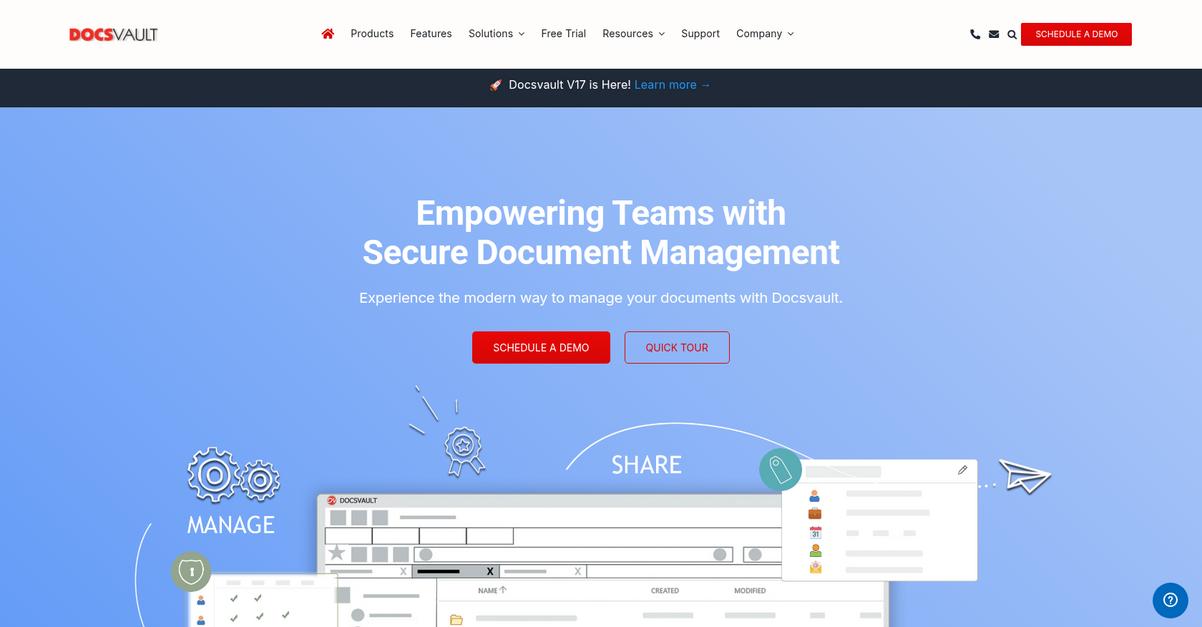
DocsVault introduces workflow automation that goes far beyond DocuPile, letting you automate engineering file routing, approvals, and task assignments with customizable rule sets.
Unlike DocuPile, DocsVault gives you audit-ready tracking and granular version control on every change made to your engineering files. This means you always know who revised which CAD drawing and when—without sifting through messy histories or risking untracked edits.
There’s a smarter way to unify your engineering files.
DocsVault’s advanced automation takes the manual busywork out of your processes, so engineering reviews and approvals move smoother and faster than with DocuPile.
Here’s how you benefit: customizable workflows manage document routing automatically, and you get a full revision trail for every document, not just occasional milestones. Plus, you can digitize engineering forms and automate capture instead of entering data by hand, slashing errors and boosting your team’s confidence with clean records.
Additionally, DocsVault’s integrated forms management stands out. Taming paperwork gets easier because forms are digitized and linked right to your projects, so you aren’t stuck in the scanning-and-upload routine that slows you down on DocuPile.
It’s upgrades like these your team will notice.
Key features:
- Advanced engineering workflow automation lets you customize approval cycles, document routing, and notifications with more power and flexibility than DocuPile’s basic workflows.
- Granular version and revision control panels show complete document history, so you never lose track of engineering design changes or find yourself guessing about revisions.
- Integrated, digital forms management capabilities reduce paper bottlenecks and eliminate error-prone manual entry, improving productivity far beyond what DocuPile’s legacy approach offers.
Verdict: DocsVault is a strong DocuPile alternative if you want deeper control as an engineer. Its advanced workflow automation and fine-grained version controls streamline compliance and project management. You’ll love those time-saving features if DocuPile’s limitations keep holding back your projects.
Conclusion
Struggling with DocuPile’s CAD headaches again?
If you’re tired of juggling clunky CAD file workflows, poor version control, and a lack of secure collaboration, I completely get why you’re ready for a change.
Making the switch can feel daunting, but choosing the right alternative means fewer daily frustrations and a real shot at improved efficiency for your team. Your projects deserve better, and sticking with broken processes only sets you back further.
There’s an easier upgrade right in front of you.
FileCenter is the standout from this list of best DocuPile alternatives, especially if you crave a simpler, desktop-friendly way to manage, organize, and securely share your engineering documents.
I’ve seen FileCenter help engineering teams ditch DocuPile’s complexity—especially smaller firms who want intuitive CAD file management without a steep learning curve or crazy price tag.
Go ahead and start a free FileCenter trial to see the difference for yourself.
Unlock smoother workflows and true project control.