
Tired of slow, clunky project workflows?
You’re likely frustrated with Autodesk Construction Cloud’s confusing interface, limited integration options, and unpredictable costs that seem to climb every month.
This constant friction means your team wastes time instead of focusing on projects, putting major deadlines and compliance at risk.
When your software gets in the way, frustration and inefficiency pile up fast, draining productivity, stretching budgets, and wearing down team morale—making it clear that a change is overdue.

The good news is there are reliable alternatives that deliver the intuitive experience you want while solving these persistent issues.
In this article, I’ll show you the best Autodesk Construction Cloud alternatives for document management software in construction, breaking down how FileCenter, SuiteFiles, Bluebeam, Procore, Bentley, CMiC, Aconex, and Buildertrend compare for teams like yours.
The right tool means better collaboration, affordable pricing, and a smoother, more productive workflow.
Let’s find your solution.
Quick Summary:
| # | Alternative | Rating | Best For |
|---|---|---|---|
| 1 | FileCenter → | Small teams seeking simplicity | |
| 2 | SuiteFiles → | Users wanting Microsoft 365 integration | |
| 3 | Bluebeam Revu → | Teams needing better collaboration | |
| 4 | Procore → | Users seeking centralized document control | |
| 5 | Bentley ProjectWise → | Companies requiring better support |
1. FileCenter

Wish organizing construction documents was actually intuitive?
FileCenter tackles many of the headaches you might face with Autodesk Construction Cloud, like confusing cloud setups and ongoing subscription costs. You get cabinet-drawer filing that uses familiar Windows folder structures, plus direct scanning and OCR—no database hassles or extra modules needed.
If you’re tired of cloud-only solutions, FileCenter’s desktop-first design with a one-time purchase model gives your team a sense of control and ownership. It lets you skip recurring fees and complex software retraining that Autodesk Construction Cloud demands.
This creates a smoother transition without the stress.
The big value here is FileCenter makes going digital easy while slashing costs that come with cloud subscriptions.
You get a dedicated document management system that actually fits how small construction firms work day to day. FileCenter gives you drag-and-drop organization using the Windows folders your staff already knows, letting your projects stay on schedule instead of getting bogged down by a steep learning curve.
Plus, the integrated scanning converts paper plans right into searched, named digital files—so your entire archive is instantly accessible without workflow disruption. This practical approach simplifies compliance and keeps your team efficient from the start.
Your projects stay moving with less admin headache.
Key features:
- Cabinet-drawer organization using Windows folder structures streamlines how you file and retrieve documents, eliminating the need for complex new databases or long implementation projects required by Autodesk Construction Cloud.
- One-time purchase desktop licensing option grants you software ownership, removing annual subscription burdens and giving your firm a predictable, affordable long-term solution.
- Integrated scanning and OCR with intelligent naming lets you quickly digitize and organize paper documents, routing them into searchable archives without jumping between multiple tools or modules.
Verdict: FileCenter fits smaller construction businesses seeking practical, affordable document management software as an Autodesk Construction Cloud alternative. Users report saving 50+ hours yearly on digitization, with the familiar interface and perpetual license model stopping runaway costs and making digital archiving effortless for field teams.
2. SuiteFiles

Wish document management felt less complicated and costly?
SuiteFiles integrates your document processes right within Microsoft 365, letting you work where your team already spends their time—unlike Autodesk Construction Cloud’s separate workflows.
It eases the headaches of migration and retraining by leveraging your familiar Microsoft 365 setup, with automated folder structures and direct Office integration making onboarding dramatically smoother for everyone.
Your workflow doesn’t have to be disruptive anymore.
SuiteFiles approaches document management for construction companies by embedding deeply into Microsoft 365, so you’re managing files and collaborating from within SharePoint and Office apps. This means you avoid the disjointed experience that Autodesk Construction Cloud creates when your team is trying to organize, edit, and share project files across multiple platforms.
Even better, it’s the automated folder creation that brings real order—standardized project folders appear automatically, so setup is never manual or inconsistent. This delivers reliable organization and helps you sidestep the document chaos often experienced when onboarding new jobs or clients.
Additionally, SuiteFiles’ client portal streamlines secure sharing and digital signatures, making external collaboration effortless. Now your clients can quickly approve plans, contracts, or RFIs, and your back office has fewer communication gaps compared to Autodesk Construction Cloud.
Everything here feels built for your existing habits.
Key features:
- Direct Microsoft 365 and SharePoint integration lets your team manage all project documents without leaving familiar Office apps, increasing adoption and reducing document management complexity.
- Automated folder creation for projects and clients standardizes file organization, eliminating manual setup and guaranteeing every job starts with the right folder structure.
- Client portal with digital signature support allows secure document sharing and e-signatures, making external reviews and sign-offs much simpler for construction workflows.
Verdict: SuiteFiles shines as an Autodesk Construction Cloud alternative for construction document management if you’re all-in on Microsoft 365. Reported time savings come from cutting double-handling and software hopping; one construction firm cited improved efficiency across every project folder setup and approval process transition.
3. Bluebeam Revu

Tired of clunky document collaboration slowing you down?
Bluebeam Revu addresses Autodesk Construction Cloud’s pain points with advanced PDF markup, measurement tools, and immediate real-time document review tailored for construction workflows.
If you’re frustrated with Autodesk Construction Cloud’s roundabout review cycles, Bluebeam Revu gives you real-time markup so your team acts faster. That means no more bottlenecks chasing document updates or worrying whether everyone’s working off the same set.
Bluebeam Revu keeps your workflow moving.
Where Bluebeam Revu shines is in making construction document collaboration truly intuitive for your team. Instead of endless email chains and version headaches with Autodesk Construction Cloud, you get real-time co-authoring plus full tracking of every comment, reply, and markup.
Here’s how it works: Bluebeam’s Studio Collaboration lets your project managers, engineers, and field teams review and update drawings together in one shared workspace. All comments, stamps, and measurements are captured, so you have an accurate, audit-ready record. Plus, automated tools like Batch Slip Sheet instantly replace out-of-date drawings and visually compare versions—no more chance of building off the wrong plan.
Additionally, Bluebeam’s measurement and quantity takeoff tools are industry-grade, so you’re not stuck with limited markups or manual calculations. This speeds up submittal reviews and reduces errors, which also lowers admin costs—key for your bottom line.
It’s purpose-built for drawing-centric construction teams.
Key features:
- Robust PDF markup, measurement, and takeoff tools give your team industry-standard annotation and calculation abilities that go far beyond the basic markup features of Autodesk Construction Cloud.
- Real-time Studio Collaboration Environment for review means your team co-authors and reviews plans instantly, leaving a full activity log and avoiding the lag from traditional review cycles.
- Batch Slip Sheet and visual document comparison automate new revision updating and change tracking, so your field crew never builds off the wrong version or loses critical updates.
Verdict: Bluebeam Revu stands out as an Autodesk Construction Cloud alternative for construction project documentation. Its advanced PDF markups, real-time review, and automated slip-sheet updates help you cut errors and admin time. Users regularly report document errors slashed by 30% and up to 50 hours saved per project.
4. Procore

Tired of jumping between tools for document access?
Procore puts all your project documents, drawings, and contracts into a single, searchable cloud hub—no more fragmented folders or endless navigation like with Autodesk Construction Cloud.
By focusing on integrated document control, Procore addresses Autodesk’s limitations with a robust central repository, automated version tracking, and document-to-project linking that keeps every detail organized. It’s how you finally get a single source of truth for your team.
Here’s why that’s such a difference-maker.
Switching to Procore gives you more control immediately.
Procore solves your document chaos by making everything available in one place. Instead of fragmenting data across disconnected modules (like Autodesk Construction Cloud), your documents, RFIs, and contracts live together for quick, effortless access.
You also get automated version tracking across all documents, so you never risk putting your team on the wrong revision. With each update, your entire crew sees the same latest files, reducing errors and rework.
Plus, documents are tightly linked to project elements. Need to see the RFI tied to a drawing? Find it instantly—this streamlines field communication and boosts accountability if you’re coming from Autodesk Construction Cloud’s modular setup.
Everything is designed to help you work smarter, not harder.
Key features:
- Centralized document repository for all project files keeps every drawing, contract, and RFI together for easy access, addressing frustration with fragmented file storage in Autodesk Construction Cloud.
- Automated version control on all documents ensures every team member always works from the latest file, making updates and approvals far more reliable.
- Direct document-to-project linking functionality connects your documents to RFIs, drawings, and punch lists, eliminating information silos and boosting context compared to modular construction platforms.
Verdict: Procore is a top Autodesk Construction Cloud alternative for project document management. MiCiM eliminated multi-platform headaches and saved valuable hours by having all files centralized. Robust version tracking and linked documents make Procore ideal if you want document control designed specifically for your construction workflow.
5. Bentley ProjectWise

Fed up with rigid Autodesk Construction Cloud limitations?
Bentley ProjectWise offers work-in-progress document management designed for large, complex engineering data—solving the messy version control and disjointed collaboration that Autodesk Construction Cloud users often face.
Where Autodesk Construction Cloud struggles with broad document control, ProjectWise gives you a highly structured workflow for managing design changes while supporting strict data integrity throughout project development cycles.
You need something built for tough engineering demands.
Bentley ProjectWise stands out as an alternative if you want advanced document management with more structure and flexibility than Autodesk Construction Cloud currently provides.
Here’s how ProjectWise makes your transition worthwhile.
With a hybrid cloud environment, you get options for both on-premise and cloud storage. This means you can keep sensitive files or very large models on local infrastructure when needed, unlike Autodesk Construction Cloud’s cloud-only approach. Greater deployment flexibility puts you in control of your data—vital for compliance or performance reasons.
Plus, direct integrations with multiple CAD and BIM platforms go beyond just Autodesk tools, delivering seamless workflows for multidisciplinary project teams. Efficient design collaboration, up-to-date document access, and strong security help your team stay productive and ensure you never miss project milestones.
Switching brings deeper integration and control for your construction projects.
Key features:
- Structured work-in-progress management for design data gives you stronger document integrity and versioning controls than Autodesk Construction Cloud, ideal for handling complex, iterative design changes in engineering projects.
- Hybrid cloud and on-premise deployment options offer the flexibility to store files wherever it best fits your project or compliance needs—not just in a proprietary Autodesk cloud.
- Interoperability with leading CAD/BIM tools allows seamless integration across both Autodesk and non-Autodesk environments, supporting design reviews and approvals for large, multi-team projects.
Verdict: Bentley ProjectWise is a powerful alternative to Autodesk Construction Cloud if you need enterprise-level document management for construction and engineering projects. Those dealing with large-scale data, strict compliance, and multi-tool design report smoother collaboration and more robust control—making it the stronger fit for your most demanding workflows.
6. CMiC
Tired of disconnected financials and project docs?
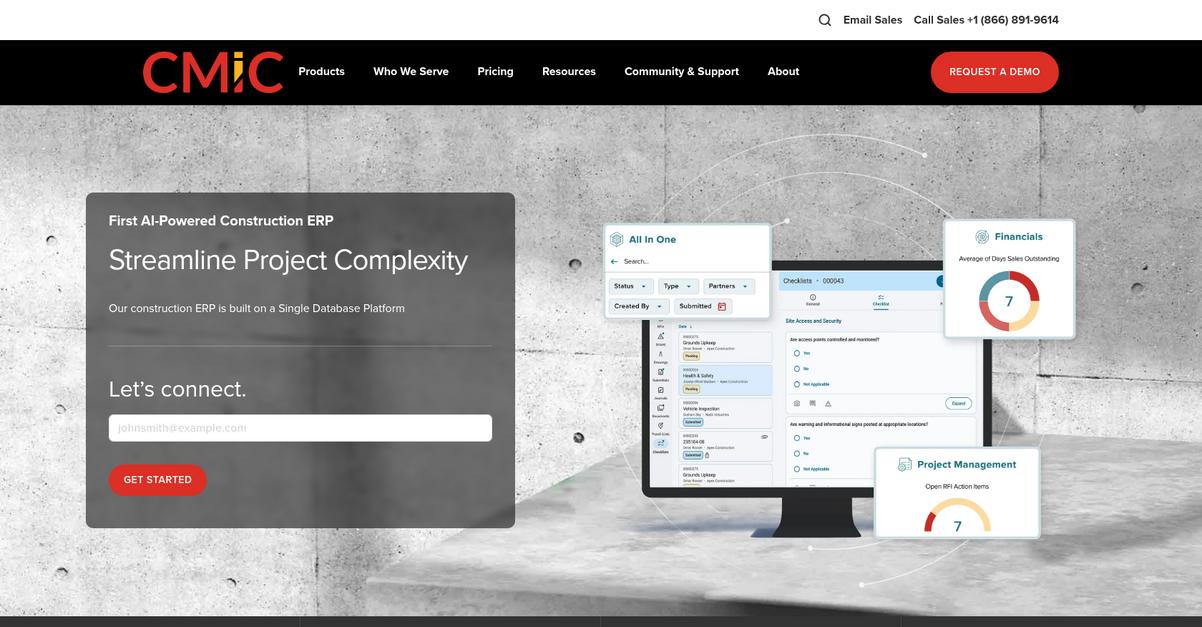
CMiC directly links your project documents, RFIs, and contracts to every relevant financial and payroll module, making business oversight far more complete than with Autodesk Construction Cloud.
If you’ve ever wished for document workflows that truly fit your complex project approvals, CMiC delivers extensive automation for granular routing and custom workflows out of the box. You finally get approval paths that your own team can actually follow, not just generic processes.
That’s a real differentiator.
Instead of making you hunt for documents, here’s how CMiC changes the game.
Your company gets integrated ERP-based document management, so financial, payroll, and project documents actually connect in one place.
It means you can search across every contract, invoice, and RFI instantly—using OCR if you need to grab data buried in PDFs or scans—unifying your whole workflow in a way that Autodesk Construction Cloud can’t match.
Additionally, automated document routing lets you adapt approvals and notifications for each project’s specific needs, cutting down miscommunication and letting your project managers stay on top of compliance and timelines.
The result is less manual oversight, more flowing information, and a workflow aligned with your business goals.
Key features:
- ERP-level integration with document management modules connects every project document to financial and operational controls, giving you more insight than the isolated systems used by Autodesk Construction Cloud.
- Automated, configurable workflows for approvals and distribution allow granular routing, supporting unique business processes and complex project hierarchies better than preset workflows.
- Robust OCR search across all documents means your team finds contracts, invoices, and communications instantly—accelerating retrieval compared to navigating multiple Autodesk Construction Cloud tabs.
Verdict: CMiC stands out as a true Autodesk Construction Cloud alternative because it unifies project documents with financial control in a single ERP framework. If you’re running large projects, this ERP integration can save hours per week, eliminate silos, and support complex approval paths with customized workflows—essential for scaling compliance and efficiency.
7. Oracle Aconex

Need something more flexible than Autodesk Construction Cloud?
Oracle Aconex lets your team work on a truly neutral common data environment, where every project partner keeps ownership over its own documents.
If you’re tired of rigid, single-platform control, Aconex focuses on multi-party collaboration with independent data ownership built in. This approach sidesteps the usual pain points around data silos and locked-down access you might face with Autodesk Construction Cloud.
Aconex is all about empowering every stakeholder equally.
Here’s how Oracle Aconex can solve your workflow headaches.
Moving beyond the limits of Autodesk Construction Cloud, Aconex’s cloud platform creates a shared space where data ownership isn’t dictated by the software provider. That means less fighting over access and more transparency for every partner involved in your construction project.
You also get an unalterable audit trail for every document, correspondence, and decision. This level of traceability goes far beyond basic version controls, protecting you during disputes and ensuring compliance requirements are met easily, even under intense scrutiny.
Aconex stands out with powerful supplier documentation management—automating, tracking, and speeding vendor submissions so your supply chain paperwork never gets bottlenecked. Combined, these capabilities help reduce your document processing times by up to 50 percent, removing friction you’re used to with Autodesk Construction Cloud’s more generic controls.
Switching doesn’t have to mean disruption.
Key features:
- Truly neutral common data environment (CDE) means every organization in the project can keep data ownership, avoiding the power struggles that occur under a single platform model.
- Permanent, uneditable audit trail for compliance captures every transaction and document action, offering greater accountability and security than most project platforms.
- Advanced supplier document management tools automate vendor submission reviews, making it easier to control, track, and close out supplier paperwork compared to Autodesk Construction Cloud.
Verdict: If you need a document management system that gives your project partners equal footing, Oracle Aconex is a strong Autodesk Construction Cloud alternative. It streamlines collaboration, saves up to 50 percent on document processing, and prioritizes both compliance and complex multi-organization projects without hidden workflow headaches.
8. Buildertrend
Tired of Autodesk Construction Cloud’s clunky workflows?
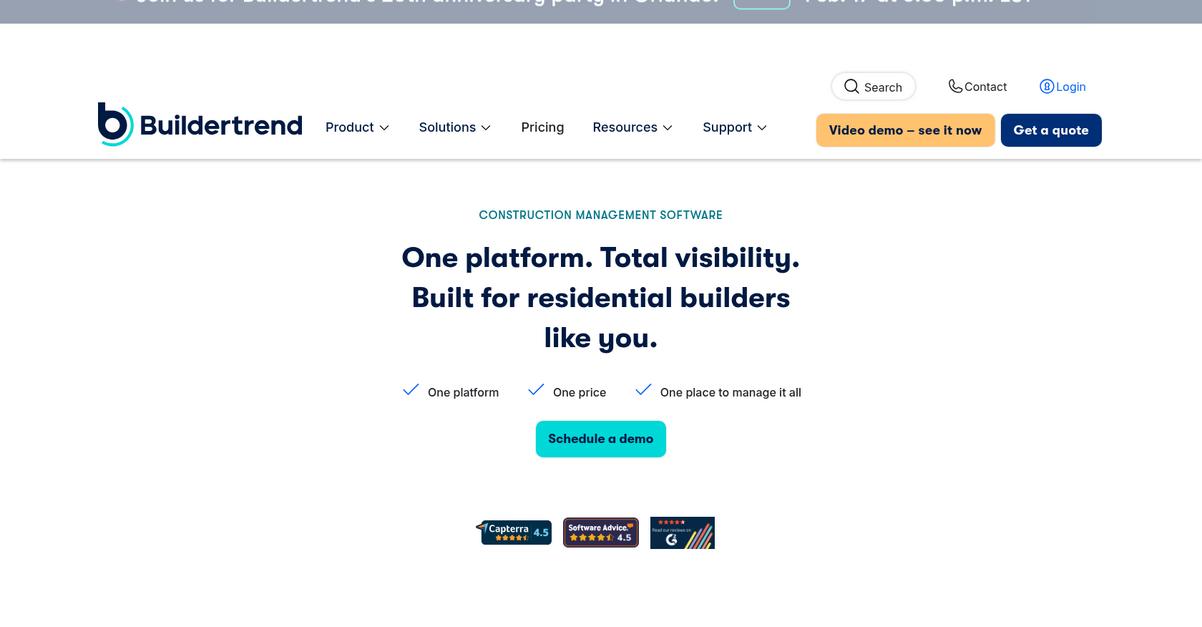
Buildertrend offers a dedicated customer portal, financial management tools, and robust mobile access to solve what Autodesk Construction Cloud often complicates for construction project managers.
If you’re looking for better integration between document management, client communication, and on-site workflows, Buildertrend stands out with features designed for busy residential and light commercial teams.
Here’s where Buildertrend makes an impact.
Switching to Buildertrend as a Autodesk Construction Cloud alternative gives your team greater control over projects from one intuitive dashboard.
The customer portal keeps clients in the loop, but the real power comes with field-ready mobile tools for plan updates, progress photos, and approvals right from the jobsite. This tackles on-site confusion and makes document sharing far easier than with Autodesk Construction Cloud’s often complex mobile setup.
Additionally, Buildertrend’s built-in estimating, budgeting, and billing functions connect directly with your document flows, so you’re not juggling multiple tools to manage finances and paperwork. This unified approach boosts accuracy and reduces time spent on administrative work.
With Buildertrend, you can stop worrying about project communication breakdowns.
Key features:
- Client-facing portal with real-time document sharing boosts transparency and lets your clients follow project updates and collaborate, removing confusion common with Autodesk Construction Cloud’s internal-only focus.
- Financial management tools connected to document workflows combine estimating, invoicing, and contract control, so you manage paperwork and money side-by-side for better project success.
- Field team mobile access for on-site updates lets your crews upload photos, log activities, and access current plans right from their devices—making site documentation much easier than with Autodesk Construction Cloud.
Verdict: Buildertrend is a strong Autodesk Construction Cloud alternative for document management software for construction companies. Its all-in-one approach unites client access, project documents, and field team workflows, letting you automate admin tasks and save hours every week. Home builders and remodelers consistently praise its ease of use and efficiency.
Conclusion
Tired of Autodesk Construction Cloud’s confusing interface?
You’re probably stuck wrestling with clunky workflows, limited integration options, and unpredictable costs that keep creeping up.
It’s completely understandable to look for something better—staying frustrated only drains your team’s energy while the right alternative can finally unlock smoother, more productive projects.
There’s a smarter way forward.
From everything I’ve tested, FileCenter stands out as the best pick for leaving Autodesk Construction Cloud headaches behind.
With FileCenter, you get truly intuitive document organization, affordable upfront pricing, and none of the complexity or cloud lock-in. It’s a breath of fresh air for construction project managers who just want something that works.
Lots of teams move from Autodesk Construction Cloud to FileCenter because it finally lets them get documents under control without hours of retraining or surprise bills.
Ready for a better experience? Visit FileCenter’s website to explore how easy the switch can be.
Start enjoying stress-free project workflows.