

Struggling with Bluedocs’ limits again?
You’re probably frustrated with Bluedocs’ clunky mobile access and constant headaches around scaling as your company grows.
These limitations slow down your team’s workflows and prevent your business from collaborating the way you need.
Trying to manage documents with workarounds wastes valuable time, hurts productivity, and frustrates your team. It can even lead to costly compliance mistakes as files get lost or trapped in the wrong place. When you outgrow Bluedocs, every extra hour spent battling its restrictions is a setback. That means lost opportunities, wasted money, and stressed-out employees who just want things to work.

Luckily, there are smarter alternatives that actually grow with your needs, supporting better collaboration and workflow from day one.
In this article, I’ll share the best Bluedocs alternatives for small business document management, comparing options like FileCenter, DocuWare, SmartVault, Box, and more.
You’ll find easier-to-use tools that keep up with your business.
Let’s explore your options.
Quick Summary:
| # | Alternative | Rating | Best For |
|---|---|---|---|
| 1 | FileCenter → | Small teams seeking simplicity | |
| 2 | DocuWare → | Teams needing better collaboration | |
| 3 | M-Files → | Users wanting modern interfaces | |
| 4 | Box → | Companies requiring better support | |
| 5 | Folderit → | Budget-conscious growing businesses |
1. FileCenter

Tired of Bluedocs holding your business back?
FileCenter offers a refreshing take on document management, using a desktop-first, Windows-style filing system instead of Bluedocs’ more complicated integrated platform.
You’ll notice FileCenter lets you organize documents with familiar folder structures and offer one-time purchase desktop licenses, directly addressing the cost and complexity issues often felt with Bluedocs.
What makes FileCenter especially useful is its intuitive interface that mimics your everyday Windows experience, making onboarding quick and pain-free for small teams.
Let’s explore what switching can really do.
FileCenter’s streamlined filing and scanning features simplify document management for small businesses in ways Bluedocs never could.
You can quickly scan paperwork into organized folders, name files automatically with OCR, and avoid ongoing monthly fees by owning your software outright. This is especially helpful if you want local control and predictable software costs—not more subscriptions.
Additionally, integrated PDF editing and instant search help your team digitize, organize, and find documents right away, while the desktop app keeps everything fast and easy without a steep learning curve.
The result? FileCenter saves your business valuable hours and reduces frustration.
Key features:
- Familiar Windows-style folder organization empowers your team to manage files using structures they already know, reducing training needs and expediting adoption compared to Bluedocs’ steeper learning curve.
- Perpetual license option for desktop users lets your business avoid recurring monthly fees, offering a budget-friendly alternative to Bluedocs’ subscription requirements for local document management.
- Integrated scanning and OCR with auto-naming allows easy digitization and rapid retrieval of paper documents, offering more streamlined conversion than the manual processes required in Bluedocs.
Verdict: FileCenter is a compelling Bluedocs alternative if your small business values intuitive filing, quick scanning, and budget flexibility. With users reporting paperwork tasks dropping from a week to 15 minutes, you get faster workflows and much less hassle—especially if Bluedocs’ complexity and costs slow your progress.
2. DocuWare

Hitting a wall with Bluedocs scalability or integrations?
DocuWare steps up with advanced workflow automation, extensive cloud options, and over 500 integrations—areas where Bluedocs has often left small business owners wanting more.
Unlike Bluedocs, DocuWare gives your team broader connectivity and intelligent automation features right out of the box. This means your small business can integrate with the apps you already rely on, achieve tighter workflows, and finally leave those basic document limitations behind.
Here’s what happens when you have the right foundation.
DocuWare addresses your need for a solution that fully supports small business growth. Its comprehensive cloud infrastructure outpaces Bluedocs’ more limited options, while the integration library unlocks powerful collaborations across Microsoft, QuickBooks, Salesforce, and more.
What truly sets DocuWare apart is its ability to intelligently extract and organize data from each document using cutting-edge AI and OCR. You won’t spend hours on manual tagging or file classification ever again; instead, critical information gets indexed automatically, making search simple and reliable if you’re moving from Bluedocs.
On top of this, digestible workflow automation lets you configure document approval and routing without any coding headaches. Every step, from invoice handling to contract sign-off, becomes more accurate and less reliant on overworked staff.
This is exactly what your business processes need.
Key features:
- 500+ cloud-based app integrations let you connect DocuWare with all your small business platforms—like QuickBooks, Microsoft, and Salesforce—far beyond what Bluedocs supports out of the box.
- AI-powered indexing and smart OCR automation takes care of metadata tagging and organization instantly, so your documents are always well-structured and searchable—reducing the manual work you’d face on Bluedocs.
- No-code workflow design for process automation means you’re not stuck with rigid assignments—instead, you tailor document routing, notifications, and approval chains to fit exactly how your business operates.
Verdict: DocuWare delivers a genuine upgrade from Bluedocs for small businesses wanting robust integrations, automation, and cloud benefits. Small teams report cutting invoice processing time by 40% and reducing filing errors, thanks to DocuWare’s AI and OCR—making it a smart, growth-ready Bluedocs alternative.
3. M-Files

Frustrated by Bluedocs’ limited scalability and rigid system?
M-Files breaks free from the folder-based approach by letting you organize documents using metadata tags, not locations—a big step up from what Bluedocs allows.
This means you aren’t stuck navigating endless folders or struggling to recall where critical files were saved. Instead, you can search, filter, and manage everything by context. With far more flexible document discovery and retrieval options, your team finally finds information when they need it.
You’ll feel the benefits instantly.
M-Files solves your document chaos by taking the guesswork out of organization.
It replaces clunky folders with smart metadata-driven categories so you always find files based on “what” they are instead of “where” they’re stored. If you were worried about painful data migration from Bluedocs, M-Files’ repository-neutral approach means you can connect everything—including SharePoint, network folders, and cloud drives—without any dramatic restructuring. Plus, you get the power of AI-driven automation that extracts, summarizes, and tags documents faster than Bluedocs ever could, so information flows straight into your processes.
Additionally, M-Files’ tight integration brings together all your information, no matter where it lives. This unified view helps you avoid duplication and reduces wasted time hunting down the correct document version. If you’re looking for measurable business results, users say they find information 50% faster, improve process efficiency by 70%, and work 65% smarter with M-Files.
You’ll finally get document management that keeps up.
Key features:
- Metadata-driven file organization for instant retrieval gives you contextual search and categorization, letting your team find information based on attributes instead of wasting time in rigid Bluedocs-style folders.
- Connects to existing repositories without data migration so you can unify SharePoint, network drives, and cloud storage without manual transfers—eliminating downtime or complex onboarding struggles.
- AI-powered automation for smart tagging and insights lets you summarize, tag, and analyze documents automatically, delivering a level of workflow efficiency Bluedocs doesn’t offer to small businesses.
Verdict: M-Files is a powerful Bluedocs alternative for small businesses ready to ditch old folder hassles. With metadata-driven search, AI-powered automation, and repository-neutral connections, users see up to 70% efficiency gains and 65% smarter workflows—making your switch from Bluedocs both impactful and future-proof.
4. Box

Need your document management to actually scale?
Box takes care of those frustrations by offering unlimited cloud storage and truly robust mobile access, features often missing or restricted if you stick with Bluedocs.
With Box, you get scalable storage for growing files, better collaboration tools, and unlimited e-signatures—benefits your team will notice right away.
Your options for document storage and workflow don’t have to be limited.
Box solves these pain points by going well beyond Bluedocs’ internal-only focus and giving your small business secure cloud storage and external collaboration.
Here’s how Box stands out for your document management. You get unlimited cloud storage across business plans, plus unlimited e-signature requests, so you always have room for new documents and never worry about extra signing costs. Its AI tools help you find information and summarize documents faster, making it genuinely easier to stay on top of admin work compared to Bluedocs’ more basic search function.
Additionally, integrations with Microsoft and Google Workspace make day-one adoption a smoother process, giving your team a powerful boost in productivity from the start. Box’s advanced permissions, audit trails, and security features combine with seamless collaboration to deliver a single, trusted platform for all your files, whether you’re in the office or working remotely.
With Box, your team gets a platform that can finally grow with you.
Key features:
- Unlimited storage across business plans means your team never has to worry about running out of space, a big step up from Bluedocs’ implicit storage restrictions.
- Unlimited e-signature capability lets you send, sign, and manage contracts or agreements without incurring additional charges for e-signature workflows unlike most other options.
- AI-powered search, Q&A, and summaries turn mountains of files into actionable insights and save you time, going far beyond Bluedocs’ basic search functions.
Verdict: Box is one of the best Bluedocs alternatives for small business document management, thanks to its unlimited storage, AI-driven content intelligence, and e-signature tools. Box users report measurable time savings and easier collaboration—bringing better workflow and productivity as your business scales.
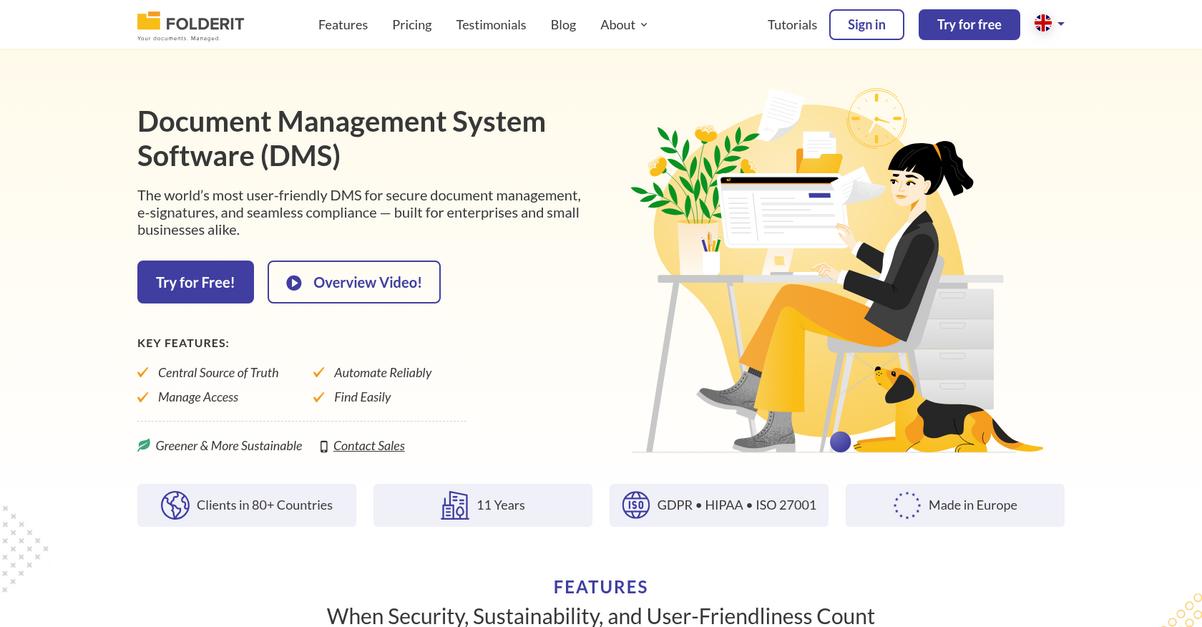
5. Folderit
Tired of Bluedocs’ unpredictable pricing and poor mobile access?
Folderit takes a refreshingly simple approach, offering transparent team pricing and secure cloud document management that skip Bluedocs’ major limitations right from the start.
With Folderit, you get unlimited versioning, full audit trails for compliance needs, and custom metadata fields to organize files your way. You never need to worry about escalating costs every time someone new joins your team.
This means you’ll never face runaway per-user subscription fees as your business grows—giving you control and predictability as you scale.
Here’s how Folderit can solve those headaches.
Folderit lets you securely manage documents in the cloud using team-based pricing, making it much more affordable than Bluedocs for small business budgets.
If your team is frustrated by Bluedocs’ version history limits, Folderit’s unlimited file versioning and automatic audit logging for all activity mean you never miss a step or lose track of changes, which is essential for compliance and peace of mind.
Additionally, custom metadata fields help you organize every document with the categories and tags your process needs, so your team can quickly find exactly what they want without relying on rigid folder structures.
Plus, Folderit’s strong security and easy integration with Office 365 removes friction as you switch.
Your whole workflow becomes simpler and more secure.
Key features:
- Transparent team-based pricing per organization ensures your document management costs remain predictable and affordable as you grow, instead of increasing unexpectedly with every new user you add.
- Unlimited versioning and robust audit trails automatically capture all document changes and user actions, providing full historic traceability and powerful compliance coverage missing from most Bluedocs setups.
- Flexible custom metadata for every file lets you tag documents with any criteria you need—text, numbers, dates—enabling ultra-fast search and organization tailored to your actual business needs.
Verdict: Folderit is a standout Bluedocs alternative for small business document management. With unlimited versioning, predictable team pricing, and easy compliance, users report noticeably better efficiency and retrieval times—many saving hours weekly. If you want affordability and control as you grow, Folderit’s the one to try.
6. LogicalDOC

Tired of Bluedocs holding your team back?
LogicalDOC brings full-text and metadata search across all your documents, instantly solving the typical frustration with Bluedocs’ limited content discovery and filtering features.
If you’ve struggled to locate files or missed key information, LogicalDOC unlocks much more granular and accurate document searching. This means you can find anything—contracts, emails, scanned PDFs—within seconds, no matter how big your archive grows.
Your team needs more than just a basic search bar.
LogicalDOC solves this with true small business scalability.
Beyond Bluedocs’ constraints, LogicalDOC lets you use powerful search and workflow tools built to handle complex document needs right from the start. You get advanced document tagging, full-text searching in attachments, and metadata-driven organization that flexes as your business expands.
Here’s how this helps: LogicalDOC runs on any major operating system, plus has web, iOS, and Android access, so your staff can find contracts or policies wherever they are. The robust RESTful and SOAP API—offering nearly 500 request types—lets you connect to accounting, HR, or CRM tools you already use, instead of wrestling with limited integrations.
Plus, LogicalDOC handles cloud or on-premise deployment. That’s perfect if your security or IT needs change over time, and you aren’t boxed into one environment.
The result: finding, sharing, and securing documents just gets easier.
Key features:
- Comprehensive full-text and metadata search lets your team find files based on content, tags, or properties—giving you more accurate results than Bluedocs and saving hours every week.
- Cross-platform and mobile access means your documents are accessible whether your team is at the office, remote, or on the go, solving the mobility headaches Bluedocs users report.
- Extensive API-first integration connects with nearly 500 third-party applications, supporting business workflows and integrations that Bluedocs just doesn’t cover for small businesses.
Verdict: LogicalDOC stands out as a smart Bluedocs alternative for document management software for small business. Users report saving significant time organizing and processing files thanks to advanced search and robust integration options, making your daily operations less stressful and much more efficient.
7. PandaDoc

Wishing your documents actually sped up your business?
PandaDoc’s all-in-one automation suite fixes Bluedocs’ limited scalability and clunky mobile experience by giving you an integrated drag-and-drop editor plus unlimited e-signatures with real-time tracking on every paid plan.
Unlike Bluedocs, PandaDoc lets your team close deals faster and collaborate better with robust client-ready documents, transparent approval tracking, and streamlined integrations that connect everything in one place.
Here’s how PandaDoc makes switching worth it.
With PandaDoc, you leave frustrating workflows behind for a complete document automation and e-signature platform designed to help your business move faster than Bluedocs ever could.
You’ll notice the difference once you open PandaDoc’s document editor, where you can create professional proposals, quotes, and contracts using rich media and templates—even if you’re on your phone. If you’re tired of working around Bluedocs’ limitations, you’ll love tracking every e-signature in real time while clients review, plus automated notifications that let everyone know where things stand. This means less chasing and more winning new deals.
Additionally, PandaDoc integrates directly with Salesforce, HubSpot, and payment gateways, so you can push data, kick off or close deals, and collect signatures or payments—all in one place. That means fewer manual steps, faster approvals, and happier clients.
This is why small teams grow with PandaDoc.
Key features:
- Integrated drag-and-drop document editor lets your team create branded proposals, contracts, and quotes much faster and more easily than the limited Bluedocs internal editor.
- Unlimited legally binding e-signatures with real-time tracking mean you always know the status of every document—Bludocs restricts both signature volumes and transparency.
- Built-in CRM and payment integrations automate your pipeline from quote to cash, eliminating the manual uploads and data re-entry common with Bluedocs.
Verdict: PandaDoc stands out as a Bluedocs alternative for small businesses who want to boost productivity with professional documents, unlimited e-signatures, and real-time tracking. Users report closing deals up to 36% faster and cutting document prep time in half, making it a compelling upgrade.
8. Hightail

Are Bluedocs’ limitations holding your workflow back?
Hightail takes file sharing and creative collaboration beyond what Bluedocs offers, with direct support for huge files and richer visual feedback features.
If you’re constantly hitting file size limits, you’ll love how Hightail lets you send files up to 500GB and track downloads instantly. Unlike Bluedocs, your creative team won’t waste time on workarounds or bottlenecks.
Simple, right? But there’s more to this alternative.
Hightail fixes this by focusing on collaborative creative file management.
You get a platform designed for small businesses that need secure large file transfers and frictionless creative review, not just basic document storage.
Visual collaboration spaces let everyone comment, annotate, and approve right on your project files, so feedback doesn’t get lost in endless email chains or unstructured threads. Version control is built into these review spaces for images and video, making project approvals way easier than with Bluedocs.
Plus, if clients or partners need to send you files, Hightail’s custom Uplink URLs let them upload directly into your Hightail workspace, even if they don’t have an account. This feature, combined with streamlined review workflows, saves your team several review rounds—real users report closing jobs faster and reducing wait times for approvals.
You’ll finally get time back for real work.
Key features:
- Large file sharing up to 500GB per transfer streamlines delivery of creative assets, solving the sending limits that frustrate small business users in Bluedocs, especially for design and media teams.
- Visual collaboration spaces for review and feedback let your team leave comments, annotations, and manage versions directly on creative files—a much better fit for rich media than standard document workflows.
- Custom Uplink URLs for external uploads empower effortless client and partner file intake, simplifying collaboration versus Bluedocs’ standard account-centric sharing model.
Verdict: If you need a document management software alternative to Bluedocs with true creative collaboration, Hightail stands out. You’ll enjoy faster review rounds, file sharing up to 500GB, and client-friendly upload links—all designed so your small business team can manage creative work without the file size headaches of Bluedocs.
9. SmartVault

Feel like Bluedocs can’t keep up with your needs?
SmartVault gives you a secure client portal, unlimited e-signatures, and deep accounting integrations, letting you handle sensitive documents and workflows without Bluedocs’ limitations.
If you’re looking for a way to improve collaboration with clients and boost compliance, SmartVault’s portal makes it far easier to exchange forms, request signatures, and track what’s been sent. You never have to worry about feeling boxed in by basic document lists or missing business-ready integrations.
This is where SmartVault really starts to shine.
With SmartVault, you get document management that actually fits your business, not the other way around.
Plus, SmartVault was built from the ground up for small businesses that outgrow tools like Bluedocs. Its custom branded portal lets you securely share documents, get e-signatures, and gather completed forms all in one space—no more scrambling to get client paperwork by email.
If you need to automate filing and workflows for taxes or bookkeeping, you get tight integration with platforms like QuickBooks and tax software that Bluedocs simply can’t match. You no longer waste hours routing files or checking for missing documents.
Additionally, SmartVault gives you unlimited e-signatures and advanced client authentication in higher tiers, which means your team can handle more client documents securely and stay compliant all tax season.
It’s what small business document management should feel like.
Key features:
- Custom branded client portal for document exchange lets you collaborate and request e-signatures from clients, providing a more tailored and professional experience compared to Bluedocs’ basic sharing tools.
- Deep integrations with accounting and tax platforms automate document workflows with QuickBooks, Xero, and leading tax prep tools, increasing productivity for financial and accounting firms.
- Unlimited e-signatures with knowledge-based authentication ensure secure, compliant handling of sensitive documents so your firm meets strict regulatory standards, an area where Bluedocs falls short.
Verdict: SmartVault is a smart Bluedocs alternative if you need purpose-built document management for accounting, professional services, or small business workflows. Firms using SmartVault report cutting $1,500 in server costs each month and reducing phone time by 75% just during busy tax season, proving real ROI over Bluedocs.
Conclusion
Ready for a document system that actually works?
Bluedocs just doesn’t keep up when you need real mobile access or simple ways to grow with your business.
I get it—switching tools can be stressful, but being stuck with missing features and workflow headaches only slows your team down further when you want to move forward.
Let me cut to the chase.
After looking at every alternative, FileCenter is my top pick for small businesses frustrated with Bluedocs’ limitations.
FileCenter makes document management and scanning easy from day one—no confusing learning curves or migration nightmares. It’s the Bluedocs alternative that helps your team organize, share, and find files without the hassle.
Give FileCenter a try—book a personalized demo or check out their free trial to experience the difference.
Unlock smoother workflows, faster organization.