
Worried your documents aren’t fully secure?
You’ve probably run into high subscription costs or privacy concerns with CamScanner, and it’s making you wonder if it’s really the right tool. These issues can put your sensitive files at risk and leave you paying more than you should for basic scanning.
For busy professionals and students, every extra dollar and privacy scare adds up fast. The result is less trust in your document management and frustration that the software meant to help is now holding you back. When CamScanner doesn’t deliver, you risk lost time, wasted money, and team members second-guessing the process.
Luckily, there are great options that offer stronger security with better pricing than what CamScanner provides. In this article, I’ll show you the best CamScanner alternatives for secure, efficient document scanning—with a breakdown of tools like FileCenter, PaperScan, Adobe, ABBYY, IRIS, and more.

You’ll get peace of mind, greater efficiency, and improved data privacy.
Let’s find your solution.
Quick Summary:
| # | Alternative | Rating | Best For |
|---|---|---|---|
| 1 | FileCenter → | Users needing desktop control | |
| 2 | PaperScan → | High-volume desktop scanning | |
| 3 | Klippa → | Automating business document data | |
| 4 | Adobe Acrobat → | Users wanting enterprise security | |
| 5 | ABBYY FineReader → | Precise OCR and batch conversion |
1. FileCenter

Feeling boxed in by CamScanner’s rising costs?
FileCenter’s desktop-focused platform brings powerful scanning and filing together, addressing CamScanner’s subscription headaches and limited local control with features made for streamlined document management.
Instead of sticking you with basic cloud-only storage, FileCenter delivers robust local Windows folder organization and one-click scanning options that CamScanner simply does not match for desktop users.
All of this means you don’t have to settle.
FileCenter offers a smarter, more flexible answer if you’re seeking relief from CamScanner’s struggles.
You can digitize paperwork directly to searchable PDFs with just one click, using FileCenter’s built-in scanning and OCR features. This means your files are not only captured but instantly made searchable, saving you countless steps compared to CamScanner’s mobile-reliant capture.
Plus, you can organize files using familiar Cabinet-Drawer Windows folder structures, speeding up adoption and retrieval for anyone hesitant about switching from mobile to desktop software.
FileCenter’s perpetual license option is another win: you get a true one-time purchase if monthly fees have worn you down. Combine that with intelligent naming rules and structured local control, and your document management is not just easier—it’s genuinely yours.
That’s the clear road away from CamScanner frustration.
Key features:
- Cabinet-drawer filing built on Windows folders organizes your documents with familiar folder structures, which is more powerful and intuitive than CamScanner’s basic cloud storage model.
- Integrated one-click scanning with automatic OCR digitizes and converts paperwork instantly to searchable PDFs, drastically reducing manual sorting steps you’d deal with in CamScanner.
- Perpetual license purchase for lifetime ownership lets you pay once for desktop document management, avoiding mandatory subscription renewals or ongoing cloud costs required by CamScanner.
Verdict: FileCenter is a strong CamScanner alternative if you’re after structured desktop organization and cost transparency. Users report quicker document retrieval and directly cite time savings on manual filing tasks—especially valuable if your small business counts on efficient workflow without recurring subscription fees.
2. PaperScan
null
Paying too much for limited mobile scanning?
PaperScan stands out by offering universal scanner support and advanced image enhancement, letting your team go far beyond CamScanner’s basic mobile capture approach.
If you want to use your existing office or home scanners, PaperScan delivers far broader compatibility with TWAIN and WIA devices—allowing every team member to digitize documents using hardware you already own. This means you’re not restricted to mobile-only, so nothing is left behind.
Plus, you gain control over document quality at every stage.
PaperScan offers a different kind of flexibility.
With PaperScan, you shift away from CamScanner’s mobile-first limitations and unlock powerful desktop scanning. You can run high-volume batch jobs, process large stacks of paperwork, and automate document cleanup—straight from your scanner.
The automatic blank page detection and color correction tools kick in every time a document is scanned, ensuring everything looks professional without extra manual steps. You can separate documents, recognize bar codes, and convert batches straight to PDF without hassle.
Additionally, batch processing and PDF conversion allow you to easily manage stacks of paperwork, digitizing everything in one go. These options make PaperScan ideal for both students with massive study materials and small businesses streamlining their compliance processes.
You get dependable scanning, not just another mobile workaround.
Key features:
- Universal scanner compatibility for desktop use lets you connect virtually any TWAIN or WIA scanner, extending document digitization capabilities beyond basic mobile-only tools like CamScanner.
- Advanced image enhancement with auto-cleanup offers automatic blank page removal, deskewing, and color adjustments, providing professional-quality scans and minimizing post-capture editing effort.
- High-volume batch scanning and separation tools enable bulk scanning, automated sorting, and easy PDF conversion, which reduces the time and manual work needed for large scanning jobs.
Verdict: PaperScan is the desktop-first CamScanner alternative you need for serious document scanning. With superior image quality controls and universal scanner support, you can digitize high volumes without mobile device bottlenecks—especially valuable for small businesses and students looking to save money and boost efficiency.
3. Klippa
Chasing better value and peace of mind?
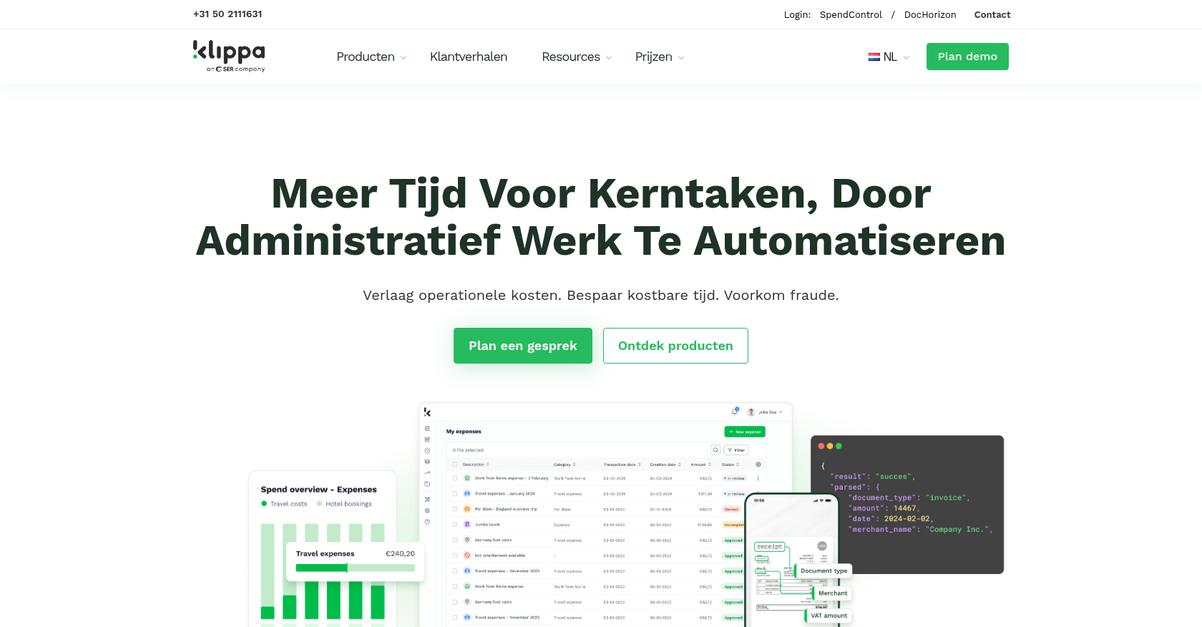
Klippa solves key CamScanner pain points with AI-powered data extraction, secure processing, and real workflow automation designed for your business—not just basic OCR or manual filing.
The real difference is Klippa automates far more than simple text scanning. You get AI extraction that pulls and organizes receipt and invoice data, so you’re not stuck typing or sorting documents manually like with CamScanner. Plus, everything’s designed for privacy and business-level compliance.
You finally get features built around your business needs.
Klippa is designed to take your document scanning to the next level, especially if you’re frustrated by CamScanner’s limited automation and data integration.
Unlike CamScanner, Klippa’s AI takes scanned images of receipts and invoices and automatically extracts and categorizes the data. With this, you can connect scanned documents right into your ERP or expense platforms, saving hours you’d otherwise spend moving files around.
If your main worry is data security or fraud, Klippa can also detect duplicate entries and possible document fraud, an area where CamScanner just offers basic sharing. These added protections mean you can streamline your expense oversight and compliance, all while improving your bottom line.
It’s a modern take on business document scanning.
Key features:
- AI-driven data extraction from scanned documents automatically captures and categorizes data from receipts, invoices, and more—eliminating manual entry, which is missing from CamScanner.
- Automated workflow integration into your business systems allows you to send data straight from scans into ERP or expense management software, solving inefficiencies left by CamScanner.
- Built-in fraud detection flags duplicates and suspicious activities in scanned financial documents, providing another level of security completely absent with CamScanner.
Verdict: Klippa is a strong CamScanner replacement for scanning and processing business documents at scale. If you’re looking to fully automate receipt capture and integrate directly with core systems, Klippa clients report saving up to 50 hours per month, boosting both compliance and cost efficiency.
4. Adobe Acrobat

Frustrated by CamScanner’s limited security and rising costs?
Adobe Acrobat fixes these issues with high-quality OCR, advanced PDF editing, and robust document security—all designed for professional document management needs.
Unlike CamScanner, Acrobat gives you real control over your PDFs. You get enterprise-level security features plus superior text recognition that ensure your scanned documents stay both accurate and protected.
Switching to a better solution is within reach.
Here’s how Adobe Acrobat can make your document workflow smoother if you’re looking for a CamScanner alternative. It’s built as a professional-grade platform, offering editing, scanning, and organizing features that help your documents stay secure and accessible without privacy tradeoffs.
Your team will love the high-accuracy OCR that turns scans into searchable, editable files. If you move from CamScanner, this means you can extract and edit text from receipts, contracts, and reports without tedious manual correction or missed details.
Additionally, robust password protection, redaction, and digital signatures let you confidently manage sensitive information. Combining this with advanced PDF organization tools reduces the time spent searching for documents and keeps everything compliant—solving a core frustration you likely faced with CamScanner.
You’ll notice immediate improvements in collaboration and document workflow.
Key features:
- Professional PDF editing and organization tools give you control over combining, editing, and managing PDFs with far more depth than CamScanner’s basic editing or annotation.
- Highly accurate OCR with wide language support converts images into usable text, helping you capture every detail in your scans, which CamScanner sometimes misses.
- Enterprise-level security with redaction and signing secures sensitive PDFs using password protection, redaction, and digital signatures—covering privacy needs CamScanner doesn’t fully address.
Verdict: Adobe Acrobat is a top choice if you’re seeking best CamScanner alternatives with industry-leading scanning, high-fidelity editing, and real enterprise-grade security for your document workflow. Users consistently highlight its superior OCR, stronger editing, and trusted password protection as key upgrades over CamScanner’s limitations.
5. ABBYY FineReader

Tired of hidden costs or privacy doubts with CamScanner?
ABBYY FineReader directly addresses these frustrations with AI-powered OCR that delivers above-average accuracy, plus advanced PDF editing and robust document comparison—features that go far beyond CamScanner’s limited toolset.
Unlike CamScanner, FineReader’s advanced recognition ensures precise text extraction even for complex documents and layouts, so you don’t waste time fixing errors or missing key data.
Your productivity should not be slowed by the wrong scanning tool.
With ABBYY FineReader, you can count on razor-sharp OCR for digitizing everything from contracts to academic notes, helping you confidently adopt an alternative that won’t risk your efficiency.
Here’s how the switch makes life easier for you: Batch conversion is automated, so you’re not stuck manually saving each file. You can automatically turn piles of scans into editable Word or Excel documents, making bulk processing far faster and more reliable than CamScanner allows.
Additionally, the side-by-side document comparison tool lets you see exactly what’s changed between drafts or file types—a huge plus if your team reviews contracts or collaborates on edits.
The result is better accuracy, smoother collaboration, and fewer mistakes.
Key features:
- AI-based OCR with support for 130+ languages gives you unparalleled precision extracting text from even the most complicated layouts, clearly outpacing CamScanner’s basic OCR tech and minimizing costly manual corrections.
- Automated batch conversion workflows streamline high-volume scanning, letting you turn thousands of paper files into shareable, editable formats without tedious manual work, far exceeding CamScanner’s one-file-at-a-time process.
- Side-by-side document comparison enables efficient version tracking and review, so you quickly catch differences in contracts or academic papers, a feature CamScanner simply doesn’t offer.
Verdict: ABBYY FineReader stands out as a top CamScanner alternative if you want secure, accurate document digitization that saves you real time. Companies switching over have reported double-digit productivity gains due to superior OCR and automated workflows. It’s ideal for anyone who needs more control and precision than CamScanner provides.
6. VueScan
Tired of rising CamScanner costs and privacy issues?
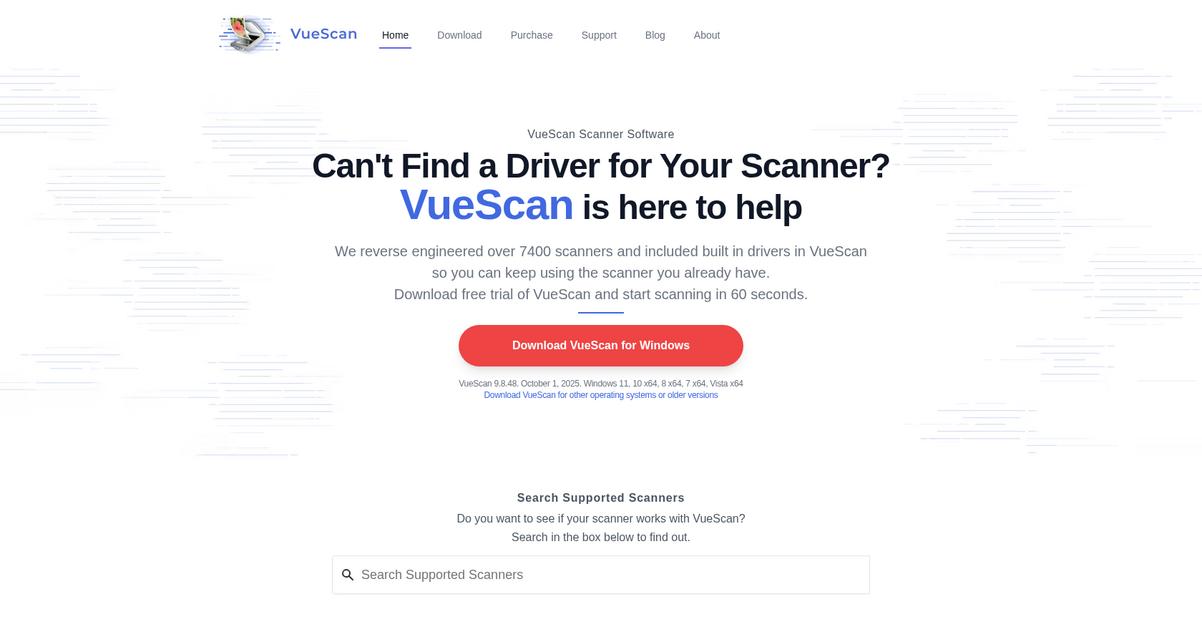
VueScan brings a unique solution by unlocking advanced scanning features for over 7000 physical scanners, offering you more control and flexibility than mobile-based scanning ever could.
With VueScan, you can breathe new life into your existing scanners, maximize image quality, and totally avoid recurring fees that often frustrate CamScanner users.
Switching to a physical scanner doesn’t need to be daunting.
VueScan stands out by letting you control nearly any scanner you have—modern or decades-old—across Windows, Mac, or Linux. You not only ditch CamScanner’s dependence on mobile device cameras but also regain professional control over color, file type, and scanning depth right at your desk.
For those needing ultimate scan quality, VueScan’s advanced image adjustment and film scanning tools ensure reliable results for business docs, receipts, or even precious photos. This means your scanned files will always look their best for archiving, compliance, or sharing—without the unpredictability of mobile camera capture.
You’ll also appreciate the one-time purchase pricing model, which means no more surprise subscriptions or ads interfering with workflow. Combining this with batch processing and free updates, VueScan makes switching seamless for anyone worried about costs or data migration stress.
Everything here is built around your productivity.
Key features:
- Full control over scanner hardware and settings breathes new life into over 7000 scanners, supporting even legacy devices and far surpassing CamScanner’s phone-only approach for document digitization.
- Advanced image quality and batch scanning tools provide granular adjustments, color correction, and film scanning—key for business users who take scan consistency and professionalism seriously.
- Perpetual license with free updates eliminates endless subscription costs and avoids disruptive ads, keeping document scanning both affordable and distraction-free in the long haul.
Verdict: VueScan is a smart CamScanner alternative if you value desktop-class scan quality, broad hardware support, and cost control. Users routinely upgrade legacy scanners and report major workflow gains, with one-time pricing slashing ongoing costs by up to 80% for document-heavy processes.
7. NAPS2
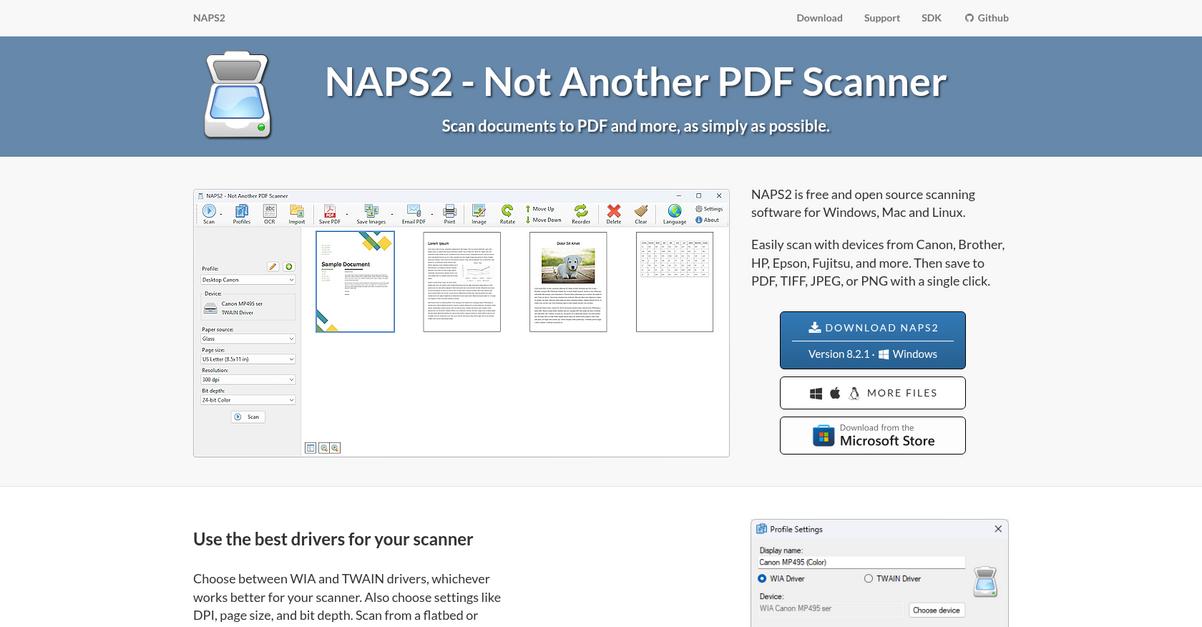
Tired of paying for every scan?
NAPS2 makes scanning affordable and private by giving you free desktop software that eliminates CamScanner’s subscription costs, ad interruptions, and cloud dependence.
Unlike CamScanner, NAPS2 puts you fully in control with no cloud storage requirement or privacy tradeoff during OCR. This means you keep document conversion local and sidestep concerns about where your files end up after scanning.
Here’s how your workflow becomes more secure and predictable.
All the key scanning and OCR tasks happen right on your computer, so privacy is never in doubt. Plus, flexible hardware integration lets you scan from almost any TWAIN or WIA-compatible desktop device instead of being limited to a phone camera.
Switching to NAPS2 empowers efficiency now.
NAPS2 solves the CamScanner affordability and privacy headaches with its open-source, cost-free platform. You get comprehensive scanning and OCR, without surprise fees, cloud lock-in, or forced upgrades.
With NAPS2, you benefit from advanced scanner control using TWAIN and WIA drivers, meaning you can use your existing hardware with full compatibility and control. If scanning is a big part of your daily routine, this saves hassle and boosts reliability.
Additionally, NAPS2 offers local OCR processing—convert scanned documents to searchable PDFs entirely offline, staying totally private. Combining open-source transparency, robust local tools, and no fees, you fast-track compliance while unlocking affordable scanning.
It’s a smarter way to go digital.
Key features:
- Full-featured, open-source desktop scanning and OCR provides robust document scanning without fees or ads, making it accessible for any user concerned about ongoing costs with CamScanner.
- Direct interaction with your physical scanners through TWAIN and WIA driver integration, letting you use existing desktop hardware for more reliable and controlled scanning than CamScanner’s mobile-only approach.
- Local OCR conversion for enhanced data privacy means all document processing stays on your computer, fully eliminating the cloud-based privacy risks that come with CamScanner.
Verdict: NAPS2 stands out as a dependable alternative to CamScanner, giving you free, local desktop scanning and robust OCR functionality. If you want to eliminate ongoing subscription fees and keep your sensitive documents off the cloud, NAPS2’s open-source workflow drives improved privacy and savings for all your scanning needs.
8. IRISPowerscan
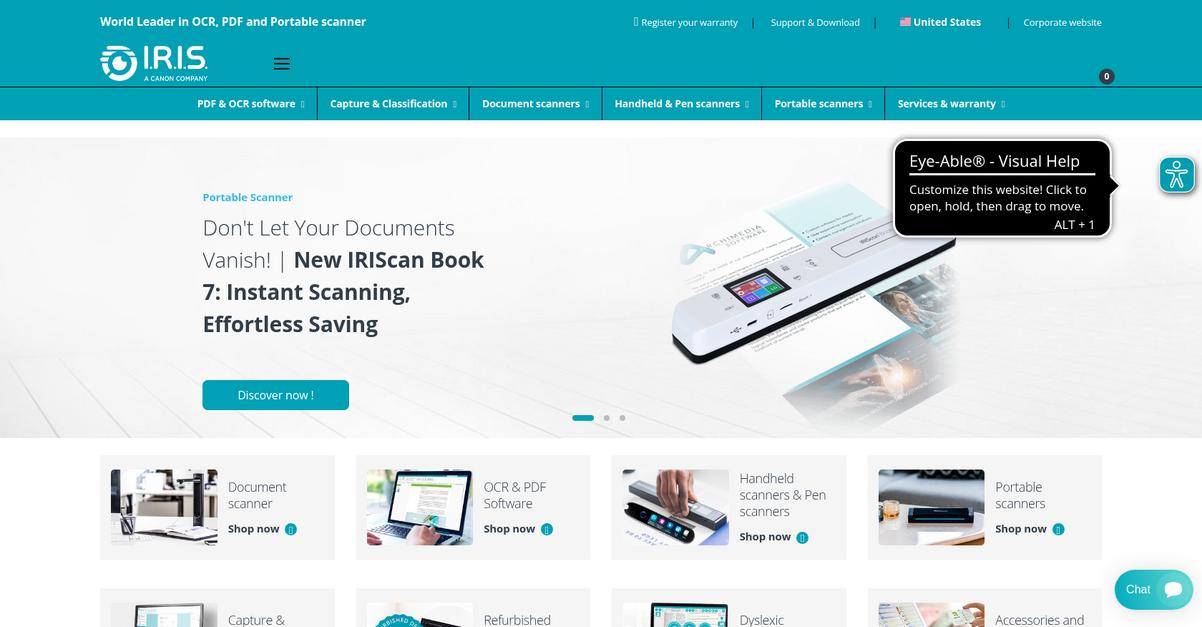
Tired of rising costs and privacy worries?
IRISPowerscan goes far beyond CamScanner by letting you scan huge batches from scanners, folders, or multifunction printers, plus it automatically organizes everything—no manual dragging and dropping required.
This means you’re not stuck juggling uploads from a single phone app or wasting time filing each page yourself. Instead, IRISPowerscan brings enterprise-grade capture that can handle thousands of documents daily without slowing your process.
You end up with far less scanning busywork.
IRISPowerscan steps in to solve this challenge head-on as a serious CamScanner alternative.
If you’re after rock-solid control and automation, IRISPowerscan can scan and import all your documents—no matter the source—at high speed. It doesn’t just capture; it reads every file and sorts them using barcodes, custom OCR rules, or even its unique IRISFingerprint system so your sensitive documents get routed instantly—never misfiled.
The power here is the advanced data extraction that actually “learns” what matters most for your workflow. If you repeatedly scan invoices, IRISPowerscan will recognize totals, dates, and ID numbers after you teach it once.
Plus, your team can leverage automatic indexing, export searchable files, and unlock instant access for everyone without CamScanner’s workflow limits.
That’s massive for your daily productivity.
Key features:
- Multi-channel batch scanning & input support means you can digitize documents from desktop scanners, MFP devices, or watched folders far more efficiently than with CamScanner’s mobile-only capturing.
- Automated categorization with intelligent document recognition routes and indexes files by reading barcodes, layout, or text zones, eliminating manual sorting headaches found with CamScanner.
- High-accuracy OCR and trainable data extraction converts scanned paperwork into actionable data so you can automate exports, reduce errors, and make files easily searchable across your business.
Verdict: IRISPowerscan deserves a close look if you need a CamScanner alternative built for business-scale scanning and intelligent automation. Users switching from mobile apps report error reductions and up to 60% time savings when importing, classifying, and indexing sensitive documents for daily business workflows.
Conclusion
Tired of escalating costs with CamScanner?
High subscription fees and constant privacy worries are wearing you down, making it hard to trust CamScanner with your sensitive documents.
Choosing to seek out a better document management tool just makes sense—finding something that actually protects your files and budget is worth the effort. You deserve reliability, not headaches from clunky features or hidden expenses.
Let’s talk about your next step.
From everything I’ve tested, FileCenter is my top pick for frustrated CamScanner users needing a robust, desktop-focused solution.
FileCenter lets you keep tight control over your files locally, blending effortless scanning with powerful OCR and stress-free organization. As a CamScanner alternative, it means you’re not stuck with recurring fees or shaky privacy—just smooth, secure document handling for your business or studies.
Check out FileCenter’s free trial and see how much easier document management can be.
Enjoy true peace of mind at last.