

Canopy’s slowdowns costing you clients?
If you’re frustrated by Canopy’s sluggish performance, limited integrations, or clunky client portal, I completely get why you’re looking elsewhere.
Those issues can directly impact your client experience and efficiency every single day.
When your team is stuck with manual processes and restrictive tools, you end up wasting billable hours, dampening productivity, and stressing out staff with unnecessary friction. The longer you stick with Canopy, the more lost productivity and client dissatisfaction piles up—making a switch a must for your firm’s future.

Luckily, there are much better alternatives that address all these headaches while bringing automation, streamlined workflows, and easy integration into your practice.
In this article, I’ll show you the best Canopy alternatives for accounting firms in 2025. We’ll compare SmartVault, FileCenter, TaxDome, and more to upgrade your document management and client portal experience.
You’ll finally get intuitive portals, automated processes, and stronger integrations than Canopy ever offered.
Let’s find your solution.
Quick Summary:
| # | Alternative | Rating | Best For |
|---|---|---|---|
| 1 | FileCenter → | Cost-conscious local control | |
| 2 | TaxDome → | Smoother client portal automation | |
| 3 | Financial Cents → | Centralized client communication hub | |
| 4 | Karbon → | Teams needing advanced collaboration | |
| 5 | SmartVault → | Specialized portal with automation |
1. FileCenter

Clunky client portals getting in your team’s way?
FileCenter brings a familiar cabinet-and-drawer system to your document workflows, skipping the complex web interface and slow performance issues you may have faced with Canopy.
You can take advantage of FileCenter’s desktop approach, which gives you full local control and simpler organization than Canopy’s cloud-only setup. This means migrating is less disruptive, and your team adapts faster with fewer workflow headaches.
Ready for something more intuitive? Here’s what FileCenter offers.
FileCenter directly addresses the core challenges that hold back accounting firms when switching from Canopy. Your team gets an interface that feels natural if you’re used to working with physical files, which helps everyone onboard faster and reduces resistance during your transition.
Switching to FileCenter isn’t just about easier filing. You also get integrated scanning and OCR to capture paper documents directly, so you can turn messy paper into searchable digital files without extra upload steps. That alone cuts out manual effort and helps firms with heavy paper loads move digital more quickly.
Plus, if you’re cost-sensitive, FileCenter gives you a one-time purchase option in addition to subscriptions. So you avoid ongoing cloud costs and still keep documents fully organized locally—something Canopy doesn’t offer, especially if you’re wary of cloud lock-in.
It all adds up to streamlined document management.
Key features:
- Cabinet-and-drawer file organization with desktop control gives your team a logical, easy-to-learn structure that mimics your old physical filing cabinets, for faster onboarding and less training time.
- One-time perpetual license option for local installs means you can purchase FileCenter outright, eliminating the need for recurring cloud-based subscription costs that add up over time with Canopy.
- Integrated scanning and automatic OCR processing enables direct conversion of paper files into searchable digital formats, speeding up your transition away from legacy files with no additional scanning software required.
Verdict: FileCenter stands out as an alternative to Canopy for accounting firms wanting document management that’s both intuitive and cost-effective. Compared to Canopy, FileCenter offers instant familiarity, flexible licensing, and built-in scanning that helps you avoid 100% of recurring subscription costs if you choose the one-time license.
2. TaxDome

Tired of clunky client portals that slow you down?
TaxDome fixes your pain with a branded portal and mobile app that actually help you collect documents, get e-signatures, and communicate smoothly—making it a breath of fresh air if you’ve struggled with Canopy’s limited options.
You won’t have to keep chasing clients for paperwork, since TaxDome’s system automates every step of gathering client documents without all the manual follow-ups Canopy leaves you dealing with.
This means you control your workflow instead of feeling buried by reminders.
Here’s how TaxDome becomes your go-to solution.
TaxDome gives your firm a fully integrated platform that streamlines document management, client collaboration, and workflow automation—helping you finally work the way you’ve always wanted, not just put up with old bottlenecks.
You can deliver a next-level client experience through a branded portal and dedicated app, while automated organizers collect everything needed for compliance fast—so your staff and your clients both save time you usually spend on back-and-forth emails.
The workflow automation is also a game changer; you can schedule recurring tasks, reminders, and document requests with far more flexibility than Canopy allows, making your client engagements much smoother and way less stressful for your entire team.
Say goodbye to wasted hours tracking down paperwork.
Key features:
- Branded client portal and mobile app experience lets your firm offer secure document exchange and messaging with a familiar feel for clients, unlike Canopy’s more generic and less integrated portal.
- Automated tax organizers for client document collection enable you to standardize onboarding and compliance gathering, cutting manual follow-ups out of tax season proactively—not retroactively.
- Powerful workflow automation for accounting tasks gives you control over reminders, document requests, and engagement steps with more depth and industry focus than Canopy’s one-size-fits-all approach.
Verdict: TaxDome is a practical alternative to Canopy for accounting firms who want a smoother client portal, better automation, and less wasted admin effort. Firms using TaxDome report cutting admin time in half and up to 75% less client email back-and-forth—making it a true upgrade for your document management software needs.
3. Financial Cents
Looking for a smoother client portal experience?
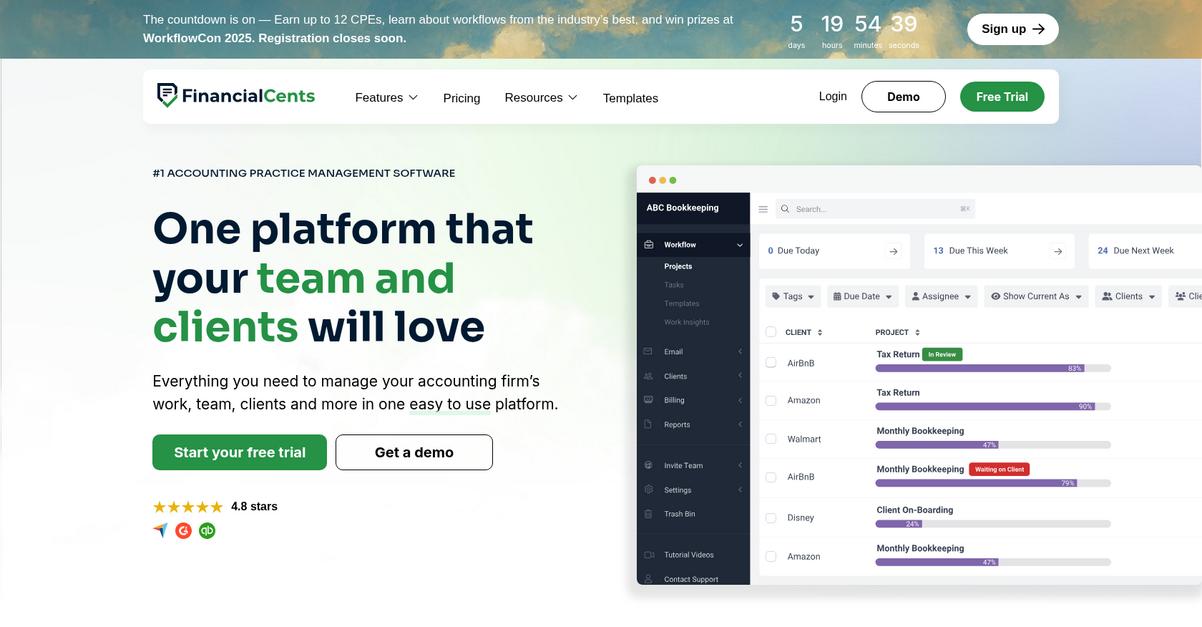
Financial Cents offers an integrated client communication hub that centralizes messages, emails, and document requests, addressing Canopy’s fragmented approach to client interactions.
The big difference is how your staff can save hours by having every client conversation, document, and reminder in one intuitive place. This means less context switching and fewer missed follow-ups for your accounting team.
Here’s how Financial Cents changes the way your workflows operate.
Financial Cents makes replacing Canopy simpler by centralizing your document management and client communication within a single dashboard.
You get automated client reminders for outstanding documents, cutting down those time-consuming chaser emails and reducing manual admin work. This is especially valuable if Canopy left you handling document requests with lots of back-and-forth. The system even streamlines secure document collection and exchange so compliance and privacy don’t feel like a hurdle.
Additionally, its focus on simplified workflow and tracking ensures your entire team knows where every file and request stands—no matter how many clients you serve. Pulling together workflow management, audit trails, and secure portals, Financial Cents empowers you to actually keep up as your firm grows.
Everything works with minimum training for your staff.
Key features:
- Centralized client communication and document request hub lets you manage all messages, follow-ups, and files from one place, so you never need to switch between disconnected tools.
- Automated follow-up reminders for outstanding documents speed up the client document collection process and take the manual chasing out of your team’s daily workflow entirely.
- Secure file exchange and compliance-first storage make it straightforward for your firm to meet data privacy regulations, without the confusion or unnecessary extra steps found in Canopy.
Verdict: Financial Cents is a strong Canopy alternative for accounting firms needing user-friendly document management. Industry users report saving 15–20 hours a week on admin tasks after switching, driven by its robust client communication hub, automated reminders, and compliance-first document exchange—giving your team time back to focus on higher-value work.
4. Karbon

Tired of clunky client portals and limited integrations?
Karbon steps in with integrated email management, deeper workflow collaboration, and a client portal designed for secure, organized document exchange—tackling areas where Canopy often disappoints.
You get a real advantage with Karbon’s advanced team collaboration tools for document workflows and central audit-friendly communication, something users say Canopy lacks, especially when your firm handles dozens of clients and projects simultaneously.
Here’s where Karbon truly stands apart.
Karbon empowers your firm to streamline team coordination, tying document management directly to your everyday accounting workflows.
With every client email and document unified into work items, you gain unmatched visibility across all stages of client file processing and collaborate with staff in context. This reduces lost context and workflow disruptions instantly as your firm migrates from Canopy’s less connected system.
Additionally, Karbon features a purpose-built client portal for secure, centralized document sharing and requests. This makes client handoffs smoother and communication more reliable, addressing a major complaint many have with Canopy’s general portal experience.
You end up with a document system your whole team will actually use.
Key features:
- Direct email integration with document workflows lets your team link client emails to work items, so all communication and files for a job or client stay together, streamlining audits.
- Collaborative task and workflow management provides visibility into who is doing what, which boosts accountability and deadline tracking on document-heavy processes, far beyond what Canopy offers.
- Centralized, secure client portal for requests enables hassle-free document collection and sharing, solving the confusion and security worries often reported with other portals.
Verdict: Karbon is the top Canopy alternative for accounting firms demanding better document management, collaboration, and portal experiences. Clients have grown capacity 20% and cut admin work by 15 hours each week—proving your workflow and client communication can reach a new level with Karbon’s features.
5. SmartVault

Is your firm tired of Canopy’s slow, clunky portal?
SmartVault steps in with secure, branded client portals and automated document structuring that solve core Canopy frustrations for accounting workflows right out of the box.
By moving to SmartVault, your firm gains a more specialized client portal experience designed for accounting. Deep integration with tax software and automated folder creation means less manual sorting and fewer headaches.
You don’t have to settle for Canopy’s limitations anymore.
With SmartVault, you get secure, cloud-based document management that’s actually built for accountants needing higher efficiency and compliance. This means you can finally exchange financial statements and tax docs through a portal that feels purpose-built—while robust security keeps everything safe.
Here’s how the improvement stands out. The automated folder organization takes whatever your client uploads and slots it in pre-defined, logical places so you skip half the admin you’d do in Canopy. Add in deep e-signature features for easy engagement letters and forms, and you’re working in a smoother, fully cloud-native system.
Additionally, SmartVault’s e-signature integration and customizable portals together ensure a much smoother adoption and fewer hiccups with clients making the switch from Canopy.
The result is total control and serious time savings for you.
Key features:
- Branded, secure client portal for accountants specifically designed for accounting workflows, enabling your team to easily share, request, and collect tax documents and financial statements from clients.
- Integrated, legally binding e-signatures allow you to manage engagement letters and other client forms directly within SmartVault, avoiding reliance on third-party tools and streamlining important approvals.
- Automated folder structure for each client automatically sorts and organizes uploads into standardized tax or audit folders, eliminating most manual filing work that can bog down your process.
Verdict: SmartVault is a compelling Canopy alternative for accounting firms that want specialized document management—client portal, e-signature, and automatic folder creation all in one. Firms switching report a 60% decrease in audit risks and process tax files up to 75% faster, so your team can finally focus on value, not admin.
6. Content Snare
Canopy’s client portal just isn’t cutting it anymore.
Content Snare tackles Canopy’s core frustrations with automated reminder emails, dynamic request forms, and a portal purpose-built for getting client documents collected painlessly.
Instead of wrestling with slow performance or limited integrations, you use advanced forms and centralized requests to organize every client document in one workflow. The difference shows up especially if you’re tired of chasing busy clients for missing paperwork or updates.
You need something designed for client document chaos.
Here’s how Content Snare turns this around as a Canopy alternative, especially when accounting firms are ready for predictable, stress-free information collection.
By focusing only on collecting documents and client info, Content Snare frees your team from endless follow-ups. The smart request builder lets you send customizable checklists that trigger automated reminders when clients miss a step, so you never have to manually chase files again.
Additionally, all your document requests are organized on a clean dashboard, making it easy to see what’s outstanding, who needs to follow up, and which clients are done. These features add up, especially if you’re migrating from Canopy and need every hour back during busy season.
Plus, users say they save 5-10 hours per client each year, so you have more time for real accounting work.
Switch confidently and get control back.
Key features:
- Customizable automated reminders for document collection help keep your clients on track, far beyond the basic reminders Canopy provides, reducing your manual email chasing and improving on-time response rates.
- Dynamic smart forms and guided checklists allow you to request exactly the information you need, using interactive fields that remove client confusion and cut down on back-and-forth follow-ups.
- Centralized dashboard for all requests and statuses gives you instant visibility across every client, so your team can prioritize follow-ups and avoid missing critical documents or deadlines.
Verdict: Content Snare is a dedicated Canopy alternative for accounting firms that need seamless document collection and intake. Thanks to automated reminders and interactive smart forms, users report saving up to 10 hours per client annually. If Canopy’s client portal is slowing you down, Content Snare is purpose-built to fix it.
7. Dext Prepare
Looking for less manual work than Canopy offers?
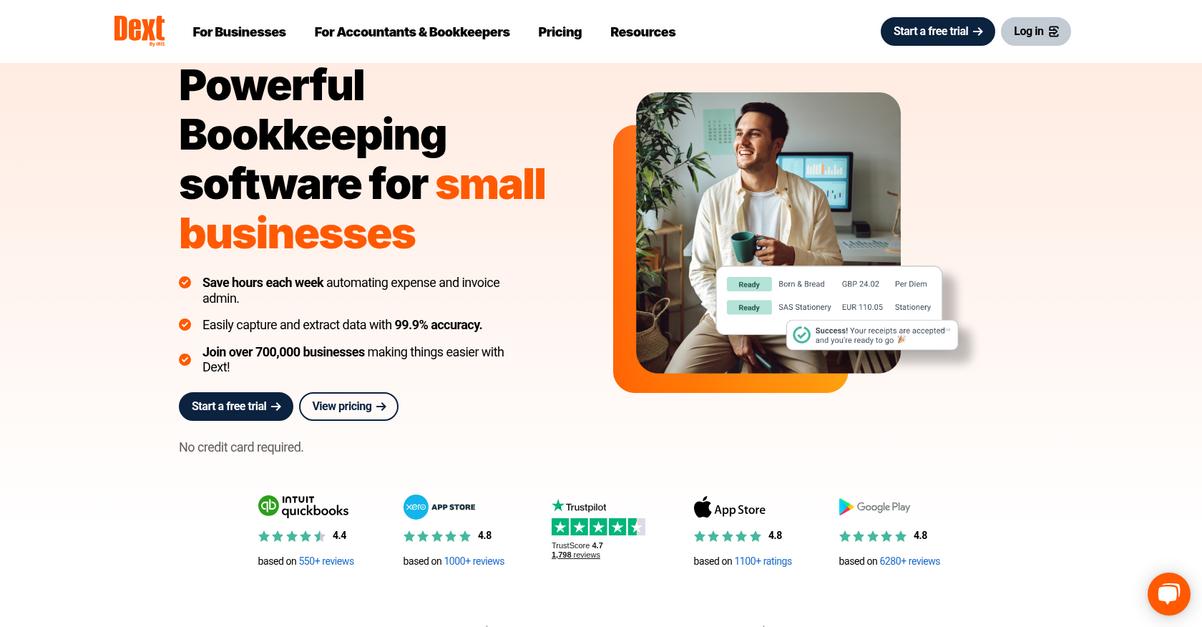
Dext Prepare gives you automated document capture, advanced categorization, and direct accounting integrations to tackle Canopy’s manual data entry and integration challenges.
It takes things further by applying smarter automation for extracting and categorizing your receipts. This means you get fewer errors and spend less time on repetitive bookkeeping tasks every week.
Easy adoption doesn’t have to be a roadblock.
Switching to Dext Prepare means your firm can finally automate the tedious job of processing receipts and invoices—helping you move past the limits of Canopy’s document handling.
You’ll find that Dext Prepare uses AI-powered data extraction to capture details automatically from receipts, invoices, and other financial documents, removing almost all of your manual data entry headaches while improving accuracy.
Plus, it goes well beyond simple uploads by applying automated supplier rules and categorization—this ensures financial data is correctly linked to vendors and accounts without you having to sort it manually.
On top of that, you get tight integrations with core accounting platforms like QuickBooks and Xero, letting you sync processed documents directly to your firm’s ledgers. This creates a truly connected workflow and brings your client bookkeeping together—all while minimizing human error and repetitive work.
Dext Prepare frees up your team’s time.
Key features:
- AI-powered document data extraction automatically gathers and digitizes receipts, invoices, and statements, letting your team focus on high-value work instead of manual entry and error fixes.
- Advanced supplier rules and auto-categorization eliminate tedious financial data sorting, providing real-time accuracy and drastically reducing reconciliation work your staff would otherwise handle in Canopy.
- Direct integrations with core accounting software transfer processed documents and extracted data straight into QuickBooks, Xero, and more, closing the loop between client uploads and bookkeeping.
Verdict: Dext Prepare is a top Canopy alternative for accounting firms that want more automation and fewer errors in document management. With up to 3 hours saved per week and a 90% drop in data entry mistakes, it’s an ideal replacement if Canopy’s manual uploads slow you down.
8. SuiteFiles

Not getting the integration you need from Canopy?
SuiteFiles solves that by giving you direct, native integration with Microsoft 365, pulling your accounting workflows right into SharePoint and Teams without the learning curve.
Importantly, SuiteFiles delivers powerful tools like saving emails and attachments from Outlook straight into client files, automatic document generation using your own templates, and a client portal experience that feels intuitive for both your team and your clients.
Instead of repeated frustrations, SuiteFiles lets you work right inside your familiar Microsoft workspace and brings all your files, communications, and documents into one transparent place.
Here’s where SuiteFiles really stands apart.
Your accounting firm can get all the document management capabilities you expect from a Canopy alternative, but with a much stronger Microsoft 365 foundation at its core.
You’ll benefit from full SharePoint and Teams integration, keeping everyone on your team comfortable and efficient. SuiteFiles’ smart email filing from Outlook also means you never lose track of critical client conversations or attachments, since everything sits organized alongside related documents. You can automate document creation with templates prefilled from client data, cutting out repetitive tasks and helping your staff work more productively every week.
Additionally, firms switching from Canopy have reported up to 40% faster document creation times, with improved access across your cloud storage.
Switching to SuiteFiles could be this simple.
Key features:
- Native Microsoft 365 and SharePoint integration creates a familiar user experience with deeper functionality than Canopy, helping your firm leverage your full Microsoft 365 investment for all document workflows.
- Outlook email filing directly to client documents keeps every important communication organized in one place, vastly improving on Canopy’s limited email management capabilities.
- Template-driven automation for client docs speeds up routine accounting document creation, pre-filling client data for accuracy and saving your team considerable administrative time.
Verdict: SuiteFiles is a top Canopy alternative for document management software in accounting firms invested in Microsoft 365. You’ll get template automation, smart email filing, and true Office integration—firms report up to 40% faster document production. That’s a substantial upgrade for your workflows and client experience.
9. DocuWare

Tired of Canopy’s sluggish client portal bottlenecks?
DocuWare brings intelligent document processing and advanced workflow automation that directly address the headaches you’ve probably run into using Canopy.
Automated AI classification and indexing means you don’t have to get stuck manually tagging files or searching through poorly organized folders. DocuWare also features auditable archiving and highly customizable automation that make a real difference if compliance and workflow precision matter.
Here’s where DocuWare starts to separate itself.
DocuWare offers powerful solutions your team has been missing.
With DocuWare, you gain a document management alternative that’s built from the ground up for high-volume, high-compliance environments—perfect if you’re managing vast numbers of client and financial documents.
You get next-level intelligent document processing that’s fully AI-driven, automatically classifies and indexes content, and eliminates the wasted hours on manual data entry—something Canopy just can’t match at this scale. For workflows, DocuWare’s automation lets you design and enforce even complex approval processes, ensuring that nothing slips through the cracks or falls out of compliance.
Plus, you benefit from secure, audit-ready archiving that tracks every version and access event, making regulatory audits smoother and reducing manual filing errors by up to 70%. Combine this with the 80% faster invoice processing reported by actual users, and DocuWare’s edge gets even clearer.
All these features add up for your accounting firm.
Key features:
- AI-powered document processing and intelligent indexing automatically categorizes huge volumes of client and financial documents, eliminating much of the manual labor you may struggle with in Canopy.
- End-to-end workflow automation and customization lets your team automate approvals, e-signature routing, and other accounting processes, adapting to your unique firm requirements beyond Canopy’s limits.
- Enterprise-grade, audit-proof archiving and compliance controls provide advanced versioning and access logs for all sensitive records, helping you meet regulatory demands that go beyond basic Canopy offerings.
Verdict: DocuWare is a robust alternative to Canopy if your firm needs enterprise-grade document management with sophisticated automation and compliance tools. Accounting teams switching report up to 80% faster invoice processing and a major drop in errors—ideal for boosting efficiency and passing audits without workflow disruption.
10. ShareFile
Tired of clunky portals and integration headaches?
ShareFile brings you secure client portals and smoother external sharing, tackling the limited integrations and slow performance that often hold you back with Canopy.
Unlike Canopy, ShareFile delivers industry-leading portal security to safeguard sensitive client data. This means handling client uploads, e-signatures, and very large files is both safer and easier.
If you need more than just basic document sharing, take note.
ShareFile steps in right where you’re frustrated, providing a solution built for firms that handle sensitive financial documents and demand secure, branded client portals.
You get portals that are not only highly secure but also customizable with your firm’s branding. Plus, ShareFile lets you send massive files securely with ease, a huge win if you struggle with Canopy’s file size limits during audits or complex tax work.
Additionally, ShareFile’s e-signature integration cuts time spent chasing client approvals. Approvals, tax forms, and engagement letters are signed quickly and compliantly, helping you save countless admin hours and move work forward with less friction.
This unified platform creates space for you to focus on high-value work.
Key features:
- Highly secure, branded client portals ensure your clients easily upload, download, and collaborate on financial documents with security that exceeds Canopy’s portal solutions.
- Massive file transfers for complex audits allow you to send and receive extremely large documents without slowdowns or errors, even for intricate engagements.
- Integrated e-signature for approvals and compliance streamlines client approvals by embedding secure, legally binding e-signature tools right in your document workflow.
Verdict: ShareFile is a top Canopy alternative for accounting firms prioritizing secure file sharing, large file handling, and e-signature workflows. By switching, you could recover 8-10 admin hours each week, making client communication easier, document handling safer, and workflow disruptions a thing of the past.
Conclusion
Canopy’s clunky portal slowing your team down?
If you’re tired of limited integrations, frustrating client interactions, or sluggish document tools, I completely get why you want out.
Sticking with Canopy means your firm keeps wasting time on manual uploads, shallow workflow automation, and a portal that just doesn’t delight clients.
Moving to a new system has some challenges, but the added efficiency makes it worth it when you finally upgrade to software built for your needs.
Let’s talk about a smarter switch.
FileCenter jumps out as my top recommendation for firms ready to leave Canopy behind. You’ll find it a massive upgrade for fast, intuitive file handling and simple client communication—without the headaches.
I especially like how FileCenter gives you powerful local file control and scanning, making it a straightforward alternative to Canopy for smoother day-to-day management.
Check out FileCenter’s free trial and see how it fits your workflow.
Get the streamlined experience your clients expect.