

Feeling boxed in by Clinked’s limitations?
You’re probably frustrated by Clinked’s high costs, complex setup, and the lack of critical integrations with your firm’s legal tech stack.
Sticking with Clinked can lead to missed deadlines and scattered workflows that put extra strain on your team.
Over time, these issues drain billable hours, chip away at morale, and force you to rely on clunky workarounds that ultimately slow down your practice. When your firm loses efficiency, compliance risks and stress multiply, making it clear that it’s time to find a document management system built for real legal productivity.

Fortunately, there are far better options available that offer advanced features, smoother integration and easier adoption.
In this article, I’ll show you the best best Clinked alternatives for document management software built specifically for legal firms—including FileCenter, NetDocuments, iManage, Clio, LexWorkplace, and more.
Make the switch, and you’ll enjoy secure collaboration, smarter search, and a smoother day-to-day for your entire team.
Let’s find your solution.
Quick Summary:
| # | Alternative | Rating | Best For |
|---|---|---|---|
| 1 | FileCenter → | Small teams seeking simplicity | |
| 2 | NetDocuments → | Companies requiring better support | |
| 3 | iManage → | Teams needing better collaboration | |
| 4 | Clio → | Users wanting modern interfaces | |
| 5 | LexWorkplace → | Budget-conscious growing businesses |
1. FileCenter

Is Clinked’s complexity getting in your way?
FileCenter steps up with a desktop-focused solution that ditches complication, offering cost savings and the familiar Windows structure missing from Clinked.
Its cabinet-drawer filing system lets you manage legal documents through native Windows folders, making onboarding straightforward. This means you can skip database confusion and avoid the steep adoption curve you may have faced before.
You don’t have to settle for less.
FileCenter provides a smarter answer for legal operations by putting simplicity and control back in your hands.
Instead of pushing you into client portals, FileCenter helps your firm streamline internal legal document organization. It keeps things intuitive so your team spends less time learning software and more time getting work done.
Your daily processes benefit from integrated scanning and instant OCR tools, letting you digitize, recognize, and search legal files right at your desktop. Compared to Clinked’s limited paperless options, this built-in approach keeps workflows efficient and reduces manual entry.
Want to escape ongoing subscriptions? FileCenter’s one-time license is ideal if you prefer local storage and predictable costs. Plus, its familiar interface shortens the time your firm needs to become productive after switching from Clinked.
Switching to FileCenter can finally elevate your legal file management.
Key features:
- Cabinet-drawer filing with Windows folder structure ensures legal teams can organize files with a system they already know—simplifying onboarding and slashing training headaches for your firm.
- Integrated scanning and full-document OCR digitizes paper documents and recognizes text right as you scan, eliminating manual steps and delivering true searchability instantly.
- One-time purchase option for perpetual licensing makes FileCenter significantly more affordable than subscription-based alternatives, offering local control for firms wary of ongoing cloud expenses.
Verdict: FileCenter delivers what Clinked misses for legal firms: affordable local document control, painless desktop filing, and integrated scanning. Small to mid-sized firms switching from Clinked report immediate ease of adoption and better cost predictability—making FileCenter a practical, lower-friction alternative for modern legal document management.
2. NetDocuments
Tired of Clinked’s limited integrations and complex setup?
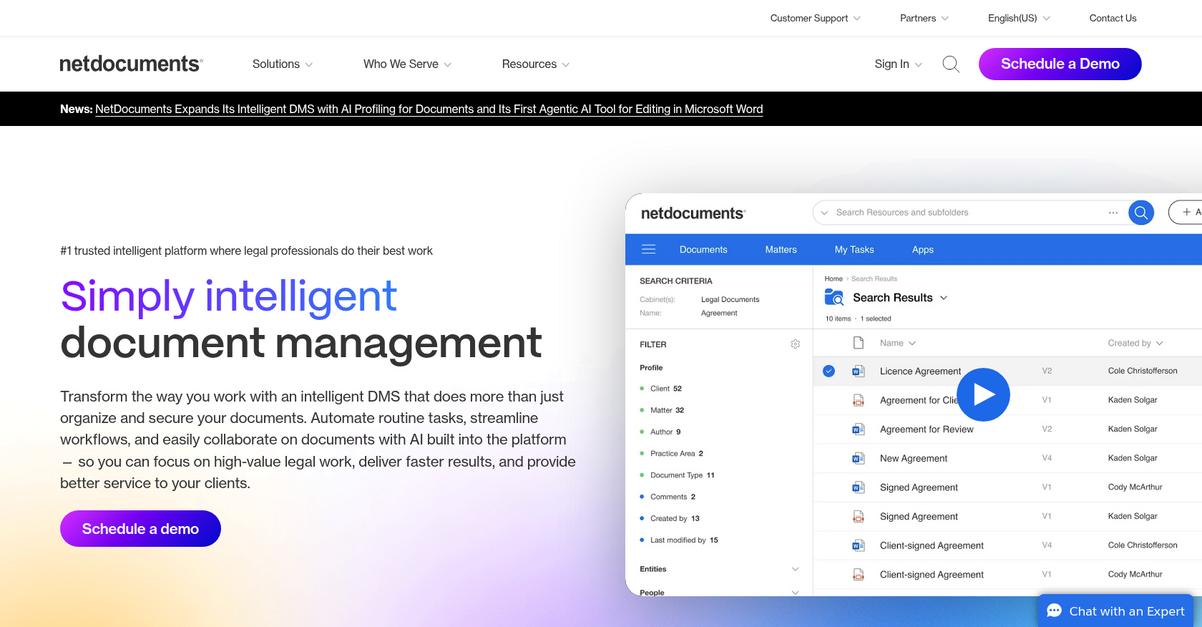
NetDocuments gives you a cloud-native legal document management platform with enterprise-level security, intelligent search, and truly robust version control to address the pitfalls you’ve felt with Clinked.
Plus, if you’re looking for better governance, NetDocuments brings enterprise-grade security and comprehensive document lifecycle management to your firm. This solves the worry about data integrity, compliance, and ease of internal collaboration that often holds you back with Clinked.
Here’s what makes NetDocuments a better fit.
NetDocuments solves your legal document management headaches by providing a secure, scalable platform built with legal workflows top of mind.
That means you get all the benefits you want.
With its cloud-native foundation, NetDocuments delivers unmatched flexibility and accessibility that Clinked can’t quite provide. The intelligent search locates precise legal documents and metadata across your repository, so even complex research or due diligence tasks become effortless when switching over.
Additionally, you don’t just get basic file versioning—you gain advanced version control tracking every change, automatically retaining a full audit trail. This means if you’re worried about losing critical edits or compliance gaps, NetDocuments covers those blind spots Clinked often leaves open.
Add to that top-tier integrations with legal billing, e-signature, and practice management tools, so your firm keeps running smoothly as you switch.
It’s an upgrade purpose-built for law firms like yours.
Key features:
- Cloud-native legal document management designed specifically for legal firms, provides always-on access and superior governance that goes beyond Clinked’s limited collaboration capabilities.
- Comprehensive version control and audit trails automatically track every edit, enabling confident rollbacks and thorough compliance—far superior to Clinked’s basic version history.
- Powerful full-text and metadata search retrieves exactly what you need, quickly surfacing files and matters even in large repositories, which streamlines research compared to Clinked’s shared folder approach.
Verdict: NetDocuments is a smart alternative to Clinked for legal document management, especially if you want stronger security, integrated workflows, and more effective search. Legal firms using NetDocuments report 30% faster internal retrievals and fewer audit headaches, making your switch more productive with less risk.
3. iManage

Looking for a tool built for real legal work?
iManage delivers robust AI-powered document management and email organization that fills the gaps Clinked leaves open for legal firms.
With iManage, you get streamlined document search, powerful security tools, and truly integrated email management specifically designed for legal matter workflows.
The result is more control over your confidential files and better protection for sensitive case data than Clinked can offer.
Here’s how iManage takes your practice further.
By addressing the integration and compliance shortcomings of Clinked, iManage empowers your firm to handle complex matter management. You benefit from automated search, smart filing, and audit-ready security controls—features built for law firm requirements.
Additionally, its AI-powered search means you’ll find documents and emails in seconds instead of sifting through folders. That’s a huge upgrade over Clinked’s more basic file sharing, especially if your practice relies on fast research and collaboration.
Plus, you’ll connect every relevant email, file, and client conversation under one roof. This level of organization and internal knowledge management has changed how many law firms operate compared to Clinked’s siloed approach.
No more second-guessing your document security.
Key features:
- AI-driven search, discovery and document organization lets your legal team instantly find case files and emails, dramatically improving efficiency compared to basic, folder-based solutions like Clinked.
- Advanced security and content governance tools provide tailored controls for legal confidentiality, supporting compliance and regulatory needs unique to law firms, well beyond Clinked’s standard sharing.
- Integrated Outlook email filing to client matters ensures your case files, emails, and communications stay connected and audit-ready, reducing information silos and manual effort.
Verdict: iManage stands out as a compelling alternative to Clinked for law firms seeking secure, integrated document and email management. With purpose-built legal workflow support and AI search, your firm gains advanced content protection and operational efficiency—key advantages Clinked can’t match in this space.
4. Clio

Is Clinked holding your legal team back?
Clio brings together practice management, billing, and powerful document handling, so you’re not stuck with Clinked’s limited sharing features or its steep learning curve.
If you want real progress, Clio stands out by letting you manage cases, documents, and billing all in one place. This goes far beyond sharing files; it’s a platform that supports your daily work and administrative needs.
Here’s why Clio is a smarter choice.
Clio is built for legal professionals who need more than a simple portal. The integrated suite means your practice, documents, and client communications all stay connected, reducing scattered tools and workflow headaches.
Clio answers the core problem simply.
Clio replaces Clinked’s basic client portal with a robust system designed for legal work. You get secure, matter-centric document storage and version control, helping you avoid lost files while maintaining compliance and internal order.
You don’t have to keep workarounds. With Clio, document templates, version history, and secure client collaboration are all readily available in one platform. Migrating your documents is easier since every matter keeps its own secure workspace, so your firm’s knowledge stays organized even as you grow.
Plus, Clio Connect’s full-featured client portal lets you securely share files and communicate directly—no more toggling between disconnected apps. Your case and document management are unified, boosting your firm’s productivity with every matter.
You’ll see the difference from your first week.
Key features:
- Integrated legal practice and document management centralizes client, case, billing, and document workflows, so your legal team escapes the inefficiency of juggling multiple disconnected tools Clinked can’t address.
- Secure matter-centric document storage and control keeps all documents anchored to specific cases, with version history and permissions, delivering stronger compliance than simple external file sharing.
- Robust client portal for collaboration enables real-time document sharing and messaging right in the platform, making engagement transparent and efficient versus Clinked’s basic sharing utilities.
Verdict: Clio is a compelling Clinked alternative for legal firms that want a comprehensive document management system integrated with practice workflows. It goes well beyond file sharing, offering advanced legal file handling, better internal collaboration, and reduces your admin headaches, especially if you need everything in one place.
5. LexWorkplace

Tired of Clinked’s limitations for your legal practice?
LexWorkplace is designed for law firms that want true matter-centric document organization and advanced legal-specific tools missing from Clinked.
You’ll gain advantages with features like built-in full-text search for instant results, powerful matter-and-client file structures, and direct Outlook integration to capture client emails the moment they arrive.
Unlike Clinked’s generic folders and weak search, LexWorkplace solves real workflow headaches by letting you organize every document, email, and note by matter and client—not just files but all case content in one location.
Ready for a deeper look into how this works?
With LexWorkplace, you’re getting a cloud-native DMS purpose-built around how your legal team actually manages matters, not just how files are shared. This means all your documents, emails, and matter notes live together, organized the way your firm already works.
What stands out most is the instant full-text search across all document content, allowing you to find pleadings, contracts, or client emails in seconds, even scanning inside PDFs. If you’ve struggled with Clinked’s slow or inaccurate search, this is a game changer.
Additionally, LexWorkplace lets you save emails straight from Outlook to matter folders, simplifying how you centralize communications and documents. Combined with an intuitive interface and workflow tailored for legal, switching is smoother—meaning less adoption pain and minimized downtime.
This is a document management solution built for your needs.
Key features:
- Matter-centric organization for total document control gives you one dashboard to manage files, emails, and notes by client and matter, solving the chaos of generic folders.
- Powerful full-text and OCR search capabilities help you instantly locate any document or email, even inside scanned files, beating Clinked’s basic search for legal research speed.
- Native Outlook email integration to law firm matters ensures all client communications are correctly filed with the right documents, keeping everything together and boosting compliance.
Verdict: If you are seeking a Clinked alternative, LexWorkplace’s legal-focused design changes everything for document management in your law firm. Reviewers noted that switching cut search and filing time in half, with instant access to all matter files and emails—a major step toward better compliance and efficiency.
6. Worldox
Paying too much for features you rarely use?
Worldox gives you robust legal document management with advanced profiling and legal-focused integrations that solve Clinked’s key frustrations for legal firms.
With advanced document profiling, you gain detailed metadata tagging and categorization, not just basic folder structures. This delivers deeper document context and reliable file finding every time.
The cost of missed files or compliance gaps adds up quickly.
Worldox takes you further with customizable document workflows and deep integrations right out of the box.
Switching to Worldox addresses more than just filing headaches. It solves the search and organization mess Clinked leaves behind with advanced profiling, so your files are always contextually tagged and instantly retrievable—even with years of legacy case files. Plus, its deep integrations with Office and legal apps let your team work inside the tools you already know, minimizing disruptions on day one. You’ll also benefit from complete version and audit control of legal documents, making compliance checks and client audits straightforward when you need them most.
On top of that, every document action is fully tracked with a robust audit trail, so whether you’re reviewing chain of custody or prepping for eDiscovery, you stay legally defensible. Worldox delivers mature, flexible document management tailored for the real pace of firm life.
That’s why Worldox is trusted by legal professionals.
Key features:
- Advanced document profiling and tagging delivers nuanced organization using metadata, making complex legal files much easier to locate compared to the rigid foldering of Clinked.
- Rich integrations with MS Office and legal apps eliminate manual file transfers by bringing your DMS directly into familiar legal and productivity tools your team already uses.
- Complete versioning and audit trails for compliance provide legal-grade traceability for edits, which is crucial for defensibility and accountability, surpassing basic version controls in Clinked.
Verdict: If you’re looking for a Clinked alternative for your firm’s document management, Worldox stands out with its customizable workflows, deep legal integrations, and advanced audit trails. Legal teams report far greater control and findability across thousands of cases, reducing wasted search time and audit risk.
7. MyCase

Is Clinked making your document workflows harder?
MyCase’s centralized case management and secure client portal go beyond Clinked, letting you handle documents, billing, and communication from one unified legal platform.
Unlike Clinked’s segmented file storage, MyCase offers a single source for all case documents, details, and client info. This means you get full control over everything you need for your legal workflow, instead of jumping between separate tools.
You need a simpler, integrated way forward.
MyCase fixes these day-to-day hurdles by putting every document, case and client message in one place.
Here’s how it creates a real upgrade over Clinked.
The platform consolidates your case files, deadlines, client notes, and correspondence with fully integrated document automation and secure client sharing. You can stop chasing attachments, reduce lost time, and collaborate confidently—your data is always organized by matter, not scattered across drives.
Plus, the advanced document automation uses templates and prepopulates fields with matter data. Creating and sending legal documents now happens in minutes, not hours, which addresses a pain point Clinked never solved. MyCase’s client portal means your firm never has to rely on patchwork systems for client updates or e-signatures.
The result is less stress, reduced admin time, and happier clients.
Key features:
- Centralized case and document management eliminates scattered information by housing all case details, documents, and communications in one place, streamlining workflow more thoroughly than Clinked.
- Secure client portal and communication tools enable confidential messaging, document sharing, and client collaboration, fully integrated with legal workflows for a seamless client experience.
- Advanced document automation with smart templates uses matter-specific data to automatically generate legal forms, significantly decreasing drafting time compared to Clinked’s manual approach.
Verdict: MyCase is a powerful Clinked alternative for legal firms that want more than basic file sharing. Users have reported a 38% jump in productivity and increased billable hours thanks to streamlined workflows and automation, making your day-to-day work simpler and far more efficient.
8. PracticePanther
Ready to escape Clinked’s rigid limitations?
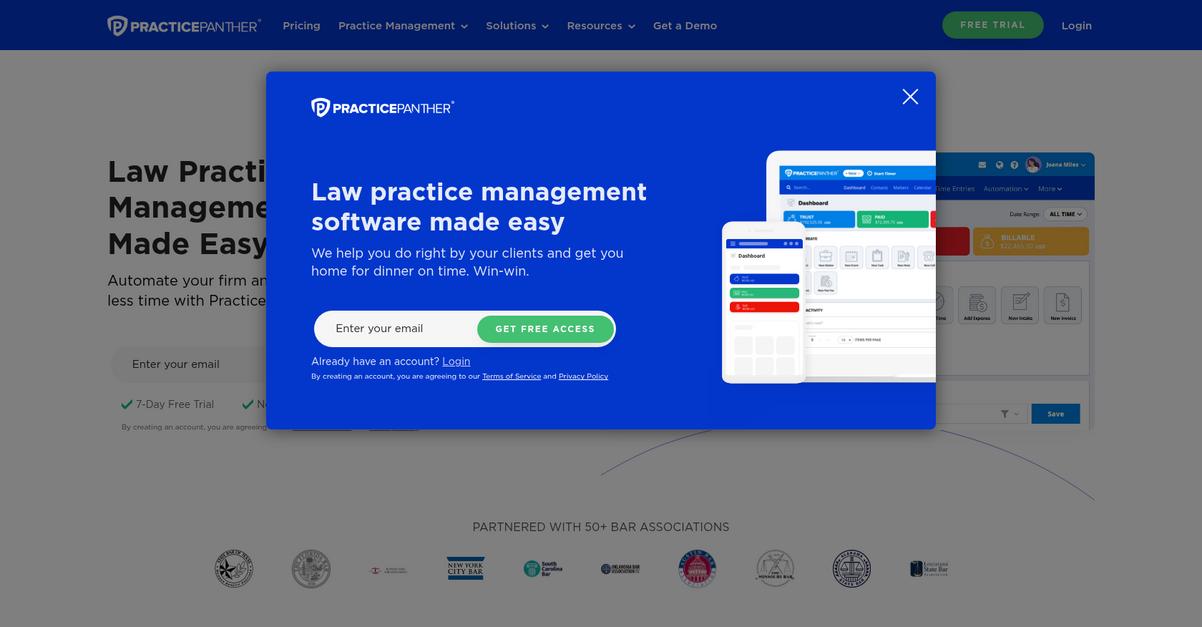
PracticePanther brings modern automation, unlimited storage, and built-in legal eSignature into a single platform, letting your legal team manage documents without Clinked’s inefficiencies.
If you’ve struggled with slow manual paperwork or the lack of smooth integrations, you’ll appreciate how PracticePanther offers intuitive document assembly, one-click eSignature, and no data caps that make you rethink what legal document management can be.
It’s a game-changer worth considering.
PracticePanther helps you move beyond basic document sharing by automating tedious tasks and centralizing everything needed for legal workflows.
With intuitive document assembly, you can instantly generate legal documents using customizable templates that auto-populate with matter and client data, eliminating repetitive manual input. You’ll also enjoy the built-in legal eSignature feature for secure form signing, bringing the entire review and signature process right into the platform without extra tools.
Additionally, PracticePanther’s unlimited and secure cloud storage means you never have to worry about capacity constraints or hidden limitations as your firm grows. Combined, these features can seriously cut down on your repetitive admin hours and make migrating from Clinked feel more like an upgrade than a disruption.
Everything becomes easier and purpose-built for law firms.
Key features:
- Intuitive document assembly with auto-filled templates lets you generate legal paperwork in seconds by pulling client and matter data, reducing creation time versus Clinked’s manual editing.
- Built-in legal eSignature workflow streamlines signing and storing agreements—no need for external apps or email tag, unlike with Clinked’s limited sharing.
- Unlimited, secure cloud data storage ensures your entire firm’s documents are protected and accessible without ongoing capacity worries, scaling as your legal practice grows.
Verdict: PracticePanther is an excellent alternative to Clinked if you want purpose-driven document management software for legal firms. You can automate paperwork, capture eSignatures instantly, and grow without hitting space limits; users consistently report dramatic time savings and smoother legal operations after switching.
9. Smokeball

Feeling boxed in by Clinked’s rigid workflows?
Smokeball brings automated document assembly and intelligent matter management, directly solving the pain of Clinked’s complicated interface and its lack of advanced legal integrations.
Unlike Clinked, Smokeball delivers automated document creation for your legal practice using pre-built templates that pull matter information effortlessly, taking the guesswork out of managing complex legal files.
You get a whole new level of legal productivity.
Smokeball stands out as a Clinked alternative due to its blend of legal workflow automation and robust document management, making it much easier to keep your practice efficient.
Here’s how Smokeball steps up the game for you. Its automated document assembly can generate complex legal forms from matter data in seconds, so you never waste time filling out templates manually. Plus, intelligent matter management links files, emails, and tasks automatically, giving you the full context on every case at a glance.
Beyond that, Smokeball’s automatic time tracking feature captures every minute you spend on a matter or document, guaranteeing you capture billable hours you might otherwise miss. Bringing these powers together means your workflow feels modern, connected, and built for legal success—something Clinked users rarely experience.
You’ll notice the difference right away.
Key features:
- Automated document creation from pre-built templates pulls in matter details, slashing time spent generating routine forms and improving accuracy over Clinked’s manual processes.
- Matter-centric organization links documents, emails, and tasks in one unified view, ensuring your team never overlooks critical information or misplaces vital files.
- Automatic time capture on activities and documents logs your billable work passively, so you can spend less time on tedious timesheets and more on serving clients.
Verdict: Smokeball is a compelling Clinked alternative for legal document management, especially if you want to automate tasks and maximize productivity. With legal-specific workflows, powerful matter management, and automatic time tracking, you can streamline casework and minimize costly oversight for every matter in your legal firm.
10. CosmoLex
Tired of disconnected workflows with Clinked?
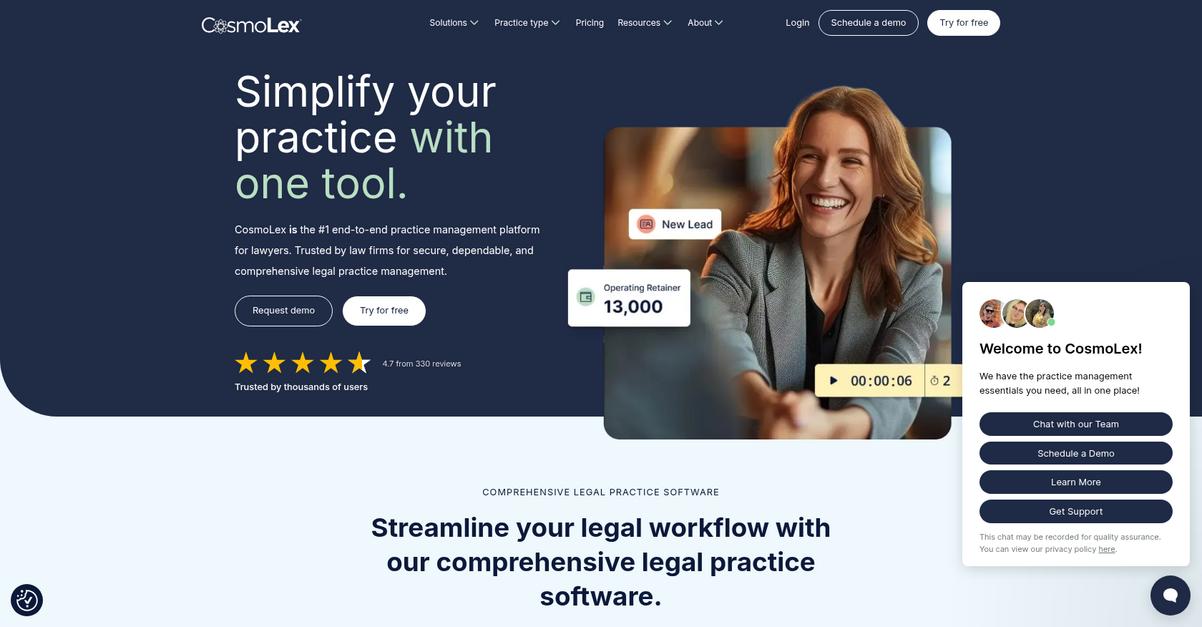
CosmoLex offers legal-specific document management, with integrated trust accounting and matter management, addressing Clinked’s limitations around compliance and all-in-one functionality.
Unlike Clinked, CosmoLex delivers built-in trust accounting for complete financial oversight, not just document sharing. You won’t have to juggle extra accounting software, or worry about manual reconciliation errors that could compromise ABA compliance.
This means you’re getting a platform designed for real legal work.
CosmoLex puts all your matter management, billing, document handling, and trust accounting together, so you’re not forced to patch together separate tools like Clinked users often are.
The result is a unified platform that covers every base.
If you’re looking to switch from Clinked, CosmoLex removes the guesswork by creating a fully integrated experience for legal matters and document workflows.
Here’s how it raises the bar: everything from compliance-ready trust accounting to secure document sharing lives under one roof, making audits and client communication stress-free. You can manage IOLTA accounts and documents in the same view, while handling billing and calendaring without ever leaving the platform.
Plus, your clients won’t miss a beat. CosmoLex’s secure portal allows you to share documents, send invoices, and even accept payments online—connecting all your client-facing activity to your internal operations with total transparency.
That’s how you eliminate complexity and hidden costs.
Key features:
- Integrated trust accounting and legal billing deliver true ABA compliance, giving your firm unified control over documents, client funds, and legal billing—something separate Clinked tools can’t offer.
- Full practice management in one cloud system merges matter management, calendars, financials, and document handling, enabling true productivity and workflow consolidation for legal professionals seeking Clinked alternatives.
- Secure client portal for document sharing empowers transparent client collaboration with instant access to shared files, invoices, and online payments, directly linked to your central practice data.
Verdict: CosmoLex is an ideal Clinked alternative for legal firms needing integrated document and trust accounting. Users report slashing compliance headaches and automating complex billing, with end-to-end workflows improving efficiency by up to 40%. It’s built for law firms who want everything in one place—without extra costs or migration hassles.
Conclusion
Ready to break free from Clinked frustration?
High costs, clunky onboarding, and the headache of missing integrations make sticking with Clinked feel like a roadblock for your firm’s productivity.
Moving away isn’t a small task—there’s always a little risk and some learning—but the truth is, finding a tool that just works is worth it in the long run for your team’s sanity and your firm’s efficiency.
Here’s an easier path forward.
From all the alternatives in this roundup, FileCenter clearly takes the lead as the best fit for legal professionals wanting out of Clinked’s limitations.
With FileCenter, you get streamlined document management, local control, and powerful scanning—meaning you finally ditch the workarounds that Clinked forced on you.
I’ve seen legal teams switch from Clinked to FileCenter and immediately breathe easier. FileCenter’s Windows-first approach eliminates confusion and lets your firm organize, search, and collaborate the way you expect.
Start a FileCenter free trial today and take back control of your document workflows.
Smoother, smarter legal management awaits.