

Struggling to find documents in Confluence?
I get why you’re frustrated—Confluence often feels cluttered, with a confusing interface and clunky, unreliable search that leaves teams wasting time.
Eventually, it drags down productivity and breaks your team’s focus when what should be simple document collaboration becomes a daily headache.
Every extra minute spent digging for files or deciphering complex workflows is time lost to actual work. For some teams, this creates mounting stress, resentment, and flat-out inefficiency—especially when fast answers and smooth teamwork matter most.

The good news? There are smarter alternatives that solve these headaches and make your document processes truly effortless.
In this article, I’ll walk you through the best Confluence alternatives for document collaboration, including FileCenter, Notion, Slab, Google Workspace, Microsoft, Dropbox, Zoho, ClickUp, and Nextcloud. Real solutions that can help you finally keep your team documentation under control.
You’ll get faster search, easier workflows, and happier teams.
Let’s find your solution.
Quick Summary:
| # | Alternative | Rating | Best For |
|---|---|---|---|
| 1 | FileCenter → | Small teams seeking simplicity | |
| 2 | Notion → | Teams needing better collaboration | |
| 3 | Slab → | Users wanting modern interfaces | |
| 4 | Google Workspace → | Teams needing live collaboration | |
| 5 | Microsoft 365 → | Users requiring advanced workflows |
1. FileCenter

Is Confluence making your document workflows too complicated?
FileCenter removes the clutter with its desktop-first document management system, offering a Windows Explorer-like layout that simplifies how you organize and access documents each day.
Unlike Confluence’s convoluted page-tree structure, FileCenter introduces easy-to-use cabinet-drawer filing that mirrors your real office setup. This makes adoption smooth for team members who don’t want yet another steep learning curve.
Here’s how FileCenter goes even further.
You get direct scanning and OCR built in, so you scan paper into searchable, organized files right from your desktop without worrying about disconnected add-ons.
FileCenter solves the headaches that led you to search for a Confluence alternative in the first place.
It’s all about keeping file management intuitive for your team. FileCenter organizes digital documents using cabinets and drawers, so if you’re comfortable with Windows, you’ll feel right at home. Plus, there’s no ongoing cloud commitment—you can choose a one-time license instead.
The integrated scanning and OCR features pull paper documents directly into your digital workflow, eliminating extra steps and manual entry you’d otherwise face in Confluence. This gives you a much faster—and more accessible—way to go paperless.
On top of that, FileCenter’s flexible licensing (both subscription and perpetual) lets you control costs, so you never pay for users you don’t need.
Your document processes instantly become simpler and more cost-effective.
Key features:
- Cabinet-drawer structure for organizing documents closely mimics physical filing, making it easier to onboard users and navigate content compared to Confluence’s abstract page trees.
- Integrated scanning and OCR for searchable files digitizes paper documents in one step, streamlining your transition to paperless far better than add-on-heavy workflows.
- One-time purchase license options let you buy FileCenter outright, removing the need for mandatory subscriptions and reducing long-term costs for static teams.
Verdict: FileCenter stands out as a best Confluence alternative if you want user-friendly document organization without complex learning curves. Users report saving dozens of hours each month thanks to automated scanning and filing—making it ideal for small businesses seeking to boost productivity and control costs.
2. Notion
Is Confluence making collaboration harder for your team?
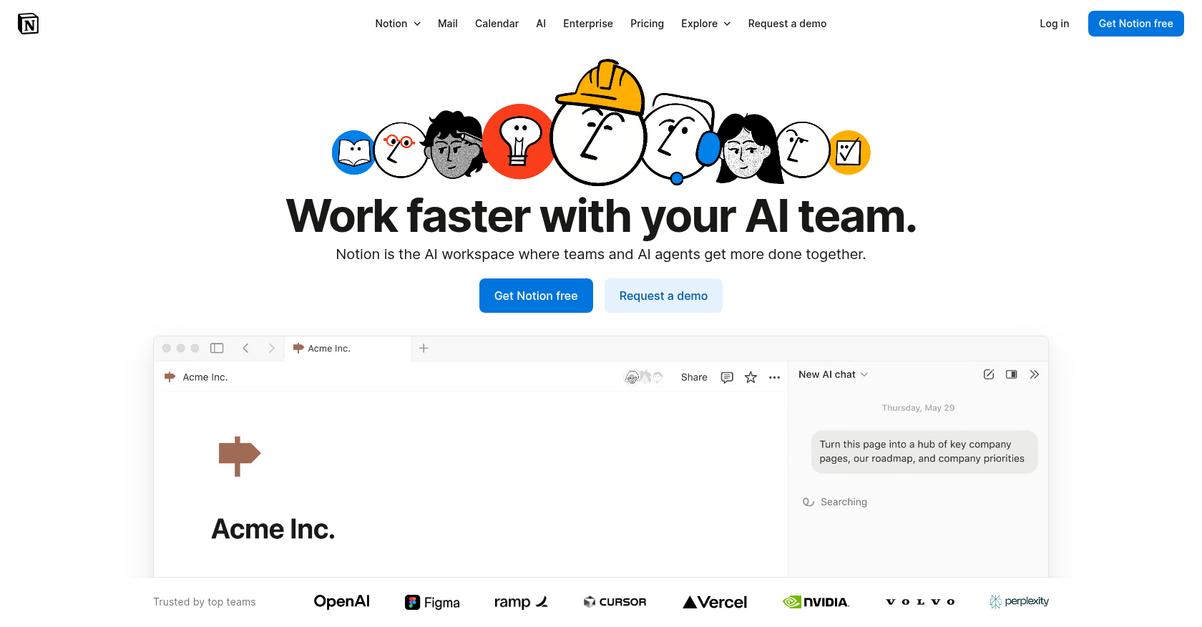
Notion makes life easier with its flexible block-based editor, real-time co-authoring, and integrated databases, all of which address common complaints about Confluence.
Unlike Confluence’s rigid page layouts, Notion gives you greater freedom for structuring wikis, docs, and project plans using blocks, tables, and media. This unlocks a more adaptable, intuitive experience for organizing almost any type of content.
Switching can be refreshingly straightforward with Notion’s unique approach.
Here’s how Notion helps you move beyond Confluence frustrations for document collaboration.
Notion combines document creation, database management, and project tracking in a unified workspace. You can customize layouts, structure knowledge bases, and manage team tasks all within a single, highly visual platform.
The result: a central source of truth that’s actually flexible for distributed teams. Your search, navigation, and documentation feel efficient because everything links together instead of living in separate silos.
Additionally, you’ll benefit from real-time collaboration, with multiple teammates editing pages and seeing changes instantly. Split-second edits and visible cursors make group work smoother, so everyone stays aligned and on task.
Fast adoption makes the switch simple.
Key features:
- Flexible block-based page editor for documents lets your team design pages using blocks, tables, media, and databases, delivering more flexible layouts than Confluence’s page templates.
- Integrated databases connected with documents and wikis mean you combine structured data, project tasks, and documentation in one workspace, instead of splitting work across separate tools.
- Real-time collaborative editing and commenting keeps everyone in sync, giving you a more fluid group authoring experience than the check-in/check-out process in Confluence.
Verdict: Notion stands out as a top Confluence alternative if you want flexible document collaboration. Teams report higher clarity and alignment by centralizing docs, knowledge, and tasks—helping you boost asynchronous efficiency and productivity, especially across remote or hybrid teams.
3. Slab
Endless searching in Confluence leaving you frustrated?
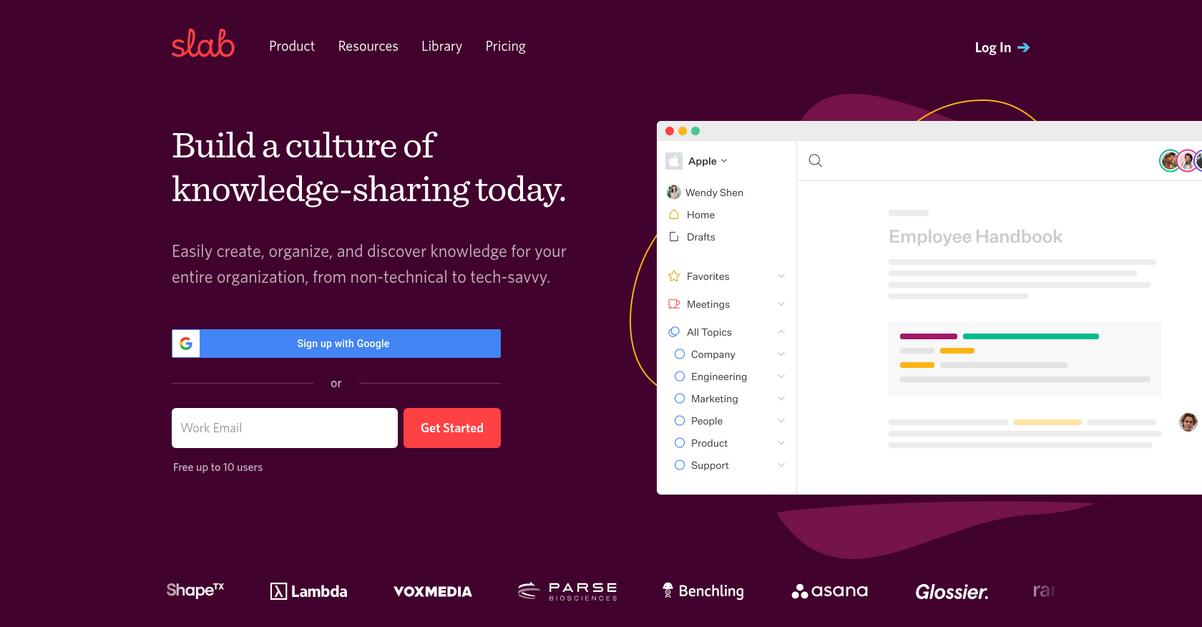
Slab offers unified search across tools like Google Drive and Slack, plus a clean, minimal interface—so you can ditch the complexity and actually find what matters.
Unlike Confluence, Slab gives your team an interface that’s easy to learn and use, minimizing wasted time and stress as everyone manages documents together.
Here’s why this difference means a lot.
Slab solves your document chaos with a modern approach
Your team can finally access everything from one place, thanks to unified search across Slab and connected apps. The intuitive editor lets anyone organize knowledge quickly. Plus, knowledge verification ensures outdated info gets updated or removed, so you never rely on old or inaccurate content again.
Additionally, Slab’s focus on a minimal user experience removes the roadblocks you’d face trying to onboard people stuck with Confluence’s complex layout. With higher reported “Ease of Use” scores (9.2 vs. Confluence’s 7.9), you’ll see much quicker adoption—which reduces resistance and workflow disruption.
Slab’s quality of support also stands out, rated 9.3 against Confluence’s 8.0. So if you’re worried about getting stuck, you’ll always have help to keep your documentation process moving smoothly.
This gives you confidence switching from Confluence.
Key features:
- Unified search across apps and Slab content helps you find what you need instantly, overcoming Confluence’s limits and centralizing all answers across your connected knowledge base.
- Minimal, intuitive user interface and editor reduce onboarding time and make it easy for your team to create, update, and navigate documents without battling complex menus or steep learning curves.
- Built-in knowledge verification workflow ensures content stays accurate, letting maintainers review documents and automatically flag outdated material so your knowledge base is always trustworthy.
Verdict: If you’re seeking a user-friendly Confluence alternative for knowledge collaboration, Slab is worth considering. With higher “Ease of Use” (9.2) and “Quality of Support” (9.3) scores reported by G2 users, you’ll enjoy simpler onboarding, better document accuracy, and smoother daily workflows compared to Confluence.
4. Google Workspace
Tired of clunky interfaces and tangled workflows?
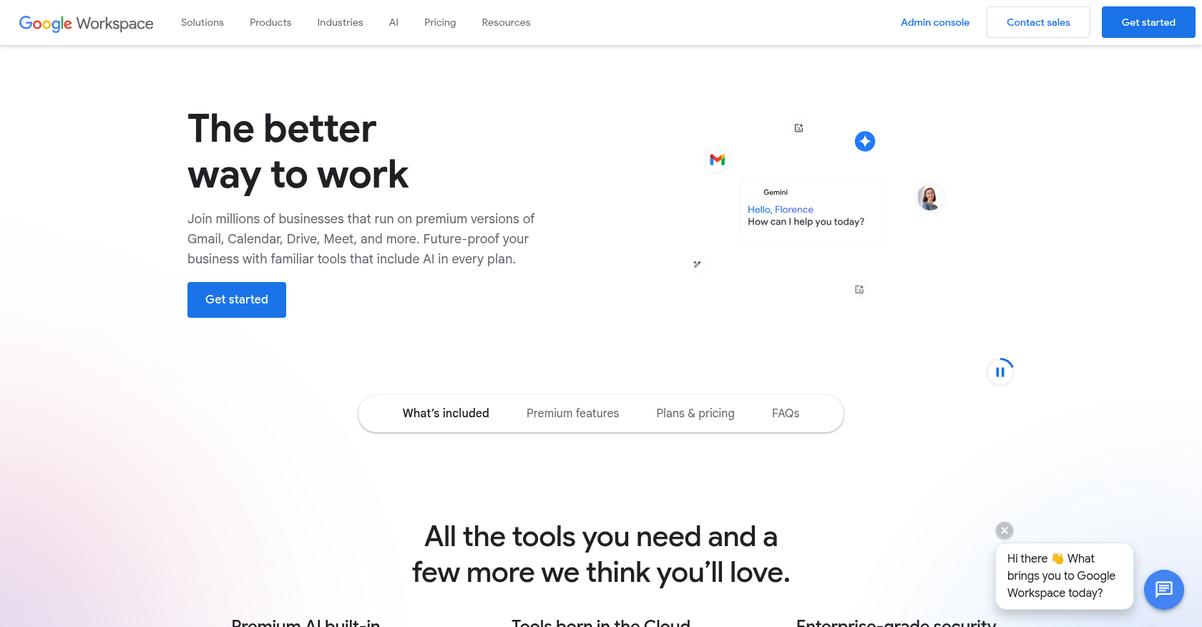
Google Workspace focuses on real-time co-authoring with Docs, integrated smart chips, and cloud-native Drive storage—solving the headaches Confluence users often face with complexity and rigid knowledge bases.
If your team needs to edit together without constant refreshes or version conflicts, Google Workspace’s live collaboration means instant updates are visible to everyone—something Confluence users rarely get without fiddly plugins or permissions.
Switching tools should help, not hinder, your workflow.
What sets Google Workspace apart is how it makes collaboration genuinely live rather than just fast.
You can start editing a Doc and immediately see character-by-character changes from everyone, no matter where they are. Plus, you get smart chips that let you embed links to docs, people, meetings, and files directly in your document—giving everyone context at-a-glance and reducing back-and-forth for information. This is a game changer for cross-functional teams looking to connect insights in one place.
Additionally, Drive’s centralized storage solves the scattered file problem by giving access control, search, and version history—so your team always knows where everything is and never has to worry about file chaos. The transition is much less disruptive because most users are familiar with Docs, Drive, and Gmail.
You get truly connected collaboration that just works.
Key features:
- Fluid real-time co-authoring in Google Docs means every team member can edit documents together simultaneously with instant updates, offering noticeably smoother collaboration than the batch-editing process in Confluence.
- Smart chips and integrated Docs workflows let you reference people, files, and meetings inside documents, creating a connected experience and eliminating information silos typical in Confluence’s knowledge base setup.
- Cloud-native Drive storage with automatic versioning centralizes document access and sharing, automatically saving edits while making version history simple, which means less time spent searching or merging document changes.
Verdict: Google Workspace is a compelling alternative to Confluence if you need document collaboration that feels natural and integrated. Your team can boost productivity by up to 30% thanks to real-time editing and connected tools, especially if you’re already using Gmail or Calendar every day.
5. Microsoft 365
Feeling stuck with clunky Confluence document workflows?
Microsoft 365 replaces complexity with real-time co-authoring across Word, Excel, and PowerPoint, plus integrated file sharing through OneDrive and SharePoint’s organized document management options.
If you need advanced co-editing in familiar Office apps and customizable intranet sites, Microsoft 365’s tools make finding and updating documents less painful than with Confluence.
Here’s how you can make a smoother switch.
Microsoft 365 helps you leave friction behind by letting your team collaborate effortlessly on documents, manage internal content, and tie all your work together, unlike fragmented alternatives.
The result is a unified productivity hub just for you.
Microsoft 365 gives your team a truly integrated approach to document collaboration.
You get advanced co-authoring—edit Word, Excel, or PowerPoint docs at the same time, while SharePoint acts as your robust intranet and document manager. Deep integration with Teams, Outlook, and OneDrive pulls all your communication, project files, and workflows together, so you stop hunting for scattered information.
Additionally, SharePoint’s content organization is far broader and more customizable than what Confluence offers. Whether you’re managing thousands of files or setting up multi-department sites, you can adapt your workspace however you want. This means less friction when your business grows and your needs evolve.
Plus, using the Office tools everyone already knows means you face less resistance when it comes to migration and onboarding.
If you want productivity to feel easy again, switch here.
Key features:
- Simultaneous co-authoring in Office apps lets your team work together in real time on Word, Excel, or PowerPoint files, reducing version headaches compared to Confluence’s editing experience.
- SharePoint-powered intranet and document management supports fully customized content sites, complex permissions, and advanced metadata, making Microsoft 365 the go-to for advanced organizational needs.
- Integrated ecosystem with Teams, Outlook, and OneDrive means all communications and documents are managed together, keeping your projects on track without scattered information across platforms.
Verdict: Microsoft 365 is the clear alternative to Confluence if document collaboration, advanced content organization, and deep integration matter to your business. Migrating to Microsoft 365 has helped enterprises boost productivity by 33% and consolidate communication, co-authoring, and document management in one unified suite.
6. Dropbox

Tired of hunting for documents in Confluence?
Dropbox lets you ditch rigid wiki pages with flexible document creation in Paper, plus central cloud file storage and real-time co-authoring that you just don’t get in Confluence.
Unlike Confluence’s clunky searching and strict page hierarchies, Dropbox gives you a less structured, more intuitive workspace for brainstorming, planning, and collaborating on all kinds of files.
If you’ve struggled to find the right fit, Dropbox offers a fresh alternative.
Here’s how Dropbox steps in to simplify your team’s workflow as a Confluence alternative—making sure your files and documents are easy to manage, find, and collaborate on.
Paper in Dropbox gives you a minimalist document editor designed for real-time teamwork—ideal if you crave a blank canvas over complex page templates. Plus, Dropbox’s secure file storage acts as a universal content hub, so you store, sync, and share every file type—not just documents.
Additionally, Dropbox removes friction with Microsoft Office integration. You and your team can co-edit Word, Excel, or PowerPoint files right inside Dropbox, without the confusion of conflicted copies. Secure sharing and granular permissions help keep everything private or public as you choose, meaning you get true control.
The result is document collaboration your team actually enjoys.
Key features:
- Flexible, real-time editing with Dropbox Paper replaces rigid wiki structures with a dynamic, intuitive workspace for brainstorming, notes, and project planning that’s easier for your team to adopt.
- Centralized storage and smart file syncing allow you to manage all file types—not just documents—while enabling secure sharing and access for every teammate, streamlining collaboration well beyond Confluence’s page-based system.
- Integrated Microsoft Office co-authoring gives your team the ability to edit Word, Excel, and PowerPoint documents together in real time directly from Dropbox, eliminating file conflicts and improving productivity.
Verdict: Dropbox is a great Confluence alternative if you want frustration-free collaboration and file management. Your team can reduce document chaos, boost productivity, and rely on instant syncing and secure sharing. Dropbox’s approach results in up to a 50% reduction in wasted document search time for real users.
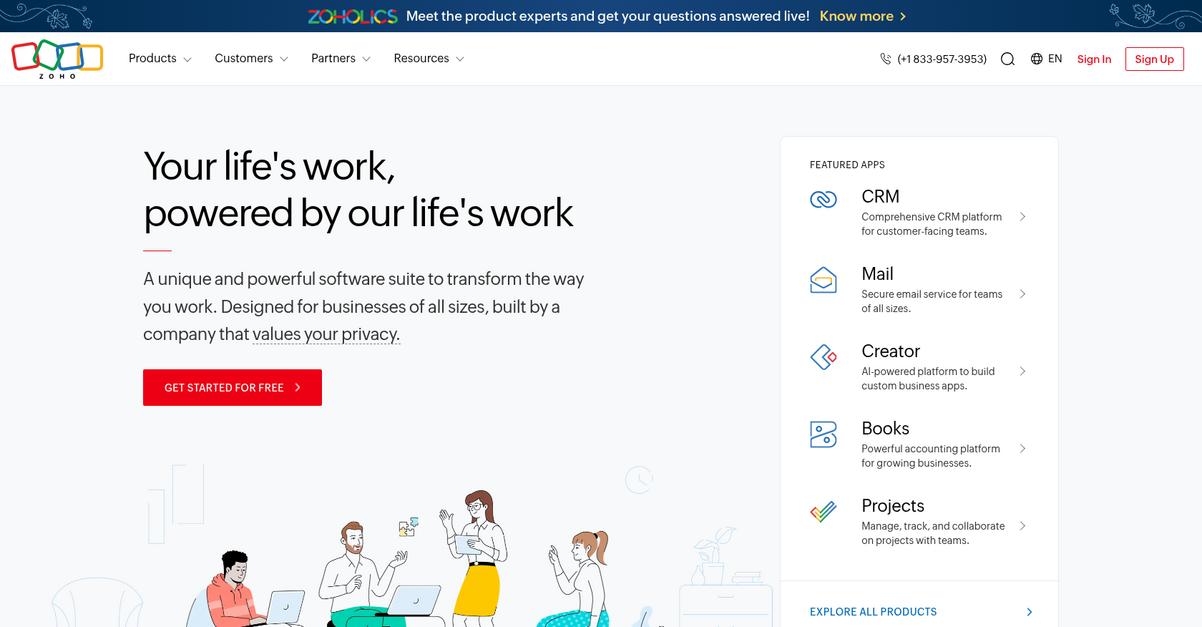
7. Zoho Workplace
Hunting for a more intuitive document collaboration tool?
Zoho Workplace gives you real-time co-authoring, integrated chat, and unified project tools to overcome Confluence’s clunky experience and fragmented workflows.
What really stands out is that your team gets a full suite that covers documents, communication, and knowledge sharing in one place instead of juggling multiple apps with limited wiki-style collaboration.
This means you’re not just switching platforms—you’re solving a broader productivity challenge.
Zoho Workplace is designed to bring together everything your team needs for smoother collaboration and better productivity if Confluence is leaving you frustrated.
Here’s how Zoho Workplace works to make teamwork seamless for you. With Zoho Docs, real-time editing, version control, and chat are all built directly into your everyday workflow. Your team can comment, discuss changes, and see updates as they happen, which dramatically cuts confusion and back-and-forth compared to Confluence’s more limited, document-centric approach.
Additionally, Zoho Connect acts as a social intranet that fosters team engagement, knowledge sharing, and project management, so your entire group can communicate and share project updates or documents from a single unified dashboard. Combined with integrated email and calendar, Zoho Workplace covers every collaboration touchpoint—helpful if you want to avoid bouncing between disconnected tools.
Plus, you get the consolidated experience your team has wanted.
Key features:
- Zoho Docs delivers real-time document co-authoring with comments, chat, and version history, so you replace Confluence’s wiki pages and plug-ins with complete collaborative editing in a single interface.
- Zoho Connect provides a social intranet platform for team communication, project tracking, and knowledge sharing, with broader engagement than Confluence’s document-focused system.
- Unified apps for docs, chat, email, and projects combine everything you need, reducing complexity, eliminating workflow silos, and saving your team time on daily tasks.
Verdict: Zoho Workplace is a practical Confluence alternative if you’re seeking an all-in-one document collaboration platform. Its integrated apps, real-time co-editing, and broader social intranet tools make collaboration feel truly unified—perfect if your team finds Confluence fragmented or difficult to adopt.
8. ClickUp
Tired of Confluence making teamwork harder?
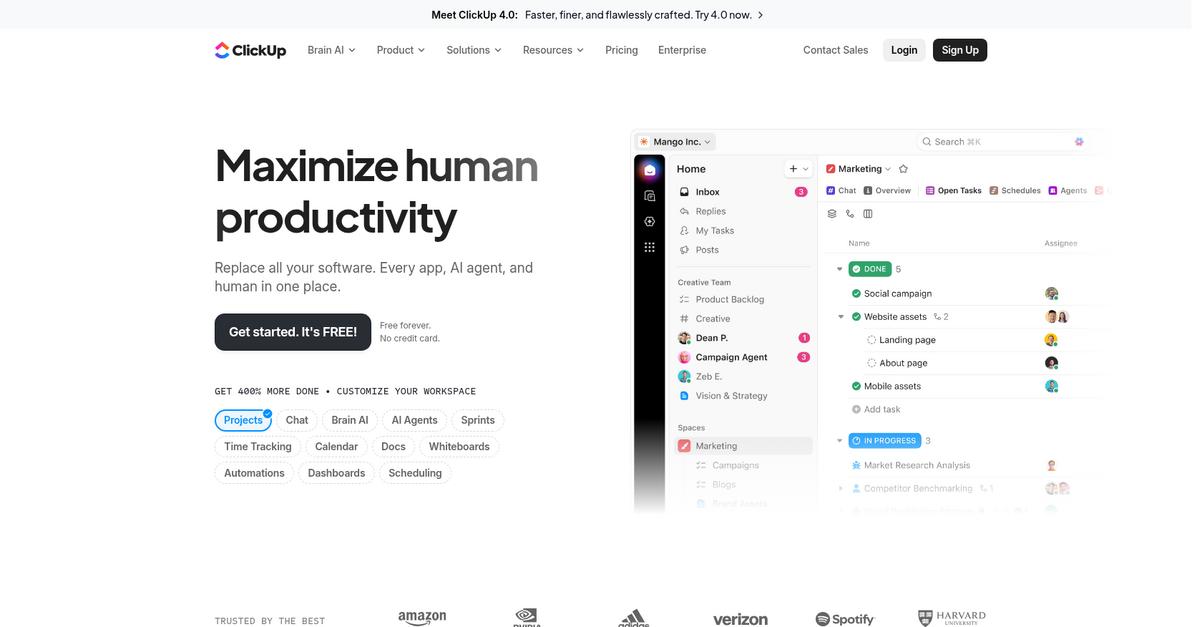
ClickUp solves this by giving you Docs—a real document editor built directly into your project spaces, with real-time editing, rich media, and task linking.
Instead of bouncing between wikis and task boards, ClickUp lets you keep documentation and actionable work in one shared hub. This means you don’t lose context during project handoffs or updates, and feedback actually leads straight to changes.
Now let’s look closer at what this unlocks.
ClickUp offers a unified approach to knowledge and project management that teams appreciate when trading out clunky Confluence setups.
With ClickUp, you create wiki-style docs right alongside tasks and projects, while team members collaborate through real-time comments and editing. You can embed files, visuals, and link discussions to actions instantly, which isn’t possible with Confluence’s rigid documentation tools. Your notes, planning docs, and wikis all end up actionable instead of siloed.
Additionally, ClickUp’s customizable folder and view structure lets you organize docs by topic, owner, or workflow—making knowledge easier to find than Confluence’s strict page tree format. Switch between list, board, or table views to fit how your team works best, avoiding the confusion of rigid navigation.
Everything is truly connected—and a lot simpler.
Key features:
- Integrated Docs within tasks and projects allow you to create, edit, and manage documentation directly within your workflow for less context switching compared to Confluence.
- Contextual collaboration with real-time editing offers in-document comments, task linking, and action items so feedback moves work forward instead of getting lost.
- Customizable hierarchies and visual views adapt document organization to your team’s actual workflow, with flexible folders and layouts rather than a single tree structure.
Verdict: ClickUp is a top Confluence alternative for document collaboration software if you want knowledge, projects, and teams all in one place. Its Docs feature alone saves countless hours, while flexible organization and embedded collaboration make switching pain-free for your team leads.
9. Nextcloud
Feel like Confluence just isn’t giving you control?
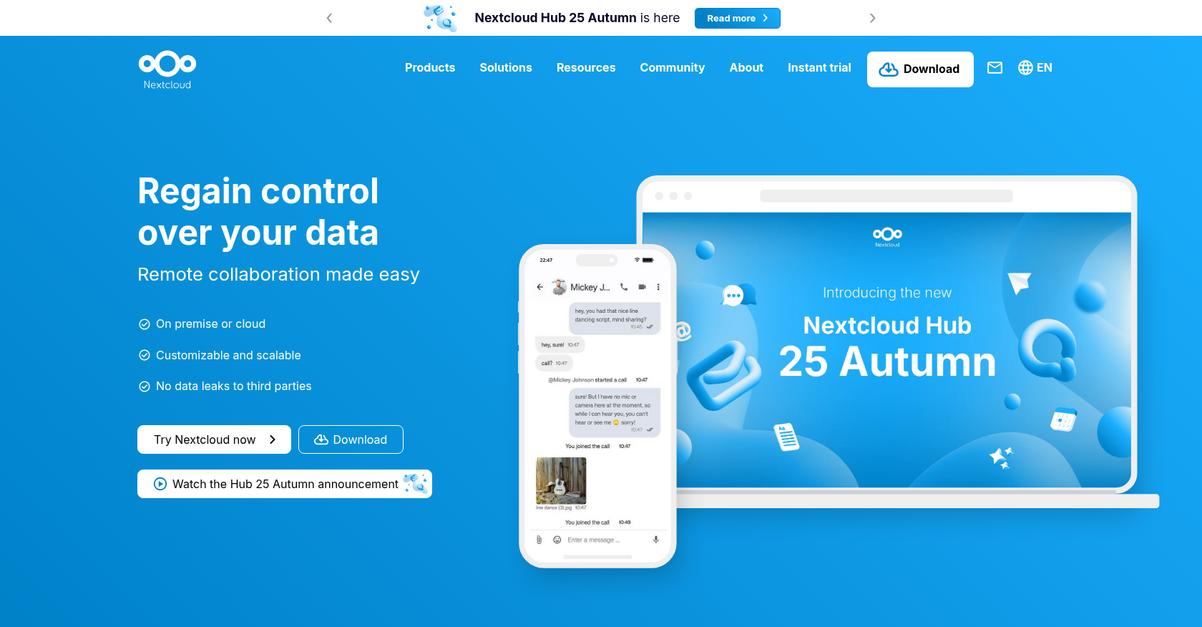
Nextcloud tackles frustrations around Confluence’s cloud-only model by letting you keep full ownership of your team’s data on your own servers, ensuring security.
This means your team can collaborate with real-time document editing tools and own every piece of your project information outright, not just “rent” it from someone else. If privacy is non-negotiable, this makes a big difference.
You’re in control without cloud provider lock-in.
Here’s how switching over to Nextcloud actually solves those Confluence pain points.
Nextcloud gives you a secure, self-hosted platform that combines content collaboration and an integrated office suite, so you never have to compromise on privacy or functionality again.
With real-time co-editing via Collabora or OnlyOffice, your team can work together on docs, spreadsheets, and slides instantly even inside your local network. This eliminates browser tab overload while keeping sensitive content right where you decide.
Additionally, file sync and share is baked in with unified document storage, advanced sharing, and device accessibility, so you centralize everything in one place while reducing process clutter. You’ll gain clear, centralized control that cloud alternatives like Confluence just can’t provide.
Your security and teamwork both get an upgrade.
Key features:
- On-premise deployment for full data control gives your team ultimate ownership and security, unlike Confluence’s cloud-only approach, helping you meet strict compliance or privacy requirements.
- Integrated office suite for real-time co-editing supports collaborative work on documents, spreadsheets, and presentations, enabling powerful in-house collaboration without reliance on outside vendors.
- Unified file sync, share, and management centralizes your files and document structure across devices, transforming fragmented cloud setups into a customizable, open-source hub under your direction.
Verdict: Nextcloud is an ideal Confluence alternative for document collaboration if you need privacy and hands-on control. Unlike most options, Nextcloud’s on-premise platform helps your team centralize editing, sharing, and storage—addressing real data sovereignty and integration needs missed by cloud-only Confluence setups.
Conclusion
Can’t stand Confluence’s clunky interface anymore?
Confluence constantly frustrates your team with confusing menus and weak search, making every file or document you actually need hard to find and slowing everyone down.
Looking for something better is a smart move—the right alternative finally gives you control over your documents, and the gain in productivity feels instant once you escape those daily headaches.
Here’s where you go from here.
Of all the best Confluence alternatives I reviewed, FileCenter is the one I’d recommend first if you’re ready for a smoother, simpler document management experience.
What sets FileCenter apart is how easy it makes everyday file organization—no learning curve, just a familiar interface that keeps your team focused. If you want out of Confluence chaos, FileCenter is the clear choice.
Go start your free FileCenter trial now and see the difference yourself.
You’ll finally find what you’re looking for.