
Missing those all-in-one document tools?
If Document Crunch leaves you struggling with limited version control and clunky collaboration, you’re not the only construction pro feeling boxed in.
Instead of simplifying your project files, it often creates more workflow headaches with its contract-only focus.
When your document system can’t manage all construction docs, you end up juggling disconnected platforms, wasting valuable time with manual fixes, and risking errors.

Keeping the status quo means team frustration, wasted hours, and missed details — not to mention the “integration anxiety” that slows down critical projects. For many, these headaches make searching for something better a necessity.
Luckily, there are robust alternatives that solve these exact pain points and boost your project efficiency.
In this article, I’ll show you the best best Document Crunch alternatives for construction companies, reviewing picks like FileCenter, SuiteFiles, Bluebeam, Procore, and more so you can finally unify your project documents.
Get ready for smoother workflows, easier team collaboration, and true peace of mind.
Let’s find your solution.
Quick Summary:
| # | Alternative | Rating | Best For |
|---|---|---|---|
| 1 | FileCenter → | Budget-conscious growing businesses | |
| 2 | SuiteFiles → | Users wanting modern interfaces | |
| 3 | Bluebeam Revu → | Teams needing better collaboration | |
| 4 | Procore → | Companies requiring better support | |
| 5 | Bentley ProjectWise → | Users needing enterprise-level control |
1. FileCenter

Finding Document Crunch lacking for your daily document needs?
FileCenter brings intuitive Windows-based filing and integrated scanning, letting you organize construction project documents faster than Document Crunch’s AI review features allow.
Unlike Document Crunch, FileCenter’s familiar cabinet-drawer filing structure means no steep learning curve for your team, so you can adopt a smoother workflow without complex onboarding slowing down your operations.
Plus, you need a solution that fits your budget and workflow.
FileCenter might be exactly what you need here.
It solves the core problem by giving you direct, desktop-based control over your project files, which is a different approach from Document Crunch’s AI-driven contract analysis.
Here’s how that helps your construction projects run smoother: FileCenter uses digital cabinets and drawers, mirroring the folder structure your team already knows. Scanned paper blueprints and jobsite documents are auto-routed and searchable instantly, so nobody spends hours hunting for files or re-indexing scanned records.
Additionally, you get the option to own FileCenter outright through a one-time purchase. That’s especially helpful if you’re watching costs or don’t want to be locked into Document Crunch’s auto-renewing subscriptions.
The result is a focused, fuss-free toolkit with all the file organization, PDF, and scanning features your crews need every day.
Key features:
- Cabinet-drawer navigation with real Windows folders lets you organize construction documents the same way you already work, so your office avoids retraining or complicated new systems.
- Integrated scanning and built-in OCR tools turn your paper plans and site records into instantly searchable PDFs, improving productivity compared to Document Crunch’s AI ingestion flow.
- One-time perpetual license option means you can own FileCenter if you want, avoiding ongoing cloud subscription costs and long-term budget surprises.
Verdict: FileCenter stands out as a Document Crunch alternative by giving your construction office a simpler, cost-effective way to digitize and manage project documents. Users report slashing a week’s paperwork down to 15 minutes, showing just how much efficiency this switch unlocks for daily project workflows.
2. SuiteFiles

Feeling boxed in by limited contract review tools?
SuiteFiles goes far beyond Document Crunch by offering deep integration with Microsoft 365, secure client portals, and true digital file signing tailored for construction project workflows.
Unlike Document Crunch’s narrow focus, SuiteFiles brings robust project document management and real workflow collaboration to the forefront. Your team spends less time juggling tools and more time driving projects forward, without worrying about data migration headaches or adoption barriers.
Here’s why that opens up bigger possibilities.
SuiteFiles steps in as a smarter alternative for construction teams needing simple, unified document management without losing the Microsoft tools you use every day.
You get direct access to files within Word, Excel, and Outlook, plus auto-save to the cloud. This integrated environment eliminates double-handling documents and keeps your workflows as familiar as possible, making training after the switch virtually unnecessary.
Additionally, SuiteFiles includes unlimited digital signing, bulk reminders, and secure branded client portals. This means you handle contracts, drawings, and file sharing in one place, speeding up collaboration inside and outside your company.
Everything works together the way you’d want.
Key features:
- Deep Microsoft 365 integration for document management allows your team to work in Word, Excel, and Outlook with automatic cloud saving, providing a familiar environment that improves adoption over Document Crunch’s specialized approach.
- Unlimited e-signature with automatic reminders and filing streamlines your construction contract workflows, automating document execution and eliminating the manual follow-up required by many other platforms.
- Branded client portals for secure file sharing make email requests, document exchanges, and collaboration with clients and subcontractors far easier than the manual, disconnected processes in Document Crunch.
Verdict: SuiteFiles is a top Document Crunch alternative if you’re ready to unify project files and truly streamline construction workflows. Construction users report saving about five hours weekly per staff member, with adoption made easier thanks to Microsoft 365 integration, secure portals, and unlimited automated digital signing.
3. Bluebeam Revu

Need more than contract review from your document tools?
Bluebeam Revu packs technical PDF markup, real-time collaboration, and detailed document comparison tools—delivering much deeper construction document management than Document Crunch’s contract AI focus.
If you feel bottlenecked by Document Crunch’s narrow contract review, Bluebeam Revu lets you directly redline, overlay, and manage any drawing in real time with your field and office team—giving you stronger project control.
Here’s where Bluebeam Revu gives you serious project file firepower.
Bluebeam Revu offers a true alternative for construction teams who want purpose-built PDF tools and collaborative workflows, not just legal contract insights.
You get industry-grade markup and takeoff tools, like digital redlining, measurement, and customizable tool sets, that make reviewing and estimating on 2D or 3D drawings way more accurate than just managing contract risk. Plus, with Bluebeam Studio, up to 500 users can collaborate live on PDFs, review design changes, and store documents securely, so nothing slips through the cracks if you’re tired of the limitations you feel with Document Crunch.
Another advantage is the automated document comparison and overlay features. These let you spot every change between drawing versions instantly—essential in construction where mismanaged revisions lead to expensive mistakes, something Document Crunch doesn’t really solve.
Bluebeam Revu might be exactly what your project needs.
Key features:
- Advanced PDF markup and digital takeoff tools allow you to comment, measure, and annotate directly on drawings, providing levels of technical review that go beyond just contract evaluation.
- Bluebeam Studio for real-time cloud collaboration connects office and field teams for live markups, drawing reviews, and secure document storage, supporting up to 500 simultaneous users on project files.
- Visual overlay and document comparison capabilities automatically highlight drawing changes, helping you catch discrepancies early and prevent costly miscommunication during design and construction phases.
Verdict: Bluebeam Revu stands out as a top Document Crunch alternative for document management software for construction companies. You get hands-on PDF markups, real-time document collaboration, instant design comparisons, and robust project file control. In fact, Bluebeam has digitized 32 million construction documents and delivers an 88% user recommendation rate for AEC workflow efficiency gains.
4. Procore

Need more than contract review in your workflow?
Procore addresses Document Crunch’s limitations by centralizing all project documents (not just contracts), offering broader control, versioning, and instant field access tailored for construction.
This means you gain a single source of truth for every file, not just a risk-assessed contract archive. Procore’s built-in workflows eliminate gaps that happen when you try to bolt together field and office collaboration with a contract AI add-on.
You shouldn’t have to settle for piecemeal project management.
If you’re seeking a Document Crunch alternative that unifies everything, Procore stands out as a construction platform built for robust document management from day one.
With Procore, you can manage drawings, RFIs, contracts, and photos in one spot, while your field crews access and update files on their mobile devices in real time.
The real power is in centralizing your project files with built-in version control, customizable permissions, and real workflow integrations, so your team always works from the latest document wherever they are.
Plus, you streamline approvals, connect daily logs to documents, and automate processes across all your project operations—giving your whole team project-level clarity, not just contract insights.
Everything just works together, keeping your project files and teams aligned.
Key features:
- Centralized document management for all project files keeps contracts, drawings, RFIs, and more in one repository, providing complete control far beyond Document Crunch’s contract-focused system.
- Field collaboration and mobile access tools empower your crews to update, mark up, and access documents on the go—closing the gap between jobsite and office instantly.
- Integrated approval workflows tie documents to project tasks such as submittals, daily logs, or RFIs, automating and tracking vital construction workflows in ways Document Crunch does not support.
Verdict: Procore is a strong Document Crunch alternative for construction firms needing full document management, not just contract review. With over 90 million documents uploaded in 2020 and user-reported gains in efficiency and accuracy, Procore unifies your files, workflows, and collaboration in one robust package.
5. Bentley ProjectWise
Feeling boxed in by Document Crunch’s limited scope?
Bentley ProjectWise steps up where Document Crunch falls short, providing engineering-centric document management, robust workflows, and a centralized data environment for construction teams needing more than contract review tools.
Here’s how ProjectWise addresses your bigger priorities differently. Instead of only contract risk analysis, it empowers you with full control over all project data and workflows for every phase. That means you’re no longer stuck juggling separate solutions.
You finally get unified project documentation and control.
With ProjectWise, you’re getting a system built specifically for construction’s toughest document management challenges, not just contract reviews like Document Crunch.
This means you can handle CAD, BIM, geospatial files, and all standard documents through deep integrations with leading design applications. Your project information stays organized, accessible, and strictly governed right from the start—boosting consistency and reducing errors across your team.
Plus, its customizable workflows, automated version control, and state-based permissions give you airtight compliance and auditability. No more fragmented systems or lost versions. The centralized Common Data Environment (CDE) brings all your files, revisions, and teams together for real-time collaboration—crucial for multi-disciplinary projects and dispersed workforces.
You move beyond simple document intake.
Key features:
- Comprehensive engineering document management lets you wrangle CAD, BIM, and geospatial files plus traditional docs, all with granular control—something generalist tools like Document Crunch simply can’t offer.
- Customizable workflows and versioning ensure every doc follows proper routing and approvals, with automated audit trails for accountability beyond contract reviewing.
- Centralized Common Data Environment (CDE) creates a single source of truth, empowering real-time collaboration and data access for project teams—ideal for complex, large-scale construction.
Verdict: Bentley ProjectWise stands out as a Document Crunch alternative for construction when you need rigorous, enterprise-level document management. Used by 25 of 50 State DOTs, it streamlines engineering data, unifies workflows, and tightens control so your team delivers with fewer errors—even on massive infrastructure projects.
6. Autodesk Construction Cloud

Feeling boxed in by Document Crunch’s narrow document scope?
Autodesk Construction Cloud steps in with a robust Common Data Environment, letting your team store, organize, and version every project file and 3D model in one place.
If you’ve struggled with Document Crunch limiting you to contract reviews, Autodesk’s single platform keeps everyone working from the latest information, not scattered files across different tools. This means less confusion and greater trust in your documents.
Here’s how Autodesk Construction Cloud takes project workflows further.
Instead of focusing on contracts, Autodesk Construction Cloud gives you a platform to manage all project documents, models, and workflows—covering your needs from early design through final build.
Autodesk includes deep BIM and model coordination, so you can automatically run clash detection and design reviews on every file—something Document Crunch’s narrow AI just can’t do. That builds confidence your entire team is working with the best, most accurate information.
Plus, customizable document approval workflows let you automate reviews and permissions for drawings, specs, and models. The result is transparent tracking and lower risk of delays, even as your project documents get more complex.
You get full project control without gaps.
Key features:
- Centralized Common Data Environment (CDE) for all files lets your team store, organize, and search every drawing, model, and RFI together, eliminating the scattered storage issue present in contract-focused tools.
- BIM integration and automated clash detection workflows give you real-time design reviews and coordination, adding capabilities essential for collaborative construction projects far beyond Document Crunch’s text-based AI.
- Customizable document approval and distribution workflows automate your review and release cycles, ensuring all project documents follow the correct path for signoffs and reducing admin overhead.
Verdict: Autodesk Construction Cloud is the Document Crunch alternative for construction teams needing complete project document control, not just AI for contracts. By improving RFI resolution time by up to 80% and delivering a 20x ROI for some users, you’re positioned for better project efficiency and fewer document headaches.
7. Oracle Aconex

Is managing project files still feeling fragmented?
Oracle Aconex offers advanced document control, secure data ownership, and workflow automation, giving you core project management that extends far beyond Document Crunch’s contract review focus.
So if your team needs true end-to-end document management with bulletproof audit trails, Oracle Aconex delivers a unique level of accountability and multi-party collaboration that Document Crunch simply cannot match.
Here’s why this can be a game changer.
Oracle Aconex centralizes all your project documents, conversations, and communications in a single secure environment, adding layers of transparency and governance you never got with Document Crunch.
Oracle Aconex can help solve your workflow bottlenecks as a robust Document Crunch alternative.
With Oracle Aconex, you track every project decision, document, and conversation in real time, and the unalterable audit trail protects you from disputes. This means your entire project lifecycle, from RFIs to submittals, is captured and managed—something those limited AI insights just can’t provide.
Additionally, the innovative data ownership model means each participant controls their own information while still enabling efficient sharing. That’s a major trust and collaboration win especially on complex, multi-firm projects.
Plus, workflow automation standardizes approvals, RFIs, and all project communication, letting you replace manual steps and control every process—from drawing reviews to final closeout.
It really does unify your project files for good.
Key features:
- Unalterable audit trail for every project decision locks down a permanent record of all actions and communications, ensuring accountability beyond what contract review AI provides.
- Unique data ownership and secure sharing gives your organization control while allowing seamless collaboration across partners, addressing common concerns about losing control in shared systems.
- Comprehensive workflow automation and templates let you standardize and automate document approvals, RFI routing, and all communications so you eliminate ad hoc, error-prone processes.
Verdict: Oracle Aconex is a top Document Crunch alternative if you’re seeking total project document control for construction. You not only get secure data ownership and permissioned sharing, but users routinely slash project documentation time by up to 50%, eliminating workflow headaches and costly disputes.
8. Buildertrend
Feeling boxed in by limited Document Crunch features?
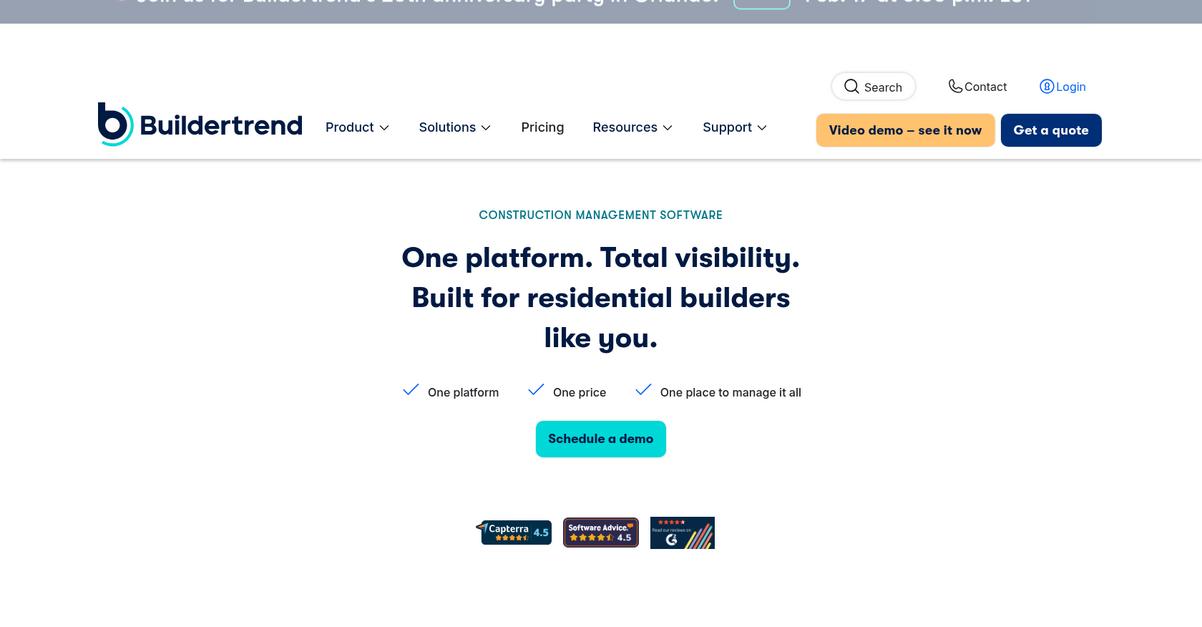
Buildertrend gives your team advanced document management, full project scheduling, and financial oversight—everything missing when you’re locked into just AI contract reviews.
What I find especially useful is how Buildertrend delivers integrated financials, dedicated client and subcontractor portals, and real project scheduling, letting you take control of every project file and workflow instead of working around contract-focused tools.
This means fewer information silos and more operational clarity.
If you want real document management, let’s take a closer look.
Buildertrend steps in with an all-in-one approach, meaning you can store, organize, and share all your construction project files directly inside the platform.
Here’s how it sets you up—real-time project cost tracking and financial reporting are built in, thanks to integrated bids, estimates, and purchase orders right alongside your files. You can keep budgets visible and eliminate double-entry headaches that come from bouncing between disconnected tools.
Plus, dedicated portals foster better stakeholder coordination. Clients and subs log in to review schedules and documents, cutting out endless email chains and status calls. When Document Crunch left you juggling documents outside its system, Buildertrend makes collaboration the default and automates notifications to keep everyone updated.
You get project control and team alignment in one place.
Key features:
- Integrated project financials and document control track budgets, estimates, bids, invoices, and payments alongside project files, so you always have a real-time financial pulse on your jobs.
- Client and subcontractor portals enable collaboration by giving clients and subs direct access to schedules, documents, and messaging, improving transparency and reducing miscommunication compared to siloed tools.
- Drag-and-drop Gantt scheduling with task dependencies lets you visually build out project timelines, link tasks, and trigger automatic notifications for any schedule or document changes, streamlining planning and updates.
Verdict: Buildertrend gives your construction team a serious upgrade over Document Crunch by centralizing document management, financials, and project schedules in one platform. Users have seen 90% fewer status calls and cut proposal prep time in half, making it a proven, powerful alternative for construction workflows.
9. SafetyCulture
Need more than contract review to manage projects?
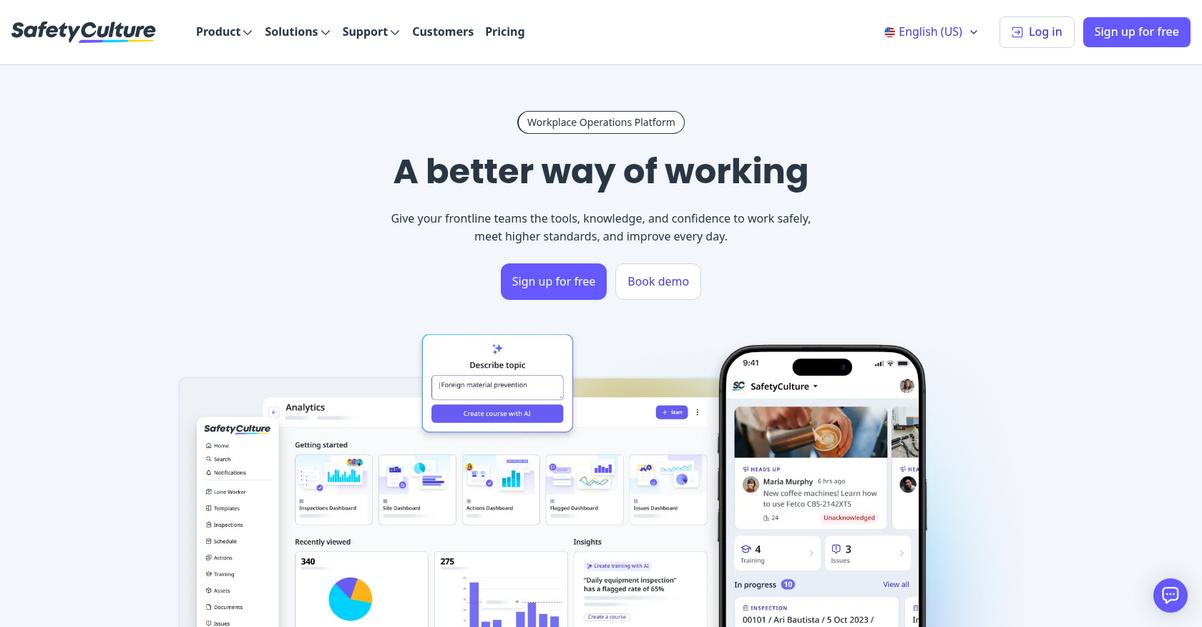
SafetyCulture steps in with customizable digital checklists, real-time issue reporting, and mobile-ready document management, all tuned for the hands-on needs of your construction workflows.
While Document Crunch narrowly focuses on contracts, SafetyCulture gives you practical tools to capture and manage every project document on the fly, freeing your whole team from chasing paperwork back at the office.
Plus, SafetyCulture’s mobile-first approach transforms workflows in the field.
With SafetyCulture, you can digitize inspections and reporting, creating a robust alternative to Document Crunch that tackles more than just risk language in contracts.
Here’s how SafetyCulture becomes your trusted alternative.
You get more than basic document storage—the platform brings dynamic digital checklists and customizable inspection forms built for the job site. This means your crews collect the right data, on the spot, using their phones. Instant access to SOPs, manuals, and compliance files via QR codes puts critical information in your workers’ hands the moment they need it, directly addressing many on-site bottlenecks Document Crunch can’t solve.
Additionally, real-time hazard reporting and corrective action tracking let your field teams flag and address issues before they become costly incidents. Multiple users can collaborate, attach photos, and assign follow-ups, driving project-wide accountability and operational efficiency you might miss with contract-only tools.
That’s document management built for construction realities.
Key features:
- Customizable mobile checklists and inspections digitize field workflows, replacing paper processes for safety, quality, and compliance needs beyond what Document Crunch is built to handle.
- QR code-powered document access in the field ensures your team instantly finds SOPs and manuals without returning to the trailer or contacting administrative staff every time.
- Real-time issue reporting and action tracking empowers your crews to flag hazards and assign follow-ups immediately, minimizing risk and improving on-site accountability across every project.
Verdict: If you’re seeking a Document Crunch alternative truly built for construction document management, SafetyCulture is an excellent pick. Users routinely save 1,500 man-hours a year and report 2.5 million hours without lost-time incidents. Its mobile checklists, instant document access, and real-time action management set it apart for project teams needing more than contract review.
10. LogicalDOC

Feeling boxed in by Document Crunch’s narrow focus?
LogicalDOC brings advanced version control, configurable workflow automation, and powerful search so you can manage every construction project file—not just contracts.
If you’re tired of struggling with contract-centric tools, LogicalDOC gives you full-spectrum document management that covers your workflow end-to-end. This means you’ll keep every file under control, not just agreements and risk reviews.
You finally get more freedom in how you manage documents.
Here’s how LogicalDOC closes the gap as an alternative.
With LogicalDOC, your team gets a comprehensive document hub with robust versioning for every file, not just contracts. The platform’s workflow automation lets you streamline review and approval processes, while multilingual full-text indexing makes every document instantly searchable—even blueprints, RFIs, and correspondence.
Plus, custom workflow tools let you automate routing and sign-offs, reducing manual follow-ups and lost approvals. If you’re dealing with evolving project docs, this adaptability makes migration from Document Crunch practical and worthwhile.
You also get intuitive, configurable role-based access, cloud or on-premise deployment, and open-source options. These features let you unify all construction documents in one place with flexible control.
LogicalDOC keeps your project information organized and accessible.
Key features:
- Advanced document version control with full revision history automatically tracks changes in all project files, providing traceability for compliance and letting you revert to any version when mistakes happen.
- Customizable workflow automation and visual editor empowers you to build document routing and approval processes tailored to your actual construction workflows, improving efficiency over static contract-only systems.
- Multilingual full-text search and intelligent indexing makes every file, from contracts to RFIs, instantly findable by keyword or metadata, unlike Document Crunch’s more specialized query tools.
Verdict: LogicalDOC is a compelling Document Crunch alternative for construction teams needing broad document management, not just contract analysis. With advanced version control, custom workflow automation, and flexible search, users report better collaboration and lower operational costs across diverse project files—helping your business move beyond contract bottlenecks.
Conclusion
Tired of juggling disconnected project files?
Document Crunch often stalls progress with its narrow contract focus and lack of true version control, leaving your workflow fragmented and your team frustrated.
Looking for alternatives is a smart move—the right switch means less wasted time and smoother collaboration every day you manage project docs. I know how much a simple, unified solution can change your entire project rhythm.
Here’s the better option you need.
After ranking these alternatives, FileCenter rises to the top for construction pros who want reliable document organization, easy scanning, and robust PDF management—all without the workflow headaches Document Crunch brings.
What I like most is how FileCenter’s desktop approach keeps your files accessible and organized, making it a practical alternative to Document Crunch for real-world construction needs. Teams report saving time and reducing document chaos right away.
Check out FileCenter’s free trial or schedule a quick demo—you owe it to your projects.
Switch now for clarity and control.