

Buried in paperwork again?
Keeping track of client files, compliance docs, and critical reports can quickly spiral out of control for accounting firms.
With every new client and project, manual processes slow your productivity and can increase costly errors.
A study by Uhura Solutions found that employees can spend up to 30% of their time just searching for misplaced or poorly sorted documents, taking precious hours away from billable client work and exposing your firm to potential compliance risks.

This article can help you break out of that cycle by showing you exactly what to look for when choosing document management software.
In this article, I’m diving into the best document management software for accounting firms, comparing features, integrations, and value to help you unclutter your workflow.
You’ll discover solutions designed to save time, boost security, and streamline collaboration for your entire team.
Let’s get to it.
Quick Summary:
| # | Software | Rating | Best For |
|---|---|---|---|
| 1 | FileCenter → | Small to mid-sized accounting firms | |
| 2 | FYI Docs → | Xero-integrated accounting firms | |
| 3 | Hubdoc → | Bookkeeping-focused accounting firms | |
| 4 | DocuWare → | Enterprise accounting teams | |
| 5 | Dext → | Mid-sized accounting teams |
1. FileCenter

Is your file chaos slowing down your workflow?
FileCenter gives you customizable electronic filing cabinets and secure client portals to keep your accounting firm’s documents organized and easy to share.
This means your team spends less time hunting for files and more time on billable work. Plus, consistent file structures help you avoid costly errors and duplication when you’re managing hundreds of client folders.
I know these struggles aren’t unique.
Here’s how FileCenter addresses them head on.
FileCenter makes it simple to digitize, organize, and access client documents without wrestling with convoluted folder systems or complicated workflows.
With intuitive e-file cabinets and robust PDF editing tools, you can directly annotate or modify financial statements and tax returns for smoother review cycles and better collaboration. That way, instead of bouncing between software tools or sifting through paper piles, everything you need is in one place.
Additionally, the secure client portal means you can share confidential documents with clients while maintaining compliance and professionalism. Integrating this portal into your workflow gives your clients that peace of mind that their data is safe, and you gain a more efficient way to communicate and collect files—no more email back-and-forth or privacy worries.
This all adds up to significant time savings and a less stressful tax season.
Key features:
- Customizable e-file cabinets for predictable documents—structure client files in a digital layout that mirrors your paper filing habits, making organization and retrieval second nature for your team.
- All-in-one PDF editing and annotation tools—edit, mark up, split, or merge client tax returns and financial docs within a single unified interface, eliminating the need for multiple software programs.
- Secure, branded client portal for file sharing—deliver a seamless way for clients to exchange sensitive financial information, enhancing security and trust while reducing turnaround time.
Verdict:
FileCenter stands out as a leading document management software for accounting firms, thanks to features like PDF annotation, e-file cabinets, and secure client portals. If you’re after faster document prep, stricter compliance, and happier clients, you’ll find FileCenter fits your needs.
2. FYI Docs
Is document chaos slowing down your everyday work?
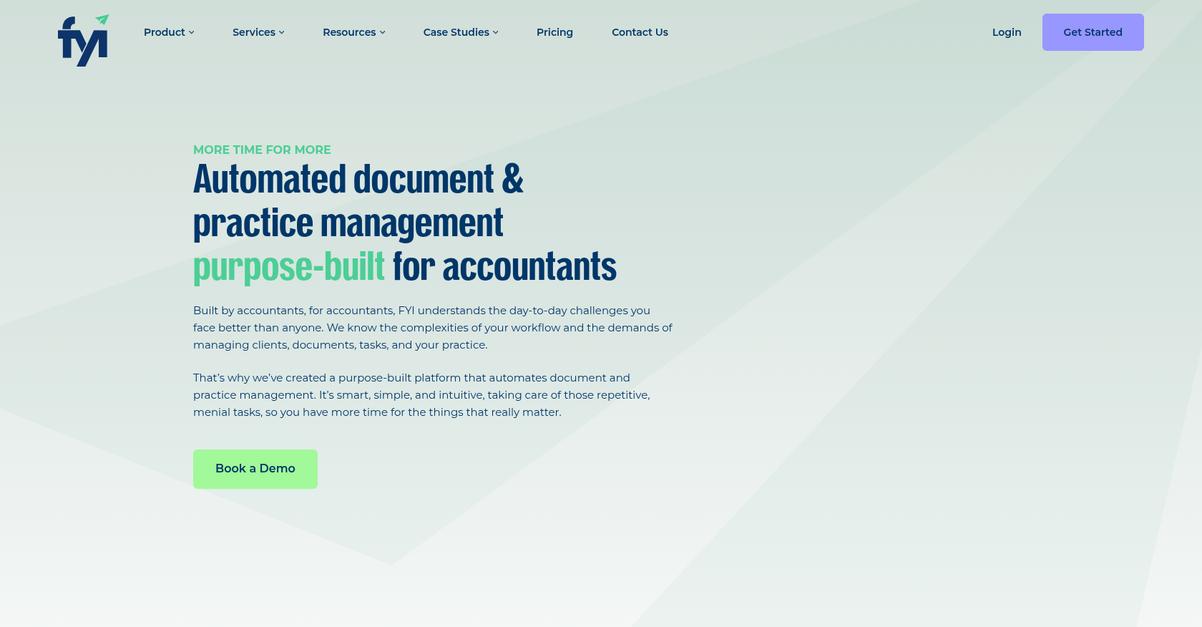
If you want to keep every client file connected and every document in the right spot, FYI Docs’ AI auto-filing can take all the busywork off your hands.
The system’s AI-driven classification means you can eliminate time-consuming manual input and reduce mistakes with every client email or file you receive, so your workflow never suffers from lost or misclassified documents.
This means less double-handling, fewer errors.
With FYI Docs, you can finally centralize all your client information and gain back valuable hours.
AI-powered document management does the heavy lifting by auto-filing emails and financial records directly to the right client, even when you get swamped. Plus, you can automate approval processes, create custom workflows for compliance, and cut down the admin headaches that drag you away from higher-value work.
Here’s how FYI Docs sets you up for greater success: The secure client collaborate portal helps you instantly exchange confidential documents, speeding up engagement letters, tax returns, or bookkeeping queries. Factor in the deep integration with Xero Practice Manager, and suddenly everything—jobs, contacts, and correspondence—syncs up with your client records. Your team can reportedly save 2+ hours per fee earner on compliance, which adds up fast when you’re juggling dozens of clients a week.
Take the guesswork out of document management.
Key features:
- AI-driven automatic filing and classification of your emails and client documents, cutting manual admin and helping you keep everything organized and audit-ready with minimal effort.
- Secure, branded client portal for document exchange that protects sensitive data and accelerates collaboration, approval, and turnaround for all your client deliverables.
- Drag-and-drop process automation designed for accountants so you can automate repetitive tasks, routing, and approvals, freeing more time for value-focused advisory or billing.
Verdict:
FYI Docs is a leading document management software for accounting firms if you want to slash manual work, automate compliance, and offer a professional client experience—firms have saved 20% of their time in just three months.
3. Hubdoc
Too much paperwork is slowing down your team.
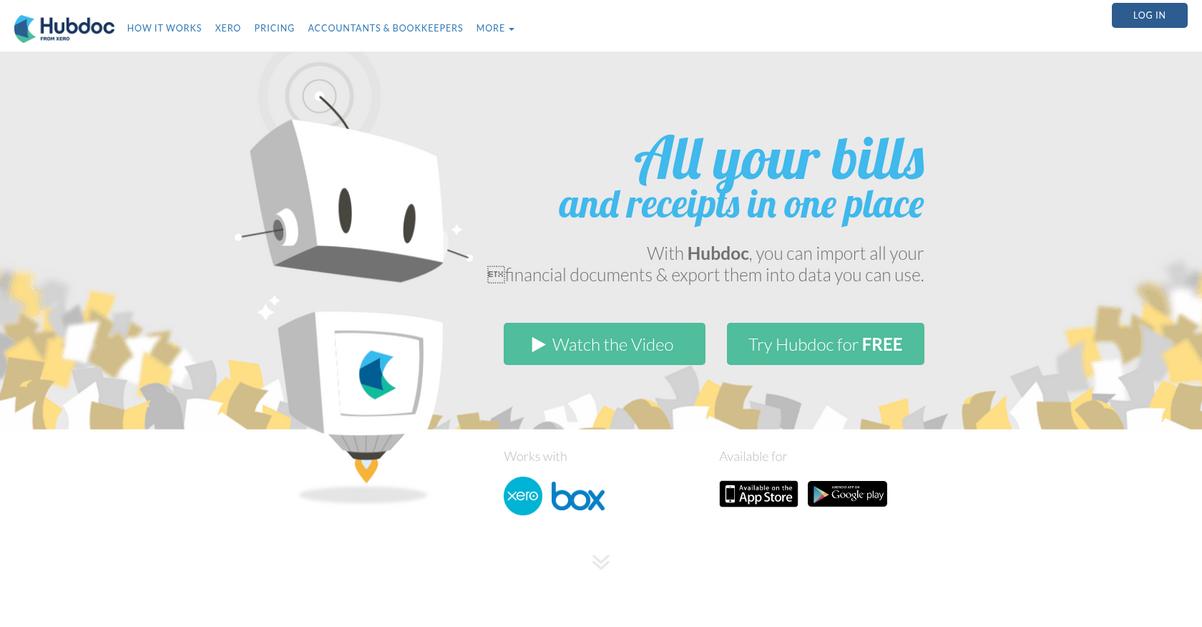
Hubdoc makes it easy by automatically fetching and digitizing bills, receipts, and bank statements from hundreds of online sources, all in one place.
The result is you no longer have to chase clients for months of missing receipts or rekey details from stacks of paper—Hubdoc handles everything in the background, helping you reclaim time and confidence in your process.
Let’s see how it goes deeper.
If you’re looking to stay organized and efficient, Hubdoc solves these headaches by automating document collection, extraction, and entry for you.
With advanced AI-driven OCR, Hubdoc doesn’t just fetch your documents—it actually reads them, extracting key data like invoice numbers, amounts, and dates. This means your files are turned into ready-to-post transactions with minimal manual work, giving your workflow a real upgrade.
Additionally, because Hubdoc syncs directly with Xero and QuickBooks Online, you can push source documents and referencing data straight into your general ledger without the risk of human error. No more searching for missing paperwork or tracking down approvals—everything gets attached automatically for a clean audit trail and simpler year-ends.
It all comes together to help your firm stay on top.
Key features:
- Automated document fetching from banks and suppliers: Hubdoc pulls bank statements, bills, and receipts directly from client accounts and vendors so nothing slips through the cracks.
- AI-powered data extraction for accurate bookkeeping: Automatically extracts line items, dates, and amounts from scanned documents, reducing manual data entry and cutting down on costly errors.
- Direct integration with Xero and QuickBooks Online: One-click push of source documents and data into your cloud accounting software, streamlining reconciliation and audit prep.
Verdict:
If you want a top document management software for accounting firms, Hubdoc is a standout thanks to its AI-powered capture, direct Xero/QuickBooks integration, and automated fetching—making it a no-brainer for time-saving, client-friendly workflows.
4. DocuWare

Are bottlenecks slowing down your accounting workflow?
DocuWare’s intelligent document indexing uses AI to automate data capture and categorization, helping you eliminate tedious manual entry and reduce costly errors fast.
If you’re tired of tracking down missing paperwork or constantly clarifying approvals, DocuWare’s ability to automate document-centric processes brings everything under control and slashes redundant tasks while ensuring compliance.
It’s time to take document chaos off your plate.
DocuWare gives you a straightforward way to digitize, organize, and secure every record your firm handles.
Here’s how: with powerful digital workflow automation, you can route invoices, client statements, and contracts for review and approval—no shuffling paper or chasing signatures. As soon as a document lands, DocuWare’s intelligent indexing extracts key data and sorts it so you can find what you need in seconds. Imagine not having to dig through folders or send reminder emails again.
Plus, Smart Connect integrations mean you and your team can pull up, file, or share the exact client file you’re working on, right inside your main accounting apps, with a single click. The result: your firm’s document processing time and costs could drop by 70-80 percent, giving you back hours every week and keeping client work on track.
That’s impact you can measure for your business.
Key features:
- AI-powered intelligent document indexing and categorization so you spend less time on data entry, avoid human error, and always have critical client records at your fingertips.
- Automated document-centric workflows for key accounting tasks like invoice approvals, routing, and compliance tracking—streamlining processes and freeing up your staff for higher-value work.
- Smart Connect integrations with your accounting software so you can instantly retrieve, file, or collaborate on documents right from the tools you use every day.
Verdict:
If you’re searching for a leading document management software for accounting firms, DocuWare is built with your exact needs in mind. Robust automation, AI-driven indexing, and proven ROI—think up to 80% less processing time—make it a top pick for any driven practice.
5. Dext
Overwhelmed by document chaos every month?
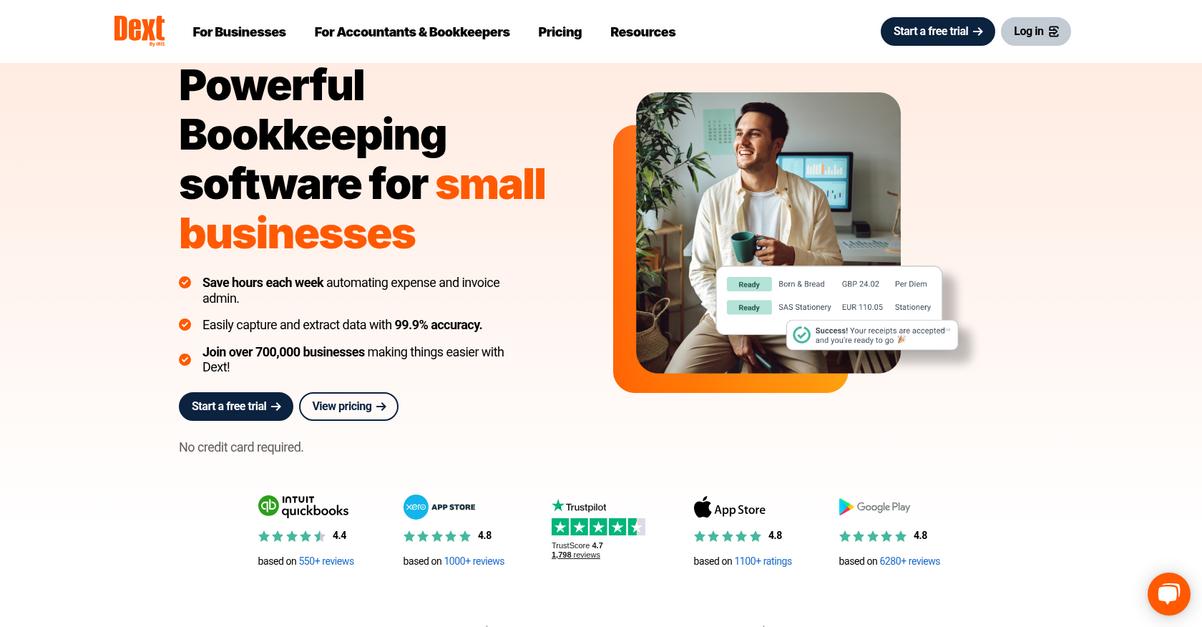
Dext’s flexible document capture stands out, letting you snap, email, or [upload receipts and invoices](https://benta.nabral.com/how-to-manage-invoices- digitally/) straight to your accounting workflow for instant access.
This means I don’t have to waste another minute chasing paperwork or worrying about lost documents, because everything lands in one organized digital hub for you.
Staying in control of your firm’s documents just got easier.
Here’s how Dext actually delivers on this promise.
With their AI-powered data extraction, Dext doesn’t just digitize your receipts and invoices—it automatically pulls out suppliers, dates, and amounts so you don’t have to spend hours double-checking numbers.
Plus, if you want more control, you can sync everything directly with your Xero, QuickBooks, or Sage account, saving you from importing files or copy-pasting client data. That makes reconciliations far more reliable for your accounting team.
Additionally, firms using Dext have reported saving up to 8 hours per client each month, thanks to automated data entry and 99.5% extraction accuracy. That means you and your staff stop drowning in admin tasks and focus on value-added work, not just paperwork. All your critical documentation is accessible, auditable, and accurate—without the manual hassle.
Dext keeps your accounting firm efficient.
Key features:
- Instant, multi-channel document capture so you can send receipts or invoices via mobile, email, supplier link, or upload and never lose critical documents again.
- AI-powered data extraction and accuracy that reduces manual entry and errors, extracting supplier, amount, and date so your records are always audit ready.
- Effortless accounting platform integration with Xero, QuickBooks, and Sage, meaning your workflows are fully automated and always accurate for client billing or reconciliation.
Verdict:
If you’re after an effective document management software for accounting firms, Dext’s rapid capture, AI extraction, and seamless integrations stand out. With proven 8-hour monthly time savings per client and 99.5% accuracy, it’s tailor-made for busy accounting teams.
6. Thomson Reuters Onvio
Are client documents always one step out of reach?
Thomson Reuters Onvio brings all your client files, tax returns, and statements into one secure, cloud-based platform that keeps everything accessible and organized.
If you’re tired of pulling files from ten different places, Onvio helps you create a single source of truth for every engagement so nothing gets lost, and you always know exactly where to look.
No more chasing paperwork across platforms.
With Onvio, you can finally keep your accounting firm’s documents organized and secure in one place.
One of the biggest ways Thomson Reuters Onvio helps is by letting you manage your files and client records from anywhere, anytime.
Here’s how: your entire team can access the latest documents—no matter where you’re working—thanks to a centralized, cloud-based document system. The secure client portal even gives your clients a branded place to share tax documents or financial reports with you, which protects sensitive data and streamlines communications.
Additionally, the platform’s version control and audit trails make sure you never lose track of changes or approvals, which means audit season becomes way less stressful. You can show full visibility on who accessed what, and hold onto a complete trail for compliance—huge for your peace of mind.
That’s how Onvio helps you stop wasting time, boosts collaboration, and keeps compliance easy.
Get more control, with less hassle.
Key features:
- Centralized cloud document management so your firm never has to dig for files, with everything client-related organized and accessible from anywhere in one secure online hub.
- Secure portal for client document collaboration that streamlines sharing, feedback, and delivery with your brand while keeping sensitive tax information fully protected at all times.
- Compliance-ready audit trails and version tracking for every document make it simple to monitor edits, approvals, and accountability—especially important during audits or for regulatory peace of mind.
Verdict:
Thomson Reuters Onvio is an excellent document management software for accounting firms that want client document security, audit-ready visibility, and better collaboration. Centralizing your workflow in Onvio means fewer headaches and a clear trail when it matters most.
7. CCH Axcess Document
Organizing client documents shouldn’t slow your accounting workflow.
CCH Axcess Document offers intelligent document filing and smart workflow integration—perfect if you’re tired of sifting through endless paper trails.
With advanced search capabilities for fast information access, you have everything at your fingertips, reducing wasted time spent digging for tax returns or source documents.
Here’s how CCH Axcess Document tackles this challenge.
This platform takes the pain out of document management, letting you instantly organize electronic files while maintaining strict compliance and audit trails.
By offering features like automated retention and digital folder structures, you can confidently centralize tax and accounting records for every client, which reduces chaos for your staff and sharpens audit readiness.
Additionally, its direct workflow integration automates the journey from document creation to review and final approval. You reduce manual handoffs, so important files never get stuck or lost between staff during critical busy periods. Built-in, robust search makes day-to-day tasks smoother: you can pull up anything—by client, keyword, or custom metadata—right when you need it, so client calls never catch you off guard.
The result: organized files, faster processes, and outstanding compliance.
Key features:
- Intelligent filing and retention automation keep every tax return, engagement letter, and statement secure and discoverable, meeting your compliance needs without extra admin effort.
- End-to-end workflow integration connects your documents with your accounting tasks, automating approvals and saving your team precious time during deadlines.
- Lightning-fast client-centric search tools let you pull up files by name, keyword, or metadata, delivering instant client answers and boosting your firm’s professional edge.
Verdict:
CCH Axcess Document stands out as a top document management software for accounting firms by offering cloud-based, compliance-ready filing, workflow automation, and fast document access—helping your team save thousands of hours each year.
8. IRIS Docs
Tired of client document chaos in your firm?
IRIS Docs gives you a single, secure hub where your accounting team can manage all client correspondence, documents, and emails without worrying about lost files or security gaps.
With its secure client portal, powerful search, and detailed version controls, IRIS Docs backs you up on every compliance and collaboration front. Your team finally gets control over version sprawl and wasted search time.
I know security and efficiency matter most here.
IRIS Docs sets you up for both.
With IRIS Docs, you get a secure client portal designed for accountants and clients to easily exchange sensitive documents, request signatures, and keep everything organized in one place.
Here’s how the advanced document search creates real impact: you can easily find any client file or email in seconds, thanks to comprehensive indexing and effective filters. No more sifting through endless folders or duplicate attachments.
Plus, you always know exactly who made changes and when, thanks to version control and a detailed audit trail—making compliance checks a breeze if your firm faces regulatory scrutiny. Everything from correspondence history to approval workflows gets tracked, so you can focus on what actually matters: delivering excellent service and keeping your clients satisfied.
That’s why IRIS Docs is hard to beat for accountants.
Key features:
- Secure client document portal for information exchange: Share tax returns, invoices, and sensitive data with your clients safely, collecting e-signatures and document approvals without compromising on compliance.
- Lightning-fast document and email search: Locate anything from client contracts to prior-year tax filings in moments, letting your team spend less time searching and more time serving clients.
- Comprehensive version control with audit trails: Confidently track every document change, approval, and comment, making audits and historical reviews simple for accounting teams.
Verdict:
If you want a top document management software for accounting firms, IRIS Docs covers your bases with secure client portals, time-saving search, and bulletproof version tracking. Firms using IRIS report measurable time-saving, smoother compliance, and improved client communication.
9. Canopy

Battling messy paperwork in your accounting practice?
Canopy’s secure client portal and unlimited cloud storage take the hassle out of collecting, organizing, and collaborating on sensitive financial documents for your clients.
If you’re like me, you know how frustrating it is to hunt down missing files or chase after electronic signatures. Eliminating bottlenecks and manual busywork boosts your team’s productivity so you can spend more time serving clients and less time wrestling with paperwork.
Let’s take a closer look at how Canopy delivers.
With Canopy, you get an all-in-one platform tailor-made for tax and accounting pros who crave order and efficiency. You’ll instantly notice how easy it is for your clients to upload documents, sign engagement letters, or send messages through the secure branded portal.
Plus, there’s no worrying about losing files since Canopy’s cloud-based storage gives you unlimited, secure access from anywhere. Customizable folder templates and automated file naming conventions keep your document repository tidy, even during the height of busy season.
Another standout is smart intake automation. By using AI-powered document requests, Canopy automatically generates personalized lists and matches uploads to exactly what you need. That means faster onboarding and way fewer client email chains. Clients have a seamless experience, while your workload shrinks on the admin side.
It all adds up to fewer headaches and happier clients.
Key features:
- Branded secure client portal for file sharing: Enables frictionless, secure communication, document uploads, and e-signatures to speed up client interactions and reduce back-and-forth.
- Unlimited secure cloud storage with custom rules: Empowers your team to build a consistent, organized, and accessible digital archive of client records—no more lost documents or scattered filing.
- Smart document intake automation for efficiency: AI-driven tools quickly gather the right documents from clients, match files to requests, and cut manual sorting, making onboarding up to 2x faster.
Verdict:
For accounting firms serious about uncluttering their workflow, Canopy stands out as an amazing document management software for accounting firms. The integrated client portal, smart automation, and unlimited cloud storage help you cut onboarding time, keep clients happy, and get back priceless hours each week.
10. SmartVault

Is document chaos reducing your productivity?
SmartVault’s secure client portal and automated folder templates help you securely share documents with clients and organize files quickly.
This means you can save precious time during busy tax season while making sure client files stay organized, compliant, and easy to find for anyone on your team.
Your firm shouldn’t settle for scattered or unsecured document workflows.
Here’s how SmartVault can help you streamline everything.
With SmartVault, you get a branded client portal where you can confidently share confidential tax documents and collect eSignatures in minutes.
Plus, integration with top tax software like Intuit lets you print, route, and file tax docs instantly from the tools you already use—no more exporting, renaming, or manual uploading.
Additionally, SmartVault’s automated folder structures provide predefined client templates, making firm-wide consistency simple and eliminating the pain of tracking down the right folders. The result? Your team saves up to 90 minutes for every tax return, and phone time is cut by as much as 75%, leaving you free to focus on higher-value client work instead of paperwork headaches.
SmartVault takes the stress out of document management.
Key features:
- Secure client portal with eSignature collection: Share tax documents, gather approvals, and keep all confidential client files protected within a compliant, branded portal designed for accountants.
- Direct tax software integration for workflow automation: Instantly print, route, and store tax documents from software like Intuit, so you avoid manual errors and time-consuming uploads during tax season.
- Automated, standardized folder structures for every client: Pre-built templates ensure every client’s documents are easy to file, organize, and retrieve, boosting usability for your team.
Verdict:
SmartVault is a great document management software for accounting firms thanks to its secure client portal, seamless Intuit tax software integration, and automated filing. Firms save up to 90 minutes per tax return and see up to 75% less phone time—making it perfect if you want efficiency, security, and consistency.
Conclusion
Buried in paperwork again?
Choosing the right document management software can feel overwhelming, especially with so many similar options all promising to boost efficiency and compliance for your accounting firm.
According to McKinsey, firms using systematic digital processes experience a staggering 45% fewer bid errors and 31% higher profits—those are real advantages you can’t afford to pass up. When your tools work for you, your whole workflow gets that competitive edge.
Here’s what actually works best.
Based on my experience, FileCenter is the top solution if you want to finally break free from manual file chaos and information silos.
FileCenter’s customizable e-file cabinets, built-in PDF tools, and secure client portal make it the best document management software for accounting firms that demand seamless organization, compliance, and truly stress-free collaboration.
I recommend you start a free trial of FileCenter and see how quickly it can unclutter your firm.
Watch your efficiency—and peace of mind—soar.