
Drowning in engineering document chaos?
It’s tough to stay organized when you’re juggling hundreds of plans, specs, and revisions for every project.
One mistake, and version confusion can delay everything, wrecking both timelines and team accountability.
And according to Record Storage Systems, document challenges are linked to a 21.3% productivity loss. That’s hours every week spent searching for files instead of focusing on engineering outcomes.

But choosing the right solution eliminates these headaches by keeping everything secure, searchable, and under your control.
In this article, I’m sharing the best document management software for engineers—what makes each tool unique, and how these options can streamline your projects in 2025.
You’ll walk away knowing which features solve your versioning headaches, save your team time, and help with compliance—without overwhelming you.
Let’s get to it.
Quick Summary:
| # | Software | Rating | Best For |
|---|---|---|---|
| 1 | FileCenter → | Local engineering firms | |
| 2 | eQuorum → | CAD-intensive engineering teams | |
| 3 | WRENCH SmartProject → | Complex multi-discipline projects | |
| 4 | Bluebeam Revu → | Collaborative blueprint review teams | |
| 5 | Accruent Meridian → | Asset-intensive engineering firms |
1. FileCenter

Losing track of technical files drains your time.
If you need files instantly, FileCenter’s Smart File Naming automatically organizes project documents with custom templates for engineering workflows.
This means you’ll find the files you need without endless searching, and properly named files cut down on confusion around versions and project phases for your team.
Finding the right document isn’t your only challenge.
FileCenter solves more than just file chaos for engineers.
You can streamline engineering document management using FileCenter’s specialized automation. It enables you to process, organize, and retrieve project files faster thanks to Smart File Naming—plus, you get a top-notch PDF Editor & Annotator for reviewing technical drawings.
Here’s how it works: FileCenter lets you combine or split project files for organized submissions, making it simple to package drawings, calculations, and specs together. You can edit, merge, and comment on PDF documents in seconds.
Additionally, the robust local desktop setup means you’re not reliant on an internet connection or risky cloud storage—vital if you handle sensitive client or procedural data.
The result: less time hunting for files, more time on engineering.
Key features:
- Automatic file naming with templates so every technical drawing, revision, or report is always stored and named correctly for lightning-fast retrieval in project audits or reviews.
- Robust PDF editing and annotation tools that allow you to edit, merge, sign, and comment on project specs or drawings, improving engineering feedback loops and approvals.
- Document stacking and unstacking functions to group or separate deliverables, letting you easily package together multiple plans or split files for submission milestones.
Verdict:
FileCenter stands out as an excellent document management software for engineers thanks to automated organization, powerful PDF mark-up, and local control, especially for those needing to package complex technical deliverables or who can’t risk cloud-only solutions.
2. eQuorum
Can you control every version of your project files?
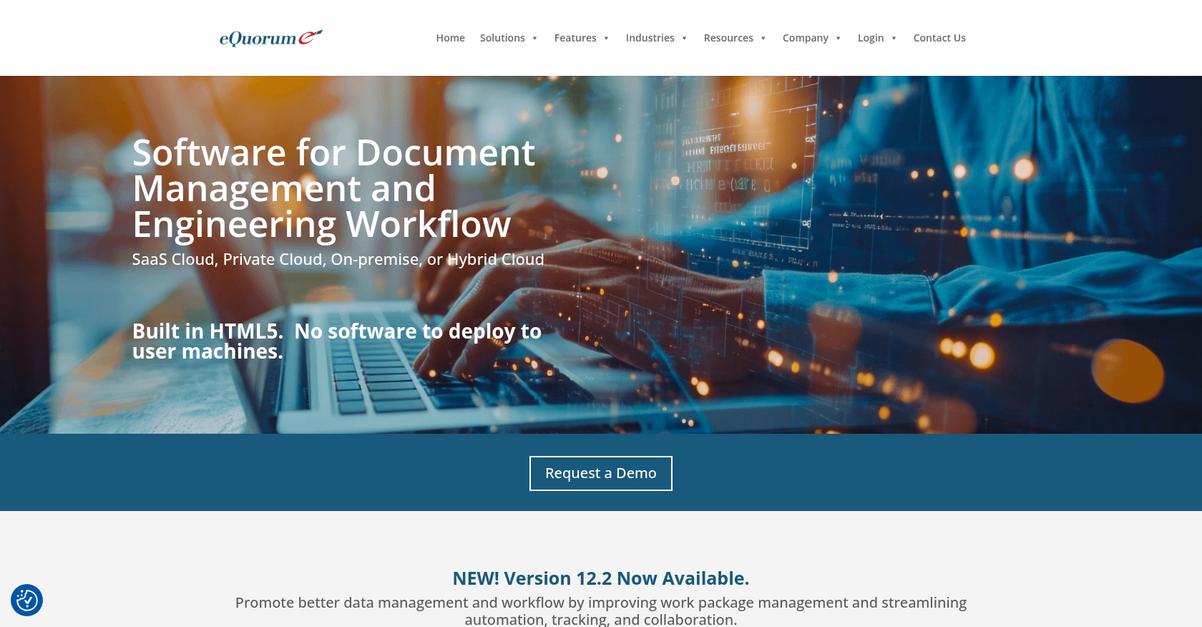
With eQuorum, you get advanced engineering drawing management that keeps your CAD and project files organized, backed up, and under strict version control.
This means you never have to worry about using outdated plans or searching endlessly for the right file, because every revision is tracked and easy to restore if needed.
Reliable engineering workflows start with better document management.
eQuorum solves this by putting CAD file control and versioning at the center of your workflow.
You can streamline how you store and access drawings, since eQuorum lets you manage complex files and design changes without leaving your familiar CAD tools. This helps your team avoid mistakes and keeps everyone working from the latest plans. Plus, its integration with major CAD software removes file chaos and eliminates hours lost to manual upload or transfer steps.
Additionally, you get advanced version tracking so you can always roll back if a change doesn’t work or you need a full audit trail for compliance. Connecting project file control with CAD integration means you spend less time on admin and more on engineering.
That’s why eQuorum just makes sense.
Key features:
- Specialized engineering drawing management for CAD workflows: Keep every project drawing organized with robust controls, so your team always has current designs to avoid costly errors.
- Advanced version control with complete revision history tracking: Instantly roll back to previous document versions and maintain a full audit trail for regulatory or project review needs.
- Seamless integration with popular CAD applications engineers use daily: Handle design files directly in your CAD environment and skip repetitive upload or transfer steps.
Verdict:
If you want a great document management software for engineers, eQuorum’s specialized CAD integration and strict version control set it apart. You get advanced engineering drawing management, audit trails, and error prevention—making it ideal for engineering teams handling complex design files in regulated industries.
3. WRENCH SmartProject
Are document control headaches slowing down your project?
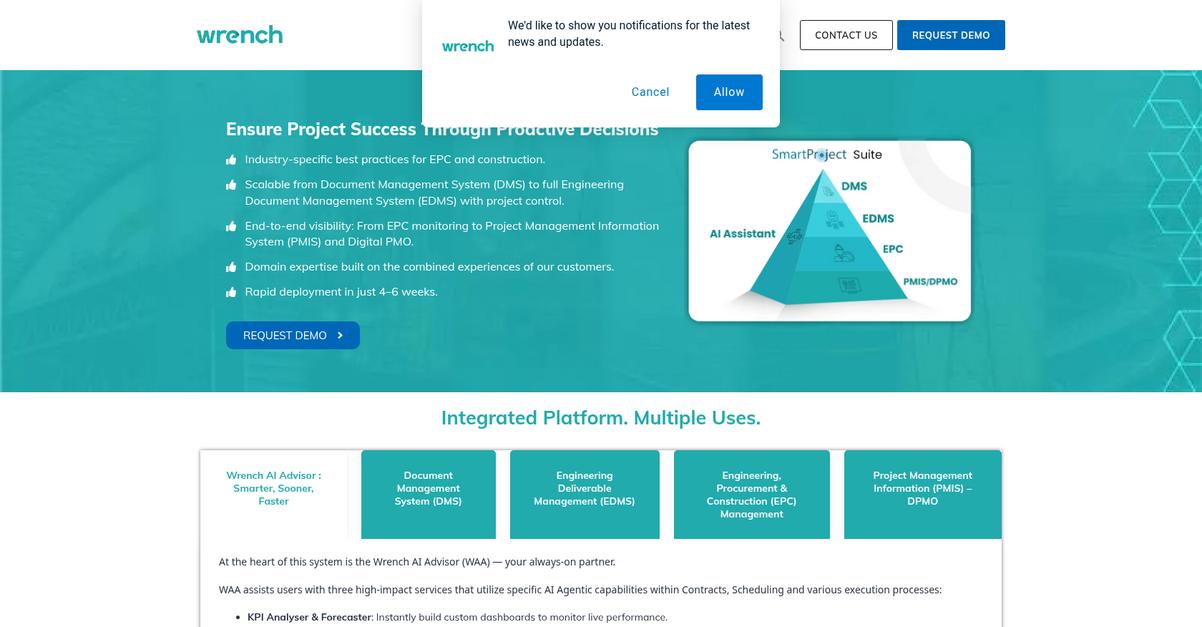
WRENCH SmartProject gives you a specialized EDMS that centralizes all your engineering documents, including technical drawings and specs, so nothing slips through the cracks.
If you’ve ever struggled to manage countless revisions and distributed teams, you know how easy it is for miscommunication and version errors to throw projects off track. Missing a single update or approval can have frustrating project-wide impacts.
There’s a better way forward.
WRENCH SmartProject takes the pain out of document management by offering an integrated platform that’s built for engineers.
I like that it intelligently stores every version of your drawings and specs, plus automates time-consuming workflows like document reviews and approvals. That means you always know exactly where things stand. This platform automates repetitive tasks unique to engineering workflows, so you and your team spend time problem-solving, not chasing paperwork.
Additionally, WRENCH SmartProject delivers robust data security. Role-based access controls, encryption, and audit trails keep your sensitive project files locked down tight. Combined, these tools ensure you’re compliant with industry standards and confident that only the right people see the right documents.
So if you want to accelerate your engineering deliverables without sacrificing control or security, this platform is purpose-built for you.
Key features:
- Intelligent EDMS centralizes all engineering documents instantly so you never waste time searching or worrying about lost drawings, technical specs, or change orders during complex projects.
- Workflow automation designed for engineers removes manual bottlenecks by handling document reviews, approvals, and distributions automatically, reducing turnaround time and boosting productivity.
- Advanced data security with access controls and audit trails protects your intellectual property and helps you meet strict compliance requirements typically faced by engineering teams.
Verdict:
WRENCH SmartProject is an excellent document management software for engineers, providing intelligent EDMS, engineering-specific workflow automation, and advanced security. If you’re running complex multi-discipline projects or managing high-stakes data, this platform is designed to save you time and reduce costly errors.
4. Bluebeam Revu

Are engineering project documents slowing your team down?
Bluebeam Revu’s Studio Collaboration lets your engineers mark up and review the same PDF at once, eliminating scattered feedback and painful version headaches.
Plus, you’ll get advanced markup tools that deliver precise measurements, annotations, and overlays right on your technical drawings and plans, making it simple to communicate those critical design tweaks.
Here’s how Bluebeam Revu makes document handoffs painless.
With Bluebeam Revu, you get an intuitive system that transforms your drawing reviews. Your team can jump into Studio Sessions, annotating the same PDF in real time, so nobody is left chasing updates or redoing work.
Additionally, its document comparison tool highlights every revision instantly, so you can catch differences between plans before they trigger expensive project mistakes. I love that you can overlay markups with measurement tools for detailed QA checks and direct design feedback, too.
You will also appreciate how these features combine to reduce drawing review time by up to 60%. When you’re juggling multiple projects, the time you’ll save means more bandwidth for actual engineering problem-solving.
It’s everything you need to keep control.
Key features:
- Studio Collaboration for instant multi-user document reviews: Your whole team can provide input on PDFs at the same time, which means tighter project feedback loops and less miscommunication.
- Advanced markup and measurement for technical precision: Accurately annotate, measure, and overlay on plans to capture engineering details—no more misinterpretation or manual error when updating specs.
- Automatic document comparison to spot critical revisions: Catch drawing changes in seconds and avoid costly mistakes that can slip past your engineering review process.
Verdict:
If you want an excellent document management software for engineers, Bluebeam Revu’s collaborative markups, instant document comparisons, and PDF tools help reduce review time by up to 60%—making it a proven win for busy engineering teams.
5. Accruent Meridian

Need a reliable way to control engineering documents?
Accruent Meridian lets you manage technical documentation right alongside your physical assets, with CAD integration and powerful engineering change management to help reduce risk.
This means you never have to worry about missing files or broken drawing references, and you gain end-to-end visibility over your asset documentation workflows.
You’re not just getting storage—you’re getting full control.
Accruent Meridian brings asset-centric document management designed with engineers in mind.
Here’s how: you get centralized control over technical documents and linked asset data, with automated change management and direct CAD tool integration. This means your team always works on the latest, approved design files, with traceable relationships between assets and their associated documentation.
Additionally, every engineering change request is routed for approval, and a complete audit trail is maintained to support compliance. This capability is especially helpful if you’re juggling maintenance records, compliance reporting, or dealing with frequent design iterations—plus, Accruent Meridian’s customers often see a 30% reduction in document processing and approval time.
The result is smoother project workflows.
Key features:
- Asset-centric document control links critical files with their associated physical assets, so you access up-to-date information for every project and maintenance activity.
- Robust CAD integration manages drawing relationships and keeps all engineering files synchronized to avoid errors caused by outdated references.
- Automated engineering change management streamlines approvals and keeps a complete audit trail, reducing risk and helping you hit compliance targets.
Verdict:
If you want the best document management software for engineers, Accruent Meridian stands out with true asset-centric control, CAD integration, and a 30% time savings on document approvals—making it a smart choice for asset-heavy industries facing regulatory challenges.
6. DocuPile

How much time do you spend chasing project files?
DocuPile’s secure cloud repository makes sure every engineering document is organized, easy to find, and available to your team when and where you need it.
If you’re tired of digging through email threads or folders, you’ll love how centralized storage cuts wasted hours and stops miscommunication that wastes your billable time.
Let’s talk about why this really matters.
DocuPile gives you a single, secure place to organize every drawing, spec sheet, and report for any engineering project.
Here’s how it works: with advanced search using OCR and metadata, you can find the right CAD file, calculation, or permit in seconds—even if you only remember a keyword or client name. This means you’re not just saving time; you’re avoiding errors from working off the wrong version.
Plus, DocuPile tracks every document change with full version history and control. You never lose track of modifications or face the headache of outdated files causing rework. It’s all about reliable design integrity, ready for audits or client reviews at any time.
I see DocuPile fitting perfectly into your engineering toolkit.
Key features:
- Secure cloud-based central document storage so your engineering drawings, plans, and project updates are organized and accessible for field teams or remote work.
- OCR-powered advanced search capabilities that let you pinpoint technical documents, calculations, or client correspondence in seconds, no matter how big your archive grows.
- Full version history and control allowing your engineers to review, compare, and restore previous document iterations, which helps prevent costly design errors and keeps everyone in sync.
Verdict:
If you want an excellent document management software for engineers, DocuPile’s easy cloud storage, advanced search, and reliable version control tackle your biggest project pain points head on—especially when access, accuracy, and collaboration are non-negotiable.
7. DocTech Document Management
Can your team always find the right drawing?
DocTech Document Management helps automate routine approvals, links securely with CAD systems, and protects your engineering files with role permissions and audit trails.
The result is complete control over every engineering document process—from first drafts to regulatory submissions. Engineers can stop hunting through emails or spreadsheets, and start collaborating pain-free. Lost time and version mix-ups become a thing of the past.
Here’s how DocTech stands out for engineers:
If you’re tired of manual document chaos, DocTech Document Management can help you run engineering projects with less hassle and better coordination.
With workflow automation, you can route technical drawings and specifications automatically for review, approval, and distribution. This means you don’t have to rely on inboxes—every step is tracked for accountability and speed. These workflows help keep your project timelines on track while preventing bottlenecks.
Additionally, DocTech integrates with your existing CAD and engineering tools, so you can organize designs, emails, and project files in one place. Plus, with secure access controls and detailed audit trails, only the right people can view or edit sensitive documents—supporting both IP protection and industry regulations.
Your team can finally collaborate from one source of truth.
Key features:
- Automates routine engineering workflows for approvals or distribution so you never miss a sign-off or delay a submission, reducing costly bottlenecks and errors for busy technical teams.
- Connects seamlessly with CAD software and engineering apps to centralize project documents and technical data, meaning your engineers never have to hunt across disconnected tools.
- Granular permissions and audit trails protect sensitive files by restricting access and tracking every interaction, giving engineering managers peace of mind about intellectual property and compliance.
Verdict:
If you want a great document management software for engineers, DocTech Document Management deserves a look. Its workflow automation, engineering app integrations, and document security make it a smart choice—plus, they specialize in tailor-fit solutions for engineering workflows, no matter your project scale.
8. Cadmus Consulting
Managing engineering documentation shouldn’t feel overwhelming.
Cadmus Consulting helps you ditch document chaos with DMS strategy development, hands-on system setup support, and workflow optimization expertise.
That means you have reliable specialists by your side to make sure your project files are structured the right way—not scattered across departments or lost in old systems.
The result is less time spent searching or fixing document mishaps.
I know finding the right document management process is tough for engineering projects.
With Cadmus Consulting, you’re not just getting another out-of-the-box tool. You’re getting experts who work with your team to analyze documentation requirements, design a fitting DMS plan, and even guide you through technology rollouts. They underline their commitment with workflow optimization recommendations that match real engineering bottlenecks—so file retrieval, sharing, and versioning get easier in your specific context.
Plus, Cadmus Consulting takes deployment headaches off your plate. They walk you through system implementation and offer technical assistance as you switch over, minimizing downtime. If you need everything to align with specific procedures, they’ll make sure your new DMS integrates smoothly with your firm’s daily processes.
It all adds up to fewer delays and more engineering productivity.
Key features:
- Personalized DMS strategy development for engineering project requirements to make sure your document system addresses your team’s unique workflows and complex collaboration needs.
- End-to-end system implementation support so you never have to navigate software deployment, customization, or tech hurdles on your own.
- Detailed workflow analysis with actionable optimizations that actually target inefficient document handling, file loss, and missed deadlines common in engineering project cycles.
Verdict:
If you’re seeking the best document management software for engineers, Cadmus Consulting is a smart pick for hands-on strategy, deployment support, and workflow improvements—especially if your projects demand more structure and expert guidance than mainstream software alone provides.
9. Autodesk Vault Professional

Ever felt overwhelmed by scattered CAD files?
Autodesk Vault Professional immediately organizes all your design documents, tracks every revision, and bridges effortless collaboration for your entire engineering team.
Handling complex CAD projects is never easy, especially if you’re constantly chasing the latest files or worried about costly errors. With Vault, you get a single, reliable source of truth for your product data, which really helps boost accountability and eliminate confusion or duplication.
This gives you back control over your work.
If you want a solution that truly fits your engineering workflow, this is it.
Vault Professional takes away the guesswork by connecting all your CAD files and documentation, making it easy for everyone on your team to find and edit the right information.
When you need dependable revision control, you can count on Vault to keep a full audit trail of every change. It’s easy to trace updates, roll back mistakes, or catch compliance issues. Plus, you’ll love how it underlines a single workspace for engineering data across your projects, so quality never takes a back seat.
Additionally, the automatic bill of materials (BOM) management makes procurement faster and more accurate by tying every BOM directly to your current design. This brings down change order processing times and helps your projects stay on track.
That’s how you make engineering data work for you.
Key features:
- Centralized CAD data management for teams: Store, organize, and share all of your design files, drawings, and supporting documents in one secure workspace.
- Comprehensive revision tracking and rollback: Capture every design update and enable full visibility, troubleshooting, and compliance for complex engineering projects.
- Automated bill of materials (BOM) management: Generate up-to-date BOMs linked directly to your evolving engineering designs for smart procurement and fewer production headaches.
Verdict:
If you’re searching for the best document management software for engineers, Autodesk Vault Professional delivers with centralized CAD data management, robust revision control, and automated BOM workflows—plus a reported 50% reduction in engineering change order processing times.
Conclusion
Overwhelmed by version chaos and endless document searches?
Selecting the right engineering document management system isn’t easy, especially when you’re comparing complex feature lists and juggling the risk of workflow disruption or integration issues.
One thing stands out though—according to Business.com, engineering teams adopting modern document management can see an annual ROI of 198% and reach full payback in just six months (198% annual ROI statistic). That’s a huge return for getting your data organized, secure, and instantly accessible.
So, where should you start?
For my money, FileCenter is your best bet in this entire roundup.
You can centralize every revision, improve compliance, and confidently eliminate version headaches using FileCenter’s unique file naming and local desktop controls—making it my top choice for engineering teams facing messy data.
When it comes to the best document management software for engineers, FileCenter proves its value by letting you automate file organization, streamline project packaging, and keep sensitive technical data off risky cloud servers.
I recommend you start a free trial of FileCenter so you can see firsthand how much easier engineering documentation can be.
You’ll finally get control—and your time—back.