

Drowning in files and compliance paperwork?
You’re likely overwhelmed by scattered documents, endless security worries, and constant fear of missing crucial compliance deadlines.
The real challenge? Decision paralysis from too many similar software options.
IDC reports that employees spend 30% of their time searching for documents. With so much wasted effort, it’s no wonder enterprises struggle to maintain productivity and keep up with regulations.

This article will help you cut through the noise by guiding you to solutions that actually integrate, secure, and organize your documents for true compliance.
In this article, I’ll walk you through the 8+ best document management software for enterprises to ensure compliance—breaking down their features, strengths, and what makes them the right fit for your company.
You’ll leave knowing exactly which platforms can boost productivity and future-proof your compliance efforts.
Let’s get to it.
Quick Summary:
| # | Software | Rating | Best For |
|---|---|---|---|
| 1 | FileCenter → | Compliance-focused enterprise teams | |
| 2 | M-Files → | Enterprises requiring metadata-driven governance | |
| 3 | DocuWare → | Large enterprises needing secure archiving | |
| 4 | OpenText Documentum → | Highly regulated industry enterprises | |
| 5 | Laserfiche → | Enterprises requiring records automation |
1. FileCenter

Need a smarter way to manage your documents?
FileCenter brings automated filing, PDF editing, and powerful version control right to your team, solving your biggest organization and compliance headaches.
Enterprise teams face growing challenges with document chaos, manual errors, and maintaining strict information tracking. If you need to eliminate these bottlenecks, FileCenter can handle the heavy lifting for you.
Let’s look at how this works in practice.
First, FileCenter gives you intelligent document organization that feels natural right from day one.
With its automated filing features, I can have my contracts, reports, and invoices instantly sorted into the correct folders based on customizable rules—no more wasting time chasing down the right version. This automatic filing is a true relief, especially if your business deals with high document volumes and must ensure everything is audit-ready.
Plus, the built-in PDF editing and annotation toolkit lets your legal or compliance teams work directly on PDFs in a single place. You can easily merge, edit, or review documents, then use seamless version control to track every change. The result: your coworkers always find the right file without confusion.
All these features means your business can avoid workflow bottlenecks and finally keep up with complex compliance demands.
Your files, finally under your control.
Key features:
- Automated document filing with intuitive rules: Let you set up rules so files always end up in the right folders, saving your team tons of manual organization work.
- Comprehensive PDF management in one system: Allows you to annotate, edit, or merge PDFs right within FileCenter, streamlining review cycles for compliance or legal matters.
- Full version tracking and easy rollback: Every document edit is logged, making it simple to monitor changes and revert to earlier versions if needed, boosting audit-readiness.
Verdict:
If you need an effective document management software for enterprises that reduces manual effort, keeps your PDFs organized, and offers robust audit trails, FileCenter is a top choice—especially if tax, legal, or compliance is on your mind.
2. M-Files

How much time does your team waste looking for documents?
M-Files uses metadata-driven organization to ensure every document is indexed by context, making retrieval effortless no matter where it’s stored.
This means you don’t have to worry about lost files or wasted hours because your team can always find the right information right when they need it—no more second guessing which folder or drive to search.
And that’s just the start.
M-Files streamlines more than document storage.
Its AI-powered information management system automates recurring workflows, compliance checks, and document governance for your enterprise.
Here’s how: With intelligent automation, you can delegate routine tasks and policy enforcement to the platform, so information falls into the right hands at the right time. You’ll eliminate manual data entry and reduce compliance risk,* so you and your team focus on more strategic work.
Plus, dynamic views let each user instantly surface just the content and files they need. If you need to support role-based access and decision-making across departments, this personalized approach keeps people productive and information secure. Connect metadata organization, workflow automation, and user personalization—and you get a robust system that truly scales with your requirements and growth.
If you’re ready for smarter document management, M-Files is worth a look.
Key features:
- Metadata-driven content discovery makes file retrieval instant across storage locations, so your team never loses track of essential documents or spends hours searching across disparate repositories.
- Automated workflows drive compliance and reduce manual errors, helping you streamline your business processes and ensure your document governance stays consistent across your enterprise.
- Personalized Dynamic Views present only relevant content to each user, tailoring information and documents by role, department, or project to increase productivity and support informed business decisions.
Verdict:
M-Files is an effective document management software for enterprises, empowering your team with metadata-driven organization, workflow automation, and personalized content. Its AI-powered platform has demonstrated up to 294% ROI, making it a smart investment for scaling secure, compliant growth.
3. DocuWare

Can your current system keep up with compliance?
DocuWare offers secure document archiving, automated workflows, and intelligent indexing to address these compliance and efficiency challenges facing your enterprise.
It means you no longer risk costly regulatory violations or waste time digging for files because every document is reliably protected and instantly accessible—exactly when you need it.
This leads directly to greater confidence in your processes.
You can count on DocuWare to make compliance easier.
The software tackles your most pressing needs by bringing together secure, tamper-proof storage and automated workflow tools purpose-built for large enterprises. With DocuWare, you get robust access controls that lock down sensitive information to only those authorized, so your documents stay safe and meet even the strictest industry regulations.
Additionally, automated workflows speed up document-driven tasks like invoice approvals or HR onboarding—eliminating frustrating manual bottlenecks and reducing your processing time by up to 50%. Intelligent indexing powered by AI means you and your team can find vital files instantly, letting you refocus on tasks that actually move your business forward. These features combine to make scaling across departments simple and stress-free.
Your team’s documents will always be protected and accessible.
Key features:
- Secure, compliant document archiving with access controls: Safeguard your enterprise’s files with tamper-proof storage, advanced user permissions, and audit trails for worry-free regulatory compliance.
- Automated workflows for process acceleration: Digitize and automate crucial business operations like invoice management and HR documentation, drastically reducing lag time and manual handling.
- Intelligent AI-powered document indexing and search: Instantly locate and categorize files using advanced indexing, improving productivity no matter how large or complex your information ecosystem.
Verdict:
DocuWare is a great document management software for enterprises needing airtight compliance and higher efficiency. With outcomes like 50% shorter processing times and secure archiving, you’ll meet regulations easily and empower every department across your business.
4. OpenText Documentum
Do compliance regulations keep you up at night?
If you’re needing rigorous control over every business document, OpenText Documentum gives your team strict versioning, audit trails, and retention policies tailored for regulated enterprises.
This means you never have to stress about lost records, out-of-date documentation, or falling out of compliance again. Every change is tracked, documented, and available instantly.
It’s time to focus energy on scaling, not chasing paperwork.
OpenText Documentum solves your compliance and governance headaches by letting your team confidently manage massive document volumes while satisfying strict industry regulations.
Plus, with AI-powered search that finds the right documents instantly, you can respond to audits faster and eliminate hours wasted digging through files. This capability really matters if your team deals with millions of documents across silos.
Here’s how you get another advantage: Documentum’s secure content migration tools help your company move all that legacy paper and digital documentation into a single, streamlined platform. Combine that with robust access controls, and your information stays safe, findable, and always within your compliance boundaries.
Your compliance goals just got easier.
Key features:
- Strict versioning and audit-ready retention controls to simplify compliance in regulated industries, so your team always knows who accessed or updated every document and when
- Secure, large-scale content migration tools for efficiently and safely consolidating legacy documents, accelerating your enterprise digital transformation journey
- AI-powered contextual search capabilities that surface the documents you need instantly, boosting productivity and helping every department work smarter
Verdict:
If you need a leading document management software for enterprises with best-in-class control, search, and migration capabilities, OpenText Documentum rises above. Enterprise clients in healthcare, energy, and life sciences rely on it for secure, audit-ready document management across millions of files.
5. Laserfiche

Struggling to keep up with compliance needs?
Laserfiche’s enterprise-grade records management offers you the tools to stay audit-ready and eliminate manual, error-prone processes across your entire organization.
By combining advanced records retention and legal hold features, you can efficiently enforce compliance rules across all business units without endless paperwork or complex tracking systems.
Maintaining compliance shouldn’t slow you down.
Laserfiche solves this challenge by automating everything from document capture to records retention, so you and your team can focus on driving real results.
You get robust automation for complex workflows, while digital forms allow your users to submit, route, and archive documentation in minutes rather than hours. The result is greater speed and accountability in your document processes—perfect for busy enterprise operations where accuracy is everything.
Additionally, Laserfiche’s business process automation isn’t just about task routing. It supports enterprise-wide efficiency by reducing manual data entry by up to 75%, helping you meet compliance mandates, speed up decision-making, and cut administrative costs. Plus, this unified solution is trusted by leading enterprises recognized by Gartner and G2, so you can be confident you’re getting a secure, proven platform that scales with your growth.
You can expect streamlined compliance and new efficiency.
Key features:
- Enterprise-level business process automation: Eliminate repetitive manual work and ensure your document workflows are always up to date, helping your team reduce errors and accelerate operations.
- Comprehensive records management capabilities: Simplify retention, disposition, and legal holds so your compliance team can focus on higher-value priorities without risking regulatory missteps.
- Digital forms for streamlined data capture: Enable fast, accurate data entry and form-driven routing, getting critical documents archived and accessible in less time.
Verdict:
Laserfiche stands out as a leading document management software for enterprises by automating up to 75% of data entry, empowering you to enforce compliance, accelerate workflows, and protect against risks with robust records management trusted by Gartner-recognized organizations.
6. LogicalDoc

Need a smarter way to manage critical documents?
LogicalDoc brings powerful document version control, workflow automation, and enterprise-grade search right to your team’s toolbox. This means you’re able to deliver on compliance, audit-readiness, and fast access without hassle.
If you’re like me, it’s tough keeping track of the latest version or having files bottlenecked in approval queues. Having automatic versioning, change logs, and workflow routing solves these headaches while driving up productivity across every department.
Here’s where LogicalDoc steps up.
LogicalDoc combines an open-source foundation with enterprise-level features to help you finally take control of your document sprawl. With robust version control, your team never loses track of changes or accidentally overwrites important content.
Plus, the automated workflow tools ensure every document is routed, reviewed, and approved according to your business needs. If you’re aiming to reduce manual paperwork and errors, this software gives you a major edge. You can track documents end-to-end, while powerful search lets you pull up any file or record instantly, no matter how complex your archive.
Additionally, I love that you get both full-text indexing for quick retrieval and custom workflows for specialized processes. The result is more accountability, fewer bottlenecks, and a straightforward compliance audit trail.
LogicalDoc grows with your business.
Key features:
- End-to-end document version control for audit trails: Give your admins and compliance teams confidence that every version is tracked, recoverable, and transparently logged.
- Automated routing and approval workflows that scale: Minimize manual tasks by letting LogicalDoc automatically assign, move, and escalate documents throughout your business processes.
- Enterprise-grade search across all file content: Instantly retrieve documents and related metadata, no matter your archive’s size or complexity—critical for large and distributed teams.
Verdict:
If you’re after an effective document management software for enterprises, LogicalDoc stands out with its powerful version tracking, workflow automation, and search. Reliable for document integrity, collaboration, and fast regulatory audits, especially as your business documents multiply.
7. OpenKM
Looking to simplify enterprise document compliance?
OpenKM’s integrated versioning, workflow automation, and advanced security tackle exactly that for your entire organization.
If you’ve ever felt uneasy about data breaches, loss of edits, or messy approval processes, OpenKM steps in with robust document tracking and process automation features designed for the highest enterprise standards.
That’s why so many enterprise teams rely on it.
OpenKM consolidates your document management into one secure platform.
By giving your team automated version tracking, OpenKM means you always have a full audit trail and can recover previous document versions any time. Plus, the workflow engine lets you define document routes, set approvals, and assign tasks so you never have to worry about missed steps or manual bottlenecks. Custom permissions and encryption protect your most sensitive files without adding friction, letting you keep tight controls over who can view or edit each document.
Additionally, OpenKM provides deployment flexibility with both on-premises and cloud options. Your IT department can tailor system access and configuration so your compliance and privacy preferences are fully met, no matter your sector. When you put it all together, the time savings, error reduction, and improvement in regulatory confidence are real.
That’s why it’s a strong solution for enterprise needs.
Key features:
- Comprehensive document versioning and audit trails so your business always has a retrievable record of every change made by your users, crucial for compliance and reporting.
- Powerful workflow automation features for document routing, approvals, and task assignment to keep your organizational processes consistent, traceable, and efficient at enterprise scale.
- Granular security and encryption controls let you easily restrict access, enforce user permissions, and safeguard sensitive enterprise data from unauthorized exposure or mishandling.
Verdict:
OpenKM is a top document management software for enterprises thanks to granular access controls, enterprise-grade versioning, and workflow automation. If your team values streamlined compliance, tight security, and total flexibility, OpenKM deserves a serious look for your internal processes.
8. NetDocuments
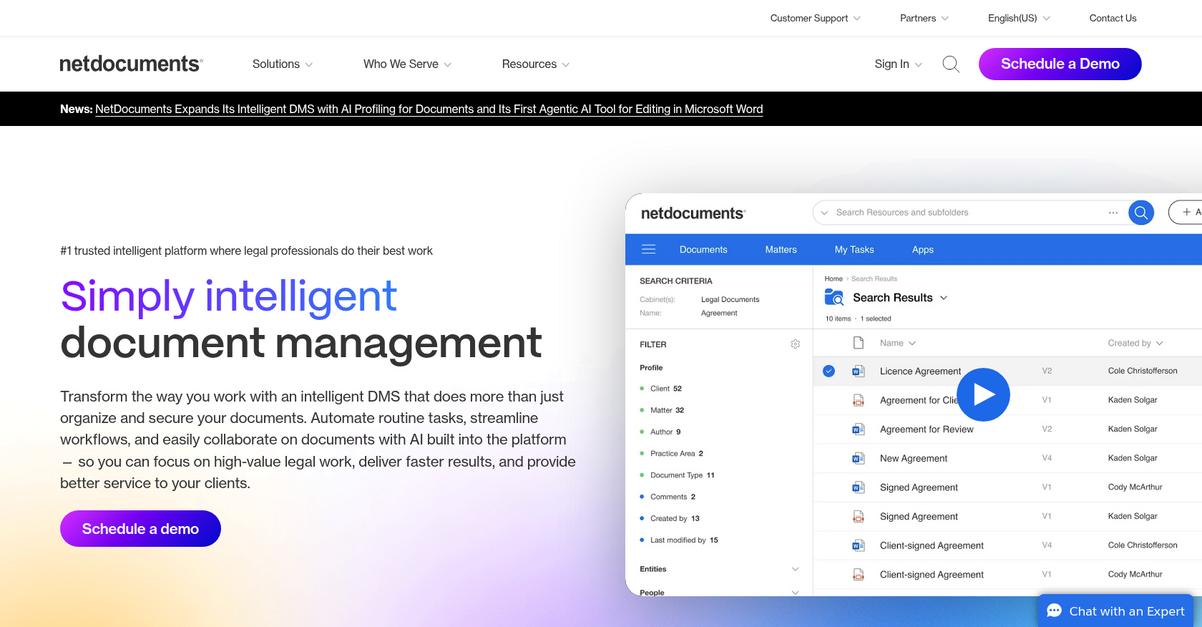
Is secure document access a daily worry for you?
NetDocuments gives your enterprise advanced threat detection, ransomware protection, and compliance controls designed for legal and professional services.
This means you can protect sensitive client files without sacrificing usability or day-to-day efficiency for your staff.
Let’s dig into what that really looks like.
With NetDocuments, you get more than just storage—your team gets AI-powered search that puts contextually accurate results at your fingertips, saving time on every project.
Here’s how this works for your enterprise: with AI-driven document retrieval and deep Microsoft 365 integration, your knowledge workers avoid endless folder-hunting and can collaborate securely with clients and partners through dedicated Client Collaboration Spaces.
Additionally, every document is shielded by rigorous security and compliance measures that go beyond basic encryption. NetDocuments continuously monitors for ransomware activity and ensures you’re meeting the latest industry requirements, removing compliance headaches for IT and legal teams alike. These capabilities together lead to smoother workflows, lower risk, and happier clients, making NetDocuments ideal if your firm juggles sensitive matters or strict regulations.
It all adds up to better results for your business.
Key features:
- AI-powered search and contextual retrieval: Your team can instantly find information, reducing wasted hours and increasing productivity for every legal, HR, or client-facing document workflow.
- Client Collaboration Spaces for secure external sharing: Managing sensitive projects is easy and safe, with audited spaces for clients and partners to collaborate and access files directly.
- Advanced compliance and ransomware protection: You get robust, always-on data security that meets enterprise-grade standards, essential for regulated industries or complex client contracts.
Verdict:
If you need an amazing document management software for enterprises, I’d put NetDocuments at the top of your list. With AI search, next-level security, Microsoft 365 integration, and real-world efficiency gains, it’s built for your enterprise’s most demanding workflows.
9. Zoho WorkDrive
Is your team struggling to keep documents organized?
Zoho WorkDrive gives you centralized Team Folders, granular access permissions, and version control to tackle information chaos and compliance concerns head-on.
That means you can securely control document access and support efficient collaboration across your whole company, which is a game-changer for enterprise document management.
You don’t have to settle for inefficient, risky file sharing anymore.
Here’s how you can transform your workflow.
With Zoho WorkDrive, you get an intuitive platform that brings all your enterprise files together in one place. Team Folders let your departments structure, share, and manage documents together, while granular access settings keep sensitive files locked down no matter how complex your team is.
Plus, you can rely on WorkDrive’s version control, which automatically saves every document change and lets you restore previous versions in seconds. That means if your legal, finance, or operations teams need to track edits or roll back mistakes, you’re covered. This safeguards your records and meets audit requirements with absolutely minimal effort.
Additionally, the platform fits naturally into the Zoho ecosystem, making it easier for your teams to collaborate and increase productivity right inside the tools you’re already using. Granular permissions, role-based sharing, and clear folder hierarchies remove daily headaches from managing a huge volume of documents.
Document chaos becomes a thing of the past.
Key features:
- Centralized, collaborative Team Folders for every group: Keep all enterprise documents structured, accessible, and easy to find for every department while maintaining strict organization.
- Granular user access and permission controls: Assign detailed permissions so your team can view, share, or edit only what’s needed, ensuring compliance and confidentiality for sensitive files.
- Automatic version control ensures document integrity: Review, track, and restore previous document versions instantly, reducing risk and supporting your audit trails.
Verdict:
Zoho WorkDrive is an amazing document management software for enterprises looking for strong collaboration, compliance, and secure file management. With its Team Folders, detailed access controls, and version history, you gain both security and productivity in one simple solution.
Conclusion
Need to finally escape document chaos?
Choosing the right document management software isn’t easy when every solution looks the same and compliance risks are always looming. It can feel nearly impossible to pick an option that actually delivers on integration, security, and reliability—without overwhelming your team.
According to Metafile, companies leveraging automated document systems can slash costs by up to 98%, saving around $40,000 for every accounts payable employee. That’s a massive efficiency boost you don’t want to miss—not to mention how much easier audits and compliance become when file control is automated. (98% cost reduction, per Metafile)
Here’s what I’d recommend.
Of all the software I’ve tested, FileCenter truly leads for compliance and usability at enterprise scale.
FileCenter solves your top challenges—offering automated filing, rock-solid version control, and audit-ready organization, all while supporting fast adoption across departments.
I’ve seen the best document management software for enterprises handle high document volumes, slash manual work, and keep teams audit-ready—a real win for IT and compliance leaders.
Go ahead and start a free trial of FileCenter to experience what modern document management should feel like.
Your compliance headaches will disappear fast.