

Worried about choosing the wrong system?
You’re caught between endless options, tight budgets, and pressure to prove the value of your next document management tool.
All the while, decision paralysis and information overload increase your stress and slow down the firm’s productivity.
Record Storage Systems reports that document-related challenges cause a 21.3% productivity loss. That’s hours wasted every week—costing your firm both time and revenue.

This article will cut through the confusion so you can finally make an informed, confident decision.
In this article, I’m going to break down the 11+ best document management software for legal firms—highlighting their strengths, features, and what to know, so you don’t get burned by a bad fit.
You’ll walk away knowing exactly which tools solve your real challenges while delivering ROI to your stakeholders.
Let’s get to it.
Quick Summary:
| # | Software | Rating | Best For |
|---|---|---|---|
| 1 | FileCenter → | Small to mid-sized firms | |
| 2 | NetDocuments → | Large enterprise law firms | |
| 3 | iManage Work → | Enterprise legal teams | |
| 4 | LexWorkplace → | Small law practices | |
| 5 | Clio Manage → | Growing mid-sized firms |
1. FileCenter

Tired of hunting for case files all day?
FileCenter’s smart file cabinets organize client documents in logical ways that make info quick to access, so you won’t miss a beat or lose time.
Here’s how finding client records just got a whole lot simpler—because FileCenter mimics the filing system you already know, everything lands exactly where you expect.
That’s just the beginning.
FileCenter takes document headaches out of your workflow by acting as a digital office assistant for your legal team.
With digital cabinets and drawers that match your firm’s structure, you’ll find what you need right away. It’s even easier because you can scan paper records into searchable, editable PDFs instantly, so nothing gets lost in the shuffle. Whether you’re preparing for court or responding to requests, pulling up those digitized documents is a breeze.
Additionally, FileCenter’s tight email integration means you can drag related correspondence directly into the right client folder. No more lost messages or frantic searching—if an email is part of a case, it’s right where it belongs. Combine that with annotation, editing, and redaction tools, and you’re able to handle confidential information without missing a step. This means your records are more complete and secure, setting your firm up for fewer mistakes.
Simple document control, real legal results.
Key features:
- Smart digital cabinets and folders that mirror real files so your team can transition from paper to digital without confusion or extra training.
- Built-in OCR and powerful PDF tools let you convert, search, annotate, and redact files—essential if you still handle lots of scanned paper or discovery documents.
- Integrated email-to-case workflow connects correspondence with client records instantly, keeping all communication and supporting documents securely linked for stronger compliance.
Verdict: If you’re after an amazing document management software for legal firms, FileCenter nails it with easy folder setups, strong PDF handling, and integrated email capture. I see it as ideal for firms that want efficient, error-free access to documents—from intake to closed case.
2. NetDocuments
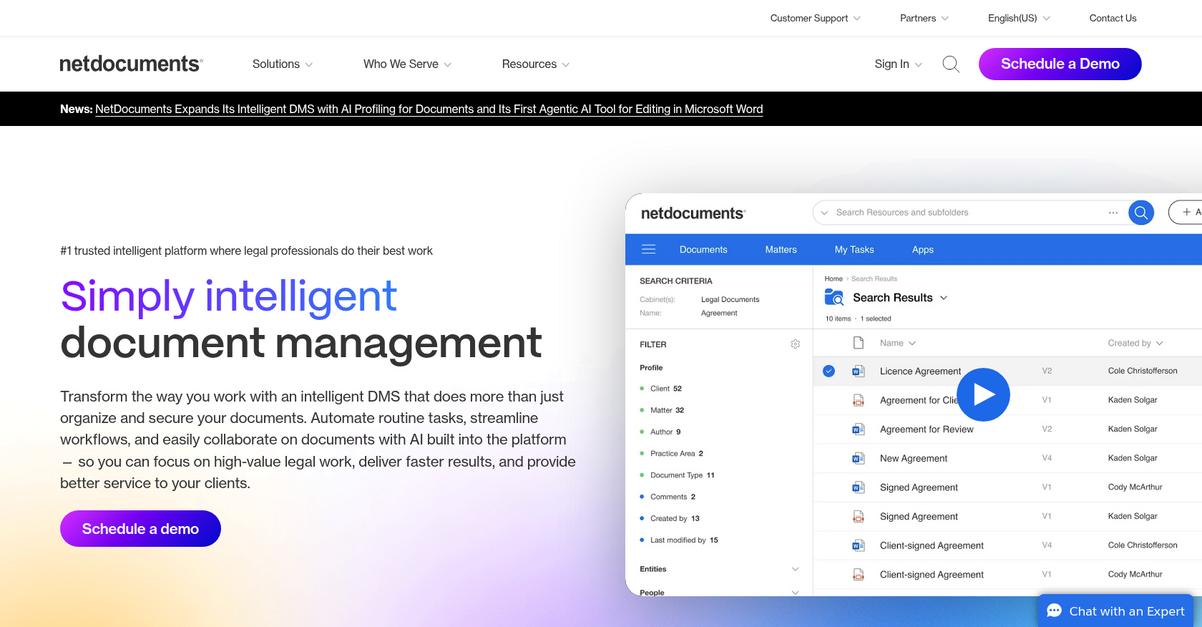
Overwhelmed by unorganized legal files and emails?
NetDocuments solves this by organizing your documents, emails, and case materials with matter-centric filing and advanced AI-powered search tools.
If you’re working on multiple cases, it’s easy to lose crucial versions, miss deadlines, or waste precious time hunting for documents. NetDocuments keeps your work organized, secure, and always accessible—so you can focus on your clients.
Here’s how NetDocuments makes legal work easier.
NetDocuments lets your legal team manage every document, email, and piece of case correspondence in one matter-centric workspace.
With the ability to keep your files grouped by case, you can quickly access documents and even ask AI-based search to surface key information. This streamlines how you find evidence, client communications, or history on any matter, helping you respond to deadlines and client needs in minutes.
Plus, advanced version control and secure co-authoring make sure you never lose important changes. Your team can comment, edit, and track every revision, creating a full audit trail for compliance. NetDocuments integrates directly with Microsoft 365, so you can draft and file documents without jumping between platforms—for true time savings and data consistency.
Your entire legal workflow, centralized.
Key features:
- Matter-centric document and email management for attorneys: Keep all case-related documents, emails, and communications centralized and organized by legal matter for instant retrieval and review.
- AI-powered search dramatically reduces time spent locating files: Use full-text search and natural language querying across entire document repositories, making discovery and information recall simple—even for complex cases.
- Reliably track every edit with version control and co-authoring: Real-time collaboration and audit trails protect data integrity and streamline your team’s workflow in Microsoft 365 or the browser.
Verdict: If you need an effective document management software for legal firms, NetDocuments offers matter-centric filing, powerful AI search, and secure version control—helping leading firms reduce risk and bring 30% more work in house.
3. iManage Work

Is your legal team drowning in paperwork?
iManage Work gives you AI-powered search, secure collaboration, and automated email management so you can take control of every document with less effort.
This means you won’t waste valuable billable hours hunting for case files or worrying about document security—instead, you gain more time to focus on serving your clients.
Here’s how iManage takes things even further.
iManage Work puts you back in charge by making document and email retrieval super simple and secure.
With intelligent search that learns from your behavior, you can find the right document or email in seconds—even deep within vast case archives. If you’ve ever felt frustrated by the time it takes to track down communications or need to produce audit trails for compliance, this directly addresses those needs.
Additionally, I really like that iManage lets your team work with outside counsel or clients without risking confidential data. Everything is protected with robust access controls and granular sharing options. When you consider that email management is fully integrated—automatically linking attachments to client or matter folders—your document record is always complete and accessible. The result is a legal document management workflow where nothing slips through the cracks and audit readiness is always within reach.
You get more billable hours back.
Key features:
- AI-powered search finds documents instantly: Just type what you need—relevant emails, files, or case histories pop up immediately, saving you from digging through endless folders and archives.
- Enterprise-grade collaboration and sharing tools: Collaborate or share with your legal team, clients, or external parties while confidently controlling permissions and tracking all activity for security.
- Automated email and document filing for compliance: iManage auto-organizes emails and attachments into client and matter folders, maintaining a precise, consistent audit trail across your matters.
Verdict: With its robust AI search, secure sharing, and unmatched email management, iManage Work is an excellent document management software for legal firms aiming to boost productivity. Your firm could reclaim up to 240 hours a year, keep compliance tight, and provide a better client experience.
4. LexWorkplace

Is organizing legal documents a daily headache?
LexWorkplace automatically groups your files, emails, and notes by client and matter, so every case stays organized and accessible.
This means you and your team can finally stop wasting precious time hunting down the right document or email for a case, and instead focus on what matters most—your clients.
It’s time to see how LexWorkplace can help.
LexWorkplace delivers a cloud-based, matter-centric experience designed just for law firms.
Here’s how: you get full-text search powered by OCR, so you can scan every word of every document—even scanned PDFs—and locate what you need in seconds, not hours. This radically improves how quickly you access information during high-pressure legal tasks.
Plus, version history and control ensures every edit and collaboration is tracked, letting you roll back to previous versions without a hitch. Combined with the unified matter structure, your team gains peace of mind knowing every change is safeguarded and the complete file story is always available. The result is a law practice that works smarter, not harder.
LexWorkplace really puts legal professionals in control.
Key features:
- Matter-centric organization keeps every document, email, and note grouped by client and matter, enabling instant access to complete case files with no confusion or clutter.
- Advanced search with OCR means you can query across every file—text-based or scanned—for quick discovery, minimizing wasted time and missed details.
- Version tracking ensures you always maintain a full audit trail, empowering your team to edit, collaborate, and revert changes without worrying about losing work or compliance gaps.
Verdict: If you’re searching for an effective document management software for legal firms, LexWorkplace brings together cloud access, intuitive matter-centric filing, and powerful search to completely overhaul your firm’s productivity. Dedicated for legal, it’s made to fit the way you work.
5. Clio Manage

Feeling buried in legal paperwork lately?
Clio Manage lets you automate document creation, securely organize every file, and track every edit—all while keeping everything tightly integrated with your case workflows.
This means you can spend less time wrestling with manual tasks and more time serving your clients, even as your caseload grows and compliance needs get more complex.
Here’s how Clio Manage stands out.
You can generate, organize, and share documents in a snap
Clio Manage makes it simple to cut down on manual document prep and admin clutter. If you want to automate repetitive drafting, Clio’s document automation tool builds personalized documents from templates using your existing client and matter data. Plus, you’ll have secure access to every file on any device with bank-level encryption, so you never worry about security or losing vital records.
Additionally, you get built-in version control, so you can easily track document changes, restore previous versions, and securely share files with clients or co-counsel through a client portal. By connecting these capabilities, you reduce duplicate work, protect client privacy, and keep everyone in sync on the right documents every time.
You get better outcomes with fewer headaches.
Key features:
- Automate document generation using legal templates and instantly pull client or matter data, so your team spends less time redrafting and more time on billable work
- Bank-grade encryption and secure cloud storage keep every client file safe, organized, and always accessible, helping you meet industry compliance and confidentiality requirements at all times
- Robust version control and client portal sharing bring everyone onto the same page, making edits, approving drafts, and managing client communication a breeze in one unified platform
Verdict: If you’re looking for a top document management software for legal firms, Clio Manage offers powerful automation, ironclad security, and collaboration features proven to increase billable hours by over 25%. I’d recommend it to any growing legal team.
6. Smokeball

Looking to cut down wasted admin hours?
Smokeball’s powerful document automation tools mean you can generate legal documents, case forms, and manage emails all within a single, organized system.
This approach helps if you’re drowning in paperwork or struggling to keep client records straight. You get quicker access to case files and reliable templates so your firm runs efficiently and stays compliant.
Let’s take a deeper look at how this helps.
Smokeball’s document management is built for legal work, so your team gets features tailored to real law firm pain points. The software instantly creates court forms and filings from a growing template library, populating each with matter details—saving you hours typically spent on manual data entry.
Plus, it automatically organizes everything—whether it’s a client email, legal document, or court filing—into the right case folder. You never have to dig around for documents because everything is linked to the correct matter. That means better compliance, less risk, and more time focused on client work.
Another game-changer is Smokeball’s regularly updated library of state-specific court forms and legal templates. Legal requirements change often, so having access to up-to-date documents is crucial for your peace of mind as well as your professional reputation. Many small and mid-sized law firms say they save up to five hours a day, which directly boosts your overall productivity and profitability.
This matches what most legal professionals are looking for.
Key features:
- Automatic document and email management saves hours: Every client document and communication is instantly filed into the correct matter so you never have to search manually.
- Extensive, regularly updated template library: You can generate court forms and filings from hundreds of built-in, state-specific templates—always current and ready to use.
- Task automation improves efficiency and reduces risk: Routine admin tasks and compliance work are automated, allowing your team to focus on serving clients and growing the practice.
Verdict: With automation that saves up to five hours per day and features like instant document filing and the state’s latest court forms, Smokeball is a top document management software for legal firms that want a central, reliable hub for every file, email, and template their lawyers handle.
7. CosmoLex

Ever feel buried under client files and legal paperwork?
CosmoLex keeps all your client documents, contracts, and emails together so you can find everything you need—right inside each matter.
That means your team spends less time hunting for files and more time practicing law. All your critical information stays organized and accessible, lowering stress and minimizing mistakes.
Let’s talk about how CosmoLex makes this possible.
CosmoLex tackles law firm document headaches by organizing files around each client matter.
Here’s how that helps you: with matter-centric documents, every relevant contract, form, and email stays in one searchable place. No more bouncing between folders or tools to retrieve case materials.
Plus, CosmoLex’s document assembly feature lets you auto-generate legal paperwork from templates and existing matter data. If you want to accelerate routine filings or letters, you’ll love how much time you’ll reclaim each week. Add secure cloud storage and a built-in client portal, and you’ve got easy, compliant sharing—no more worrying about sending the wrong attachment or compromising privacy. Your clients can collaborate or review updates with a few clicks.
If your firm is ready to streamline from consultation to completion, CosmoLex checks all the boxes.
Key features:
- Matter-centric document management means every file, email, and contract is organized by case, helping your staff instantly find relevant materials without flipping between folders or programs.
- Automated document assembly cuts down errors and repetition by using templates and pre-filled client information, making document creation efficient and consistent for your legal team.
- Secure cloud storage with a client portal makes safe sharing simple, ensures compliance, and streamlines collaboration with clients and partners—without security headaches.
Verdict:
CosmoLex is an excellent document management software for legal firms because it ties document control, billing, and accounting into one easy-to-use platform. With firms saving hours each week, you’ll see improved productivity, fewer errors, and happier clients from day one.
8. MyCase

Need to save more time handling case files?
MyCase makes it easy to store, organize, and share documents securely—all in one place—to help your team eliminate paperwork headaches.
Plus, with secure cloud storage for all your case files, you don’t have to worry about misplacing critical legal documents, staying compliant, or chasing anyone for the latest version.
This means your staff can get back to focusing on your clients.
If you want modern, stress-free document management, here’s how MyCase steps up.
MyCase actually gives you access to secure, cloud-based document and image storage, so your team can pull up case materials from any device, wherever you are.
You can also take advantage of document automation and customizable templates to reduce repetitive work, which is a major advantage if your firm relies on standard legal forms and consistency across cases.
Additionally, you’re able to invite your clients to a branded client portal, where you can share sensitive documents and collaborate with them in a secure environment—helping you keep everyone on the same page while protecting confidential information. The result is a noticeable drop in admin time (20-30% on average) and a much smoother process from intake to billing.
Everything is built to support the way lawyers actually work.
Key features:
- Secure cloud-based storage for legal files and images: Store all documents in one place, with 24/7 access for your team from any internet-connected device—reducing lost paperwork risk.
- Automated document creation with templates: Automatically populate legal documents with client and case data, so your staff can eliminate repetitive drafting steps and boost document consistency.
- Integrated client portal for communication: Let your clients access and exchange documents securely, maintaining privacy and speeding up signature or review cycles—ideal for client satisfaction.
Verdict:
If you need a leading document management software for legal firms, MyCase gives you secure storage, automation, and collaborative tools that have helped legal teams cut admin costs by up to 30%—making it a very practical choice.
9. PracticePanther
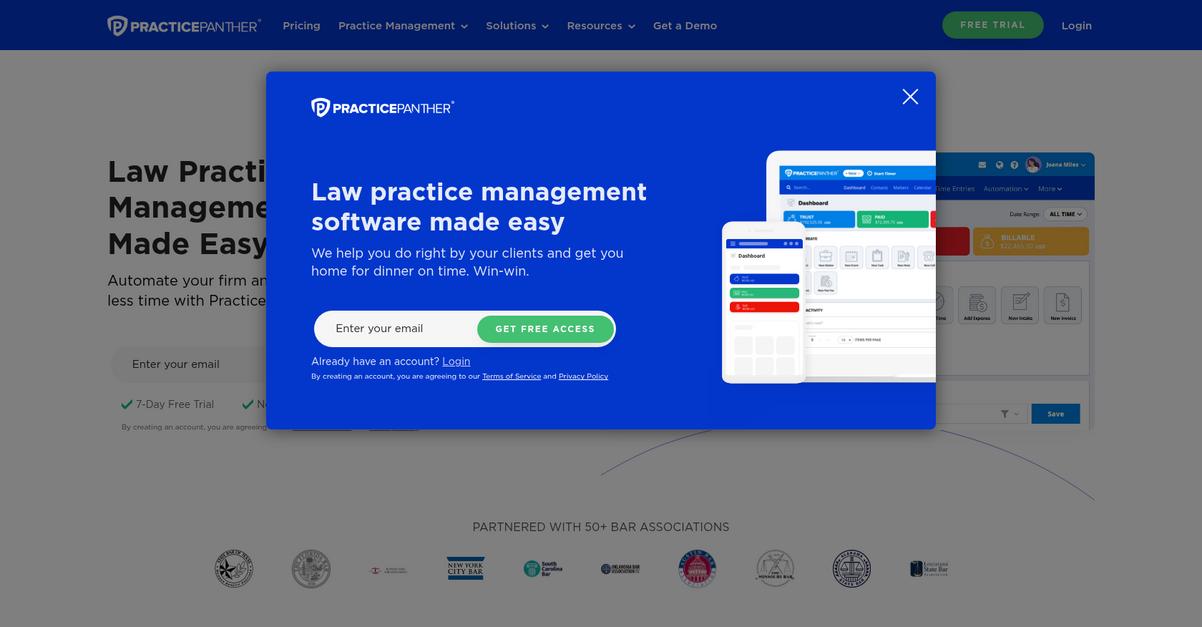
Tired of wasting hours managing legal documents?
PracticePanther helps you generate legal documents using powerful automation, unlimited secure cloud storage, and detailed version control built just for law firms.
The result is that you spend less time on admin and more time growing billable hours, thanks to smoother workflows and reduced risk of document errors or data loss.
Here’s how PracticePanther makes this happen.
By letting you create documents directly from client and case data, PracticePanther removes tedious manual entry and repetitive work for your staff.
You can underline how easily your team can retrieve critical legal files anywhere and work together on the latest version without confusion or missing updates—especially useful if you need a reliable audit trail to track who’s made what changes.
Additionally, encrypted cloud storage means you never have to worry about losing sensitive evidence or contracts, while collaborative editing keeps your team in sync and eliminates duplicate files from your workflow.
With PracticePanther, all this translates into less friction and more productivity.
Key features:
- Rapid document automation saves law firms hours: Automatically generate legal documents from templates by merging case and client data, reducing manual work and cutting down on errors.
- Ironclad, unlimited cloud storage for sensitive files: Secure every contract, pleading, or piece of evidence with encrypted access controls, plus retrieve or share files remotely any time you need to.
- Detailed version control and collaboration tools included: See every edit, comment, and version in your files—never lose prior changes or risk data loss during team collaboration.
Verdict: With its robust document automation, unlimited secure storage, and version tracking, PracticePanther is a top document management software for legal firms, helping you reclaim up to 8 extra hours a week for what matters most.
10. Filevine

Feeling buried under piles of case documents?
Filevine’s document assembly automates the creation of legal files directly from your case data and templates, saving hours every single week.
This means you spend less time drafting and more time focusing on client strategy. Centralizing all your files in one system means nothing slips through the cracks, especially on high-stakes matters.
Plus, legal staff shouldn’t have to chase documents across a dozen folders.
Here’s how Filevine steps in to help.
With Filevine, you gain a platform designed for law firms that demand quick, accurate document handling. Its visual workflow lets you assign document-related tasks, check progress, and keep cases advancing without losing track. You can also review, annotate, and redact every document using built-in AI tools, so reviews and collaboration happen in one place. If you want more time for your clients and less on repetitive paperwork, this system delivers.
Additionally, Filevine’s automation powers like pre-filled templates and document assembly mean your drafts are always accurate and consistent. Workflow management ensures nothing gets missed—even if you’re juggling a high litigation caseload. The result is streamlined communication and a more manageable case flow, which actual users report bumps efficiency by up to 30 percent.
That means less chaos, better outcomes.
Key features:
- Automated document assembly from templates and case data: Accelerates document creation, reduces drafting errors, and lets your team focus on higher-value client work instead of repetitive paperwork.
- Visual workflow with task assignments for every document: Keeps everyone on the same page by mapping responsibilities and progress, helping your lawyers and staff stay organized for each case.
- AI-assisted review, annotation, and redaction tools: Enhances collaboration and speeds up legal document reviews, so your team shares clear feedback and readies filings faster than with manual processes.
Verdict: If you need an effective document management software for legal firms, Filevine’s automation, AI review, and workflow tracking are built for legal teams wanting tangible time savings and a 30% greater efficiency boost—especially in high-volume, document-heavy practice areas.
11. Worldox
Can your legal team find files when it counts?
Worldox’s intelligent document tagging and full-text search features take the headache out of organizing and retrieving crucial legal documents in a pinch.
If you’re dealing with missed deadlines, lost work product, or compliance worries, having reliable document version tracking and audit trails can make all the difference for your legal operations.
This is where Worldox stands out.
Worldox is purpose-built to help your firm keep documents organized, safe, and instantly accessible. It automatically adds matter-centric tags and profiles to every file, allowing you to search swiftly across all your cases and matters without hunting through countless folders. Think about the time your lawyers and paralegals could save by pulling up relevant documents on demand.
Additionally, Worldox’s version control and audit trails mean you’ll always know who made changes, when, and why—vital for maintaining compliance and understanding your workflows. And if you work with sensitive content or must support audits, having a clear history and retrieval path is a serious advantage.
Plus, with cloud and on-premise flexibility, Worldox adapts to your preferred workflows while still delivering security and efficiency. Many users say they’ve boosted document retrieval speed and improved operational efficiency by over 20%.
That’s what I call empowering legal teams.
Key features:
- Intelligent document tagging and profiling built for law firms so your legal work product is always organized, easily searchable, and instantly ready for case work or review.
- Powerful advanced search and full content indexing lets your legal team retrieve exactly the information they need—even in vast document archives—fast and without frustration.
- Robust version control and audit trail functionality ensures all file edits are captured, supporting compliance, audit needs, and accountability for every matter your team handles.
Verdict: Worldox is an amazing document management software for legal firms if you want proven, legal-specific features like precise version control, deep search, and audit trails. With user reports of 20% efficiency gains, it’s a smart pick for improving your legal team’s workflow.
12. Clinked
Keeping client information safe is always a top priority.
Clinked offers secure document sharing and version control, so you never have to worry about document mishaps or confidentiality breaches.
With these tools, you can easily track every document change and maintain compliance, meaning you protect your firm and reassure your clients.
Here’s how Clinked takes it a step further.
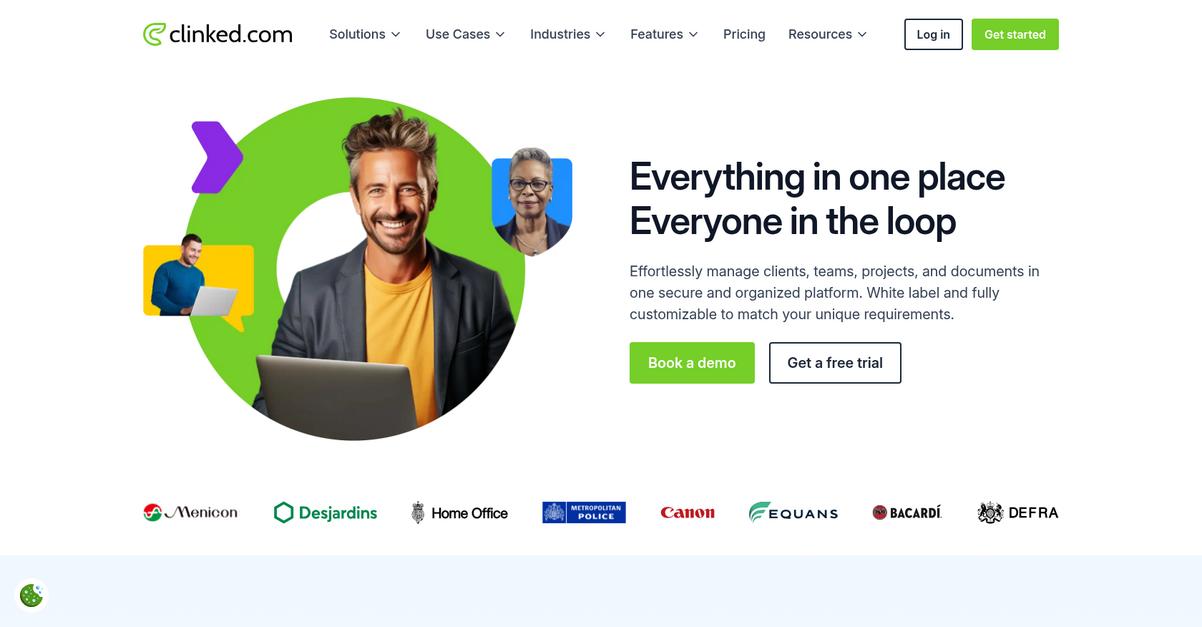
If you want concrete control over your legal files, Clinked gives you a secure client portal designed for easy collaboration with clients and colleagues. Your documents are encrypted in transit and at rest, so you can feel confident your confidential legal files stay private. Not only that, you can manage document versions and keep a clear audit trail, which is essential for those times you’re juggling complex case files or contracts that change hands frequently.
Additionally, Clinked’s white-label client portal lets you put your firm’s branding front and center. This isn’t just about looking good—it helps build trust with your clients by giving them an interface that feels tailored and secure. Combine that with real-time collaboration tools and instant notifications, and you’ve got a platform that elevates the professionalism and efficiency of your practice from day one.
That’s why so many legal professionals trust Clinked.
Key features:
- Secure document sharing with strong encryption keeps sensitive legal data private, meeting strict compliance requirements and allowing clients to access files confidently from anywhere, anytime.
- Comprehensive version control and audit history ensure that everyone’s working from the latest document while providing accountability for every change or upload made within your client portal.
- Custom-branded, white-label client portal elevates client confidence by delivering a consistent and professional experience, reinforcing your law firm’s credentials with every touchpoint.
Verdict: As a leading document management software for legal firms, Clinked gives you secure document sharing, bulletproof version control, and personalized client interaction—all essential if you want to stay compliant, look professional, and keep your clients’ trust every step of the way.
Conclusion
Worried about choosing the wrong system?
It’s easy to feel lost when there are so many document management options promising to fix your legal workflow but failing to prove real ROI or integration value.
What’s eye-opening: businesses using document management systems experience a 21% productivity boost, according to 21% increase in productivity from SenseTask. That’s a serious impact on your time and bottom line—and exactly why making the right choice is worth every effort.
Here’s the simplest way forward.
Based on my firsthand review, FileCenter is hands-down the top pick in this roundup.
With FileCenter, you organize legal files exactly the way you already work, cut search time dramatically, and get all the security, search, and PDF tools your firm needs.
That’s why I’m confident FileCenter is the best document management software for legal firms who want instant access, robust controls, and seamless client service—real law firm outcomes, not just features.
Book a free demo of FileCenter and see how it transforms your legal document workflow.
Get clarity, security, and control from day one.