

Still wasting time hunting for files?
It’s frustrating when your team spends hours searching for documents instead of collaborating or moving projects forward.
Not only does this hit productivity, but lost files cause confusion and missed deadlines across your remote or hybrid teams.
Research from IDC reveals that employees spend 30% of their time just searching for documents. That means a huge chunk of your workday is lost to file chaos rather than value-adding activities, creating extra stress and even more pressure to find a fix.

Luckily, the right document management software ends this file mayhem once and for all.
In this article, I’m going to walk you through the best document management software for remote teams, so you can finally break free from messy folders and endless email attachments.
You’ll discover tools that boost productivity, cut wasted time, and support secure, organized collaboration from anywhere.
Let’s get right to it.
Quick Summary:
| # | Software | Rating | Best For |
|---|---|---|---|
| 1 | FileCenter → | Desktop-centric remote teams | |
| 2 | Fluix → | Mobile field service teams | |
| 3 | Taskade → | Small remote collaboration teams | |
| 4 | FabSoft AI File Pro → | Security-conscious remote teams | |
| 5 | Process Street → | Process-oriented remote teams |
1. FileCenter

Are your remote files driving you up the wall?
FileCenter’s smart file naming and automatic saving features help your team finally standardize access and eliminate wasted time searching for documents.
If you feel like your remote team spends too much time in digital disorder, FileCenter gives you a consistent, organized system for every file you handle. No more digging through endless folders or worrying if the right person has the latest version.
Here’s how FileCenter makes that possible.
With FileCenter, you get a desktop document management solution that’s perfect for remote teams juggling multiple digital files. The platform organizes everything using intelligent rules and offers advanced PDF tools for easy editing and sharing.
What stands out is how FileCenter automates everyday pain points. It helps you auto-name files and suggests folders, so there’s less manual work for your team. You can simply keep documents consistent and easily retrievable, ensuring everyone is always on the same page when working remotely.
Plus, your team can edit, annotate, or merge PDFs directly within the platform—no need to buy or install anything extra. Add to that lightning-fast search capabilities to retrieve anything by keyword, metadata, or content, and you minimize common frustrations of remote file collaboration.
You get organization and focus, not chaos.
Key features:
Intelligent file naming and auto-saving rules so your remote team’s folders stay organized and findable, with minimal manual labor—documents are always right where you need them.
In-platform PDF editing, annotation, and merging for teams who rely on digital paperwork, letting everyone review, comment, or prepare documents without switching programs.
Advanced, fast, and reliable keyword or metadata searches save your whole team 40% of their time on document retrieval, speeding up shared projects and responses.
Verdict:
FileCenter is a great choice for the best document management software for remote teams, especially if you want automated organization, built-in PDF editing, and a 40% reduction in search time for complicated remote workflows.
2. Fluix
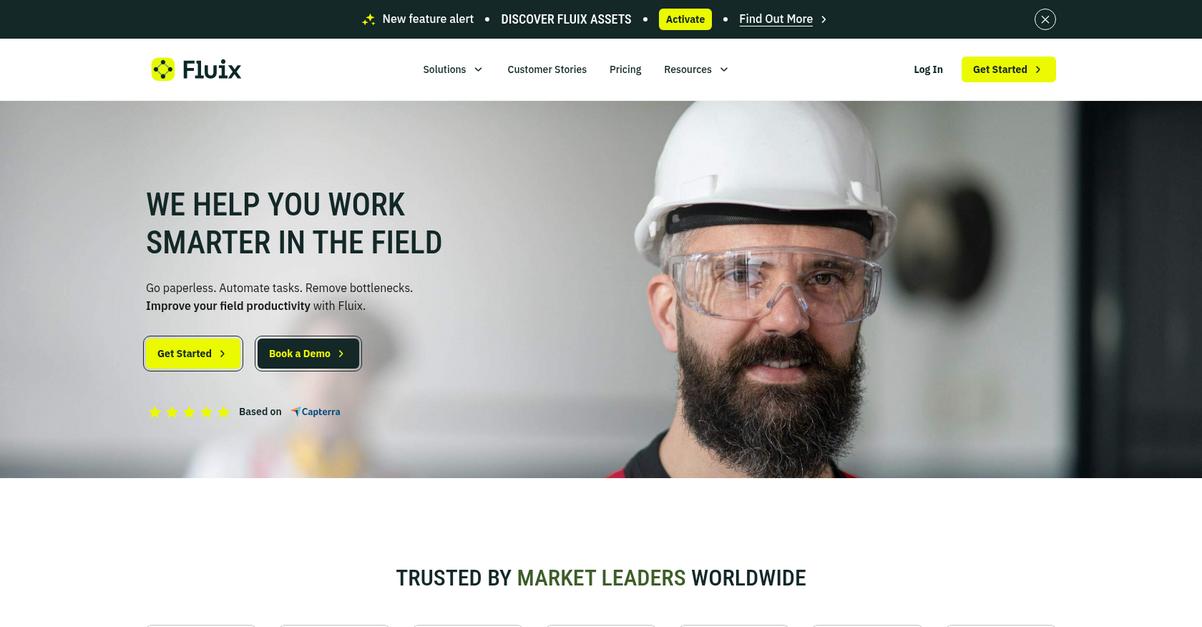
Remote file chaos wastes your team’s best hours.
Fluix’s mobile-first workflow automation means your remote teammates can access and process documents from any location, even with just their phone or tablet.
Plus, the platform gives you uninterrupted document access and syncing for remote staff, so you’re not waiting for WiFi just to get work done or approve time-sensitive documents.
Everything changes with the right software in place.
Here’s how I see Fluix solving your remote document headaches. Your team can route and complete critical forms on the go without being tethered to the office. Offline mode keeps important document tasks moving forward even in rural job sites, and everything syncs perfectly when you’re back online. That means your business isn’t held back by connectivity issues and you’re not chasing after lost paperwork.
Additionally, I really like that Fluix bakes in version control and a foolproof audit trail, so you have full transparency for compliance, reviews, and updates—no more endless email chains or file confusion. Together, these features put you firmly in control of your files, tasks, and data across your remote team.
It’s a smarter way to manage.
Key features:
Mobile-ready workflow automation for distributed teams: Your remote staff can fill, route, and approve documents directly from any mobile device, accelerating business from anywhere.
Offline document access with auto-sync: If your team operates in rural or field locations, Fluix keeps workflows going and syncs everything as soon as connectivity returns.
Robust version control and audit trail: Every change is tracked, ensuring document compliance, team accountability, and no fear of losing document history.
Verdict:
You get an excellent document management software for remote teams with Fluix—especially if you’re a distributed field team or mobile-heavy operation. With proven results for field services teams and features built for real work on the go, your remote workflow stays connected, compliant, and productive.
3. Taskade
Remote file chaos wastes your team’s time daily.
Taskade fixes this with real-time co-editing and integrated chat so your remote team never loses context, even across time zones.
When I think about how remote collaboration falls apart, it’s usually because updates get lost, messages scatter, and files disappear. Taskade addresses this by letting everyone work together effortlessly—no more toggling between five apps just to finish one document.
Here’s why that changes everything.
Taskade combines powerful live editing and chat tools to give your remote team one place to work.
With real-time collaborative documents, you and your team can edit notes, project outlines, and important docs simultaneously from anywhere. Everyone stays on the same page, and nobody misses key information. Plus, flexible project views let you organize docs and workflows in a way that makes sense for the way your team thinks best.
Additionally, Taskade’s built-in video and messaging features handle discussions without separate apps, keeping all context around your documents in one workspace. If you’re tired of tracking comments, threads, and changes across endless platforms, this truly matters for your productivity.
You get simple, unified document management.
Key features:
- Real-time co-editing with instant updates so your whole team can brainstorm, edit, and finalize documents without version confusion or update delays.
- Adaptable project and document views empowering everyone to navigate, organize, and present information in ways that match how your team works best remotely.
- Built-in video, chat, and messaging tools that keep all document reviews, discussions, and feedback in a single platform—no need to juggle extra apps or lose conversation history.
Verdict:
For anyone seeking a great document management software for remote teams, Taskade stands out with live collaboration, flexible organization, and integrated communication. Remote work success stories and Taskade’s generous free plan make it a smart, risk-free option to end file chaos.
4. FabSoft AI File Pro
Lost control of your team’s digital files?
FabSoft AI File Pro uses automated document classification, reliable search, and secure sharing to tackle file chaos and support remote teams dealing with scattered or sensitive documents.
When your files are everywhere, AI-driven organization lets you spend less time tracking documents and more time focused on work.
Here’s how you end document chaos for good.
FabSoft AI File Pro automates the organizing and finding of important documents, giving your remote team what they really crave—clarity and simplicity.
AI File Pro’s automated document classification sorts every incoming file, so whether you’re onboarding a new teammate or collaborating on a contract, you don’t need to micromanage a folder structure. Instead, you can focus on valuable work by letting the platform instantly categorize every piece of paperwork right from upload, even across different projects and departments.
Plus, the trustworthy search engine lets you track down any file or contract across your entire repository using just a keyword or phrase. Pair that with secure sharing that doesn’t require risky third-party links, and you make it simple for your team to get what they need without putting your data at risk.
The result is total file confidence.
Key features:
- Automated sorting with AI-driven classification keeps remote file libraries organized, enabling your team to instantly locate documents and reducing errors from manual handling.
- Powerful keyword search functionality helps your remote workforce track down important files across large digital archives, eliminating wasted time and boosting productivity.
- Secure, link-free document sharing maintains privacy and compliance for sensitive work, so your business can collaborate externally without exposing confidential information.
Verdict:
FabSoft AI File Pro is a great document management software for remote teams thanks to its AI-powered classification, secure sharing features, and keyword search that significantly reduce file chaos for teams collaborating anywhere.
5. Process Street
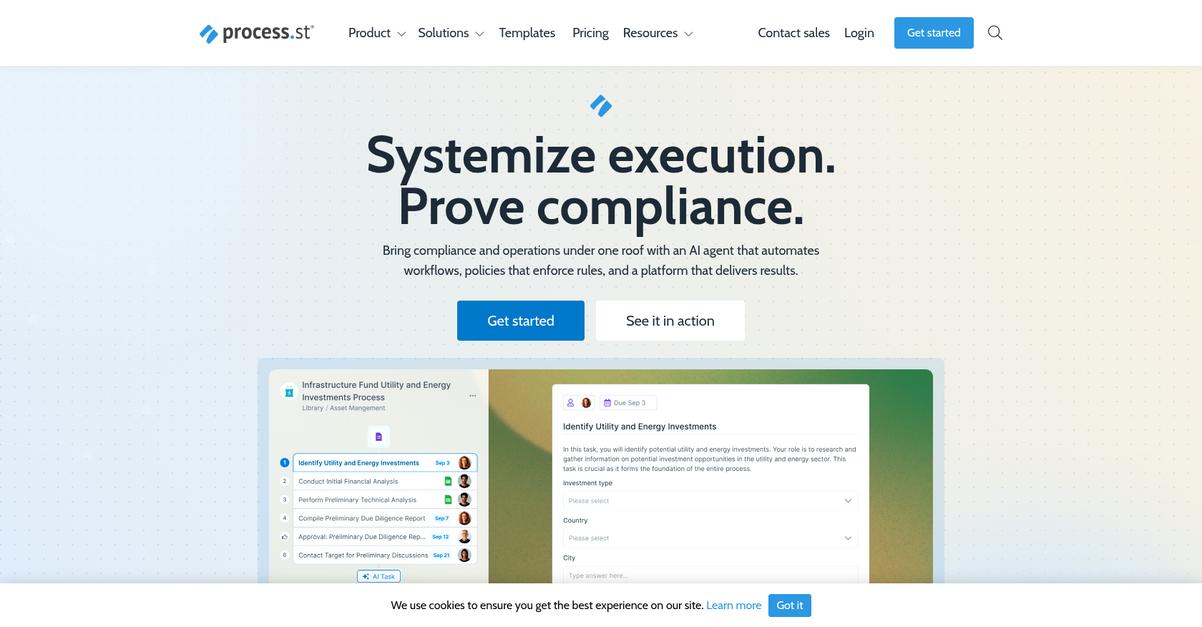
Drowning in document confusion while remote?
Process Street gives your team interactive checklists and dynamic workflows that make following procedures clear, simple, and error-free, no matter where you work.
Plus, its ready-to-use and fully customizable templates mean you never have to worry about scattered or inconsistent documentation again.
The result is greater peace of mind.
When you need more than just file storage, Process Street delivers.
You can standardize, track, and optimize document-based workflows so your remote team knows exactly what to do and when. Here’s how: you can use interactive checklists to break complex processes into simple steps, then assign tasks and monitor progress from anywhere. Even better, you can give everyone the same reliable playbook, whether they’re onboarding new remote hires or managing project documentation.
Additionally, you get the power of conditional logic and built-in approvals. Approvals and sign-offs are easy to automate, so you never bottleneck your projects and can manage compliance effortlessly across time zones.
Taken together, these features drive real accountability.
Key features:
- Dynamic, interactive checklists and workflows for step-by-step guidance to ensure your remote team always stays aligned and follows the correct process, even when working asynchronously.
- Pre-built and customizable templates that save hours on document creation, letting your team launch repeatable processes and keep documentation standardized across locations, roles, and projects.
- Automation with conditional logic and built-in approvals to eliminate manual tracking, enable quick sign-offs, and maintain full process control—key for scaling remote work.
Verdict:
Process Street is an excellent document management software for remote teams. With granular workflow control, smart automation, and templates, you get the robust process documentation and accountability your remote operation demands—trusted by 3,000+ companies according to their homepage.
6. Docsie
Lost track of who changed what in docs?
Docsie makes it easy for your remote team to draft, edit, and manage knowledge base content together. With Git-like version control and AI-powered content generation, Docsie is built for distributed documentation teams.
You no longer have to worry about losing changes or running into conflicting edits when your team is working from different locations or time zones.
Let’s see how that helps your workflow.
Docsie is designed to solve the manual headaches remote teams face managing living documentation. With AI-assistance for drafting new pages and refining knowledge base articles, I can speed up content creation and get everyone’s input in real time.
Plus, the Git-inspired version control system keeps every revision tracked, so I know exactly who made which changes and can branch or merge edits with zero risk of overwriting someone’s work. This means my team can experiment or collaborate at once, and rollout the best content together.
Additionally, the multi-channel publishing feature lets me instantly share updates to web, PDF, or even right inside your app, ensuring the newest information reaches everyone. All these tools add up to less time wrangling files and more time writing great docs.
Docsie keeps your knowledge base up to date.
Key features:
- AI-powered writing assistant for documentation creation to help your remote team quickly draft, improve, and maintain technical content without slow rounds of manual editing.
- Git-style version control with error-proof concurrent editing so multiple collaborators can branch, merge, and revise documentation with full history and zero risk of data loss.
- One-click multi-channel publishing from a single source so your always-fresh documentation reaches the web, PDF exports, and in-app widgets at the same time.
Verdict:
If you’re after the best document management software for remote teams that makes remote knowledge base creation effortless, Docsie’s blend of AI, version control, and instant publishing is hard to beat, especially for distributed content teams that need efficient, conflict-free collaboration.
7. airSlate
Ready to stop document bottlenecks slowing down your team?
airSlate’s no-code workflow automation, e-signature, and automated document generation features help you overcome document chaos, even across distributed teams.
With the remote work shift, it’s tougher than ever to keep documents moving, get approvals, and collect signatures from everyone spread across time zones. Manual tasks bog down your workflows and multiply errors, leading to endless follow-ups and missed deadlines.
Here’s how airSlate changes that.
airSlate makes it so you don’t have to choose between speed and accuracy when handling docs across your team.
With airSlate, you’re tackling remote document headaches by automating key steps. You can create error-free documents and route them instantly to the right people with no manual effort. No-code workflow automation puts you in control—set up routing, approvals and data capture tailored for remote teams so you’re never chasing signatures or missing paperwork. Your team’s productivity goes up when there’s less repetitive work.
Additionally, electronic signature integration lets your team send and sign documents securely from anywhere, any device. That means your approvals and deals won’t stall, whether you’re in the office or halfway across the globe. Automated document generation ensures every file matches your standards, so your distributed crew delivers professional results every time.
Unlock efficiency, no matter where you work.
Key features:
- No-code workflow automation for remote processes: Automates document routing, approvals, and data entry, letting your team focus on high-value work instead of repetitive admin tasks.
- Integrated electronic signatures for speedy approvals: Lets your remote team securely sign and send documents from anywhere, accelerating contract closures and compliance.
- Automated document generation with brand consistency: Ensures your remote workforce produces professional, error-free documents every time, minimizing manual intervention and delays.
Verdict:
airSlate is a great document management software for remote teams because it combines no-code automation, secure e-signatures, and document generation to cut manual work. If you want to improve document turnaround and compliance—and save hours weekly—airSlate delivers results proven by remote-centric workflows.
8. Bit.ai
Drowning in document chaos working across time zones?
Bit.ai’s interactive smart documents and collaborative workspace give your remote team a single place to organize, edit, and share all important content together.
If you’re like me, you know how tough it can be when files, feedback, and updates are split up in a dozen places. Bit.ai brings everything together, so you never have to waste hours tracking down docs or merging endless email threads. All your content, comments, and changes stay connected in one place for everyone.
No more guessing where the latest draft lives.
Bit.ai solves this problem by transforming static files into living, interactive experiences everyone can update together in real time.
Here’s how this helps you run a remote team: Real-time co-editing means your whole team can dive right into documents, leave comments, and see updates as they happen. You don’t have to email attachments back and forth or wonder who’s working on what. Plus, the content library and workspaces make it easy to keep all knowledge and assets organized and accessible from anywhere. Your team saves major time because info is searchable and always up to date.
Additionally, the “smart documents” stand out by letting everyone in your remote team add rich media, track versions, and consolidate everything into one clear, easy-to-navigate central source. It’s easy to onboard new teammates or share updates with different departments since all your critical info is always current.
Your productivity goes up, and stress goes down.
Key features:
- Interactive smart documents build living content hubs so your remote team can embed media, collaborate visually, and update docs without losing past work or context.
- Real-time co-editing and advanced commenting boost transparency and speed, letting everyone contribute no matter where they’re working from—no lost feedback or out-of-date drafts.
- Centralized content library and multi-workspace support give you a single source of truth for all internal docs, policies, and knowledge, simplifying access and information discovery for remote teams.
Verdict:
If you want a great document management software for remote teams, Bit.ai equips your team to organize, co-create, and share knowledge from anywhere. You’ll eliminate file chaos, reduce wasted hours, and ensure every voice is part of the conversation—ideal if your remote team needs structure, clarity, and real-time collaboration.
9. Zoho WorkDrive
Are your files scattered and hard to control?
Zoho WorkDrive gives you Team Folders with role-based permissions, letting everyone on your remote team access exactly what they need without oversharing or losing control.
This means you can keep work organized and secure while tackling remote file chaos—and you don’t have to stress about sensitive files being exposed to the wrong person.
Now let’s see how the other features connect.
You get a platform designed for true team collaboration.
With Zoho WorkDrive, your team can co-edit and sync documents in real time no matter where everyone is working from. You’ll notice it helps avoid those messy version conflicts and endless email chains since everyone is working off the same page. If you’re already using other Zoho apps, you’ll love how WorkDrive integrates tightly with CRM, project tools, and chat so your workflows stay all in one place.
Additionally, the granular permission controls make it easy to organize files by department or project, so no one wastes time searching or gets overwhelmed by irrelevant documents. Plus, with over a million businesses trusting WorkDrive for secure collaboration, you can feel confident about making the switch.
Your team won’t miss a beat.
Key features:
- Team Folders with role-based permissions ensure every project or department has the right access while keeping sensitive files private—even across distributed and remote setups.
- Real-time document co-editing and syncing makes collaborative work smooth by letting your remote team work together, submit feedback, and prevent duplicate file issues instantly.
- Deep integration with the Zoho ecosystem connects document management to all your tools, so you spend less time switching apps and more time getting things done.
Verdict:
Zoho WorkDrive is a great document management software for remote teams if you want organized, secure sharing and real-time collaboration. Its 1+ million business user base shows WorkDrive streamlines content management for remote-first, cross-functional project teams, especially if you’re already using Zoho apps.
10. Atlassian Confluence
Is finding information slowing your team down?
Confluence gives you structured workspaces and real-time collaborative editing to keep your most valuable documents organized and accessible, no matter where your team is.
Plus, it ensures your files and project notes never get lost in the shuffle. Your remote team can finally stop digging through old threads or email chains for the latest version.
Here’s how Confluence helps your remote workflow.
If you’re looking for a way to bring order to scattered documentation, Atlassian Confluence stands out by organizing everything into structured, discoverable workspaces.
Your team can build a centralized knowledge hub using pages and spaces, making it simple to store, sort, and access docs, meeting notes, and project information. That means you all spend less time searching and more time doing. Each team member can co-edit in real time and add instant feedback, so you can move decisions forward together wherever you’re working from.
Additionally, it’s easy to connect Confluence to Jira or Trello, letting you tie your project tracking tools directly to your documentation. This means you’ll always know where work stands, and no important update gets overlooked.
You can bring all your knowledge together in one click.
Key features:
- Find what matters with structured workspaces and pages: Create organized, hierarchical spaces that make locating critical files simple for distributed or remote teams.
- Real-time teamwork with collaborative editing and feedback: Co-edit documents live, share instant inline comments, and keep everyone on the same page—even across time zones.
- Integrate documentation, projects, and tasks seamlessly: Link Confluence to Jira or Trello, so your team can connect planning, execution, and documentation all in one place.
Verdict:
If you want a great document management software for remote teams, I can confidently recommend Atlassian Confluence. Its structured workspaces, real-time editing, and tight integration with Jira make it ideal for software and IT teams managing documents across multiple locations.
11. Microsoft SharePoint
Ready to finally stop losing documents everywhere?
If you feel like your remote team is always asking “where’s the latest file?”, Microsoft SharePoint tackles this exact problem with live co-authoring, granular access control, and rock-solid integrations across Microsoft 365.
Plus, those version mix-ups or “who changed what” headaches fade away when you have one secure place for your team to work together. You get peace of mind knowing your sensitive files are locked down, but still easy for the right people to collaborate.
Here’s why SharePoint is worth your attention.
SharePoint gives your team powerful, real-time document management right where you work.
Your group can collaborate on Word, Excel, or PowerPoint with co-authoring that keeps everyone on the latest version—no confusing email chains, just the file in one place. Integration with Microsoft Teams means your conversations, meetings, and documents all stay connected, so you never lose the context of important work.
Additionally, SharePoint’s granular access control matters if you’re juggling sensitive information. You decide exactly who can view, edit, or share each document. This means you stay compliant, keep things secure, and only the right people get the access they need.
Bottom line: SharePoint can be your remote document command center.
Key features:
- Work together on documents in real time with built-in co-authoring, ensuring you and your colleagues always edit the latest version without the chaos of email attachments.
- Set precise document permissions for every file so you always stay in control of who can view, edit, or distribute sensitive materials within your distributed team.
- Bring files, chats, and meetings together seamlessly by connecting SharePoint’s document libraries directly to Microsoft Teams, creating a unified hub for communication and content.
Verdict:
If you’re searching for the best document management software for remote teams, Microsoft SharePoint stands out thanks to its real-time co-authoring, granular permissions, and Teams integration within Microsoft 365. You’ll spend less time chasing files and more time collaborating securely, especially if your team already relies on Microsoft apps.
Conclusion
Chasing down documents shouldn’t eat up your day.
If you’re exhausted by endless file searches, clunky organization, or worries around team access, sorting through dozens of document management software options can be just as overwhelming.
According to McKinsey, teams with systematic processes see 45% fewer bid errors and a 31% boost in project profitability—proof that smart file management drives major gains across remote teams.
Here’s what I’d suggest next.
From my hands-on comparison, FileCenter is the clear winner if you need a real fix for remote document chaos.
What makes FileCenter my top recommendation is how it brings order to your digital files fast, with intuitive organization, version control, and time-saving features that actually keep your remote team in sync. It’s hands-down the best document management software for remote teams who want effortless collaboration and less wasted time.
Go ahead and start a free trial of FileCenter to see how much easier remote work can get.
You’ll feel organized—finally, and for good.