
Lost in stacks of paperwork again?
Sifting through endless files or re-entering data by hand is draining, especially when you just want to move your business forward.
It’s even worse realizing that manual processes eat up valuable hours you could be spending on more important work.
Research from Managed Outsource Solutions points out that employees potentially spending hours searching through physical files is a leading source of wasted time. Those lost hours add up quickly and can stall your growth and efficiency if left unresolved.

Streamlining these document headaches is where scanning software shines.
This article is crafted to help you cut through the confusion and find the best document scanning software for boosting productivity and making smarter decisions in 2025.
You’ll uncover tools for easy OCR, cloud storage, automation, and the security your business needs.
Let’s get started.
Quick Summary:
| # | Software | Rating | Best For |
|---|---|---|---|
| 1 | FileCenter → | SMBs with heavy paperwork | |
| 2 | PaperScan → | Busy offices handling large volumes | |
| 3 | Klippa → | Businesses processing receipts & invoices | |
| 4 | CamScanner → | Mobile teams & freelancers | |
| 5 | Adobe Acrobat → | Professional teams & enterprises |
1. FileCenter

Wasting time sorting scanned files isn’t productive.
FileCenter lets you scan and automatically separate documents using barcodes or blank pages, so you’re not stuck sorting batches by hand.
Here’s how this addresses a huge roadblock: automatic document separation takes hours of repetitive filing off your plate when you’re dealing with stacks of paperwork.
Let’s look at how this gets you organized.
FileCenter isn’t just about basic scanning—it’s built to supercharge how you handle documents from start to finish.
You’ll save real time with integrated OCR that turns every scan into instantly searchable, editable text. This helps you quickly find details buried in huge scan batches that would take ages to locate manually, especially if you’re digitizing years of paperwork.
Plus, direct PDF editing and management means you can merge files, annotate, or make changes without ever leaving FileCenter. Your documents are immediately ready for sharing or archiving, with no need for extra tools.
The result is a workflow aimed at real productivity.
Key features:
Automated document separation for batch scanning: FileCenter automatically splits multi-page scans into individual files using barcodes or blank sheets, saving your team from the tedium of manual sorting every single time.
Integrated OCR for instant search and reuse: Every scanned document is converted into searchable, editable text, so you can always find and repurpose the information you need without digging endlessly.
Direct PDF editing, merging, and annotation tools: No extra software required—edit, combine, and add notes to scanned PDFs within FileCenter, making document prep simple and efficient.
Verdict: If you need a great document scanning software that actually takes the work off your hands, FileCenter delivers. With automated batch processing, OCR, and built-in PDF tools, you can finally scan, organize, and distribute files 50% faster.
2. PaperScan
Tired of wasting time on manual scans?
PaperScan is built to connect with virtually any scanner, letting you capture, process, and organize your documents efficiently with no hardware headaches.
It’s designed for anyone who wants to eliminate scanning bottlenecks and fix quality issues right at the source, whether you’re handling a handful of documents or high-volume stacks.
Here’s how PaperScan bridges that gap for you.
With PaperScan, you get a universal scanning interface that works effortlessly with any TWAIN or WIA device in your office. This means you don’t have to fret over hardware restrictions or complicated setups, so your whole team gets scanning right away.
You’ll love how batch scanning lets you fly through piles of paperwork, using flatbeds or ADFs, all in a single project. Plus, automatic deskew, blank page removal, and smart color correction turn even messy originals into flawless digital archives—no manual edits required.
Additionally, PaperScan makes post-scan organizing simple. Group your digital files in multi-page PDFs or images, instantly improving how you manage projects, client records, invoices, or HR files.
Put scanning on autopilot in 2025.
Key features:
- Universal compatibility brings every office scanner together, so you don’t worry about hardware limitations or technical headaches when switching devices or updating your equipment.
- Advanced image enhancement features like deskew and color correction fix and improve scan quality automatically, giving you clear, professional results for all your digital documents.
- Batch scanning and file merging speed up your workflow by consolidating stacks of pages into well-organized, searchable, single or multi-page documents without manual intervention.
Verdict:
If you’re searching for a great document scanning software, I’d put PaperScan near the top of your shortlist. Its universal scanner support, advanced image tools, and batch workflow automation help boost efficiency gains, especially for busy offices wrangling large document volumes every day.
3. Klippa
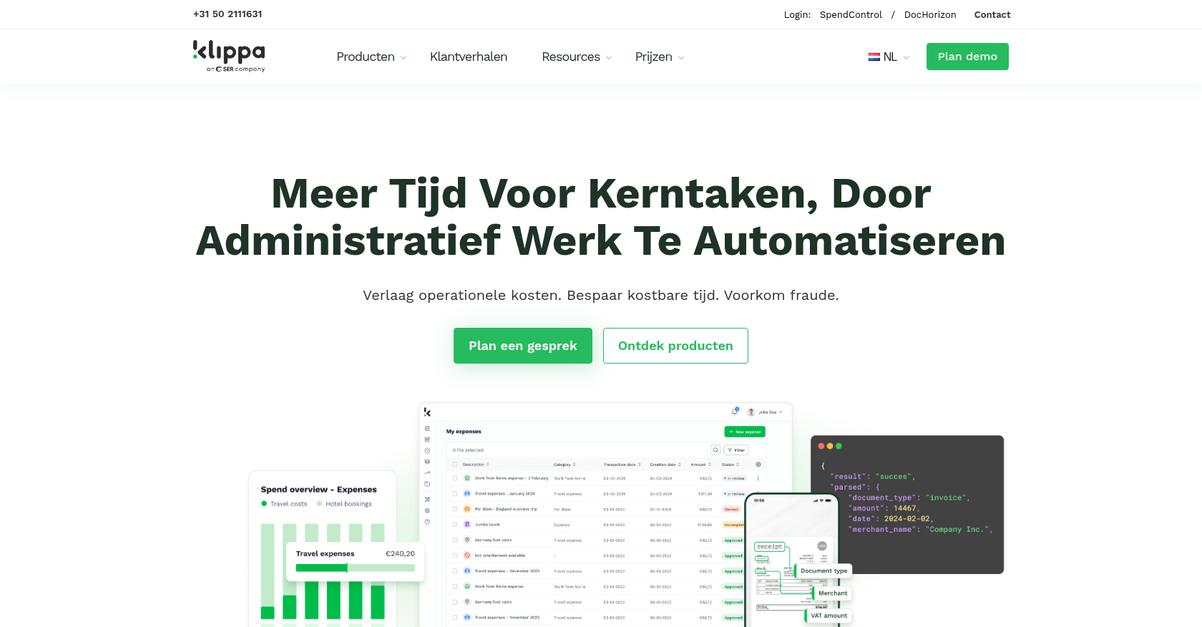
Tired of wasting hours on manual document entry?
Klippa’s AI-powered OCR can extract data from your scanned receipts and invoices in seconds, eliminating errors and busywork for you right from the start.
By automating data capture from your piles of paperwork, you can reduce data entry mistakes and avoid tedious manual processes that slow you down every week.
You shouldn’t have to work harder to conquer document chaos.
Klippa’s advanced scanning and processing features are designed to save you time and headaches.
With its AI-powered OCR, Klippa reads and pulls key information from any scanned document, so you won’t need to retype or double-check numbers by hand. This means you’re not just scanning — you’re unlocking information with every click. Plus, its mobile scanning feature lets you capture documents straight from your smartphone, turning paperwork into digital files no matter where you are. That’s perfect if you’re moving between offices or handling documents on the go.
On top of that, Klippa’s document classification uses machine learning to identify document types and automatically route them for you. If you’re handling a high volume of receipts, contracts, or invoices, you’ll appreciate how this keeps everything organized and efficient. Combining several layers of automation, you get more speed without losing accuracy.
Now you can spend time on real work.
Key features:
- AI-powered OCR extracts key data instantly from receipts and invoices so you avoid repetitive manual entry and catch fewer errors throughout your document management process.
- Mobile document scanning from any location, any time, lets you digitize paperwork straight from your phone and capture information the moment you have it in hand.
- Machine learning-based document classification allows you to automatically categorize, route, and store your scanned files for maximum efficiency and effortless organization.
Verdict:
With a focus on intelligent automation, Klippa is an excellent document scanning software if you want to ditch manual entry, improve accuracy, and keep everything organized. Klippa’s mobile scanning and AI-powered classification make it a smart fit for any business handling high volumes of receipts or invoices.
4. CamScanner
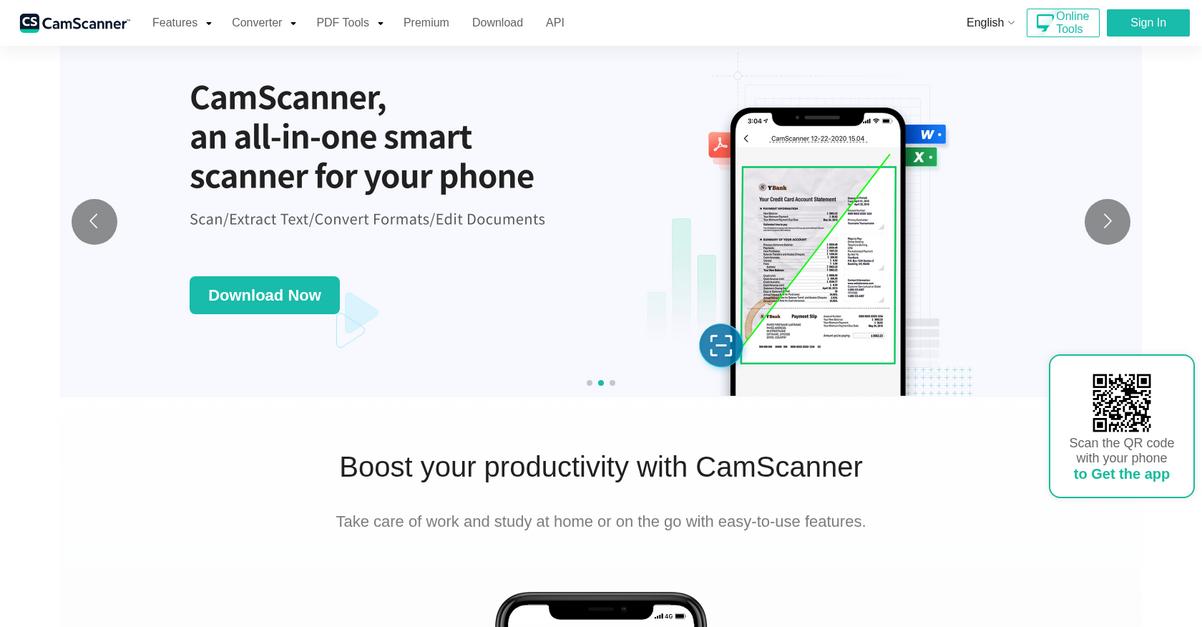
Is managing paper clutter slowing you down?
CamScanner turns your mobile device into a portable scanner, letting you snap, crop, and digitize paperwork in seconds with smart enhancements.
If you’re tired of wrangling receipts, contracts, or forms, you know how tough it is to keep everything digital and organized. Turning hard copies into clean, professional documents with just your phone makes it much easier to stay on top of things.
Here’s how CamScanner takes the frustration out of document management.
You get everything you need to scan and organize documents right at your fingertips.
CamScanner makes scanning on the go effortless. I can aim my phone at any paper, and the app’s smart cropping instantly finds the edges, then boosts the clarity for a sharp scan. With built-in OCR, I can also pull out editable text from multiple languages in seconds, keeping my info searchable and ready for action. That means no more hunting through paper piles or retyping content for hours—the app extracts text automatically, and I can search or share it anytime.
Plus, CamScanner syncs all your scans with cloud services like Google Drive and Dropbox. This keeps documents safe, backed up, and accessible from any device you use. Having everything in one place makes it easy to quickly share files or work remotely.
That’s what makes CamScanner so practical.
Key features:
Automatic document edge detection and enhancement delivers high-quality scans from regular mobile photos, so you can digitize even receipts and paperwork on the fly
Built-in OCR pulls out editable and searchable text, making it simple to find and reuse content from any scanned page, in many popular languages
Cloud syncing with Google Drive and Dropbox ensures your docs are always accessible, securely stored, and easy to share with your team or clients
Verdict:
With over 300 million users already embracing CamScanner, I see why it’s a great fit for anyone needing the best document scanning software. The intuitive mobile experience, OCR for searchable text, and cloud integration all help you digitize, organize, and share documents effortlessly.
5. Adobe Acrobat

Ready to digitize your paperwork painlessly?
If you want to turn mountains of paper into digital files in record time, Adobe Acrobat fits perfectly. You’ll get advanced OCR that transforms scanned documents into searchable, editable PDF files, plus direct scanning from any desktop scanner.
This means you can digitize your entire workflow without losing formatting or clarity, eliminating frustrating manual edits or poor-quality scans that slow you down.
Here’s how Adobe Acrobat makes that possible.
With Adobe Acrobat, you can scan paper documents straight to PDF, retaining layout while cleaning up images so text looks sharp and easy to read. Plus, its advanced OCR quickly lets you search, copy, or edit your content in seconds.
You’ll like that Adobe Acrobat’s document enhancement tools let you sharpen text and clean imperfections right after scanning, so every file looks crisp and professional. Underline how its intuitive scan-to-PDF process works smoothly with almost any scanner, saving you and your team hours every week.
Additionally, Acrobat’s editing features mean you’re not just scanning – you can make changes, add comments, and organize everything for easy retrieval. Combining high-quality scans with full text search and editing can transform your document management routine.
The result is better productivity and peace of mind.
Key features:
- Advanced OCR for searchable, editable results: Instantly transform scans and images to text you can search, copy, or update without retyping, so you can act on information right away.
- Direct scan-to-PDF with layout preservation: Scan from any scanner to create clean, high-quality PDFs that keep your original formatting, perfect for digitizing contracts and records.
- Document enhancement for clarity: Correct perspective, sharpen text, and remove blemishes from scans, so every document remains legible, professional, and ready to share or store.
Verdict:
Adobe Acrobat truly stands out as a great document scanning software if you want speed, quality, and flexibility. I’ve seen users cut document processing time by 30 percent using the scan-to-PDF and OCR features. This is ideal for teams needing secure, professional digitization.
6. NAPS2
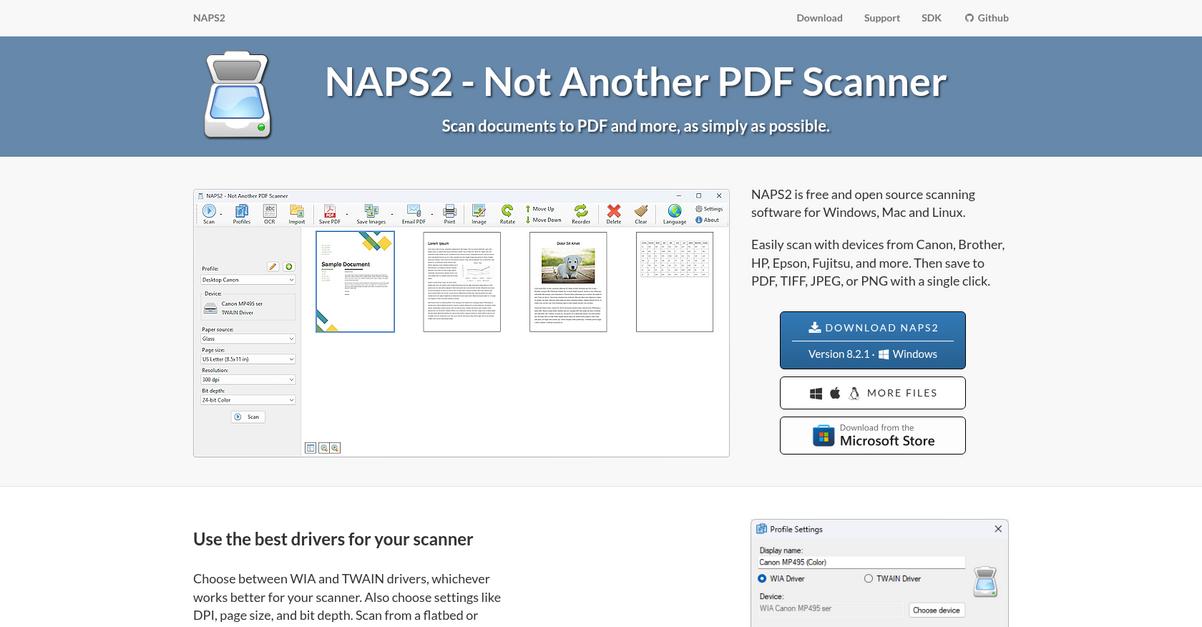
Are your paper documents slowing you down?
NAPS2 offers a straightforward solution with intuitive controls, broad scanner compatibility, and lightning-fast scanning that turns your paperwork into digital files almost instantly.
If you’re tired of complicated software just to scan and organize paperwork, you’ll appreciate how NAPS2 helps you convert stacks of documents to searchable PDFs in minutes.
Getting bogged down by slow processes isn’t optional.
The beauty is in NAPS2’s simplicity.
With NAPS2, you quickly scan documents from almost any device thanks to both WIA and TWAIN support. This means you can use the scanner you already have, without annoying setup headaches. Its universal compatibility saves you serious time and frustration when you’re dealing with several scanner models across your team.
You also get powerful built-in OCR that recognizes text in 100+ languages, so every document you scan becomes instantly searchable and editable. Additionally, configurable scan profiles let you reuse your favorite resolution and page settings for recurring jobs, eliminating repetitive inputs and manual errors so your files stay organized right from the start.
If you want a simple scanning tool that works the way you work, NAPS2 delivers.
Key features:
- WIA and TWAIN compatibility with wide device support: Connect virtually any scanner in your workflow, making it easy for your team to get started right away without hardware hassles.
- Built-in OCR with 100+ language recognition: Turn every image into an instantly searchable, editable document—ideal for sorting through archives or meeting accessibility needs.
- Custom scan profiles for repeatable, efficient tasks: Create presets for resolution, color, and file type, so you can batch-scan documents consistently and quickly without extra setup each time.
Verdict:
If you want a great document scanning software that is free, easy to use, and universally compatible, NAPS2 is definitely worth a try. Its OCR and profile features mean you spend less time scanning and more time focused on what matters.
7. ABBYY FineReader PDF
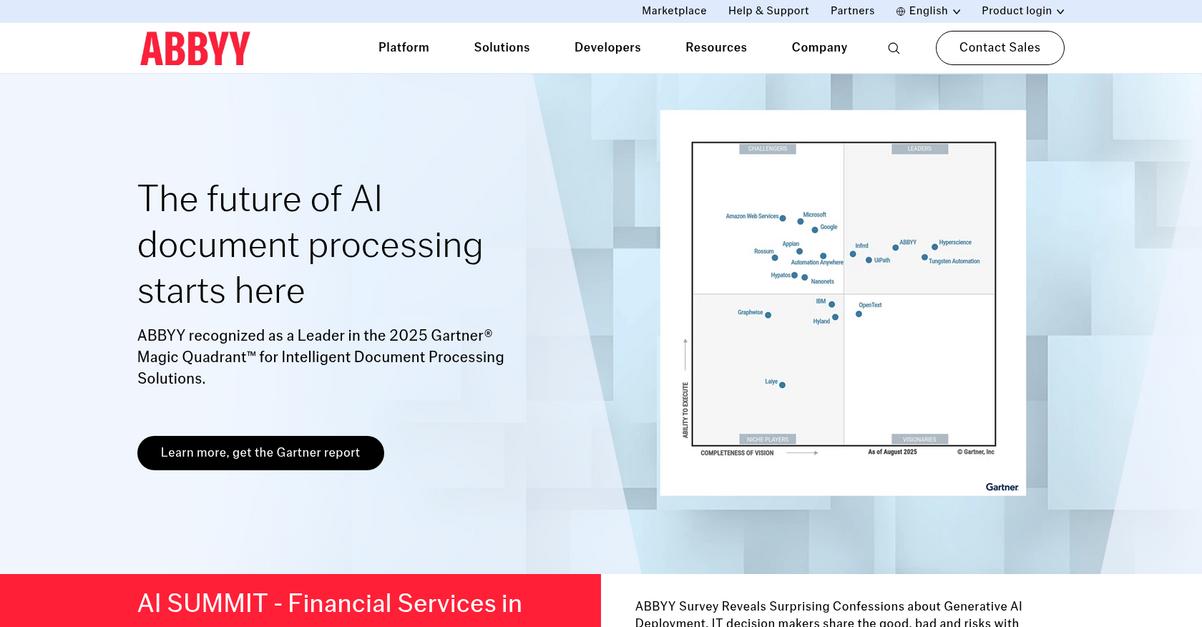
Need to digitize stacks of paper efficiently?
ABBYY FineReader PDF offers advanced OCR that transforms your scans and images into accurate, fully editable, and searchable digital files in just a few clicks.
This means you can quickly turn paper clutter and PDF content into actionable information without wasting hours retyping or fixing errors. Boosting your productivity with fewer manual corrections helps you stay focused on higher-priority tasks.
Here’s how it gets even better.
If you want the best results from document scanning, ABBYY FineReader PDF delivers. The software’s powerful OCR engine ensures your scanned documents retain original formatting and accuracy, making editing and sharing straightforward.
Plus, with the ability to automatically convert high volumes of documents into multiple digital formats, you’ll spend much less time managing the digitization process. This is a game changer if you’re regularly processing large archives or mailroom documents.
Additionally, the document comparison tool lets you easily spot changes between versions—even if one is a scan—so if you’re in legal, editorial, or administrative roles, you can ensure nothing gets missed.
The result? Your workflow becomes much smoother.
Key features:
- Highly accurate OCR for editable, searchable results that preserves original layout, making your digitized documents easy to edit, annotate, and share throughout your team.
- Automated conversion of paper and scanned files into a range of digital formats, letting you process high volumes of documents with just a few clicks.
- Document comparison tool for scanned and digital files, saving you time detecting differences between versions for tasks like contract reviews or proofreading.
Verdict:
ABBYY FineReader PDF stands out as a great document scanning software thanks to its unmatched OCR accuracy, automated mass conversion, and smart document comparison. Users report significant time savings digitizing and editing; legal teams and administrators especially benefit from its error-spotting and workflow upgrades.
8. VueScan
Need better scans from every scanner you own?
VueScan is perfect if you’re frustrated with limited scanner compatibility, outdated devices, or endless manual image corrections. It supports thousands of scanners, even those manufacturers no longer support.
This means you can avoid the costly cycle of hardware upgrades altogether and still get high-quality digital documents from your existing equipment.
If that’s been draining your team’s time or budget, VueScan turns it around—with impressive results.
Here’s how VueScan delivers exactly what you need.
VueScan makes scanning accessible, quick, and reliable no matter which scanner you have. Its AI-powered document enhancement automatically crops, deskews, and removes blank pages, so you get crisp, clean documents every time without endless tweaks.
This means your document archive looks professional, and your workflow gets lighter with every scan.
Additionally, the multi-pass scanning feature reduces noise and boosts image accuracy for critical documents. I can trust the software to handle my most demanding scanning needs, from old contracts to high-res graphics, using the devices I already have.
You get efficiency, compatibility, and better outcomes.
Key features:
- Universal compatibility with thousands of scanners — even older, unsupported models — so you can keep using your trusted equipment and skip expensive hardware updates every year.
- AI-powered cropping, deskewing, and blank page removal gives your scanned documents a professional, ready-to-store look with almost no manual adjustments needed.
- Multi-pass scanning delivers improved image fidelity for critical records or images, combining multiple scans to reduce noise and sharpen every detail for cleaner archives.
Verdict:
VueScan stands out as an excellent document scanning software because of its unique support for legacy hardware, AI-driven document enhancement, and superior scan quality. If you’re looking to extend your hardware life, restore image quality, and get more from every scan, VueScan is a top pick.
9. Tungsten Capture
Need reliable, accurate document scanning at scale?
Tungsten Capture brings intelligent document processing, high-quality image enhancement, and multi-channel scanning right into your workflow to address even your toughest efficiency pains.
If you’re dealing with stacks of invoices, contracts, or onboarding forms, Tungsten Capture tackles those headaches by automating high-volume scanning and data extraction so your team can focus on higher-value work and not data entry.
Document chaos becomes a thing of the past.
What makes Tungsten Capture stand out is its AI-driven Intelligent Document Processing, which ingests and classifies any scanned document so you never have to worry about file type or layout.
Here’s how that helps you in practice: imagine you need to capture a dozen types of documents daily, some handwritten, some printed. With Tungsten’s VRS Technology, the software not only digitizes but also automatically enhances image clarity and readability for every scan. That means better data extraction and fewer manual corrections.
Plus, Tungsten Capture offers multi-channel support, letting your team scan documents from office MFDs, network scanners, or even mobile devices while working remotely or across branches. This flexibility ensures consistent intake, wherever your documents originate—and all of it flows into your downstream processes without tedious bottlenecks.
You get enterprise-grade automation and results.
Key features:
- AI-powered Intelligent Document Processing for data extraction: Take the manual guesswork out of document sorting and data capture to slash repetitive tasks and minimize costly errors.
- Built-in VRS Technology for image optimization: Get cleaner, more accurate scans without manual intervention, speeding up review processes and boosting downstream automation accuracy.
- Multi-channel document capture for mobile, MFDs, and scanners: Capture documents from anywhere—your HQ, satellite locations, or in the field—with seamless workflow integration for total accessibility.
Verdict:
Tungsten Capture is an excellent document scanning software if you need enterprise-level automation and accuracy. Its powerful AI-driven extraction, multi-channel inputs, and VRS enhancement make it ideal for high-volume document workflows—helping cut processing times up to 50% for large enterprises and regulated industries.
10. Readiris PDF
Need to digitize piles of paper quickly?
Readiris PDF’s AI-powered OCR helps you transform scanned paper documents and images into fully searchable, editable digital files in just a few clicks.
If you’re tired of manual data entry or endlessly searching through paperwork, you’ll love how Readiris PDF lets you convert large stacks of files at once with its smart batch processing. This means you can finally streamline your document workflows and reclaim valuable time for more important work.
Here’s how Readiris PDF makes a difference.
Readiris PDF stands out by letting you batch scan, recognize, and convert multiple documents simultaneously, making high-accuracy text extraction easy even if your files are in different languages.
Additionally, the platform’s hyper compression tool gives you up to 50 times smaller PDF files—so you never have to worry about oversized scans hogging storage or slowing down file sharing, even across email or cloud drives.
Plus, Readiris PDF supports a diverse range of document types and export formats, giving you the freedom to digitize and manage all your paperwork without restrictions. You’ll always find the right output for your needs.
Digital conversion without added stress.
Key features:
- AI-powered OCR for accurate text recognition so you can convert scans and images into searchable, editable files—no more manual retyping or data loss
- Batch document conversion with multi-format export lets your team digitize hundreds of documents at once and output to PDF, Word, Excel, or image formats
- Hyper compression reduces scanned PDF file size by up to 50x, freeing up storage space and making document sharing and uploads much faster for everyone
Verdict:
If you’re searching for a great document scanning software that automates high-accuracy OCR, batch conversion, and super-efficient PDF compression, I think Readiris PDF is a smart bet, especially if you want to digitize big archives and work effortlessly across languages.
Conclusion
Tired of wasting hours sorting paperwork?
Choosing the right scanning software can feel overwhelming, especially with so many similar features and the constant worry of picking a solution that won’t truly save your team time.
Implementing digital tools isn’t just about convenience—a recent finding shows that adopting document scanning software can let your employees find files in minutes instead of the usual 5–10 minutes. That kind of time savings makes a huge impact on your daily workflow and lets you focus on growth, not grunt work.
Here’s the move I’d make.
From my experience digging into these options, FileCenter is absolutely your best bet.
FileCenter stands out because it automates the boring parts—like batch sorting with barcodes, instant OCR, and PDF editing—so you finally get the best document scanning software that actually reduces busywork and streamlines your filing headaches.
I highly recommend you start a free trial of FileCenter and witness the difference in your own workflow.
You’ll free up hours every week.