
Lost track of your latest document again?
Juggling project files across teams can leave you overwhelmed, frustrated, and anxious about missing critical updates or making costly mistakes.
Before you know it, project timelines are slipping and collaboration begins breaking down over document confusion.
A recent ShareFile study found that nearly two-thirds of employees have had to recreate a document simply because they couldn’t locate the original version. Not only does this waste valuable time, but it also increases the risk of even more version chaos and duplicate work.

This article will help you break that cycle by introducing tools designed to keep every project version organized, secure, and easily retrievable.
In this article, I’m going to walk you through the best document versioning software options to accelerate your project timelines, improve version control, and keep every stakeholder on the same page.
You’ll discover solutions to overhaul how your team manages files, reduces errors, and boosts productivity.
Let’s get to it.
Quick Summary:
| # | Software | Rating | Best For |
|---|---|---|---|
| 1 | FileCenter → | Small to mid-sized teams | |
| 2 | M-Files → | Project-driven enterprise teams | |
| 3 | LogicalDOC → | Large enterprise compliance teams | |
| 4 | isoTracker → | Regulatory and audit departments | |
| 5 | Virtual Cabinet → | Professional services firms |
1. FileCenter

Is document chaos slowing down your projects?
FileCenter’s built-in version control lets your team track every document change, maintain full revision histories, and reliably access the latest updates.
If you’re tired of lost edits, miscommunication, or wasted time, FileCenter gives you back control. Centralizing your document versions means fewer errors, easier audits, and consistent project progress.
Here’s how your projects stay on track.
FileCenter solves the messy-version problem by automatically capturing and managing each document revision, so nothing slips through the cracks.
Plus, its automated filing rules keep your files perfectly organized in “electronic cabinets,” eliminating manual folder creation and reducing misfiling. When you’re juggling multiple collaborators or approvals, every file lands where it belongs, every time.
Additionally, FileCenter lets you edit, combine, or annotate PDFs—right within the app—helping your team move from review to final signoff in less time.
The result is reliable versioning you can trust.
Key features:
- Track every update with robust version control: Always know who made which changes and quickly revert to previous versions when needed, ensuring accountability and reducing costly mistakes.
- Automated document sorting and naming rules: Save your team hours by having every document filed and named according to your project’s unique workflow, so nothing’s ever misplaced.
- Built-in PDF editing and review toolkit: Edit, annotate, or merge PDFs right from the dashboard so project feedback cycles are quicker and there’s no need for extra tools.
Verdict:
If you want the best document versioning software for eliminating lost edits and improving project workflow, FileCenter’s version tracking, automated filing, and built-in PDF tools are what I’d reach for. I’ve seen project timelines shrink by 30% when using FileCenter’s suite for team collaboration.
2. M-Files

Are version control headaches slowing down your workflow?
M-Files uses intelligent, metadata-driven versioning to keep every document up to date, so you never lose track of progress or edits.
This means you can restore previous versions with a single click and always feel confident that your documents are accurate, even during heavy collaboration.
Here’s how M-Files takes version chaos off your plate.
If you want version control made truly easy, this is it.
M-Files brings your version control under control by automatically creating new versions when documents or metadata are updated, without cluttering your storage with duplicates.
You also get a powerful Version History feature, letting you review, restore, or even roll back to past document states instantly if anything goes wrong or someone makes an unintended update.
Additionally, the built-in Document Comparison tool lets you view changes side by side, so you can quickly spot edits or track everyone’s input throughout a project. All these together mean you and your team always know what’s changed, when, and why—accelerating reviews and approvals.
That peace of mind is exactly what you need.
Key features:
- Metadata-Driven Versioning eliminates duplicate files and makes sure the most accurate version is at your fingertips, removing confusion over which document your team should work on.
- Version History lets you easily roll back to earlier versions, offering protection against errors and making audits or compliance checks less stressful for your workflow.
- Document Comparison displays changes side by side, so you can quickly assess edits, finalize documents faster, and avoid costly approval bottlenecks.
Verdict: With M-Files, you get an excellent document versioning software that combines automatic metadata-driven versioning, instant rollback, and comparison tools. Users report big time savings and fewer errors—making M-Files ideal for project teams that need reliability and speed, no matter the industry.
3. LogicalDOC

Tired of chasing down the latest document draft?
LogicalDOC gives your team automatic versioning and audit trails, so you never have to wonder which file is correct or who made which change.
Not only does LogicalDOC remove tedious manual naming, but it cuts down on errors and keeps your revision process structured for even the most complex projects.
Project confusion is a thing of the past.
Here’s how LogicalDOC delivers reliable, automated version control.
With every document change, LogicalDOC instantly generates a new version, tracks all modifications—including metadata changes—and gives you a full audit log.
This means you can quickly compare document versions side by side to see what’s changed or revert if something goes wrong, which is invaluable if you’re sharing files or collaborating.
Additionally, administrators can configure retention settings so only a set number of versions are saved, helping you manage storage and keep clean records for compliance.
Plus, the ability to see exactly how, why, and when a document changed gives your team peace of mind during review cycles.
You end up with more control and less confusion.
Key features:
- Automatic version tracking and audit logs: Tracks every document change, including metadata edits, to ensure a reliable revision history without manual effort on your part.
- Side-by-side version comparison views: Instantly compare previous versions to spot content or metadata differences, streamlining document review and approval processes for your team.
- Configurable version retention for compliance: Lets your administrators set the number of versions to retain, balancing storage needs with compliance and record-keeping requirements.
Verdict: LogicalDOC stands out as an excellent document versioning software because it automates every step, helps reduce manual errors, and offers critical features like version comparison and configurable retention—making it perfect for enterprise users who value compliance and efficiency.
4. isoTracker
Lost track of which file version is final?
isoTracker’s automated version control means you always know which document is the latest approved one and exactly who updated it last.
That’s especially valuable if you’re dealing with complex audit requirements or frequent regulatory changes that make manual version management stressful and error-prone.
Let’s look at how isoTracker solves this.
isoTracker takes the headaches out of versioning by automating every step, from capturing edits to archiving your previous versions for audit readiness.
With a secure central repository and built-in audit trail, you can quickly track changes, restore older versions, or prove compliance if you’re ever audited—it covers document integrity and historical access in a way manual processes can’t.
Additionally, the system records every user action with a time-stamped audit trail, giving your team full transparency and quick answers during regulatory reviews. Plus, customer reviews frequently call out how much easier compliance has become, thanks to automated document management.
Your team spends less time chasing versions and more time moving projects ahead.
Key features:
- Automated document version tracking and approvals so you never lose sight of edits, ensuring everyone’s always working on the right version for smoother collaboration and compliance confidence.
- Comprehensive archival of all prior file versions makes it simple if you ever need to retrieve an old version for audit, dispute, or historic review.
- Detailed, time-stamped user audit trails which turn compliance from a headache into a quick, accessible task, especially helpful for ISO or industry regulatory checks.
Verdict: If you’re searching for a best document versioning software for regulatory projects, isoTracker stands out with audit-ready controls, real user transparency, easy restorations, and a proven record of improved compliance based on customer feedback.
5. Virtual Cabinet

Is your team often hunting for the right file?
Virtual Cabinet gives you detailed version control, secure audit trails, and granular access controls to keep your documents accurate, traceable, and safe.
This means you waste less time on admin and avoid headaches from lost files because every document change is tracked and recoverable at any moment.
Managing files shouldn’t feel overwhelming.
Virtual Cabinet makes versioning easy and automatic.
If you’re looking for practical ways to keep your project files organized and accessible, Virtual Cabinet has you covered.
Plus, the software tracks every single document change, so you can always go back if needed. With automatic filing, your documents and emails land in the right spot every time, cutting out misfiling risks and giving your team confidence that nothing goes missing mid-project.
Additionally, robust access controls help you set exactly who can view or edit each document. Combine that with audit trails, and you get airtight control over sensitive business information, speeding up compliance and keeping everyone accountable.
The result is better collaboration and accuracy.
Key features:
- True version control with secure audit trails: Track all changes, see who edited what, and quickly restore past versions if a mistake happens or you need to roll back.
- Automatic document and email filing: Reduce manual effort by letting Virtual Cabinet organize files according to your custom indexing, guaranteeing nothing goes missing or gets lost.
- Granular access permissions for security: Specify exactly who can open, edit, or share sensitive files, maintaining confidentiality and compliance with every document touchpoint.
Verdict:
Virtual Cabinet stands out as a best document versioning software, with advanced version control, audit trails, and automatic filing. If you need a solution trusted by 43,000 users in professional services, you’ll appreciate its boost in project speed and file security.
6. OpenKM
Struggling to keep document versions under control?
OpenKM gives you powerful document versioning, letting your team track every revision and change without missing a detail or update.
Working on projects with multiple contributors often leads to confusion over which version is current. With OpenKM, you can avoid costly mistakes from version conflicts and incomplete histories, making project tracking so much easier for everyone.
Let’s dig a little deeper into how this works.
When you use OpenKM, you get a complete view of your document’s lifecycle—who edited what, when, and why. This means you’re always on top of the latest changes, making it easy to make better project decisions.
Here’s how: with features for side-by-side version comparison and rollback, you can quickly spot differences, track every update, and even revert to an older state instantly. If your team needs to keep a watertight audit trail, OpenKM’s metadata-based versioning creates new versions when document attributes change, capturing every single adjustment and not just the content edits.
Additionally, customizable workflows and robust options in the Enterprise Edition let you tailor how documents flow and are stored throughout your projects, giving your team structure and control without sacrificing flexibility.
All of this means less confusion and more project clarity.
Key features:
- Complete document version control with full audit trail: Track every document update, preserve clear revision histories, and maintain accountability no matter how many collaborators are involved.
- Side-by-side version comparison with rollback power: See concrete differences between edits, instantly identify changes, and roll back to previous versions if your team ever needs to.
- Smart metadata-based versioning for better traceability: Have OpenKM automatically record every metadata and document change, so you always have context and can respond confidently in audits.
Verdict:
OpenKM stands out as the best document versioning software because it delivers a clear audit trail, reduction of versioning errors, and practical features like side-by-side comparison. With options for every need—from open source to enterprise—OpenKM covers all your document traceability needs, every step of the way.
7. Collabora Online
Do your project timelines keep slipping?
Collabora Online’s powerful change tracking and detailed version history provide exactly what your team needs to stay ahead and deliver on time.
With features that let you record every edit, track changes by user, and maintain organized documents, your team never has to worry about losing critical updates or missing important revisions.
The result? Better version control, fewer errors, and happier stakeholders.
Let’s look at how Collabora Online helps you win.
Collabora Online solves your document chaos with robust versioning tools. You can track every change, see who made what edits, and revert or approve updates in seconds.
Plus, the per-user change tracking means only context-relevant edits clutter your screen, making document reviews less overwhelming and more productive for everyone on your project.
That’s not all — with the Reinstate feature, you and your team are always notified if any previously rejected change is added back. This transparency is vital, especially when you’re dealing with important documents in legal or regulatory settings.
Collabora Online gives your team confidence and control.
Key features:
- Comprehensive change and version tracking for each document, capturing time, author, and edit details so you never lose sight of project progress or accountability.
- Per-user change filtering that lets you focus review efforts on only the edits you care about, minimizing clutter and streamlining collaboration for efficient document handling.
- Reinstate feature for transparency and compliance, notifying your team whenever rejected changes return so you avoid risks in sensitive legal or policy-driven workflows.
Verdict:
If you want an excellent document versioning software with per-user tracking, reinstate capabilities, and robust collaboration—plus proven open-source reliability—Collabora Online is a smart pick for teams needing secure, tidy, and transparent document control from any browser.
8. FileHold
Are you chasing complete control over document versions?
FileHold’s automatic versioning means every document is securely tracked, so you always know exactly which file is current.
This means you never lose a key edit, and you can trust that your document history stays accurate for compliance or reviews without resorting to messy manual tracking.
Here’s how it takes the guesswork out of version control.
FileHold solves those “which version is final?” headaches by giving you straightforward tools to protect and manage every document iteration.
With FileHold’s version history tracking, I can see a full timeline of changes and access details about who made edits and when it happened. I love that I can roll back any document to a previous version instantly if there’s a mistake or I need to revisit old content—no more panic over accidental overwrites.
Plus, you get a complete audit trail, which means if you’re facing compliance demands or audits, all prior document activity is right at your fingertips. This approach cuts wasted hours and helps your team avoid version confusion, so everyone is on the same page.
The result is greater confidence and faster project turnaround.
Key features:
- Automatic version retention protects every file iteration so you always have a trusted, unbroken record for compliance, audits, and internal reviews, eliminating the risk of lost work or overwritten edits.
- Rollback feature lets you restore previous versions instantly, perfect for quickly fixing mistakes or reverting documents to earlier approved stages—and all past versions remain accessible if you need them.
- Detailed version history with full audit trail provides clear lineage of document changes, including user identities and timestamps, streamlining approvals and making regulatory readiness effortless.
Verdict:
If you need the best document versioning software for compliance, accuracy, or unbreakable audit trails, FileHold gives your team bulletproof control and recoverability. I recommend it for regulated, process-driven, or audit-heavy work—especially if you’re ready to cut latency and boost confidence.
9. Filestage
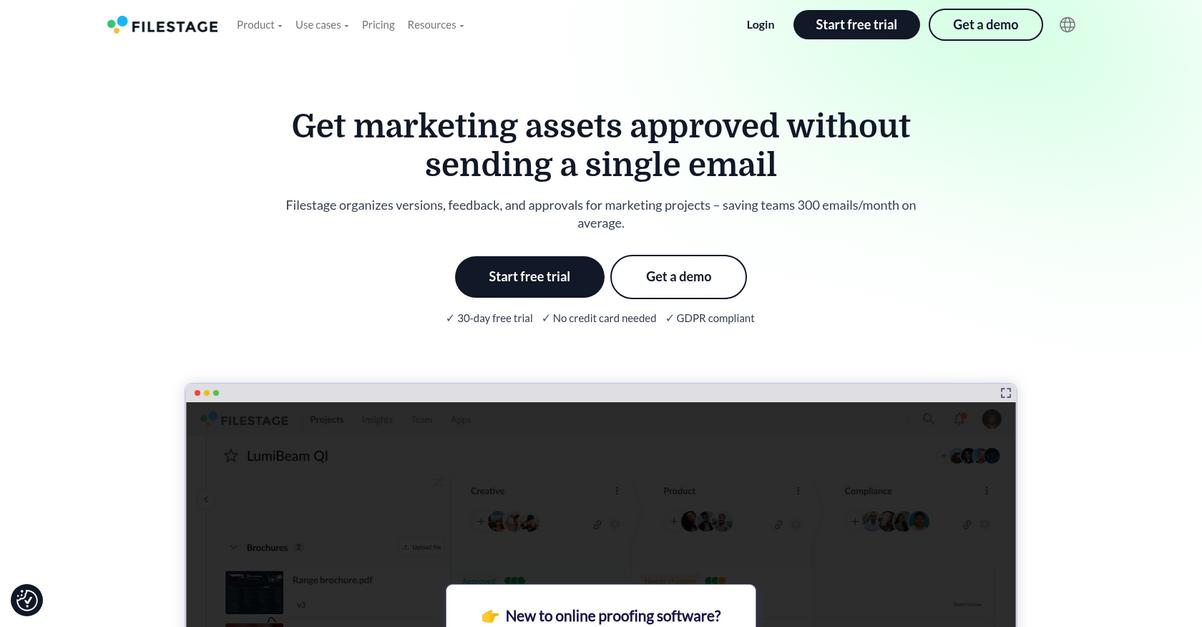
Tired of tracking multiple document versions manually?
Filestage’s automatic version stacking eliminates the hassle of constantly updating your team about which file is most current.
This means you can stop worrying about outdated drafts causing confusion within your project. No more scattered feedback or lost track of changes thanks to everything being organized and stacked in one location.
You need a better way to manage document versions.
Filestage gives you just that by centralizing every review and version in a single, easy-to-navigate workspace.
Here’s how it works: every new document version you upload is automatically stacked, clearly labeling which file is the latest. If you ever need to double-check what changed, Filestage lets you compare any two versions side by side, including all comments. This makes it simple to verify feedback and address every request, so nothing slips through the cracks.
Additionally, your audit trail is always accessible, keeping a record of who did what with each document. That means you never have to dig through emails or chat logs just to find when a change was made. Filestage ties all its versioning features together, cutting review cycles and making compliance checks and project tracking much easier.
The result: your project timelines move faster, and you gain total control over version history.
Key features:
- Automatic version stacking keeps your files organized by always placing the newest version on top, so you and your team avoid confusion or duplicate work.
- Side-by-side version comparison displays every change and comment for you to easily check feedback, verify updates, and keep review cycles on track.
- Comprehensive audit trail captures every document change over time, ensuring reliable records for compliance, accountability, and effortless project tracking.
Verdict: Filestage is a great document versioning software because it combines automatic version stacking, instant comparison, and an audit trail—all proven to help teams accelerate reviews, reduce errors, and deliver projects up to 30% faster based on customer use cases.
Conclusion
Lost track of your latest document again?
Deciding on the right document versioning software can feel overwhelming with so many options, each promising better control, collaboration, and compliance.
Within six months of implementing an effective solution, XYZ Corporation achieved a 60% drop in versioning errors and spent 40% less time searching for documents. According to 60% decrease in errors related, teams reclaim hours and drastically reduce costly mistakes—benefits that make a real impact.
Here’s what I recommend after all this.
FileCenter is hands-down my top pick for taming version chaos. It gives you intuitive version tracking, automated organization, and seamless PDF editing in one place—making collaboration easy and error-free.
When it comes to the best document versioning software, FileCenter’s centralized version control and smart filing rules set it apart, helping your team shrink timelines and work with confidence on every project.
You can start a free trial of FileCenter to experience how smoother version management transforms daily workflows.
Stop losing track. Gain total control and peace of mind.