

Struggling to scale Dokmee for your team?
If Dokmee’s outdated interface and on-premise limits are draining your productivity, you’re not the only one ready for a change.
Sticking with it means slower searches and frustrating daily bottlenecks that nearly every IT manager dreads.
The result is lost time, irritated staff, higher risk of compliance errors, and real setbacks to team collaboration. When a document system holds your business back, it’s more than a minor annoyance—it can actually hurt your bottom line. That’s why staying with Dokmee just doesn’t make sense anymore.

Luckily, you don’t have to settle—there are better alternatives with superior scalability and usability waiting for you.
In this article, I’ll show you the best Dokmee alternatives built for on-premise document management, including FileCenter, Revver, DocuWare, and more, to finally solve your scaling headaches.
You’ll unlock faster performance, smoother integrations, and control that Dokmee just can’t offer.
Let’s find your solution.
Quick Summary:
| # | Alternative | Rating | Best For |
|---|---|---|---|
| 1 | FileCenter → | Small teams seeking simplicity | |
| 2 | Revver → | Teams needing better collaboration | |
| 3 | DocuWare → | Users wanting modern interfaces | |
| 4 | Docsvault → | Budget-conscious growing businesses | |
| 5 | FileHold → | Companies requiring better support |
1. FileCenter

Looking for a Dokmee upgrade without the complicated setup?
FileCenter brings you a true on-premise desktop experience with cabinet-style filing, one-time licensing, and integrated scanning that addresses Dokmee’s biggest headaches.
Instead of forcing you into complex taxonomies, FileCenter uses Windows-style cabinet-drawer structures, letting you access and organize files intuitively. Version control and folder security further improve compliance and search compared to Dokmee.
The result is easier adoption and instant productivity for your IT team right from day one.
Let’s look at how this really helps.
FileCenter skips database complexity and lets your team organize, find, and manage documents using the Windows folders you already know. You also get perpetual licenses with no forced subscription fees, so if saving on software costs is a priority, you’re set.
On top of that, scanning and OCR are completely built-in and automated, so you can digitize paperwork and drop it right into the proper folders, all in one go. If going paperless felt tough with Dokmee, this makes it painless.
You also benefit from smart document naming and automatic folder routing, which combine with secure access settings to keep your compliance box checked and your filing accurate.
Everything you need, nothing you don’t.
Key features:
- Cabinet-drawer filing with Windows folders gives you friendly organization structures instead of complex taxonomies, making onboarding and daily usage smoother than Dokmee’s setup.
- One-time perpetual licensing with no forced subscriptions means predictable costs, letting you own the software for local storage instead of recurring fees.
- Integrated scanning with automatic OCR and naming enables rapid digitization and smarter search, so you avoid slow document capture setups required by many Dokmee alternatives.
Verdict: If Dokmee’s on-premise solution feels too complex or costly, FileCenter is a straightforward alternative worth considering. Its Windows-native filing, built-in scanning, and affordable perpetual licenses make it ideal for small business IT and compliance teams switching from Dokmee’s structure-heavy approach.
2. Revver

Looking for something less clunky than Dokmee?
Revver brings advanced workflow automation and smart search capabilities that help you overcome Dokmee’s limitations, making your document management system both more efficient and secure.
If scaling up your on-premise setup has felt like a hassle, you’ll notice how Revver’s modern workflow tools streamline document routing and approvals without the cumbersome steps you deal with in Dokmee.
Here’s where things start to improve.
Revver takes your workflow headaches seriously, letting you automate repetitive document processes and approvals so you never have to chase paper trails again.
The powerful automation engine helps your team accelerate digital workflows, while AI-powered search and metadata tagging make finding files effortless, even if your document structure has gotten messy over time. If you’re used to digging through folders in Dokmee, Revver lets you search and retrieve with just a few keywords—no more wasted time.
Additionally, enhanced security features like granular permissions and real audit trails protect your sensitive data, simplify compliance for audits and regulatory needs. By tying together automation, search, and compliance, you avoid the pitfalls that come with outdated on-premise setups.
You finally get control over your document chaos.
Key features:
- Advanced workflow automation for document routing/approvals so your team spends less time on manual processes, unlike Dokmee’s more restrictive workflow tools that are harder to adapt or scale.
- AI-powered smart search and intelligent metadata tagging instantly surfaces any file you need, reducing wasted time hunting for records compared to Dokmee’s dated search interface and tagging limitations.
- Granular security, audit trails, and encryption provide stronger data protection, helping you meet compliance with ease—something Dokmee struggles to offer at the same depth and flexibility.
Verdict: Revver is a strong Dokmee alternative for IT managers who feel boxed in by legacy on-premise systems. With its advanced workflow automation, AI smart search, and enterprise-grade security, Revver eliminates the pain of scaling and managing compliance—especially if searching legacy archives costs you hours each week.
3. DocuWare

Hitting scaling issues with your current Dokmee setup?
DocuWare tackles your frustrations with advanced workflow automation, intelligent AI document indexing, and hundreds of out-of-the-box enterprise integrations designed for on-premise environments.
This means you get automation and discoverability that leaves Dokmee in the dust, especially if you’re fed up with clunky manual filing or searching for docs in slow, outdated systems.
You want to solve scaling and integration problems for good.
DocuWare makes it easy to overcome the bottlenecks that have held your team back with Dokmee. You can finally centralize all your business docs, automate approvals, and integrate deeply with the ERP or CRM tools you actually use.
Here’s how your life gets easier: DocuWare’s AI-powered Intelligent Indexing learns how your docs are structured and automatically classifies everything for one-click retrieval, bypassing Dokmee’s limited search options and manual tagging headaches.
Additionally, DocuWare’s workflow engine is infinitely customizable, meaning you can map out complex, multi-stage approval processes and ensure compliance rules are enforced every time. You also benefit from wide-ranging integrations—over 500, spanning everything from finance to HR—helping you actually unify data instead of leaving it stuck in disconnected silos.
Everything works the way you’ve always wanted.
Key features:
- AI-powered Intelligent Indexing for rapid searchability automatically classifies and tags documents, providing more accurate and faster retrieval than Dokmee’s manual indexing.
- Configurable workflow automation with advanced rules empowers you to automate complex approval cycles and business processes other on-premise solutions can’t handle.
- Over 500 enterprise app integrations connect DocuWare to ERP, CRM, and HR systems, enabling seamless data flows and eliminating the integration limitations you get with Dokmee.
Verdict: DocuWare is a powerful Dokmee alternative if you want on-premise scalability, advanced automation, and deep enterprise integration. With instant AI indexing and 500+ integrations, you can eliminate inefficiencies while future-proofing your document management for real enterprise growth.
4. Docsvault
Need to move beyond Dokmee’s scaling restrictions?
Docsvault’s integrated scanning and OCR lets you digitize paper files directly and instantly convert them into searchable, editable documents—something Dokmee users often find less intuitive.
This means you benefit from a streamlined paperless transition and faster document retrieval, which can save your team significant time every week.
Switching is more straightforward than you might expect.
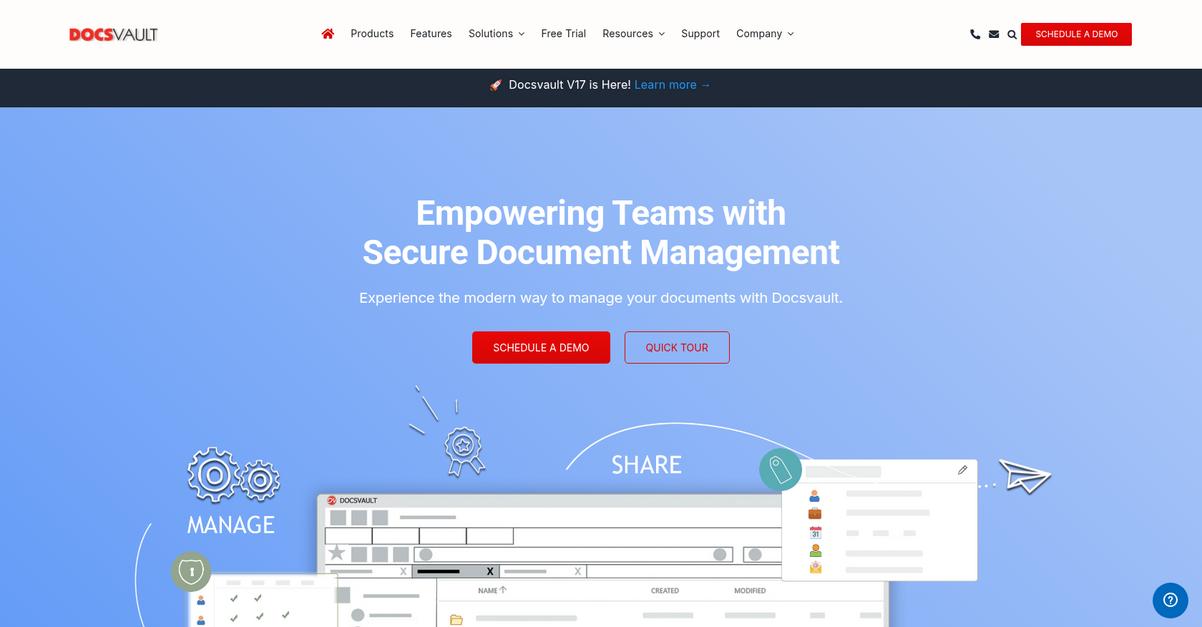
Docsvault steps in as an on-premise alternative designed to simplify life for anyone who feels limited by Dokmee’s cumbersome interface and scaling bottlenecks.
Here’s how it delivers real results: your team can capture paper records using the built-in scanning and OCR features, bringing accuracy and speed from day one. Plus, you’ve got flexible licensing options like perpetual or subscription—ideal if budget or ownership is a concern during your switch from Dokmee.
Additionally, the floating drop folder makes quick file capture easy. Drag and drop files directly without launching the full app, so everyone can file new documents as they go, instead of being slowed down by extra steps or complex menus.
Everything about Docsvault feels built for user success.
Key features:
- Integrated scanning and OCR for instant digitization lets you capture paper and digital files in one place, making document retrieval and compliance much faster compared to Dokmee’s approach.
- Flexible licensing for every organization size and budget gives you the choice between perpetual or subscription licenses—making enterprise features accessible even on a small company’s budget.
- Drag-and-drop floating folders for fast file capture remove extra steps from filing, so your team can stay focused on work instead of slow, clunky workflows.
Verdict: Docsvault stands out as a strong Dokmee alternative for on-premise document management, offering smoother scalability, easier digital conversion, and faster job completion—often in half the time. Its simple, affordable setup means you can empower HR, accounting, and compliance teams without the headaches of over-complex software.
5. FileHold
Hitting scaling limits with Dokmee on-premise deployments?
FileHold steps in with advanced records management, comprehensive audit logging, and strict document naming standards—three features that directly tackle operational and compliance headaches Dokmee users mention most.
Here’s where FileHold stands out: it delivers stricter control over records and improved auditability vital for regulated industries, which is often where Dokmee’s offerings fall short.
You don’t have to settle for limited oversight anymore.
FileHold gives you enterprise-grade lifecycle management with retention schedules and legal holds, so you never have to worry about compliance slip-ups that keep you up at night.
Additionally, its comprehensive audit trails track every change, deletion, and access event in detail, making it easier to prove compliance to auditors or meet internal accountability goals after switching from Dokmee.
Plus, the enforced document naming standards and control numbering policies help you organize files consistently and accurately, bringing reliable order to document chaos and reducing the user errors you may deal with in Dokmee’s setup.
FileHold brings deeper control and peace of mind.
Key features:
- Enterprise records management with strict retention policies enables you to confidently apply lifecycle controls and legal holds beyond what Dokmee allows, supporting audit-readiness for regulated industries.
- Granular and immutable audit trails for all actions provide detailed, unalterable records of document access and edits, giving your compliance stakeholders far more visibility and assurance than Dokmee’s basic audit logging.
- Enforced document naming and numbering standards ensure every file adheres to precise conventions, increasing accuracy in search and reducing costly retrieval mistakes common in less controlled systems.
Verdict: FileHold is a standout Dokmee alternative for on-premise document management, especially if you’re in a highly regulated environment needing stricter records controls. Its granular audit logging, enforceable naming standards, and robust retention features surpass Dokmee’s basics—making your migration a clear win for control and compliance.
6. M-Files

Tired of Dokmee’s scaling and search frustrations?
M-Files uses a metadata-driven organization that ditches Dokmee’s rigid folder system, so you can sort and find documents based on context and content, not just location.
This means M-Files empowers you with flexible search and file organization, going beyond Dokmee’s limitations. You no longer need to remember specific folders or struggle with a cluttered interface—every document becomes easy to track by what it actually is.
Here’s how switching makes that problem disappear.
If you need a smarter way to manage documents on-premise, M-Files stands out as a Dokmee replacement by offering you complete freedom from folder sprawl and tough migrations.
You organize documents using metadata, making everything instantly searchable and usable from day one. Plus, you can connect M-Files to network drives, SharePoint, and file shares without complex, costly migration. This is a game-changer if you’re worried about disrupting operations while switching from Dokmee.
Additionally, M-Files’ intelligent workflow automation applies AI-driven rules to document approvals and notifications, driving better compliance and faster processing. The result for you is up to 50% productivity gains and workflows running 30% quicker, based on user reports.
Switching means less resistance and a much easier transition.
Key features:
- Metadata-driven document organization means you find files by content and context, making searches dramatically faster and reducing reliance on memory or outdated folder maps.
- Connects to network drives and SharePoint so you unify scattered content from multiple places without time-consuming migrations, making adoption smoother and less risky than Dokmee.
- AI-powered workflow automation optimizes and automates key document processes, replacing Dokmee’s limited rules with intelligent triggers that accelerate approvals and enhance compliance tracking.
Verdict: M-Files is a smart alternative to Dokmee if you need flexible on-premise document management. Its metadata-driven search, external repository connectors, and advanced workflow automation drive up to 50% productivity gains—helping IT managers and compliance teams sidestep migration headaches for real operational improvements.
7. OpenText Documentum
Scaling frustrations holding back your document management goals?
OpenText Documentum brings massively scalable content repositories, advanced governance, and AI-powered workflow automation directly to your on-premise environment—solving limitations you may face with Dokmee’s smaller footprint.
If you’re looking for more than just incremental improvements, OpenText Documentum gives you enterprise-grade scalability, compliance, and automation features outpacing Dokmee’s capabilities—especially if you deal with huge volumes and strict regulatory needs.
Here’s how Documentum changes that equation for you.
It’s time to look at real, enterprise-level solutions.
With OpenText Documentum, your documents live in one unified, high-capacity repository that’s purpose-built for demanding, data-heavy businesses dealing with billions of files, not just thousands.
Documentum’s advanced compliance management delivers robust audit trails and security that meets even the toughest global regulations out-of-the-box, removing the struggle to pass audits or manage records that Dokmee users often report.
On top of that, the AI-driven workflow automation does more than just route files. Documentum actually enhances and automates complex processes across departments, letting you focus on productivity instead of manual intervention—even as your operation grows and requirements shift.
That’s real empowerment for your IT and compliance teams.
Key features:
- Scalable content repositories handling billions of files ensure that your system can grow along with your business needs, far surpassing Dokmee’s on-premise scalability limitations and supporting high-volume environments.
- Advanced governance and compliance management gives your records airtight security, automated audit trails, and rule-based retention—crucial for highly regulated sectors where compliance failures are not an option.
- AI-powered workflow automation across business processes lets your team streamline document-centric workflows, automate approvals or decisions, and achieve operational efficiency well beyond what you get in Dokmee.
Verdict: OpenText Documentum stands out as the go-to Dokmee alternative for IT and compliance leaders needing extreme on-premise scalability. With purpose-built architecture for billions of documents, advanced compliance, and adaptive workflow automation, Documentum empowers you to confidently tackle enterprise-level content challenges and evolving regulations.
8. Microsoft SharePoint
Feeling boxed in by Dokmee’s limited scaling options?
Microsoft SharePoint removes those roadblocks with full on-premise deployment, rock-solid Microsoft Office integration, advanced version controls, and the type of customizable sites Dokmee simply can’t match.
This means you finally get robust, flexible organization and seamless team collaboration capabilities—without struggling through clunky search or rigid folder setups that slow your work in Dokmee.
That lets your team get beyond old frustrations for good.
Let’s break down why SharePoint is such a strong choice.
SharePoint gives you a fresh start by letting you build your own sites and document libraries tailored to every department. Plus, you get deep Microsoft Office integration—bringing familiar tools like Word and Excel right into your document management workflow.
You can set custom permissions and metadata for every folder, so your compliance and IT admins never lose sleep over security gaps or access confusion. That’s a level of day-to-day control Dokmee doesn’t approach.
Additionally, SharePoint’s co-authoring and version history help your team prevent version chaos while letting multiple people update documents together. The result is smoother collaboration and streamlined review cycles, even for regulated projects.
It all adds up to easier growth and compliance.
Key features:
- Native integration with Microsoft Office apps lets your team collaborate in Word, Excel, or PowerPoint directly from SharePoint, eliminating the friction you face linking Dokmee and Office workflows.
- Customizable sites and document libraries offer flexible options to organize documents, apply specific permissions, and use metadata, so you can adapt to any department’s unique needs—something Dokmee lacks.
- Advanced co-authoring and version control enables multiple users to edit at once while keeping track of changes, improving real-time collaboration for editing and approvals beyond Dokmee’s static controls.
Verdict: Microsoft SharePoint is a compelling on-premise alternative to Dokmee, especially if you rely heavily on Microsoft Office and want advanced control over your document structure. Its deep integration, customizable libraries, and collaboration tools go far beyond Dokmee’s limitations, making your switch a genuine efficiency upgrade.
9. Document Locator
Feeling boxed in by Dokmee’s on-premise limits?
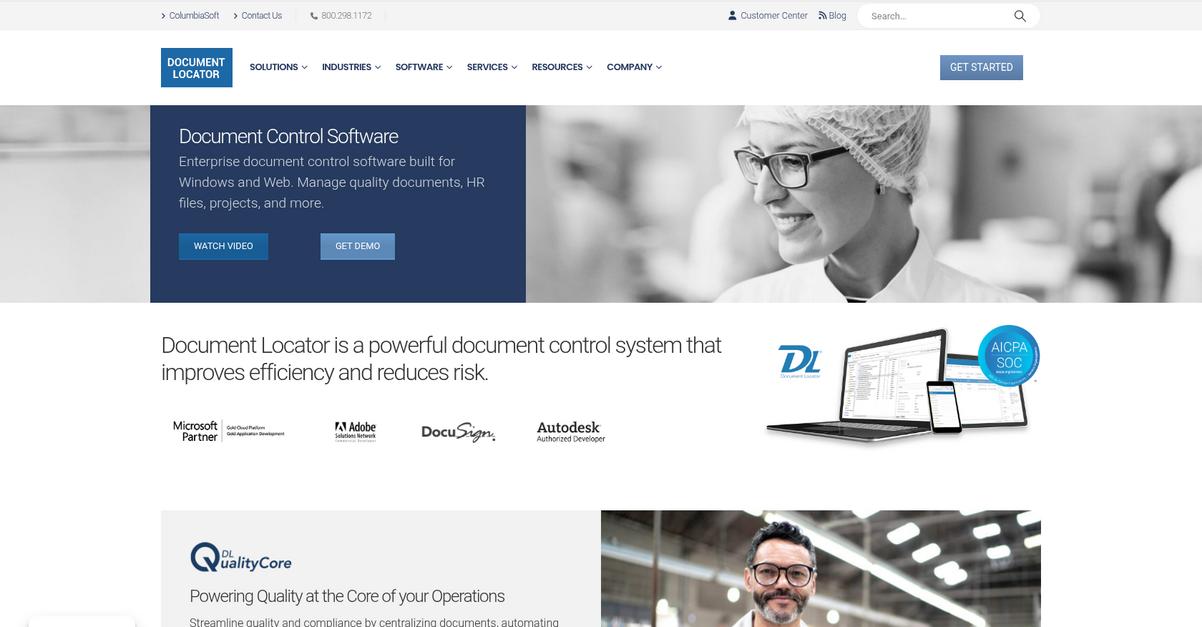
Document Locator steps up with a Windows Explorer-integrated approach, tackling Dokmee’s clunky interface and scaling frustrations for IT managers needing smoother organization and quicker document access.
What makes Document Locator stand out is its intuitive Windows desktop experience with far less training required, driving higher user adoption and slashing onboarding frustration. This means you get a full-featured DMS without feeling like you’re forcing your team to learn another complex tool.
If productivity and adoption matter, you’ll want to read on.
With Document Locator, you handle documents right from your Windows desktop, making it feel like second nature if you’re already comfortable in Windows. The direct integration lets your staff manage, search, and index files within folders they’re used to, skipping the confusion of unfamiliar interfaces.
Here’s where it really pays off: full-text search indexes every document’s content and metadata instantly, so you no longer need to slog through slow or inaccurate lookups like in Dokmee. This is a game changer when dealing with large, unclassified document libraries or prepping for audits.
Additionally, workflow automation transforms your manual routing and approvals into configurable digital processes, improving compliance and reducing email ping-pong. You patch multiple Dokmee gaps at once, making life easier for both compliance teams and everyday users.
You get a familiar interface—and smarter workflows.
Key features:
- Windows Explorer integration for easy document management keeps all your files accessible in a desktop environment you know, reducing training time while boosting user acceptance compared to Dokmee.
- Lightning-fast full-text search and robust indexing ensure you can instantly retrieve the right document every time, even across massive archives, unlike Dokmee’s more limited search capabilities.
- Configurable workflow automation for document routing streamlines approvals and compliance requirements by reducing manual effort, offering more flexibility than Dokmee’s workflow engine.
Verdict: If you’re rethinking on-premise document management, Document Locator is a strong Dokmee alternative. Its familiar Windows-integrated interface, faster file search, and advanced workflow automation directly address what frustrates IT managers with Dokmee, making upgrades and user adoption simple and effective.
Conclusion
Hitting Dokmee’s scaling ceiling again?
The biggest pain I hear is Dokmee’s sluggish interface and on-premise limitations slowing down your team and making growth an uphill battle.
Switching systems might feel daunting, but remember that staying stuck blocks your team’s progress more than making a move to something better. You deserve solutions that actually work for how you manage documents, not more daily headaches.
Let’s talk about a smarter switch.
Of all the alternatives I’ve reviewed, FileCenter is hands-down my top pick for frustrated Dokmee users ready to move forward.
You get a familiar, desktop-friendly experience that ditches Dokmee’s complexity for easy search, effortless local management, and real productivity gains. I’ve seen IT managers rave about how FileCenter makes file organization almost enjoyable—something you just don’t get from Dokmee.
Ready to see the difference? Start a free trial of FileCenter today and experience the upgrade.
Enjoy smoother, faster file management—finally.