

Is Folderit making document management harder?
Many users get stuck battling Folderit’s clunky interface, weak mobile access, and lack of helpful integrations, leaving their personal document management more tedious than it should be.
That means every quick task drags out longer than necessary because the software is getting in your way instead of keeping you organized.
Over time, simple jobs feel like uphill battles, team morale dips, and too much energy goes into searching, sharing, or even moving files instead of actually being productive. It doesn’t help that complex data migration or risky trial-and-error with new tools turns switching into another headache, so finding the right solution feels pretty urgent. The longer you keep struggling, the more valuable time and focus you lose.

But there are strong Folderit alternatives that make document management simpler, not harder, helping you escape those daily frustrations.
In this article, I’ll show you the best Folderit alternatives for personal document management, including FileCenter, Adobe, Google, eDoc Organizer, OpenKM, ONLYOFFICE, Hightail, DocHub, and Notion, so you can finally breathe easier.
You’ll discover faster interfaces, smarter automation, truly flexible mobile access, and a more pleasant experience.
Let’s find your solution.
Quick Summary:
| # | Alternative | Rating | Best For |
|---|---|---|---|
| 1 | FileCenter → | Users wanting local control | |
| 2 | Adobe Acrobat → | Users needing advanced PDF tools | |
| 3 | Google Drive → | Users seeking simple cloud storage | |
| 4 | eDoc Organizer → | Users needing desktop automation | |
| 5 | OpenKM → | Tech-savvy users needing customization |
1. FileCenter

Looking for a simpler, less clunky Folderit replacement?
FileCenter goes for a desktop-first design with a cabinet-drawer filing system, using your familiar Windows folders to manage documents where Folderit often feels restrictive.
Instead of fighting with Folderit’s limited integrations and confusing cloud focus, FileCenter gives you local control and intuitive organization built for personal workflows. Plus, you have options: stick with local desktop, add cloud connections, or use both flexibly.
This means making the switch doesn’t have to disrupt your routines.
FileCenter steps up as a straightforward Folderit alternative.
It uses the organization style you already know—cabinets, drawers, and folders—right on your desktop, so you can import documents in minutes and keep your structure without a major learning curve.
Here’s how it stands out: Integrated scanning and OCR lets you digitize paper documents directly into searchable, categorized folders, turning that overflowing file cabinet into an instantly searchable digital archive within FileCenter itself.
Additionally, if Folderit’s subscription-only approach bothers you, FileCenter lets you buy a perpetual license once, so you avoid recurring costs and can control your budget. These combined features create a disruption-free switch with more flexibility compared to Folderit.
If you want peace of mind, this is worth considering.
Key features:
- Windows-style cabinet and drawer filing mirrors your familiar folder structure for intuitive desktop document management, skipping Folderit’s complex tagging and web-only setup entirely.
- Integrated scanning with automatic OCR digitizes and indexes paper records on import, making all documents immediately searchable without extra modules or add-ons.
- One-time purchase or subscription flexibility lets you choose between perpetual ownership or ongoing updates, ideal if you want budget control unlike Folderit’s SaaS-only pricing.
Verdict: FileCenter offers a compelling alternative to Folderit for personal document management. Its cabinet-drawer interface, direct scanning, and one-time purchase model provide a familiar, low-risk path if you want local control and fewer barriers than Folderit for managing your files.
2. Adobe Acrobat

Is Folderit limiting what you want to accomplish?
Adobe Acrobat addresses those pain points with advanced PDF editing, robust annotation tools, and digital signatures, so you’re not stuck with Folderit’s basic file-centric workflow anymore.
Where Folderit is mainly about storage, Acrobat puts you in control by offering direct PDF editing and detailed markup features. This means you’re not shuffling documents back and forth or stuck with rigid structures that break your flow.
This lets you rethink what document management can be.
If you’re tired of Folderit’s file limitations, here’s how Adobe Acrobat flips the script for anyone focused on working with document content, not just filing and storing PDFs.
What stands out is that Acrobat lets you directly edit PDF text and images, create new professional-quality documents, and even add bates numbering or rich media elements. You can annotate documents in depth and collect team feedback right inside your files, which is a huge time-saver compared to emailing versions around or using the basic comments Folderit offers.
Plus, if you’ve been wishing Folderit made digital forms and signatures part of your everyday workflow, Acrobat has you covered. It lets you build fillable forms, collect data, and apply legally binding electronic signatures, so you stay efficient while working securely.
The end result is more control and less busywork.
Key features:
- Direct PDF editing lets you change content instantly so you’re not jumping between tools just to tweak a document or add images and professional touches to your files.
- Comprehensive annotation and feedback options speed up reviews by allowing sticky notes, drawing tools, and comments inside every PDF, replacing email threads and static markups.
- Digital signature and form capabilities streamline secure workflows enabling you to create, fill, and sign documents in one place—something you can’t do natively in Folderit.
Verdict: Adobe Acrobat is an excellent alternative to Folderit for personal document management. Unlike Folderit, Acrobat gives you advanced PDF editing, in-depth annotations, and digital signatures—perfect if you depend on working with PDF documents daily rather than just storing them.
3. Google Drive
Ever wish managing files felt less restrictive?
Unlike Folderit, Google Drive gives you integrated Workspace apps, 15 GB of free storage, and lightning-fast AI-powered search to make handling your personal documents smoother.
Instead of just shifting the problem, Google Drive tackles your frustrations by letting you create and edit Docs, Sheets, and Slides from any device—no confusing interface or mobile access headaches. Plus, you get free storage that actually fits your personal needs right out of the gate.
Let’s dig into how Google Drive changes things.
If you’re looking for an accessible solution, Google Drive lets you organize, edit, and share files intuitively through its familiar interface—making onboarding totally stress-free compared to Folderit.
Additionally, you can search instantly by keywords, file type, or content, thanks to Google’s AI search. That means finding receipts, contracts, or travel docs is as easy as typing a word—no matter how scattered your files were after Folderit.
Switching also lets you manage everything from your phone or laptop without battling clunky menus, and collaboration is built-in if you ever need to share with friends or family. These features come together to help you rebuild your document hub around speed and simplicity.
You really can move faster and waste fewer hours.
Key features:
- Integrated Google Workspace productivity tools let you create, edit, and collaborate on documents, spreadsheets, and presentations right from your storage hub, so you never have to switch apps.
- Generous 15 GB free storage for your documents covers photos, personal files, and more, making Google Drive an economical option compared to Folderit’s starting tiers.
- Google AI-powered search across your entire drive rapidly locates files by content, keyword, or even image context, reducing the time you spend hunting for documents.
Verdict: Google Drive delivers real value as a Folderit alternative for personal document management. Its intuitive app integration, 15 GB of free storage, and advanced AI search make daily tasks easier and let you build a more flexible, frustration-free filing system that actually fits your needs.
4. eDoc Organizer
Does Folderit leave you wanting more control?
eDoc Organizer steps in with powerful desktop features that remove the headaches caused by Folderit’s clunky interface and limited sharing options for personal document management.
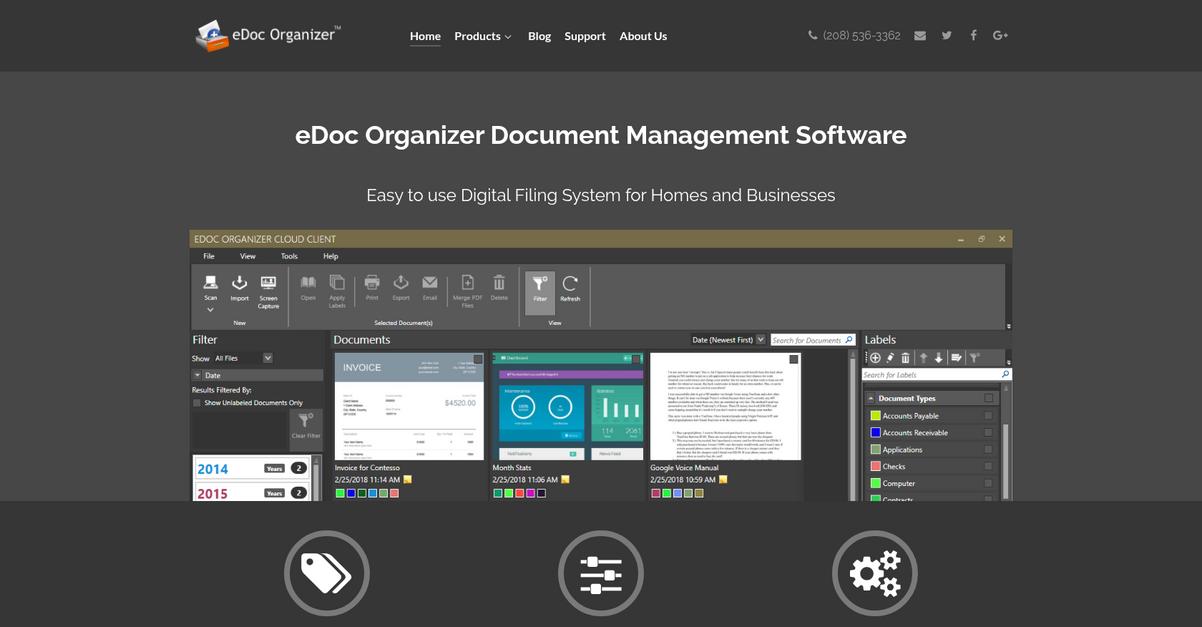
With advanced indexing and search, eDoc Organizer lets you instantly locate files using keywords, metadata, or even content within documents, while automated scanning and intelligent file naming speed up going paperless. Unlike Folderit, eDoc Organizer delivers full local control with desktop software and optional cloud sync—a real difference if you’re frustrated by Folderit’s restrictive online-only setup.
Here’s how eDoc Organizer raises the bar.
Switching to eDoc Organizer gives you security-focused document management designed for personal use without the steep adoption curve or data migration anxiety.
eDoc Organizer solves the local control problem for personal document management while making it simple to capture, organize, and find every document you own.
Its advanced indexing technology makes your files actually discoverable, not buried in folders, and the automated document capture tools practically eliminate manual sorting and naming. If you used to scan documents into Folderit just to spend time organizing them, you’ll feel the difference immediately.
Additionally, you get built-in version control, so you always have a record of changes and can roll back any accidental edits. Combined with desktop-first security, these features put you in the driver’s seat—no more workflow disruption or worries about a web-only platform.
This is efficiency built for your needs.
Key features:
- Advanced desktop indexing and full-content search rapidly locates files using any keyword, metadata, or content, so you’re never stuck scrolling through endless folder hierarchies again.
- Automated scan and intelligent file organization streamlines physical-to-digital conversion with barcode recognition, smart naming, and hands-off filing, saving you hours of repetitive admin work.
- Version control and complete audit trail tracks every document change, gives you the power to revert any mistakes, and simplifies compliance compared to Folderit’s more basic versioning.
Verdict: eDoc Organizer is one of the best Folderit alternatives for personal document management. Its desktop-first approach, advanced indexing, and robust automation make switching painless. You’ll gain the powerful organization power and security you wanted—without Folderit’s web-only frustrations or workflow compromises.
5. OpenKM
Ready to get more control than Folderit offers?
OpenKM fixes a lot of Folderit’s sticking points with its open-source flexibility, deep customization options, and real self-hosting support so you aren’t boxed in.
By giving you access to source code, OpenKM lets you create tailored document workflows for your unique needs while addressing the rigid limits you may have felt with Folderit.
In other words, OpenKM offers you a level of control that’s missing in many personal document managers.
Here’s how OpenKM can really solve your workflow headaches.
With OpenKM, you can build and automate custom document routing, approval chains, and notifications—features you won’t find in Folderit’s personal plan. Self-hosting support means your files never have to leave your own servers, bringing you real peace of mind if security matters most for your documents.
Plus, its multi-platform deployment covers Windows, macOS, and Linux, so you’re not forced into a single environment. When you want to integrate with your current tools and IT backbone, OpenKM stands out because of source-level control over every process.
If you need full customization and personal data ownership, OpenKM gives you that edge.
Key features:
- Full access to open-source codebase lets you modify, customize, and integrate the platform entirely with your personal workflows—something Folderit simply doesn’t support for individual users.
- Custom workflow automation and routing allows you to automate approvals, document lifecycles, and notifications tailored for your own processes, far beyond Folderit’s built-in limits.
- Private self-hosting options across multiple platforms let you store documents on your own server or infrastructure for full control, not just in someone else’s cloud.
Verdict: OpenKM stands out among Folderit alternatives if you want complete control for your personal document hub. Its customizable open-source framework and true self-hosting make it ideal for tech-savvy users wanting to design their own secure and automated system—something Folderit’s one-size-fits-all cannot match.
6. ONLYOFFICE Docs
Tired of Folderit’s limits holding you back?
ONLYOFFICE Docs covers more ground, with document creation, editing, and management all from one place, helping you break free from Folderit’s boundaries.
Where Folderit restricts you to basic file storage and limited integrations, ONLYOFFICE Docs delivers powerful online editors and real-time collaboration you can’t get elsewhere. You can finally manage and co-edit documents easily, instead of clunky uploads or constant format errors.
Let’s look at what you actually get.
ONLYOFFICE Docs gives you true control.
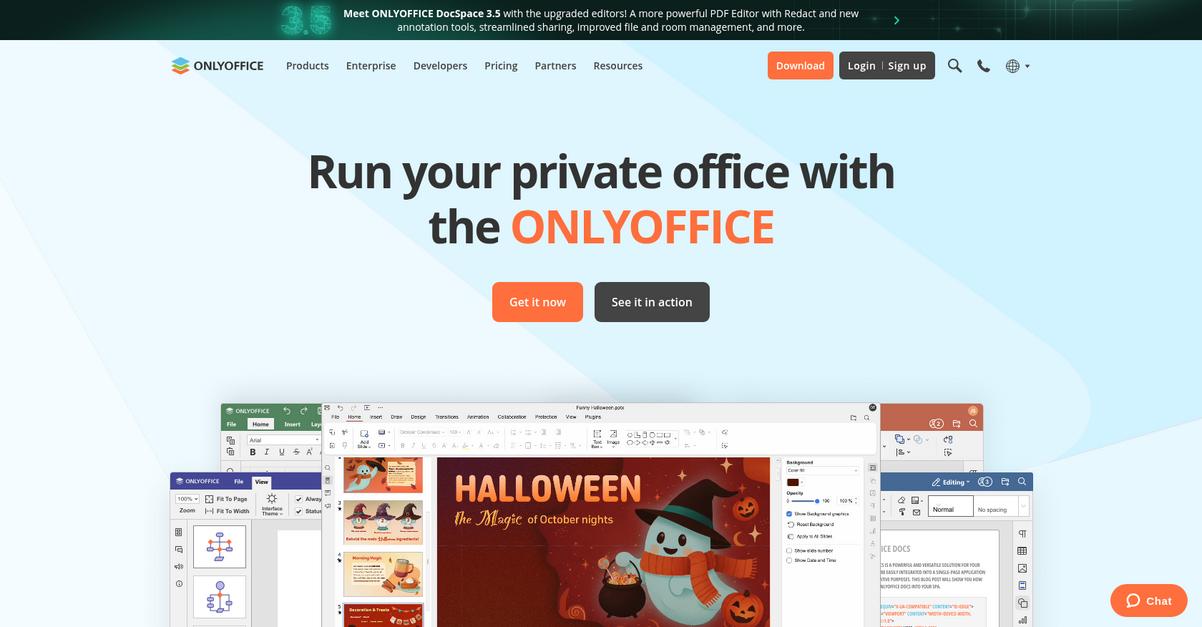
Unlike Folderit, ONLYOFFICE Docs solves the “one tool for everything” wish by letting you create, edit, and manage documents directly in your browser, without flipping between separate apps or uploading static files.
You can install ONLYOFFICE Docs on your own server for full data privacy, letting you stay in control of your work and sensitive documents—something Folderit simply can’t match. Plus, advanced real-time co-editing with chat and comments eliminates the frustration of endless file versions and email ping-pong.
Additionally, integrated office editors for text, spreadsheets, and presentations mean you’re not locked out of projects if you need to update or collaborate from anywhere.
No more being boxed in by Folderit.
Key features:
- Integrated document editors for all file types so you can create, edit, and collaborate on text, spreadsheets, and presentations seamlessly instead of juggling separate apps or uploads.
- Self-hosted deployment for total privacy gives you full control over where your information lives, boosting security and flexibility beyond Folderit’s cloud-only model.
- Real-time collaboration and built-in chat lets your team co-edit files, comment, and discuss changes live inside documents, eradicating confusing version chaos or endless email threads.
Verdict: ONLYOFFICE Docs is a worthy Folderit alternative if you want control, full-featured document editing, and advanced collaboration. Its self-hosted option removes privacy headaches, and the integrated editing tools mean you can handle every task in one place for smoother personal document management.
7. Hightail
Ever feel like Folderit just doesn’t keep up anymore?
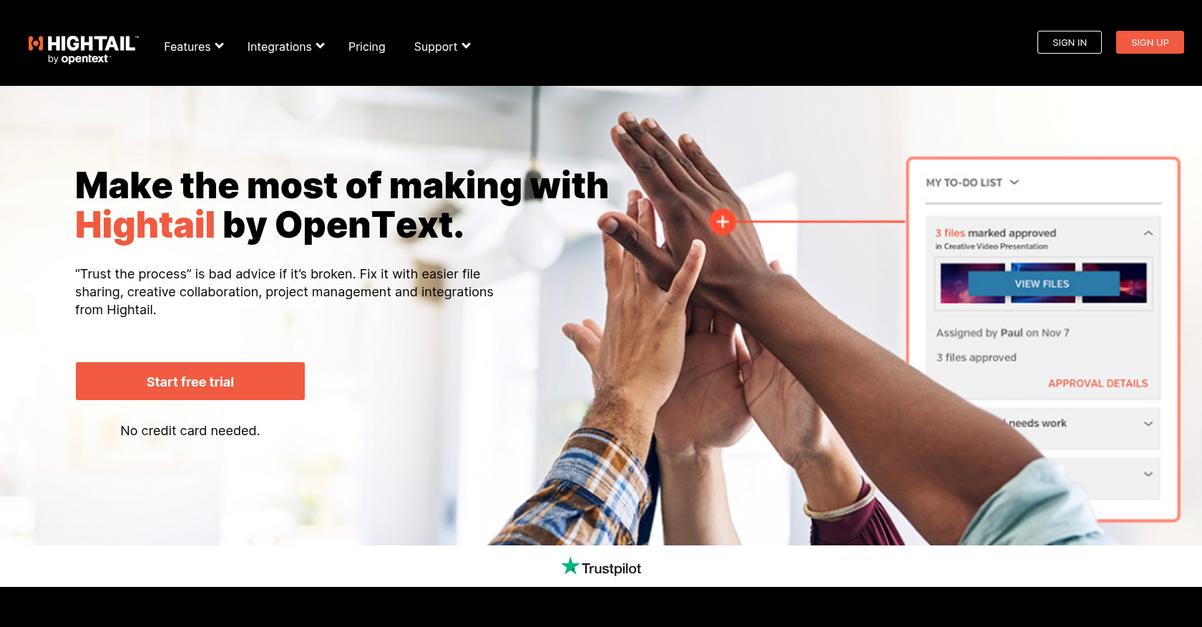
Hightail focuses on large file sharing, visual reviews, and powerful tracking—areas where Folderit can slow you down, especially if you manage lots of media-rich documents.
With Hightail, you get easy and reliable sharing of enormous files without the restrictions or interface lag you might encounter with Folderit’s platform. The added bonus is visual feedback tools that simplify creative collaboration instead of clogging up your workflow with endless email attachments.
This means your documents are shared—and reviewed—faster.
When you need a solution that truly addresses Folderit’s weak spots, Hightail steps up by giving you what Folderit can’t.
If you’re tired of hitting file-size limits or struggling to keep feedback organized, Hightail completely changes how you share and collaborate. You’ll send giant videos, high-res images, or chunky project folders without running into the ceiling that Folderit puts on uploads. Plus, reviewers can comment right on visual files without leaving the cloud, eliminating confusion and endless reply-all email chains.
Even better, Hightail gives you intricate tracking for every file you send. You’ll see exactly who accessed your material, when, and even if it was downloaded—which means you don’t lose accountability like you might after sharing links from Folderit.
With this, you finally get a better fit for your workflow needs.
Key features:
- Large file support without upload limits gives you the freedom to send huge project folders, high-quality images, or video assets without Folderit’s upload restrictions or clunky workarounds.
- In-document visual feedback for creative content enables real-time discussion and markup right on your documents, images, or videos, making creative collaboration much less frustrating than with Folderit.
- Detailed file delivery tracking and analytics allow you to hold collaborators accountable by knowing exactly who viewed and downloaded files—something missing in Folderit’s toolset.
Verdict: If you’re searching for a better personal document management software alternative to Folderit, Hightail stands out in file sharing, collaboration, and accountability. You get unlimited file sizes plus visual review tools—making Hightail ideal for creative projects that are awkward or impossible to manage with Folderit.
8. DocHub
Trouble keeping your PDFs organized with Folderit?
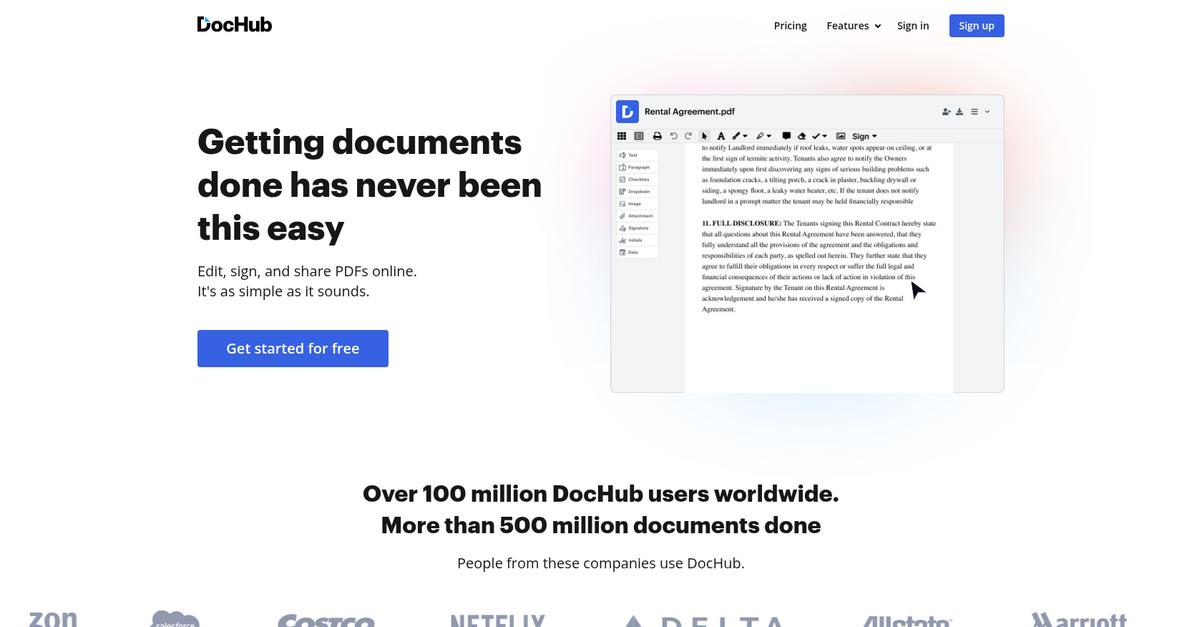
DocHub focuses on making PDF editing, signing, and form filling a breeze—especially if you’ve hit roadblocks with Folderit’s clunky interface or restrictive mobile access.
Compared to Folderit’s limited integration options, DocHub connects directly with Google Drive and Dropbox, making it easy to edit or sign your PDFs right from your favorite cloud storage.
If you often get frustrated trying to navigate Folderit’s features, you’ll find DocHub’s online PDF editor puts everything in one streamlined workflow for handling, annotating, or redacting docs without extra fuss.
Let’s see why this makes switching so much easier.
You get a lightweight, browser-based solution with DocHub that’s ideal if your work mostly revolves around PDFs.
With the ability to edit, add images, annotate, and redact directly in your browser, you skip Folderit’s download or upload steps. Native integration with cloud platforms like Google Drive and Dropbox means you can move your documents over without migration headaches or workflow slowdowns.
Additionally, if signing or sharing paperwork is important, DocHub’s electronic signature features let you send, sign, and manage forms legally—making it a solid upgrade for personal paperwork compared to Folderit’s less direct approach.
Smart switching gets you working faster.
Key features:
- Online PDF editor in your browser provides seamless real-time editing, annotation, and redaction, cutting out the uploading steps and extra clicking you get with Folderit.
- Legally binding e-signatures built-in make it simple to request, add, and manage electronic signatures without needing to pay for an extra tool or leave your browser.
- Direct Google Drive and Dropbox integration means you can instantly open, edit, and save files, eliminating the migration and compatibility headaches of Folderit’s limited integration tools.
Verdict: DocHub is a top Folderit alternative if you want all-in-one PDF management for personal use. At just 10% of the cost of competitors, you can edit, sign, and store documents without Folderit’s clunky steps—perfect for getting efficient and organized with your files.
9. Notion
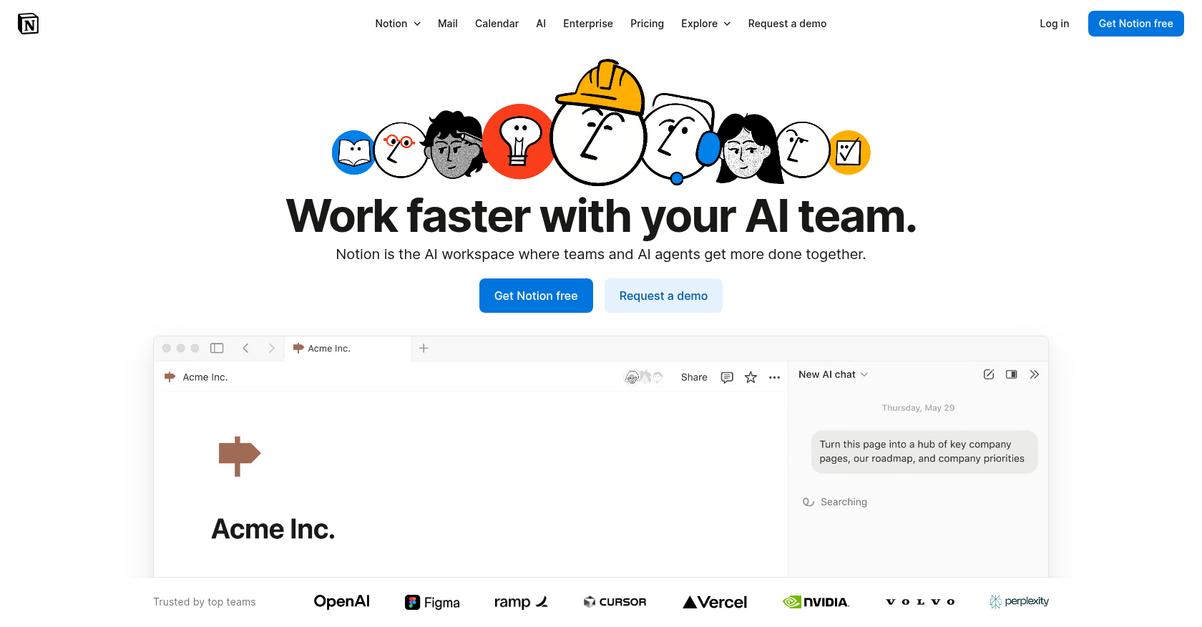
Notion offers flexible database views, integrated note-taking, and always-on mobile access, directly tackling the issues that make Folderit feel limiting for your document management needs.
Instead of Folderit’s rigid structure, Notion lets you create customizable, connected workspaces for notes, tasks, and files, putting everything you need at your fingertips. That means you finally break free from the folder-only mindset and static document storage.
Here’s how Notion transforms your workflow.
Notion provides a single workspace where you can store documents, capture notes, and organize tasks, all linked together—making it far easier than Folderit to adapt your digital hub to your exact requirements.
The magic lies in its flexible databases: you can view personal files as tables, Kanban boards, calendars, or galleries, organizing your documents your way. You also gain rich media embedding, so crucial context—like web links, PDFs, images, and video—lives right alongside your files, not locked away in standalone folders.
Plus, Notion’s integrated wikis and project tools bring next-level knowledge management. You can combine document storage, task tracking, and dynamic notes into living resources so your personal system finally fits you—not the other way around.
You get secure sharing, total flexibility, and powerful personal control.
Key features:
- Flexible database views for any document let you arrange your files as tables, boards, or galleries, adapting information structure to your own visual preference—not just traditional folders.
- Integrated note-taking, wikis, and project tools empower you to combine document storage with living notes and workflows, giving you a truly all-in-one workspace beyond Folderit’s capabilities.
- Rich media embedding with interactive documents allows you to bring web links, PDFs, images, and video directly into your work, so all essential context travels with your documents.
Verdict: If Folderit’s rigid interface and limited integrations are holding you back, Notion is a much more adaptable personal document management alternative. Its flexible database views, powerful wikis, and rich media tools mean your files, notes, and projects are always connected. You’ll experience a more engaging, customizable workspace for your knowledge and records.
Conclusion
Tired of Folderit slowing you down?
Most people end up here because Folderit’s rigid integrations, clunky interface, and weak mobile access make staying organized a constant struggle. You just want a simpler, smoother document experience—and Folderit keeps getting in the way.
It’s no small task to move your documents elsewhere, but finding the right tool transforms your workflow instantly. You deserve software that just works, instead of making you fight for every bit of productivity or mobile convenience.
Let’s talk about your top alternative.
FileCenter checks all the boxes as the standout choice for frustrated Folderit users. Its folder-based desktop system feels familiar right away, with better automation, straightforward search, and seamless integration—no more muddling through slow menus or workarounds.
Personally, I recommend FileCenter for anyone who wants Folderit’s core features minus the hassle. It’s especially great for small offices or anyone who loves that file explorer feel with powerful document tools.
Try FileCenter’s free trial today and see the difference.
You’ll finally enjoy stress-free document management.