
Overwhelmed by Google Drive’s messy organization?
If you’re tired of Google Drive’s clunky folder structure, unreliable search, or gaps in privacy settings, you’re definitely not alone in wanting something better. The truth is, finding your files shouldn’t feel like hunting for buried treasure every time you log in. When your storage tool makes life harder, you lose time, compromise privacy, and get frustrated while your personal files keep piling up. These annoyances can mean lost productivity, missed deadlines, and even strained trust in your file security—not something you want from a document management tool. Thankfully, there are smarter alternatives that solve these Google Drive frustrations for good. In this article, I’ll show you the 8+ best Google Drive alternatives for personal document management, including options like FileCenter, Folderit, DocHub, Adobe, and more. You’ll walk away knowing which solution can help you organize and protect your files more efficiently. Let’s explore your options.
Quick Summary:
| # | Alternative | Rating | Best For |
|---|---|---|---|
| 1 | FileCenter → | Users wanting modern interfaces | |
| 2 | Folderit → | Users needing better collaboration | |
| 3 | DocHub → | Small teams seeking simplicity | |
| 4 | Adobe Acrobat → | Companies requiring better support | |
| 5 | eDoc Organizer → | Budget-conscious growing businesses |
1. FileCenter


Always losing track of files in Google Drive?
FileCenter is built around cabinet-drawer filing using familiar Windows folders, letting you organize documents with structure—no more endless search or tag confusion.
More importantly, it gives you a way to manage files locally without recurring costs, offering both one-time licenses and cloud options to fit your need for control and affordability.
So what can you actually expect with FileCenter?
FileCenter provides a desktop-first approach that feels natural, especially if you want to avoid the pitfalls of cloud-only file management.
With its core cabinet-drawer structure, you organize digital documents like you would physical ones, making it way easier to sort, access, and maintain clarity than Google Drive’s flexible but confusing tags and searching.
Plus, FileCenter’s integrated scanning and OCR convert paper into searchable PDFs while auto-filing them into the correct folders instantly. If you’re moving away from stacks of paper or digitizing archives after Google Drive let you down, this feature alone can save you hours every week.
If you want to avoid subscription fatigue, FileCenter also gives you a one-time purchase option—ideal for those frustrated by mandatory ongoing cloud fees. All of this means better local privacy, more reliable offline access, and freedom from constant cloud syncing.
Switching to FileCenter can finally simplify your filing.
Key features:
- Cabinet-drawer filing using Windows folders gives you an intuitive, physical-like document structure rather than relying on Google Drive’s less structured tag and search model.
- One-time license and subscription flexibility provides cost-effective ownership and the ability to choose your payment model, avoiding the perpetual cloud subscription requirements you face with Google Drive.
- Integrated scanning and automatic OCR filing lets you digitize paper files and organize them automatically—saving you hours compared to Google Drive’s basic scanning capabilities.
Verdict: FileCenter stands out as a personal document management alternative to Google Drive, especially if you want local control, better structure, and no forced subscriptions. Users say they save significant time digitizing and locating files, with faster document archiving and less workflow frustration compared to Google Drive.
2. Folderit
Is Google Drive’s search mess slowing you down?
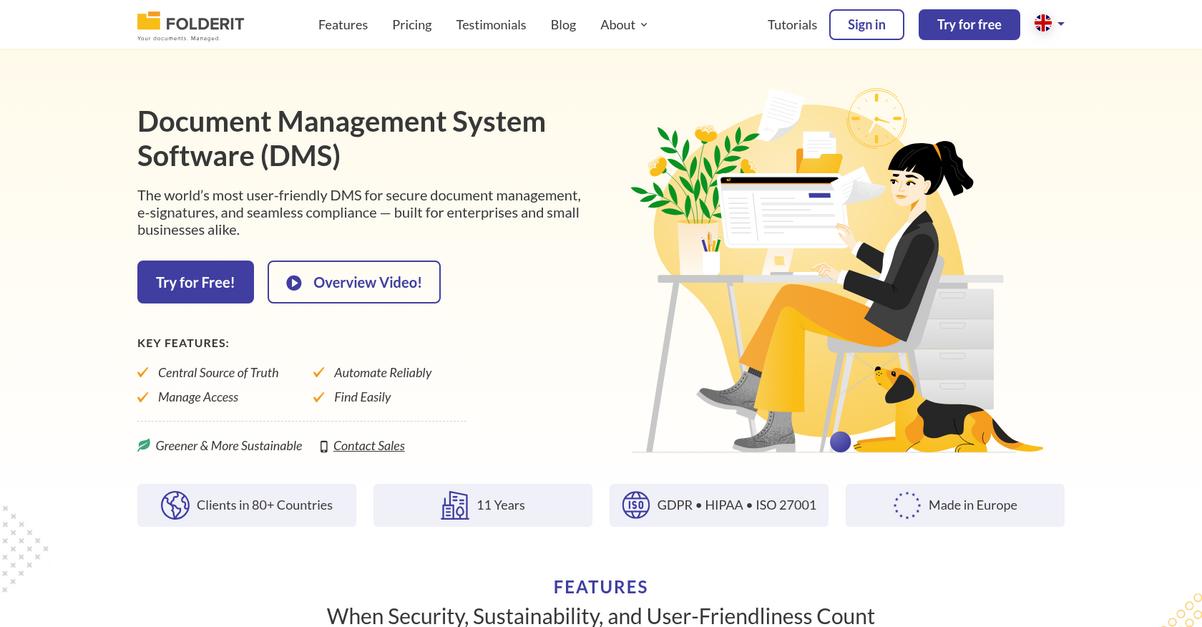
Folderit steps in with automated retention rules, granular sharing controls, and advanced search capabilities—directly tackling those restrictions you might face with Google Drive’s basic toolset.
Unlike Drive, Folderit lets you set precise access for every file or folder, so you have stronger privacy along with automated document governance that keeps your personal data organized and secure.
Here’s how Folderit truly shifts the experience.
You get more than simple storage with this alternative.
Folderit makes managing your personal files so much easier by automating document organization and lifecycle. This means your archive never gets out of hand and files are always protected with enterprise-grade audit trails and retention settings.
Switching from Google Drive, you’ll notice Folderit’s built-in OCR searches inside scanned documents and images—uncovering content even Drive’s own tools might overlook. This upgrade simplifies finding the exact file you’re after, using keywords from within any document or PDF—even image-based ones.
Additionally, Folderit’s granular sharing and permission model keeps your most sensitive files visible only to you, or precisely the friends and family you choose. Combined with automated retention, Folderit lays a strong foundation for secure, organized personal document control.
It’s a simple move with powerful long-term payoffs.
Key features:
- Automated document retention and archiving policies help you keep your file storage organized by setting rules for when to archive or delete files and ensuring compliance beyond Google Drive basics.
- Granular, file-level sharing and permissions put you in full control over every folder and document, so your private files stay safe, unlike Drive’s broad link-based sharing.
- Advanced OCR-powered search within all files lets you instantly find keywords in scanned PDFs and images, reducing lost time compared with Drive’s limited search for image files.
Verdict: Folderit really stands out if you want more control than Google Drive gives you. Its advanced search and granular access controls make it a safer, smarter document management choice for your personal use—especially if you’re serious about privacy and effortless organization.
3. DocHub
Is Google Drive making document tasks feel tedious?
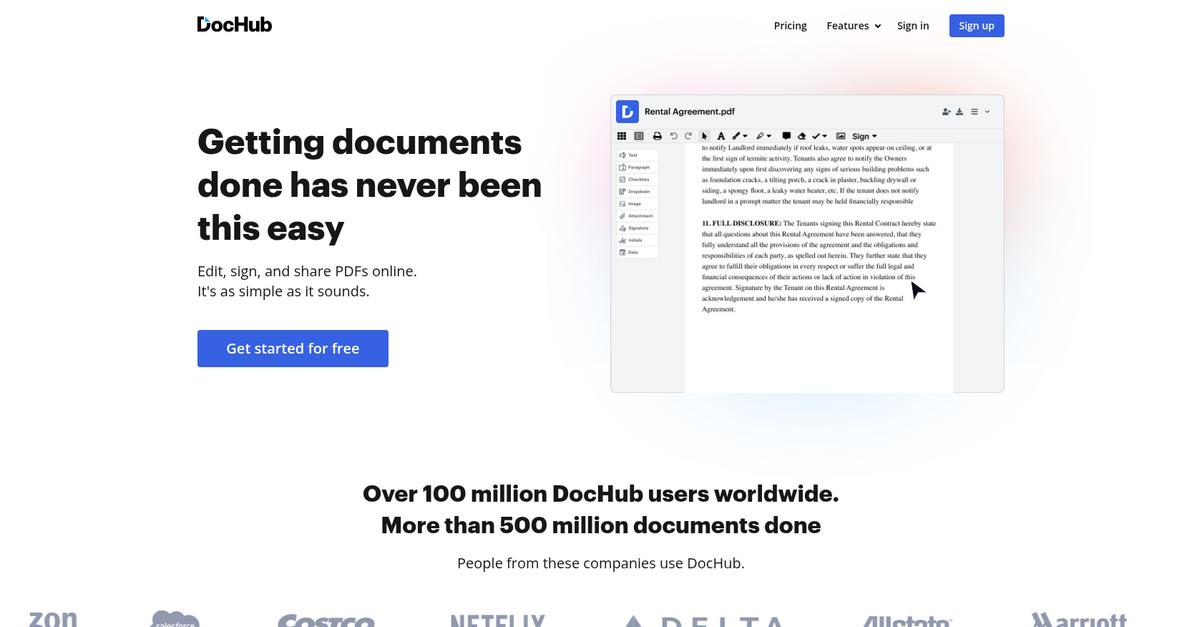
DocHub solves the biggest Google Drive headaches with robust PDF editing, unlimited e-signatures, and templated forms—tools Drive just doesn’t give you for personal documents.
If you often get stuck on limited PDF interactions, you’ll see that DocHub offers more advanced editing and e-signing features right out of the box than what you get dealing with Drive’s basic tools.
This means your document workflow doesn’t have to stall.
With DocHub, you finally get an alternative that removes these pain points.
Here’s how DocHub actually helps you work better.
You get full control over PDFs, from adding text and images to redacting private details—going way beyond Google Drive’s simple viewer. Plus, you can create fillable forms and reusable templates in one step to save time on paperwork you do repeatedly.
Additionally, you can send as many documents as you need for legally binding e-signature—no upgrades or annoying limits like you’d face with other tools. Your entire personal workflow, from contract signing to form completion, becomes smoother and more efficient.
Add in robust privacy controls and affordable, easy-to-use options, and it’s clear why so many users have switched from Google Drive.
Your documents become easier to control.
Key features:
- Advanced PDF editing tools for control so you can modify, redact, or mark up any PDF beyond what basic Google Drive annotation offers for personal document management.
- Unlimited legally binding e-signatures for sending and signing as many documents as you want, ideal if your workflow needs reliable e-signature capacity—something Drive simply lacks.
- Reusable templates and fillable form creation empower you to automate repetitive tasks or collect info with less hassle than recreating similar documents or forms on Google Drive.
Verdict: DocHub stands apart from Google Drive by turning every personal document task—editing, signing, form filling—into a streamlined experience. Users often praise saving hours on personal paperwork, thanks to robust PDF management and unlimited e-signature features that Google Drive does not provide.
4. Adobe Acrobat

Tired of awkward PDF handling in Google Drive?
Adobe Acrobat gives you professional-level PDF editing, secure file protection, and integrated e-signatures—key features missing from your current Google Drive experience.
This means you benefit from unrivaled document control, privacy, and legally compliant workflows without the frustration of basic tools or weak sharing security.
Ready to see what’s possible with Acrobat?
Adobe Acrobat steps up where Google Drive falls short, making document organization and privacy feel effortless for your personal files and workflows.
With powerful PDF editing tools, you can create, convert, and organize files exactly how you want. Having password protection and encryption built in lets you keep sensitive files private—something Google Drive’s sharing settings just can’t match for peace of mind.
Additionally, Acrobat’s integrated e-signature feature means you can sign documents or gather signatures without having to move files to different platforms. When you bring together superior editing, real security, and professional e-signing, you finally have a platform that handles critical documents with the care they deserve.
You can rely on Acrobat for any high-stakes document need.
Key features:
- Comprehensive PDF creation and editing tools let you convert, edit, and organize documents with a level of control Google Drive simply doesn’t provide for personal or professional needs.
- Superior document security and privacy controls include password protection, encryption, and content redaction, giving you the confidence to manage sensitive files safely beyond what Drive offers.
- Built-in e-signature capabilities for documents eliminate the hassle of using separate apps or plugins, helping you achieve secure, legal signoffs directly within your workflow.
Verdict: Adobe Acrobat stands out as a Google Drive alternative if you care about high-quality PDF management and real document security. Its advanced editing and privacy features empower your personal document management in ways Google Drive never could, making it an optimal upgrade for your everyday needs.
5. eDoc Organizer
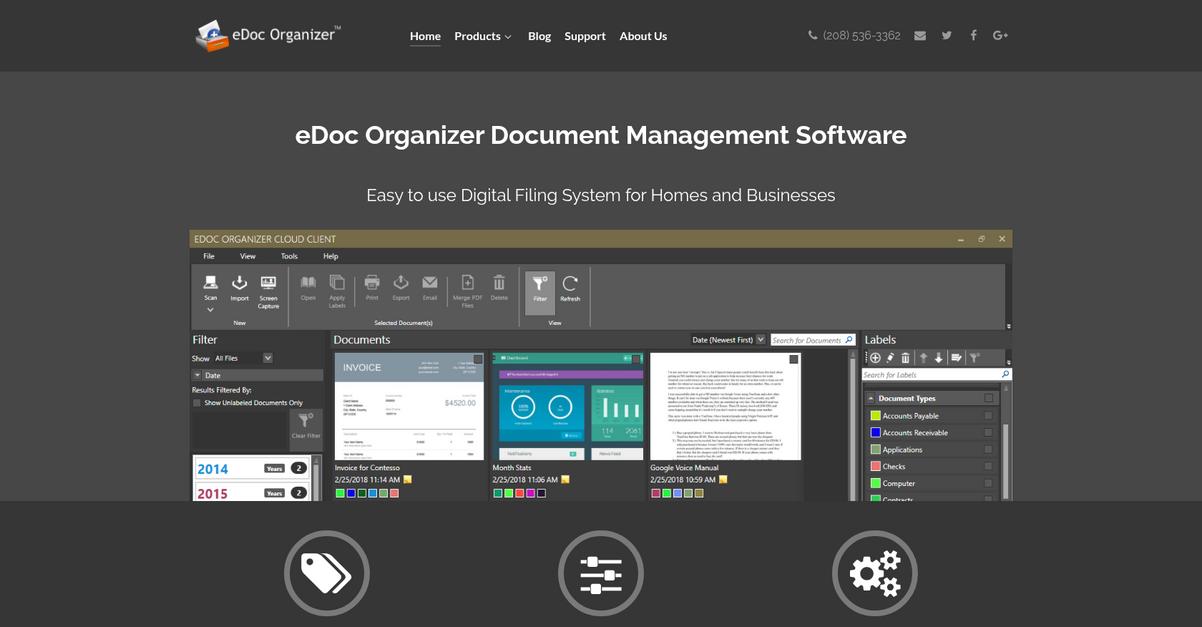
Are you tired of searching endlessly in Google Drive?
With eDoc Organizer, you get automated folder monitoring, advanced document versioning and a comprehensive full-text search engine powered by OCR—addressing Google Drive’s most common failings for personal use.
Unlike Google Drive’s manual uploads and scattered search, eDoc Organizer brings automated document intake and granular search precision every time, making it easy for you to stay organized and never lose track of a file.
You avoid endless manual sorting or second-guessing version histories.
Here’s how eDoc Organizer truly makes a difference.
It solves organization headaches by automatically monitoring folders to import and classify your files with no manual uploads needed. Searching for documents becomes much smoother thanks to its built-in OCR that reads even scanned PDFs, so you can always find what you need fast.
Plus, you can roll back to previous document versions instantly whenever mistakes happen—a level of control missing from Google Drive. This makes your digital archive not just organized, but also reliably secure for long-term use.
If you want advanced search and less hassle, this is it.
Key features:
- Automated document import and filing continuously monitors designated folders, instantly collecting and organizing new files for you, instead of requiring repetitive manual uploads and folder sorting like Google Drive.
- Robust version history and easy rollback keeps a full record of every change, enabling you to restore previous documents easily and avoid losing vital history during editing mishaps.
- Full-text search across scanned and digital files uses powerful built-in OCR to make all your documents—including scans and PDFs—searchable by content, so you can retrieve information faster than with Google Drive’s limited search.
Verdict: eDoc Organizer makes an excellent alternative to Google Drive for personal document management if you want less manual work and smarter search. The automated import, powerful OCR search, and reliable version control give you greater control and efficiency for organizing your files—all with no steep learning curve or complex setup.
6. PandaDoc

Tired of Google Drive slowing down your workflow?
PandaDoc offers a smarter document experience with its drag-and-drop editor, proposal templates, and built-in e-signatures—all features that Google Drive just can’t match for personal document management.
This means you now get modern tools for editing, tracking, and signing important documents in one hub instead of juggling clunky Google Drive add-ons. PandaDoc goes beyond storage and tackles the core frustrations of organizing, approving, and tracking personal contracts—making sure you always know where things stand.
Here’s how PandaDoc becomes your upgrade.
Unlike Google Drive, PandaDoc makes document creation, approval, and e-signatures intuitive and error-free.
You can create, share, and sign documents from one place
With PandaDoc, you’re not just storing files—you’re managing them through creation, sharing, approval, and completion. Its editor allows you to build polished proposals, contracts, or personal agreements in minutes, dropping in images, videos, and even pricing tables and signature boxes. This lets you move from draft to completed, signed document in record time, removing the hassle of scanning or piecing together workflows with basic Drive tools.
Plus, PandaDoc’s built-in real-time document tracking gives you instant notifications on who has opened or signed your files, something that removes the guesswork and frustration you might face with Drive’s minimal visibility. You can collect secure, legally binding e-signatures in seconds, ensuring smooth, compliant approvals from start to finish.
All essential workflows streamlined for personal use.
Key features:
- Drag-and-drop editor for rich documents gives you interactive proposals and contracts, providing a far more polished and professional experience than Google Drive’s basic Docs editor.
- Legally binding e-signatures integrated directly so you can finalize agreements within the same workflow, eliminating the need for separate signing software or workarounds.
- Real-time tracking and engagement alerts let you follow who has opened or approved your files, replacing Drive’s limited sharing views with actionable tracking insights.
Verdict: PandaDoc shines as a Google Drive alternative for document management. If you want fast document creation, true e-signature workflows, and visibility over file engagement, PandaDoc is worth the switch. Users call out huge time savings and an easier, more reliable document completion process for all their personal files.
7. OpenDocMan
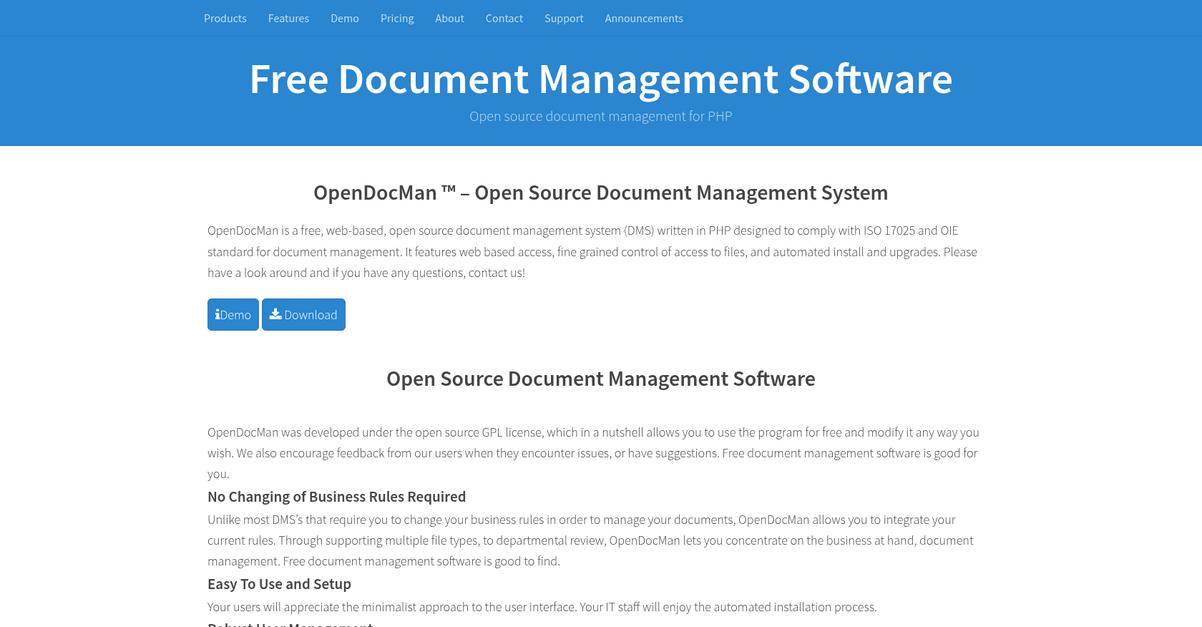
Tired of tangled folders and messy search results?
OpenDocMan’s open-source approach gives you full control over where you host your documents and how you set up security. Unlike Google Drive, OpenDocMan lets you fine-tune user and group permissions so only the right people can access sensitive files.
This means you’re not stuck with Google’s basic cloud sharing. With OpenDocMan, you can customize permission levels far beyond simple private links and adapt access to your personal workflow or privacy needs.
Here’s why that makes a meaningful difference.
If you want a self-hosted solution with actual document lifecycle management, OpenDocMan deserves a close look.
OpenDocMan tackles those Google Drive frustrations head-on by letting you self-host and own your data. Its open-source platform puts you in charge of customization, meaning your system can grow with your needs and not Google’s limitations.
Additionally, you’ll appreciate strict document-level control for every file uploaded, which makes OpenDocMan powerful for those with privacy or compliance requirements Google Drive just can’t address. For every document, you decide the rules—no more blanket sharing or unwanted access.
Plus, automated document review and approval give your files clear workflows and audit trails. Email notifications keep you on top of what’s happening, removing the uncertainty you get when working in Google Drive’s more basic system.
The result: complete confidence in your file organization.
Key features:
- Open source and self-hosting flexibility puts you in the driver’s seat, so you control your data and system customization without reliance on Google’s cloud-only restrictions.
- Advanced document access permissions and user controls give you granular options for organizing, sharing, and securing personal files, far beyond standard Google Drive settings.
- Automated document review and approval workflows bring structure and accountability to document lifecycle management, replacing Google Drive’s limited file status and review capabilities.
Verdict: OpenDocMan is a compelling Google Drive alternative for personal document management if you want ownership, privacy, and advanced control. Real users highlight its ease of adoption and success integrating internal standards, making it a better fit if Google Drive feels limiting for your needs.
8. OpenKM
Feeling boxed in by Google Drive’s basic features?
OpenKM steps up with advanced metadata management and automation, delivering the robust search and granular control you just can’t get from Drive.
With OpenKM, you’re not limited to basic file tagging—your entire document organization gains real intelligence and structure. This means documents are not only easier to find, but also easier to manage, even at scale.
Here’s how OpenKM takes you further.
OpenKM is built to solve those exact Google Drive frustrations by empowering your document management with richer metadata, custom workflows, and tight version control right out of the box.
Compared to Google Drive, OpenKM’s extensive metadata tools let you categorize, retrieve, and process files with surgical precision. That makes a huge difference if you’re trying to keep massive personal archives organized and easy to search.
You also benefit from workflow automation that handles document approval, retention, and even disposition for you. Layer in bulletproof version control and you get transparency and accountability with every change.
The result is simple—your files are always organized.
Key features:
- Extensive metadata-driven document categorization and retrieval lets you tag documents with unlimited custom attributes, so you can search and filter far beyond Google Drive’s capabilities.
- Custom automated workflow design and processing automates recurring document tasks, ensuring documents move through approval, retention, and disposition processes without manual intervention.
- Complete version history with detailed audit trails gives you granular insight into every document revision, making it much easier to track, restore, or ensure compliance than standard cloud storage solutions.
Verdict: OpenKM offers a compelling alternative to Google Drive for demanding personal document management. Its advanced search, customizable workflow automation, and detailed version control deliver smarter organization—especially if you have large or regulated archives that basic tools can’t manage properly.
Conclusion
Tired of Google Drive’s endless file chaos?
You’re not alone if constant disorganization, clunky search, and privacy worries with Google Drive make document management feel like a daily struggle instead of a convenience.
The fact is, trying to stick it out with tools that limit you only leads to frustration—choosing a smarter alternative is what sets you up for long-term control and peace of mind with your personal files.
Let’s talk about your best next step.
After digging into these options, I can confidently say FileCenter ticks all the boxes for frustrated Google Drive users.
You’ll get the structured filing, robust on-desktop control, and true privacy-first design missing from Google Drive. It’s a clear upgrade if you crave simple, secure organization that just works.
If you’re ready for document management that doesn’t fight you, try FileCenter free now and see the difference for yourself.
Gain real document control—no more Drive frustration.