
Frustrated with Hubdoc’s OCR limitations?
If you’re stuck wrestling with missed receipts, unreliable data capture, or integrations that just don’t work, you’re one of many who feel Hubdoc no longer fits their workflow.
The result is wasted time double-checking and fixing errors instead of getting real value from your software.
Every error slows down your bookkeeping, piles on manual corrections, and drains your energy and team morale. For small businesses or bookkeepers, sticking with Hubdoc can mean lost time, growing frustration, and scattered document management. When your OCR tool creates more work than it solves, it is definitely time to consider another option.

Luckily, there are smarter alternatives that improve accuracy, integration, and workflow efficiency so you can finally leave these headaches behind.
In this article, I’m walking you through the best Hubdoc alternatives for paperless office software,—from DocuSign and FileCenter to ABBYY and Smallpdf—that resolve these daily roadblocks.
You’ll discover faster, more accurate OCR options that make document management so much smoother.
Let’s explore your options.
Quick Summary:
| # | Alternative | Rating | Best For |
|---|---|---|---|
| 1 | FileCenter → | Users needing local control | |
| 2 | DocuSign → | Teams needing better collaboration | |
| 3 | Evernote → | Users wanting modern interfaces | |
| 4 | Dropbox → | Small teams seeking simplicity | |
| 5 | PandaDoc → | Budget-conscious growing businesses |
1. FileCenter

Tired of limited flexibility with Hubdoc?
FileCenter brings an intuitive desktop-first system that goes beyond just capturing financial documents, letting you organize all your office files without being boxed in by Hubdoc’s narrow focus.
It tackles frustrations head-on with its familiar cabinet, drawer, and folder structures, letting you ditch clunky workflows for visual, drag-and-drop filing that feels natural and effortless.
Here’s how FileCenter takes efficiency further.
It replaces confusion with clarity, giving you a way to organize, scan, and manage any document type from invoices to contracts—without retraining your entire team.
FileCenter turns document chaos into control.
You’ll notice the difference right away, as FileCenter empowers you with advanced OCR and a full PDF editor, not just capturing data but transforming every scanned or imported file into a searchable, editable PDF instantly. The cabinet-drawer interface means you always know exactly where to look, slashing time spent searching or misfiling documents.
Adding to that, FileCenter’s automated file naming and metadata-based sorting eliminate repetitive manual steps entirely. Import or scan, apply rules, and your files go straight where they belong—perfect if you want to cut manual processing by up to 50% and get your whole office paperless, not just accounting.
Plus, local control over every document keeps you compliant and secure—something Hubdoc’s cloud-only approach can’t match.
Make document management work the way you want.
Key features:
- Familiar cabinet, drawer, and folder organization uses a desktop paradigm that helps your team locate, file, and retrieve documents visually, reducing learning curve compared to Hubdoc’s niche approach.
- Integrated advanced OCR and PDF editing converts paper and digital files into editable, searchable PDFs, expanding your digital workflow beyond Hubdoc’s basic financial data capture abilities.
- Automated file naming and sorting rules minimize repetitive manual work for organizing scanned and imported files, applying user-defined logic for consistent structure and significant efficiency gains.
Verdict: FileCenter is a strong Hubdoc alternative if your office needs full-featured desktop document management with local control. Users experience up to 50% reductions in manual filing, with intuitive visual organization and top-notch OCR that let you confidently go paperless beyond just the accounting department.
2. DocuSign

Tired of bottlenecks with your document collection process?
DocuSign steps in with truly digital contract workflows, resolving issues where Hubdoc often falls short for compliant, efficient paperless offices.
You gain legally-binding electronic signatures, automated agreement routing, and built-in secure storage—everything you need to handle documents beyond simple financial records. With DocuSign, you can accelerate contract turnaround and eliminate paper from your agreement processes for good.
It’s time to rethink your approach.
Here’s how DocuSign makes switching away from Hubdoc feel worthwhile.
You’re not limited to just collecting invoices or receipts—DocuSign empowers your team with secure, digital signatures and automated approval flows. Cloud-based document management ensures contracts are archived securely and remain audit-ready, taking stress out of compliance and retrieval during audits.
Additionally, you get a full workflow automation suite tailored for agreements: routing approvals, tracking status, and reminding signers are all handled inside one interface. This means fewer delays and no missed steps, even as your team grows or compliance becomes more complex.
The result: DocuSign helps your business move toward a completely paperless operation.
Key features:
- Legally-binding electronic signature from any device gives your team the ability to sign and send contracts securely, solving paper-based signing issues that Hubdoc doesn’t touch.
- Built-in cloud document storage with version control keeps all your agreement files organized and secure, supporting legal compliance and simplifying retrieval far beyond general file storage.
- Automated contract routing and approval workflows reduce cycle times and manual chasing, providing robust automation designed specifically for digital agreements instead of financial document uploads only.
Verdict: DocuSign stands out as a leading Hubdoc alternative thanks to its secure eSignature platform, specialized legal document management, and robust automation features. Users have reported over 80% reduction in agreement cycle times and average savings of $36 per agreement, making it an ideal upgrade in your paperless office setup.
3. Evernote

Looking for flexible document management beyond Hubdoc?
Evernote gives you universal information capture, powerful full-text OCR, and flexible notebooks—solving workflow headaches small business owners and bookkeepers face with Hubdoc’s limited integrations and finance-only focus.
Here’s where Evernote really raises the bar: by capturing notes, web clippings, scanned images, and PDFs in a single place, you get a digital notebook that organizes everything far beyond just receipts and invoices.
This means you’re not boxed into handling only financial docs like with Hubdoc. Instead, Evernote puts your entire information life—images, handwritten notes, random snippets—at your fingertips, so your paperless office can evolve with your real needs.
It makes switching easier than you think.
With Evernote, you get broad capture tools that dissolve old workflow barriers. Sophisticated search, powered by OCR, means every document—whether it’s a scanned receipt or a scribbled note—is indexed and instantly retrievable.
If you’ve felt boxed in by Hubdoc’s limitations, Evernote’s robust search digs deep into PDFs and handwritten notes, making quick work of document retrieval. This allows your team to keep all kinds of business records organized under one roof without complicated migration.
Additionally, adaptive notebooks and tags combine with universal capture to suit any paperless workflow—not just finance. Your team gains confidence, knowing no information is left behind as you modernize and scale.
You’ll see workflows running smoother right away.
Key features:
- Universal capture of notes, web pages, images, docs lets your team collect diverse information, so you aren’t confined to financial documents like with Hubdoc.
- Powerful OCR for full-text search within all content—including images, PDFs, and handwritten notes—delivers deeper, faster retrieval than Hubdoc’s financial-data-only extraction.
- Flexible notebooks and tagging organization adapt to your and your team’s filing habits, avoiding rigidity and promoting faster onboarding and adoption.
Verdict: Evernote clearly stands out as a best Hubdoc alternative for paperless office software if you want broader content capture and stronger search. You’re empowered to digitize, search, and organize every kind of document—not just financial files—using one intuitive solution. If you want an easier paperless journey, Evernote brings it.
4. Dropbox

Feeling boxed in by Hubdoc’s limited document handling?
Dropbox steps in with universal file storage and sync, letting you manage every document type across devices—unlike Hubdoc’s focus on financial records.
If you’re tired of restricted file formats or clunky sharing, Dropbox improves your workflow through anywhere access for all your documents, not just receipts. This means you finally get a single, organized home for business files beyond accounting records.
The result is a platform that’s open, flexible, and simple to adopt.
Here’s how Dropbox transforms your paperless experience as a Hubdoc alternative.
Dropbox gives you digitally secure storage for every file—and your team’s changes are synced instantly, so you never worry about missing edits or complicated migrations.
Scanning paper invoices, receipts, or contracts is effortless. Use your phone to capture anything and upload it to Dropbox’s centralized cloud vault with instant PDF conversion, making your document digitization process way less stressful if you’re coming from Hubdoc.
Plus, Dropbox’s version history and easy file recovery keep accidental changes from derailing your records. This relieves the fear of data loss and eases resistance from bookkeepers worried about switching.
You’re always in control of your documents.
Key features:
- Universal cloud storage that fits your workflow so you store, organize, and share every business document, not just financial files, supporting true paperless office productivity beyond Hubdoc’s scope.
- Mobile document scanning with PDF creation enables instant digitization of receipts, invoices, and contracts directly from your phone or tablet for immediate archiving, making ad-hoc scanning simpler than Hubdoc.
- Automatic file versioning and restoration captures changes and lets you recover previous versions, safeguarding your records with more robust controls than Hubdoc’s basic storage.
Verdict: Dropbox is a smart Hubdoc alternative if you want flexible, all-file storage for a paperless office. With up to 35% better team collaboration and less reliance on email attachments, Dropbox offers the upgrade you’ve been seeking for unified digital file management and sharing at scale.
5. PandaDoc

Feeling stuck with manual document processes in Hubdoc?
PandaDoc’s modern document builder and integrated eSignatures mean you can handle proposals, contracts, and business documents without battling Hubdoc’s limited scope or dated interface.
If you’re chasing efficiency, PandaDoc replaces tedious routing and data entry thanks to automation that connects directly with your CRM workflows. Now, you create polished, error-free documents in far less time while keeping everything in sync.
You no longer have to settle for the old way.
With PandaDoc, you move beyond basic paperless storage to create, send, and manage professional documents—streamlining every step that Hubdoc complicates.
Here’s how PandaDoc helps you reclaim your time and sanity.
Your daily workflow feels effortless with the drag-and-drop document builder, content library, and automation that pulls data directly from your CRM. This shift means personalized proposals and contracts are created in moments instead of hours, so your productivity skyrockets.
Plus, integrated eSignatures let you send documents for instant digital signing, speeding up client approvals and reducing bottlenecks that would stall you in Hubdoc. The result? No more printing or scanning.
Content blocks, templates, and automated data population all add up, letting you work smarter and scale paperless operations more confidently.
PandaDoc solves your day-to-day paperless needs.
Key features:
- Professional document builder with drag-and-drop templates enables you to create contracts, proposals, and quotes far faster than relying on Hubdoc’s basic document capture system.
- Integrated eSignature workflows let you request legally binding signatures directly within your documents, avoiding the print-scan-process that slows you down.
- Content library and CRM-driven automation centralizes reusable content while auto-populating details from integrated tools for error-free, quick document generation.
Verdict: PandaDoc is the right Hubdoc alternative if you want paperless document workflows that go beyond receipt capture. Expect up to a 65% reduction in document creation time, plus smarter automation and professional eSigning as you manage everything from proposals to contracts under one roof.
6. DocuWare

Is Hubdoc falling short on real document automation?
DocuWare steps in with intelligent document processing and advanced workflow automation—features designed to bridge the gaps that frustrate small business owners and bookkeepers still relying on Hubdoc.
Unlike Hubdoc, DocuWare offers a scalable document management system for all office records, not just financial paperwork. So if your team needs more than simple receipt capture, this can be a game changer for compliance and efficiency.
Better paperless management is actually within reach.
DocuWare solves your pain points by letting your company automate, process, and archive every document—not just expense and invoice files. This means you can streamline all your office paperwork, approvals, and retention in one place.
If you’re switching from Hubdoc, you’ll notice DocuWare’s AI-powered recognition accurately classifies and extracts data for every kind of document, reducing errors and slashing manual entry for your team. Smart routing and digital approval workflows take paperwork off your desk, making collaboration far smoother.
Additionally, DocuWare’s secure archiving means your sensitive documents are protected by compliant audit trails and retention policies, something Hubdoc just can’t deliver at the same scale. When you add up full workflow automation, AI-driven capture, and secure storage, your business gets the efficiency and compliance it needs.
This platform transforms day-to-day document chaos.
Key features:
- Intelligent document processing and AI-powered capture let your team automatically extract, sort, and store any file type—streamlining far beyond Hubdoc’s limited scope for financial documents.
- Automated workflow and document approval routing digitizes business tasks like approvals, organizing all steps in one place so you avoid paperwork bottlenecks and complicated email chains.
- Secure archiving and compliance controls ensure long-term protection of your records, tracking access and applying retention schedules for robust regulatory compliance as your file volumes grow.
Verdict: DocuWare is a powerful Hubdoc alternative if you’re ready to automate more than just receipts. It unlocks end-to-end workflow automation, AI-powered data capture, and secure archiving—helping you process documents up to 80% faster and save thousands every month by cutting manual effort.
7. ABBYY

Wishing your receipts were actually searchable?
ABBYY tackles your biggest pain points by delivering advanced OCR accuracy with FineReader PDF, plus automated data extraction and document classification that push far past Hubdoc’s limited capabilities in these areas.
If you’ve wrestled with unreliable text recognition, you’re not alone—ABBYY’s OCR accuracy consistently outshines what you get from Hubdoc. The difference is noticeable when you need to search, edit, or extract information from messy scans or complex PDFs. This means fewer manual corrections and less frustration for your team at every step.
You don’t need to settle for basic extraction anymore.
ABBYY steps up as a solution by letting you automate document capture, extraction, and classification on a level that simply isn’t possible with Hubdoc.
Here’s how ABBYY delivers real improvement: FineReader PDF transforms your paper invoices and PDFs into truly searchable, editable documents, even when the originals are poor quality. FlexiCapture uses AI and machine learning to automate data extraction across mixed formats with top-notch precision, which is a huge step up if you’ve struggled with Hubdoc missing key details. Document classification then takes care of sorting and routing, streamlining your workflow right out of the box.
Plus, ABBYY users report up to a 90% reduction in manual entry and see about a 20% speed boost in processing—no more slow, error-prone steps dragging down your paperless office goals.
That’s why switching makes real sense for you.
Key features:
- Industry-leading OCR and PDF conversion tools let you transform scanned receipts and PDFs into editable, searchable formats, offering a real upgrade over Hubdoc’s limited text recognition.
- Automated data extraction via FlexiCapture AI captures and organizes content from both structured invoices and unstructured paperwork, minimizing error-prone manual entry tasks.
- Powerful document classification at scale automatically identifies and sorts documents, making it easier to route information to the right workflow and keep your office paperless and compliant.
Verdict: ABBYY is an impressive alternative to Hubdoc for your paperless office software needs. With AI-powered OCR and data capture, you get up to 90% less manual entry and 20% faster processing, positioning ABBYY as a perfect fit if you want accuracy, automation, and productivity gains from your next solution.
8. Fluix

Looking for a paperless office workflow that truly works?
Fluix tackles annoying Hubdoc roadblocks with mobile-first document workflows, automated routing, and interactive forms—allowing your team to digitize field operations on their device, even without internet.
Unlike Hubdoc, Fluix focuses on field-driven processes rather than just back-office finance. That means you get mobile access for remote teams, not just desktop-bound uploads, speeding up collection and approvals whether your team is on-site or off-grid.
Ready to see a smarter paperless approach?
Fluix steps in as a Hubdoc alternative by putting mobile forms, automation, and instant document routing front and center—especially if you operate beyond the office desk.
You can turn any inspection, checklist, or field report into a digital form in minutes, then route completed documents instantly for review and compliance. With no coding required, anyone on your team can design forms that replace piles of paper (and you never worry about working offline).
Plus, everything from data collection to e-signature and approvals is handled on-the-go, which means no more delays due to device or network limitations. If your workflow is more field-driven, switching from Hubdoc to Fluix can actually save over $30,000 annually for every field team digitized.
You finally get a workflow built for your business.
Key features:
- Mobile-first workflows for field teams enable document viewing, editing, and e-signature on any device, even offline—solving pain points Hubdoc can’t address for field or remote users.
- No-code form builder for data collection lets anyone create custom forms or templates for reporting, checklists, and inspections, streamlining what used to be manual paperwork.
- Automated document routing and approvals ensure that after completion, files flow directly to the right reviewer or system, eliminating manual follow-ups and lost paperwork.
Verdict: If you want a Hubdoc alternative that actually supports mobile and field teams, Fluix is worth a look. With customers reporting 80% faster document processing and savings of $30,000+ per year, it stands out for digitizing workflows beyond the office and fixing compliance bottlenecks.
9. Smallpdf
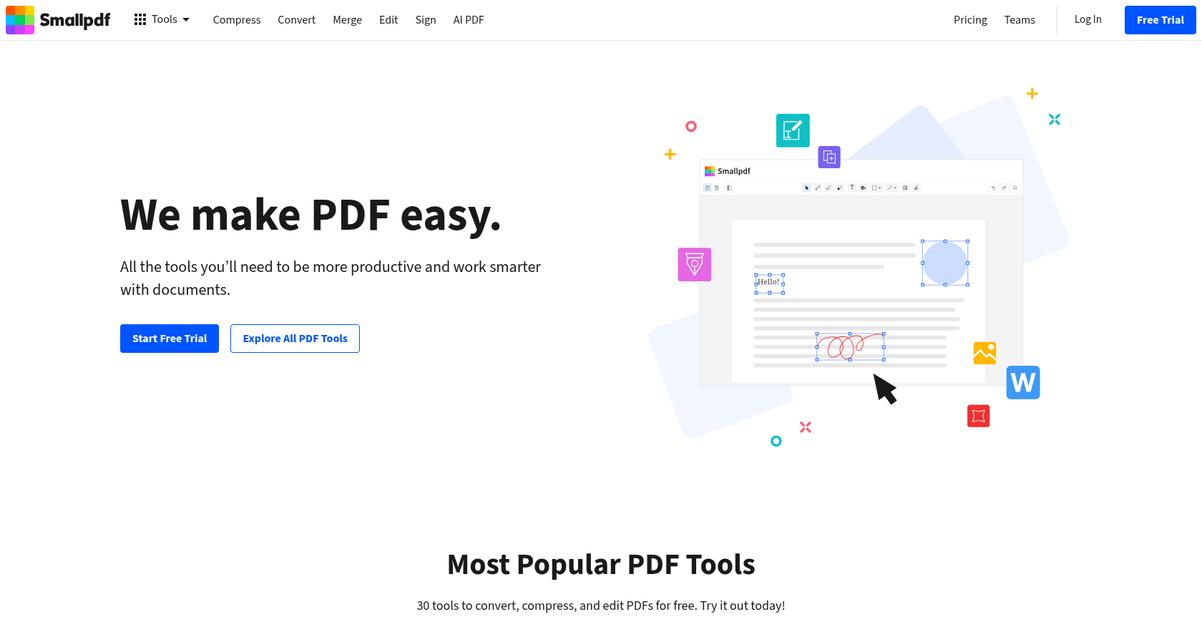
Looking for better digital document control than Hubdoc?
Smallpdf steps in with an all-in-one PDF toolkit that balances editing, conversion, compression, and secure eSigning—no clunky installs or format headaches for your team.
The switch to Smallpdf means you won’t just get another basic document extractor. You’ll enjoy a smarter workflow for every PDF-centric task from editing to approvals, with none of the training drama or slowdowns you might dread.
Here’s what makes change practical here.
Smallpdf makes it easy to handle every document need.
Instead of just pulling data from bills and receipts, you can use Smallpdf for everything: compressing large files before sharing, merging multiple documents into neat packages, and electronically signing agreements in seconds. You get both web-based and desktop app access for flexible workflows, which fits your team’s preference to work online or offline without missing a beat.
Additionally, Smallpdf brings cloud storage integration, so you can send or fetch PDFs directly from Dropbox or Google Drive. That means your day isn’t tied to a rigid desktop setup, and your team works the way they want, speeding up every paperless process with fewer document bottlenecks.
The result: efficient PDF management for paperless peace of mind.
Key features:
- All-in-one PDF editing and conversion tools provide everything from file compression and splitting to merging, letting your team skip multiple apps and process PDFs instantly in one place.
- Powerful, secure eSignatures included by default streamline contract workflows and paperless approvals, offering legally binding eSigning without needing to bolt on extra modules or pay add-on fees.
- Cloud and desktop flexibility for any workflow ensures PDFs can be created, edited, and shared anywhere—online or offline—supporting flexible working styles and overcoming the browser-only limitations of Hubdoc.
Verdict: Smallpdf is a compelling Hubdoc alternative if you want true paperless office software for repeat PDF work. Millions of documents get processed monthly here, so if you need fast eSigning, editing, and anytime access, Smallpdf covers those gaps that Hubdoc often leaves open.
Conclusion
Missing documents slow you down?
Hubdoc’s inconsistent OCR and weak integrations turn document management into a manual, error-prone headache—especially when your team counts on accurate, fast results.
Honestly, it takes guts to evaluate alternatives, but sticking with frustrating software holds your business back more than the temporary hassle of switching. You’re making the smart move by choosing tools that deliver reliability and time savings your workflow deserves.
Here’s where to move next.
FileCenter is my top recommendation because it finally solves those Hubdoc frustrations—giving you robust local control, faster OCR, and real document organization, not just receipt capture.
I love how FileCenter delivers scanning, classifying, and managing every type of document—all in a super user-friendly way. As a Hubdoc alternative, it’s ideal for bookkeepers and small businesses who want control and reliability right from their desktop.
Go check out FileCenter and start your free trial today—it’s an easy step toward streamlined document management.
Get back efficiency and peace of mind.