Tired of never finding files fast?
Hyland OnBase’s clunky interface, frustrating search, and upgrade nightmares leave you constantly clicking and rarely discovering what you need.
Instead of helping your team work efficiently, these headaches stall progress all day long.
Every wasted attempt to retrieve a simple document can sap team morale, cost you hours, and drain your IT budget. That means fewer projects finished, more money spent on support calls, and endless explanation sessions for new hires just trying to find files. It’s no wonder teams decide enough is enough and start looking for an exit.

Fortunately, there are smarter, faster options that end the chaos and finally let you manage files the way you want.
In this article, I’ll show you the best Hyland OnBase alternatives for digital filing systems like SmartVault, FileCenter, Dropbox, Evernote, DocuWare, M-Files, Docupile, Docsvault, and Neat.
Choose right, and you’ll regain control, streamline teamwork, and get back valuable hours every week.
Let’s explore your options.
Quick Summary:
| # | Alternative | Rating | Best For |
|---|---|---|---|
| 1 | FileCenter → | Small teams seeking simplicity | |
| 2 | Evernote → | Teams wanting flexible digital filing | |
| 3 | Dropbox → | Users needing quick cloud access | |
| 4 | Neat → | Small businesses digitizing paperwork | |
| 5 | M-Files → | Users seeking metadata-driven filing |
1. FileCenter

Tired of feeling lost in Hyland OnBase?
FileCenter gives you a familiar, Windows Explorer-style filing structure with cabinet, drawer, and folder views—no more wrestling with complex database screens or steep learning curves.
You’ll find that FileCenter’s cabinet-drawer-folder layout is much more approachable for your small business than the enterprise-focused setup you’ve likely struggled with before. Simpler navigation means your team gets up to speed quickly.
The learning curve just disappears here.
FileCenter stands out by delivering a desktop-centric digital filing system that feels intuitive from day one as an alternative to Hyland OnBase.
Unlike the complicated modules you might associate with Hyland OnBase, FileCenter lets you manage scanning, OCR, PDF editing, and storage all inside one streamlined desktop app. You avoid slow web logins and reduce the headaches of separate setups, powering through daily document tasks with ease.
Additionally, FileCenter offers a one-time purchase option for perpetual use. If you’re tired of subscription lock-in and unpredictable costs, this pricing model is a budget-saver. Combine that with an easy migration experience, and your switch from Hyland OnBase becomes a lot less stressful.
Plus, your team will appreciate the way FileCenter mirrors the familiar Windows filing experience—ensuring even non-technical staff can find and file documents right away.
It puts real control of your files back in your hands.
Key features:
- Familiar cabinet-drawer-folder interface with Windows Explorer delivers recognizable navigation that eliminates the complexity of database-driven systems, resulting in rapid adoption and reduced onboarding pain for your whole team.
- All-in-one desktop app for scanning, OCR and PDF editing lets you handle digital filing, document digitization, and search without shuffling between different modules or paying for multiple software tools.
- One-time purchase or perpetual licensing option available avoids the high recurring subscription fees typical of Hyland OnBase, making enterprise-caliber document management accessible and affordable for SMBs.
Verdict: FileCenter is a smart Hyland OnBase alternative that puts usability and cost savings first for small and mid-size businesses. With users reporting big time savings from improved document retrieval, and ownership options that eliminate recurring costs, it’s an efficient digital filing system if you want simple, fast adoption and more control.
2. Evernote
Is finding your files just plain difficult?
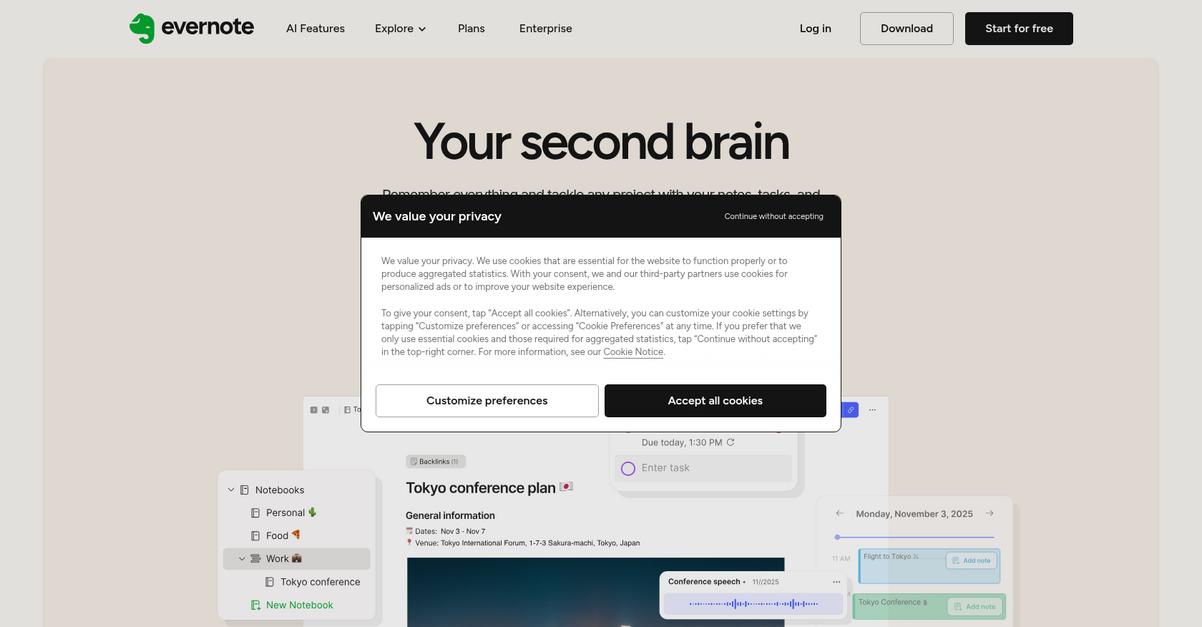
Evernote offers a refreshingly simple note-taking and digital clipping experience that sidesteps Hyland OnBase’s rigid workflows and dense interface. You get web clipping, customizable tags, and search features that make your content actually easy to find.
It’s a different approach—because instead of pushing you into complex records management procedures like OnBase, Evernote keeps digital filing light and flexible for small teams or individuals. You don’t have to struggle with clunky upgrades and confusing indexing anymore.
Here’s how you can get control fast.
With Evernote, you capture everything you need—with web pages, clips, and images—directly into organized notebooks, so critical info never gets buried.
You can further save time by using smart tags and a robust search to surface notes, even those with text inside images or PDFs. That means you can locate exactly what you need within seconds, so you won’t be buried in vague metadata and irrelevant search results like you might in Hyland OnBase.
Additionally, if you’re bouncing between a work computer and your phone or tablet, Evernote’s cross-platform sync ensures all your notes and documents are always updated everywhere. This flexibility, combined with intuitive navigation, removes old adoption barriers for you or your team.
Evernote delivers on what matters most: easy access.
Key features:
- Web Clipper brings instant content capture so you can save web pages, articles, and screenshots into Evernote notebooks directly—making digital knowledge collection much smoother than traditional enterprise systems.
- Custom tags and advanced search tools help you organize and retrieve notes, images, or PDFs lightning-fast without the rigid formal indexing structure required by Hyland OnBase.
- True cross-platform sync for everywhere access means all your information stays up-to-date across desktop, mobile, and web apps, offering flexibility Hyland OnBase can’t match for lightweight work.
Verdict: Evernote is an ideal Hyland OnBase alternative for small businesses wanting stress-free digital filing. If you value intuitive setup, rapid cloud access, and search that actually works, Evernote meets your needs—while sidestepping the big costs and complexity tied to OnBase migration and maintenance.
3. Dropbox

Wish finding files was actually simple?
Dropbox gives you cloud file storage with a drag-and-drop interface, making digital filing feel easy compared to Hyland OnBase’s complicated setup and hard-to-manage upgrades.
If your team is tired of the confusing OnBase interface, you’ll find that Dropbox offers a dramatically simpler way to organize digital files with its intuitive cloud storage, effortless syncing, and instant access from any device.
This means you can skip the frustration and start fresh.
Dropbox solves the digital filing headaches you struggle with using Hyland OnBase by focusing on effortless file access, automatic syncing, and sharing for your entire team.
Here’s how Dropbox helps: You get a streamlined cloud-based system that is easy to deploy and manage, so you don’t have to worry about confusing server infrastructure or heavy IT demands just to find your important documents.
Additionally, real-time file sync instantly updates changes across all devices, so you always access the correct version, whether you’re in the office or working remotely. Granular sharing permissions allow secure collaboration without jumping through the hoops of formal workflow complexities.
Plus, everything is designed for rapid onboarding, which reduces user resistance and helps you move files over without disrupting your existing workflows.
The result: your team enjoys file access on their terms.
Key features:
- Drag-and-drop cloud file storage and organization simplifies digital filing compared to OnBase’s complex server-based approach, allowing your team to manage documents with minimal training or IT involvement.
- Automatic file synchronization across all devices ensures your entire team always accesses the latest file versions without the controlled or delayed retrieval mechanisms you may know from OnBase.
- Easy link-based sharing with permission controls lets you share documents securely with partners or clients, offering more agility than OnBase’s rigid, formal workflows and distribution methods.
Verdict: Dropbox is a compelling Hyland OnBase alternative for your digital filing system if you want intuitive management, instant file access, and agile collaboration. With real-time sync and drag-and-drop ease, Dropbox can reduce IT complexity and speed up user adoption, especially valuable for SMBs switching from OnBase.
4. Neat
Tired of digital filing feeling more difficult than it should?
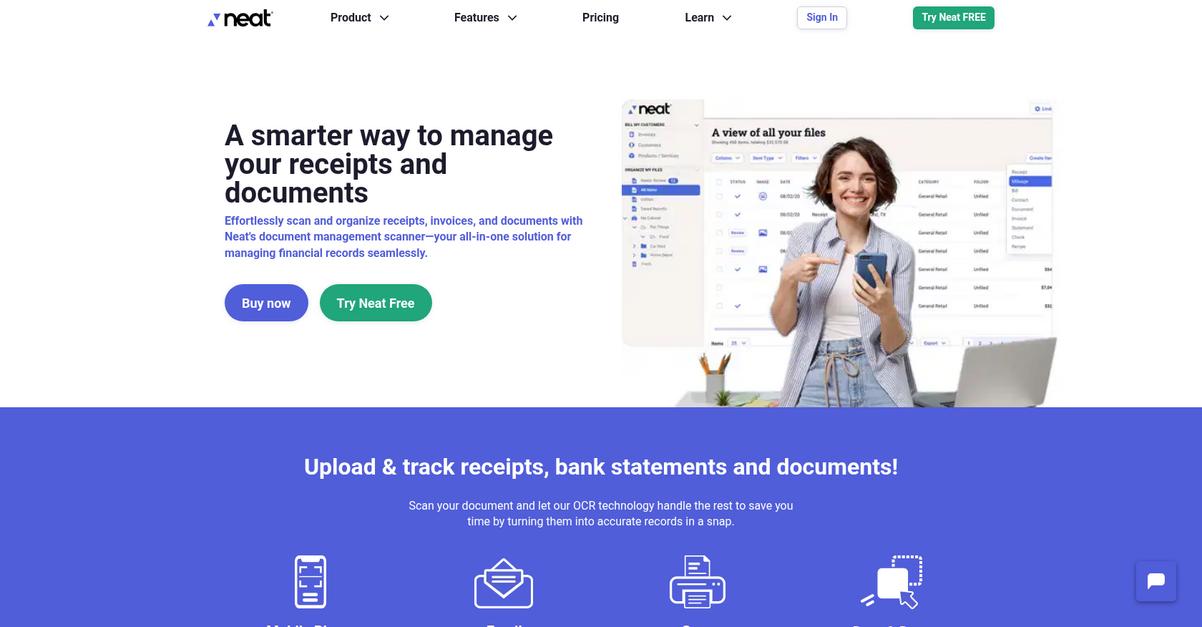
Neat’s dedicated receipt and document scanning tools directly tackle those Hyland OnBase headaches with easy data extraction, instant digital conversion, and streamlined cloud access for teams managing daily paperwork chaos.
Unlike Hyland OnBase, Neat solves your core problem by delivering focused small business document digitization without complex enterprise features you probably don’t need or want. The result is a much smoother transition for your team and less resistance to new workflows.
Switching really can be far simpler.
Here’s how Neat steps in where Hyland OnBase leaves gaps: you can scan receipts, invoices, and paperwork straight from your phone or scanner, and Neat’s smart technology pulls out the important info without the complicated scanning flows you’d expect elsewhere.
That means you can organize documents by category for instant financial reporting, track expenses, and keep searchable cloud copies at your fingertips from home or on the road. If you rely on Hyland OnBase for broad document capture but need simplicity, this is a genuine leap forward.
You also gain easy cloud access—Neat keeps your digitized files secure, fully searchable, and ready to organize, so small business processes like bookkeeping can keep moving without IT bottlenecks. Everything focuses on helping your team adopt new filing methods quickly and with fewer headaches.
You can finally focus on filing, not fighting complexity.
Key features:
- Dedicated receipt and document scanning built-in turns physical paperwork into digital data in one step, letting you skip Hyland OnBase’s multi-layered scan and capture process.
- Automatic data extraction for expense and recordkeeping categorizes transactions for tax prep and business finances, making small business workflow simpler compared to complex indexing tools.
- Cloud-based digital filing with secure search provides anytime access to your files via browser or mobile app, meaning you’re not tied to office networks or hardware upgrades.
Verdict: Neat stands out as a best-in-class Hyland OnBase alternative if you need digital filing that’s easier and more focused on small business workflows. You can digitize and organize receipts, invoices, and financial docs in minutes, enabling faster turnaround without costly migration or IT stress.
5. M-Files

Tired of searching endless folders in Hyland OnBase?
M-Files uses a metadata-driven system, so you find documents by what they are, not where they’re buried in static folders—unlike Hyland OnBase’s rigid repository model.
If you’ve been dealing with convoluted folder trees or outdated search, you’ll find metadata tagging transforms content discovery and access instantly. No more getting lost in maze-like repositories or lengthy, complex upgrades to keep things working.
You want a digital filing system that just works.
M-Files reimagines digital filing by focusing on flexibility and intuitive access, making a smart switch if you found Hyland OnBase’s structure frustrating.
Here’s how M-Files makes your work life easier as a true alternative.
Instead of forcing content into predefined folders, M-Files categorizes everything using context-rich metadata—making your documents findable from any angle, not just where you saved them.
You’ll also appreciate how it integrates directly with existing systems like SharePoint, network drives, or file shares, so you manage content in place and skip costly, risky migrations that OnBase often requires.
On top of finding files quicker, M-Files uses intelligent automation for approvals, document workflows, or compliance—delivering adaptable automation with less configuration hassle than OnBase. All of this comes together to help you boost productivity, cut costs, and get your team collaborating right away.
Your digital files will never go missing again.
Key features:
- Metadata-driven organization replaces rigid folder structures so your files are always discoverable by type, client, project, or any context—no matter where they’re actually stored.
- Connects to SharePoint and file drives natively so you avoid disruptive data migration and manage all your content across multiple systems without manual movement.
- Built-in workflow automation with adaptive rules lets you streamline approvals and compliance with less complexity than OnBase’s tightly-configured process builders, making automation accessible to everyone.
Verdict: M-Files gives you a flexible alternative to Hyland OnBase, especially if you want digital filing without the rigid repositories and outdated search. Customers see up to 50% productivity gains and major cost reductions, making it a proven option if switching pains and integration worries have held you back.
6. DocuWare

Tired of slow, clunky digital filing headaches?
DocuWare steps in with cloud-first document management, offering intelligent indexing and ready-made workflows that finally put your files where you need them—without Hyland OnBase’s complexity.
This means you get accurate document search, less manual input, and truly automated filing processes with DocuWare. The AI-powered indexing captures data as files arrive, solves content discovery problems, and removes those Hyland OnBase bottlenecks.
You’ll notice less time spent on data entry and fewer headaches moving documents between queues and systems. DocuWare’s intuitive design is your answer to hidden files, slow search results, and expensive customizations.
Here’s how DocuWare takes things further.
Switching brings modern workflow automation
DocuWare delivers what you’ve wanted in a Hyland OnBase alternative: fast, accurate file capture, cloud flexibility, and prebuilt processes that shave hours from daily workflows.
Instead of clunky add-ons and custom setups, you gain AI-based document indexing that updates in real time, plus out-of-the-box onboarding and invoice workflows. If you’re migrating, you’ll love that deployment stays simple and updates don’t derail productivity.
You also get a truly cloud-native experience—your files and workflows are always secure, up-to-date, and accessible on any device. Team adoption is quicker, less training is needed, and your support worries fade fast.
It all adds up to ROI you can measure.
Key features:
- AI-powered Intelligent Indexing for rapid accuracy extracts and classifies data instantly, eliminating manual entry and enhancing document search compared to Hyland OnBase’s traditional, multi-step indexing.
- Pre-configured automated workflows for common tasks streamline invoice processing and HR onboarding, so your team launches new processes without costly custom workflow builds or lengthy setup times.
- Cloud-native architecture with secure global access ensures rapid deployment, effortless scalability, and minimal IT management—delivering a smoother, future-proof digital filing experience.
Verdict: DocuWare stands out as a top Hyland OnBase alternative if you’re looking to speed up digital filing, ease adoption, and cut costs. DocuWare users report reducing processing times by up to 80%, with thousands saved monthly—proof it really delivers faster, smarter document management for your team.
7. Docupile

Feeling boxed in by confusing Hyland OnBase menus?
Docupile gives you quick, simple uploads and tagging, cloud access from any device, and clear pricing—no more wading through endless Hyland configuration screens or upgrade costs.
Plus, Docupile’s approach is different; it’s made for you if you’re tired of endlessly configuring permissions or onboarding your team to a confusing interface. Switching lets you focus on your business, not managing a complicated document platform.
Here’s where Docupile really shines for small teams.
With Docupile, you get an affordable alternative to Hyland OnBase.
Instead of struggling with Hyland OnBase’s complicated document capture and indexing, Docupile uses a user-friendly upload experience with straightforward folder organization and tagging. This drastically reduces your training and onboarding headaches, so adoption is faster even for non-technical users.
You also get secure, cloud-based access with granular permission controls. This means your team can find and work with documents from any device—saving time and avoiding disruptions typical of old-school, enterprise solutions.
On top of that, Docupile’s transparent pricing plans remove the stress of unpredictable Hyland OnBase enterprise fees. You can start affordably without unplanned expenses, while still enjoying a strong set of digital filing features.
Everything here is designed for smoother collaboration.
Key features:
- Simple uploads and tagging with intuitive interface speed up onboarding, slashing the learning curve compared to Hyland OnBase’s extensive setup and training requirements for document management.
- Cloud access with granular permissions everywhere offers on-the-go, secure file management for your team—without the hassle or rigidity of complex enterprise deployments.
- Affordable, transparent pricing for small businesses means you avoid unpredictable Hyland OnBase fees, paying only for what your growing team actually needs.
Verdict: Docupile is a practical Hyland OnBase alternative for small businesses that want digital filing with less stress. Its simple uploads, secure cloud features, and transparent pricing are tailored for your team to save money and move quicker, all without enterprise headaches.
8. Docsvault
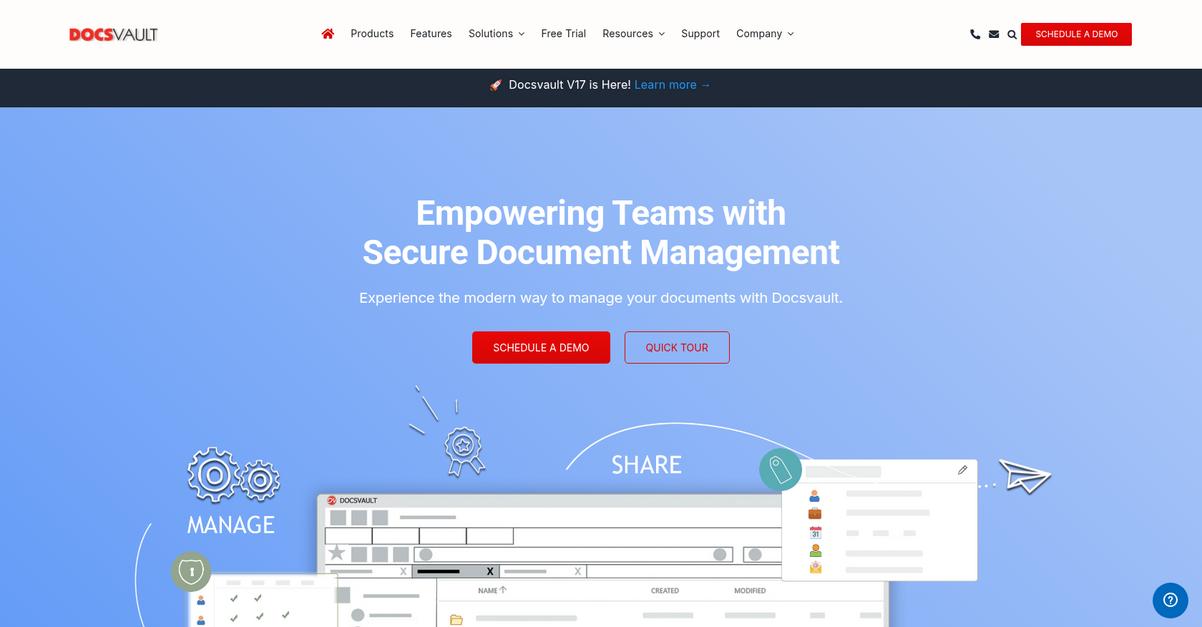
Struggling to get your files out of Hyland OnBase?
Docsvault steps in with advanced document capture, workflow automation, and deep integrations—addressing the confusing interface and upgrade challenges that typically trip up OnBase users.
If you’re looking for an alternative, Docsvault makes it simple to capture, classify, and automate all your digital files without complex configuration. Cloud and on-prem options mean your team can work how they want, not how you’re forced to.
Switching doesn’t have to be painful.
Here’s how Docsvault makes your day easier as a digital filing system alternative to Hyland OnBase.
With Docsvault, powerful document capture pulls in files from scanners, email, and network folders, applying OCR and data extraction to organize and search content instantly. Automated workflows route documents for approval with just a click, helping your team avoid the manual routing and costly consultants that OnBase usually requires.
Additionally, Docsvault’s integrations link right into Microsoft Office, CRM, and ERP apps so you keep business processes connected without IT headaches. Combined with efficient automation, these features streamline your switch—helping you realize results more quickly.
Plus, your team gets intuitive, easy-to-learn filing with pricing that’s easier to predict, supporting a smoother transition away from OnBase.
Get ready to rediscover how document management should work.
Key features:
- Advanced capture with OCR and automation tools ingests files from scanners, email, or folders, applying OCR and classification for search and routing—letting you ditch manual data entry and filing.
- Workflow automation engine with smart approval routing empowers you to build custom workflows, automate routine processes, and reduce reliance on IT support, unlike more complex Hyland OnBase setups.
- Direct integrations with Microsoft Office, ERP, CRM apps connect your document management to existing systems in just a few steps, drastically cutting down setup time and integration headaches.
Verdict: Docsvault is a practical Hyland OnBase alternative that brings digital filing to small and midsize businesses without the cost or complexity. Some users report cutting admin time by 40% and slashing printing costs—making Docsvault the choice if you need real-world efficiency gains.
Conclusion
Frustrated by endless clicking in Hyland OnBase?
Finding important files shouldn’t feel like a never-ending scavenger hunt or require IT help every time you need something. That clunky interface, slow search, and upgrade hassles are just holding you back.
You’re absolutely right to look at better alternatives—sticking with tools that slow your team down only wastes time and money you could use so much more effectively elsewhere.
It’s time for a simpler way.
After comparing the top options, I’m convinced FileCenter is the best Hyland OnBase alternative if you want hassle-free document management and fast file retrieval.
Where Hyland OnBase gets bogged down in layers of complexity, FileCenter gives you easy digital filing and lightning-fast search, all in a familiar interface your team can actually enjoy using.
Try FileCenter’s free trial today and see how easy paperless can really be.
Find your files—don’t fight with your software.