

Ready for a smoother case management experience?
If iManage Work’s clunky interface and slow performance are starting to wear you down, you’re not alone in shopping for a better fit.
The constant workflow bottlenecks and lack of flexibility make daily document management feel like wading through quicksand.
When your software frustrates your team and drags out simple processes, you lose valuable hours—and that’s time and energy you’ll never get back.

The longer you stick with a tool that’s too rigid or complicated, the more you risk staff burnout, wasted billable hours, and lost momentum for your firm, and sometimes it feels like you’re fighting the software instead of focusing on clients.
Fortunately, there are excellent alternatives that make your document workflows easier and more efficient.
In this article, I’ll show you the best iManage Work alternatives for legal firms, comparing options like FileCenter, NetDocuments, Clio, LexWorkplace, and more—all geared for better document management.
You’ll finally unlock solutions that offer easier workflows, stronger integrations, and an interface your team can actually enjoy using.
Let’s find your solution.
Quick Summary:
| # | Alternative | Rating | Best For |
|---|---|---|---|
| 1 | FileCenter → | Budget-friendly, easy adoption | |
| 2 | NetDocuments → | Users wanting modern interfaces | |
| 3 | Clio Manage → | Teams needing better collaboration | |
| 4 | LexWorkplace → | Legal-focused cloud workflows | |
| 5 | Worldox → | Users needing better support |
1. FileCenter

Clunky workflows holding your legal team’s productivity back?
FileCenter steps in with a desktop-focused document management approach tailored for smaller legal firms, removing the rigidity and steep learning curve of iManage Work’s enterprise systems.
Instead of locking you into cumbersome database rules, FileCenter uses a familiar Windows-style cabinet-and-drawer structure to organize documents. This gives your legal team a shallow learning curve while improving everyday efficiency.
This direct filing method makes switching less daunting.
FileCenter’s intuitive setup tackles the headache other systems cause.
You can finally organize documents without fighting a strict matter-centric database. FileCenter’s smart cabinet-drawer structure means your team can start filing and retrieving cases right in Windows, without days of expensive training. Plus, its one-time purchase option offers real value for small firms, freeing you from high recurring fees or unwanted cloud requirements.
On top of that, FileCenter includes integrated OCR and scanning so you can digitize case documents fast, naming them automatically and storing them in the right folders on day one. If you’ve dreaded migration complexity, this simple desktop model takes away the stress and keeps your workflow intact.
You also get control over local deployment, integrated scanning, and licensing that fits your budget. Combined, these features let your firm transition from iManage Work with less downtime and fewer headaches, achieving real productivity gains.
Switching really can be this hassle-free.
Key features:
- Cabinet-drawer filing using Windows folders means your team can organize every matter intuitively—no need to learn a rigid or confusing new structure.
- One-time purchase option for perpetual licenses allows your firm to avoid enterprise-level subscription fees, making FileCenter much more cost-effective than iManage Work long term.
- Integrated scanning and automatic text OCR digitizes documents and auto-names files, speeding up workflows and reducing manual entry for case-related paperwork.
Verdict: FileCenter is ideal if your legal firm wants document management software that’s budget-friendly, easy to adopt, and works the way your team already does. Its familiar Windows cabinet-drawer setup, one-time license ownership, and integrated scanning give you a practical, stress-free iManage Work alternative—especially if your firm has struggled with complex migrations or scaling costs.
2. NetDocuments
Is iManage Work holding your firm back?
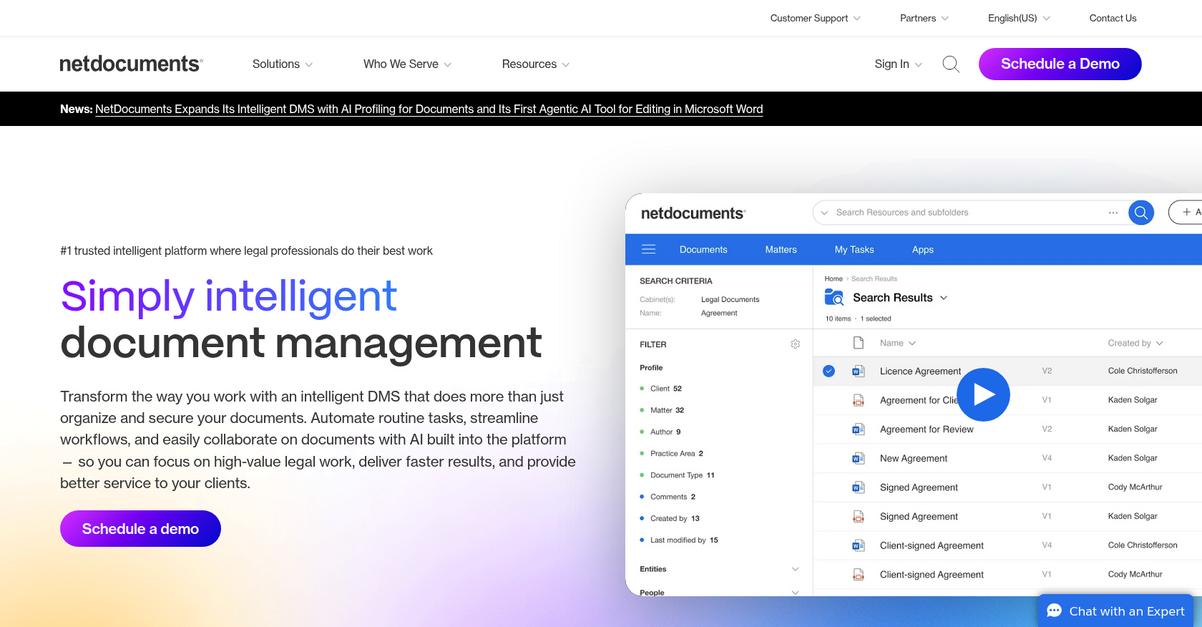
NetDocuments offers cloud-native document and email management that replaces the complex, rigid workflows you might be struggling with now.
Unlike iManage Work, NetDocuments gives you always-on access from any device, supports true cloud scalability, and eliminates on-premise server headaches. Add in audit-ready security and global compliance that matches or exceeds what you’re used to, and you’ve got a real upgrade path.
You’ll notice workflow flexibility and cloud accessibility other tools can’t match right away.
Here’s why NetDocuments could be your missing solution.
If you want to shed slow desktop apps and tangled infrastructure, NetDocuments brings robust legal document management straight to your browser—no local installs, no cumbersome updates to manage.
Deep Office integration means you can edit documents, file emails, and collaborate on Word files right where you already work. This lets your team transition without skipping a beat, making migration much smoother compared to iManage Work.
You also get built-in compliance safeguards, with military-grade encryption and detailed audit trails, keeping your firm ready for any regulatory requirements. Paired with secure accessibility from anywhere, this transforms how your team collaborates—whether in court, at home, or at the client’s office.
Everything you need to move forward with confidence.
Key features:
- True cloud-native architecture for legal teams, removing server maintenance and providing secure, remote access to documents and emails from any device, unlike more complex hybrid iManage Work deployments.
- Military-grade security and global compliance deliver encryption, auditing, and legal data center standards that rival iManage Work—helping reduce risk and keeping your matters locked down.
- Integrated Microsoft Office and Outlook workflows let your users create, edit, and organize files natively, recreating familiar workflows while unlocking cloud-first flexibility for your legal staff.
Verdict: NetDocuments is a smart iManage Work alternative for document management in legal firms. With cloud-native security, flexibility, and compliance, it often empowers legal teams to streamline operations, especially if you’re frustrated with iManage’s rigid infrastructure or complex upgrades. Consider it for secure, future-ready legal DMS.
3. Clio Manage

Feeling boxed in by iManage Work’s rigid workflows?
Clio Manage merges document storage, billing, calendaring, and client messaging into one place—solving the fragmentation that often frustrates iManage Work users with endless tool toggling.
Unlike iManage Work’s complexity, Clio Manage stands out with an intuitive layout that even non-tech-savvy legal staff quickly master. This streamlined experience supports rapid onboarding, fewer roadblocks, and happier team adoption.
Switching could be exactly what you need next.
You get more than just another document management system here.
Clio Manage doesn’t just store your documents; it gives your entire legal firm an integrated workspace. Your documents, billing, matter management, and client communications all connect in one easy-to-use cloud platform, letting you skip the multi-tool chaos and focus on client work.
Say goodbye to “Where’s that file?” struggles as Clio Manage lets you share securely with clients through a portal instead of relying on email attachments or extra integration steps. This means more transparency for your clients and fewer headaches for your team, especially if you cringe at iManage Work’s clunky sharing process.
Additionally, if your firm is nervous about switching, Clio Manage’s friendly interface smooths the transition and shortens the training curve. Bringing everything together in one system helps you deliver better client results while keeping your workflows simple and reliable.
Your legal team’s efficiency just became a certainty.
Key features:
- Cloud-based platform with unified practice management lets you manage documents, cases, billing, calendaring, and communication all from a single system, unlike iManage Work’s more limited scope.
- Secure client portal for document sharing and messaging streamlines client communication with transparent access that reduces reliance on email and prevents critical messages from getting buried.
- Extremely intuitive user experience for all staff lowers the learning curve, driving team adoption and efficiency—even if staff have been frustrated by iManage Work’s complexity in the past.
Verdict: Clio Manage is a top iManage Work alternative, especially if you want true practice management—not just document storage—for your legal firm. Users report faster onboarding, improved satisfaction, and all-in-one convenience that enables your team to spend less time hunting files and more serving clients efficiently.
4. LexWorkplace

Looking for something easier than iManage Work?
LexWorkplace stands out with matter-centric document and email management, fully cloud-native design, and direct Outlook integration—all built for legal teams aiming to ditch complexity.
Instead of juggling outdated systems, LexWorkplace helps your firm organize all your documents and emails by client matter and case. The dedicated legal-first workflow simplifies retrieval and ensures reliable access whether you’re in court or collaborating with remote colleagues.
There’s a better way to handle your legal documents.
LexWorkplace not only addresses document chaos but gives your team a true iManage Work alternative designed specifically for law firms. This means you get smart matter-based organization, cloud accessibility without the hassle of server maintenance, and features that make migration far easier.
Plus, you’ll see how integrated Outlook email filing makes archiving case communications quick and painless, while full-text AI search lets you find any file or message instantly. Having every version visible in one place boosts collaboration, eliminates misfilings, and saves hours compared to iManage Work’s slower interface.
Additionally, LexWorkplace delivers advanced OCR and AI-driven search across all documents and emails—even for scanned files. Combined with its legal-centric cloud platform, this empowers your team to surface what you need with fewer clicks, ensuring smoother adoption after your switch from iManage Work.
Ready for a document system built for real legal work?
Key features:
- Matter-centric document & email management organizes files automatically by client matter, delivering a legal-specific workflow that feels much more intuitive than iManage Work’s broader enterprise setup.
- Integrated Outlook email filing lets your lawyers file messages and attachments right from their inbox, ensuring important communications are effortlessly linked to the correct matter for long-term access.
- Full-text AI search with advanced OCR gives your team lightning-fast search and discovery of all documents and emails, even for scanned PDFs, greatly enhancing your research and review speed compared to legacy systems.
Verdict: LexWorkplace offers an intuitive, cloud-native alternative to iManage Work, purpose-built for law firms. Users report major time savings, simpler collaboration with version tracking, and no more server headaches—making it a smart upgrade if you’re ready for legal-focused document management that just works.
5. Worldox
Tired of iManage Work’s rigid and confusing workflows?
Worldox puts you in control with robust document indexing, giving your legal team more customizable search options than you’d get out of the box with iManage Work.
Unlike many alternatives, Worldox lets you migrate legacy data with minimal disruption or risk to your existing legal tech stack and processes, addressing a huge pain point for legal professionals looking to switch from iManage Work.
Here’s where Worldox really stands apart.
Worldox gives you legal-focused document management designed for easy transition and maximum control.
If your biggest headache is navigating massive document repositories, Worldox’s advanced indexing lets you define everything from client-matter structures to custom metadata fields—so your searches are lightning-fast and precise. You can integrate Worldox deeply with Microsoft Office and leading legal applications, allowing your practice to maintain the cohesive workflow you’re used to—just with more flexibility than iManage Work ever offered.
On top of that, Worldox specializes in seamless data migration from legacy systems or existing network drives, making it much simpler for you to bring over years of firm history. The combination of intuitive document control and legal-specific integrations ensures your team can adopt Worldox without the friction and downtime that frustrates so many iManage Work users.
Your firm can finally have DMS that adapts to you.
Key features:
- Powerful, customizable document indexing creates broad or granular metadata structures to make legal document searches more efficient and tailored than standard iManage Work setups.
- Specialized legacy data migration tools move massive legal archives from network drives or old systems with minimal disruption, reducing transition pain common with platform switches.
- Deep integration with Microsoft Office and legal tech provides streamlined in-app document management, so you can work in familiar environments while enjoying greater document control.
Verdict: Worldox is a proven alternative to iManage Work for law firms needing document management that truly adapts. Its custom indexing and effortless migration tools give your legal team more control, while robust integrations keep workflows uninterrupted throughout the switch—even when migrating decades of legacy data.
6. Smokeball

Tired of iManage Work’s clunky interface?
Smokeball offers automatic time tracking, legal-specific document automation, and intuitive email filing to tackle iManage Work’s complexity and rigid workflows head-on.
That means you get automatic time and activity tracking for all work, so you never worry about missing billable hours or relying on manual entry again.
Switching to a solution like this can transform your productivity.
Smokeball solves billing and workflow headaches where iManage Work creates them by capturing all your document creation, edits and even related email actions in the background. This means you see every billable activity, plus in-depth profitability insights, all with minimal user input.
The real difference shows in day-to-day practice: legal-specific document automation pulls from a rich library of forms that auto-populate with matter data, slashing repeat drafting time. You instantly feel the impact wherever you’d usually repeat document steps. And since emails and attachments file automatically to the right matter, communications finally stay organized without the manual drag-and-drop that slows you down in iManage Work.
Plus, Smokeball’s all-in-one dashboard ties your case, document, and billing workflows together, giving you the flexibility for smarter matter management—exactly what growing legal firms need if you’ve outgrown iManage Work.
If you want tech that works for your legal practice, not against it, consider this switch.
Key features:
- Automatic time and activity tracking for billing captures every billable document and email action in real-time, removing manual timesheet pain and maximizing revenue on every matter.
- Legal-specific document automation with pre-built forms eliminates repetitive drafting. Forms auto-populate directly from matter data, keeping workflows lean and drastically speeding up document creation compared to iManage Work.
- Seamless email management across every matter automatically organizes emails and attachments, so you never hunt for communications or risk them ending up in the wrong place again.
Verdict: Smokeball stands out as an iManage Work alternative made for modern legal document management. Its all-in-one platform delivers superior automation, smoother email management, and smarter billing. If you need intuitive legal workflows instead of complex systems, Smokeball is built for your firm’s success.
7. MyCase

Frustrated with iManage Work’s rigid workflows and interface?
MyCase focuses on user-friendly document management, combining a secure client portal, integrated billing, and desktop sync—all in one platform for legal firms.
If you’re tired of iManage Work’s complexity, MyCase gives you a single platform where clients and staff collaborate easily and access documents without learning a maze of new systems.
You get more control over your document workflows.
Instead of legacy frustrations, MyCase brings real ease of use.
What really sets MyCase apart as a top iManage Work alternative is its focus on creating a streamlined, all-in-one experience for your legal practice.
The client portal boosts transparency and allows your clients to access files or sign documents any time, while desktop sync ensures your documents are always up to date—even for offline work. This means no more worrying about lost files or clunky access methods.
Plus, MyCase brings your entire billing process under one roof. Time tracking, invoicing, and payments connect directly to client files, so you spend less time switching between systems and more time focused on your cases. These features work together to make onboarding less daunting for your staff compared to the disruption of iManage Work.
It’s a smoother experience for both your firm and clients.
Key features:
- Client portal with secure online sharing gives your clients direct access to case documents, improves communication, and cuts administrative follow-up compared to iManage Work’s traditional sharing.
- Integrated billing and payments platform merges time tracking, invoicing, and payment processing with case files, eliminating workflow silos found in typical document-centric systems.
- Desktop sync with MyCase Drive allows automatic, offline file access and continuous updates, making day-to-day document handling more intuitive than cloud-only systems.
Verdict: MyCase is a standout alternative to iManage Work if you want holistic legal document management and practice operations in one place. Legal firms report saving hours every week and reducing admin calls—while consolidating all case files for both staff and clients in a smooth, user-friendly system.
8. PracticePanther
Fed up with rigid workflows and slow document searches?
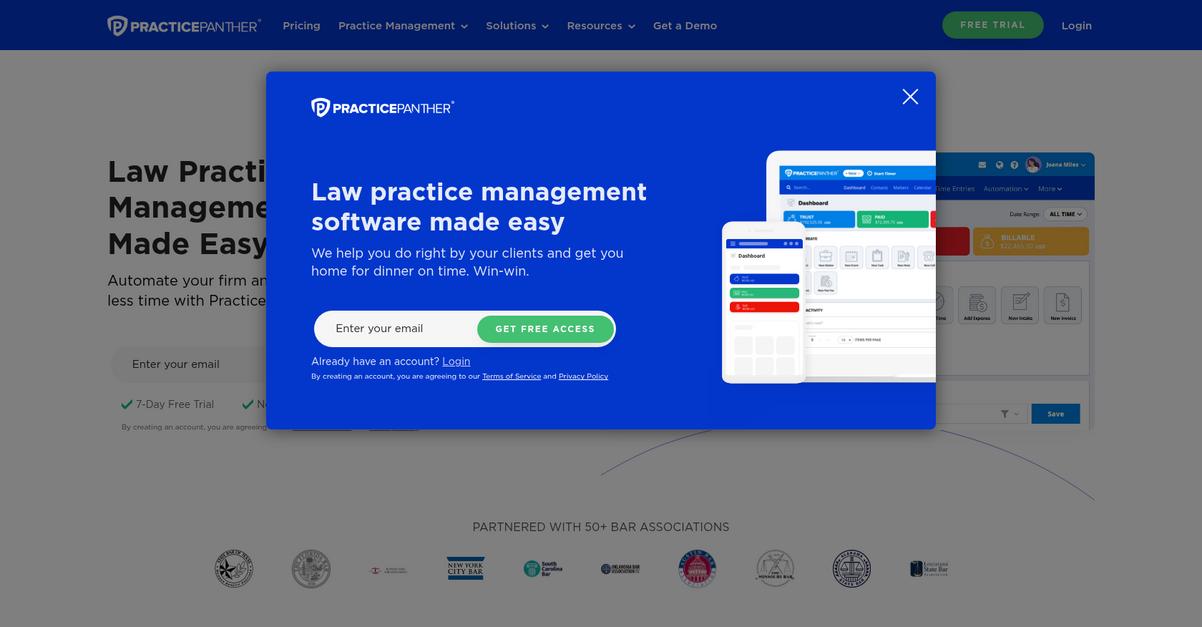
PracticePanther gives you all-in-one case management with centralized contacts, matters, documents, billing, and time tracking in one easy-to-use cloud platform.
Unlike iManage Work, PracticePanther tackles the pain of scattered tools with one intuitive interface that reduces app overload and confusion for your legal team, making adoption a smoother ride.
There’s a better way to streamline your legal work.
If you crave less complexity and greater productivity, this is where PracticePanther delivers as an iManage Work alternative. You get legal document management, time tracking, billing, and client communications in a unified interface that’s genuinely easy for your team to pick up.
Switching from iManage Work is smoother because you never worry about running out of cloud storage space for your matters, thanks to PracticePanther’s unlimited data storage for cases and files. That means fewer infrastructure headaches and more focus on your clients.
Additionally, built-in eSignature capabilities let you create, send, and file legally binding documents—all within PracticePanther. This eliminates the need for outside signature tools or slow paper workflows, helping you close matters faster and reduce friction.
Your legal team can actually work how they want.
Key features:
- Unified all-in-one case management platform centralizes contacts, cases, billing, task management, and document handling so your attorneys never juggle between multiple apps as with iManage Work.
- Unlimited cloud-based storage for legal documents ensures you never hit data caps or encounter surprise charges, unlike the storage limitations often found in more rigid iManage Work setups.
- Integrated eSignature functionality built-in streamlines the signing process, allowing you to draft, send, and store legally binding documents without extra tools or paper-based processes.
Verdict: PracticePanther is a strong iManage Work alternative for legal firms seeking easy document management and firm-wide efficiency. Firms using PracticePanther report saving hours each month, especially on automated billing, matter management, and retainer tracking, showing measurable impact for your legal business.
9. CosmoLex

Looking for a platform that’s less rigid than iManage Work?
CosmoLex combines intuitive document management with legal billing, built-in trust accounting, and a secure client portal—all in one solution that directly addresses the gaps you might feel with iManage Work.
Where iManage Work often leaves you juggling separate tools for trust accounting and case management, CosmoLex gives you a single, unified platform for all your legal work. This means you can handle compliance, organize documents, and manage finances without the hassle of extra integrations.
Making that switch doesn’t have to be complicated.
CosmoLex streamlines your legal workflow by integrating document management, trust accounting, billing, and case management.
Here’s how you benefit moving from iManage Work: you get built-in ABA and IOLTA compliant trust accounting, so there’s no need for third-party financial software. Plus, you can securely share documents and updates with clients via the client portal, keeping everyone in the loop and every file protected.
Additionally, CosmoLex connects all your firm’s operations—documents, billing, tasks, and accounting—into one dashboard. Not only does this simplify your daily work, but it also supports smoother migration and easier onboarding, which means fewer delays for your team if you’re coming from iManage Work.
The result? Real productivity for your growing firm.
Key features:
- Fully integrated trust accounting and billing keeps all your client funds compliant with ABA/IOLTA right inside CosmoLex—removing the need for external financial tools common with iManage Work.
- Complete practice management in one system—including case management, document workflows, and accounting—means fewer apps to manage and more insight into your legal operations.
- Secure client portal for document sharing gives your clients direct access to the files and messages they need, while keeping data safe and building client confidence with every interaction.
Verdict: CosmoLex stands out as a powerful iManage Work alternative for legal document management. By providing native trust accounting, all-in-one practice management, and secure collaboration, CosmoLex reduces integration headaches and client confusion. Firms have reported fewer delays and up to 30% more efficient case workflows after switching.
Conclusion
Frustrated by iManage Work’s daily hurdles?
Clunky interfaces, rigid workflows, and slow performance can seriously drag down your legal team’s efficiency—no one needs software that gets in the way more than it helps.
It’s absolutely the right call to look for a better solution, because sticking with inflexible tools just leads to burnout and lost billable hours when your firm deserves more.
There’s an easier way forward.
If you want to leave those iManage Work headaches behind, FileCenter is my top pick from this roundup.
FileCenter delivers straightforward document management without the overwhelming complexity—making it ideal for legal professionals craving a faster, friendlier alternative to iManage Work.
I’ve seen how FileCenter lets small and mid-sized law firms streamline their case files and document workflows without sacrificing control. It’s a proven iManage Work alternative for anyone who values productivity and budget.
Start your free FileCenter trial today and experience hassle-free legal case management.
Switch for time-saving, stress-free document management.