
Tired of isoTracker’s rigid versioning again?
If managing documents in isoTracker feels clunky, with inflexible workflows and missing integrations, I totally get why you’re here.
That lack of flexibility can slow your entire team to a crawl.
When every document update leads to confusion or extra steps, it eats away at efficiency and puts compliance at risk. You’re left juggling manual workarounds and frustrated team members, watching productivity suffer. The impact is real: staying with isoTracker means higher costs, lost time, and a demoralized team struggling to keep up.

The good news is there are better document versioning alternatives out there that address these headaches and make switching worthwhile.
In this article, I’ll show you the best isoTracker alternatives to help you take back control of versioning, featuring solutions like FileCenter, Document360, M-Files, and more—all built for modern document management.
With the right pick, you’ll enjoy cleaner version history, smoother collaboration, and software your team actually wants to use.
Let’s find your solution.
Quick Summary:
| # | Alternative | Rating | Best For |
|---|---|---|---|
| 1 | FileCenter → | Users wanting familiar filing | |
| 2 | Document360 → | Teams needing better collaboration | |
| 3 | M-Files → | Users wanting automation and control | |
| 4 | LogicalDOC → | Companies requiring better support | |
| 5 | QT9 QMS → | Users needing compliance automation |
1. FileCenter

Feeling boxed in by isoTracker’s rigid workflows?
FileCenter focuses on a desktop-first system that cuts through the complexity and limited flexibility found in isoTracker, especially if you want total control over your files.
Your team will instantly notice how FileCenter mimics physical filing cabinets with a cabinet-drawer-folder interface, turning confusing digital silos into something everyone already understands from day one.
Managing your document versions gets much easier.
FileCenter solves the limitations you faced with isoTracker’s strict QMS structure by giving you more flexibility over file organization right on your desktop.
You can organize documents just like you would real paper with FileCenter’s cabinet and drawer setup, which feels intuitive for anyone overwhelmed by isoTracker’s workflow rigidity.
FileCenter’s advanced OCR features convert scanned PDFs into searchable, organized files automatically, so you never waste time looking through endless documents or renaming files by hand.
Additionally, FileCenter comes with a built-in PDF editor for modifying documents, adding comments, and redacting sensitive content—no need for extra tools or license fees.
The result is a solution that delivers speed and efficiency for anyone handling document versioning.
Key features:
- Cabinet-drawer-folder interface for file organization mimics real-life filing systems so your team can start storing, retrieving, and updating documents without long training sessions.
- Smart OCR and automatic file naming rules turn scanned paperwork into searchable PDFs and apply consistent naming conventions, addressing tedious manual filing that isoTracker can’t fix.
- Integrated PDF editing and document protection tools let you annotate, redact, and secure files directly within FileCenter, eliminating the need for external PDF solutions.
Verdict: FileCenter is a compelling alternative to isoTracker if you want more intuitive versioning and file organization. Users have cut their weekly paperwork time from seven days to just 15 minutes. With robust desktop features and less workflow friction, you can finally enjoy version control without compromise.
2. Document360

Are isoTracker’s rigid workflows blocking your productivity?
Document360 tackles this by offering robust version control and rollback, AI-powered search, and intuitive category and tag management—features isoTracker just doesn’t match.
Unlike isoTracker, Document360 gives you powerful article rollback plus effortless navigation for teams. You can revert documents instantly or speed up search using well-organized categories and custom tags, making onboarding and daily use much smoother.
Here’s where Document360 truly shifts the experience.
Switching over becomes a clear win.
When you’re considering alternatives to isoTracker, Document360 streamlines the process with automatic versioning and one-click rollback features. This means if you’re ever concerned about errors or want to audit changes, you have total control over your documentation’s history right away.
You can also navigate information by custom categories and tags, so your team always finds the right document without wasting time. The advanced AI-powered search engine indexes all content, using filters to help you get instant, targeted results—a big leap if you found isoTracker’s search limited or frustrating.
Additionally, if your goal is reducing support tickets and empowering users, Document360’s intuitive UX really delivers. Companies using Document360 have seen support tickets drop by 30%, and the investment pays off in under a year.
This makes it easy to achieve versioning confidence.
Key features:
- Automatic version control with instant rollback lets you recover past document states anytime, dramatically reducing the risk of accidental overwrites compared to isoTracker’s more rigid system.
- Hierarchical categories and custom tags for navigation allow for effortless document organization and improved user onboarding, moving away from static folder structures.
- Advanced AI-powered search with smart filters indexes every article, giving you precise, rapid search capabilities that make discovery easier than isoTracker’s default search.
Verdict: Document360 stands out as an isoTracker alternative for document versioning. It combines intuitive rollback, AI search, and flexible taxonomy, helping you cut support tickets by 30% and realize ROI in just 11 months—making your migration less risky and more rewarding.
3. M-Files

Are rigid folders and clunky workflows holding you back?
M-Files gives you flexible, metadata-driven organization in place of isoTracker’s rigid structures, letting you tag, search, and manage documents without getting trapped in outdated folder hierarchies.
By unifying access across all your repositories, M-Files puts all your files in one secure, searchable view—not scattered across different silos or disconnected platforms like with isoTracker. This means your team works faster and confusion drops significantly.
No more worrying about information buried deep or lost approval trails.
Here’s how M-Files steps in as a true isoTracker alternative.
With metadata driving your organization, M-Files makes it easier to tag and retrieve documents—eliminating duplicate files and endless scrolling. You get full version histories, so collaboration flows smoothly without confusion over which version is current. Plus, centralizing information from all your systems keeps everything accessible to the right people at the right time.
Automated workflows help your team avoid bottlenecks and ensure every document follows the exact review and approval path you set. The end result? Drastically fewer errors, quicker turnaround times, and peace of mind knowing compliance isn’t an afterthought.
If you’re ready for document management that actually learns how you work, not the other way around, it’s time to look at M-Files.
Key features:
- Metadata-driven views and dynamic search allow you to find and organize files by what they are, not just where they’re stored, removing limitations of fixed folders from isoTracker.
- Connects to all your document repositories so you can manage files from multiple platforms in one unified workspace, reducing wasted time and confusion over versions.
- Automated document workflows and policy controls ensure every file goes through standardized approvals, dramatically improving compliance and team accountability with less manual oversight.
Verdict: M-Files is a standout choice for anyone seeking the best isoTracker alternatives for document versioning software. It centralizes information and automates document processes, helping you boost efficiency by up to 70% and access files 50% faster, all with a 294% ROI reported by users switching from isoTracker.
4. LogicalDOC

Do rigid workflows reduce your team’s document control agility?
LogicalDOC brings a more flexible system focused on comprehensive versioning and collaboration, filling gaps left by isoTracker’s limited workflow automation and Microsoft Office integration.
Unlike isoTracker’s rigid approach, LogicalDOC lets you restore or review any document revision in seconds with its granular version control. This means you never lose track of changes or risk compliance penalties even when handling complex documentation.
You want document controls that actually keep up.
Here’s how LogicalDOC puts you back in control as an isoTracker alternative.
It automatically tracks each revision and instantly restores previous versions, letting your team confidently experiment and revert changes without fear. You get audit-friendly version history, so compliance worries fade. Integrated Office add-ins allow you to create and modify documents directly from Word or Excel, making the editing process smoother if you rely heavily on Microsoft tools.
Additionally, workflow automation routes your digital assets through tailored processes, so tasks stay on track and bottlenecks become visible right away. All these features combine to help your team adapt quickly and work more efficiently after leaving isoTracker.
Switching pain can be replaced with clarity and control.
Key features:
- Granular version control for every document revision gives you instant access to historical document states, supporting regulated audit trails and effortless restoration if something should ever go wrong.
- Integrated Microsoft Office add-ins streamline editing and creation right from your favorite Office apps, eliminating the extra steps required by isoTracker to manage document modifications.
- Configurable workflow automation for tasks and reviews automatically moves files along pre-set routes, ensuring process compliance and timely actions with far less manual oversight.
Verdict: LogicalDOC is a compelling alternative to isoTracker for document versioning. Your company gets powerful revision tracking, Office integration, and workflow automation all in one. Many organizations report lower operating costs and tighter compliance, with some achieving 30% faster review cycles compared to their old isoTracker setup.
5. QT9 QMS
Feeling boxed in by isoTracker’s rigid versioning?
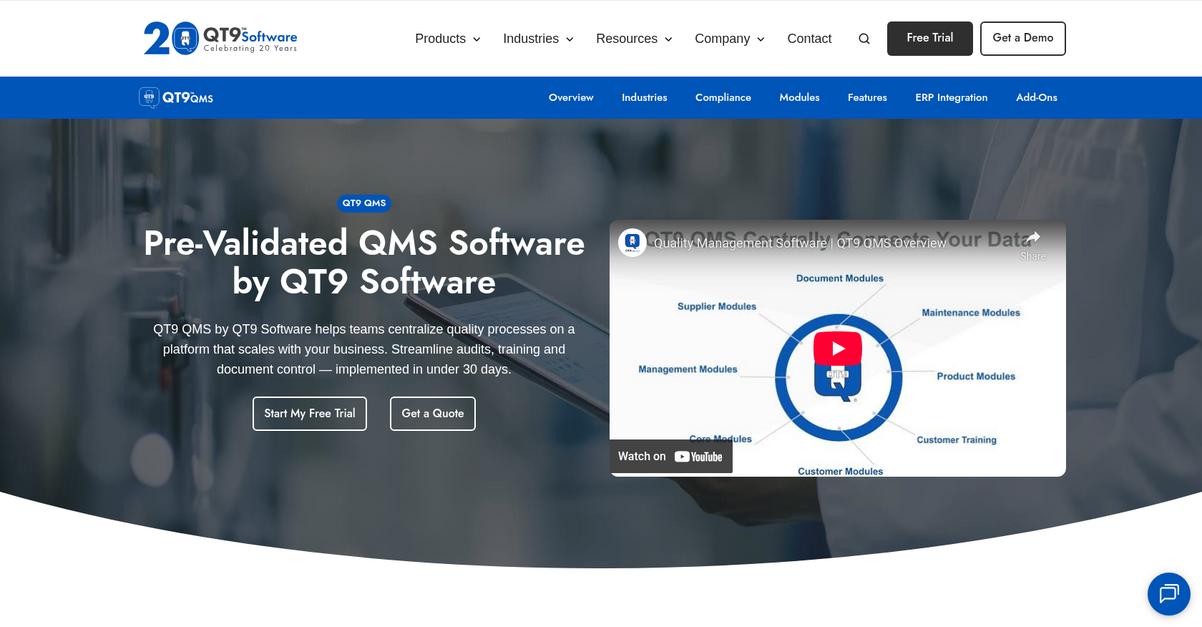
QT9 QMS brings an integrated document control system that centralizes your quality files, delivers real-time version tracking, and automates compliance—all areas where isoTracker leaves you wanting more.
With QT9 QMS, your team finally escapes those clunky, inflexible workflows and gains access to true version integrity plus dynamic control over who sees which document and when updates happen.
You get the robust alternative you’ve wanted.
QT9 QMS transforms document versioning by giving you a single source for every quality document, permissioned access, and automated audit logs—making it a strong contender if you’re fed up with isoTracker’s restrictions.
When you switch, integrated CAPA management covers the entire process from finding issues to resolving them while tying corrective actions directly to document changes. This saves your team from scrambling across disconnected modules or risking lost compliance data, something you can’t easily do in isoTracker.
Additionally, the employee training tracking ensures everyone is certified on the latest document version. With instant training assignments and real-time certification records, you never worry about compliance gaps or chasing paperwork during audits. Every new revision is tracked, learned, and documented without manual exports.
QT9 QMS aligns with your document control goals.
Key features:
- Comprehensive document control with real-time permissions centralizes document management, automates version tracking, and provides granular access to files—giving you far more control than isoTracker’s limited system.
- Complete CAPA management tied to document changes allows you to identify, resolve, and record issues in one place, eliminating data silos and improving traceability compared to isoTracker.
- Employee training management with audit-ready reporting lets you assign, monitor, and certify users on new document versions, ensuring your workforce always meets compliance standards.
Verdict: QT9 QMS is the document versioning solution you need if isoTracker’s workflows slow you down. Users see ISO certification faster and have cut audit prep time by over 50%. The central document control, CAPA ties, and employee training make switching to QT9 QMS a clear step up.
6. Virtual Cabinet

Frustrated with isoTracker’s rigid approach to version control?
Virtual Cabinet steps in with advanced search and automated filing, tackling isoTracker’s clunky versioning and collaboration roadblocks while giving you greater control over your documents.
Where isoTracker forces users into inflexible workflows, Virtual Cabinet gives you intelligent document categorization and searchable version audit trails out of the box so you never waste time tracking down the right file.
Switching to a smarter alternative is easier than you think.
Virtual Cabinet solves your biggest versioning headaches with smart automation and a secure client portal that actually makes compliance and collaboration easier.
You get a client portal for secure document sharing, keeping every version intact and logged, with clean audit trails you always have on hand. Plus, intelligent document indexing and tagging lets your team find files quickly—even by metadata, putting an end to isoTracker’s slow and limited document retrieval.
Additionally, Virtual Cabinet captures your emails automatically and files them in the correct client or project folder. All your vital records are centralized, so nothing slips through the cracks—making everyday work and audits much smoother if you’re moving away from isoTracker.
All of this means better efficiency, faster search, less chaos.
Key features:
- Secure client portal for document sharing keeps version integrity and detailed audit logs whenever you collaborate externally, fostering trust and compliance compared to isoTracker’s more limited sharing.
- Intelligent search and auto-indexing capabilities categorize and tag files on upload, making file retrieval by text or metadata noticeably easier than isoTracker’s restricted search functions.
- Automatic email capture and filing bundles every important communication into the right client or matter folder, so document trails stay unbroken from day one.
Verdict: Virtual Cabinet is a compelling alternative to isoTracker, especially if your company demands unparalleled version control. Firms using Virtual Cabinet report shrinking document signing from 30 minutes to just 2 and dramatically faster information retrieval, making it a trustworthy upgrade for your versioning and compliance needs.
7. Qualityze
Frustrated with isoTracker’s rigid approach to version control?
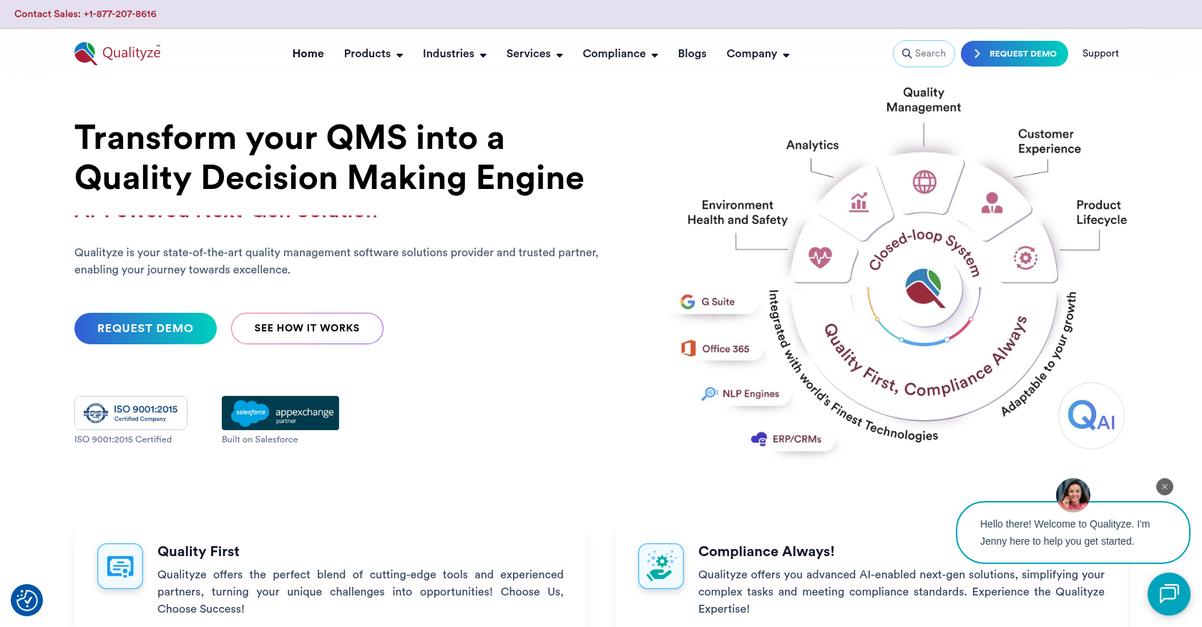
Qualityze helps you regain control by running natively on Salesforce, letting you connect document management with your daily business processes and CRM activity in a way isoTracker just can’t match.
If you’re tired of limited versioning, Qualityze empowers you with full lifecycle control and robust compliance management from document creation to archival. You also get deeper integration options that don’t require complex workarounds or disruptive migrations.
Here’s how Qualityze raises the bar.
Qualityze isn’t just another document control tool.
With Qualityze, you can finally solve the lack of flexible integrations and restrictive workflows that slow you down on isoTracker, thanks to its cloud-based design built directly on Salesforce. This means you can link document control tightly with quality, CRM, and business systems, eliminating data silos and inefficiency.
Additionally, Qualityze brings a comprehensive training management module so you can assign, track, and record document-related training right inside the platform. That improves audit readiness and user adoption simultaneously—no need to juggle several systems to prove compliance.
The result is improved efficiency, better compliance, and a platform your team will actually want to use.
Key features:
- Native Salesforce integration with CRM and business apps delivers unified document control, eliminating data silos and allowing for automated triggers between business processes—something unavailable in isoTracker.
- Lifecycle document control and compliance management provides end-to-end document handling with built-in audit trails, so you maintain integrity and speed up compliance compared to isoTracker’s rigid system.
- All-in-one training management module assigns, tracks, and documents every training activity from within Qualityze, ensuring regulatory adherence and workforce readiness on every new version released.
Verdict: Qualityze is a strong alternative to isoTracker for document versioning, especially if you need superior integration and lifecycle management. Users report a 61% compliance jump and 36% faster audits, thanks to streamlined processes and reliable data integrity. If your goal is audit-ready, connected documentation, Qualityze is built for you.
8. OpenKM
Looking for freedom from rigid isoTracker workflows?
OpenKM steps in with advanced versioning tools, automation, and a smarter search engine, giving you what isoTracker is missing for intuitive document control.
Your team can benefit from features like advanced document versioning that tracks every change, user, and timestamp, plus automated workflows to move files through business processes—making document management easier than ever.
Unlike isoTracker, OpenKM gives you precise control over document history and workflow paths so you don’t have to settle for inefficient, locked-in processes that frustrate your team and drain your productivity.
Now let’s see what OpenKM brings to the table.
OpenKM provides a user-friendly alternative that eliminates the complexity you felt with isoTracker.
It streamlines document control with a robust versioning system, so you always know who modified what and when. You also get automated workflows that remove manual bottlenecks, which is a serious upgrade if you need smoother collaboration or compliance tracking. Finding documents is painless, thanks to a powerful search engine that indexes all content and metadata for instant retrieval.
Additionally, OpenKM supports granular role-based permissions and avoids the risk of getting trapped by proprietary vendor lock-in. By combining comprehensive version tracking, hands-off automation, and rapid searching, you gain a clear efficiency and compliance edge after switching.
Each upgrade fits the needs of your team.
Key features:
- Advanced document versioning with audit history keeps track of every document change, author, and timestamp, providing transparency and control that isoTracker’s basic versioning functions tend to lack.
- Customizable rules-based workflow automation (OKMFlow) routes files through step-by-step business processes, reducing manual errors and bringing order to document handling previously limited by isoTracker’s rigidity.
- Powerful search with full content and metadata indexing lets you instantly locate documents using advanced filters and queries, eliminating the wasted time spent hunting for files in isoTracker’s less flexible setup.
Verdict: OpenKM makes a compelling alternative if you’re after better versioning, automation, and search than isoTracker. With improved document control and fast retrieval, some organizations see compliance tasks cut by 35 percent. Its open-source model also means no vendor lock-in and easier process customization.
Conclusion
Frustrated with isoTracker’s rigid document control?
You’re not alone—the inflexible workflows and clunky versioning are exactly why so many users are hunting for a smarter, more intuitive alternative.
Switching systems might feel daunting, but finding a tool that truly supports your team is absolutely worth it. You don’t have to stick with daily friction or risk more compliance headaches just because migration sounds tough.
Let me share my top pick.
FileCenter checks every box for frustrated isoTracker users. It streamlines version control, offers seamless integrations, and gives your team an interface that makes sense from day one.
I’ve seen FileCenter turn document chaos into clarity for real teams who left isoTracker. Unlike typical QMS platforms, FileCenter focuses on easy document organization and local file control—exactly what’s missing in isoTracker’s rigid experience.
Give FileCenter a try: start your free trial today and see how easy switching can be.
Enjoy effortless document versioning that actually fits your workflow.