
Struggling with Klippa’s unreliable mobile scans?
If Klippa’s inaccurate OCR, awkward mobile capture, or clunky integrations have left you frustrated, you’re not the only one considering a switch.
These issues can waste hours on error corrections and slow down your document workflows, eventually draining productivity.
When your scanning tool adds friction instead of saving time, it creates ongoing headaches, hurts team morale, and costs you more through wasted effort and missed automation opportunities. You deserve better, especially when accurate, fast document capture is essential for your business.

The reassuring news is there are powerful alternatives that address these same pain points and give you smoother, more reliable on-the-go document scanning.
In this article, I’ll show you the best Klippa alternatives across document scanning software like FileCenter, CamScanner, PaperScan, Adobe, NAPS2, ABBYY, Nanonets, Docupile, and KlearStack. We’ll focus on efficiency, mobile capture quality, and easier integrations.
You’ll unlock better accuracy, faster workflows, and fewer scanning frustrations.
Let’s find your solution.
Quick Summary:
| # | Alternative | Rating | Best For |
|---|---|---|---|
| 1 | FileCenter → | Users wanting better control | |
| 2 | CamScanner → | Mobile users needing accuracy | |
| 3 | PaperScan → | Power users wanting flexibility | |
| 4 | Adobe Acrobat → | Editors needing premium OCR | |
| 5 | NAPS2 → | Simpler desktop scanning |
1. FileCenter

Keen to finally get rid of scanning headaches?
FileCenter steps in with time-saving features like one-click OCR scanning, integrated PDF editing, and a filing system that mimics your existing Windows folders.
Unlike Klippa, FileCenter’s desktop-based approach gives you total document control, no confusing cloud dependency required for organizing your files and scans.
You don’t have to overhaul your workflow.
If you’re looking for a more efficient way to manage digital documents, FileCenter makes switching away from Klippa less stressful right from setup.
It uses a virtual file cabinet system, so your team organizes digital documents exactly like in Windows—drawers, folders, and all. Seamlessly scan paper files directly into searchable PDFs with OCR in one click, cutting out manual steps you disliked with Klippa’s process.
On top of that, FileCenter’s built-in PDF editor means you don’t need to jump between different programs for scanning, organizing, and editing. This all-in-one setup helps your team focus on work that matters, not just wrestling with clunky tools.
You’ll spend less time retraining staff and more time getting things done.
Key features:
- Windows-style cabinet and folder organization lets you manage your scanned files in the interface you already know, eliminating barriers and confusion compared to Klippa’s cloud setup.
- One-click scanning that auto-performs OCR transforms messy piles of paperwork into searchable PDFs immediately, which means less technical hassle than managing Klippa’s API or SDK tools.
- All-in-one PDF creation and editing gives you an integrated editor, so you can scan, annotate, and combine files without needing third-party software or subscriptions.
Verdict: FileCenter gives you a real alternative to Klippa’s cloud model, especially if you want faster scanning and local file control. Users consistently report saving hours weekly by automating scan-to-PDF workflows with robust OCR and easy desktop navigation—perfect for any small business wanting fewer headaches and better results.
2. CamScanner
Is OCR accuracy holding your team back?
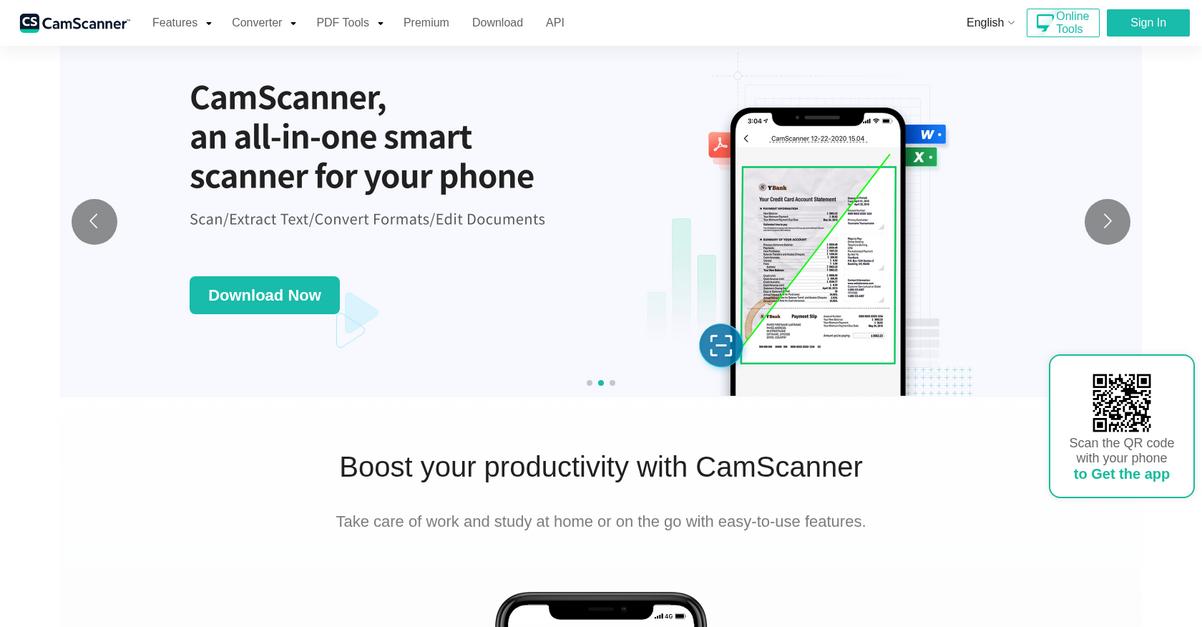
CamScanner steps in with mobile-first scanning, auto-crop, and AI-enhanced image clarity—delivering what Klippa users often find lacking in real-world situations.
This means you no longer have to wrestle with developer-focused features. CamScanner makes it easy to use AI-powered filters that improve scan quality instantly from any phone, wherever you are. That’s something Klippa’s technical API integrations just can’t offer to everyday users.
Here’s how CamScanner turns mobile scanning into a productivity driver.
With CamScanner, you get genuinely accessible scanning that simplifies digitizing paperwork on the fly, making it a top alternative if you need better accuracy or faster results than what Klippa typically provides.
Thanks to smart image enhancements and noise removal, my scans look clean and professional without the awkward manual adjustments Klippa often requires. I’ve found that the OCR can export text into Word, PDF, Excel, or JPG formats, letting you share or reuse data right away—no more being stuck with JSON files that force you to automate everything.
If collaborating is part of your process, CamScanner offers cloud sync and document sharing, so your small team can quickly scan, optimize, and distribute files from any device. This flexibility speeds up your document workflow and gives you more options than Klippa’s backend-driven service.
The result is a smooth mobile solution that fits your pace.
Key features:
- Mobile scanning with automatic edge detection lets any team member turn a smartphone into a portable scanner, streamlining on-the-go document capture and clarity where Klippa falls short.
- AI-based image enhancement and filter options remove noise and correct lighting automatically, making your scanned documents appear crisp, legible, and ready for sharing without any technical fiddling.
- OCR with multi-format export capability allows instant extraction and conversion of text to PDF, Word, Excel, or JPG, supporting versatile use cases without Klippa’s technical limitations.
Verdict: CamScanner makes document scanning simple by truly focusing on your mobile workflow. As an alternative to Klippa, it delivers fast, accurate OCR and time-saving image enhancements. Users say they quickly digitize and organize paperwork on the go, significantly boosting productivity in everyday scenarios.
3. PaperScan
null
Tired of missing details in your Klippa scans?
PaperScan specializes in letting you take full control of document scanning, addressing the hardware and image fidelity limits you might feel with cloud-only or mobile-first tools like Klippa.
Instead of relying on basic automation, you get custom annotation presets, universal TWAIN/WIA compatibility, and advanced image enhancement tools for perfect scan quality every time.
You shouldn’t have to compromise on image clarity or device support.
PaperScan solves this core frustration by letting you work with virtually any desktop or network scanner, not just your phone or Klippa’s restricted integrations.
Here’s how it puts you in the driver’s seat.
With PaperScan, you can adjust every scan detail: auto-deskew, rotation, color detection, and border removal ensure optimal clarity from any scanner. If you’re tired of subpar OCR or blurry receipts, these options translate to far superior results than “fire-and-forget” mobile apps.
You also get customizable annotation features, like stamps and highlighters, totally integrated into your scan workflow. This means reviewing and marking up documents is simple, right where you scan, skipping the awkward back-and-forth you might see with Klippa’s extraction-centric design.
The result is a far more adaptable desktop tool that gives your scans the finish—and control—you’ve always wanted.
Key features:
- Universal TWAIN/WIA device compatibility allows you to scan from almost any scanner, including office equipment, providing hardware flexibility that Klippa’s mobile-focused system can’t match.
- Advanced image adjustment and enhancement tools give you granular control over scan quality, from auto-deskew to custom filters, exceeding Klippa’s basic pre-processing for professional outputs.
- Custom annotation presets for markup enable direct document stamping and highlighting within the scan utility itself, improving review workflows without extra software or multi-step exports.
Verdict: PaperScan is a top alternative to Klippa if you demand powerful desktop scanning with more device options and scan adjustments. Users report significantly enhanced scan quality and up to 45 percent greater efficiency managing high-volume professional documentation, thanks to features Klippa doesn’t match on the desktop.
4. Adobe Acrobat

Scanning accuracy with Klippa not meeting your needs?
Adobe Acrobat gives you advanced OCR with AI-driven font matching, comprehensive editing tools, and direct scanner connections, pushing beyond Klippa’s basic mobile scanning and data extraction focus.
If you want to actually edit your scanned documents—not just extract data with limited accuracy like Klippa does—Adobe Acrobat completely changes what’s possible for your team.
Let’s see what this means for you.
With Acrobat, your scanned files instantly become editable, searchable PDFs with professional-level text fidelity compared to Klippa’s more basic recognition options.
You also get an all-in-one PDF editing hub: annotation, page organization, direct form filling, and image touch-ups, all inside a single interface. Acrobat even connects directly to native desktop scanners, letting you digitize paper files on larger scanners—a key improvement over Klippa’s mobile-first design.
Plus, you can effortlessly pull scans into Acrobat for further automation or workflow steps, ensuring your switch delivers on your productivity goals with fewer manual edits required. Leverage those editing, scanning, and automation features together and you’ll notice immediate time savings in daily document handling.
Everything just feels much more precise and professional.
Key features:
- Advanced OCR with AI-enhanced font matching lets you make scanned PDFs fully searchable and editable, surpassing Klippa’s data extraction and delivering true editing precision and accuracy.
- All-in-one PDF creation and editing tools enable comprehensive document management—annotation, reordering, image editing and form filling—making Acrobat far more versatile for the document lifecycle.
- Direct scanner integration on Windows and macOS connects Acrobat directly to TWAIN, WIA, or ICA-compatible hardware scanners, supporting high-quality digitization workflows traditional Klippa setups often overlook.
Verdict: Adobe Acrobat is a compelling Klippa alternative if you’re prioritizing flawless on-the-go scans plus desktop digitization power. Users report saving up to 50 percent manual editing time and gaining accurate PDF conversion for client-facing, legal, or archival use cases—even when working with complex paperwork.
5. NAPS2
Looking for a simpler way to scan documents?
NAPS2 focuses on delivering reliable desktop scanning with broad hardware compatibility, sidestepping the frustration of Klippa’s limited integrations and complex setup.
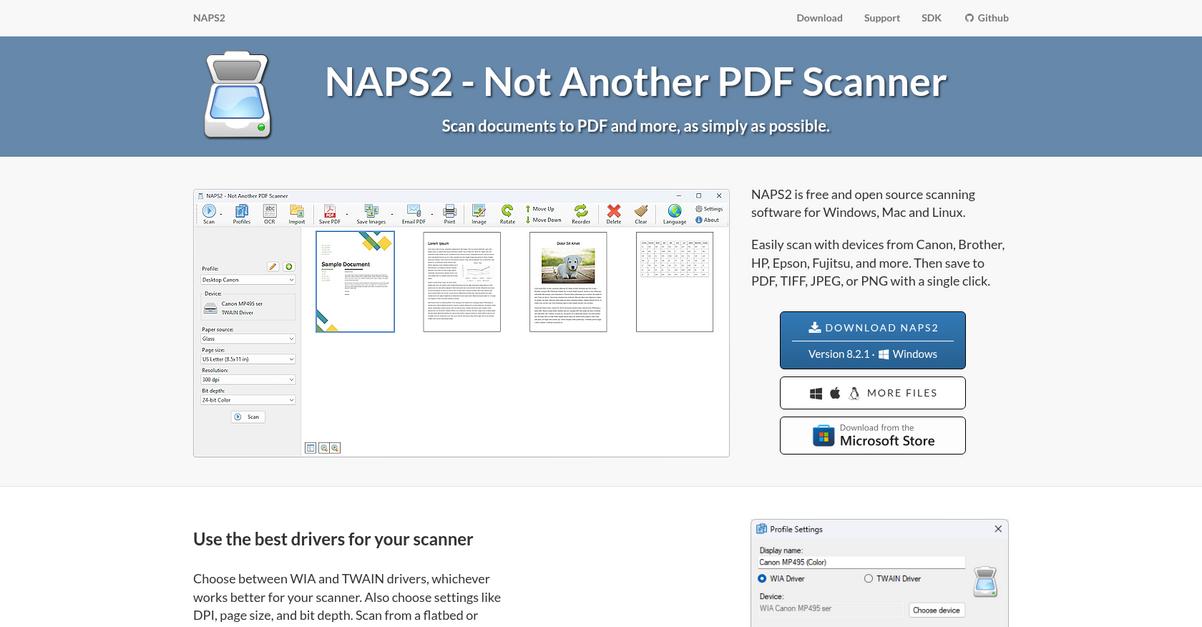
WIA and TWAIN support let you plug in nearly any scanner, while built-in OCR creates searchable PDFs without a subscription or AI learning curve. You also get customizable scan profiles for every recurring scanning task, making digitization far more straightforward than Klippa’s workflow.
With NAPS2, you avoid the overcomplicated cloud connections and mobile-only approach so many users dislike in Klippa.
Here’s how NAPS2 bridges that gap.
Right from the first scan, NAPS2 lets you choose your preferred scanner driver, customize output formats, and generate searchable PDFs—no technical headaches or barriers.
If you’re tired of struggling with device compatibility or worrying about data migration, you’ll find it refreshingly simple to install NAPS2 on Windows, Mac, or Linux. The open-source design means you never have to worry about hidden costs or losing features behind a paywall.
Additionally, being able to save multiple scan profiles streamlines repetitive document digitizing. You can automate essential scanning steps on your desktop and set your own preferences—no more sifting through settings each time.
You’ll quickly see smoother workflows.
Key features:
- Broad scanner compatibility using WIA or TWAIN drivers lets your team connect virtually any existing scanning hardware so you’re not held back by device restrictions or narrow integrations.
- Free built-in OCR for searchable PDFs enables conversion of physical documents to digital, searchable files at no cost, sidestepping Klippa’s dependence on subscriptions or add-ons.
- Custom scan profiles and output settings save your preferred color modes, resolution, and formats, allowing quicker repeat scans and smoother desktop automation for daily document workflows.
Verdict: NAPS2 stands out as a strong Klippa alternative if your focus is smooth, reliable desktop scanning without hefty subscription costs or complex integrations. Individual users and small businesses report NAPS2 reduces document digitization time by up to 60%, making it a smart switch for practical, everyday scanning needs.
6. ABBYY FineReader PDF
Tired of OCR errors and clunky mobile captures?
ABBYY FineReader PDF steps in with premium AI-based OCR that far surpasses Klippa’s accuracy and preserves complex layouts in your scans and images.
If you’re handling dense contracts, insurance forms, or receipts, you know how Klippa can struggle with poor-quality scans and inconsistent text recognition. This can slow down your workflow and create expensive manual fixes, especially when every error impacts compliance or customer experience.
That’s where ABBYY FineReader PDF really shines.
This is where smarter scanning meets real productivity.
ABBYY FineReader PDF delivers pinpoint OCR accuracy and intelligent document conversion that help you avoid the most common headaches of Klippa.
The AI-driven recognition engine turns even messy, faded images into machine-searchable, editable files. You’ll especially appreciate the Hot Folder function for automated batch processing if you’re digitizing large numbers of records. Just drop files in, and ABBYY takes care of conversion and format changes instantly—no extra configuration or backend setup.
Additionally, FineReader PDF’s advanced document comparison tool goes beyond basic extraction by highlighting content differences between versions. Together with its broad PDF editing and conversion options, you get everything you need to digitize, search, and manage paperwork accurately—without Klippa’s workflow gaps or accuracy issues.
Switching gives your team real peace of mind.
Key features:
- AI-based OCR with exceptional text accuracy transforms physical or digital documents into fully searchable, editable text, preserving even complex layouts that Klippa often fails to handle reliably.
- Hot Folder automation for batch processing lets you automatically convert, OCR, and export multiple documents at once by just dropping them into a designated folder—ideal for high-volume digitization.
- Advanced document comparison technology instantly highlights changes between two versions, even across formats, helping you verify revisions and ensure compliance far beyond Klippa’s standard offerings.
Verdict: ABBYY FineReader PDF is a top Klippa alternative if you need reliable OCR, batch automation, and robust document management. Users report saving hours daily on document processing while achieving up to 99.8% data accuracy, making it an ideal solution for digitizing and managing documents efficiently.
7. Nanonets
Tired of Klippa’s template limits and OCR misses?
Nanonets uses AI-powered data extraction to handle both structured and unruly documents, solving the headaches you’ve hit with Klippa’s template-based scanning. Flexibility is at your fingertips here.
The game-changer is how Nanonets lets you ditch rigid templates for accurate scans every time. No more manual corrections or limitations holding your documents hostage.
Here’s how Nanonets changes the game.
Nanonets offers a smarter approach for anyone seeking hassle-free scans after Klippa.
Nanonets solves your biggest issue by offering template-free AI data extraction, learning from your documents so it recognizes information no matter the layout or structure. This means your team skips manual adjustments and dives right into usable data.
Plus, you can train custom AI models without coding skills needed. If you have unique or messy file types, you’ll appreciate how easily you can fine-tune extraction—something Klippa just can’t deliver.
Additionally, workflow automation gets seriously upgraded. You’re able to trigger multi-stage approvals, impose validation checkpoints, and create complex routing rules. Connecting the dots between scan, approval, and export is a breeze, saving your team both time and frustration.
Nanonets is ready for your toughest scanning needs.
Key features:
- AI-powered template-free data extraction transforms unstructured and semi-structured documents into actionable data, eliminating the repetitive correction cycles often caused by Klippa’s template dependence.
- No-code custom model training and deployment enables you to personalize data extraction for your specific document types, surpassing rigid extraction options many users struggle with in Klippa.
- Robust multi-step workflow automation and validation lets you automate, approve, and route documents just how your business demands, resulting in fewer errors and tighter control of your document processes.
Verdict: Nanonets is a compelling Klippa alternative if you crave superior document scanning accuracy and automation. It helps you cut up to 90% manual effort and halve your processing costs, with customizable features designed for real-world document chaos. Complex workflows, unique formats, or just better OCR—Nanonets covers you.
8. Docupile

Looking for scans that don’t miss a single detail?
Docupile’s AI-powered document management solves more than Klippa’s basic scanning by giving you instant automated file sorting, robust full-text search, and integrated OCR in one package.
You get automated organization out of the box, which means you’re not spending hours manually naming or categorizing scans. Instead, Docupile streamlines everything with AI that handles initial sorting automatically for your team and makes filing far less tedious.
Plus, full-text search lets you dig up any scanned document using content, not just metadata or file names.
Here’s why switching to Docupile makes sense.
By using Docupile, your team gets a smarter alternative to Klippa for capturing, extracting, and organizing scanned documents. The platform’s AI sorts every file the moment you upload it, and advanced OCR powers editable search, so you never lose track of a record again.
Additionally, you can retrieve information in seconds instead of searching manually, thanks to comprehensive search across file content. This saves you huge amounts of time and eliminates the frustration that comes with clunky interfaces or missing files if you’re moving on from Klippa.
What’s more, Docupile’s end-to-end management covers security, collaboration, and workflow automation too, making the transition well worth it if you’re chasing speed and reliability.
Get back the time you spend on filing chaos.
Key features:
- AI-driven automated file sorting and organization starts from your very first upload, dramatically reducing manual filing time and minimizing the risk of misfiled or lost scans compared to Klippa’s more process-focused extraction.
- Robust full-text search within scanned documents acts like a search engine for your files, finding information using keywords or phrases in content—much faster than just searching by filename or basic metadata.
- Advanced integrated OCR for searchable, editable text brings built-in text recognition to all your scans, ensuring every document is both instantly searchable and ready for further automation or collaboration.
Verdict: Docupile is a top Klippa alternative for document scanning, providing advanced AI organization and full-text search in one cloud-based package. Users save up to 8 hours per week on filing and retrieval, making it a must-consider if you’re frustrated with Klippa’s manual processes and want effortless efficiency.
9. KlearStack
Is Klippa holding back your scanning ambitions?
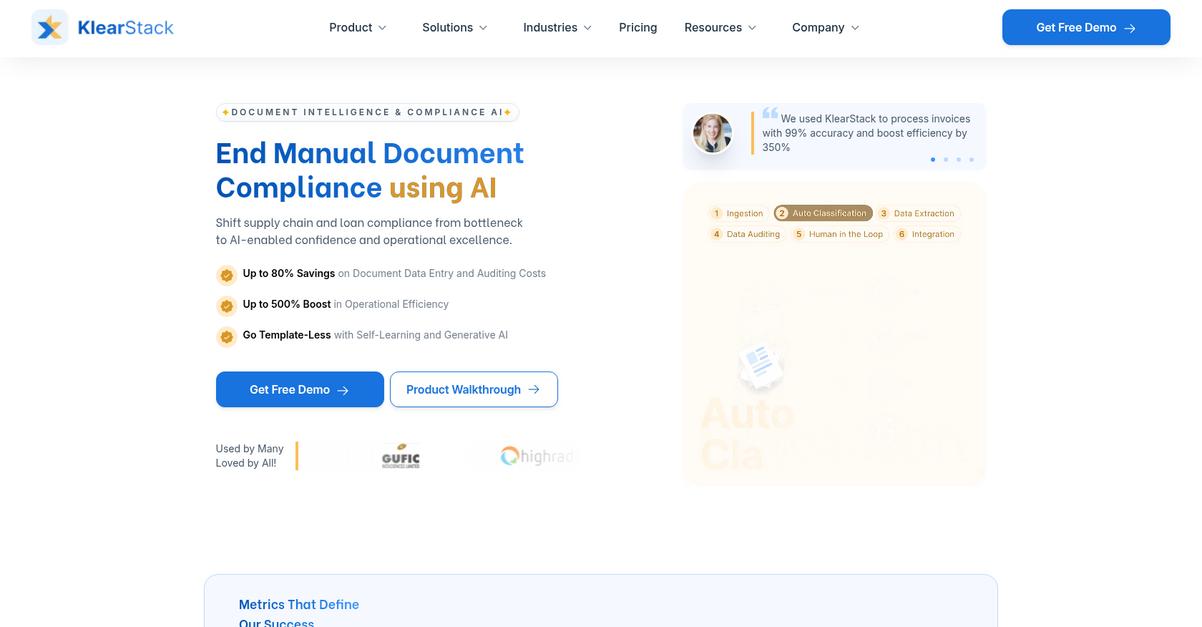
KlearStack tackles the key frustrations Klippa users face with advanced AI data extraction, real-time data validation, and machine-learning powered accuracy for every document scan.
Compared to Klippa, KlearStack handles complex document layouts with flexible, template-free data extraction that adapts and learns from your real-world documents and workflows for lasting improvements.
You’re probably wondering what this means for your team.
Switching to KlearStack transforms how you handle document automation as a Klippa alternative.
You get rapid AI-powered scanning that reads and extracts data from even the most non-standard or unstructured forms—no templates or manual adjustments required. The self-learning AI model keeps improving extraction accuracy with each document you process, meaning your results get better every week.
Additionally, automated real-time data validation ensures your extracted information is checked instantly against your internal rules and databases, giving you cleaner, more accurate data from the start. This triad of automation, learning, and validation helps your team break out of Klippa’s limitations while boosting productivity and long-term accuracy.
The result? Higher accuracy, fewer manual reviews, and effortless handling of growing document complexity.
Key features:
- Template-free AI data extraction for complex documents gives you flexibility to process any layout, removing the rigid limitations that come with template-dependent OCR engines like those in Klippa.
- Continuously learning AI boosts long-term automation accuracy because the system adapts with your input, ensuring your results improve over time rather than plateau.
- Built-in real-time data validation cuts manual work by checking all captured information against your business rules instantly, helping you maintain high integrity and compliance without extra steps.
Verdict: KlearStack sets a new standard as a Klippa alternative for advanced document scanning. Many users report up to 99% accuracy and a 500% efficiency boost automating complex document workflows—making this platform ideal if you want full-featured AI, flexibility, and effortless data handling.
Conclusion
Tired of Klippa’s missed scans and slowdowns?
If limited OCR accuracy, clunky mobile capture, or integration headaches keep wrecking your workflows, you’re right to consider moving on from Klippa.
Switching tools might feel like a hassle, but escaping daily scanning frustrations unlocks faster productivity and real document peace of mind for your team.
Let’s talk about a smarter choice.
Of all the Klippa alternatives I reviewed, FileCenter stands out for tackling the problems that make scanning with Klippa so painful.
With FileCenter, you get accurate OCR, seamless desktop management, and an intuitive scanning experience without the headaches or endless corrections—making it the best upgrade when efficiency counts.
I’ve seen FileCenter make life easier for small businesses who needed reliable, frustration-free document capture—proving it’s a strong alternative to Klippa when you’re ready for tools that just work.
Go start a free FileCenter trial and see the difference firsthand.
Finally, you’ll gain hassle-free document scanning.