
Tired of Laserfiche slowing you down?
If you’re feeling stuck with Laserfiche’s outdated interface and poor cloud or mobile support, you’re definitely not the only one.
Those missing features can really hold back your team’s productivity and leave you spending extra time on repetitive manual tasks.
Every hour your team spends fighting with clunky workflows, or emailing each other files that should be easy to share, is time that drains morale and creates unnecessary stress. The result? You’re spending money and energy just keeping the system running instead of actually improving efficiency.

Luckily, there are great alternatives that offer modern cloud features and better usability to help you regain control of your document management.
In this article, I’ll show you the best best Laserfiche alternatives for secure document storage, including SmartVault, FileCenter, Egnyte, Dropbox, NordLocker, Tresorit, FileCloud, and Box.
You’ll finally have a chance to streamline your workflow, boost security, and help your team feel empowered instead of frustrated.
Let’s find your solution.
Quick Summary:
| # | Alternative | Rating | Best For |
|---|---|---|---|
| 1 | FileCenter → | Small teams seeking simplicity | |
| 2 | SmartVault → | Accounting firms needing compliance | |
| 3 | Dropbox → | Teams wanting modern interfaces | |
| 4 | Egnyte → | IT teams needing hybrid security | |
| 5 | NordLocker → | Users wanting top-tier privacy |
1. FileCenter

Feeling locked into a complex, outdated Laserfiche setup?
FileCenter addresses those pain points with intuitive filing, lower costs, and desktop-first document management designed for small teams wanting fewer barriers than Laserfiche imposes.
Right from the start, FileCenter’s cabinet-drawer structure uses familiar Windows folders rather than complicated databases and taxonomy systems. It takes just minutes to organize files for secure storage without feeling overwhelmed as you might with enterprise tools.
Plus, your team avoids Laserfiche’s steep learning curve and expensive subscriptions so you spend less time training and more time getting work done.
Here’s how FileCenter stands apart.
Unlike Laserfiche, FileCenter gives you a recognizable folder view so everyone can start filing right away. There’s no need for heavy customization or slow migration — your information becomes instantly accessible and secure.
You can buy a perpetual desktop license instead of a recurring subscription, allowing you to control your budget while keeping files local if cloud adoption isn’t right for you yet.
Additionally, FileCenter’s built-in scanning and OCR digitizes paper files directly into organized folders, streamlining your workflow without separate modules. Smart naming rules bring even more time savings, making the switch from Laserfiche seamless for daily document capture or compliance needs.
That extra simplicity is exactly what gets you results.
Key features:
- Windows cabinet-drawer folder system allows you to organize files with familiar structures rather than forcing adoption of complex database taxonomies common in enterprise systems like Laserfiche.
- One-time software purchase or subscription choice puts you in control of costs, unlike Laserfiche’s mandatory recurring subscriptions, which often strain your small-business budget.
- Integrated scanning, OCR, and smart naming digitizes and files paper documents in one step, eliminating the multi-module complexity of Laserfiche and getting your archive searchable quickly.
Verdict: FileCenter offers a practical, cost-effective alternative to Laserfiche if you’re seeking secure file management without enterprise bloat. If you prioritize ease of use, familiar interfaces, and lower total cost of ownership, FileCenter outshines Laserfiche and lets your small team stay productive and compliant.
2. SmartVault

Looking for something easier than Laserfiche?
SmartVault gives you a secure, cloud-based document management platform with an intuitive client portal—addressing Laserfiche’s clunky interface and lack of tailored cloud access for accounting.
By focusing on accounting-specific needs, SmartVault offers a branded client portal, deep QuickBooks integration, and built-in compliance vault features. Your firm avoids generic workflows and can automate everything from tax prep to document exchange.
This means you get a purpose-built system that actually improves client interactions and compliance outcomes, all while reducing painful email chains, unlike your old setup with Laserfiche.
Here’s why SmartVault is worth considering.
SmartVault is built for teams that outgrew Laserfiche’s generic approach, making cloud document management and client communication much smoother for your firm.
Your clients can use a secure, branded online portal to upload, access, and e-sign important tax documents at their convenience; this reduces back-and-forth while increasing audit trail visibility—a big win over traditional email attachments and file share headaches.
If compliance is top of mind, SmartVault’s vault is engineered for SOC 2 Type 2, HIPAA, and IRS 4557, letting you automate regulatory obligations while integrating with accounting software for a fully connected workflow.
All of this adds up to streamlined document storage, effortless collaboration, and less friction for your team.
Key features:
- Branded, secure client portal for document exchange that replaces email chains and makes uploads, approvals, and e-signatures frictionless for both your team and your clients.
- Advanced accounting software integrations automate workflows for finance and tax, letting you connect QuickBooks or Lacerte for real-time document syncing Laserfiche lacks natively.
- Purpose-built compliance vault supports leading standards like SOC 2 Type 2, HIPAA, IRS 4557, and FTC Safeguards Rule to meet industry demands out-of-the-box.
Verdict: If you’re searching for a secure document storage solution that’s more intuitive and compliance-focused than Laserfiche, SmartVault is a compelling contender. Firms save hours during tax season with workflow automation and a client portal, delivering smoother onboarding and stress-free compliance.
3. Dropbox

Is your team frustrated by Laserfiche’s clunky interface?
Dropbox stands out with automatic file sync and share, granular user permissions, and secure access from any device—all areas where Laserfiche often causes friction.
This means you finally get intuitive document management that feels natural to your whole team instead of lengthy learning curves or limited mobile tools that slow adoption and productivity.
Switching doesn’t have to be a headache.
Dropbox makes storing, organizing, and collaborating on files radically easier as an alternative to Laserfiche.
Here’s how it works: you get cloud-based storage where you can upload, organize, and share documents with anyone—internally or externally—without the hassles that often come with enterprise platforms. Plus, cross-platform access means you can work securely anywhere on web, desktop, or mobile, which is a real boost if Laserfiche’s mobile experience never measured up.
Your documents are safer, too. With robust file version history and the ability to restore old or deleted documents in seconds, you’re not stuck navigating complex recovery workflows. And with Dropbox’s advanced password protection for links, sharing sensitive documents externally isn’t stressful anymore.
The end result is simpler, more productive document storage.
Key features:
- Automatic file sync and sharing with permissions gives your team true cross-device access and easy collaboration, while letting you maintain strict control over who can see or edit any file.
- Version history with instant recovery allows you to easily go back or restore previous versions of documents, removing the risk and confusion of Laserfiche’s version controls.
- Broad cross-platform access from any device ensures your files are available securely on desktop, web, or mobile, fixing Laserfiche’s limited usability outside traditional office setups.
Verdict: Dropbox is a compelling Laserfiche alternative for secure document storage, especially if you want easy file access and modern sharing. It dramatically improves user adoption and productivity—many teams report a 30% faster onboarding and smoother mobile access compared to previous solutions that felt restrictive.
4. Egnyte
Is Laserfiche holding your team back lately?
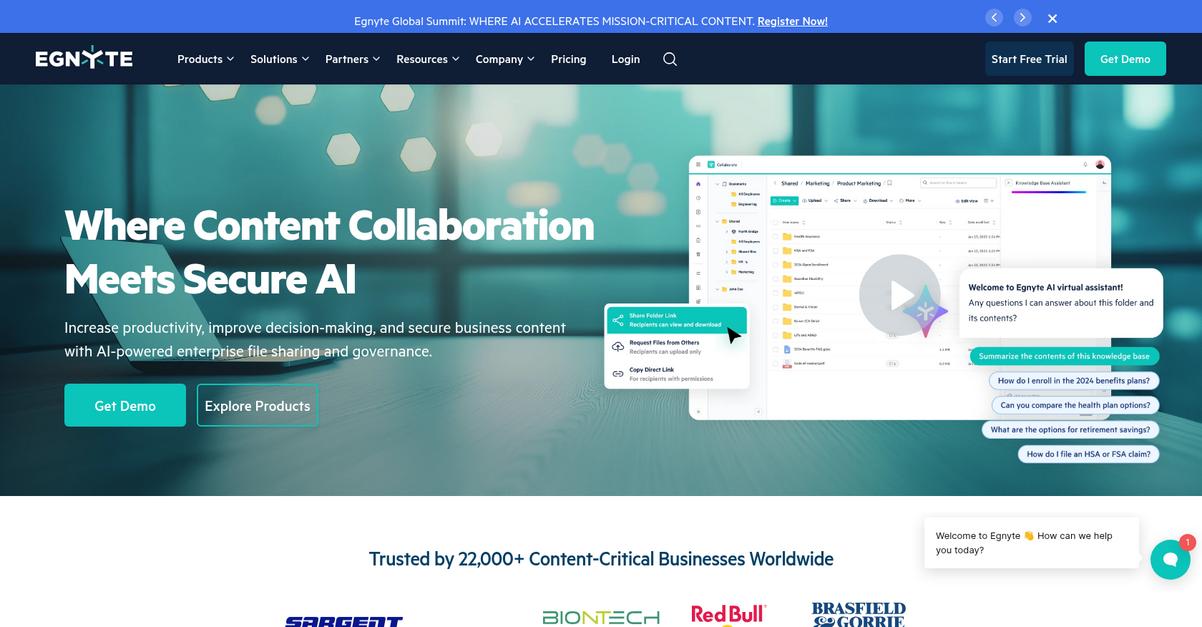
Egnyte tackles common frustrations by offering hybrid cloud access for files, plus advanced compliance and security controls beyond what Laserfiche typically delivers.
Egnyte’s hybrid deployment model lets you access documents from anywhere while still enjoying local server performance for large or sensitive files—critical if you’ve found Laserfiche struggles with speed or remote work.
So, you get the best of both approaches.
With Egnyte, you solve the pain of slow on-premises file access and complex data governance that often come up with Laserfiche as your storage grows. The platform brings together rapid cloud access and local caching, letting your team move large documents easily, no matter where you are working.
Plus, you’ll appreciate how Egnyte integrates comprehensive data governance and proactive ransomware protection straight into your workflow. This means you’re not just storing documents securely—you’re getting fine-grained audit controls, compliance reporting, and real-time cyber threat detection all in one dashboard. That’s a level up from just relying on Laserfiche’s general security measures.
Additionally, Egnyte’s intelligent tiering means less expensive infrastructure and lower overall costs. Your IT manager can customize where sensitive data lives—on-prem, in the cloud, or mixed—maximizing both speed and compliance for your business needs.
Put simply, Egnyte brings security and flexibility together.
Key features:
- Hybrid cloud and local storage performance lets your team access files quickly—no matter the location or size—solving common Laserfiche bottlenecks with smarter file placement and caching.
- Advanced compliance and auditing for sensitive content delivers powerful controls, audit trails, and governance tooling to help IT and compliance professionals keep data secure, even across multiple storage locations.
- Proactive ransomware detection and recovery tools protect your files with real-time monitoring and instant recovery, a step up from the more general security features in Laserfiche.
Verdict: Egnyte stands out as an alternative to Laserfiche if you want secure, modern document storage. Users report cost savings of over 20% by eliminating expensive infrastructure, while enjoying better compliance tools and hybrid access for large files—giving IT and compliance teams a major productivity boost.
5. NordLocker
Worried Laserfiche isn’t private enough for your needs?
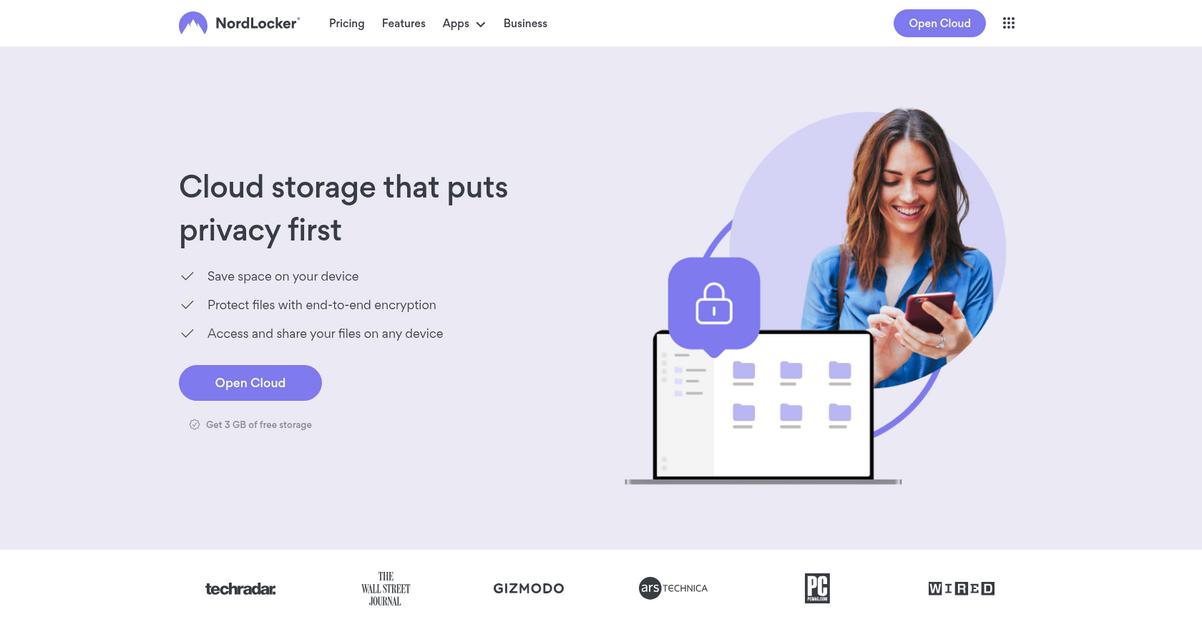
NordLocker cuts through common Laserfiche hassles by giving you zero-knowledge encryption, encrypted cloud lockers, and truly private file sharing—features built for those craving top-tier privacy and easy cloud access.
The real advantage comes when you realize how NordLocker puts you in 100% control of your encryption keys, so your files are private even from the vendor and anything you upload stays your business only.
You don’t have to settle for legacy tech.
Here’s how NordLocker flips the script as a Laserfiche alternative, delivering a secure document storage experience designed around your privacy.
With zero-knowledge encryption, you encrypt files on your device before anything hits the cloud. This means it’s impossible for anyone—NordLocker included—to snoop on your data. Your documents live in secure ‘lockers’ that sync privately across all your devices anytime, making cloud storage intuitive and personal. If switching from Laserfiche, this approach makes sure your confidential files are accessible only to you, not another provider or admin.
Additionally, NordLocker lets you share encrypted files through email or custom links, but only with people who have the key. Combined, these features create an environment far more private and user-centric than what Laserfiche’s repository model provides while streamlining secure collaboration for your team.
The result is a document vault that actually feels yours.
Key features:
- Zero-knowledge encryption for ironclad privacy protects documents so only your team holds the keys, offering privacy assurances beyond what Laserfiche’s server-side encryption can guarantee.
- Encrypted cloud lockers sync across devices to provide an intuitive, personal cloud vault experience—ideal if you want robust privacy with instant mobile or desktop access.
- Private file sharing via links with enforced access controls makes sharing confidential files easier and safer, allowing you to restrict file access to only trusted recipients.
Verdict: NordLocker is a compelling Laserfiche alternative if you want secure document storage where privacy and simplicity are paramount. With zero-knowledge encryption guaranteeing vendor-blind privacy and flexible encrypted sharing, NordLocker empowers your business to control its data—minimizing migration headaches and modernizing your file protection.
6. Tresorit
Is Laserfiche holding your team back?
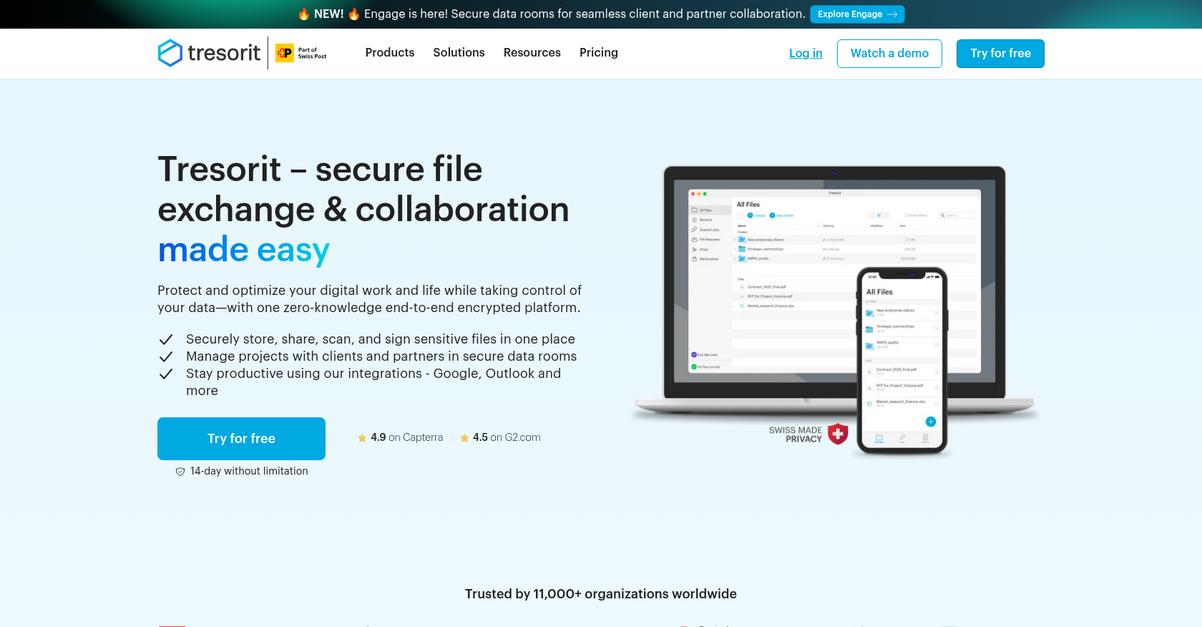
Tresorit solves Laserfiche frustrations by offering client-side zero-knowledge encryption, fine-grained data residency, and unmatched external collaboration designed for strict compliance environments.
Here’s how Tresorit goes beyond, giving you encryption even your IT provider can’t bypass and the power to pick exactly where your data lives. This means unmatched privacy and regional control—two things Laserfiche often falls short on.
That means your switch isn’t limited by old security models.
Tresorit gives you privacy-first control and modern productivity.
If you’re looking for a Laserfiche alternative that puts security and compliance above all else, Tresorit stands out for your peace of mind.
All data and document metadata is secured right on your device, thanks to client-side zero-knowledge encryption before cloud storage. Even Swiss privacy law protections back up Tresorit’s high-grade encryption, ensuring no one but you can access unencrypted content.
Plus, granular data residency options let you select specific regional storage locations to meet GDPR or other regulatory needs your business faces today. Your files never need to leave approved geographies—solving a core Laserfiche limitation and eliminating compliance headaches.
Secure external collaboration also gets easier. Share encrypted links or set up virtual data rooms, so clients and vendors can access precisely what you approve—and nothing you don’t.
Switching unlocks secure flexibility and true compliance.
Key features:
- Zero-knowledge encryption for all files and metadata protects sensitive information so only your team, not even Tresorit, can decrypt content—an edge over Laserfiche’s built-in encryption.
- Granular data residency for regional compliance needs lets you pick exact data center locations, enhancing control for organizations dealing with EU, HIPAA, or other strict regulatory requirements.
- Encrypted external sharing with granular permissions provides secure virtual data rooms and encrypted file links for safe, auditable collaboration, addressing security gaps found in traditional tools.
Verdict: Tresorit is a powerful Laserfiche alternative for secure document storage needs, surpassing Laserfiche with zero-knowledge encryption and precise data residency controls. If strict compliance and privacy are your core goals, Tresorit’s Swiss-grade security is built exactly for you—especially where GDPR and privacy mandates apply.
7. FileCloud

Tired of Laserfiche’s dated interface and rigid cloud?
FileCloud’s platform gives you true control with options for self-hosted or hybrid deployments, unlike Laserfiche’s relatively limited cloud architecture.
Here’s where FileCloud stands out: You can keep complete data ownership and control with on-premises hosting, access custom white-labeling for a seamless user feel, and layer on proactive security for compliance for compliance.
The result lets you keep your data where you want it.
FileCloud steps up as a secure document storage solution letting you bypass the frustrations of outdated systems or restrictive cloud-only setups common with Laserfiche.
You get unrivaled deployment flexibility—host everything on your own servers for maximum data sovereignty, or opt for hybrid configurations that combine private control with modern cloud accessibility. Plus, custom branding and white-labeling create a tailored platform that aligns with your company’s identity, delivering a more cohesive client experience than anything you’ll find in Laserfiche.
Smart Data Leak Prevention (DLP) is another game changer here. FileCloud lets you enforce robust, rule-based protections to prevent accidental or unauthorized sharing of confidential content, addressing risks head-on. All capabilities integrate seamlessly with your Active Directory for authentication, lowering resistance during switchovers.
Secure document management doesn’t need to be complicated.
Key features:
- Flexible self-hosted or hybrid deployment options give your team full control over file storage and security, offering true data ownership unlike Laserfiche’s predominantly public cloud model.
- Extensive custom branding and white-labeling let you deliver a fully branded client or employee portal, making the platform feel like a natural extension of your company identity.
- Rule-driven smart Data Leak Prevention (DLP) proactively blocks unauthorized or risky document sharing, adding focused, automated protection for sensitive information without relying solely on user permissions.
Verdict: FileCloud is a compelling alternative to Laserfiche if you demand next-level secure document storage, deeper branding, and complete control. With a 92% customer recommendation rate and claims of five times better value, FileCloud fits IT managers who need compliance, customization, and on-premises flexibility all in one place.
8. Box

Feeling locked in by Laserfiche’s outdated interface?
Box offers a modern, cloud-first platform with intuitive navigation, native mobile access, and seamless integrations that directly address Laserfiche’s limitations in flexible document management.
If you’ve been frustrated by Laserfiche’s limited integrations and static workflows, you’ll love how Box connects with a massive 1,500+ business apps. It delivers enterprise-wide integration and workflow automation out of reach with Laserfiche so your team can work smarter—not harder.
Switching to Box really can transform your document management experience.
Box isn’t just another document storage platform—it’s designed to help you move beyond Laserfiche’s static compliance focus and into streamlined, secure cloud collaboration.
Here’s how Box stands out: with end-to-end advanced content security including real-time threat detection, you get purposeful governance that proactively protects sensitive documents and ensures compliance, even across regulated industries. No more depending on basic compliance checkboxes that leave your data at risk.
Additionally, Box Relay automates repetitive business processes—such as approvals and contract routing—making your document workflows much more efficient than anything you’d see with Laserfiche’s older workflow tools. Layer on robust integration, and you’ve got a platform that actually adapts to your business as it grows.
That’s what enterprise-ready document management should feel like.
Key features:
- Integrates with over 1,500 business applications so you can unify content across all your existing systems, unlike Laserfiche’s much narrower ecosystem of integrations and plug-ins.
- Advanced content security with Box Shield and Governance delivers enterprise-grade threat detection and granular policy management, addressing compliance gaps where Laserfiche falls short for regulated industries.
- Powerful workflow automation (Box Relay) lets you build visual workflows for approvals, sign-offs, and routing, streamlining tasks that are manual or rigid in Laserfiche.
Verdict: Box is the top Laserfiche alternative if you need secure enterprise content management with true cloud agility. With up to 56% savings for Enterprise Plus contracts and unlimited storage on higher plans, Box delivers advanced security, powerful integration, and seamless automation—everything your team needs for modern document management.
Conclusion
Frustrated by Laserfiche’s outdated interface?
If you’re struggling with clunky workflows and poor cloud or mobile access, it’s no wonder you’re looking for something truly modern and user-friendly.
Sticking with the wrong system feels safe, but you’ll keep battling the same limitations unless you make the move to software that actually fits your needs for secure, effortless document management.
Here’s the smarter next step.
From everything I’ve reviewed, FileCenter is by far the top Laserfiche alternative for teams wanting better usability, cloud integration, and easier adoption with less hassle.
I’ve seen customers easily tame disorganized folders and eliminate daily frustrations by switching to FileCenter. As a Laserfiche alternative, FileCenter streamlines everyday scanning, organizes documents intuitively, and connects with the tools your team already uses.
Give FileCenter a try—start a free trial today and see the difference for yourself.
You’ll finally enjoy smooth, modern document management.