

LexWorkplace slowing you down again?
If you’re tired of slow email uploads, limited e-signature support, and frustrating onboarding costs in LexWorkplace, you’re definitely not the only one.
Dealing with these limitations can disrupt your firm’s daily workflows and drain valuable time from your team.
Those constant interruptions build up. Team morale drops, productivity takes a hit, and you end up paying for a tool that’s supposed to save you effort – not add more headaches. That’s why every week with LexWorkplace means lost billable hours and more stress, pushing you to rethink your setup.

Luckily, there’s a better way. You can find alternatives that actually boost productivity and make document management easier for your firm.
In this article, I’ll show you the best LexWorkplace alternatives for legal professionals, including FileCenter, NetDocuments, iManage, Clio, PracticePanther, and more, so you land on a tool that truly fits your workflow.
You’ll gain faster performance, smarter features, and software your team will actually enjoy using.
Let’s explore your options.
Quick Summary:
| # | Alternative | Rating | Best For |
|---|---|---|---|
| 1 | NetDocuments → | Teams needing better collaboration | |
| 2 | iManage → | Users wanting modern interfaces | |
| 3 | PracticePanther → | Budget-conscious growing businesses | |
| 4 | Clio → | Small teams seeking simplicity | |
| 5 | FileCenter → | Companies requiring better support |
1. FileCenter

Is LexWorkplace slowing down your daily workflows?
FileCenter directly solves the headaches you face with clunky cloud uploads and rigid workspace structures by giving you desktop-first file management using familiar Windows folder logic.
Instead of forcing your firm onto cloud-only workspaces and expensive subscriptions, FileCenter lets you organize everything locally with easy cabinet-and-drawer navigation—all while keeping file control firmly in your hands.
Here’s why that truly matters.
You get a more direct, reliable filing system without LexWorkplace’s learning curve.
FileCenter is designed for the way you already work.
When you switch, you’ll find FileCenter sidesteps LexWorkplace’s cloud limitations by letting your firm manage case files and PDFs natively from your desktop. This means you can file, search, and access everything using organizational structures you know—making migration and daily adoption a breeze, even for non-technical team members.
Plus, the advanced PDF editor lets you redact, annotate, and assemble files in one place. That’s an instant upgrade if you’re tired of juggling external tools just for PDF tasks while using LexWorkplace.
An extra bonus is the option to buy FileCenter outright with a one-time payment, sidestepping those ongoing monthly fees you’d expect from LexWorkplace. Combine this with robust PDF tools and desktop reliability and you gain a document management solution that keeps your processes running smoothly.
Your team will thank you for the simplicity.
Key features:
- Windows-style cabinet and drawer structure makes it easy to adopt, as you can organize files using familiar desktop methods instead of navigating LexWorkplace’s workspace system and retraining staff.
- Integrated advanced PDF editing tools allow you to annotate, redact, and assemble legal documents without purchasing or switching to separate PDF applications, saving both time and expense.
- One-time purchase licensing option gives you the control to own FileCenter outright and avoid the ongoing subscription fees required by LexWorkplace’s exclusively cloud-based format.
Verdict: FileCenter is a smart LexWorkplace alternative for law firms that want reliable desktop document management, robust PDF tools, and better budget control. With familiar filing, built-in editing, and perpetual licenses, you can streamline workflows while skipping slow uploads and unnecessary subscription costs.
2. NetDocuments
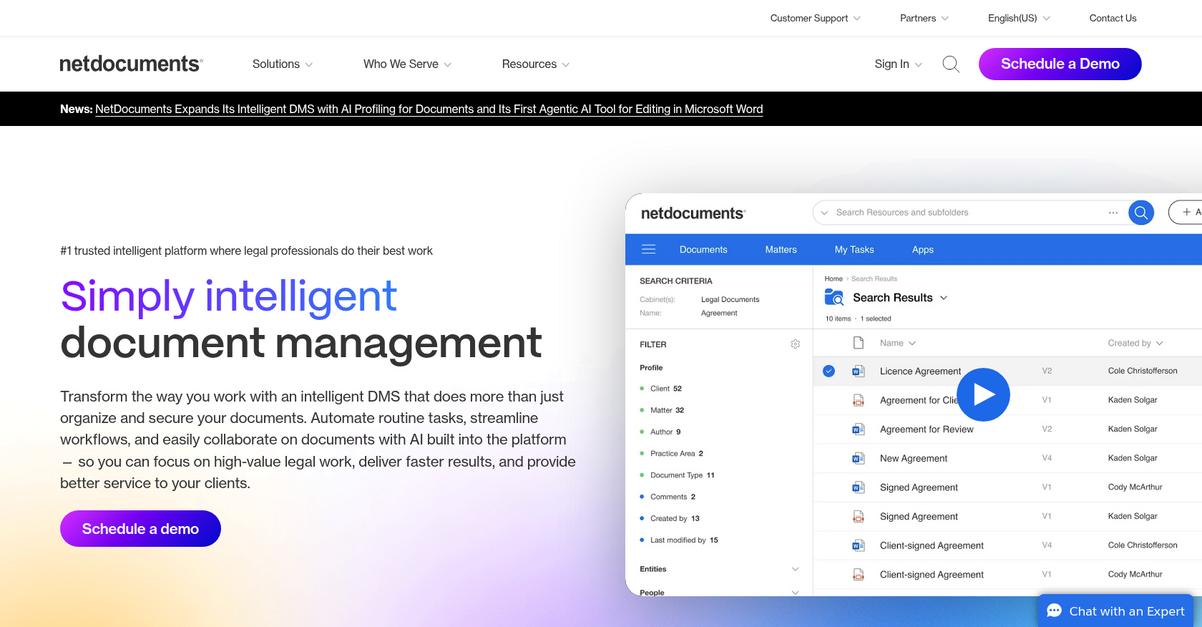
Frustrated with slow onboarding or clunky workflows in LexWorkplace?
NetDocuments delivers AI-powered document and email management that overcomes LexWorkplace’s sluggish email uploads, limited automation, and lack of advanced e-signature integrations for your legal team.
This means you get features like intelligent email filing, agentic AI for document assembly, and deep Microsoft Office integrations all in one cloud-based solution.
You’ll finally experience AI legal assistance and smarter workspace collaboration—two things you just don’t get by sticking with LexWorkplace.
Here’s how NetDocuments goes further.
NetDocuments fixes those pain points by integrating advanced AI right inside your cloud document workspace. You get automated clause redrafting, faster document reviews, and smarter email organization for every matter—from anywhere.
With matter-centric workspaces and enterprise-level security at every step, your firm controls legal content more easily, keeps data secure, and enables real-time collaboration with zero migration drama. Switching is smooth and lets everyone work in familiar Office tools.
Additionally, automating document summaries and managing matter emails from Outlook increases productivity and sharply reduces missed deadlines or rogue files. NetDocuments ties together deep security, compliance, and reliable staff adoption—giving you the feeling LexWorkplace promised, but couldn’t quite deliver.
Your best move for legal workflow efficiency.
Key features:
- AI-powered legal assistant for deep automation brings agentic AI into drafting, summarizing, and redlining legal content, going far beyond LexWorkplace’s standard document management.
- Intelligent email management with ndMail for Outlook files emails automatically against matters, maintaining complete communication records with precision and less manual labor.
- Workspace-based document control and collaboration organizes files and emails in secure, permissioned spaces tailored for complex legal matters, delivering granular access management and flexible team workflows.
Verdict: NetDocuments is the enterprise choice for law firms seeking a LexWorkplace alternative that delivers real benefits—trusted by over 7,000 legal teams, it offers smarter AI, more robust email management, and granular collaboration, all proven to enhance security, efficiency, and matter control in demanding legal environments.
3. iManage

Dealing with slow email uploads is getting old, right?
iManage immediately stands out with AI-driven knowledge management and automated email profiling, going well beyond the basic capabilities and integrations in LexWorkplace.
If your legal team has hit a wall with LexWorkplace’s email handling and limited discovery, you’ll notice how iManage’s features deliver a deeper, smarter search experience for your workflows and keep every message connected to your cases.
Here’s how you get a real upgrade.
Switching to iManage means you gain a truly legal-specialized document solution.
Instead of wrestling with missing emails and slow search like you did with LexWorkplace, iManage brings advanced tools to the table.
Its AI organizes and uncovers your firm’s knowledge, making briefings and document review faster and more precise.
You can even automatically capture and link emails to matters without tedious sorting, so nothing relevant ever slips through the cracks.
The advanced security features, like ethical walls and audit trails, help you keep even the most sensitive client data protected—something many LexWorkplace users worry about as their firm grows.
Plus, your team gets audit-ready confidence and efficiency built into every matter file.
You deserve a document management upgrade that works.
Key features:
- AI-powered knowledge management and search tools make it easy to organize, locate, and leverage critical information, outperforming LexWorkplace’s standard document handling with smarter content analysis for law firms.
- Integrated email capture and profiling automation ensures every client and matter email is linked and searchable, eliminating LexWorkplace’s incomplete email records and manual organizing headaches.
- Comprehensive security and compliance controls deliver ethical walls, audit trails, and advanced governance, surpassing the security insulation provided by LexWorkplace for high-stakes legal work.
Verdict: iManage is a top alternative to LexWorkplace for legal document management if your firm demands smarter knowledge discovery and bulletproof security. Its powerful AI and automated email filing go far beyond LexWorkplace, making it well-suited if you want precise, compliant, and highly organized firm files.
4. Clio

Feeling boxed in by LexWorkplace’s limitations?
Clio’s all-in-one suite unifies your document management with billing, calendaring, and case collaboration so you’re not stuck juggling disconnected tools or paying for multiple platforms.
This means if you’re frustrated by LexWorkplace’s slow uploads or limited e-signature integrations, you’ll enjoy how Clio brings secure document sharing, client communication, and case progress tracking together in one place. You won’t have to sacrifice performance or transparency just to switch.
You don’t have to settle anymore.
Here’s how Clio steps up as your next solution.
Instead of just replacing document management, Clio gives you an integrated practice management hub, combining your cases, files, calendaring, and billing within a single dashboard that’s far more intuitive than what LexWorkplace offers.
With Clio Connect, you get a secure portal for clients to review files, communicate, and track progress—something LexWorkplace’s external sharing just doesn’t match for collaboration. Plus, Clio’s expansive integrations marketplace connects your system with tools like Google Drive, Outlook, and dozens of legal apps, adapting to unique workflows so your transition is less disruptive.
You also gain confidence knowing document management is just one part of Clio’s robust suite. Every legal workflow—communication, tasks, and billing—ties together, making your team’s buy-in and training much easier than moving to another piecemeal system.
You’ll finally have the firmwide visibility and efficiency you want.
Key features:
- All-in-one practice management platform with integrated document management, billing, calendaring, and client communication, reducing reliance on disjointed tools that add cost and complexity if you leave LexWorkplace.
- Client-facing portal for secure sharing enhances collaboration and client engagement, replacing LexWorkplace’s basic external sharing with two-way communication, file exchange, and real-time case status updates.
- Huge integrations marketplace connects Clio to hundreds of legal-specific and business applications, adapting to your firm’s existing workflows much more flexibly than LexWorkplace’s limited app ecosystem.
Verdict: Clio delivers a complete legal practice management experience that makes it a top LexWorkplace alternative for small and midsize firms. You’ll centralize files, streamline client collaboration, and tap into 250+ app integrations, helping your team save hours and avoid the headaches of disjointed systems.
5. PracticePanther
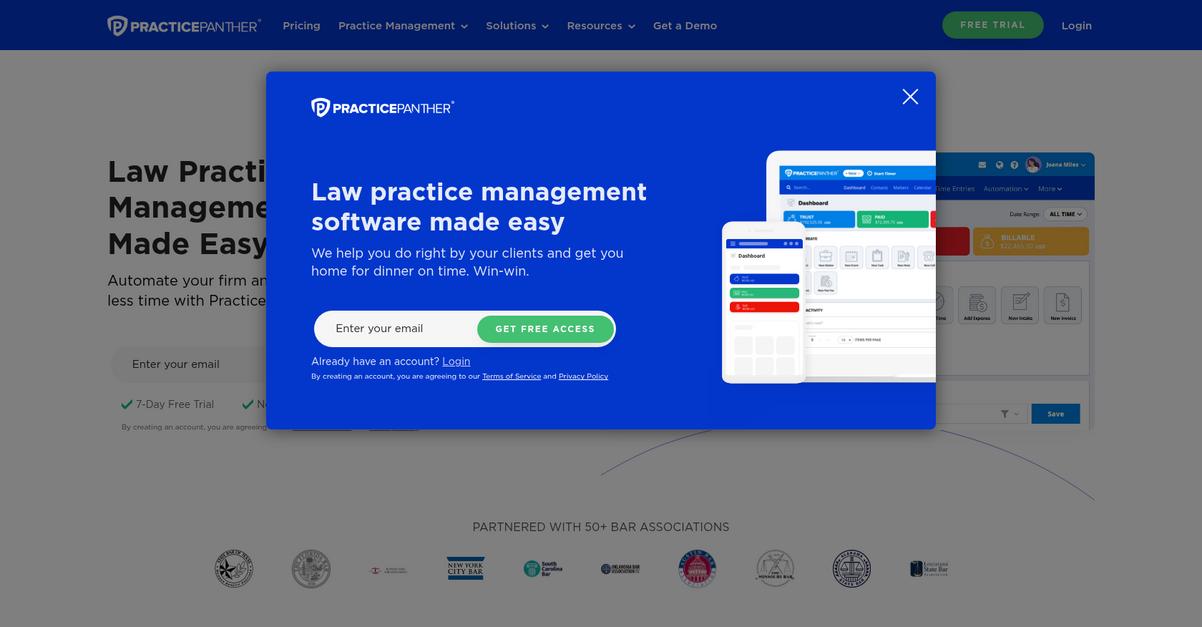
Tired of slow document workflows holding you back?
PracticePanther tackles the common pain points of LexWorkplace with built-in document assembly, secure client portals, and truly unified practice management—all in one user-friendly system.
Unlike LexWorkplace, PracticePanther helps you automate repetitive forms and centralize documents, time tracking, and billing workflows. You avoid the tedious manual steps and fragmented tools that make LexWorkplace feel clunky.
The result is greater consistency and less administrative burnout.
If you’re comparing solutions, here’s why PracticePanther should be on your list.
PracticePanther replaces LexWorkplace’s isolated document management with a connected experience, reducing tool-switching and streamlining everything from first draft to invoice.
Your team can load matter details into templates instantly, use secure portals to collaborate and collect e-signatures, and manage client communications in one spot—a level of integration LexWorkplace just can’t match if you want all-in-one convenience.
Additionally, the unified case and billing management means you never have to juggle multiple logins or sync data between clashing systems. This all-in-one approach has helped users cut admin time in half and shift more hours to actual billable work, which is the real value most legal firms are after.
It’s a practical upgrade with direct benefits to your bottom line.
Key features:
- Built-in document assembly and automation generates custom legal documents quickly from templates, automatically pulling matter details to save you hours compared to manual drafting in LexWorkplace.
- Integrated secure client portal and e-signature sharing makes client collaboration, file exchange, and collecting signatures far smoother and more secure than LexWorkplace’s piecemeal options.
- True all-in-one practice management tools join document management with billing, time tracking, and case updates, providing a streamlined workflow your whole team can actually adopt every day.
Verdict: PracticePanther is an excellent LexWorkplace alternative if your legal firm needs more than just document organization. With its all-in-one platform, users report cutting admin time by 50% and boosting billable hours, which could completely transform your firm’s workflow and profits.
6. Smokeball

Feeling slowed down by LexWorkplace limitations?
Smokeball fixes missing LexWorkplace features with automatic time tracking, a huge document automation library, and deep Microsoft Office integration for a smoother, faster legal workflow.
If you’re fed up with missed billables or manual document prep, Smokeball delivers value with automatic time tracking and 20,000+ document templates right at your fingertips. This means no more wasted time duplicating information or chasing after left-behind minutes.
Plus, you get effortless Microsoft Word and Outlook workflows.
Here’s how Smokeball really solves the LexWorkplace problem.
As a LexWorkplace alternative, Smokeball lets your team reclaim billable time by tracking every minute you spend working on documents, emails, and calls—automatically. You can focus on client work knowing nothing slips through the cracks.
Additionally, it turbocharges legal document creation thanks to its massive automation library. You can populate legal forms with matter details in seconds, drastically cutting out repetitive data entry and errors that slow you down in LexWorkplace.
Then, you can manage documents and emails right inside Microsoft Word and Outlook. The integration is much deeper than LexWorkplace, so your workflow feels familiar yet far more productive.
The result is more accuracy, transparency, and speed.
Key features:
- Automatic time tracking built into your workflow makes it effortless to record every time increment spent on documents, emails, or calls, meaning no more missed billable hours or tedious manual entry.
- 20,000-plus automated document templates available instantly allow you to generate complex legal forms in seconds, giving you far greater drafting speed and precision than LexWorkplace’s manual or basic templates.
- Deep integration with Microsoft Word and Outlook ties document automation and email filing directly into your everyday workflows, making your switch from LexWorkplace feel natural and dramatically more efficient.
Verdict: Smokeball stands out as a LexWorkplace alternative for legal document management by pairing powerful document automation and time tracking with real Microsoft Office integration. Legal firms report up to a 34% profits boost using Smokeball—proof your switch can deliver speed, accuracy, and better margins in daily practice.
7. Filevine

Are sluggish uploads and tough onboarding holding your firm back?
Filevine gives your practice tools like customizable workflows, advanced reporting, and integrated client texting—addressing firm-specific document management headaches that LexWorkplace never quite solves.
Unlike traditional legal DMS software, Filevine meets you where you work by letting you design matter workflows, forms, and reports your way for true flexibility.
This means more control for your team.
Filevine steps up as a LexWorkplace alternative by letting your firm tailor document workflows and templates to match exactly how your practice operates. No more forcing your team into rigid, generic setups that create friction and confusion.
You can ditch LexWorkplace’s limited structure in favor of fully customizable processes and dynamic templates that map to each practice area. This empowers your staff to move matters forward without a learning curve—and without the slowdowns and high onboarding costs you’re used to.
Additionally, you get client text-to-case communication built right in. Every message is tracked with the relevant file, tightening your records and improving responsiveness. Combine this with Filevine’s granular analytics—deep, visual insights into firm productivity and case health—for a true operational upgrade.
Everything clicks better for your legal workflow.
Key features:
- Customizable legal workflows and templates adapt to your specific practice areas, letting your firm control matter setup and progression far beyond LexWorkplace’s limited workflow options.
- Automated text-to-case communication tracking centralizes all client texts alongside document records, so you never miss a message or leave valuable interactions outside the case file.
- Deep, customizable reporting and analytics reveal actionable data on productivity, bottlenecks, and outcomes, helping you make smarter decisions that general DMS reporting just can’t deliver.
Verdict: Filevine puts your firm in the driver’s seat as you switch from LexWorkplace. With customizable processes, unique text-to-case features, and powerful analytics, it fits both everyday tasks and niche practice needs. That flexibility makes it a top document management software for legal firms moving beyond LexWorkplace limits.
8. MyCase

Looking for a faster, more intuitive legal DMS?
MyCase brings together document management, e-signature, and client communication in one place, addressing LexWorkplace’s frustrating limitations like slow uploads and patchy integrations.
You no longer have to bounce between different tools to get signatures, share case data, or keep clients updated—MyCase’s platform includes native e-signature and a secure client portal for everything.
Additionally, this means your team isn’t left struggling with complex onboarding or clunky workarounds.
Here’s how MyCase can change your workflow.
MyCase makes switching easier by bundling reliable document management with all-in-one practice features, letting you streamline signatures, storage, billing, and client sharing far more efficiently than separate LexWorkplace modules.
With the native e-signature tool, you handle legal documents securely inside your case files and avoid the extra hassle (and cost) of third-party tools. You also get a dedicated client portal where clients access case info and securely exchange files, so communication stays clear and confidential. If you’re moving from LexWorkplace, this tighter integration means you upgrade your whole process—not just your DMS.
You gain integrated case automation and document generation, bringing together time tracking, billing, and workflow tools to keep your firm running smoothly from one dashboard. This helps everyone adopt the new platform faster without sacrificing productivity.
The result is a quicker, more unified legal workflow.
Key features:
- Native e-signature built into the platform saves you from integrating external signature tools, helping you execute documents quickly and securely, unlike LexWorkplace’s more limited approach.
- Dedicated secure client portal for every case gives clients self-serve access to important documents, messaging, and case updates, improving communication while enhancing confidentiality over basic file sharing.
- Integrated practice management and document automation combines case documents, time tracking, billing, and automated document generation in a single place, reducing software sprawl and simplifying operations.
Verdict: MyCase is an excellent LexWorkplace alternative if you need document management plus integrated e-signatures and client communication in your legal practice management software. Rated #1 for ease of use, MyCase accelerates adoption and keeps your workflows and client updates organized, all while saving time and onboarding costs.
9. CosmoLex

Is your document workflow moving at a snail’s pace?
CosmoLex tackles some of LexWorkplace’s biggest headaches with built-in legal accounting, matter-centric document management, and a secure client portal for e-signatures and payments.
Instead of wrestling with external accounting tools or fragmented storage, CosmoLex unifies your document and financial workflows. This means you eliminate extra software costs, minimize data entry errors, and deliver a far smoother client experience. Plus, your firm can boost ABA and IOLTA compliance in real time compared to LexWorkplace’s less integrated approach.
Ready to see how CosmoLex changes the game?
CosmoLex gives your team an all-in-one legal practice management suite that’s perfect if you’re frustrated by LexWorkplace’s slow uploads or patchy onboarding.
With matter-centric document and email management, all files are organized within their specific cases, making it easy for you to track everything from pleadings to client correspondence. Additionally, the built-in accounting keeps your financial work in one place instead of depending on QuickBooks or syncing errors, providing full ABA and IOLTA compliance out of the box.
You also get a secure client portal for document sharing, invoice payments, and legally binding e-signatures—streamlining what used to take several disconnected platforms in LexWorkplace.
The result? Everything works together the way your firm needs.
Key features:
- Built-in legal accounting and trust management integrates ABA and IOLTA compliant accounting directly into document workflows, so you never juggle separate software or risk compliance failures again.
- Matter-centric document and email organization ties every file, email, or note to the right legal case, giving your team instant access and always up-to-date matter files.
- Secure client portal with payments and e-signature provides a single place for clients to review, sign, and pay—modernizing your firm’s client experience with stronger compliance than LexWorkplace.
Verdict: CosmoLex stands out as a LexWorkplace alternative if you need legal-grade document management with full accounting. Some users report cutting invoicing time from days to minutes. Its all-in-one platform and stronger ABA/IOLTA compliance put you in control while reducing onboarding friction for your team.
10. SuiteFiles

Is LexWorkplace slowing down your document-heavy workflows?
SuiteFiles fixes this with direct Microsoft 365 integration and unlimited digital signing—two pain points LexWorkplace users mention most. Instant document access inside Outlook and Word, plus no e-signature limits or surprise costs.
Unlike LexWorkplace, SuiteFiles taps into your existing Microsoft 365 ecosystem for a more unified, familiar user experience every day. You’ll avoid confusing onboarding and keep your workflow right where it’s always been.
No need for big changes—just more power.
Here’s how SuiteFiles makes the switch worth it.
When you use SuiteFiles, you’re solving several LexWorkplace frustrations at once. You get deep Microsoft 365 integration, so every document stays secure on SharePoint and is accessible directly from familiar tools. Automated folder and document templates mean you’re not spending hours creating every new client file. Plus, unlimited digital signatures come standard—no more annoying pay-per-sign charges.
With SuiteFiles, your team can automatically generate folders and documents for each matter, ensuring consistency and eliminating manual setup. That’s a major upgrade if you’re tired of LexWorkplace’s clunky workflows and e-signature roadblocks.
Additionally, your team gains peace of mind knowing setup and adoption are simple, since SuiteFiles works right inside Microsoft tools you already use. Deep Outlook and SharePoint connections mean your move from LexWorkplace is truly hassle-free.
Less training, more productivity.
Key features:
- Native Microsoft 365 and SharePoint integration keeps your legal documents secure, while allowing your team to manage files directly inside Outlook, Word, and Excel for daily efficiency.
- Unlimited digital signing—no per-signature limits or charges delivers a powerful, built-in e-signature platform, so you’re never paying extra or facing bottlenecks on important client documents.
- Automated folder and document templates for matters eliminate time-consuming manual setup, letting your firm create standardized files and folders with a single click, ensuring consistency across your cases.
Verdict: SuiteFiles is a strong alternative to LexWorkplace if your law firm wants better Microsoft 365 integration, unlimited digital signing, and time-saving automation. Some users report saving dozens of hours each year simply by automating templates and reducing manual setup. That alone may justify switching.
Conclusion
Tired of LexWorkplace’s sluggish document uploads?
You’re likely frustrated with slow performance, clunky e-signature integration, and the high cost and hassle of onboarding new staff to LexWorkplace.
Deciding to leave behind a familiar tool can feel daunting, but breaking free from workflow bottlenecks unlocks real productivity for your entire team. It’s not just about change—it’s about finally fixing what’s been holding your firm back.
Here’s a smarter alternative.
FileCenter tops my list for a reason: it streamlines day-to-day tasks, eliminates slow upload headaches, and gives you intuitive document control without the cloud chaos of LexWorkplace.
If your firm values quick adoption and powerful desktop tools, you’ll appreciate how FileCenter replaces LexWorkplace frustration with fast performance and flexible file management, especially for legal teams on a Windows environment.
Start your free trial of FileCenter to see the difference for yourself.
Experience more speed, less stress.