

SharePoint holding your team back?
If you’re fed up with SharePoint’s complex interface, slow adoption rates, and lack of intuitive collaboration tools, you’re definitely not alone in thinking it’s time for a change.
These issues can turn every project into an endless struggle and drain motivation across your team.
The longer you stick with SharePoint, the more you risk project delays, lost productivity, and growing frustration as your team fights to get even basic document tasks accomplished.

Productivity drops, costs rise, and morale suffers while your business falls behind—all because SharePoint just gets in the way. When every workflow feels like a chore, finding something better becomes a necessity.
The right alternative can make document management painless and help your team focus on real work again.
In this article, I’ll show you the best Microsoft SharePoint alternatives for cloud document management, including FileCenter, Fluix, DocuWare, Egnyte, LogicalDOC, M-Files, Box, and Dropbox.
You can expect streamlined interfaces, smoother collaboration, and less pushback from your team.
Let’s find your solution.
Quick Summary:
| # | Alternative | Rating | Best For |
|---|---|---|---|
| 1 | FileCenter → | Users wanting simple organization | |
| 2 | Fluix → | Mobile teams needing offline access | |
| 3 | DocuWare → | Teams seeking AI-powered automation | |
| 4 | Egnyte → | Users needing hybrid cloud control | |
| 5 | LogicalDOC → | Businesses wanting open-source flexibility |
1. FileCenter

Does SharePoint feel too complex for your team?
FileCenter makes document management easier with its desktop-based interface and cabinet-drawer filing system, addressing SharePoint’s learning curve and improving day-to-day usability for small businesses.
Unlike SharePoint’s abstract document libraries, FileCenter’s approach gives you an intuitive Windows-like folder structure from day one. This structure means your team won’t battle new terminology or get stuck in confusing configurations.
Here’s how FileCenter puts your documents within reach faster.
Its familiar navigation, paired with clever automation, helps you quickly organize files, making cloud document management simpler than what you’d expect from Microsoft SharePoint.
Moving beyond SharePoint’s complexity, FileCenter delivers a smoother document management experience you can actually use.
FileCenter solves the “where’s my file?” problem by mimicking Windows’ cabinet-drawer layout, so your team can organize digital paperwork exactly like physical files—no technical re-training or web database headaches.
Plus, the built-in scanner and OCR let you convert paper records into searchable, organized files instantly—something that normally takes multiple steps in SharePoint and drains productivity during migration.
Additionally, automated file naming uses your rules to sort documents as they arrive, so you avoid the manual cleanup or Power Automate tinkering Microsoft SharePoint requires. Combining these features sets your team up for high adoption and powerful search right away.
User experience here really matches your team’s needs.
Key features:
- Cabinet-drawer filing via Windows folder structures offers instant familiarity, letting your team organize and find files without navigating SharePoint’s technical document libraries or advanced web configurations.
- Integrated scanning and OCR digitization transforms paper or emailed documents into searchable PDFs, automating the process and making your digitization workflow much more direct than what SharePoint enables.
- Automated file naming and sorting rules reduce manual sorting errors by instantly organizing new documents as they arrive, so you avoid the clunky manual input or complex setup you’d face with SharePoint.
Verdict: FileCenter is a smart Microsoft SharePoint alternative for cloud document management if you want simple file organization your team will actually use. By cutting out web complexity and adding Windows-style folders, scanning, and automation, FileCenter removes barriers that slow SharePoint adoption—perfect for painless migration and higher ROI.
2. Fluix

Tired of SharePoint’s clunky experience during fieldwork?
Fluix steps in with offline document access, letting your team fill out forms and review documents on mobile devices without internet, solving SharePoint’s persistent mobile limitations.
If you’re frequently working remotely or in environments with unreliable connections, Fluix’s focus on field-friendly document workflows makes mobile document management fast, reliable, and frustration-free compared to what you may be used to with SharePoint.
Here’s how Fluix also addresses workflow complexity.
Its workflow automation goes far beyond SharePoint.
Fluix helps you ditch SharePoint workflow hurdles by giving you effortless drag-and-drop workflow automation made for field use. Your team can design and automate even complex approval flows visually, so your documents keep moving—no coding or technical roadblocks.
Additionally, you can connect Fluix with your favorite storage services and business software from day one. There’s no need for tedious data migration or worrying about SharePoint’s Microsoft-only integrations, since Fluix pulls everything into one centralized workflow tailored to your team.
Plus, with reliable offline capabilities, you can complete, sign, and submit forms wherever your work happens. This combination makes it practical whether you’re in construction, utilities, or any field role.
You’ll notice the difference the moment you switch.
Key features:
- Truly reliable offline mobile document access empowers your field teams to complete and submit forms hassle-free, solving SharePoint’s unreliable offline mode for remote and mobile workflows.
- Visual drag-and-drop workflow builder makes automating document processes accessible, requiring less technical skill than SharePoint Power Automate’s setup or scripting.
- Seamless third-party integrations and workflow centralization connect Fluix to your existing cloud storage and business tools, providing instant efficiency and saving your team from complex data migration.
Verdict: Fluix is a top choice if you need practical cloud document management far easier than Microsoft SharePoint. By focusing on mobile-first workflows, drag-and-drop automation, and flexible integrations, Fluix lets your team streamline approvals and stay productive anywhere—no retraining, minimal risk, just better results for every field process.
3. DocuWare

Feeling stuck with SharePoint’s complexity and limitations?
DocuWare’s smart document management and workflow automation directly solve headaches you face around usability, clunky SharePoint configuration, and time-consuming manual work.
You get automatic AI-powered indexing, real-time search, and workflow tools that let you cut out tedious handoffs and error-prone manual document routing completely compared to SharePoint’s frustrating Power Automate setup.
Here’s how DocuWare becomes the easier path forward.
With DocuWare, you can say goodbye to endless setup struggles, because this platform is purpose-built to help you ditch manual filing for good.
DocuWare gives you intelligent document indexing that instantly captures and classifies every file as soon as it enters the system. This means my team spends less time on repetitive data entry and more time actually working. The AI-based search digs up the exact files you need in seconds, which is a massive win if you’re always hunting through SharePoint libraries or suffering from lost documents.
Additionally, DocuWare takes workflow automation seriously. You drive custom document routing, approvals, and task notifications tailored to your work style, no coding necessary. The result is faster, reliable processes—unlike Power Automate’s confusing templates and limitations in SharePoint.
You also get secure audit trails for complete compliance—not just basic version history.
Everything just works better for document-centric teams.
Key features:
- AI-powered intelligent indexing and automated capture instantly classifies and organizes documents as they enter, eliminating the long manual filing many experience with Microsoft SharePoint’s less streamlined process.
- Configurable workflows for document routing and approvals let you map complex business processes visually, so you move documents through your team faster and with fewer errors than SharePoint can offer.
- Complete audit trails for robust compliance needs ensure all document actions are tracked and unalterable, helping you meet industry regulations more confidently than SharePoint’s basic activity history.
Verdict: DocuWare is a focused alternative to Microsoft SharePoint that will genuinely save your team from hours of manual work. Teams report 70% less manual filing and 65% faster invoice handling with DocuWare after switching—making this a strong pick for your cloud document management success.
4. Egnyte
Feeling boxed in by SharePoint’s clunky file access?
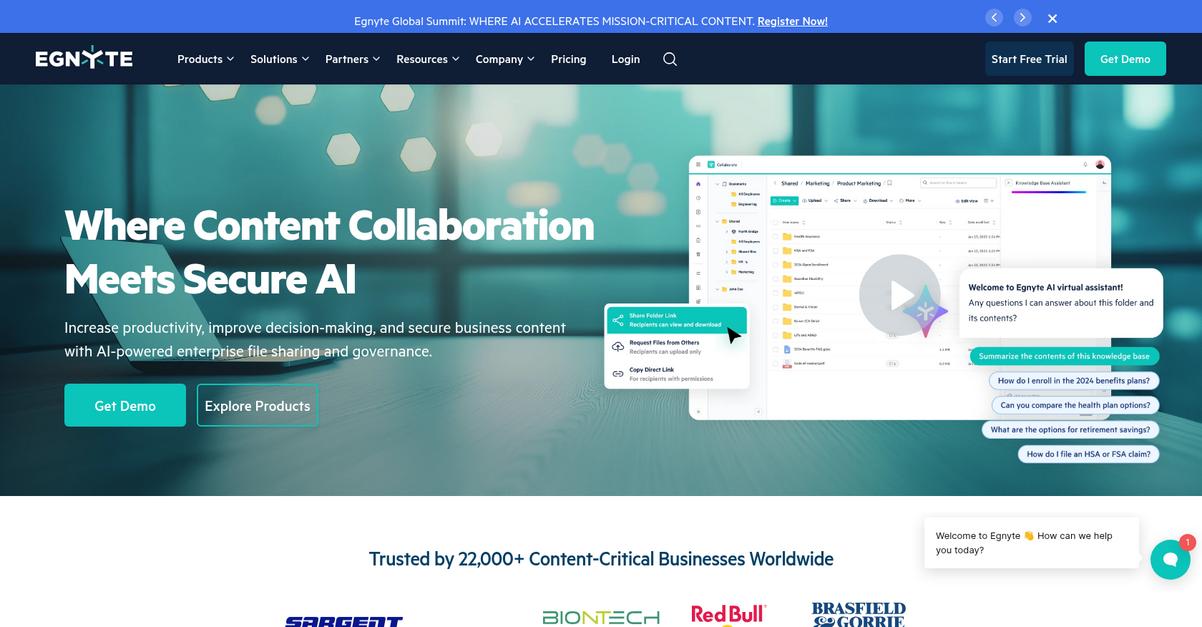
Egnyte’s hybrid cloud platform tackles the biggest SharePoint headaches by giving your team both secure on-premises speed and cloud availability—without the bumpy learning curve or restrictive cloud-only storage model.
Unlike Microsoft SharePoint, Egnyte provides hybrid access that optimizes both speed and control for your documents, so you don’t have to compromise on performance or convenience when sharing large files with distributed teams.
Here’s where Egnyte really shines.
With Egnyte, you get an alternative that puts user experience and control front and center.
Egnyte can help you break out of SharePoint limitations in a few big ways.
First off, it brings true hybrid architecture. You can store files locally for faster day-to-day access—ideal if your bandwidth isn’t great or you have remote branch offices. At the same time, those files are synced to the cloud for disaster recovery and on-the-go collaboration. You’ll immediately notice far better performance with large files or spotty internet than SharePoint allows, which means less frustration waiting for docs to load.
Additionally, Egnyte lets you apply detailed file- and folder-level permissions with a few clicks. Its built-in content governance tools—like data loss prevention and regex-based compliance reporting—make handling sensitive or regulated data much simpler if you’re facing industry standards that SharePoint doesn’t natively address for you.
You’ll finally get cloud document control that scales with your needs.
Key features:
- Hybrid local/cloud file architecture for speed stores documents both on-premises and in the cloud, giving your team rapid access during daily tasks plus robust disaster recovery beyond SharePoint’s cloud-only model.
- Granular access controls and permission management lets you specify who can view, edit, or share down to each folder or file, which simplifies complex security structures and makes user management straightforward.
- Advanced governance and compliance monitoring provides tools for data loss prevention, threat detection, and automated compliance reports—often outpacing SharePoint if you must meet strict regulatory or audit standards.
Verdict: Egnyte is a compelling Microsoft SharePoint alternative for cloud document management software, especially if you want hybrid storage, advanced data controls, and simpler compliance. You’ll find Egnyte’s interface much easier for sharing files internally and externally, creating real productivity gains as you move beyond SharePoint’s limitations.
5. LogicalDOC

Feeling boxed in by SharePoint’s limitations?
LogicalDOC offers open-source flexibility and multi-tenancy, giving your team freedom from vendor lock-in, plus much easier customization than you get with Microsoft SharePoint’s proprietary system.
If you’re tired of wrestling with complex user interfaces, LogicalDOC helps you with an intuitive platform and transparent open-source codebase that actually fits your company, not the other way around.
Switching to a better solution is easier than you think.
LogicalDOC delivers a robust cloud document management experience, letting your company regain control where SharePoint limited you with rigid structures and locked-down functionality.
Here’s how LogicalDOC makes a difference for your team: with its open-source core, your admins can tailor workflow automations, integrations, and permissions to actually match your requirements. Instead of wrestling with custom SharePoint development, changes are faster and more affordable, so you’re not stuck with compromise solutions.
Additionally, LogicalDOC’s multi-tenancy lets multiple departments or business units manage their documents independently within a single environment—streamlining infrastructure and making scaling far smoother than spinning up separate SharePoint instances.
Plus, powerful version control and detailed audit trails make compliance a breeze.
Your team finally gets the flexibility you asked for.
Key features:
- Open-source and highly customizable platform core means you can adapt and extend LogicalDOC for specific integrations, automations, or compliance needs, delivering far more flexibility than SharePoint’s closed model.
- Multi-tenancy support for independent document archives allows your different departments or external clients to safely manage their data under one LogicalDOC installation, optimizing costs and data separation.
- Granular version control and clear audit history provides a comprehensive record of all document changes, simplifying regulatory compliance and giving your team greater confidence in collaboration.
Verdict: LogicalDOC is a strong Microsoft SharePoint alternative if you need cloud document management software that’s flexible, highly customizable, and avoids vendor lock-in. With its open-source options and advanced multi-tenancy, LogicalDOC can support your unique workflows while offering the control and transparency SharePoint lacks.
6. M-Files

Still frustrated by SharePoint’s confusing interface?
M-Files ditches folder chaos for metadata-driven organization, so your team finds files by their meaning, not by remembering complicated folder paths—solving the adoption headache fast.
If you’re hoping to escape SharePoint’s rigid setup, you’ll appreciate how M-Files offers a unified way to discover documents, regardless of where they’re stored across your systems. This flexibility helps you avoid the costly search time and misfiled content that can plague your current setup.
The real difference? M-Files connects documents across all your systems without migration risk.
Here’s how a better alternative works.
M-Files solves the search and adoption problems you face with SharePoint by letting you organize, find, and secure information based on what each document actually is, not just where it lives. No more retraining your team on confusing folder structures, either—everyone gets the context they need instantly.
Plus, the Intelligent Information Layer lets you access documents in multiple repositories—without actually moving the files themselves. This means you can connect existing network drives, cloud apps, or legacy systems and have one place to find everything, which immediately reduces integration pain for your team.
You also get an Automated Workflow Engine to route approvals and reminders automatically, cutting tedious manual handoffs and process bottlenecks from your daily work. When you stack these features, M-Files can improve process efficiency by up to 70% and help your team find documents 50% faster, making the switching risk worthwhile.
Switching should make things easier for everyone.
Key features:
- Metadata-based organization unlocks context-driven search: Quickly locate documents using what they are instead of where they’re saved, eliminating folder confusion that slows your team’s work and adoption.
- Intelligent Information Layer minimizes migration disruption: Directly connect cloud apps, network drives, and legacy systems, accessing content from one hub instead of siloed SharePoint libraries and time-consuming migrations.
- Automated approval workflows with notifications: Simplify business processes using visual workflow engine, so critical documents move through the right approvals and your team spends less time chasing status updates.
Verdict: M-Files stands out as one of the best Microsoft SharePoint alternatives if you’re after cloud document management that actually works for your team. With reported efficiency gains of up to 70% and 50% faster document discovery, M-Files delivers ROI while eliminating folder confusion and integration headaches.
7. Box

Feeling boxed in by SharePoint’s clunky collaboration?
Box steps up with intuitive external sharing, a modern interface, and rich integrations—key upgrades for any team frustrated by SharePoint’s limitations.
Unlike SharePoint, Box gives your team easy external sharing for partners and clients with straightforward permissions, plus a clean layout that makes finding and organizing files frustration-free.
Ready for a smarter alternative? Let’s dig in.
Box takes the hassle out of content management by giving you modern tools that actually work for your team instead of against them.
You’ll get more than just storage: with simple, powerful external sharing that rivals SharePoint’s, it’s easier than ever for your team to collaborate securely with clients, vendors, or anyone outside your company.
Additionally, Box integrates with hundreds of your favorite business apps—not just Microsoft 365—so your team doesn’t get stuck using tools they don’t like just to make file sharing work. Combining these features means you get increased productivity without the need for endless retraining.
It’s real collaboration, not just another file server.
Key features:
- Effortless external collaboration and sharing make it simple to securely share files outside your company, with easy-to-set permissions that feel far less restrictive than SharePoint.
- Modern, intuitive user interface ensures your team spends less time clicking through confusing menus and more time actually getting work done, boosting user adoption rates dramatically.
- Broad third-party integrations allow you to connect Box with a wide ecosystem of business apps (CRM, e-signature, project management), far beyond SharePoint’s Microsoft-centric focus.
Verdict: Box is your best bet if you want cloud document management that’s actually user-friendly. With simpler external sharing and a faster learning curve compared to Microsoft SharePoint, it’s no wonder so many teams make the switch when real productivity counts.
8. Dropbox Business

Tired of confusing menus and endless SharePoint setup?
Dropbox Business puts your files front and center with automatic device sync, intuitive navigation, and AI-suggested content to cut file search time.
Unlike Microsoft SharePoint, Dropbox Business delivers smooth file synchronization across devices—no more version headaches or accidental overwrites. You’ll also discover an easy way to connect with external partners without jumping through permission hoops, compared to SharePoint’s complex settings.
Here’s how Dropbox makes document headaches a thing of the past.
Dropbox Business gives you a true alternative: everything is built for instant access, sharing, and productivity, so your team never has to worry about learning a new complicated system again.
Switching to Dropbox Business means you sidestep SharePoint’s complexity with a genuinely user-friendly cloud document management solution. Dropbox automatically keeps your files up to date on every device and uses AI-powered “smart content suggestions” so you can always find the document you need—much faster than SharePoint’s standard search. This unlocks real productivity when your team is juggling multiple projects and deadlines.
Additionally, sharing files with clients or contractors is just a link away—no advanced permissions or deep IT training required. Automatic cloud sync plus easy external collaboration help your team focus on work, not troubleshooting file access or lost edits.
Collaboration, sharing, and organization simply work.
Key features:
- Automatic file synchronization across every device means your team always access the latest versions, eliminating the frustration of out-of-sync files that can plague SharePoint setups.
- AI-powered smart content suggestions for files anticipate your needs by serving up relevant documents and folders so your team never wastes time searching or re-organizing content.
- Simple one-click external file sharing links provide a straightforward way to collaborate with partners or clients without configuring complicated permissions or workflows typically required by SharePoint.
Verdict: Dropbox Business is a top alternative to Microsoft SharePoint if your team wants cloud document management that just works. Its superior file sync, intuitive sharing, and intelligent file discovery help your team work smarter—without a steep learning curve or complex IT setup found in SharePoint.
Conclusion
Wish SharePoint felt easier to use?
Most teams end up wasting hours battling SharePoint’s confusing interface and struggle to get everyone actually using it the way you want.
You’re not crazy for wanting something better—finding the right fit will lift daily frustrations and finally let your team work smarter, not harder.
Let me make this simple for you.
Of all the best Microsoft SharePoint alternatives I reviewed, FileCenter is the clear winner if you want straightforward document management without headaches.
FileCenter feels familiar right away, making filing, organizing, and retrieving documents a breeze compared to Microsoft SharePoint. If you want a tool your team will actually want to use, this is the one to try.
Go ahead and start your free FileCenter trial to see how much easier document management can be.
You’ll finally make document chaos a thing of the past.