
Still frustrated by MyCase limitations?
If you’re dealing with MyCase’s clunky search, limited integrations, or weak collaboration features, you’re not alone in wanting more from your document management software.
These roadblocks can seriously slow down your daily workflow and leave your team struggling to stay organized.
Over time, relying on MyCase can cost you hours in lost productivity, drag down team morale, and add stress as you juggle inefficient systems and workarounds.

Switching tools might seem daunting, but moving to the right alternative helps you reclaim efficiency while giving your team features that actually work for legal practice.
In this article, I’ll show you the best MyCase alternatives for legal firms, from FileCenter and NetDocuments to Clio, PracticePanther, Filevine, Smokeball, LexWorkplace, and CosmoLex—each designed to unify your document management workflow.
With the right choice, you’ll enjoy smoother collaboration, faster search, better compliance, and integrations MyCase just can’t deliver.
Let’s explore your options.
Quick Summary:
| # | Alternative | Rating | Best For |
|---|---|---|---|
| 1 | FileCenter → | Users wanting modern interfaces | |
| 2 | NetDocuments → | Companies requiring better support | |
| 3 | Clio → | Teams needing better collaboration | |
| 4 | PracticePanther → | Small teams seeking simplicity | |
| 5 | Filevine → | Budget-conscious growing businesses |
1. FileCenter

Feeling boxed in by MyCase’s limited flexibility?
FileCenter answers your search for more intuitive document handling with features MyCase lacks, like Windows-native folder filing, robust local control, and a perpetual license option for cost stability.
If you’re constantly running into MyCase Drive sync frustrations or struggling to find documents, FileCenter gives you a familiar Windows folder interface that requires minimal training. This is perfect if you want your team up and running right away without wrestling with a complex cloud system.
Ready to see how FileCenter addresses these challenges head-on?
With FileCenter, you get a legal document management solution tailored for law firms that need real control over filing and cost.
You can organize all your files in cabinets, drawers, and folders on your Windows desktop—no database migrations or abstract taxonomy headaches required. Instead of dealing with MyCase’s rigid cloud storage, your documents stay where you want them, making access and retrieval much more efficient for your firm.
Additionally, integrated scanning and OCR features let you digitize and search paper files instantly, removing hours of manual entry and speeding up how fast you find key documents for cases.
The result is faster processes and peace of mind your data is under your control.
Key features:
- Intuitive Windows cabinet-drawer-folder structure makes organizing, searching, and retrieving legal documents easy without clunky cloud systems or expensive, mandatory subscriptions that come with MyCase.
- One-time license purchase for predictable costs gives your firm budget control, sparing you from ongoing MyCase subscription fees and enabling a single up-front investment.
- Built-in scanning and OCR automation turns paper files into searchable PDFs in seconds, automating what MyCase makes manual while saving daily processing time.
Verdict: FileCenter is the logical MyCase alternative for legal firms wanting desktop-based document management. By automating scanning, naming, and storage, users slash daily processing from hours to minutes. If you want efficient filing, cost control, and robust local workflows, FileCenter checks all the boxes.
2. NetDocuments
Frustrated by MyCase’s clunky integrations and limited search?
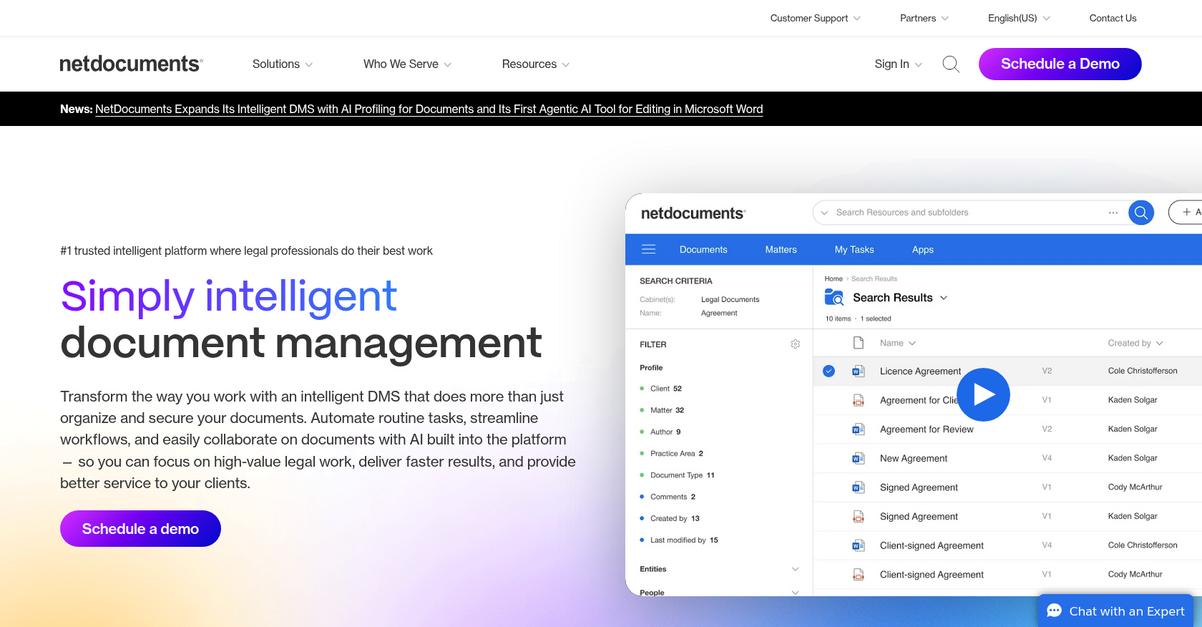
NetDocuments delivers enterprise-grade security, advanced document versioning, and AI-powered automation—three big wins if you’re craving a more specialized legal DMS experience than what MyCase offers.
Instead of wrestling with generic permissions or basic automation, you get granular compliance features and predictive filing tools out of the box. This means your firm finally meets strict data security requirements, while your team spends less time on tedious manual document work.
You get more than just a safe place for your files.
NetDocuments solves your workflow headaches by making security, automation, and integration standard—never an afterthought.
Here’s how your daily document headaches disappear. NetDocuments gives you frictionless Microsoft Office integration for Word, Outlook, and Teams. The result: edit, co-author, and organize legal documents right from your desktop with no sync mishaps, unlike MyCase Drive’s recurring pain points.
Plus, with AI-driven search, email filing, and document templating, your old manual processes get replaced with tools that actually learn your habits. This helps you create and organize legal documents in a fraction of the time.
Add in robust, role-based permission controls and a drag-and-drop system for managing ethical walls, and you get security capabilities far beyond MyCase’s general data protection measures. Everything works together to support compliance while keeping your workflow smooth, even if your firm is tackling massive case volumes.
If you care about compliance and efficiency, NetDocuments delivers.
Key features:
- Granular security, compliance, and audit trails let you manage data access at a detailed level and respond easily to regulatory demands—especially vital if your firm handles sensitive matters.
- Office integration (Word, Outlook, Teams) for co-authoring offers a truly smooth editing, filing, and collaboration process directly on your desktop, cutting out sync issues you might hit with MyCase.
- AI document automation, email filing, and templating let you automate repetitive drafting tasks and file management, thanks to predictive tools that save time compared to generic document features.
Verdict: You get much more than a MyCase replacement: NetDocuments offers legal-grade data protection and cutting-edge process automation. If rigorous compliance and Microsoft Office workflow are critical, this is a smart upgrade. For large firms, NetDocuments delivers sophistication that MyCase can’t match.
3. Clio

Tired of MyCase’s clunky search and limited integrations?
Clio gives you 250+ app integrations for e-signatures and document storage, plus advanced automation using Clio Draft—something MyCase just can’t offer for legal workflows.
If you’re burned out by limited customization, Clio adds a more reliable desktop experience and superior document automation to what you’re used to. Your day-to-day work gets that much simpler when you don’t have to stress about syncing or reworking every file manually.
Switching to a better solution makes sense.
Here’s how Clio tackles legal document management as a true MyCase alternative.
You get cloud-first practice management backed by dedicated apps like Clio Drive and Clio Launcher, so working with local files on Mac or Windows just feels smoother.
It also means you can turn any contract or pleadings into intelligent templates thanks to Clio Draft. With conditional logic, you eliminate busywork and avoid errors—ideal if your team is tired of constant manual edits in MyCase.
Additionally, Clio’s deep integration catalog lets you build your own workflow stack, so your firm’s specific needs are actually met. This results in increased efficiency, better compliance, and fewer IT headaches during your switch.
Clio really does modernize your legal workflows.
Key features:
- 250+ app integrations with document tools let you connect e-signature, storage, billing, and specialized legal technology to fit your exact workflow, addressing MyCase’s integration limitations.
- Clio Draft’s advanced automation features turn documents into reusable, intelligent templates with conditional fields, delivering more consistency and less manual labor compared to MyCase’s drafting experience.
- Clio Drive and Clio Launcher for Mac/Windows provide stable local edit-sync access, handling common syncing frustrations and workflow interruptions you may have faced moving from MyCase Drive.
Verdict: Clio stands out as an excellent MyCase alternative for legal document management, especially if integrations and automation matter to you. Firms switching to Clio reduce client consultation times by up to 66% and increase revenue 40%—all with a scalable platform that grows as your practice does.
4. PracticePanther
Looking for document management that’s actually user-friendly?
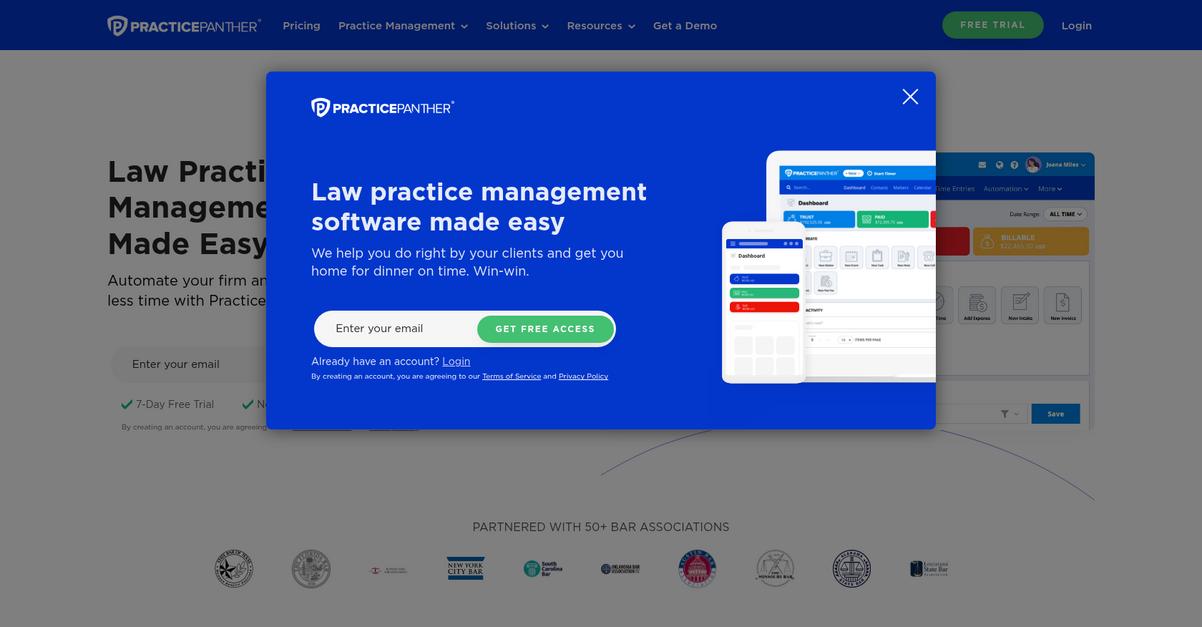
PracticePanther gives you built-in eSignature, customizable workflows, and task-driven client collaboration—directly countering MyCase’s integration gaps and restricted document tagging.
Unlike MyCase, PracticePanther’s workflows and tag system allow custom, automated routing for every client and matter. This makes each document easier to manage, while eSignature flows speed up execution without relying on external tools.
Here’s where PracticePanther offers you more.
By letting you automate routine filing and approvals, PracticePanther positions itself as a smarter alternative to MyCase’s restrictive approach.
If you’re frustrated by how MyCase restricts both automation and collaboration, PracticePanther is designed to put that friction behind you.
PracticePanther brings you a comprehensive legal practice management solution that addresses administrative bottlenecks head-on and enables faster, more efficient document handling.
The platform combines native eSignatures with automated workflows and secure client portals, so your legal team can organize, sign, and request documents—without toggling between apps. This integration is especially valuable if you’re tired of MyCase’s reliance on add-on services.
Additionally, you gain granular control with custom tags and matter-based workflows, making it far simpler to fit into your firm’s unique processes. Assign specific tasks to clients, streamline document collection, and cut hours off admin cycles.
Ready for better legal workflows? Choose smarter collaboration here.
Key features:
- Built-in eSignature for legal documents enables direct signing workflows within PracticePanther, saving time and eliminating the need for external e-signature services unlike in MyCase.
- Customizable automation and tagging tools let you automate document routing, apply unique tags to contacts and matters, and tailor processes far beyond MyCase’s rigid workflows.
- Secure client portal with actionable tasks allows you to assign document upload or review actions to clients, enhancing collaboration and speeding up document turnaround compared to MyCase’s basic file requests.
Verdict: PracticePanther stands out as a strong MyCase alternative for legal firms wanting robust document management. Its automation and native eSignature unlock over 15 hours in weekly savings, while some users report client payments accelerating by 70%. That’s the kind of workflow shift your practice needs.
5. Filevine
Tired of clunky searches and limited integrations?
Filevine targets those MyCase pain points with highly configurable workflows, built-in AI-powered document intake, and robust document editing and redaction—all in one legal-focused platform.
If you feel boxed in by MyCase’s one-size-fits-all structure, Filevine unlocks greater customization for case templates and processes across your firm. This means your workflow can adapt fully to your real-world needs instead of forcing workarounds.
That’s where Filevine pulls ahead.
You get a flexible solution purpose-built for legal professionals who need more than MyCase offers.
With Filevine, you’re looking at a platform that brings full-scale document automation and versioning, letting you streamline collaboration and optimize your document processes to a whole new level.
Here’s how this helps your firm: the powerful document intake leverages AI to automatically extract and route data from incoming documents, cutting your routine filing and naming busywork. You can edit, annotate, and redact documents natively in Docs+, so your team doesn’t have to shuffle files between apps or manually track redacted versions.
Additionally, the workflow and template tools allow you to shape every stage to fit your unique matter types and client requirements. Smarter automation connects all the dots, helping make migrations from MyCase worth the upgrade.
Efficiency and control finally match your real firm needs.
Key features:
- Deep workflow and template customization lets you create fully tailored processes, overcoming MyCase’s rigid approach so your case management reflects your unique practice areas and client needs.
- AI-driven document intake and data extraction automates the capture, classification, and routing of all documents, dramatically reducing manual entry compared to MyCase’s more basic intake features.
- Native in-line editing and redaction tools enable direct manipulation of PDFs and text files in-platform, so you never need to jump out to other applications for sensitive review tasks.
Verdict: Filevine is your top pick when you need a legal document management platform delivering real customization and automation beyond MyCase. Firms report document intake and routing are 5-10x faster with AI features, making Filevine a compelling solution if your firm needs efficiency, compliance, and more control in daily operations.
6. Smokeball

Tired of MyCase falling short for your firm?
Smokeball delivers a legal document management solution built around extensive automation, embedded time tracking, and a hybrid desktop/cloud setup that fixes the common headaches you find with MyCase.
Here’s how Smokeball changes the daily grind: you get one of the largest legal document automation libraries available, which means legal forms and templates are ready for instant use with data auto-fill and conditional logic.
Plus, every billable action is caught with Activity Intelligence time tracking.
Smokeball could be your firm’s next big legal tool.
Smokeball gives you a huge edge by automating document drafting tasks other software makes tedious.
With access to a 20,000+ template library, you can create legal docs in minutes, using conditional logic and auto-fill to avoid repetition. This makes onboarding your team from MyCase much less daunting, boosting adoption and reducing resistance.
Automatic time tracking is another standout. Smokeball quietly records your time in Word, Outlook, and its desktop app, so you never lose billables to manual logging gaps again. The hybrid setup, blending desktop power with cloud security, means reliable Microsoft Office integration and offline document access that you just don’t get from MyCase Drive.
The result is more efficient workflows and easy compliance for your firm.
Key features:
- 20,000+ legal document templates and automation empower your firm to generate court forms, letters, and pleadings at scale, far outpacing what MyCase can automate for legal practices.
- Automatic time tracking and billing intelligence capture all case activity within Word, Outlook, and Smokeball without manual entry, driving higher realization rates than MyCase’s manual timers.
- True hybrid desktop/cloud setup with Office integration gives you reliable local editing and constant cloud backup, reducing document sync disruptions and keeping your day-to-day in sync.
Verdict: If you’re comparing MyCase to Smokeball for legal document management, Smokeball stands out by saving your firm 2-3 days every month on billing through its automatic time tracking. Users have reported up to 34% higher profitability, with stronger Microsoft Office integration and less manual grunt work.
7. LexWorkplace

Is MyCase holding back your document management efficiency?
LexWorkplace’s tailored matter-centric system tackles legal workflow needs head-on, giving you robust organization, native Mac/Windows compatibility, and document compare capabilities MyCase just can’t match.
If you’ve felt stuck with limited search and unreliable integrations, LexWorkplace brings true cross-platform support and legal-specific structuring that solve these day-to-day frustrations you’ve likely faced with MyCase. This means you can expect smoother legal matter organization and far less wasted time hunting for files across clunky platforms.
Switching can actually be an upgrade.
LexWorkplace steps in as a dedicated, cloud-native solution built specifically for legal document and email management, not as a general practice management suite stretched to fit DMS needs.
Here’s how your firm benefits: all your documents, emails, and notes are organized neatly by client and matter, not just attached loosely to cases like with MyCase. This matter-centric approach mirrors how your team already works, saving you from workflow friction. You also gain seamless Microsoft Office integration on both Mac and Windows, so file access and editing are consistent for the whole team—goodbye to MyCase Drive’s compatibility headaches.
Need to double-check contract markups or version edits? LexWorkplace’s inline document compare gives you detailed, side-by-side revision tracking—a substantial step up from MyCase’s basic tools. Coupled with powerful search and legal-grade security, this system keeps your firm in control.
Effortless legal document management starts here.
Key features:
- Matter-centric document and email organization aligns all files, communications, and notes by client and legal matter, matching the specialized workflow model legal professionals expect—not just basic case linking.
- True cross-platform and deep Office integration enables you to open, edit, and save documents natively from both Windows and Mac, fixing the common sync and compatibility issues of MyCase Drive.
- Built-in inline document compare tool lets you instantly highlight and review changes between any two document versions, delivering tighter revision control than MyCase’s limited comparison options.
Verdict: LexWorkplace is a top MyCase alternative for legal document management, with deep matter-centric organization, real cross-platform Office support, and advanced document compare. If you want streamlined workflows and higher efficiency, LexWorkplace’s dedicated approach is built to meet even your strictest legal needs.
8. CosmoLex

Feeling stuck with MyCase’s document limitations?
CosmoLex stands out with fully integrated legal accounting, advanced document automation, and secure client sharing tools designed for busy legal teams fed up with MyCase headaches.
Unlike MyCase, CosmoLex goes beyond core document storage to deliver all-in-one trust accounting, document generation, and secure exchanges that fit your daily practice needs.
Here’s how CosmoLex can offer so much more.
CosmoLex brings your practice management, trust accounting, and document work under one roof, so you’re not juggling separate software or battling adoption challenges as you switch from MyCase.
With CosmoLex, you gain a unified platform where all legal, financial, and document workflows connect effortlessly, keeping your team’s time focused on clients—not wrestling with clunky interfaces or missing features.
The result is a true all-in-one solution.
CosmoLex replaces piecemeal systems by letting you handle accounting, billing, documents, and compliance, all from one login—no more toggling or manual workarounds.
Its robust built-in accounting meets strict ABA/IOLTA trust compliance so you can forget third-party tools. Plus, native document automation lets you generate client-specific files instantly using Word templates, reducing manual entry pain.
Switching also unlocks securely integrated client file sharing and e-signatures through LexShare and LexSign, tightly coupled with Outlook for seamless execution right from your inbox. The combination means enhanced compliance and efficiency compared to patchwork MyCase workarounds.
You get control, security, and integrated productivity.
Key features:
- Fully integrated trust and firm accounting removes the need for additional accounting software by meeting ABA/IOLTA requirements, offering financial clarity and regulatory peace of mind far beyond MyCase’s setup.
- Document automation with Word templates enables quick creation of matter-specific files auto-filled with client data, cutting hours of manual work for legal staff each week.
- LexShare and LexSign secure client services provide built-in file sharing and instant e-signature requests via direct Outlook integration, improving client service compared to MyCase’s generic client portal.
Verdict: CosmoLex is a top MyCase alternative if you want unified accounting, robust legal document automation, and secure client collaboration. This legal firm platform eliminates extra software, meets full compliance, and streamlines daily workflow—all backed by users who prefer its all-in-one approach over fragmented solutions.
Conclusion
Tired of MyCase’s limitations and workarounds?
Maybe it’s the clunky search, or maybe your integrations just never work seamlessly—either way, it’s frustrating to watch time slip away as your team struggles with everyday tasks.
Choosing to seek a better alternative is smart—you gain more control, productivity, and peace of mind than you ever got by sticking with a tool that holds your firm back.
Here’s a smarter move for your workflow.
FileCenter stands out from every alternative I’ve reviewed—it delivers powerful Windows-first document management with easy migration, robust search, seamless integrations, and no forced subscriptions.
If you want all the document organization and control that MyCase is missing, FileCenter lets you scan, index, and manage your files right from your desktop, without the headaches of MyCase Drive or cloud-only limitations.
Start a free trial of FileCenter today and see the difference for yourself.
You’ll finally find document management that works.