
Nextcloud setup headaches wearing you down?
Trying to keep your documents organized with Nextcloud often means wrestling with complex self-hosting and confusing mobile access that slows you down.
The frustration is real when basic tasks feel way more difficult than needed because your tool just isn’t intuitive.
Instead of focusing on your work, you lose precious time managing updates, troubleshooting syncing problems, and struggling to share files with others. These hassles add up daily and make you question if any improvement is possible, especially when your workflow is constantly disrupted. When your software becomes a daily obstacle, productivity takes a real hit and team morale dips fast. No one wants to feel frustrated by something that’s supposed to help.

The good news is better, stress-free alternatives exist that make managing your documents easy and secure.
In this article, I’ll show you the best Nextcloud alternatives for personal document management, including FileCenter, Notion, Dropbox, Zoho, DocuWare, PandaDoc, Bitwarden, and Joplin.
You’ll find tools with intuitive interfaces, improved mobile access, and straightforward sharing that let you finally move on from Nextcloud headaches.
Let’s find your solution.
Quick Summary:
| # | Alternative | Rating | Best For |
|---|---|---|---|
| 1 | FileCenter → | Users wanting familiar filing | |
| 2 | Notion → | Users needing structure & workflows | |
| 3 | Dropbox → | Users wanting reliable syncing | |
| 4 | Zoho WorkDrive → | Users needing integrated editing | |
| 5 | DocuWare → | Users seeking automation & AI |
1. FileCenter

Is Nextcloud’s setup process holding you back?
FileCenter tackles those frustrations by giving you familiar Windows folder organization and integrated scanning, unlike Nextcloud’s confusing self-hosting and web-based file management hurdles.
Switching to FileCenter means you can benefit from easy document filing using the cabinet-drawer method—this feels instantly natural and removes barriers that bog you down in Nextcloud’s browser-based interface.
Here’s how it makes your life easier.
FileCenter is built to solve your personal document management headaches without the complexities and recurring costs that push you away from Nextcloud.
Beyond simplifying document storage, FileCenter introduces flexible cabinet-drawer filing so you can organize documents exactly how you want. You no longer have to wrestle with awkward web folders—just use familiar Windows desktop navigation and folder structures to get started, making the learning curve close to zero.
Additionally, integrated scanning and OCR bring your paperless goals within reach. You scan, automatically name, and file documents in one go—much faster and less error-prone compared to Nextcloud’s standard file upload routines.
Plus, FileCenter respects your wallet: their one-time purchase option means you avoid endless subscription fees and keep your costs predictable.
It’s document management that actually fits your style.
Key features:
- Cabinet-drawer filing uses Windows folders so you can organize files with structures you already know, avoiding the learning curve of browser-based or database-driven systems.
- Integrated scanning with built-in OCR digitizes paper documents directly into organized folders, creating searchable files in fewer steps than Nextcloud’s basic uploads.
- One-time perpetual license available which means you can own FileCenter and skip the burden of recurring cloud subscription costs typically associated with self-hosted alternatives.
Verdict: FileCenter makes personal document management refreshingly simple compared to Nextcloud. If you want intuitive local filing, fast paper scanning, and predictable costs, FileCenter is a strong alternative. Many users find it ideal for paperless home offices and solo practices seeking better control.
2. Notion
Ready to ditch complicated Nextcloud setups?
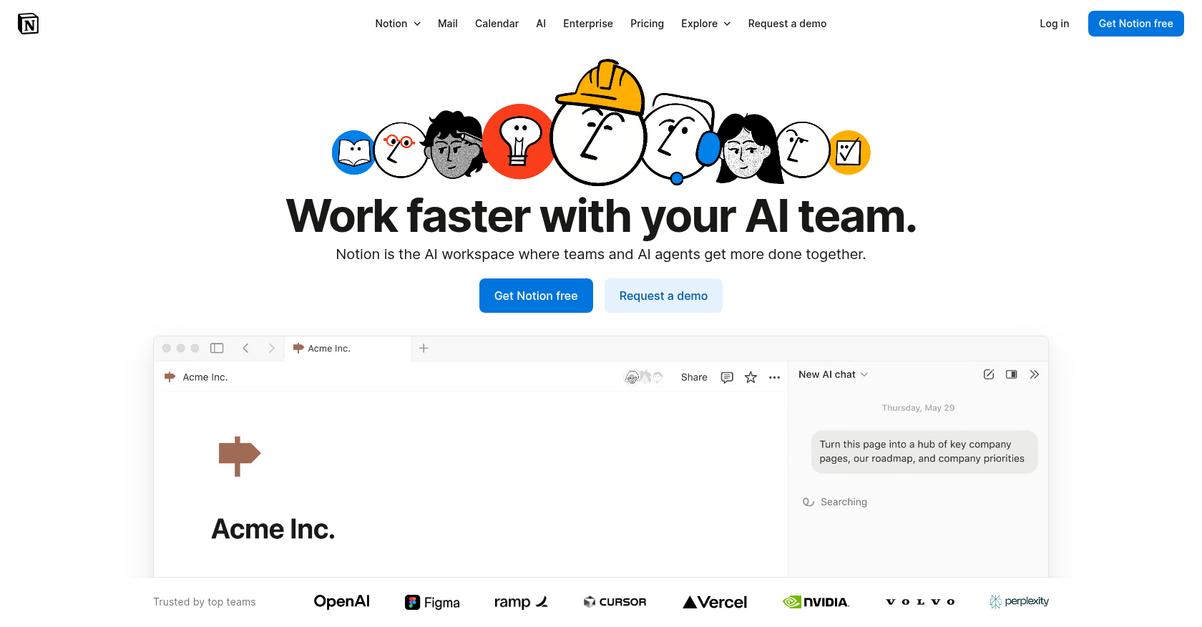
Notion offers interconnected pages, custom databases, and flexible templates to tackle personal document management in ways Nextcloud’s file-focused system struggles to match.
By offering a more structured approach to organizing your information, Notion moves beyond folders and basic file storage. You’ll be able to manage notes, projects, and various data types all in one place, which is a game-changer if you’re always piecing things together across separate files.
Let’s break down what this means for you.
Instead of just storing documents like with Nextcloud, Notion lets you build a workspace tailored to your needs with relational databases, linked notes, and real project management features.
With Notion, you get a flexible, highly visual workspace for organizing all your personal data. It’s simple to start, so if you’re tired of Nextcloud’s clunky onboarding or messy migrations, you’ll love Notion’s drag-and-drop tools.
What really stands out is how easily you can create your own templates for recurring tasks, daily journals, content calendars, or anything else you need. This instantly boosts productivity when switching from a generic file-based approach.
Additionally, the ability to connect pages and databases makes it easy to find and reference information without constant back-and-forth, a major step up if Nextcloud’s static file system ever left you lost.
You finally get control over your document chaos.
Key features:
- Database-driven personal information management enables you to structure tasks, notes, and projects beyond folders, giving you powerful organization tools missing from Nextcloud’s flat file system.
- Interconnected note and document pages link related information automatically, helping you create a personalized knowledge hub for effortless search and referencing.
- Custom or pre-built workflow templates let you jump right into personal planning, journaling, or tracking with minimal setup, outperforming Nextcloud’s basic document storage.
Verdict: Notion is a top-notch alternative to Nextcloud for personal document management, especially if you want more than file storage. Its flexible databases and interconnected pages let you organize all types of content intuitively. In just minutes, you can set up workflows Nextcloud never offered, cutting your setup time dramatically.
3. Dropbox

Feeling stuck with Nextcloud’s complex self-hosting setup?
Dropbox brings effortless file syncing and a smoother user experience to the table, taking away the technical barriers you might experience while managing your personal documents on Nextcloud.
By prioritizing automatic file sync across your devices, Dropbox gives you a more reliable cloud storage experience than self-managed platforms. You won’t need to worry as much about downtimes, updates, or troubleshooting sync failures yourself.
Ready for a less stressful way to manage your files?
Dropbox really shines if you’re searching for a straightforward alternative to Nextcloud that saves you time and headaches.
You can rely on Dropbox’s effortless syncing that always keeps your files up to date—whether you’re working at your desk or from your phone. The interface is simple, and you’re able to share folders or files externally with just a couple clicks, instead of spending time diving into complex permissions or settings.
Additionally, Dropbox’s integrated document previews mean you can instantly open and review PDFs, image files, and more in your browser—no extra apps or downloads required. This combination of hassle-free syncing and instant access makes your day-to-day file work refreshingly easy if you’re moving away from Nextcloud.
You deserve stress-free personal document management.
Key features:
- Effortless cross-device file syncing keeps your documents automatically up to date everywhere, outshining Nextcloud’s self-hosted sync in terms of reliability and reducing your administrative workload.
- Simple, intuitive sharing controls for files and folders offer quick external collaboration, making everyday sharing less complicated than Nextcloud’s granular sharing configurations.
- Integrated document previews directly in the browser allow you to view and review a wide range of files instantly, reducing your dependence on local software or Nextcloud add-ons.
Verdict: Dropbox is one of the best Nextcloud alternatives for personal document management software if you want reliability and simplicity. With a performance score of 9.1, Dropbox eliminates self-hosting pain, offers intuitive sharing, and lets you preview files instantly—ideal for users prioritizing ease of use and dependable syncing.
4. Zoho WorkDrive
Tired of Nextcloud’s complicated self-hosting setup?
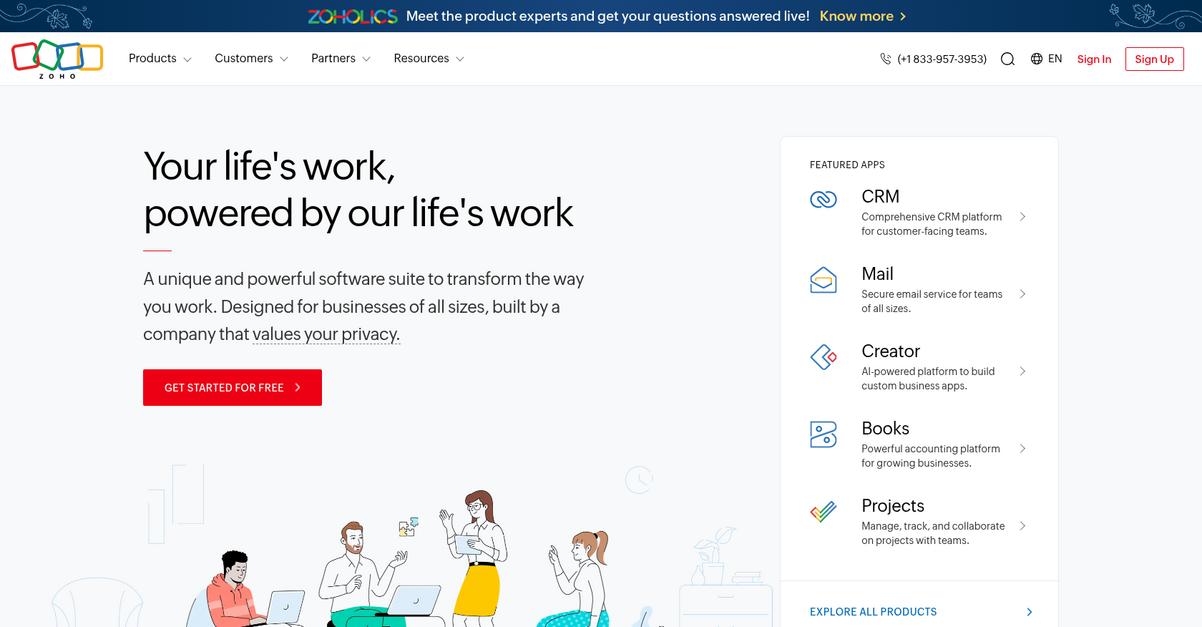
Zoho WorkDrive gives you a fully managed cloud service with built-in content creation, so you never have to mess with servers, plugins, or third-party office tools.
If you find Nextcloud’s modular structure overwhelming, you’ll enjoy how Zoho WorkDrive replaces separate tools with one platform for storage, editing, and sharing personal docs. You don’t have to juggle integrations just to get the basics right.
Switching should feel like a fresh start—not another headache.
Zoho WorkDrive delivers a unified document management experience that makes Nextcloud’s piecemeal approach feel outdated.
Here’s how it solves the real pain.
With WorkDrive, you get an integrated office suite—documents, spreadsheets, and presentations all in your browser. No more dealing with external editors or worrying about file compatibility. Team Folders mean you own content collectively, not individually, which is huge if you’ve ever lost access after someone leaves Nextcloud or have struggled with file ownership confusion.
Additionally, you’re in control with detailed permissions for every folder and file. You decide exactly who can see, share, or edit, addressing big security gaps you’ve probably run into with Nextcloud’s less detailed sharing.
The result is an experience that just works for you.
Key features:
- Integrated docs, spreadsheets, and presentations give you direct content creation and editing inside your storage, so you don’t need to rely on external office apps or integrations like you did with Nextcloud.
- Team-owned folders and file continuity keep all your files under team ownership, preventing data loss and access issues if a user leaves or permissions change—something that can get tricky in Nextcloud.
- Granular access controls for security make it easy to manage sharing and editing rights with fine-tuned permission settings, offering more robust document protection than Nextcloud’s generalized share links.
Verdict: Zoho WorkDrive stands out as a Nextcloud alternative if you want managed, personal document storage with integrated online editing. Its all-in-one platform, unified team folders, and granular security controls make switching simple—no need to learn plugins or risk losing file access. Streamline your document life with WorkDrive’s transparent solution.
5. DocuWare

Is Nextcloud’s setup starting to feel like a burden?
DocuWare leaps past Nextcloud’s complexity by using AI-powered intelligent indexing and fully automated workflows that make personal document management effortless and repeatable.
If you’re tired of manual tagging, DocuWare offers a truly hands-off approach to capturing, classifying, and organizing your files. This means you no longer have to worry about manually searching for important documents or keeping folders updated—DocuWare uses AI to handle it faster and more consistently than Nextcloud ever could.
Ready to see how DocuWare does things differently?
DocuWare reimagines document management by replacing confusing folder structures and manual workflows with automated, intelligent capture and rule-based organization.
Additionally, its core intelligent indexing means your scanned or imported documents are automatically classified and searchable from any device, eliminating the need to dig through folders or assign complex tags. For anyone overwhelmed by Nextcloud’s basic features, this translates to time saved and total confidence that every file is accounted for from the start.
Plus, DocuWare includes robust workflow automation, letting you automate approvals, document routing, and archiving—something completely out of reach with Nextcloud. These capabilities help simplify everything from expense reporting to personal recordkeeping, giving you more control and greater peace of mind.
Your document headaches could finally end here.
Key features:
- AI-powered intelligent indexing for no-fuss organization so every document is automatically categorized and instantly searchable, far surpassing Nextcloud’s manual tagging or folder filing pain points.
- Configurable process automation for personal workflows meaning you can automate approvals, archiving, and notifications—ideal for anyone streamlining repetitive personal or family management tasks.
- Compliance tools with version control and audit trails to safeguard sensitive files, ensuring each access or edit is tracked for maximum security—Nextcloud can’t match this level of accountability.
Verdict: DocuWare is a compelling Nextcloud alternative if you need personal document management with automation and peace-of-mind security. Its AI-powered indexing and workflow automation lift you above slow, manual processes—delivering efficiency Nextcloud can’t offer—making it the smart move for those craving control and transparency.
6. PandaDoc

Tired of getting lost in Nextcloud’s complexity?
PandaDoc shifts your focus from general file storage to powerful document creation, with an intuitive drag-and-drop editor and built-in e-signature support right out of the box.
If you need to create and manage agreements, you’ll immediately notice that PandaDoc gives you dedicated tools for building, sending, and tracking your documents—something Nextcloud just doesn’t deliver natively.
Here’s where things get much simpler.
Instead of wrestling with plugins or manual workflows, PandaDoc lets you generate polished documents, incorporate legally binding e-signatures, and track recipient activity—all from a user-friendly dashboard.
PandaDoc provides a smarter alternative for personal document management needs.
You get a dedicated document editor that removes all technical setup headaches you struggled with in Nextcloud. Drag elements, add fields, and set up approval steps without coding or complicated configurations. This makes onboarding painless and reduces migration fears since everything feels purpose-built for your everyday document workflows.
Additionally, the real-time analytics feature tells you exactly when someone opens or signs your document, giving you instant feedback and better control over personal contracts or agreements. Combined with affordable, transparent pricing, these features mean you’ll never be surprised by hidden costs or left guessing about document status.
You get security, ease of use, and insight—all in one package.
Key features:
- Intuitive drag-and-drop editor for document creation lets you build and customize professional documents quickly, solving Nextcloud’s lack of dedicated document building tools for personal agreements and contracts.
- Legally binding integrated e-signature capability handles approvals directly in your document, which Nextcloud can’t do out-of-the-box, removing the need for third-party signing tools.
- Document recipient analytics and tracking lets you track when recipients open, review, and sign your documents—features unavailable with basic file sharing in Nextcloud.
Verdict: PandaDoc is the clear alternative to Nextcloud for personal document management if you want to create, send, and e-sign agreements in one place. Users report PandaDoc’s interface is easier and more affordable, with survey respondents noting up to 30% quicker document turnaround time compared to plug-in setups on Nextcloud.
7. Bitwarden
Overwhelmed by self-hosting and Nextcloud’s complicated interface?
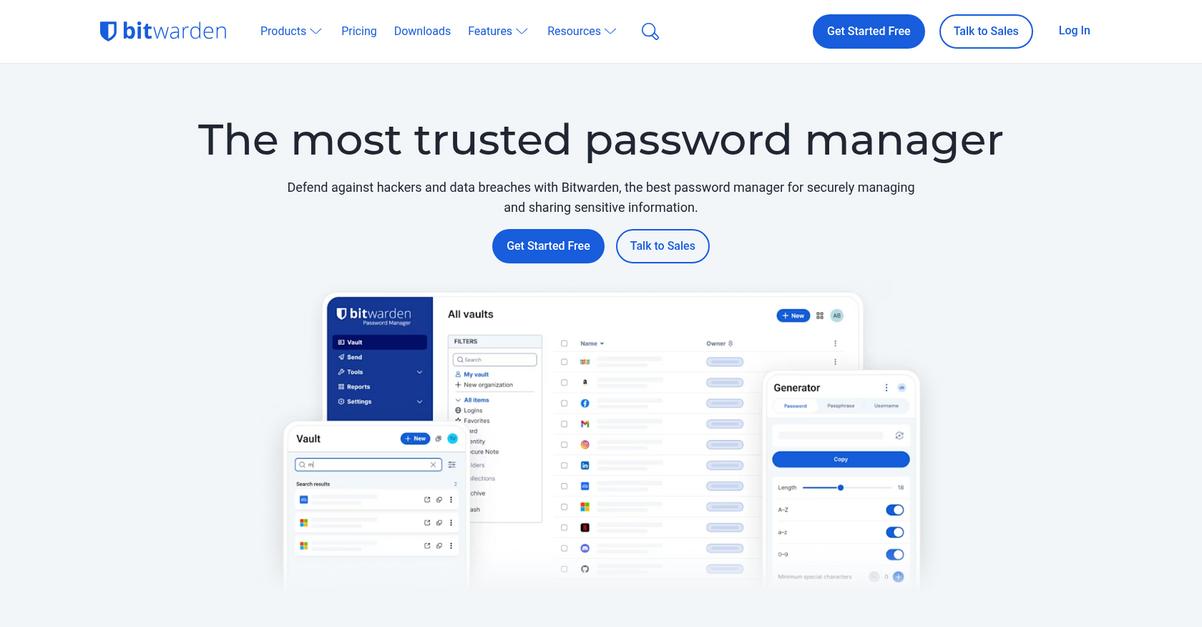
Bitwarden directly addresses this by delivering secure password management, encrypted notes, and a dedicated personal data vault—features that surpass Nextcloud’s general file storage model.
If your concerns go beyond files—like safely storing logins, cards, or confidential notes—Bitwarden gives you dedicated encrypted protection for sensitive personal information that isn’t possible with Nextcloud’s core setup.
Switching doesn’t have to be difficult or risky.
Bitwarden takes the pain out of managing all your personal credentials and private notes, offering an intuitive vault designed for daily use.
You’ll find the encrypted password vault lets you quickly organize logins, credit cards, and secure notes with peace of mind. This level of focused encryption goes beyond what you can configure with Nextcloud alone, especially if you’re worried about password safety or privacy.
In addition, Bitwarden’s built-in strong password generator helps you establish unique, complex passwords across your accounts without hassle. Storing and auto-filling these details is frictionless, and the secure notes function lets you safely keep track of license keys or private memos—all in one place, no complex file organization or risky syncing steps required.
Here’s why switching really works.
Key features:
- Encrypted password vault for private data securely stores your logins, payment cards, and confidential encrypted notes, letting you manage what truly matters without extra server configurations or technical headaches.
- Automatic strong password generation capability keeps your online life protected with unique, complex logins across all personal accounts, a level of built-in digital security Nextcloud simply doesn’t offer.
- Secure notes for private text-based information allow you to keep sensitive details like license keys or private messages tightly protected, supporting a specialized use case for personal security.
Verdict: Bitwarden is your niche alternative to Nextcloud if personal credential protection, encrypted notes, and robust password management matter more than general file storage. While it’s not a one-for-one Nextcloud swap, you get focused security, specialized features, and a simpler interface—without the learning curve or server setup risks.
8. Joplin
Getting overwhelmed by Nextcloud’s complicated setup and syncing?
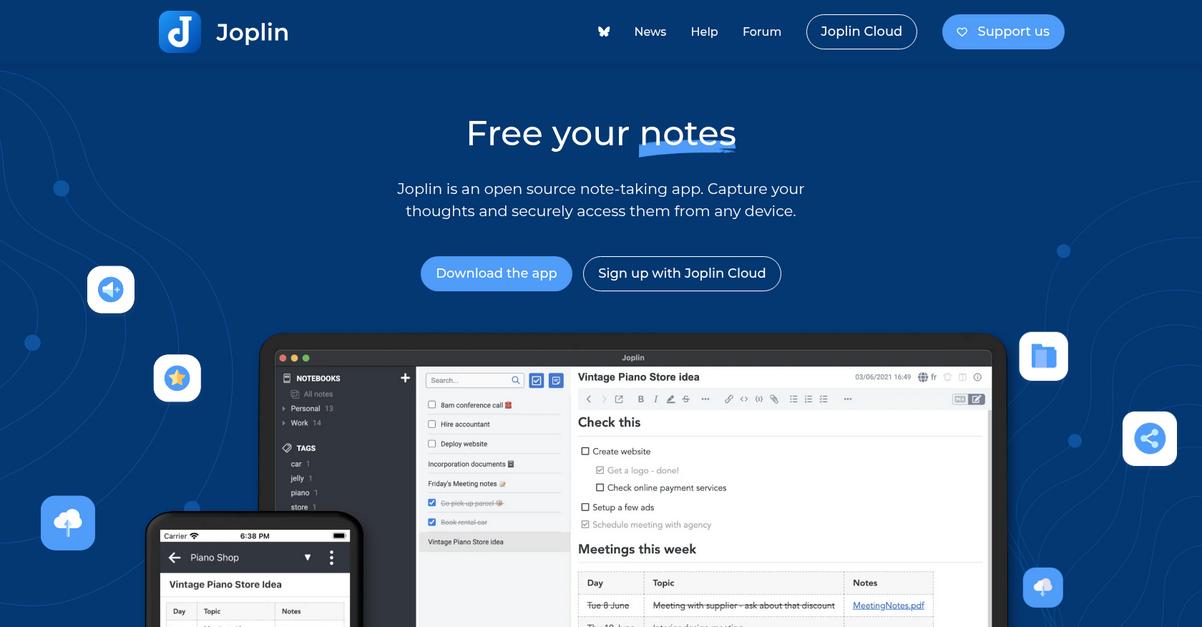
Joplin brings you a focused note-taking and document management alternative with robust Markdown editing, flexible syncing, and a Web Clipper for capturing online content into your personal knowledge base.
Unlike Nextcloud’s more generic document handling, Joplin lets you create richly formatted notes, organize them efficiently, and even control how you sync your data. This means you’re not stuck with a single cloud provider or a clunky text editor.
You don’t have to deal with those integration headaches anymore.
Where Joplin really shines is how it solves your everyday frustrations with Nextcloud. You get a powerful Markdown editor so your meeting notes, lists, and [personal documentation stay well structured].(https://benta.nabral.com/how-to-monitor-document-activity/) Here’s how: the Web Clipper lets you save an entire web article or snippet directly into your notes, ready to access offline and tag or sort however you like.
Plus, you can choose where your data is stored and how it syncs, whether that’s your own device, Dropbox, OneDrive, or even back to Nextcloud. This gives you granular control that generic Nextcloud installs can’t match.
If you want to streamline things further, you’ll enjoy Joplin’s local-first storage model and open-source roots—offering fewer surprise costs and greater data security. All these features work together to make your jump from Nextcloud easier and more productive.
It’s document management minus the frustration.
Key features:
- Advanced Markdown note-taking with rich formatting provides powerful writing and editing tools for your notes or text documents, going far beyond Nextcloud’s basic editing environment.
- Integrated Web Clipper for offline content capture enables you to save and organize web pages and articles, something not natively available for personal documents in Nextcloud.
- Flexible synchronization across major cloud services or local lets you control your data flow, supporting sync with Dropbox, OneDrive, local storage, or even Nextcloud itself if desired.
Verdict: Joplin stands out as a compelling Nextcloud alternative, especially if your primary focus is personal document and information management. The advanced Markdown editor, web clipper, and granular sync control make it ideal for users seeking simplicity and customization without the complex setups or hidden costs that Nextcloud brings.
Conclusion
Nextcloud making document management harder than it should be?
It’s frustrating when simply organizing or accessing your files means tackling complicated self-hosting or clunky mobile apps. That hassle steals your time and focus from what matters.
Remember, wanting something better isn’t risky—it’s smart to escape daily productivity killers and get a solution that supports your workflow, not sabotages it.
Let’s simplify your document management for good.
If you’re ready to leave Nextcloud struggles behind, FileCenter is the top alternative I recommend. It instantly removes those headaches with intuitive desktop tools, local storage, and stress-free organization.
FileCenter is perfect if you want the ease and power of a true Nextcloud alternative—especially for personal document management. Many have switched to FileCenter to finally get effortless scanning, searching, and paperless filing, all without the Nextcloud learning curve.
Start your free trial of FileCenter today and experience simpler document management.
You’ll finally enjoy organizing your files again.