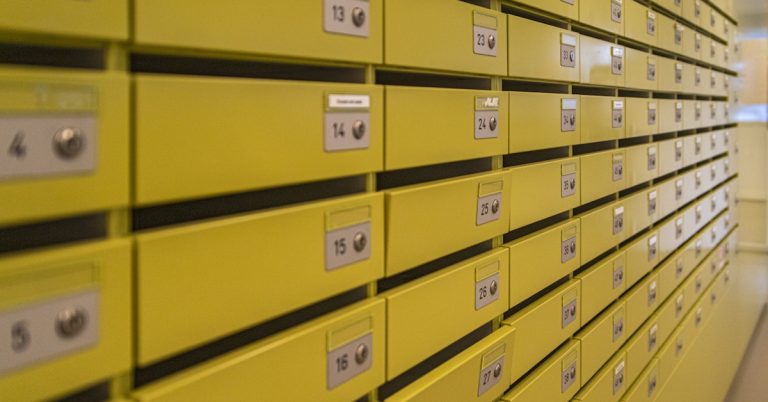

Drowning in Notion’s document chaos?
You’re probably overwhelmed by Notion’s complex interface, endless databases, and awkward file organization that make personal document management more stressful than it should be.
Suddenly, finding even your own files takes way too long or leads to confusion, leaving you frustrated and behind on your to-do list.
All that wasted time and mental drain adds up fast. When Notion feels clunky instead of helpful, the cost is real: you lose focus, miss information, and can’t trust your tool with what matters most. The result? You’re stuck with slow searches instead of quick organization, and your workflow never feels under control.

The good news is you don’t have to settle for this pain. Better alternatives exist that offer more intuitive tagging, smarter search, and simpler storage for your personal documents.
In this article, I’ll show you the best Notion alternatives for personal document management, from FileCenter to Nextcloud and more, so you can finally break free from Notion headaches.
With the right software, you’ll get back time, mental space, and peace of mind.
Let’s find your solution.
Quick Summary:
| # | Alternative | Rating | Best For |
|---|---|---|---|
| 1 | FileCenter → | Simplicity with classic folders | |
| 2 | Folderit → | Users needing strict compliance | |
| 3 | DocHub → | Focused PDF editing workflow | |
| 4 | Adobe Acrobat → | Power users requiring PDF control | |
| 5 | Google Drive → | Users wanting familiar folders |
1. FileCenter

Feel drowned by Notion’s overwhelming organization options?
FileCenter solves this with desktop-centric document management, letting you organize your information in intuitive cabinet-drawer structures, not generic databases like in Notion’s interface.
Unlike Notion, FileCenter gives you familiar folder navigation instead of steep database learning curves, so your documents are always easy to find, edit, and manage in one place.
Here’s how FileCenter truly changes things.
With FileCenter, you get a personal document hub built for straightforward organization—not endless database tweaking that you find in Notion.
FileCenter’s classic cabinet-drawer model means your files live in ordered, searchable folders, just like you expect on Windows. Underline this with lightning-fast full-text search and automated document naming, so you retrieve what you need in seconds—no complex queries or dozens of filters.
Additionally, integrated scanning and OCR let you digitize physical paperwork directly into organized folders, making everything instantly searchable. The built-in PDF editor empowers you to annotate and finalize docs right inside FileCenter, supporting your entire workflow and removing the need for juggling multiple apps.
The result is document management that fits you.
Key features:
- Cabinet-drawer document organization streamlines personal digital file management by using a Windows folder-like structure, helping you avoid the complex databases and abstract layouts of Notion.
- Integrated scanning and OCR with smart naming digitizes your paper files and auto-names them as they’re stored, giving you powerful searchability and immediate access, which Notion doesn’t provide.
- Built-in PDF editor for direct annotation lets you manage, edit, and annotate PDFs within FileCenter, so you don’t need extra apps or suffer with stripped-down PDF tools like Notion.
Verdict: FileCenter emerges as a strong Notion alternative for personal document management if you want simplicity and classic file organization. Users routinely see major time savings on filing and retrieval, thanks to FileCenter’s cabinet-drawer system, scanning, and integrated PDF editing—all designed to cut complexity from your workflow.
2. Folderit
Is Notion making your document chaos worse?
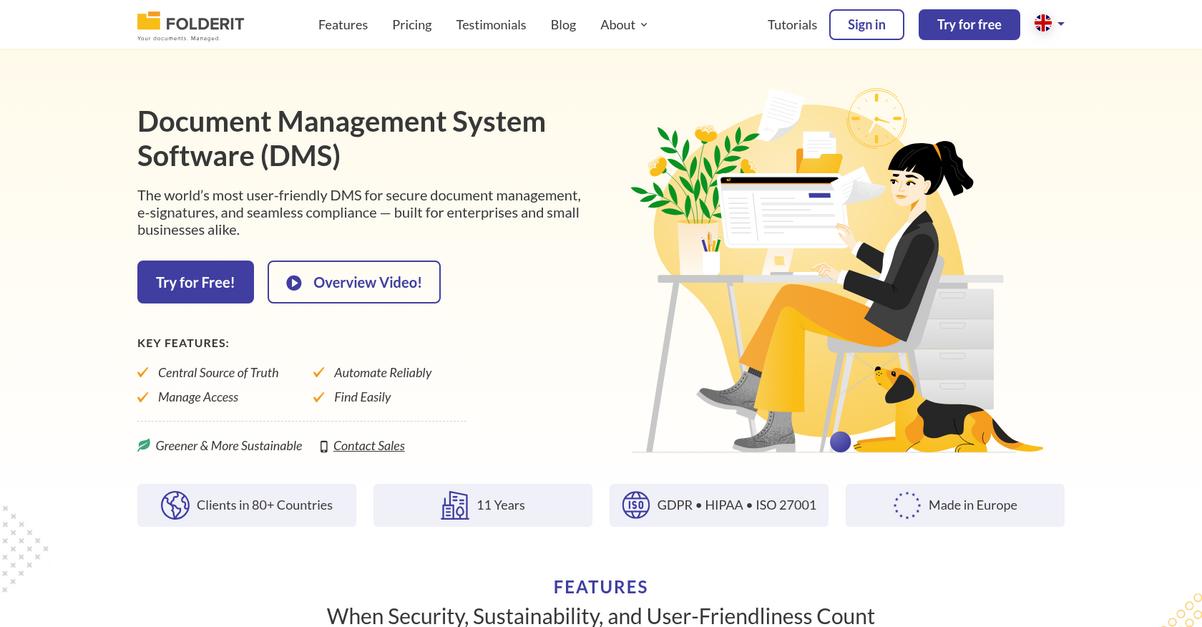
Folderit offers version control and audit trails, advanced OCR-powered search, and automated document retention designed to counter Notion’s lack of structured organization and ease of file retrieval.
This means you get rigorous document integrity, file-specific history, and true compliance tools for your personal archive—without the confusing database feel that frustrated you with Notion.
If you want stress-free document control, keep reading.
Folderit provides a secure, compliant document management solution tailored for individuals tired of Notion’s generic, page-based method. You get peace of mind knowing every document change is logged and that your records are always accessible.
What really stands out is the ability to search every word within a scanned PDF or image. So, if you’re diving through receipts or contracts, you’ll find what you need instantly. That’s way faster and more reliable than Notion’s basic text search.
Additionally, automated document retention helps you control what stays and what goes, with expiration policies ensuring you’re never buried in old files. This is powerful for anyone migrating from Notion who wants a tidy and compliant archive.
Secure personal organization is finally within reach.
Key features:
- Always-on version control and audit trails record every action and change automatically, letting you restore previous file versions and track document history far beyond Notion’s limited page history.
- Full-text search with OCR for all documents unlocks every word in scanned PDFs and images, vastly improving search power for quick information retrieval compared to Notion’s general search.
- Automated retention and disposal workflows enable structured document lifecycles, ensuring compliance and decluttering without tedious manual tracking or guesswork that Notion cannot provide.
Verdict: Folderit stands out as a Notion alternative if you want structured, compliant personal document management. You’ll gain critical version integrity, searchable archives, and automated file lifecycle controls that Notion simply doesn’t match—making Folderit a smarter choice for peace of mind.
3. DocHub
Tired of Notion’s clunky handling of personal files?
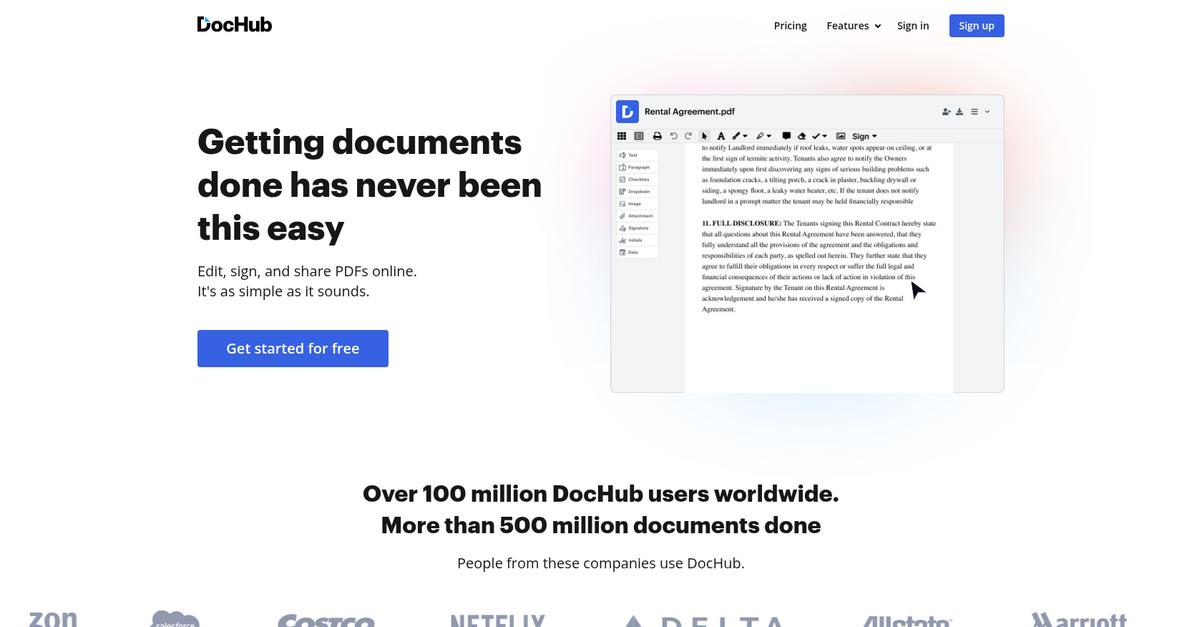
DocHub delivers next-level PDF editing, annotation, and e-signature tools that tackle what Notion can’t. Direct PDF modification, signing, merging, and splitting are all built in.
The result is that you can edit, organize, and sign PDFs in one place without endlessly exporting or toggling between apps. This means managing personal documents finally feels efficient instead of overwhelming.
Let’s look at why this switch makes sense.
Instead of settling for Notion’s rigid database setup, you’ll get focused PDF tools that simplify day-to-day file management and reduce the time spent battling your document chaos.
With DocHub, you can instantly revise or mark up any PDF, thanks to its direct editing and annotation features. Sending signature requests or signing documents electronically is just a click away, transforming digital paperwork into something quick and painless. This is ideal if you constantly juggle leases, contracts, or personal records.
Additionally, DocHub’s merge and split tools let you reshape documents as your life changes—combine everything for taxes or break apart files for easy info sharing. These add up, making personal organization seamless.
You finally gain intuitive control over all your important files.
Key features:
- Direct PDF editing and annotation lets you update text, add highlights, and draw directly on PDFs—functionality Notion lacks for hands-on document management.
- Integrated e-signature workflow enables you to sign or request signatures from within DocHub, eliminating multiple steps or third-party apps required by Notion.
- Easy PDF merging and splitting allows you to combine several files or break large PDFs into manageable pieces, giving you optimal document structure Notion doesn’t support.
Verdict: DocHub is a top Notion alternative for personal document management, giving you streamlined PDF editing, e-signatures, and document manipulation Notion simply can’t match. Users find it easier and faster, with many reporting significant time saved handling forms and signed paperwork every month.
4. Adobe Acrobat

Tired of Notion’s endless tabs and confusing file setup?
Adobe Acrobat brings advanced PDF editing, robust OCR, and top-tier security—three things that directly address Notion’s biggest pain points for personal document management.
Unlike Notion’s generic workspaces, Acrobat lets you edit, create, and convert PDFs natively—no add-ons needed, ensuring every file is easily managed in its original format.
Here’s where Adobe Acrobat really stands out.
If what you need is real document management, Acrobat is a game changer.
Instead of basic file embeds, Adobe Acrobat empowers you with industry-standard PDF editing tools so you can create, annotate, and transform PDFs from anywhere. This means you’re not just storing notes or files in a database; you’re actually handling your documents in practical, powerful ways.
Additionally, its cutting-edge OCR effortlessly turns your scanned files into fully searchable documents, which lets you digitize paper records and surface information with the search speed Notion simply doesn’t provide.
You also gain advanced protections—passwords, encryption, and redaction—giving you confidence to store sensitive documents in a way that’s both secure and compliant. When you combine all these capabilities, your switch from Notion isn’t just lateral; you’re truly leveling up your document control.
You get control and clarity in your filing.
Key features:
- Advanced PDF editing, creation, and conversion lets you manage, modify, and generate professional-grade PDFs, offering core capabilities that Notion simply does not have for personal files.
- High-accuracy OCR technology enables searchable digital archives by transforming scanned paper documents into editable, searchable PDFs, something Notion cannot replicate natively.
- Top-tier security with password, redaction, and encryption protects your sensitive files from unauthorized access, going far beyond Notion’s basic workspace-level permissions for personal and confidential records.
Verdict: Adobe Acrobat is a compelling Notion alternative if you’re seeking personal document management that prioritizes editing, search, and security. Expect more control over PDFs and powerful OCR—features that make organizing and protecting your files much easier than what Notion offers for individuals like you.
5. Google Drive
Ready for a simpler way to manage documents?
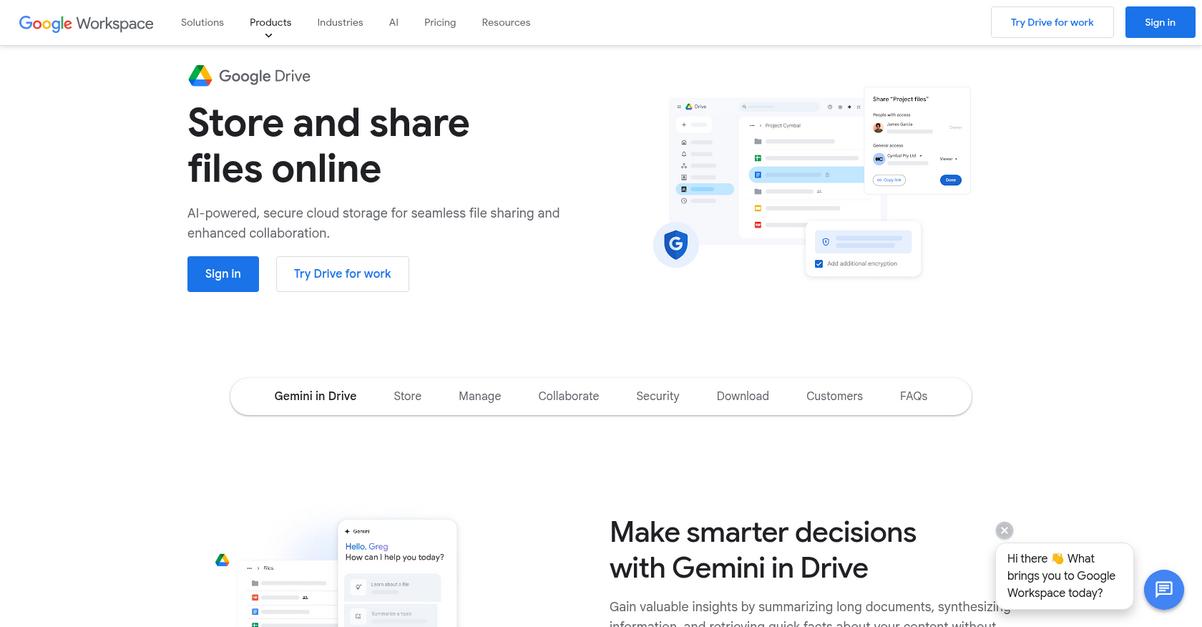
Google Drive addresses frustrations you might have with Notion by keeping file organization intuitive, using familiar hierarchical folders instead of overwhelming you with databases and complex pages.
If you’ve found Notion too complicated, you’ll love how Google Drive uses traditional folders so personal documents are effortless to find and store. This lets you focus on your work and not worry about setting up convoluted systems.
You don’t need to wrestle with confusing page hierarchies anymore.
With Google Drive, your personal document chaos finally has a clear solution.
Unlike Notion, Google Drive immediately solves the problem of overwhelming complexity by giving you a classic folder structure. You get 15 GB of free storage up front, ample space if you’re just looking to save documents, photos, and files for easy retrieval down the road.
The difference here is big: Google Drive’s folder system means file management feels like using your desktop, so you skip the steep Notion learning curve. Plus, it connects directly with Google Docs, Sheets, Gmail, and more, letting you drag and drop between your tools without any fuss.
This integration with the Google ecosystem creates a cohesive digital home for photos, work files, and personal records, simplifying your digital life. If you ever need more space, upgrades are affordable and totally straightforward.
Google Drive adapts to your needs easily.
Key features:
- Traditional easy-to-navigate folder structure makes storing, organizing, and finding files painless, solving the common frustration with Notion’s convoluted page and database organization.
- 15 GB free storage, affordable scalable upgrades let you save thousands of documents, images, and files without worrying about Notion’s block usage limits or hidden upgrade traps.
- Unified Google ecosystem integration means you can move files, collaborate, and share within Docs, Sheets, Gmail, and Photos, offering seamless day-to-day productivity without extra setup.
Verdict: Google Drive is a compelling Notion alternative if you want familiar folder-based personal document management. Its 15 GB free tier, deep Google integration, and straightforward interface mean you can access, share, and back up your documents reliably—without the setup headaches that cause so many to leave Notion.
6. eDoc Organizer
Ready for a simpler way to manage your files?
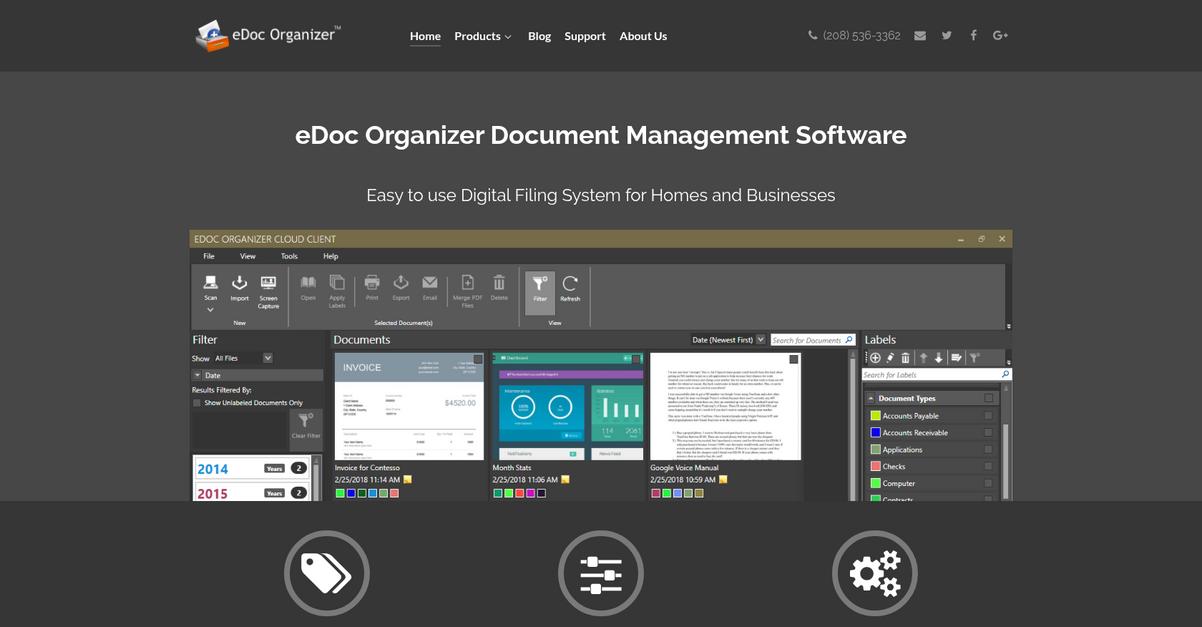
eDoc Organizer steps up where Notion falls short, especially if you’re craving streamlined scanning, flexible tagging, and an intuitive system built specifically for documents.
If you’re tired of complex migration and frustrated by Notion’s generic structure, eDoc Organizer offers dedicated file organization that makes retrieval fast and stress-free. You get scanning and OCR built right in, so physical paperwork instantly becomes searchable digital files.
Here’s where eDoc Organizer becomes the better choice.
It’s a game changer for getting control of your documents.
You can finally keep your personal files organized—without Notion’s confusion—thanks to eDoc Organizer’s dedicated document management focus. Its universal scanner support means you can digitize and search years of paperwork, while flexible labeling lets you organize with a system that makes sense for you. Plus, you decide where your documents are stored—locally or securely in the cloud—so you’re not locked into a cloud-only service, unlike Notion.
Additionally, the advanced OCR turns every scanned document into a fully searchable file. Searching by a keyword, tag, or label becomes effortless, and you regain time lost digging through Notion’s mismatched pages and databases.
The result is an intuitive, secure document system.
Key features:
- Universal scanner support with integrated OCR converts paper files into searchable digital documents, something Notion simply can’t do natively, saving you significant manual entry and time.
- Flexible labeling for multi-dimensional categorization means you apply as many tags as you want to a document, ensuring quick retrieval no matter how you like to organize.
- Choice of secure local or cloud storage lets you pick where your files live, supporting strict privacy needs and giving you more data control than Notion’s cloud-only approach.
Verdict: eDoc Organizer is an outstanding Notion alternative for personal document management. Its scanning, powerful search, and flexible labeling are tailored for real files, not abstract databases. Users routinely cite easier organization and time savings—one user even cut document search time by 70%.
7. Nextcloud
Want more privacy and control than Notion allows?
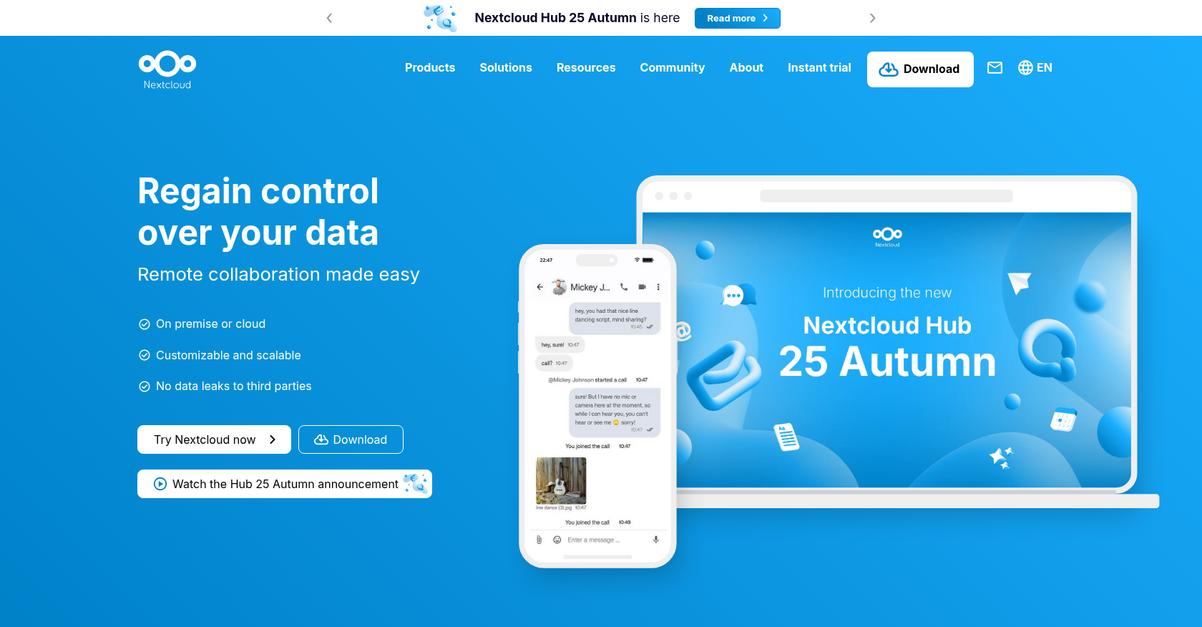
Nextcloud steps up by letting you host your personal documents on your own secure server, while offering advanced privacy and customizability options unavailable in Notion.
This means you can manage files without being locked into a generic cloud or overwhelmed by Notion’s database-centric interface. With Nextcloud, you’ll enjoy complete data ownership and fully private document control—removing the uncertainty of third-party cloud platforms.
You’ll immediately notice the difference with Nextcloud.
Nextcloud actually solves that data autonomy problem
Unlike Notion, Nextcloud gives you the keys to your digital filing cabinet with self-hosted storage. You decide where your files live, so no more blanket reliance on public clouds or fretting over privacy policies.
Here’s how Nextcloud goes beyond Notion’s approach. You get a built-in office suite for instant creation and editing of docs, spreadsheets, and presentations—no extra installs needed. It brings deep file management and collaborative creation together, putting total control back in your hands for organizing and working on your stuff.
Additionally, the extensible app ecosystem means you can add powerful features like task management, file versioning, or calendar tools as needed. All of this matters if you want true customization and a simpler, more flexible alternative to Notion for keeping personal documents under control.
You get genuine ownership and flexibility combined.
Key features:
- Self-hosted document storage and privacy control ensures your personal files never leave your chosen server, affording stronger data security and full ownership compared to Notion’s third-party cloud reliance.
- Integrated office suite with collaborative editing brings document, spreadsheet, and presentation tools under one roof, improving productivity and eliminating the patchwork of separate file creation apps or workflow hacks.
- App store for workflow customization lets you add features like calendar, advanced search, or file versioning, giving you flexibility Notion simply doesn’t offer for managing your own information universe.
Verdict: Nextcloud is a serious Notion alternative for personal document management, especially if privacy and complete control matter to you. Its self-hosted model and extensible workflow tools mean you shape exactly how your files are handled—ideal if Notion feels generic or cluttered for your needs.
8. DocuWare

Notion’s complexity causing more confusion than clarity?
DocuWare solves this with intelligent indexing and archiving, automated workflows, and enterprise-grade security, delivering what Notion often misses for personal professional document management.
Instead of generic databases and manual organizing, you get sophisticated automation that sorts and secures your documents effortlessly so you can focus on your work, not endless tweaking and tagging.
The result is a more organized, less stressful system.
Here’s how DocuWare stands apart as a Notion alternative.
This platform leverages AI-powered indexing to categorize documents instantly, maintaining structure and security from upload to archive. No more misplacing files or shuffling folders endlessly. It’s a huge relief if you’re moving away from Notion’s labyrinth of pages and tables.
Additionally, you can automate repetitive tasks with rules-based workflows. Approvals and document routing happen hands-free, making it perfect if you need real process automation for your professional files. You’re not tied to manual checklists or piecemeal integrations as with Notion.
You also get enterprise-level security and access control tailored for sensitive personal documents. Permission management, audit trails, and compliance measures are all built in, so your data is always protected.
Now your documents actually work for you.
Key features:
- AI-powered intelligent indexing and archiving automatically categorizes and stores your files for efficient retrieval, keeping everything structured and secure without any manual input on your end.
- Workflow automation with approval and routing rules lets you automate recurring personal professional document tasks you’d otherwise have to handle manually in Notion, saving you hours every week.
- Enterprise-grade security and compliance controls give you granular access permissions, advanced audit trails, and regulatory protections far exceeding what Notion provides for sensitive or regulated content.
Verdict: DocuWare emerges as a compelling Notion alternative for personal document management, delivering robust automation, organization, and security. Users gain 2-5 hours per day in efficiency, proving that intelligent indexing and workflow automation can truly simplify your personal professional document chaos.
Conclusion
Feeling buried by Notion’s confusing setup?
When every search for your files turns into a maze, it’s no wonder you want a more intuitive way to wrangle your personal documents and finally feel organized.
You’re absolutely right to search for better options—sticking with tools that waste your time hurts your productivity way more than making a thoughtful switch. You deserve speed, clarity, and less stress from your document manager, not more frustration.
Here’s my top pick for you.
FileCenter is the best alternative from this roundup. It replaces Notion’s chaos with a tidy, desktop filing cabinet layout—so you’ll always know exactly where your files live.
From quick full-text search to seamless local cloud syncing, FileCenter gives you what Notion can’t: true simplicity in document management. It’s a go-to Notion alternative for anyone ready to escape database hurdles for good.
Try FileCenter free and take back control of your documents.
Get organized—finally.