

Fragmented data slowing your HR team down?
Many OfficeNet users feel boxed in by limited integration, rigid workflows, and tedious reporting that make simple HR document management a daily headache.
These struggles can seriously drain your team’s productivity and motivation as disorganized data and manual processes eat into valuable time.
Every week you wrestle with OfficeNet, you miss out on modern automation and worry about compliance or errors that impact your business operations. It adds up quickly, costing you time, money, and your team’s trust in the system.

But you don’t have to stick with frustrating software—there are smarter document management alternatives that offer what OfficeNet lacks.
In this article, I’ll show you the best OfficeNet alternatives for HR departments, including tools like FileCenter, BambooHR, Rippling, and Gusto, so you can finally unify your HRIS documents.
You deserve intuitive workflows and secure, automated document management that actually works for you.
Let’s find your solution.
Quick Summary:
| # | Alternative | Rating | Best For |
|---|---|---|---|
| 1 | FileCenter → | Users wanting desktop control | |
| 2 | DynaFile → | Teams needing automation boost | |
| 3 | eFileCabinet → | Users wanting smarter filing | |
| 4 | Connecteam → | Teams needing mobile access | |
| 5 | BambooHR → | Users seeking modern HRIS hub |
1. FileCenter

Is OfficeNet making document management harder than it should be?
FileCenter steps in by offering a cabinet-and-drawer file organization you already understand, plus one-time licensing, avoiding OfficeNet’s expensive complexity and recurring HRMS fees.
Unlike OfficeNet’s database-driven storage, FileCenter gives you direct control of your file cabinets right on your desktop or network. That means no new learning curve or reliance on cloud systems for day-to-day HR records management.
Your search for a simpler solution ends here.
FileCenter solves your HR document challenges by focusing purely on file organization, helping you ditch OfficeNet’s broad HRMS clutter for streamlined local management and faster access.
You’ll set up intuitive cabinet structures that mirror your physical HR files, with drag-and-drop tools and integrated scanning straight into searchable folders. This lets you digitize and organize paper files instantly—no more losing time converting or uploading in awkward steps like before.
Additionally, FileCenter’s affordable one-time licensing removes long-term cost worries, especially appealing if your team wants to switch without getting trapped by OfficeNet’s ongoing charges. This approach empowers you to manage sensitive documents offline with full compliance, smooth adoption, and less training stress.
In short, FileCenter brings control, clarity, and genuine cost savings to your HR document routines.
Key features:
- Local file cabinet and drawer structure puts your HR files on your desktop or network in a system everyone can use instantly, avoiding the confusion of database storage.
- Integrated scanning plus automatic OCR searchability turns paper HR documents into instantly searchable files and routes them to the right folder, saving you hours versus manual indexing.
- Affordable one-time desktop licensing available lets you own your software outright, providing a lasting solution without the ongoing subscription costs typically required by OfficeNet.
Verdict: FileCenter stands out as a practical OfficeNet alternative if your HR team values intuitive desktop file management, real control over HR files, and reduced ongoing software expenses. Users regularly report cutting document retrieval times by up to 50 percent using these cabinet features—especially where OfficeNet felt too broad or complicated for everyday HR document needs.
2. DynaFile

Long setup times creating bottlenecks in your HR workflows?
DynaFile’s automated employee file creation tackles one of OfficeNet’s biggest headaches by sorting and filing your uploaded HR documents using smart rules and metadata—no manual effort required.
Unlike OfficeNet, DynaFile brings automatic organization to every employee file you upload. This means you never have to worry about scattered files or inconsistent folder setups, which can slow down audits or onboarding tasks.
Turning to efficient paperless workflows is now simpler.
DynaFile makes shifting away from OfficeNet’s manual or clunky processes refreshingly straightforward. It streamlines your transition by letting you upload or scan files directly to the cloud, where smart automation instantly organizes everything into the right folders—saving you hours on paperwork headaches.
If your HR department still deals with paper archives or bulk physical files, DynaFile’s scan-to-cloud feature is a game-changer. You can digitize entire folders in minutes, then instantly search by name, date, or custom tags, unlocking quick access like never before compared to OfficeNet.
Additionally, DynaFile’s advanced audit trails track every document movement, giving your compliance team the granular visibility often lacking in broader HRIS like OfficeNet. Multiple features converge to simplify audits, prevent data silos, and protect sensitive info.
Moving away from inefficiency just got easier.
Key features:
- Automated creation and organization of digital employee files eliminates the slow manual document processes you may encounter with OfficeNet, consistently organizing all your HR records right from upload.
- Scan-to-cloud with auto-processing for paper conversion enables direct physical document scanning to digital HR folders with smart sorting and tagging, removing barriers to a true paperless HR office.
- Granular audit trails and compliance controls for HR deliver detailed logging for every document interaction, offering far deeper compliance visibility and data protection than typical OfficeNet workflows.
Verdict: DynaFile stands out as an OfficeNet alternative for document management software for HR departments, helping your team reduce document filing time by up to 70%. Its automation and scan-to-cloud features mean you can finally unify, organize, and audit digital HR files—all with less work and fewer headaches.
3. eFileCabinet
null
Looking for more intelligent document management than OfficeNet?
eFileCabinet brings zonal OCR, template-driven filing, and secure document sharing that directly address the clutter and manual errors you might encounter with OfficeNet’s default HR document tools.
With eFileCabinet, you gain automated data extraction from HR documents for smarter routing, which means less manual filing, fewer compliance risks, and faster searching compared to OfficeNet.
It’s a smarter way to manage your HR files.
Instead of relying on basic upload and folder storage like OfficeNet, eFileCabinet empowers you to automate data recognition and standardize filing the moment you ingest documents.
Here’s how eFileCabinet shifts document chaos into control.
You get fully automated data capture with zonal OCR, so social security numbers and key HR data jump automatically into the right fields—no more manual typing. The system uses template-based filing to categorize and tag documents from day one, meaning every employee file is consistently named and indexed right away.
Additionally, the SecureShare Client Portal lets your team send confidential HR documents only to authorized recipients, eliminating the broad access permissions that can make compliance tricky in OfficeNet. When you combine that with intelligent routing and advanced automation, your HR department achieves up to 70% faster processing times without sacrificing security or accuracy.
The result is HR compliance and efficiency, with less chaos.
Key features:
- Automated zonal OCR for advanced data capture reads and extracts specific data points like social security numbers from HR forms, handling in-depth data entry and routing beyond OfficeNet’s capabilities.
- Template-based smart filing and metadata organization automatically applies standardized names, categories, and metadata to incoming HR documents, giving you faster, more reliable search and audit readiness.
- SecureShare Client Portal for controlled sharing lets you securely deliver sensitive documents via a dedicated portal, protecting employee privacy much more tightly than general-access tools like OfficeNet.
Verdict: eFileCabinet is a robust alternative to OfficeNet, purpose-built for HR document management. It delivers 70% faster document processing and ensures airtight compliance—especially if you need advanced automation, secure sharing, and smarter filing than OfficeNet’s basic HR tools can offer.
4. Connecteam

Tired of OfficeNet’s limitations holding your HR team back?
Connecteam tackles those common headaches by putting all your HR documents, policies, and forms into a mobile app your whole workforce can actually use — no matter where they are.
Unlike OfficeNet, which can leave deskless or hourly staff struggling to access what they need, Connecteam gives you superior mobile document control and easy communication for everyone. It’s not just about storing files; you’ll actually keep your team in the loop, foster faster acknowledgements, and free up precious admin time.
Here’s how Connecteam goes further.
Connecteam shifts the entire HR document experience onto mobile, giving your team instant access to policies, forms, and updates that OfficeNet often tucks away in web portals.
Employees get a true HR hub in their pocket
With Connecteam, you’re not just uploading files. You can build custom digital forms and interactive onboarding checklists to automate the most painful, repetitive tasks — and track every response. This makes it way easier for your staff to complete forms, submit HR requests, or acknowledge new policies, especially if they’re never at a desk.
Additionally, Connecteam shines with built-in communication. You’ll share updates and gather survey feedback in the same app, so everyone actually sees what matters, and nothing falls through the cracks switching from OfficeNet.
Switching has never been this streamlined.
Key features:
- Mobile-first HR document access and management lets employees reach policies, forms, and files right from their phones, fixing OfficeNet’s desktop-focused bottlenecks for a dispersed or hourly team.
- Custom digital forms and onboarding checklists let you build and track interactive HR workflows, giving your team a much smoother onboarding and compliance process compared to static document folders.
- Integrated communication and document updates combines chat, push notifications, and acknowledgement tracking so your HR policies actually reach and engage every employee, not just the office crowd.
Verdict: Connecteam truly stands out as an OfficeNet alternative if you need HR document management with real mobile accessibility and communication. Users see 20% higher employee engagement and save 2-3 hours per week per employee on HR tasks, making it perfect for keeping your team connected and compliant without the usual hassles.
5. BambooHR

Tired of OfficeNet’s clunky approach to HR documents?
BambooHR offers digital employee records and customizable document templates, making it easy to organize, secure, and standardize all your HR files compared to OfficeNet’s limited options.
If you’re switching because OfficeNet leaves your documents scattered across systems, you’ll find that BambooHR delivers a true employee document hub with better control. Automated filing, better search, and easier template creation save you hours every week.
This means your team can focus on people, not paperwork.
BambooHR steps in as an intuitive HRIS platform with document management that works as you expect. You get one central location for all employee records, so onboarding paperwork, performance reviews, and compliance forms are always available—and searchable—without the frustration of disconnected files.
With BambooHR, you benefit from custom document templates tailored to your workflows, enabling rapid, consistent document creation. If your current process with OfficeNet is tedious and manual, this change gives you both speed and accuracy.
Additionally, integrated electronic signatures mean you can send, approve, and archive documents—all inside one system—without chasing down paper or separate e-signature tools. The result is faster onboarding, seamless approvals, and trusted compliance every step of the way.
You finally get modern HR document control.
Key features:
- Centralized digital employee files for all HR records bring every onboarding form, review, and compliance document together, eliminating the need to hunt through fragmented OfficeNet folders or disconnected platforms.
- Personalized document templates for offer letters and contracts empower you to create, standardize, and edit branded HR documents quickly, saving the time lost to OfficeNet’s generic forms and manual edits.
- Integrated electronic signatures to streamline approval workflows allow legally binding documents to be sent, signed, and archived in one place, without the bottlenecks of disconnected e-signing modules.
Verdict: BambooHR is a top-tier OfficeNet alternative if you’re seeking HR document management that’s both powerful and user-friendly. Companies switching to BambooHR report 30% less paperwork and a 40% boost in HR efficiency, helping your HR team become the strategic partner you deserve.
6. Rippling

Is OfficeNet’s manual document process holding you back?
Rippling’s all-in-one automation lets you generate, send, and manage onboarding documents instantly—something OfficeNet’s older HRIS tools just can’t match.
If you’re tired of the fragmented setups and the extra work OfficeNet brings, Rippling gives you automated HR document creation and compliance in one place. This means you no longer have to chase paperwork or worry about missing forms, even as your business grows or crosses borders.
Here’s why you have a better option now.
Rippling brings effortless automation to HR document management, so your team isn’t stuck with repetitive OfficeNet tasks.
Instead of manual uploads and constant double-checking, you get automated onboarding that handles I-9s, offer letters, and more—freeing your HR pros up for work that matters.
Plus, Rippling covers global HR docs with built-in legal templates, so if you operate in multiple countries, every location stays compliant out of the box. You even link employee documents to IT asset assignments, making provisioning and offboarding smoother than anything OfficeNet offers.
If you want everything connected and running automatically, Rippling just delivers.
Key features:
- Hands-off onboarding document automation automatically generates, sends, collects, and files critical new hire paperwork, tackling a big OfficeNet pain point to save you tedious manual steps and reduce compliance risks.
- Global document compliance for HR teams with region-based templates and legal support means you maintain up-to-date documents and stay audit-ready, which OfficeNet lacks especially for international HR.
- IT asset connectivity with HR docs creates a unified employee record by linking document management with IT provisioning for efficient onboarding, offboarding, and device tracking in one dashboard.
Verdict: Rippling stands out as a strong OfficeNet alternative for HR document management, especially if you need automation and compliance across HR and IT. Users report saving more than 70 hours each month on HR and IT administration, which translates into true productivity gains and less stress switching away from OfficeNet.
7. Revver

Ready for a document management switch?
Revver steps up with automated HR document workflows, customizable routing, robust version control, and secure document portals—solving many of the pain points you face with OfficeNet.
Unlike OfficeNet’s one-size-fits-all HR process automation, Revver supercharges efficiency so your team can eliminate fragmented data and finally centralize HR files with better compliance.
You’ll feel the difference right away.
Revver offers a smarter take on document management by giving your HR department control and visibility beyond what OfficeNet provides.
With Revver, automated workflows streamline HR documents like reviews and expense forms, while granular version control and detailed audit trails keep every change logged for accountability. You get custom security on employee document access for improved privacy, offering your HR team confidence during audits and day-to-day requests.
Additionally, Revver’s secure document portals allow employees to upload or retrieve forms easily, all in a branded, compliant environment—giving you stronger access controls and a much smoother user experience than OfficeNet.
This unified approach helps you reduce admin overhead and better support HRIS integration.
It’s the solution your HR team deserves.
Key features:
- Automated HR document workflows drive efficient routing, approval, and review processes that are far more customizable than OfficeNet’s standard HR automation, saving you time on every document task.
- Comprehensive version control and audit trails ensure full visibility and compliance for sensitive HR files, going deeper than OfficeNet’s general record keeping.
- Branded and secure employee document portals let employees access their own HR documents safely, while keeping your compliance process simple and secure.
Verdict: Revver is a compelling OfficeNet alternative if you want advanced HR document automation, compliance, and easy employee access. Customers note up to 40% less time on document admin, and feedback suggests HR teams integrate and deploy Revver for nuanced process needs instead of OfficeNet’s generic workflows.
8. Dayforce

Dealing with scattered HR documents again?
Dayforce helps by centralizing every employee document in a single, unified platform, overcoming OfficeNet’s integration gaps for large, growing HR teams.
Instead of worrying about disconnected systems, you’ll see how Dayforce creates a unified document repository that scales with your needs. This means you’re not constantly struggling with split records or risky compliance issues.
Here’s how Dayforce becomes the stronger choice.
With Dayforce, you eliminate manual juggling by centralizing documents for onboarding, policies, employee files, and more—all within an enterprise-grade HCM suite built for serious HR complexity.
You also get advanced compliance and automated policy tracking, solving the regulation headaches that often slow HR. For instance, automated global compliance tools keep your HR docs audit-ready, making it far easier to avoid errors and costly slip-ups compared to OfficeNet.
Additionally, Dayforce empowers your employees with self-service document access, reducing routine HR admin work and boosting satisfaction. Your team benefits from having instant, secure document access while you keep every record complete and current.
The result is more efficient HR workflows, less risk, and happier employees.
Key features:
- Unified repository for the entire HR lifecycle means you keep every onboarding, performance, and policy document in one place, ending fragmented file storage across different tools.
- Automated compliance and policy management tools ensure your HR records are always up to date with regulatory shifts, so you don’t get tripped up by new legal requirements.
- Secure employee document self-service portal lets your team access, review, or update their files independently, taking work off HR’s plate while improving satisfaction and document accuracy.
Verdict: Dayforce is a top OfficeNet alternative for document management software for HR departments, especially if your team manages complex workflows. Its unified document repository drives up to 80% automation, dramatic compliance improvements, and real productivity for large, growing organizations demanding scalability beyond OfficeNet’s limits.
9. Zoho People
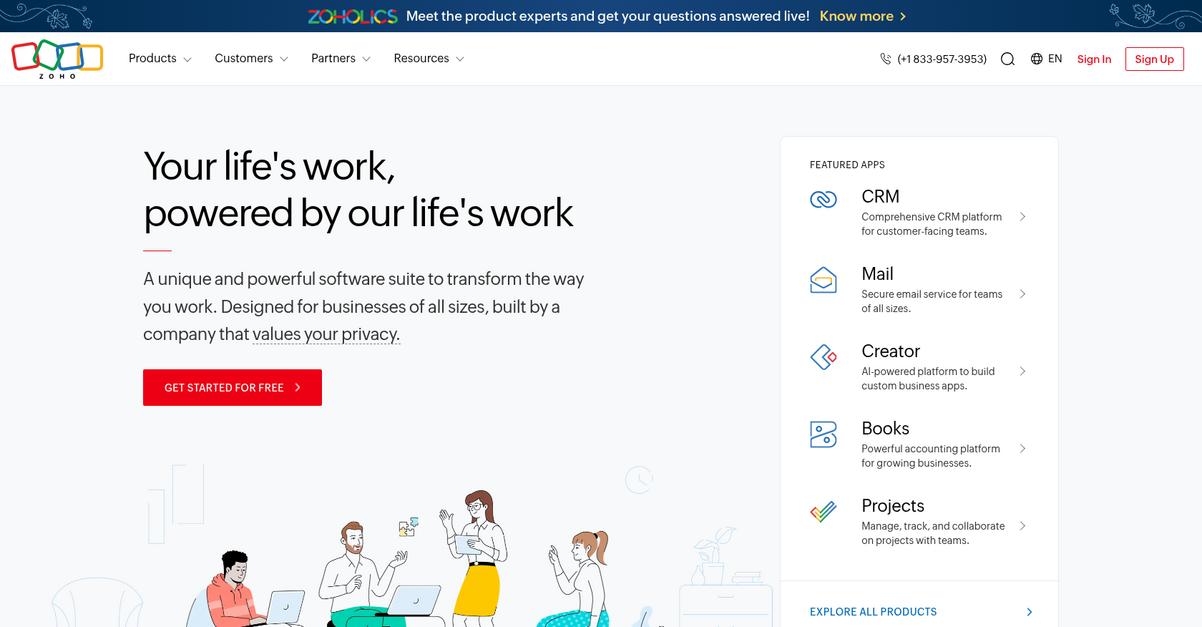
Are OfficeNet’s limitations holding your HR team back?
Zoho People fixes those headaches by giving you secure document storage, ready-to-use HR templates, and a robust self-service portal for true employee empowerment.
Unlike OfficeNet, Zoho People offers customizable HR document templates that guarantee consistency every time. This ensures you’re not wasting time wrestling with one-off files or risking version confusion.
You want something different and more efficient.
Zoho People offers a better way to centralize HR documents and automate access, freeing you from the manual headaches that come with OfficeNet.
If you’re tired of fragmented data and limited reporting, Zoho People brings everything together in one streamlined solution that directly addresses your previous frustrations.
Switching means HR can store contracts, policy acknowledgements, and reviews securely in one place, cutting the back-and-forth and putting everything at your fingertips.
Another big win is the employee self-service portal. This lets your team upload, access, and download their HR documents anytime—no more hounding HR for forms or status updates, which helps ease day-to-day admin work.
The result? Your HR team and employees both get a smoother workflow.
Key features:
- Centralized employee document repository lets your HR team securely store all employee records, contracts, and compliance paperwork in one spot rather than juggling multiple folders like with OfficeNet.
- Customizable HR document templates help you standardize offer letters, termination letters, and other forms across your team, lessening confusion and improving process consistency versus manual editing in OfficeNet.
- Employee self-service portal for document access empowers your workforce to view, upload, and download their own documents, reducing HR bottlenecks that OfficeNet’s basic self-service doesn’t address.
Verdict: Zoho People stands out as an OfficeNet alternative for HR professionals wanting powerful document management. You unlock up to 60% less admin burden and better data accessibility, with affordable pricing in a scalable HRIS. Switching means smoother document control and enhanced productivity for your HR department.
10. Gusto

Tired of messy document processes holding you back?
Gusto introduces automated onboarding documents, a secure employee document vault, and digital signatures for HR forms that fix the core pain points you face with OfficeNet.
Unlike OfficeNet’s clunky setup, Gusto provides all essential HR documents in one dashboard so you can ditch the scattered download links and manual approvals for good.
Here’s why this makes your work simpler.
Switching to Gusto isn’t complicated
With Gusto, your onboarding, payroll, and HR document management are together in one place, giving you a more cohesive workflow than OfficeNet ever did.
The onboarding paperwork piece is powerful: Gusto automates form collection and e-signatures for W-4s, I-9s, and company policies, and sends everything automatically to each new hire’s document vault. This means you stay compliant and stop chasing missing paperwork or signatures.
There’s also the employee portal, where your team can securely access pay stubs, agreements, and tax forms—no more digging through inboxes for attachments. Approvals and signatures happen directly inside Gusto, so administrative tasks are done faster, letting your HR team focus on real people, not manual processes.
Plus, with these features connected to payroll and benefits, you’re reducing errors and eliminating repeat data entry from OfficeNet. You end up with a workflow that’s easier for your whole team.
Gusto puts your documents exactly where you need them.
Key features:
- Automated onboarding forms and e-signatures ensure all W-4s, I-9s, and policies are completed and stored right away, reducing audits and onboarding delays frequently seen with OfficeNet.
- Secure employee document vault access gives every employee a single online space to view pay stubs, agreements, and HRIS documents instead of digging through scattered email attachments.
- Integrated HR, benefits, and payroll platform connects document management to every HR action, so you avoid repeat data entry and streamline every workflow for your HR department.
Verdict: Gusto is a practical alternative to OfficeNet if you want document management that’s tightly integrated with your everyday HR tools. Small businesses using Gusto save an average of five hours monthly on HR administration, making compliance and onboarding smoother and freeing your team for more important tasks.
Conclusion
Tired of OfficeNet slowing your HR workflows?
OfficeNet frustrates with limited integration, inflexible document handling, and messy reporting—leaving your HR data scattered when you need organized, automated control most.
It’s no wonder you’re searching for something better. I get it—finding a new system can feel daunting, but sticking with software that holds your team back costs far more than making a switch that actually empowers your workflow.
Here’s how you can break the cycle.
From all the options I reviewed, FileCenter comes out on top as the best OfficeNet alternative for frustrated HR teams ready for a change.
FileCenter smooths out every OfficeNet headache by giving you true desktop document management without complicated cloud migrations. It’s my go-to for anyone tired of OfficeNet’s bloat and craving simplicity.
Try FileCenter free today and see the difference for yourself.
Your HR documents—finally organized.