
Drowning in document chaos again?
Juggling piles of paperwork and scattered digital files is draining your team’s time and productivity.
It becomes overwhelming when you have to hunt across different systems just to access essential information or collaborate with your colleagues.
Gartner found that 4 weeks per year are lost simply waiting for misfiled or untracked documents. Over the course of a year, these delays add up to missed opportunities, frustrated employees, and real costs to your business.

This article helps you escape costly document headaches by steering you toward solutions that address inefficiency, security worries and costly errors in growing companies.
In this article, I’m going to share the best paperless office software for organizing your growing business so you can work smarter, collaborate easier, and automate your workflows.
You’ll find practical picks that save you time, money, and stress as you scale.
Let’s get to it.
Quick Summary:
| # | Software | Rating | Best For |
|---|---|---|---|
| 1 | FileCenter → | Small administrative teams | |
| 2 | DocuWare → | Mid-sized enterprise teams | |
| 3 | PandaDoc → | Sales-focused small businesses | |
| 4 | Adobe Acrobat → | Large enterprise organizations | |
| 5 | DocuSign eSignature → | Regulated industries and enterprises |
1. FileCenter

Is paperwork still slowing down your team?
FileCenter brings together automated filing, OCR scanning, and built-in PDF management to help you finally move past chaotic stacks of documents and endless searches for files.
If you’re tired of wasted hours on manual filing, you’ll appreciate that you can automatically name and organize digital documents using FileCenter’s customizable rules. This means your files always end up exactly where you expect, so searching for invoices, contracts, or any scanned files doesn’t stall your workflow.
Cutting through document overload is finally possible.
FileCenter gives your business the power to organize decades of paperwork in minutes instead of days.
You can easily scan piles of paper into searchable digital files using built-in OCR, so nothing important gets buried or lost. I especially like that you can edit, split, and combine PDF files without leaving FileCenter, since this can save a ton of time each day if you process a lot of contracts or reports. Everything is simple to find later, since that full-text search works even on scanned documents.
Plus, smart filing rules mean your recurring files—think receipts, purchase orders, or accounting docs—are always saved in the right place, creating order even as your business grows. I think this means less frustration for everyone, whether you work solo or on a small admin team.
It’s about making your workflow painless.
Key features:
- Smart Filing automation for easy organization: Take control by automatically naming and sorting files into targeted folders using rules you customize for your business.
- Built-in OCR scanning powers file searchability: Scan paper files to searchable digital text, making quick retrieval possible even if you have thousands of scanned docs in storage.
- All-in-one PDF editing and management tools: Process, merge, split, and annotate your PDFs directly inside FileCenter so you can prep and share documents without extra software.
Verdict:
If you want a great paperless office software that genuinely cuts paperwork time by over 90%, FileCenter’s smart automation, OCR scanning, and integrated PDF capabilities make it a top pick for simplifying digital document chaos—ideal for small businesses needing real results, not complexity.
2. DocuWare

Looking for a better way to organize documents?
DocuWare’s intelligent indexing takes the pain out of manual document sorting and data entry so you keep everything in order without the usual headaches.
This means you won’t waste hours searching for misplaced files, or worry about making costly errors with version mix-ups. Streamlined organization is finally something you can rely on.
Let’s see how that works in practice.
DocuWare solves your paper overload by digitizing all business documents and putting smart automation to work for you.
Here’s how: with automatic document capture and AI-powered indexing, I can just drag documents in and the right tags and filing locations fill in instantly. No more sorting by hand, and no more data entry grunt work. This translates into tons of time savings and fewer administrative errors, especially as your team’s document stack grows.
Plus, DocuWare’s workflow automation takes care of routing files for approval, assigning tasks, and keeping every process moving forward. I can track each version too, so if you ever need to check who did what, the audit trail has your back. Together, these paperless tools give your business exceptional control and consistency.
You get more time for real work, not paperwork.
Key features:
- AI-powered document indexing and organization: Instantly extracts key information and suggests storage locations, minimizing mistakes and letting you find any file with just a few clicks.
- Automated workflows for approvals and tasks: Customize processes for invoices, HR forms, and contracts to reduce handoffs and keep important documents moving without bottlenecks.
- Comprehensive version control with audit trails: See exactly who made changes and when, protecting your records while enabling fast rollbacks if needed.
Verdict:
If you need an excellent paperless office software for complex workflows, DocuWare is a proven choice, boosting document processing speed by up to 70% and giving you automation, smart indexing, and full control for true digital efficiency.
3. PandaDoc

Is paperwork causing your business headaches?
PandaDoc lets your team build, send, and collect documents electronically, using eSignatures and a drag-and-drop editor for maximum simplicity.
When your contracts are stuck in email threads or waiting for a signature on someone’s desk, you lose time and risk errors. Keeping your team on the same page with digital templates increases speed and accuracy.
Here’s how PandaDoc takes the stress out of paperwork.
You can move every doc into a digital workflow
PandaDoc makes it painless to generate professional proposals and collect eSignatures in just a few clicks.
Plus, you can tap into its content library to pull approved product information or use pre-built templates whenever you need to create new contracts or business forms. That means your messaging looks consistent across every doc, and your team isn’t wasting time hunting for assets.
Additionally, PandaDoc’s drag-and-drop editor lets you quickly customize documents, get them reviewed, and send them out for legally binding eSignatures—no printing, scanning, or chasing paper required. The result is less busywork and faster turnaround for anything from onboarding HR docs to high-stakes proposals.
You always know where your docs stand.
Key features:
- All-in-one document editor for paperless creation: Quickly design proposals and agreements using customizable templates and a drag-and-drop interface to fit every business process without extra clicks.
- Integrated eSignature collection—no printing required: Secure, legally binding electronic signatures eliminate physical paperwork, letting your team close deals or approve HR docs entirely online.
- Centralized content library for accuracy: Store reusable content blocks, pricing tables, and company-approved product info—all in one place—for consistent, compliant documents on every send.
Verdict:
If you want the best paperless office software that reduces document creation time by up to 65%, PandaDoc is a top pick. Its eSignatures, drag-and-drop document editor, and templates help you move your paperwork online and work more efficiently every day.
4. Adobe Acrobat

Looking for a smarter way to go paperless?
With Adobe Acrobat, you get powerful PDF editing, OCR for turning paperwork into searchable files, and digital fill & sign—all in one place.
This means you never have to wrestle with old paper forms or manual file edits again. No more delays from waiting on signatures or re-scanning paperwork ever again.
Here’s how Acrobat makes your office truly paperless.
Acrobat lets you digitize workflows end-to-end by centralizing everything from document creation and editing to signatures and search.
With Acrobat, you can turn any scan into a fully editable, searchable PDF thanks to built-in OCR, and edit text, images, or whole pages right inside your files. This helps if you’re tired of going back to native files or dealing with unsearchable scans. You get organized, shareable digital archives that save you hours.
Plus, Acrobat’s Fill & Sign tool means you and your clients can complete forms and add legally binding e-signatures digitally—no more printing, mailing, or waiting for signed contracts to come back. All these features work together to streamline every part of your document workflow.
Go digital without the headache.
Key features:
- Robust PDF editing for total document control: Edit text, swap images, and rearrange pages in your PDFs without needing the original file or extra apps.
- OCR turns paper to searchable, editable PDFs: Instantly digitize scanned contracts, invoices, or forms and unlock keyword search plus text extraction from formerly static files.
- Digital Fill & Sign for smooth approvals: Fill out any PDF form, sign documents electronically, and collect signatures—accelerating agreements without printing or manual handling.
Verdict:
Adobe Acrobat stands out as a great paperless office software by blending best-in-class editing tools, OCR, and digital signatures. If you want to eliminate paperwork and speed up approvals, Acrobat’s features help your business operate more efficiently at every stage.
5. DocuSign eSignature

Is your paperwork slowing business growth?
DocuSign eSignature lets your team send, sign, and manage agreements digitally, using automated workflows and secure electronic signatures, directly from your device.
This means you can eliminate bottlenecks from paper-based approvals and move critical documents across departments without delay or compliance concerns.
Plus, you’ll gain more control over document processes.
DocuSign eSignature brings clarity to approval chaos.
With DocuSign eSignature, you instantly digitize your paperwork headaches and build smooth, legally binding digital agreement processes. This lets you cut down on paper, reclaim hours of lost time, and ensure everyone gets the right document at the right moment.
Here’s how it pays off: Automated workflow routing lets you assign signing order to multiple parties, so sales, HR, or finance never miss a step. Your signed agreements are tamper-evident, so you never worry about document integrity, even after everyone’s signed.
Additionally, every completed document gets securely archived and organized using integrations with your current document storage. Now your agreements are always easy to find, retrieved in seconds, and fully protected—no more digging through filing cabinets.
The result is digital processes your business can grow with.
Key features:
- Automated eSignature workflows for complex approvals: You can assign exact signing order and automate reminders, making agreement completion frustration-free, error-free, and truly paperless every time.
- Tamper-evident seals for trusted security: Built-in cryptographic hashing locks each document once signed so you and your clients know your agreements remain unaltered.
- Centralized digital document management: Connects with your existing storage systems so paperwork stays organized, searchable, and easily retrievable from anywhere your team works.
Verdict:
If you want the best paperless office software to slash paper waste by 80% and complete agreements 75% faster, DocuSign eSignature is a top choice—especially where speed, security, and integration with your existing storage are must-haves.
6. Evernote
Are you buried in scattered documents and notes?
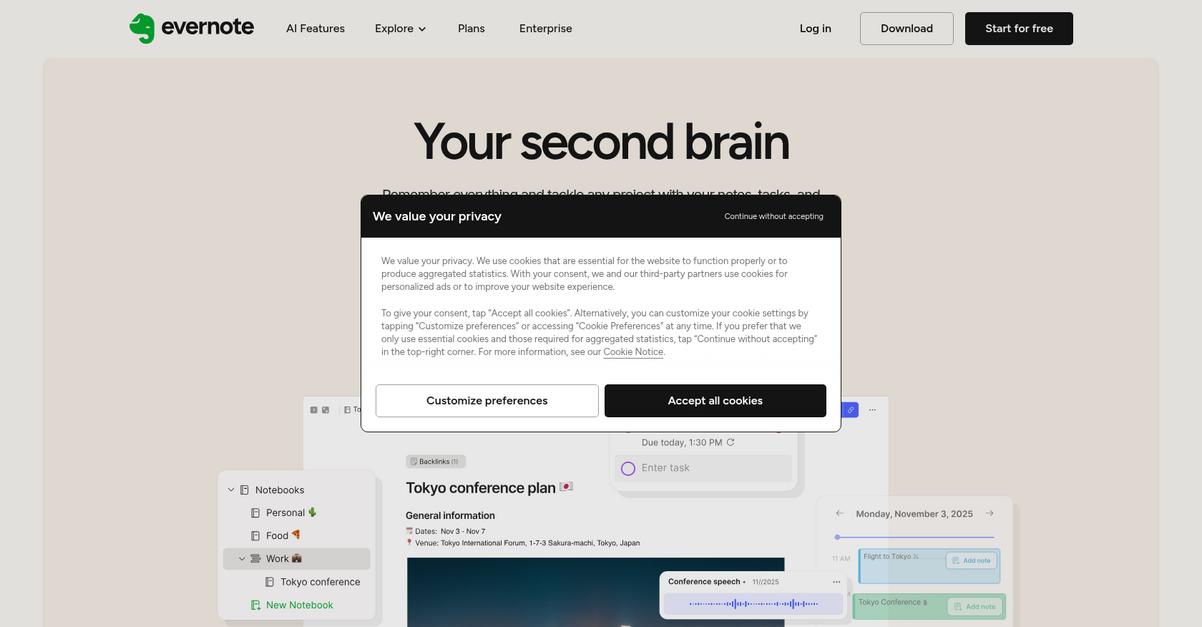
Evernote gives you web clipping, OCR-powered search, and powerful tagging so you can centralize every file, note and PDF easily.
This means you’ll never have to waste time tracking down attachments in endless email chains or navigating messy cloud folders again. With features built for easy capture and search, finding what you need takes seconds, not hours.
Here’s how Evernote turns paper piles digital.
You can capture, sort, and retrieve paperwork in one digital workspace.
Evernote’s Web Clipper lets you grab web pages, PDFs, and emails and instantly save them alongside your notes. All your files and notes become searchable, even scanned PDFs, so you’re not flipping through folders to find receipts or contracts. For anyone tired of juggling between apps to keep information organized, Evernote’s stacked notebooks and customizable tagging create a structure that mirrors your business’ workflows.
Additionally, Evernote’s document search uses OCR technology, so you can even search handwritten notes and scanned images. That means you can digitize meeting notes and paper receipts and still locate them with a search, connecting even your legacy paper processes to your digital workflow.
It all adds up to less frustration, more productivity.
Key features:
- Web Clipper and multi-format capture: Instantly save articles, PDFs, and emails from your browser into your workspace, making your entire workflow truly paperless from day one.
- Full-text search in attachments and handwritten notes: Search inside PDFs, photos, and even handwritten meeting notes so you never lose track of critical information again.
- Organizational structure using tags, notebooks, and stacks: Customize categories for documents and projects to reflect your business and make retrieval fast for everyone.
Verdict:
Evernote is an excellent paperless office software if you want fast capture and instant retrieval for notes, documents, and web content. Its flexible tagging, full-text search, and easy web clipping simplify organization, keeping everything your team needs just a click away.
7. Dropbox

Can paperwork chaos slow down your growth?
Dropbox makes it easy for your team to store, sync, and share files securely across devices—no more hunting through emails or endless folders.
With Dropbox, you can keep your business documents organized and always up to date across your team. This means you finally have a foundation for a paperless workflow that’s reliable and easy for anyone to use.
Let me show you how Dropbox makes this a reality.
Dropbox is designed to help you break free from physical files and constant email attachments. You get reliable file sync across all your devices and secure sharing options for colleagues, partners, or clients—making it much simpler to move your day-to-day work online.
Here’s how: The powerful Document Preview lets you view over 175 file formats directly in your browser or mobile app. That means no more downloading huge files or chasing down software just to glance at a contract or image.
Plus, Dropbox’s Version History protects against accidental deletions or unwanted edits. If your team ever makes a mistake, you can roll back to a previous version with a couple clicks—no stress, just control over your documents.
It’s a streamlined choice for going paperless.
Key features:
- Universal file synchronization across all your devices so you and your team always access the latest versions—crucial for reducing document confusion and boosting efficiency.
- Document Preview for 175+ formats lets you instantly inspect contracts, proposals, or design files in your browser without other software, saving valuable time and hassle.
- Automatic version control that protects your work by recording document changes, so accidental deletions or edits aren’t permanent and you always have a backup.
Verdict:
Dropbox is an excellent paperless office software, especially if you’re looking to cut down email attachments by 50% and make real progress towards digital document management without headaches. Its sync, preview, and versioning are genuinely business-ready.
8. Foxit PDF Editor
Ready to cut out paper clutter for good?
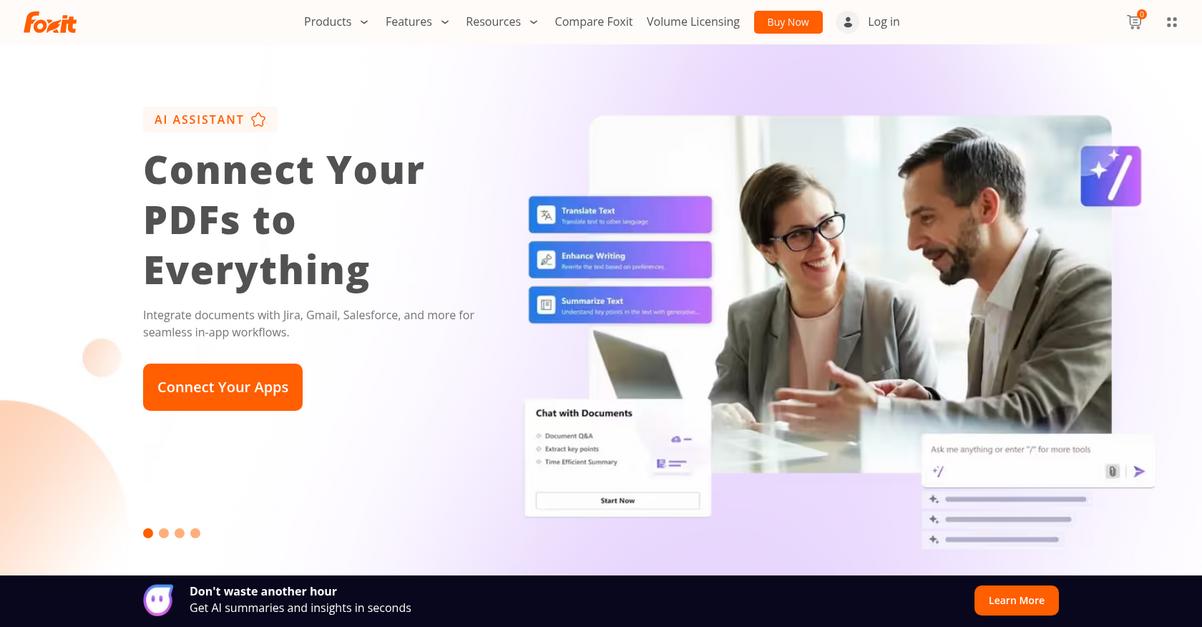
Foxit PDF Editor gives you all-in-one PDF editing, built-in OCR for digitizing paper, and easy form creation—everything you need to convert your processes into efficient digital workflows.
If you’re handling a growing number of documents, you’ll appreciate that Foxit’s OCR instantly turns physical files into searchable PDFs. This means you’re not just storing digital copies—you actually unlock and use the data that’s trapped in paper.
No more switching between tools.
Foxit PDF Editor addresses your need to make document management truly digital from start to finish. You can quickly edit text and images in any PDF, thanks to robust in-file editing. Plus, with the OCR tool, scanning in older records or incoming paper contracts becomes part of your searchable digital database, not a forgotten file. Interactive forms let you collect data without anyone resorting to printers and scanners, so you skip manual steps your team hates.
Additionally, Foxit makes collaboration easier. Assign editing, collecting signatures, or making real-time changes all in a secure PDF format without exporting anything. If you want a paperless process that sticks, these tools help everyone get on board—no matter their tech comfort level.
Your workflow moves a whole lot smoother.
Key features:
- Full-featured PDF editing for total control: Edit, update, and annotate PDF documents right inside the software, so you never need source files or extra tools.
- Built-in OCR for digitizing paper records: Quickly convert scanned contracts or paperwork into searchable, editable PDFs to make all old files discoverable in seconds.
- Form creation to streamline digital data collection: Build, customize, and fill forms in minutes, replacing slow manual workflows and reducing paperwork delays across your team.
Verdict:
If you’re looking for an excellent paperless office software, Foxit PDF Editor is a strong option. Its advanced PDF editing, full OCR, and digital forms help your team streamline document processes—trusted by millions and a preferred alternative to Adobe Acrobat.
9. Hubdoc
Wasting time tracking down financial paperwork?
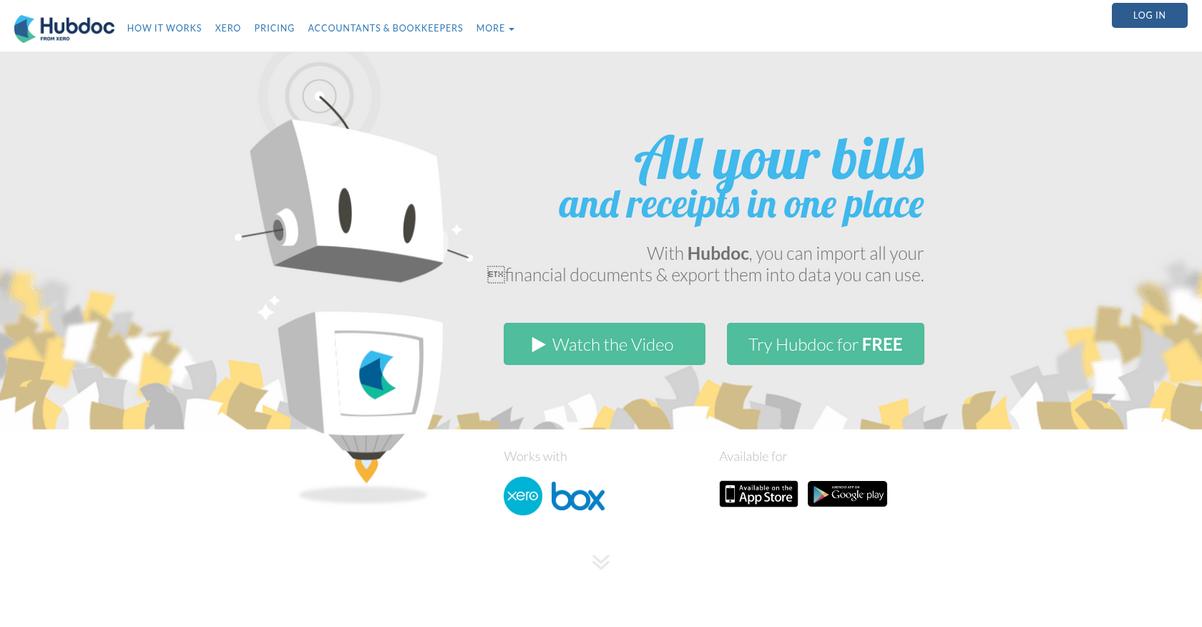
Hubdoc connects with your banks and suppliers to automatically grab bills, receipts, and statements—no need to hunt, scan, or chase missing documents anymore.
If you’re tired of dealing with stacks of paper, eliminating document chaos and manual entry is probably at the top of your wish list. Hubdoc gives you relief by streamlining financial admin for good.
This means you can finally focus on growth.
Hubdoc tackles the core pain by not just digitizing your paperwork, but automating its entire journey. When you link your accounts, Hubdoc automatically fetches and stores every document—then uses powerful OCR data extraction to categorize each item and prep it for your accounting software.
Here’s how it plays out for you: with automatic fetching and extraction saving hours every week, your team cuts out tedious admin, reduces errors, and always has a secure, cloud-based archive to fall back on, complete with a full audit trail for compliance or review.
Plus, Hubdoc’s rock-solid cloud storage lets you search, filter, and retrieve docs instantly from anywhere. No more messy files, lost invoices, or complicated approval chains. Everything’s locked down, organized, and accessible for anyone who needs it.
Staying in control of paperwork just got easy.
Key features:
- Automatic bank and supplier connections grab bills, bank statements, and receipts automatically, so your team never wastes time on tedious manual downloads or risky email forwarding.
- Smart OCR data extraction and categorization captures key details, reduces manual entry errors, and gets transactions ready to sync or export right into your accounting stack.
- Secure cloud-based storage and audit trails keep every document safely organized, searchable, and trackable—empowering you to respond quickly during audits or when questions pop up.
Verdict:
If you’re looking for a great paperless office software, Hubdoc stands out for automated document fetching, error-cutting data extraction, and time savings (up to 20 hours monthly reported) that make mountains of paperwork feel painless.
Conclusion
Drowning in document chaos isn’t sustainable.
Choosing the right paperless office software can be brutal. You want true automation, but every solution claims to do it all—making the choice downright overwhelming for your growing business.
According to Gartner, your team could lose as much as 4 weeks per year simply waiting on misfiled or missing documents. That’s time and revenue you’ll never get back, plus loads of daily frustration and operational risk layered on top.
Let’s cut through the noise.
From everything I’ve tested, FileCenter is my go-to pick if you’re serious about ending the paperwork grind for good.
You get automated filing, built-in OCR, and effortless PDF management—so your files are always where you expect and your workflow just works without the headaches.
If you need the best paperless office software that’s easy to deploy yet powerful enough to truly organize your business, FileCenter consistently delivers real-time savings and less stress at every level.
Start a free trial of FileCenter and finally experience digital filing without limits.
You’ll reclaim hours—and your sanity—fast.