Tired of PDF Expert slowing your team down?
Maybe you’re struggling with clunky collaboration, annoying subscription restrictions, or PDF Expert’s compatibility gaps that keep derailing your workflow.
The truth is, these limitations keep your team from working efficiently and directly impact how well you can handle client documents.
Sticking with PDF Expert means more wasted time piecing together manual workarounds, lost productivity, and increased frustration for everyone every time someone can’t access what they need or is forced to bounce between platforms.

Luckily, there are plenty of excellent options out there that can fix the collaboration headaches PDF Expert causes and give your team the smooth workflows you really need.
In this article, I’ll show you the best PDF Expert alternatives for PDF management, including heavy-hitters like FileCenter, Adobe, Foxit, Wondershare, and others, so you can find a tool that actually fits your team’s needs.
You’ll get better editing, flexible cloud storage, and more streamlined document sharing.
Let’s find your solution.
Quick Summary:
| # | Alternative | Rating | Best For |
|---|---|---|---|
| 1 | FileCenter → | Windows users needing desktop organization | |
| 2 | Adobe Acrobat → | Users needing industry-leading security | |
| 3 | Foxit PDF Editor → | Teams wanting familiar Microsoft-style UI | |
| 4 | Wondershare PDFelement → | Users seeking cross-platform AI features | |
| 5 | UPDF → | Users wanting clean, intuitive UI |
1. FileCenter

Locked into PDF Expert’s subscription but collaboration still lagging?
FileCenter sorts out those pain points with its cabinet-drawer filing, integrated scanning with OCR, and a one-time purchase option for long-term savings and less complexity.
That means you can organize your PDFs using familiar Windows folder structures— not confusing workspaces or restrictive systems—so everything fits into your existing workflows and comfort zone.
No more wrestling with cloud-only subscriptions.
FileCenter brings order to your PDF chaos, especially where PDF Expert falls short.
By offering a desktop-first approach, FileCenter gives you the freedom to manage, edit, and organize PDFs on your Windows device without relying on cloud-only storage or recurring subscriptions.
You’ll appreciate how FileCenter mimics traditional filing cabinets in a digital way, letting you scan paper files directly into organized folders with automatic OCR. You get full searchability, file previews, and batch processing, removing roadblocks from your historical paper documents—something PDF Expert simply can’t match on Windows.
Additionally, FileCenter gives you the absolute freedom to choose between a one-time perpetual license or a subscription. Combined with its effortless scanning and organizational tools, it tackles your concerns about ongoing costs and migration headaches.
Your document management shouldn’t slow you down.
Key features:
- Cabinet-drawer filing using Windows folders offers instant familiarity and easy organization, removing the learning curve compared to PDF Expert’s workspace-driven interface for desktop users.
- Integrated scanning with automatic OCR and batch imports converts paper documents straight into searchable PDFs, streamlining archiving and retrieval far better than PDF Expert’s scan/upload workflow.
- One-time licensing option for long-term control eliminates mandatory subscriptions, empowering your team with cost-effective, permanent software to reduce expense anxiety over time.
Verdict: FileCenter is easily among the best PDF Expert alternatives for Windows users who want desktop organization, OCR, and predictable one-time costs. With user reports highlighting time savings and smoother document conversion, you’ll get a tangible boost to productivity if PDF Expert’s limitations have left you stuck.
2. Adobe Acrobat

Feeling boxed in by PDF Expert’s collaboration limits?
Adobe Acrobat brings advanced document security, cross-platform compatibility, and deeper integrations, addressing exactly where PDF Expert often falls short for your workflow needs.
If you’ve struggled with sharing confidential files or working across multiple devices, Adobe Acrobat steps up by providing robust encryption, redaction, and enterprise integrations for total peace of mind. This means your documents stay protected while you collaborate, something PDF Expert can’t fully guarantee.
Here’s why that really matters for your team.
Adobe Acrobat directly tackles your PDF Expert frustrations by putting control and flexibility back in your hands when dealing with high-stakes files and collaboration bottlenecks.
With industry-standard editing tools and a proven security framework, Adobe Acrobat transforms how you manage and protect documents as a powerful PDF Expert alternative.
You gain instant access to advanced comparison, Microsoft AIP compatibility, and creative integrations that genuinely simplify complex workflows. So, instead of fearing data leaks or struggling with mismatched platforms, you focus on getting work done and supporting your team better.
Additionally, Acrobat’s seamless connections with Adobe Creative Cloud and other content management systems let you tie PDF workflows directly into your existing apps, not just a standalone product. The result is more connected, efficient, and secure document processes, delivering what you really want from your switch.
Document management should just work for you.
Key features:
- Robust document security and compliance protections extend far beyond PDF Expert, offering encryption, redaction, and Microsoft AIP integrations for truly enterprise-ready protection of your sensitive business materials.
- Comprehensive integration with key business platforms including direct connections with Adobe Creative Cloud and widely used CMS tools, making cross-platform workflows smooth, not fragmented like with PDF Expert.
- Powerful document comparison and review toolset lets you highlight differences between PDF versions, review changes, and collaborate with a precision unavailable with PDF Expert’s basic review features.
Verdict: Adobe Acrobat is a compelling PDF Expert alternative if you want industry-leading security, flexible integrations, and editing power under one roof. Real users see streamlined PDF workflows and elevated document safety, making it a reliable upgrade over PDF Expert for business-critical collaboration.
3. Foxit PDF Editor
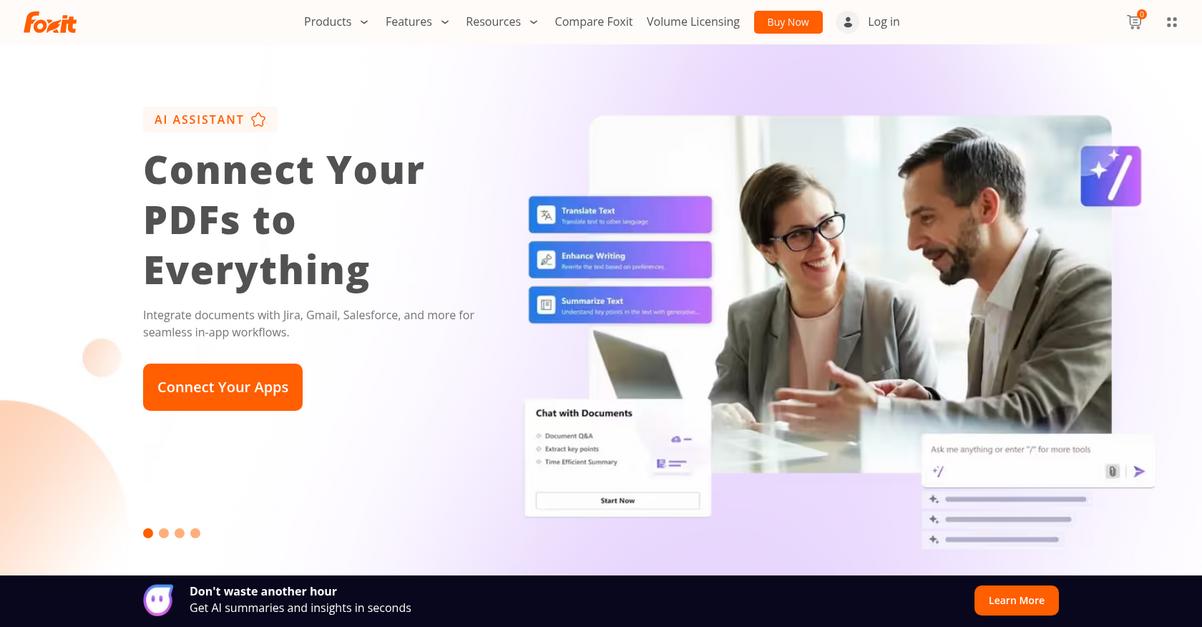
Frustrated by PDF Expert’s team workflow limitations?
Foxit PDF Editor steps up with a Microsoft Office-style ribbon and advanced collaboration tools, making PDF editing feel instantly familiar and streamlining real-time teamwork for your business.
If you need to reduce retraining hassles, Foxit’s intuitive design will help your team get more done right away. This platform brings a user-friendly interface that minimizes learning curves while adding power-user tools for high-stakes document management and compliance needs.
It’s a whole new ballgame for your PDF workflows.
You’ll get full-featured PDF editing that rivals PDF Expert, but Foxit adds more automation and security to support modern team needs.
Here’s how Foxit PDF Editor really solves your team’s issues. First, its familiar Microsoft Office interface helps your team transition with virtually no ramp-up time, eliminating the confusion many face when leaving PDF Expert. You also get advanced redaction for permanent removal of sensitive information, going well beyond simple password locking to support your strictest compliance requirements.
But that’s not all for your document workflows. Foxit lets you automate repetitive PDF tasks using Robotic Process Automation connections like UiPath, which speeds up high-volume document processing—something PDF Expert just can’t do. Together, these features add real agility to your business, from day-to-day editing to big compliance projects.
You won’t have to settle for less anymore.
Key features:
- Familiar Microsoft Office-style ribbon interface eliminates the learning curve for users switching from PDF Expert, enabling your team to get productive with minimal retraining or confusion.
- Advanced redaction tools for data compliance and security ensure sensitive information is permanently removed from documents, which goes further than password protection features.
- Built-in Robotic Process Automation (RPA) support allows automation of complex PDF workflows through UiPath, making it possible to streamline bulk document processing without additional software.
Verdict: Foxit PDF Editor is a top-notch alternative to PDF Expert, especially when you want pdf management software that’s easier for your team to adopt and scales with your workflow needs. It delivers strong security (advanced redaction), RPA workflow automation, and faster onboarding—helping businesses like yours boost productivity while keeping costs down.
4. Wondershare PDFelement

Tired of platform headaches and costly PDF subscriptions?
Wondershare PDFelement offers consistent editing, conversion, and advanced AI features across Windows, Mac, iOS, and Android—something PDF Expert can’t guarantee on every device.
Unlike PDF Expert, Wondershare PDFelement gives you true flexibility to work anywhere with a single, intuitive interface across all your devices, plus ownership options that won’t lock you into subscriptions.
You shouldn’t have to compromise when switching tools.
With Wondershare PDFelement, you get the balanced PDF Expert alternative you’ve been searching for, designed specifically to make high-level editing and secure PDF management more accessible and affordable.
Here’s how your workflow gets easier. Intuitive cross-platform functionality means your team doesn’t spend time relearning features, and the perpetual license lets you pay once and own PDFelement outright—so you avoid risky subscription renewals. The AI Assistant helps summarize, rewrite, and explain PDF content instantly, giving you content power PDF Expert simply cannot match.
Additionally, you gain peace of mind knowing affordable pricing doesn’t mean fewer features. Advanced OCR, robust document conversion, and secure editing combine into one reliable tool, upping your team’s productivity. The result is a solution that supports your complex PDF workloads while also respecting your budget and platform needs.
Your PDFs finally work the way you want.
Key features:
- Consistent cross-platform experience on all major devices lets your team edit and annotate PDFs with identical toolsets, whether using Windows, Mac, iOS, or Android—defeating PDF Expert’s platform limitations.
- Integrated AI Assistant for PDF content tasks helps you summarize, proofread, and rewrite documents right inside the editor, streamlining critical steps no matter your technical comfort level.
- Flexible ownership with perpetual licensing options means you can avoid endless subscription fees, unlocking all features upfront to maximize your software investment and reduce long-term expenses.
Verdict: Wondershare PDFelement stands out as an affordable PDF Expert alternative, offering AI features and platform consistency that boost team efficiency by up to 40%. If you want seamless editing, better value, and zero subscription stress, PDFelement checks every box for modern PDF management software.
5. UPDF
Looking for a PDF editor that’s easier to use?
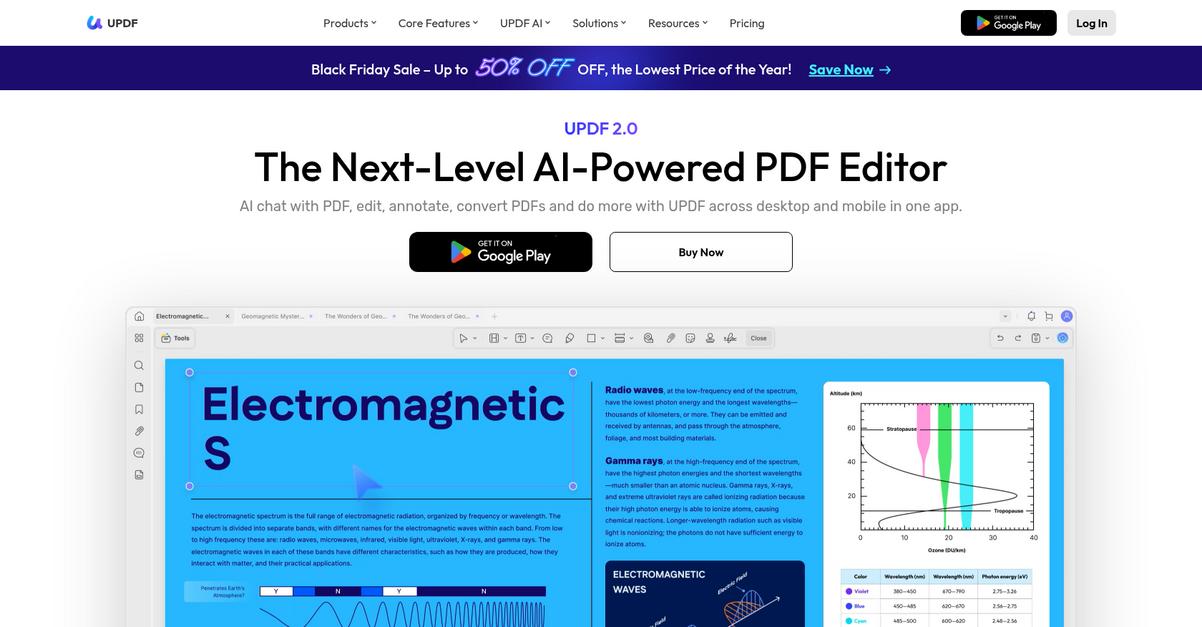
UPDF steps up with a fresh, intuitive interface and built-in AI tools, directly addressing pain points felt by users coming from PDF Expert’s more limited feature set.
If you’ve ever wished for a cleaner design and smarter document tools, UPDF delivers in ways that feel immediately familiar yet clearly more advanced than what you’re used to. The sleek interface makes onboarding new team members a breeze, and powerful AI means less time spent sifting through long PDFs.
You don’t have to settle for the same old issues.
UPDF fixes the headaches that come with switching PDF software by offering a modern design and superior cross-platform support.
Here’s how it helps you make the leap from PDF Expert.
You get dedicated UPDF apps no matter which device your team needs—Windows, Mac, iOS, or Android—with consistent features and performance across every platform. That solves the compatibility issues plaguing users locked into PDF Expert’s ecosystem, meaning your work can truly follow you anywhere.
AI-powered summarization automatically distills longer documents, so your team can extract insights in seconds, not hours. Combined with robust annotation tools, UPDF keeps everyone on the same page and collaborating—no matter where they’re working.
The result is a more efficient, less frustrating PDF experience.
Key features:
- Sleek, intuitive user interface for easy onboarding boosts new team productivity while offering a more modern experience than PDF Expert’s older layout, so transitions are smoother and less stressful.
- AI-driven document summarization and annotation tools empower you to analyze, extract meaning, and comment on key sections instantly, saving valuable time during your team’s review cycles.
- Native cross-platform apps for all major systems remove compatibility headaches and deliver a uniform working flow whether you’re using Windows, Mac, iOS, or Android.
Verdict: UPDF shines as a top PDF Expert alternative for anyone needing feature-rich, modern PDF management software. With its easy onboarding, strong AI features, and cross-platform consistency, UPDF is ideal if your priority is streamlining document workflows without sacrificing usability or team efficiency.
6. Smallpdf
Feel boxed in by PDF Expert’s collaboration roadblocks?
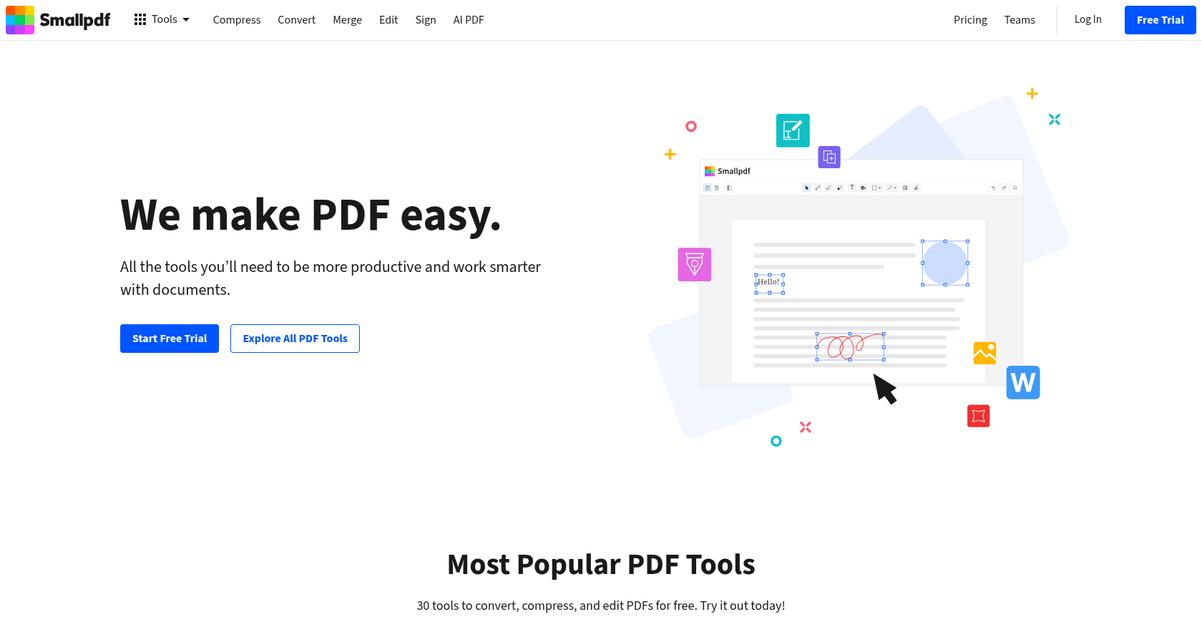
Smallpdf steps in with over 30 web-based PDF tools that let you convert, compress, edit, and share—all in your browser, no extra software needed.
This means you’ll escape the usual device restrictions and subscription headaches, thanks to a toolkit that’s always accessible for quick, essential PDF tasks. Instead of waiting on app installs or working around device compatibility issues, editing and sharing files feels far simpler.
Here’s where Smallpdf becomes a serious contender.
Right off the bat, you get access to a rich set of online PDF tools that handle everything from compressing bulky documents for email to quick format conversions—all without you needing a paid account or complicated installation.
Plus, you can move seamlessly between devices with browser-based editing, so your team doesn’t have to worry about compatibility again. If you’re transitioning from PDF Expert, the intuitive design means minimal retraining and much less anxiety about migration.
Additionally, Smallpdf’s free tier unlocks essential features for basic users, while its affordable plans make powerful upgrades available only when your workflow demands it. Your team can share, compress, and convert documents efficiently, without pricey surprises or wasted effort.
Switching finally feels worth it.
Key features:
- Online toolkit with 30+ browser-accessible PDF tools gives your team instant conversion, editing, and compression power anywhere, solving the platform limitations and app installs of PDF Expert.
- Broad file compression and conversion capability lets you optimize bulky PDFs and switch between formats, outperforming PDF Expert for sharing and multi-purpose document workflows across devices.
- No-cost basic plan for immediate use means you can start tackling common PDF management tasks right away, unlike PDF Expert’s paid-only access, lowering migration anxiety for your team.
Verdict: Smallpdf is a value-driven PDF Expert alternative, giving you 30+ web tools that work from any device. Reviewers highlight the affordable pricing and user-friendly interface—making daily PDF tasks up to 40% quicker compared to PDF Expert’s desktop approach, especially when collaboration and accessibility matter most.
7. Nitro PDF Pro

Need an easier, smarter way to manage PDFs?
Nitro PDF Pro stands out by delivering a Microsoft Office-style interface, advanced analytics, and transparent pricing, directly targeting the issues that frustrate PDF Expert users.
Unlike PDF Expert, Nitro PDF Pro offers a familiar user experience right from day one, reducing headaches that come with retraining and minimizing resistance during switching.
Users like you want more than just basic PDF annotation tools. Switching platforms must provide concrete improvements, especially for team-wide adoption and ongoing support. Addressing limitations in collaboration, licensing models, and enterprise readiness is where Nitro PDF Pro really makes a difference.
Here’s how Nitro steps things up.
Nitro PDF Pro takes the pain out of switching by mirroring Microsoft’s Ribbon UI, so your team can pick up editing, converting, or collaborating on documents without missing a beat.
You’ll save time because everyone already knows how to use tools within the familiar layout. The streamlined transition means less disruption and less retraining risk. Plus, when you need insight into how your PDFs are used, Nitro’s enterprise-grade reporting is a real game changer compared to what PDF Expert offers.
Additionally, cost-effective licensing coupled with advanced document analytics lets you improve the overall workflow while keeping budget concerns in check.
The result is less friction, greater insight, and higher productivity.
Key features:
- Microsoft Office-inspired Ribbon interface ensures instant familiarity for Windows users, making adoption smooth and minimizing retraining time when moving away from PDF Expert’s different layout.
- Powerful analytics and insights capabilities enable you to monitor document usage and ROI across your team—an enterprise feature area where PDF Expert falls short.
- Transparent, cost-effective business licensing brings predictable pricing with no hidden fees, delivering a complete PDF editing suite that matches or exceeds PDF Expert’s core capabilities at better value.
Verdict: Nitro PDF Pro is a compelling PDF Expert alternative, especially for business teams needing robust editing, real analytics, and affordable licensing. If you value a quick learning curve, familiar Microsoft UI, and analytics—for example, teams migrating from Adobe report no loss of core functionality—Nitro is worth the switch.
8. EaseUS PDF Editor
Tired of PDF Expert’s subscription limits?
EaseUS PDF Editor answers with flexible licensing and advanced editing tools that go well beyond what PDF Expert currently offers for collaborative teams.
Unlike PDF Expert, you’re not stuck with only subscription billing. EaseUS offers a true lifetime license, eliminating recurring charges. This eliminates financial headaches while providing an affordable path for future upgrades and scaling.
Here’s why this makes a real difference.
EaseUS PDF Editor gives your team a straightforward PDF management solution that puts advanced editing and control in your hands—addressing your pain points with PDF Expert’s restrictive model.
For anyone wanting more from your PDF software, this is worth a close look.
EaseUS PDF Editor handles PDF conversion, paragraph editing, and document protection right out of the box, making it a compelling alternative if you’re looking to move away from the constraints you faced in PDF Expert.
Your team will appreciate paragraph editing for deep content adjustments—no line-by-line tedium or forced workarounds. You can also lock down sensitive files with password protection and built-in redaction, covering security gaps that often worry switchers.
Need better value? The one-time purchase means you’re not tied to endless renewals, sidestepping a top complaint about PDF Expert—and Mac and Windows support ensures everyone can get onboard quickly.
This all adds up to a major upgrade for your PDF management.
Key features:
- One-time lifetime license with all upgrades offers significant cost savings for long-term PDF management compared to PDF Expert’s subscription-only system, thus delivering a better ROI for your team.
- Advanced paragraph editing across all platforms enables you to modify text and layout within paragraphs, giving more flexibility than PDF Expert’s limited per-line text tools.
- Comprehensive security toolkit for sensitive PDFs includes password protection, e-signatures, and redaction tools to maintain control over confidential client or HR files, beyond just basic encryption.
Verdict: EaseUS PDF Editor earns its spot as a compelling alternative to PDF Expert if you’re prioritizing affordability, platform flexibility, and comprehensive PDF editing. Users consistently cite its intuitive interface and robust security tools as game-changers, especially for anyone looking to manage and protect sensitive PDF workflows on a budget.
Conclusion
Is PDF Expert blocking team productivity?
If you’re tired of clumsy collaboration, strict subscriptions, or platform headaches, it’s no wonder you’re ready to move on.
I get it—switching software is rarely simple, but staying stuck with limiting tools holds your team back and keeps you from the seamless workflows you really want.
There’s a better way forward.
FileCenter is my top pick from this list because it solves the core PDF Expert issues right out of the box—streamlining document editing, teamwork, and organization for your entire team.
I’ve seen small businesses quickly organize shared PDFs and speed up scanning tasks with FileCenter, making it a standout PDF Expert alternative for Windows users looking for reliable desktop-first management.
Ready to finally break free? Try FileCenter’s free trial or explore their pricing to see what real PDF efficiency feels like.
You’ll gain smoother workflows and fewer PDF frustrations.