

PracticePanther slowing down your document workflow?
You’re probably frustrated with clunky search, limited document organization, and needing pricey add-ons just to get the basics done.
That frustration adds up fast, especially when every wasted minute hurts efficiency and morale.
Sticking with PracticePanther means your team loses valuable billable time, wrestles with manual workarounds, and risks costly compliance headaches. Repeated interruptions from simple tasks pile up and create real barriers to productivity and growth.

The good news? There are alternatives that offer smarter, faster document management designed for legal professionals.
In this article, I’ll show you the best PracticePanther alternatives to help legal firms conquer document chaos and improve their workflows. I’ll cover trusted options like Clio, FileCenter, iManage, LexWorkplace, and more so you can make an informed decision.
Switching means less stress, better organization, and real peace of mind compared to your current software.
Let’s find your solution.
Quick Summary:
| # | Alternative | Rating | Best For |
|---|---|---|---|
| 1 | FileCenter → | Users wanting local file control | |
| 2 | Clio → | Teams needing better collaboration | |
| 3 | iManage Work → | Companies requiring better support | |
| 4 | LexWorkplace → | Users wanting modern interfaces | |
| 5 | NetDocuments → | Budget-conscious growing businesses |
1. FileCenter

Wish PracticePanther gave you more local document control?
FileCenter offers advanced local file management and integrated scanning with OCR, letting your legal team organize, search, and digitize documents without expensive add-ons or cloud restrictions.
Unlike PracticePanther, FileCenter gives you granular control over document storage and access on your own infrastructure. This difference goes a long way in simplifying data management if you want more security and less reliance on third parties.
Here’s how FileCenter can address your core workflow frustrations.
If you crave more flexibility than PracticePanther’s cloud-only setup, FileCenter is a strong choice.
FileCenter’s local-first document management solves common PracticePanther headaches by allowing your firm to organize legal files directly on your desktops or network drives.
The integrated scanning and OCR feature means you can digitize physical case files straight into searchable folders without manual renaming or clunky migration processes. This is perfect if inconsistent document storage and missing files have slowed your team down in the past.
Additionally, FileCenter automates file naming and sorting with smart, rules-based organization. That saves you from sorting chaos and lets staff find what they need faster, boosting productivity.
The result is less risk, fewer headaches, and a setup your team masters quickly.
Key features:
- Direct control over local file storage ensures your legal documents always remain within your infrastructure, letting you dictate security preferences instead of being locked into cloud storage.
- Integrated scanning, OCR, and document import seamlessly transforms physical case files into digital, searchable documents, reducing tedious manual steps compared to PracticePanther’s limited digitization tools.
- Smart, automated file naming and sorting organizes documents consistently according to legal best practices, helping you avoid the confusion of messy folders and ad-hoc naming.
Verdict: FileCenter stands out as a compelling PracticePanther alternative for legal firms who want true control over their files. If improved local security, specialized scanning, and fast, reliable search matter most to your firm, FileCenter is a robust option to master document organization.
2. Clio

Tired of clunky document workflows holding you back?
Clio comes packed with advanced document automation, deep legal app integrations, and a modern client portal, focusing on your firm’s efficiency gaps where PracticePanther might fall short.
If you’re switching because PracticePanther feels limited, you’ll notice that Clio’s automation and templates slash the manual work required for even complex legal documents. You get to move beyond add-on headaches and organization bottlenecks.
Here’s how Clio could fit your needs.
With Clio, overcoming document bottlenecks becomes far more achievable.
Clio solves your main PracticePanther frustrations with tools built for growing legal teams needing better document management.
Clio’s advanced document automation means your team can generate custom legal forms and contracts in a flash, using dynamic templates and smart merge fields. This automation goes well beyond PracticePanther’s basic doc templating, cutting out repetitive data entry and freeing up hours in your day.
Another win: Clio plugs right into hundreds of legal-focused apps for document storage, time tracking, and workflow automation. This is a massive upgrade if you struggled with limited PracticePanther connections—now you finally build the tech stack your firm deserves.
Plus, sharing documents or communicating with clients is simple through the secure Clio client portal, which centralizes intake, messaging, and file exchange. These features combine to help you master both internal workflow and your client’s experience.
Clio is designed to deliver exactly what you want.
Key features:
- Advanced legal document automation tools let you create personalized, complex forms using dynamic templates, significantly reducing manual entry compared to PracticePanther’s more basic document and merge capabilities.
- Hundreds of deep, legal-specific integrations allow you to connect Clio with e-signature, accounting, and matter management apps, so you can build a tailored legal solution.
- Intuitive and secure client portal streamlines intake, messaging, and document sharing, giving your clients a one-stop digital experience and keeping files organized and protected.
Verdict: Clio is easily one of the top PracticePanther alternatives for legal document management. Its unmatched automation, expansive integrations, and client experience upgrades make it perfect if you want to cut manual labor and build a true end-to-end workflow for your firm.
3. iManage Work

Feeling boxed in by PracticePanther’s limited document controls?
iManage Work steps things up with ultra-secure document governance, AI-powered search, and seamless Outlook email filing—all areas where PracticePanther often falls short for legal firms.
If you’re looking for a true legal DMS, iManage brings advanced security controls and email integration PracticePanther can’t match. This focus on compliance and matter-level organization helps legal teams avoid disconnected files and compliance headaches.
It’s a big leap forward for busy legal teams.
Unlike PracticePanther, iManage Work puts robust security and lifecycle management at the heart of every document and email, giving you real confidence that sensitive matter files are locked down and audit-ready.
Plus, it doesn’t stop at regular search. With powerful built-in AI, you can locate matter records and client emails in seconds, even across mountains of legal content. That means less time manually digging for case info and more time focused on client work.
Additionally, iManage automatically organizes emails by matter, embedding important communications right within your case files. Combined with tight document control, you can keep your legal operations streamlined—no need for add-ons.
If you want fewer headaches, this is your answer.
Key features:
- Robust document governance with built-in compliance applies advanced security, document lifecycle, and regulatory controls that go far beyond what PracticePanther offers, reducing compliance risks for your cases.
- Integrated Outlook email and matter organization saves every relevant client email directly inside the right matter file and ensures a complete, auditable case record without manual filing headaches.
- AI-powered global document search finds exactly what you need across all matter files and correspondence, delivering much faster and more accurate results than PracticePanther’s basic search tools.
Verdict: iManage Work stands out as a compelling PracticePanther alternative, especially for legal firms needing robust governance and real compliance. With advanced security, AI-powered search, and tight Outlook integration, you eliminate manual chaos and reclaim control—no more scattered files or risky workarounds holding you back.
4. LexWorkplace

Tired of clunky workflows and limited document search?
LexWorkplace fixes those PracticePanther headaches with matter-centric organization, deeply integrated email management, and advanced full-text search including OCR, all built just for law firms.
Unlike PracticePanther, LexWorkplace lets you organize every document and email by matter from day one. This eliminates the hassle of scattered storage and repetitive searches, allowing your team to instantly access precisely what they need, matter by matter.
If finding the right documents has been a pain, LexWorkplace flips that script.
Let’s dive into how LexWorkplace solves these issues.
As soon as you move your practice over, you get purpose-built matter-centric filing that brings all case documents and emails into one digital workspace. This means your legal team can easily see every file and message for each matter without clicking around different screens.
The real magic comes with its full-text search with built-in OCR capability, so even scanned PDFs and old emails are accessible with a few keystrokes—something PracticePanther just doesn’t do natively. You spend a lot less time hunting through folders and more time focusing on legal work.
Plus, the robust native email management tool stores messages securely alongside all documents, which keeps workflows smooth and compliance covered. Switching to LexWorkplace keeps workflows smooth and compliance covered.
Your law firm gets efficiency and control back.
Key features:
- Matter-centric document and email organization gives you a centralized home for each legal matter, so every file, thread, and attachment is instantly retrievable for your caseload.
- Native email management built for law firms securely stores and organizes client emails by matter, eliminating reliance on disconnected third-party tools for better compliance and streamlined workflows.
- Powerful full-text document search with OCR lets you locate court filings, client documents, or even text within scanned PDFs, going far beyond the basic search limitations in PracticePanther.
Verdict: LexWorkplace is my top PracticePanther alternative if you need matter-centric document control and advanced search for your legal firm. The specialized organization, email handling, and smart full-text search make the switch a real workflow upgrade compared to generalist tools that just add clutter.
5. NetDocuments
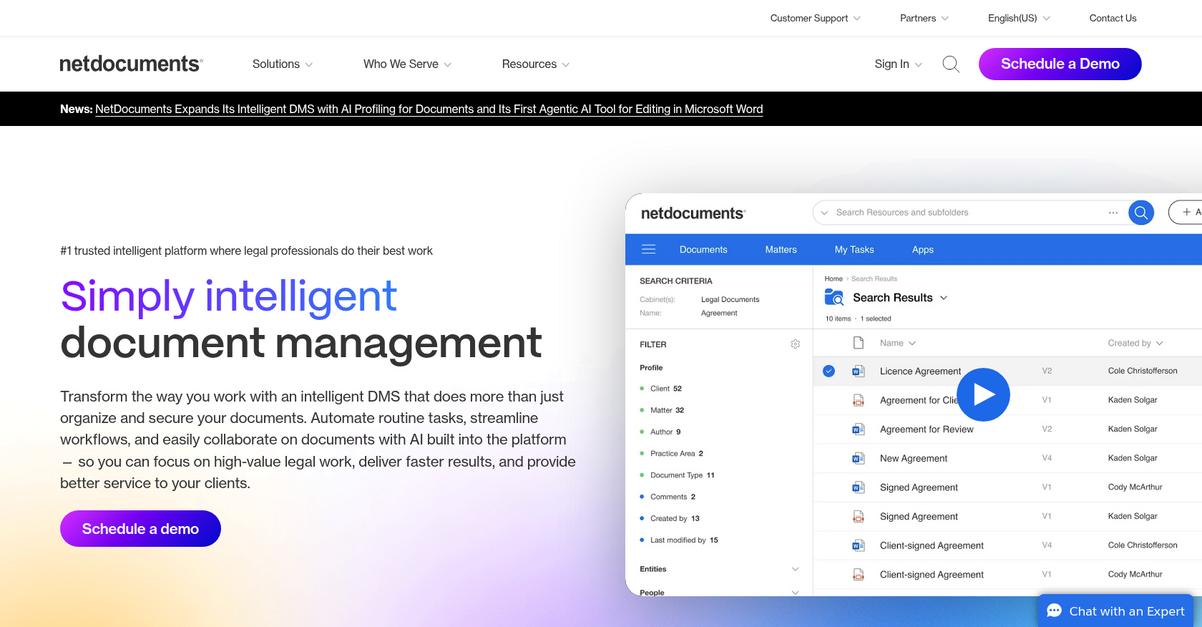
Tired of PracticePanther’s clunky organization and extra add-ons?
NetDocuments delivers secure, cloud-based document management with extensive legal compliance features, closing the efficiency gaps you might experience in PracticePanther’s platform.
If you’re dealing with mounting risks and cumbersome matter management, NetDocuments offers advanced encryption and granular access controls for legal document security that PracticePanther just can’t match. This means you don’t have to juggle multiple tools or worry about compliance blind spots with every new legal matter.
Switching to NetDocuments is easier than you think.
Here’s how it solves your document headaches as a legal DMS alternative.
NetDocuments gives your team dedicated controls, robust compliance features, and built-in governance, answering real legal needs that typically go unmet in general tools like PracticePanther. You’ll especially notice its smart email management system, which links client communications directly to matters, organizing every file and email automatically for top-tier traceability and reduced risk.
Additionally, NetDocuments connects with a broad range of specialized legal software, so you can build an integrated legal tech stack without excessive manual work or add-on costs. All these features combine to reduce errors, speed up searches, and give you more consistency in your legal workflows.
The result? Your document management process is finally built with legal intricacies in mind.
Key features:
- Advanced security and governance tailored for law firms with features like multi-level encryption, access controls, and compliance tools that extend well beyond standard document management requirements for legal documents.
- Integrated email management and automated filing organizes communications directly into matter files, ensuring all records remain complete, accurate, and easily retrievable without manual intervention or workflow bottlenecks.
- Broad third-party legal app integrations let you customize and extend document workflows, offering flexibility PracticePanther can’t match if you want to streamline specialized legal operations.
Verdict: NetDocuments is a strong PracticePanther alternative if you want legal-specific document management with unmatched compliance features and advanced integrations. Whether you handle firm-wide security or complex casework, NetDocuments makes your DMS scalable, intuitive, and purpose-built for your firm’s legal workflow needs.
6. CosmoLex

Frustrated by PracticePanther’s clunky document management?
CosmoLex fixes this by providing matter-centric document organization, secure client sharing, and built-in legal accounting—features that replace reliance on add-ons and streamline your entire workflow.
Unlike PracticePanther, CosmoLex keeps all client files, communication, and accounting in one matter. This means you never juggle separate apps or worry about things falling through the cracks.
This lets you focus on law, not workarounds.
CosmoLex takes your concerns seriously by offering a platform that simplifies organization right from the start. If you’re moving from PracticePanther, your documents live under each client matter, along with related emails and transactions, so nothing’s scattered or hidden.
Plus, you can give clients secure portal access for documents and billing, reducing email back-and-forth and offering a more professional experience—without needing separate client-sharing tools.
The built-in legal accounting tracks trust and business finances within your workflow, eliminating third-party accounting hassles and making compliance straightforward for legal firms making the switch. Each feature is designed to save you time, reduce risk, and keep your practice organized without extra integrations.
You gain peace of mind and control.
Key features:
- Native legal accounting removes third-party hassles with full trust and operating accounting included, ensuring ABA compliance and simplifying your finances compared to PracticePanther’s reliance on integrations.
- Matter-centric management organizes every detail—documents, billing, and communication—around each client file, delivering a cohesive, intuitive workflow for legal professionals frustrated with modular systems.
- Secure client portal for document sharing enables confidential exchange of files, invoices, and updates directly with clients, strengthening relationships and reducing missed information or compliance risks.
Verdict: CosmoLex is a compelling PracticePanther alternative if your legal team wants document management software built for full-firm organization. You benefit from matter-centric efficiency, integrated accounting, and robust client collaboration—all in one place and starting at $89 per user monthly.
7. MyCase

Feeling boxed in by PracticePanther’s document limitations?
MyCase’s integrated document management, advanced automation, and client-focused portal address key frustrations, offering your legal team features that PracticePanther users often find missing.
Where PracticePanther can feel clunky or limiting, MyCase provides more powerful document retrieval, automation, and e-signature tools out-of-the-box for legal workflows.
Here’s why your next platform should make this easier.
MyCase gives you an intuitive, all-in-one alternative to PracticePanther that truly caters to legal document needs.
It puts organization at the heart of your practice by offering document storage, template-driven automation, and secure client sharing together in one interface. Your team can generate, sign, and file legal documents faster, minimizing time wasted searching or toggling between disconnected tools.
Additionally, MyCase’s client portal lets you securely share documents with clients, gather e-signatures, and keep all messages in one place. This means better client collaboration, stronger compliance, and simplified communication, so clients can access the right files without endless back-and-forth.
Plus, built-in advanced document generation uses templates and merge fields that go beyond basic form fills, letting you automate even complex legal paperwork easily.
With all of this under one roof, you stay organized and impress clients.
Key features:
- Integrated document management and case organization gives you efficient storage, organization, and retrieval right in your legal workflows without needing external add-ons or extra modules.
- Client portal with secure e-signature collection streamlines attorney-client collaboration, making document sharing and signatures much more straightforward than with PracticePanther’s limited portal.
- Advanced document automation capabilities with legal templates allow you to generate letters, pleadings, and complex forms instantly, cutting down your time spent on repetitive tasks.
Verdict: MyCase is a top PracticePanther alternative if your legal team needs serious document organization and automation. Law firms report up to 38% productivity gains and better client experiences after switching, thanks to superior document features that outscore PracticePanther’s by over 20% on G2.
8. Smokeball

Ready for a legal tool that just works?
Smokeball gives you superior document automation and accurate time capture, solving roadblocks that often frustrate PracticePanther users searching for stronger workflows and a more intuitive interface.
By offering advanced automation in both document creation and workflow management, Smokeball slashes hours spent on manual admin. You gain industry-leading automation that removes repetitive steps and helps your team focus on higher-value tasks, instead of wrestling with setup complexity or costly add-ons.
Missed time entries and inefficient document processes are now a thing of the past.
Here’s why Smokeball is worth a closer look.
Smokeball instantly boosts productivity by tracking all your work passively, so nothing slips through the cracks. Automatic document and workflow automation go further than what you’ll find in PracticePanther, minimizing errors and maximizing billable time.
You’ll see the difference daily: with automatic time tracking passively running in the background, your team accurately captures billable hours without extra hassle. Choose from an extensive document template library, and generate complex letters and forms with matter data instead of building everything by hand. If you’re switching, you’ll notice smoother document workflows and real gains in efficiency.
Additionally, powerful workflow automation standardizes how your firm handles everything from intake to filings. Automation, time capture, and workflow tools all support each other, solving those persistent PracticePanther pain points for legal document organization.
It’s a direct upgrade that brings real, practical results.
Key features:
- Automatic passive time tracking for every activity eliminates manual timers, giving you a complete record of billable work instead of risking lost revenue like with PracticePanther.
- Industry-leading document automation and templates let you generate even complex legal documents from matter data, dramatically reducing the time and effort required to draft and assemble paperwork.
- Advanced workflow automation standardizes your firm’s processes across all case types, cutting administrative effort and ensuring every team member follows best practices—something PracticePanther struggles to match.
Verdict: Smokeball is the alternative to PracticePanther if you want next-level document automation, robust workflow management, and error-proof time tracking for legal teams. Firms report 34% profit gains thanks to easy billing capture and administrative workload cuts—showcasing how these automation advantages translate directly into measurable results.
9. Filevine

Is PracticePanther holding your document workflow back?
Filevine tackles this by offering fully configurable workflows, advanced document generation, and integrated AI tools—all designed to overcome the standardization and basic automation you might struggle with in PracticePanther.
Unlike PracticePanther’s template-based limits, Filevine lets you build custom workflows for every practice area need, which means your firm isn’t boxed in by rigid processes or forced to buy costly add-ons for simple automations.
That’s why it stands out as an upgrade.
Here’s how Filevine solves what PracticePanther misses.
Filevine gives your team control with highly customizable workflows that adapt to each legal specialty, so you eliminate workarounds and streamline every step of your document journey.
Additionally, the advanced document generation feature lets you create complex pleadings and forms using case data automatically, slashing manual drafting time and reducing the risk of errors PracticePanther’s templates just can’t catch.
Plus, the integrated AI tools answer your questions with citations from your case files, giving you rapid legal insights for improved research speed. When you combine custom workflows, document automation, and AI, your team can manage more cases efficiently without lengthy retraining or extra modules.
It all adds up to less frustration and more time back.
Key features:
- Highly configurable legal workflows for any practice let your firm design and refine processes that truly match how your cases are managed, unlike the one-size-for-all approach in PracticePanther.
- Advanced automation for document generation and filing allows you to pull data straight from your cases to create complex legal forms, eliminating repetitive manual work and reducing costly errors.
- Integrated AI-powered search and document analysis tools provide instant answers and citations from your documents, making research and compliance faster than what’s possible with standard search functions in PracticePanther.
Verdict: If switching to a PracticePanther alternative worries you, Filevine’s customizable workflows and advanced automation are worth it for any legal firm. Its AI-driven document management makes your workflow more efficient and secure—especially if you’re managing high-volume, complex cases or need tailored legal tools.
10. Worldox
Searching for more precise document control?
Worldox brings advanced version control and document profiling tools that address PracticePanther’s biggest pitfalls for legal firms handling sensitive, detail-heavy matters.
If PracticePanther’s basic filing and search has left you chasing missing document versions or struggling to prove exactly who edited what, Worldox gives you granular, audit-ready version history to cover your legal risk and better structure your digital files.
You get smarter document organization for legal casework.
Worldox is purpose-built as a document management system, not just an add-on to practice management.
Here’s how Worldox raises your standards.
It safeguards your digital files with robust version tracking so every change and upload is logged, making accidental overwrites or lost revisions a thing of the past. Plus, the advanced profile-based filing lets you tag documents with custom matter metadata for pinpoint recall, solving the “needle in a haystack” search problem common with PracticePanther.
Additionally, Worldox provides secure external sharing, so you can collaborate or provide client access without losing control over confidentiality—something that solves the limitations of basic, portal-style sharing.
This results in higher efficiency and peace of mind.
Key features:
- Granular version control with full audit trails ensures that every document edit is tracked and recoverable, giving your team confidence in managing legal documents with absolute integrity.
- Advanced profile-based filing and search lets you organize documents by custom metadata, enabling quick retrieval and more structured classification than PracticePanther’s standard approach.
- Secure, controlled external document sharing enables your firm to share legal content with clients and partners conveniently, yet with more rigorous security than regular client portals provide.
Verdict: Worldox stands out as a top PracticePanther alternative if your legal team demands tighter document lifecycle control and advanced search. Its feature-rich DMS foundation, mature versioning system, and superior search make it a powerful upgrade for legal document management beyond practice management boundaries.
Conclusion
Struggling to keep documents organized in PracticePanther?
Dealing with cluttered files, sluggish search, and constant reliance on expensive add-ons makes your workflow more frustrating than it should be.
I get it—switching document systems sounds daunting, but you’re making the smart move for your firm’s future by exploring better options like those listed above.
Here’s where to start fresh.
FileCenter is my top recommendation for legal professionals tired of PracticePanther’s disorganization. Its robust, desktop-focused platform brings simple, intuitive control and powerful search—no pricey extras required.
What I love about FileCenter is how it puts document management at the core, letting your team finally organize, scan, and retrieve files without the headaches you had with PracticePanther.
Go ahead and start a free trial of FileCenter to see the difference yourself.
Gain efficiency, clarity, and peace of mind.