

Frustrated with Revver’s slow mobile experience?
If you’re tired of wrestling with Revver’s confusing interface, laggy performance, or its clunky mobile app on busy days, you’re definitely not alone.
Those headaches mean your team’s mobile productivity takes a real hit every time Revver lags or forces you onto desktop.
The longer you stick with outdated workflows, the more you sacrifice agility, lose time to slow searches, and see team morale drop as simple file access turns into a daily struggle.

But there are better paths out there—alternatives that deliver smoother mobile access, faster file management, and reliable automation without the Revver headaches.
In this article, I’ll walk you through the best Revver alternatives for on-the-go file management, featuring top options like FileCenter, Laserfiche, DocuWare, Zoho, and more.
By finding the right solution, you’ll get the speed, clarity, and mobility Revver lacked.
Let’s find your solution.
Quick Summary:
| # | Alternative | Rating | Best For |
|---|---|---|---|
| 1 | FileCenter → | Users wanting familiar desktop style | |
| 2 | Laserfiche → | Teams needing better collaboration | |
| 3 | Hyland OnBase → | Users wanting industry-specific workflows | |
| 4 | DocuWare → | Mobile users needing AI-powered search | |
| 5 | Folderit → | Small teams seeking simplicity |
1. FileCenter

Revver’s interface making file management harder than it should be?
FileCenter replaces confusing cloud complexity with a familiar cabinet-and-drawer filing model that’s immediately comfortable if your team prefers local, desktop-style tools.
You’ll find that adopting FileCenter’s physical filing system analogy is much easier than trying to wrangle Revver’s intricate metadata-driven setup. Everything stays organized within simple folders, so you’re not wasting time figuring out new layers of digital structure.
Here’s how FileCenter changes the game.
It streamlines file management by letting you work the way you already do in Windows, with documents neatly sorted in cabinets, drawers, and folders. This means your staff can skip lengthy onboarding and get straight to productive file handling.
If you’re looking for a genuine Revver alternative, FileCenter stands out by cutting out recurring cloud costs. Instead of endless monthly payments, you can choose a one-time purchase option, giving you total cost predictability—just buy it, install it, and your team keeps control.
You also unlock integrated scanning and OCR, so paper files become searchable digital docs instantly—no hopping between different software modules. Everything flows within the desktop environment, helping your transition to a paperless office.
Additionally, FileCenter makes your data migration less intimidating. By mirroring Windows organization and keeping things local, moving from Revver becomes a lot less risky and disruptive for your team’s workflow.
All this means faster adoption and less stress.
Key features:
- Intuitive cabinet-drawer-folder structure for organization provides your team with a filing system that feels natural, reducing training time compared to metadata-heavy document management solutions.
- One-time purchase desktop license option available lets you avoid recurring subscription fees, giving your small business more control and long-term savings than Revver’s cloud pricing.
- Integrated scanning and OCR for paperless transition allows you to digitize and search paper documents right from the desktop, simplifying your workflow versus splitting tasks across different apps.
Verdict: FileCenter is a strong Revver alternative if you’re tired of complicated interfaces and ongoing fees. With up to 50% time saved on everyday filing and document search after switching, it’s ideal for small businesses wanting a simple, reliable file management system that feels familiar from day one.
2. Laserfiche

Looking for a file manager that feels less clunky?
Laserfiche brings advanced business process automation, records management certification, and a huge integration ecosystem—all areas where Revver often leaves your workflow lagging behind.
Instead of dealing with Revver’s slow performance or confusing interface, Laserfiche offers advanced workflow design, deeper integrations, and certified compliance—exactly what you need if your team handles sensitive files, complex approvals, or rapidly changing regulatory demands.
Moving beyond disjointed solutions is a real advantage.
Laserfiche offers a modern path forward.
With Laserfiche, you get a file management platform built specifically to automate detailed, multi-step workflows—far beyond what Revver’s no-code builder allows. You can set up advanced routing, approval deadlines, and real-time notifications tailored to your team’s actual business processes.
This means you can connect hundreds of third-party apps for streamlined data exchange, centralizing your content without having to juggle multiple disconnected systems. It’s especially helpful if you’ve struggled to integrate your files with CRMs, ERPs, or industry-specific software Revver doesn’t support directly.
Additionally, Laserfiche’s records management suite provides granular retention and legal hold controls, helping your team stay audit-ready at all times and making compliance much less stressful. Combine these features and you get a platform that boosts efficiency, saves serious costs, and finally makes file management feel agile.
Laserfiche really can enhance your workflows.
Key features:
- Enterprise-level workflow automation manages multi-step processes with advanced routing, approval, and notifications, supporting operation scales and complexity well beyond what Revver’s workflow builder delivers.
- Certified records management with lifecycle controls ensures regulatory compliance through tailored retention, disposition, and legal hold—ideal where Revver’s basic document retention features are insufficient for regulated industries.
- Hundreds of prebuilt third-party integrations connect your content with CRMs, ERPs, and specialized software, enabling end-to-end information flow Revver’s narrower integrations don’t match.
Verdict: Laserfiche is a compelling Revver alternative if you need powerful workflow automation, certified compliance, and broad integrations for file management. User case studies report up to 80% faster processes and millions in annual cost savings, showing the efficiency gains you can unlock by switching.
3. Hyland OnBase

Frustrated with how clunky Revver feels lately?
Hyland OnBase changes the game by offering industry-specific solutions and workflow automations, while Revver sticks to general file management and rigid processes.
Here’s where Hyland OnBase stands apart: you get advanced custom workflows specific to your industry needs, which means you’re not locked into generic structures that stall productivity.
Everything about this platform is designed for next-level efficiency.
Hyland OnBase lets your team move beyond Revver’s limitations by empowering you with deep configuration options and truly industry-focused automation.
If you’ve felt boxed in by Revver, Hyland OnBase is designed to solve that problem.
Switching to Hyland OnBase means you can finally take control of your file management headaches.
With OnBase, you can quickly customize forms and workflows using its low-code and no-code platform. This allows your business users to adapt solutions as your requirements change—no complex IT project needed. Adjust processes and connect integrations on your timeline instead of waiting for lengthy vendor rollouts.
You’ll also love the advanced AI document processing. Hyland OnBase captures and classifies documents automatically, extracting critical data and improving accuracy. That means less manual entry and fewer errors than you might have experienced on Revver.
Add in deep industry tailoring for healthcare, finance, and more, plus the freedom to automate operational tasks end-to-end, and everything just flows together for actual productivity gains.
OnBase puts true control and efficiency in your hands.
Key features:
- Industry-specific configuration for workflows and automation lets you tailor file management and business processes around healthcare, finance, and more, unlike Revver’s generic approach.
- Low-code/no-code customizations for business users empower your team to build and adapt forms, workflows, and integrations without IT bottlenecks, which is a huge leap over Revver.
- AI-powered intelligent document processing automatically captures, classifies, and extracts data from unstructured or structured files, delivering speed and accuracy improvements compared to manual Revver processes.
Verdict: Hyland OnBase is a compelling alternative to Revver if you want true file management power tailored to your industry. Customers see 50% faster processing and 30% lower costs with deep automation. It’s perfect if you want scalable, advanced content management minus Revver’s limitations.
4. DocuWare

Looking for a way around Revver’s workflow frustrations?
DocuWare addresses your concerns with advanced AI-powered document indexing, top-rated mobile access, and fast, reliable search—tailor-made for teams who need efficiency on the go.
Unlike Revver, DocuWare offers intelligent indexing that eliminates tedious manual entry errors, so you spend less time searching and more time focused on your actual work. Its mature workflow automation is designed to accelerate your team’s processes, not hold you back.
That’s a serious boost for document-heavy work.
If you’re wondering what makes DocuWare shine here’s how.
DocuWare goes beyond simple storage to empower your team with AI-driven indexing and robust mobile apps that actually work the way you expect. Your files are always at your fingertips, whether you’re at your desk or across the country.
With intelligent metadata capture and lightning-fast search tools, you get instant access to invoices, contracts, and archives—even across massive file volumes. You’ll notice real improvements in speed and accuracy, especially if you’ve struggled with Revver’s sluggish performance.
Additionally, DocuWare provides pre-configured templates for common processes like invoice handling or onboarding, dramatically reducing setup pains usually faced when moving away from Revver.
The result is smoother adoption and a shorter learning curve.
Key features:
- AI-powered intelligent indexing for quick retrieval intelligently tags documents with metadata from their content, improving accuracy and eliminating the slow, error-prone manual indexing typical in Revver.
- Lightning-fast, comprehensive search with full-text and visual support allows you to find the information you need across all your files instantly, significantly outperforming Revver’s sluggish search.
- Pre-configured departmental workflow solutions help you deploy standard business processes rapidly, so your team isn’t bogged down with complex configurations when switching from Revver.
Verdict: DocuWare stands out as one of the best Revver alternatives for file management if you want superior mobile access, AI indexing, and rapid deployment. You could see 70% faster invoice processing and cut document admin effort by half using DocuWare’s intelligent workflow and search tools.
5. Folderit
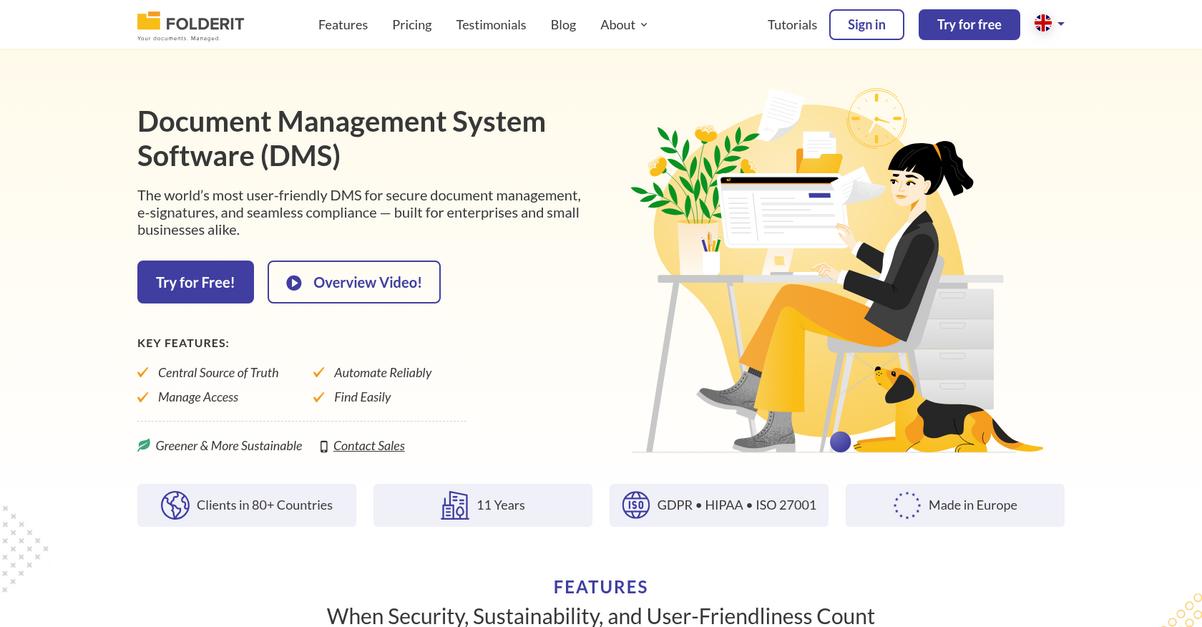
Revver leaving you wishing for easier file management?
Folderit addresses these headaches with a beautifully simple interface, straightforward onboarding, and affordable pricing designed for growing teams.
If you’ve had trouble getting your team to adapt to Revver’s more complex structure, Folderit offers an intuitive setup that minimizes both training time and confusion. This means even non-technical users can work confidently and find files without extra help.
Everything about Folderit is built for less friction.
Folderit stands out because it makes switching from Revver manageable while making daily file tasks easier for everyone on your team.
With Folderit, your files are always organized in a clean, user-friendly dashboard, and full-text OCR search saves you hours tracking down old documents. You can import and organize files on day one, without expert training or expensive outside support.
Additionally, the transparent pricing removes worries about surprise fees or complicated add-ons, so your team gets exactly what you need within budget. Folderit’s strong emphasis on simplicity makes it well-suited for small businesses or anyone tired of overcomplicated tools.
The result is true stress-free document management.
Key features:
- User-friendly dashboard with minimal learning curve means your team can adopt Folderit in less than an hour, removing hurdles associated with Revver’s interface and complex workflow customization.
- Transparent and affordable subscription pricing lets you pay only for what you need, compared to Revver’s opaque, contact-driven pricing approach that can hide long-term costs for small teams.
- Advanced OCR-powered file search helps you instantly find PDFs and images by text content, eliminating manual search and supporting users who regularly manage scanned or legacy documents.
Verdict: Folderit is a powerful alternative to Revver, especially for small teams needing accessible, affordable file management. Its intuitive dashboard and OCR capabilities deliver faster onboarding and fewer access issues—key if you’re seeking improved efficiency or clearer pricing without sacrificing search power or security.
6. FileHold
Tired of Revver’s sluggish performance on the go?
FileHold fixes those headaches with robust document management tools and flexible deployment settings you just cannot get from Revver alone.
You get powerful version control, detailed audit trails, and on-premise or cloud deployment, all helping you ditch confusing user interfaces and weak mobile tools.
Here’s how FileHold bridges those gaps with smarter features.
FileHold delivers intuitive, auditable file management in a way Revver cannot.
You’re covered with advanced version control, so you never lose track of document changes or compliance needs again. Its comprehensive audit trail locks down document history for total accountability, letting you be confident with every edit or approval—even if you’re juggling files from your phone or laptop.
Additionally, hybrid deployment means you pick cloud or on-premise hosting based on how you want to handle data sovereignty, security, or integration work. You gain audit proofs plus granular rollback—without the messiness of Revver’s cloud-only model.
The result is better control and much more trust in your document processes.
Key features:
- Granular version control with easy rollback captures every document change, giving more precision and transparency than Revver. This is vital for regulatory compliance or frequent collaborative revisions.
- Detailed audit trails for complete accountability record each document view, edit, or deletion, supporting strict governance, especially where you need to prove compliance or track history.
- Flexible on-premise and cloud deployment options let you meet data residency rules or IT preferences, unlike Revver’s limited cloud focus, so you decide how and where files live.
Verdict: If you’re seeking a robust Revver alternative for file management, FileHold offers advanced version workflow, granular audit reporting, and deployment flexibility. Clients have experienced a 40% reduction in paper use and 30% quicker approvals—showing FileHold improves efficiency and compliance beyond Revver’s capabilities.
7. Alfresco Content Services

Ready for file management that works the way you do?
Alfresco Content Services delivers open-source content management tools and deep customization, tackling the rigid interface and mobile limitations that frustrate so many Revver users.
You’ll notice that Alfresco offers a flexible open-source platform that avoids vendor lock-in, letting your team personalize document workflows and easily connect with the tools you already rely on each day.
Plus, migration fears are eased by a platform designed for seamless integration and process automation.
Here’s how Alfresco Content Services stands out.
Alfresco solves common Revver headaches by giving you extensive customization options that go far beyond a closed, proprietary system, so you never feel boxed in with your workflows.
With an open-source foundation and rich API support, you can connect Alfresco to your business apps directly and build your own file management solutions as your needs evolve.
Additionally, advanced workflow automation with visual process modeling turbocharges file-centric tasks—think routing, approvals, and compliance checks—cutting manual effort by up to 60% compared to what Revver offers.
The result is a platform engineered for efficiency and control.
Key features:
- Open-source, deeply customizable content platform lets your team tailor every facet of document management, providing the flexibility Revver’s closed system cannot deliver for complex requirements.
- Extensive integration and API options fit Alfresco right into your existing business stack with out-of-the-box connectors and custom development opportunities for complex projects.
- Advanced visual workflow automation drives 50% faster document cycle times, covering approvals, collaboration, and compliance that go far beyond Revver’s no-code builder.
Verdict: Alfresco Content Services is a compelling Revver alternative if you demand control, customization, and deep integration from your file management software. Workflow automation delivers up to 60% manual effort reduction—ideal if you need tailored solutions without compromise or vendor lock-in.
8. eFileCabinet
null
Tired of slow file access and clunky mobile apps?
eFileCabinet replaces that frustration with SmartAssist AI Filing, instantly organizing your documents based on actual content, not just manual folder creation or batch uploading.
Unlike Revver, you get intelligent automation for document filing in real time, which means you spend less time searching and more time working. This kind of smart sorting directly addresses your need for intuitive access, especially when you’re working on the go or supporting a team with varied technical skills.
Here’s where eFileCabinet truly steps up.
Switching to eFileCabinet gives you more than just upgraded performance compared to Revver’s limitations.
You immediately notice the time savings with automated document filing, plus you get SecureShare Client Portals for branded, secure client communication—addressing the pain of generic, less-controlled sharing from Revver. Template-based workflow automation further lets you set up approval chains or data extraction in minutes instead of piecing together complex automations from scratch. That means your team avoids downtime and costly onboarding.
Additionally, users report saving up to 20 hours every week on document management tasks with eFileCabinet, which boosts real productivity and not just theoretical improvements.
The result is a smoother, more modern file management experience.
Key features:
- AI-powered SmartAssist auto-filing for document organization pulls content-based filing out of your hands, streamlining tasks much more efficiently than manual setups in Revver.
- SecureShare branded client portals for secure sharing allow your team to collaborate externally with better control and compliance compared to Revver’s basic and less-customizable sharing features.
- Template-driven workflow automation for repetitive processes enables quick setup of approvals and data extraction, letting you automate routine document cycles faster and more reliably.
Verdict: If you want a genuine Revver alternative that improves your document workflows, eFileCabinet is ready. Users share that they’ve saved up to 20 hours every week and communicate with clients more effectively, thanks to streamlined workflow automation and secure portals, making it a compelling file management upgrade.
9. Zoho WorkDrive
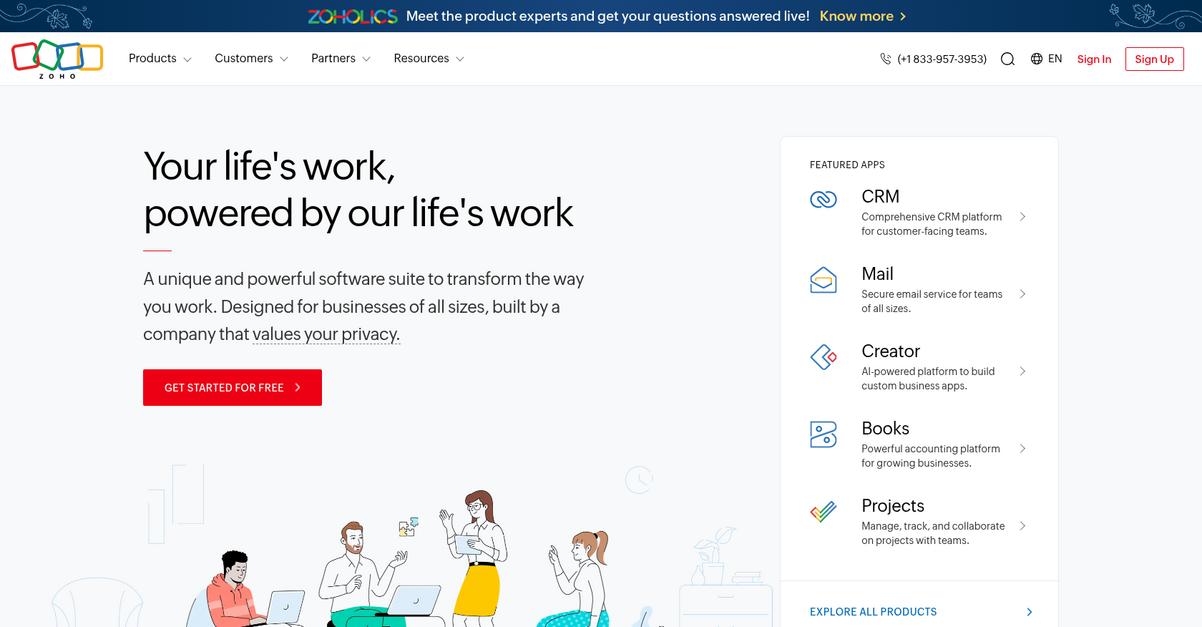
Tired of clunky file management holding you back?
Zoho WorkDrive gives you an integrated cloud workspace with mobile-friendly access, collaborative editing tools, and advanced version tracking—addressing many of the top complaints with Revver’s platform.
Unlike Revver’s more limited functionality, Zoho WorkDrive empowers your team with an all-in-one platform for files, messaging, and live document editing so nothing gets lost between disconnected apps or slow interfaces.
This means you’ll spend less time troubleshooting and more time collaborating.
When you switch to Zoho WorkDrive, you’re not just avoiding Revver’s bottlenecks—you’re unlocking a complete file management hub.
Your team can manage file storage, work on spreadsheets, and edit documents right inside the platform, no extra software required. Even more, you get a unified view of every version saved automatically, which helps you easily roll back edits and maintain a reliable project history if your team juggles lots of drafts.
Plus, built-in office tools mean you won’t be toggling between apps to prepare documents or presentations, saving everyone from endless context switching. And since WorkDrive slots perfectly into the broader Zoho ecosystem, your whole workflow becomes more efficient, not just your file storage.
You’ll feel the difference almost immediately.
Key features:
- All-in-one collaborative workspace combines file management, project communication, and collaborative editing in a single platform—streamlining processes for teams frustrated with Revver’s fragmented approach.
- Full-featured built-in office suite means you can create and edit documents, spreadsheets, and presentations without switching apps, unlike Revver’s dependence on third-party tools.
- Automatic file versioning with easy rollbacks gives you secure access to every document revision, offering greater transparency and recovery options than Revver’s basic history tools.
Verdict: Zoho WorkDrive is a top Revver alternative if you want intuitive mobile access and seamless workflow management in one place. Customers report 25% faster project delivery and lower software costs, making it a smart choice for your file management needs in 2025.
10. Dokkio
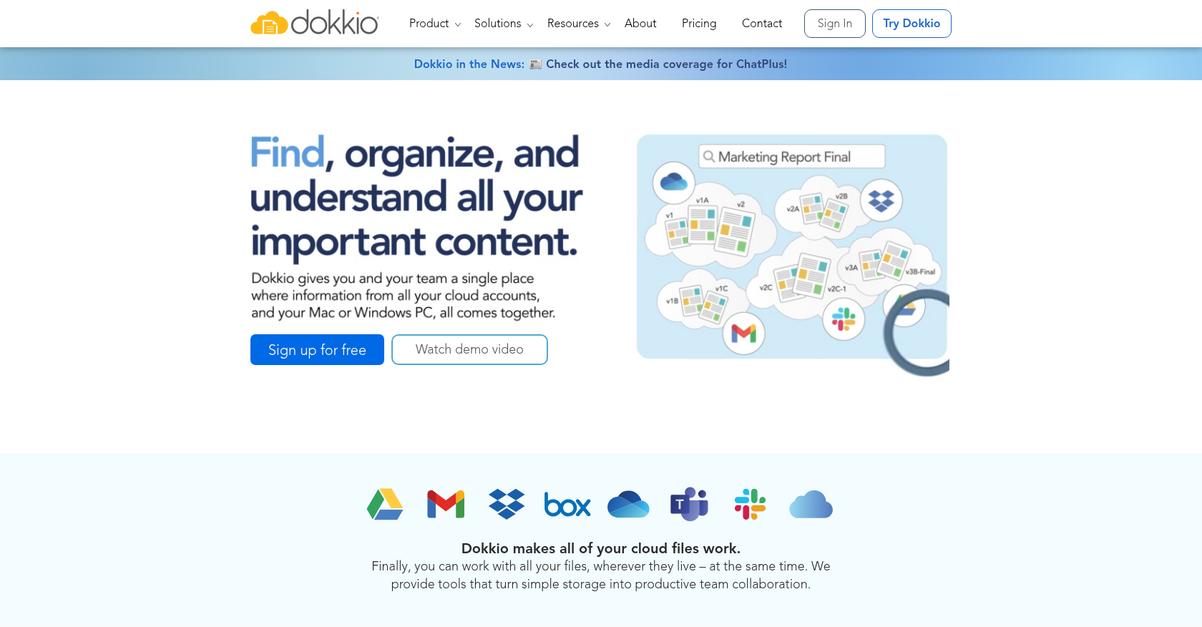
Frustrated by Revver’s slow interface on mobile?
Dokkio takes a smarter approach with AI-powered smart folders and no-migration cloud connections, solving problems that hold you back in Revver’s file management environment.
Unlike other options, Dokkio tackles the headaches of centralized repositories by letting you integrate Google Drive, Dropbox, and more without moving your files. This eliminates downtime and gets your whole workspace unified at once.
Ready to see how this unlocks real productivity?
Dokkio immediately solves the hassle of scattered documents by unifying everything across your favorite cloud apps, skipping Revver’s data migration and keeping your existing workflows intact.
This means you can finally access all your files from one place without disruption. Even better, Dokkio uses AI to create automatically updating smart folders dynamically based on content, not just static structures. If you’re coming from Revver’s rigid template system, this is a game changer because you always have relevant files at your fingertips.
Additionally, Dokkio empowers your team to collaborate in shared workspaces where project files and conversations live together, making information easy to find and act on instantly.
You can actually enjoy smarter file management again.
Key features:
- No-migration cloud integrations leverage your existing storage by connecting tools like Google Drive and Dropbox directly, so you avoid the painful data moves and downtime common when switching from Revver.
- AI-driven smart folders for dynamic document organization automatically group files by content and context, going well beyond Revver’s static folders to help you find anything faster.
- Collaborative workspaces combine files and communication into shared project areas, simplifying teamwork compared to Revver’s more siloed document-centric approach.
Verdict: If you want a Revver alternative that handles disparate cloud storage without painful migration, Dokkio makes cross-platform file management up to 40% more efficient for your team. Its AI-powered smart folders and unified workspaces mean faster discovery, easier migration, and real productivity gains for your everyday workflow.
Conclusion
Fed up with Revver’s laggy mobile app?
The slow performance, confusing workflows, and limited mobile access can really put a damper on your team’s productivity—especially when you need flexibility on the go.
Switching tools isn’t easy, but sticking with outdated document management holds you back from the mobile efficiency and reliable access your team deserves.
There’s a smarter choice.
Of all the Revver alternatives I’ve reviewed, FileCenter is the option I trust most for a smoother, more intuitive file management experience.
FileCenter cuts through Revver’s complexity with a familiar desktop interface, lightning-fast searches, and stress-free local file control—making it a perfect pick if slow mobile access or confusing menus have slowed you down with Revver.
I recommend you try a free FileCenter trial or check out their demo to see how quickly your workflow can improve.
Experience faster, simpler file access—finally.