
SignNow leaving you frustrated and stuck?
Dealing with SignNow’s weak organizational features and tangled integrations has made document management feel more stressful than it should be.
That means you’re losing valuable hours untangling a messy system instead of moving your business forward.
Every day you deal with disorganized files, clunky workflows, and rising subscription costs can chip away at team morale and slow your small business’s growth. The lost productivity and constant workaround stress are reminders you need a better fit, especially as your team grows or your processes become more complex.

Luckily, you don’t have to stick with second-best tools—there are smarter choices out there that solve your biggest SignNow headaches fast.
In this article, I’ll share the best SignNow alternatives for small businesses—covering tools like FileCenter, DocuWare, PandaDoc, Box, Folderit, Google Workspace, Laserfiche, Hightail, Dropbox, and DocHub—to help you find your perfect document management upgrade.
You’ll streamline workflows, improve collaboration, and finally get more value from your DMS.
Let’s find your solution.
Quick Summary:
| # | Alternative | Rating | Best For |
|---|---|---|---|
| 1 | FileCenter → | Users wanting modern interfaces | |
| 2 | DocuWare → | Teams needing better collaboration | |
| 3 | PandaDoc → | Small teams seeking simplicity | |
| 4 | Box → | Companies requiring better support | |
| 5 | Folderit → | Budget-conscious growing businesses |
1. FileCenter

Looking for easier document organization than SignNow?
FileCenter’s cabinet-style filing and desktop-first approach let you store, scan, and manage documents with minimal disruption—no steep learning curve or cloud dependency like SignNow.
You gain access to powerful integrated scanning, OCR, and robust PDF editing tools for everyday business use. These capabilities cover all your document preparation needs that SignNow typically leaves out.
Plus, FileCenter’s familiar Windows integration makes transition worry-free.
Here’s how FileCenter helps you move beyond those SignNow headaches.
FileCenter organizes everything with a local cabinet-and-drawer structure, keeping files right on your desktop and mirroring your Windows folders for instant access. You’re never locked into a rigid cloud-only ecosystem if you want direct control.
You can turn paper records into searchable PDFs in seconds thanks to built-in scanning and OCR. This handles document digitization—like invoices or contracts—so much faster and more intelligently than shuffling papers or renaming files by hand.
Add on comprehensive PDF management, so you can split, merge, annotate, and prep any PDF before sending it for review. Enhanced desktop workflows mean your team works efficiently from one place, ensuring nothing gets lost in multiple online tools.
All of this, without retraining your entire team.
Key features:
- Local cabinet-drawer structure with Windows integration mirrors your familiar folder system, enabling quick onboarding and easy access without the limitations of SignNow’s cloud-only approach.
- Integrated scanning and OCR for paper-to-digital lets you capture, convert, and name documents automatically, eliminating manual file entry and busywork for common small business workflows.
- Full-featured PDF editing and document prep handles all annotations, splitting, and merging within one interface, unlike SignNow’s stripped-down editing features.
Verdict: If you’re after a powerful SignNow alternative for small business document management, FileCenter delivers local control, superior desktop organization, and advanced PDF tools. Many users report cutting scanning and filing time by 50 percent—perfect if you need value and efficiency without the complexity.
2. DocuWare

Feeling boxed in by SignNow’s limited features?
DocuWare solves those workflow roadblocks with advanced automation, powerful document search, and integrations with over 500 business tools—capabilities SignNow simply can’t offer.
With DocuWare, you gain customizable workflow automation for every document process, adapting to your exact business needs instead of imposing one-size-fits-all templates. This means your team will spend less time manually moving files, which can often sidetrack growth and drain productivity.
Making the switch is a relief.
Instead of wrestling with disconnected workflows, DocuWare streamlines your entire document lifecycle as a genuine SignNow alternative.
Your team gets control right away through flexible drag-and-drop workflow designers and intelligent document processing. Every file imported is instantly recognized, indexed using OCR and AI, and made fully searchable. No more manual sorting or losing critical information—your whole archive becomes usable instantly if you’re switching from SignNow’s basic search.
Additionally, DocuWare’s deep integration ecosystem connects your document management seamlessly with all your favorite business software, not just CRMs but ERPs and finance apps too. Stacking powerful automation on top means your billing, HR, and approval processes can all run without costly manual effort.
You don’t have to settle for less anymore.
Key features:
- Extensive workflow automation with drag-and-drop tools enables you to easily automate document tasks and approvals, streamlining processes that slow your business down in SignNow.
- Integrations with 500+ applications, including CRMs and ERPs unify your document management with nearly every business system you rely on, so nothing operates in a silo.
- Intelligent document processing with AI and OCR automatically classifies, extracts, and indexes files—making all your content instantly searchable and reducing time lost digging for paperwork.
Verdict: DocuWare is one of the best SignNow alternatives for small businesses needing complete document management—beyond just e-signatures. Users switching report up to $20,000 annual savings and 50% productivity boosts after automating workflows, making this upgrade worth it for seamless growth and operational efficiency.
3. PandaDoc

Wishing your document workflows were easier?
If you’re hoping for advanced document organization and smarter integrations than what SignNow offers, PandaDoc takes things further with professional document creation, deep analytics, and built-in CRM connectivity.
One standout for small business users is PandaDoc’s library of customizable templates and its drag-and-drop editor, making it far easier to generate polished proposals and contracts compared to SignNow’s basic e-signature tools. You get extensive document generation and organization with less hassle.
Plus, PandaDoc eliminates much of the struggle with organizing and tracking sales documents.
Here’s how it delivers real workflow relief.
PandaDoc lets your team build, send, track, and eSign professional documents all in one place, cutting prep time and boosting deal velocity if you’ve outgrown SignNow.
It offers a catalog of customizable sales templates and a drag-and-drop document builder, giving you a comprehensive creation toolkit SignNow doesn’t provide. You’ll notice how easy it is to create polished proposals and contracts your clients actually want to read.
Even better, you get robust tracking and analytics that show when prospects open your docs, how long they read, and what they engage with most. This means your sales team can follow up with precision—right when it’s needed most—rather than guessing with SignNow’s audit trails.
You spend less time on admin and more time selling.
PandaDoc makes smart workflow upgrades possible.
Key features:
- Advanced document creation with templates and editor empowers your team to build professional proposals and contracts quickly, improving document quality compared to SignNow’s simple e-signing tool.
- Detailed document tracking and analytics give real-time insights into document views and engagement, informing timely sales follow-ups that SignNow’s audit logs cannot match.
- Deep CRM integration with Salesforce and HubSpot enables automatic data syncing for contracts and proposals, streamlining tasks SignNow does not automate easily.
Verdict: PandaDoc is your top alternative to SignNow if you want sales-ready document management for your small business. With advanced creation, deeper engagement analytics, and CRM integrations, sales teams report saving 10-12 minutes per customer and closing deals faster by switching. You’ll notice the difference quickly.
4. Box

Constantly battling SignNow’s basic document organization?
Box steps in with centralized cloud content management, letting your business store, organize, and access all files securely—outperforming SignNow in depth and scalability.
This is your chance to benefit from granular folder and file permissions that give you control over who can view, edit, or share every document. It’s a notable advantage if you’re uneasy about sensitive data exposure or inefficient collaboration in SignNow.
Say goodbye to cumbersome integrations and workspace limitations.
Box truly elevates your document management strategy as a SignNow alternative.
You’ll find Box lets your team manage documents in a single, organized hub, which addresses the pain of scattered files or clunky workflows that were frustrating with SignNow.
Plus, you can work together in real time with co-editing and version control, so everyone always has access to the most current file revisions. This means your feedback, approvals, and changes happen instantly without waiting for endless email threads.
Additionally, strict access permissions at both folder and file level ensure confidential documents remain secure, giving you peace of mind as you grow or scale. When integrated with other business tools, Box removes common headaches faced during a switch from SignNow—which makes adopting it less risky.
Smarter choices start with better organization.
Key features:
- Centralized cloud content management platform provides more sophisticated and scalable storage, letting your team organize, access, and manage all business files far beyond SignNow’s limited capabilities.
- Granular access permissions for higher security allow you to control who can view, edit, or share each document with folder-level and file-level detail—vital for sensitive information.
- Seamless real-time collaboration tools and version control let your team co-edit, comment, and track document changes directly in Box, increasing productivity compared to SignNow’s final-signature focus.
Verdict: Box offers robust cloud content management, making it a standout alternative to SignNow for small businesses needing better document security, advanced collaboration, and scalable organization. Its detailed access controls and integrated file management help your team scale confidently—especially if you’ve outgrown SignNow’s limited workflow features.
5. Folderit
Looking for better small business document control?
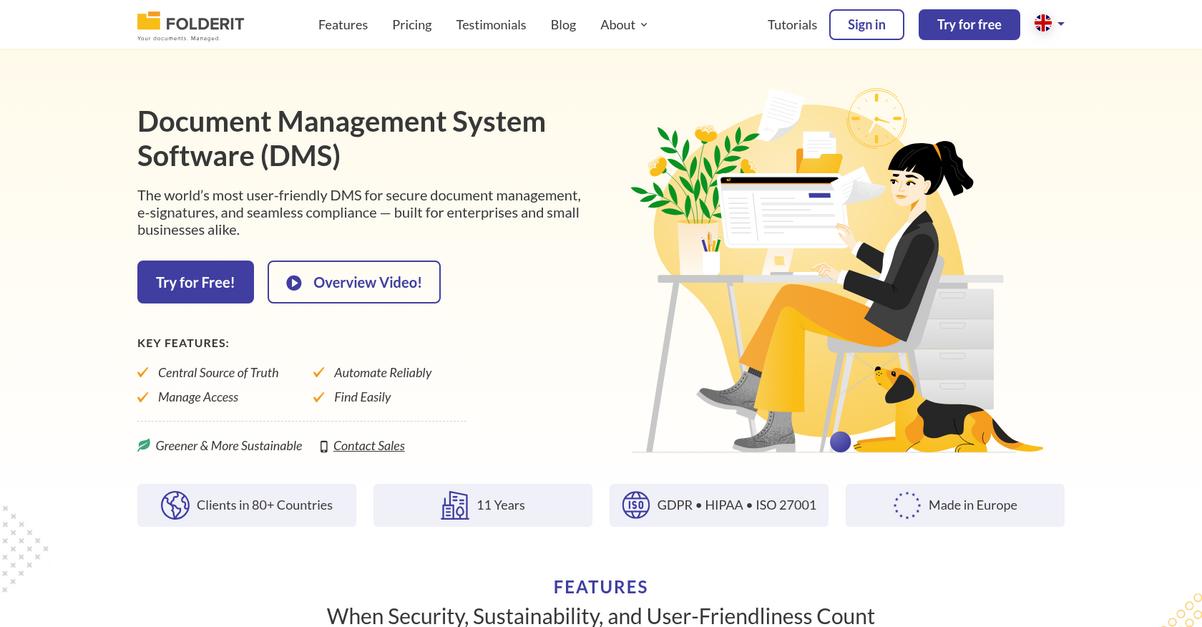
Folderit goes beyond basic e-signatures, introducing smarter organization tools and stronger access controls where SignNow falls short for your growing team’s needs.
It gives you advanced search, version control, and granular permissions for total control, ensuring your sensitive files never get misplaced or accessed by the wrong people.
No more wasted hours searching for scanned invoices or stressing over document edits gone missing.
Here’s how Folderit flips the script.
Instead of a narrow e-signature focus, Folderit solves your top headaches with a comprehensive cloud document management system built specifically for small businesses like yours.
You’ll benefit from advanced OCR that finds any document instantly, even the ones stored as scanned PDFs or images—a massive step up from SignNow’s search. If you’re migrating hundreds of mixed file types, this means nothing gets lost and you reclaim hours otherwise spent hunting for paperwork.
Folderit automatically keeps previous document versions—complete with timestamps and editors—so if a team member makes a mistake, you just roll back. Combined with customizable user and folder-level permissions, you have real peace of mind for sensitive files your accountant or HR manager needs secured.
You get reliability, flexibility, and stronger security from day one.
Key features:
- Powerful advanced OCR and keyword search locates scanned PDFs, images, or any document by content, saving countless hours otherwise wasted with basic search limitations found in SignNow.
- Automated version control and full audit trails ensure edits and previous file versions are always accessible, making revisions less risky and massively reducing accidental data loss or confusion.
- Granular access management at any level lets you fine-tune who can see what, protecting sensitive files far beyond simple sharing, and enabling painless compliance right away.
Verdict: Folderit gives you a more robust document management platform than SignNow, with enterprise-grade OCR, version history, and customizable security that simplify compliance and boost productivity for small business workgroups. Folderit’s pricing by organization further minimizes cost headaches if you’re growing or adding users.
6. Google Workspace
Tired of your team’s workflow getting stuck?
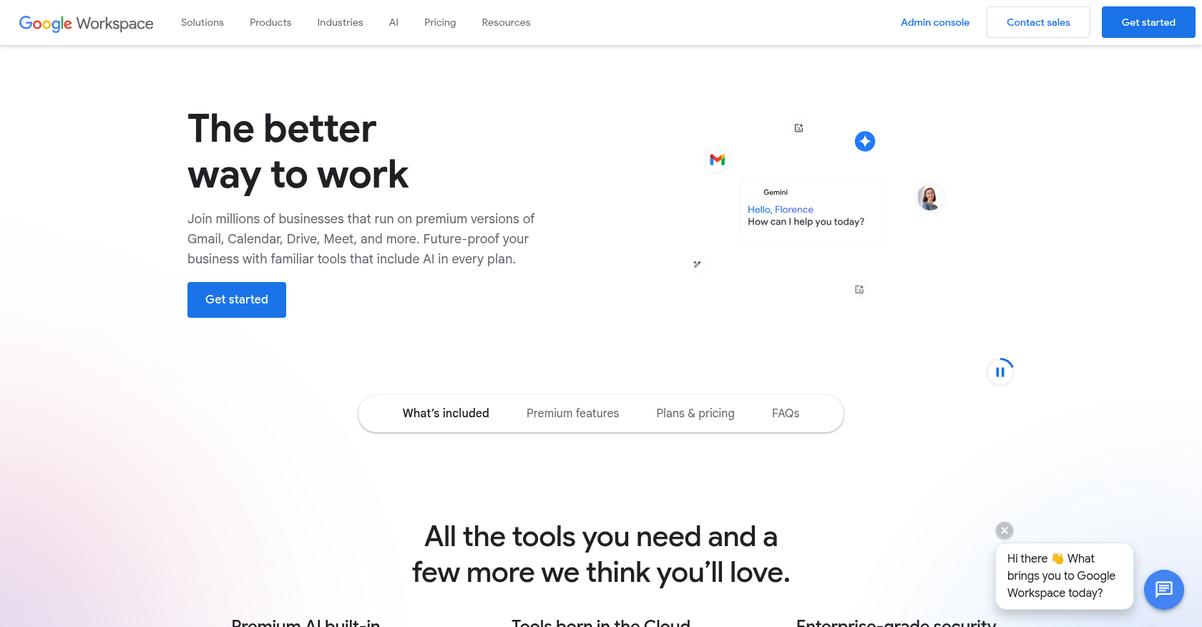
Google Workspace steps up with integrated cloud storage, real-time document editing, and a broader suite to cover those common SignNow limitations holding you back.
You get a fully connected environment where real-time collaboration and integrated storage power your workflow instead of just digital signatures. This means you avoid the constant toggling and organizational hassles SignNow creates with its isolated tool approach.
Here’s where it gets interesting.
Google Workspace provides a holistic, cloud-based platform that goes way beyond SignNow’s e-signature focus, letting you manage, store, and collaborate on documents effortlessly in one place.
The core advantage lies in its real-time co-authoring; multiple users can work together on files, sheets, or slides simultaneously from any device, resolving the bottlenecks that come from waiting for attachments and email threads. If your team wrestled with SignNow’s limited collaboration and disconnected storage, this integrated experience will feel like a total upgrade.
Plus, Drive’s built-in storage connects with email, calendar, and communication tools across Workspace. That allows your entire document lifecycle—creation, storage, sharing, and team communication—to flow together without constant switching between apps.
The whole package is easy enough for everyone to adopt.
Key features:
- Real-time document co-authoring for teams lets multiple people edit documents, spreadsheets, and presentations live, which eliminates the delays and confusion possible with SignNow’s limited collaboration.
- Integrated cloud storage accessible everywhere keeps all your document types synchronized across your devices, offering better file organization and accessibility than SignNow’s basic repository.
- Unified suite for email, calendar, and files pulls daily business operations into one connected system, making your team’s workflow more efficient and organized compared to jumping between separate tools.
Verdict: Google Workspace stands out as a top SignNow alternative for small businesses needing robust document management and team collaboration in one suite. Its integrated storage, real-time collaboration, and productivity tools create a more automated workflow for document handling, bringing clear value and efficiency to your business.
7. Laserfiche

Feel boxed in by SignNow’s limitations?
Laserfiche gives you enterprise-grade records management, robust document versioning, and advanced workflow automation—three core areas where SignNow often falls short for small businesses managing escalating document chaos.
Additionally, Laserfiche helps you overcome compliance headaches and limited workflow automation bottlenecks that hold your growth back with SignNow, especially if you need to satisfy strict recordkeeping or regulatory requirements.
Here’s how Laserfiche builds a smarter foundation.
Laserfiche elevates your entire document management approach.
As a strong SignNow alternative, Laserfiche offers enterprise-grade records management, meaning your document lifecycles—from initial creation to secure archiving or destruction—are always tracked and compliant behind the scenes.
You also gain intelligent automation capabilities, letting you automate multi-step approval processes that SignNow just can’t touch. If you’re tired of juggling manual file routing, this makes a huge difference for your team’s efficiency and consistency.
On top of this, Laserfiche gives you a complete version history for every record, so you can instantly roll back changes, track accountability, and meet even the strictest audit requirements—critical for small businesses with sensitive or evolving documents.
That’s how you turn compliance pain into real productivity.
Key features:
- Advanced records lifecycle management and compliance automation cover you from document creation through destruction, giving you superior governance controls that go far beyond SignNow’s basic retention features and manual processes.
- Configurable automation for complex business workflows means you can transform tedious, repetitive tasks into reliable sequences, reducing manual effort and eliminating costly human errors in ways SignNow simply doesn’t offer.
- Detailed document versioning and change tracking allow you to recover previous document states and quickly pinpoint changes, supporting regulatory audits with greater ease than SignNow’s limited revision tools.
Verdict: Laserfiche stands out as one of the best SignNow alternatives if your small business is feeling hampered by document sprawl, compliance demands, or rigid workflows. Its enterprise-level process automation and complete version control offer a major boost in efficiency—well beyond SignNow’s basic e-sign features.
8. Hightail

Getting bogged down organizing and sharing documents?
Hightail tackles what SignNow struggles with by giving you secure large file delivery, visual feedback tools, and advanced file tracking in one streamlined platform.
If your small business deals with creative assets or confidential client docs, you’ll love how Hightail lets you securely send, track, and review files in a way SignNow just can’t match. No more workarounds for big deliverables or feedback loops that drag on for weeks.
Here’s why this approach changes everything.
Switching to Hightail puts advanced collaboration back in your hands.
Instead of fighting with file size limits or clunky review processes, Hightail gives your team password-protected sharing, expiry controls, and annotated feedback tools that make every workflow efficient. You can review creative files, collect context-rich comments, and instantly see who accessed what, all without leaving the platform.
On top of that, built-in file tracking means you’ll know exactly who downloaded a file, when, and from where. That extra layer of insight is something you simply won’t get from SignNow, giving your business tighter control over sensitive assets and client interactions.
So your entire team gets less hassle and more results.
Key features:
- Secure large file delivery with expiration and passwords allows you to safely send sensitive or oversized assets, giving you better control and peace of mind compared to SignNow.
- Visual feedback and annotation on creative assets streamlines review cycles for design, marketing, or video content, enabling real-time collaborative input and quicker approvals.
- Advanced file access and engagement tracking shows you exactly who accessed, downloaded, and interacted with your content, letting you monitor accountability more closely than with SignNow.
Verdict: Hightail is an ideal SignNow alternative for your document management software needs if large file sharing and creative collaboration are a priority. Its specialized workflows offer far better review and tracking, making it perfect for small teams handling design projects or confidential client work.
9. Dropbox

Looking for more than just e-signatures?
Dropbox delivers much more than SignNow’s focused signature features by letting your team organize, store, and share every file with reliable cloud syncing.
With centralized cloud storage, automatic syncing, and rich file version history, Dropbox gives you secure access and full control across all devices—far beyond SignNow’s limited document repository.
If you’ve ever felt boxed in by SignNow’s restricted organizational tools, Dropbox flips the script by offering superior file storage, syncing, and version recovery in one unified platform.
Better document control is within reach.
When you switch, Dropbox transforms how you manage files, thanks to scalable cloud storage, advanced file version history, and tightly integrated e-signatures—all in a single solution.
Here’s how you can benefit in practice: automatic syncing ensures your team always works with the most up-to-date files, regardless of device or location, while file recovery minimizes IT headaches if mistakes happen.
Additionally, Dropbox’s direct e-signature integration (via Dropbox Sign) reduces the need for multiple tools. You’ll combine strong document management with legally binding e-signatures, letting you streamline approval processes and eliminate workflow clutter.
The result is greater efficiency and less tool fatigue.
Key features:
- Centralized and scalable cloud storage provides a robust document home base, letting your entire team securely access, organize, and share files—unlike SignNow’s basic document repository.
- Powerful file version history and recovery automatically tracks document versions and enables rollbacks, protecting you against accidental edits or data loss beyond what’s possible in SignNow.
- Integrated e-signature solution (Dropbox Sign) lets you send, sign, and store signed documents without ever leaving Dropbox, streamlining workflows that typically require multiple separate tools.
Verdict: Dropbox is a compelling alternative to SignNow for small businesses needing more than just e-signatures. With advanced file storage, powerful version history, and direct Dropbox Sign integration, users report integrating e-signatures into workflows in days, not months, enabling faster transitions and greater productivity.
10. DocHub
Tired of SignNow’s limited organization for your documents?
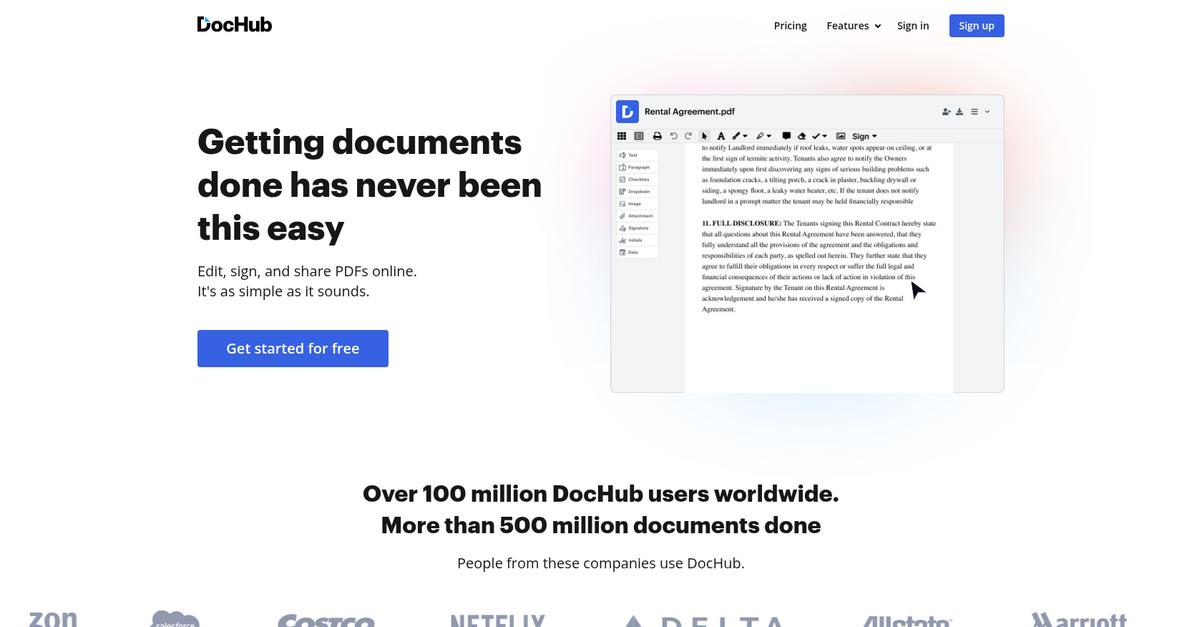
DocHub steps up with advanced PDF editing, real Google Workspace integration, and collaborative tools, solving the biggest frustrations users face when moving away from SignNow.
If your team outgrows basic e-signature workflows, DocHub offers the advanced PDF editing tools SignNow is missing. This means you can prepare, modify, and organize documents much more thoroughly—no more bouncing between applications just to make quick updates or merge files.
Here’s where DocHub starts to shine.
With DocHub, you’re not stuck in a single-focus e-signing tool like SignNow.
DocHub brings a complete document workflow to your small business by letting you do more than just collect signatures.
Thanks to its robust PDF editor, you can modify text, update images, reorder or merge PDFs, and fill out forms on the fly. You’ll find it’s a major upgrade for preparing and correcting documents before sharing them with clients or your team.
Additionally, DocHub’s deep Google Workspace integration lets you import, export, and edit files straight from Drive—making your workflow feel smooth and genuinely unified. If you’re collaborating, you’ll benefit from real-time editing, in-document commenting, and sharing within a secure environment, so your entire team stays on the same page.
Switching to DocHub means fewer barriers and more productivity.
Key features:
- Advanced PDF editing for modification and preparation gives your team full control over text, images, and pages within PDFs, far beyond SignNow’s simple e-signature approach.
- Google Workspace integration for direct document handling allows direct import/export and editing from Google Drive, creating a more connected workflow experience for Workspace users.
- Collaboration tools built for team plans enable shared editing, commenting, and real-time document sharing to support seamless teamwork compared to SignNow’s single-user focus.
Verdict: DocHub is a top SignNow alternative for small businesses seeking agile document management software. Its richer PDF editing, real Google Workspace integration, and streamlined collaboration eliminate SignNow’s workflow bottlenecks. If you want better document prep and connected teamwork, DocHub makes your upgrade worthwhile.
Conclusion
Feeling stuck with SignNow’s messy workflows?
If you’re frustrated by SignNow’s weak document organization and clunky integrations, you aren’t alone—these slowdowns waste time and hold your business back.
Deciding to switch tools is a big move, but choosing a solution that actually fits your workflow can finally give your team the productivity (and sanity) you deserve.
Let me point you to my top pick.
FileCenter stands out because it gives you powerful desktop organization and scanning features—no more getting lost in SignNow’s cloud-only limitations.
I’ve seen small businesses switch from SignNow to FileCenter and instantly enjoy a more organized, searchable document library—all from an interface your team can actually use without weeks of training.
Give FileCenter’s free trial a shot and see how much easier your daily workflow can be.
You’ll finally escape disorganization and get your productivity back.