

Still losing files with Smokeball?
Endless file searches, unreliable search results, and persistent software bugs are driving legal professionals like you away from Smokeball every day.
It leads to lost time, missed deadlines, and billing headaches for your firm.
When every minute spent hunting for documents means hours of wasted productivity and frustrated staff, sticking with Smokeball can quickly drain morale and profits. Worse yet, limited integrations and Mac compatibility issues put your entire workflow at risk, while poor customer support leaves you stranded.

But I want you to know there are much better alternatives worth considering today that can eliminate these daily headaches and help you reclaim your time.
In this article, I’ll show you the best best Smokeball alternatives for legal firms, including FileCenter, NetDocuments, iManage, Clio, LexWorkplace, Worldox, MyCase, PracticePanther, and CosmoLex.
You’ll finally get faster search, reliable file organization, and the integrations that Smokeball can’t deliver.
Let’s find your solution.
Quick Summary:
| # | Alternative | Rating | Best For |
|---|---|---|---|
| 1 | FileCenter → | Small teams seeking simplicity | |
| 2 | NetDocuments → | Users needing secure workflows | |
| 3 | iManage → | Teams wanting AI-powered control | |
| 4 | Clio → | Users wanting modern interfaces | |
| 5 | LexWorkplace → | Cross-platform Mac and Windows users |
1. FileCenter

Buried in files and tired of clunky search?
FileCenter tackles those headaches by organizing your documents with a cabinet-drawer filing system built directly around your desktop. This means familiar navigation and zero confusing database setup.
If you’ve found Smokeball’s file management needlessly complex, you’ll find that FileCenter’s Windows-style folder structure requires no learning curve at all. Plus, you’re not forced into recurring subscriptions, which is a big change from what you’re used to.
Here’s why FileCenter could be exactly what you need.
With FileCenter, you get a solution tailored for small legal firms searching for less overhead than Smokeball’s practice management suite.
Integrated scanning and OCR means you can digitize client files straight to searchable folders as soon as documents hit your desk. No extra capture software or tedious workflows needed here. If you’re moving from Smokeball, this makes getting organized a breeze.
Plus, the one-time purchase option puts long-term control in your hands, unlike recurring billing models that can quickly add up. When you add this to FileCenter’s local desktop focus, you’ll notice less workflow disruption if you’re worried about migration.
All of these advantages bring peace of mind.
Key features:
- Familiar cabinet-drawer file structure with Windows integration eliminates complicated database storage, letting you organize and retrieve case files quickly using local folders your team already understands.
- Direct scanning and OCR workflows allow you to digitize and automatically categorize documents in one go, sidestepping extra scanning steps that Smokeball often requires.
- Flexible one-time license purchase option provides an affordable alternative to recurring subscription fees, which can significantly lower your software costs for the long term.
Verdict: FileCenter offers your legal firm a practical alternative to Smokeball, focusing on desktop-first document management and predictable pricing. If you prefer straightforward local storage, streamlined scanning, and want to avoid software bloat, FileCenter is worth a look—especially if you need to control costs over time.
2. NetDocuments
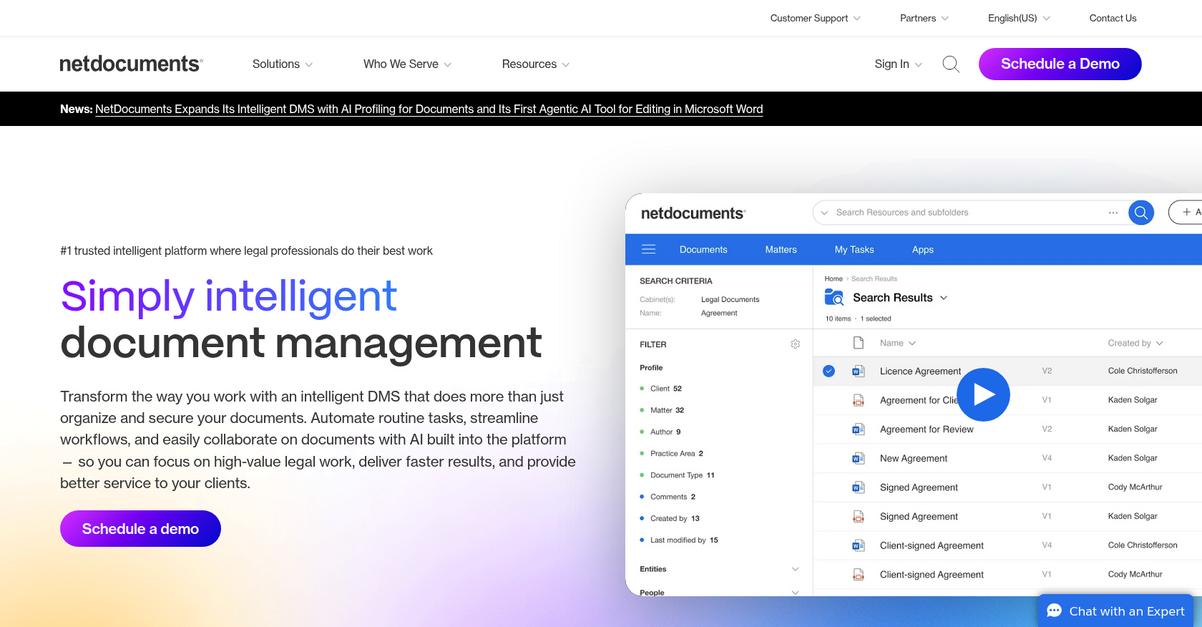
Wasting hours tracking down missing legal files?
NetDocuments brings matter-centric workspaces that group all related documents and emails, going far beyond what Smokeball typically offers for organization and retrieval.
This means you’ll avoid the disorganized mess often caused by Smokeball’s general matter management and gain a highly specialized, secure legal document structure tailored for your unique workflows.
If secure, centralized access is the end goal, NetDocuments does it better.
Here’s how you can transform legal document management as you switch.
NetDocuments lets your firm organize every file and message into fully customizable, secure matter workspaces—eliminating file chaos, misplacement, and hunting.
With deep Microsoft 365 integration, you can manage legal documents right inside Word, Outlook, or Teams, without bouncing between apps like you probably do with Smokeball. That directly boosts productivity because everything you need is available where your team already works.
Plus, you get enterprise-grade security: 256-bit encryption, data loss prevention, ethical walls, and complete audit trails for sensitive client files. If you’re worried about avoiding another round of compliance headaches post-Smokeball, NetDocuments meets even the highest standards.
You’ll feel confident your firm’s files are finally under control.
Key features:
- Matter-centric workspaces for secure legal content group all relevant documents and emails per matter, allowing your team to maintain a unified and organized legal file structure.
- Deep Microsoft 365 integration for workflow efficiency lets you fully manage, edit, and share legal documents directly inside Word, Outlook, and Teams, reducing context switching for legal professionals.
- Advanced security and compliance safeguards include enterprise-grade encryption, ethical walls, DLP, and audit trails, providing a higher security bar than many legal DMS including Smokeball.
Verdict: NetDocuments is a compelling Smokeball alternative if robust legal file management is the goal. With its legal-specific workspaces, deep Microsoft 365 workflow integration, and advanced security, your firm can reduce time lost searching files and confidently meet complex compliance standards—essential if you require powerful document management software for legal firms.
3. iManage

Lost files making your practice less efficient?
iManage changes things with intelligent document and email management that targets the root causes of Smokeball’s frequent file search and lost document frustrations.
With AI-driven document organization, iManage lets you automate filing by client or matter, and brings your emails into the same organized workspace for faster retrieval.
If you’ve felt stuck with poor search results and files scattered everywhere, you’ll notice right away how iManage’s advanced content governance gives your workflow a much-needed upgrade.
The result is peace of mind and better efficiency ahead.
iManage delivers what legal professionals like you actually need when Smokeball’s system just isn’t enough.
It brings in automated organization using metadata, so your files and emails are always stored by the right matter, not buried in random folders. This means you spend less time tracking down documents, while your data stays protected with enterprise-grade encryption and audit trails. Plus, you gain integrated email management that files correspondence automatically, making it far easier to capture every detail securely from Outlook or Gmail, compared to Smokeball’s more limited integrations.
Additionally, you get expanded security with ethical walls and compliance tools, so sensitive stuff stays locked down without making collaboration harder. When you add this up, the time savings and missing-document headaches really do drop, as real firms have actually reported missing up to 50% fewer files after switching.
You get more control and fewer surprises.
Key features:
- AI-powered document and email organization automatically classifies and stores files by client, matter, or project, replacing Smokeball’s manual filing with smarter retrieval and less wasted time.
- Robust legal-grade security and compliance delivers encryption, audit trails, access controls, and ethical walls, offering higher protection and more granular governance for sensitive legal data.
- Integrated email capture and filing ensures all correspondence lands in the correct matter workspace, overcoming Smokeball’s basic attachment handling for a more complete case history.
Verdict: iManage stands out as the smarter Smokeball alternative for law firms demanding better document control, security, and time savings. Firms have saved significant search time and cut missing documents by up to 50%, making iManage a proven choice if you need reliable governance and AI-powered efficiency.
4. Clio

Losing hours to Smokeball’s file search bottlenecks?
Clio gives you unlimited document storage and built-in e-signature tools, as well as AI features to automate review—addressing most of the frustrations you run into with Smokeball.
If you’re juggling lost files, unreliable billing, or limited storage, Clio offers a clear improvement over Smokeball with secure unlimited storage and integrated e-signatures inside a robust practice management suite. That goes a long way if you’re tired of switching between multiple systems or paying extra for basic features.
The result: your firm finally gets organized support.
Clio helps you move beyond basic storage issues.
Switching to Clio replaces Smokeball’s “just enough” document management with a platform where you never worry about storage caps or missing documents again.
Its unlimited, cloud-based storage means every file, audio, or even video gets centrally organized for your firm. AI-accelerated review streamlines your document process so you quickly sort, search, and automate analysis, eliminating hours wasted digging through files in Smokeball.
Plus, Clio’s native e-signatures, at no extra cost, save you the back-and-forth of using separate tools—or facing hidden add-on fees. Mac compatibility and transparent pricing also make the switch smooth if you’re fed up with unclear billing or PC-only tools.
Now your team can focus on clients, not systems.
Key features:
- Unlimited secure storage for all file types eliminates worrying about running out of room or paying extra, letting your firm store, search, and share everything in one platform.
- AI-driven document review and automation tools speed up analysis, automate repetitive tasks, and minimize manual errors, offering smarter decision support compared to basic document assembly in Smokeball.
- Integrated e-signature capabilities at no extra cost streamline execution of legal documents directly in Clio, removing the need for pricey third-party add-ons or inefficient workarounds.
Verdict: Clio stands out as an all-in-one document management software for legal firms, offering unlimited storage, advanced AI automation, and cost-saving e-signatures. If you’re frustrated by Smokeball’s storage caps, clunky search, or unclear pricing, Clio is the alternative your firm needs to simplify workflows and avoid hidden fees.
5. LexWorkplace

Endless file searches making your legal work harder?
LexWorkplace’s matter-centric organization and built-in document comparison solve exactly the headaches Smokeball users face, from scattered legal files to limited options for how you actually like to work.
Here’s where LexWorkplace stands out: It brings you a truly cross-platform experience with fully native Mac and Windows support, cutting out Smokeball’s reliance on Windows and messy workarounds that frustrate mixed-device firms.
Ready to discover a smarter approach?
LexWorkplace makes your switch practical—it delivers a dedicated document and email management solution fine-tuned just for law firms.
The system keeps files, emails, and notes organized by matter, so you always know exactly where every case document lives. Full Mac compatibility removes the restrictions of Windows-only platforms, which means if part of your team uses Macs, their workflow never hits a wall.
Plus, the inline document compare tool is a huge step up: you can instantly review differences between drafts or contracts side by side, instead of fighting version confusion. Unlimited matter-centric workspaces and reliable cross-device access help your team move away from Smokeball headaches for good.
This is what productivity and organization should feel like.
Key features:
- Matter-centric file organization for law firms groups every document, email, and note by client and matter, delivering superior clarity and legal-focused structure compared to generic platforms.
- Full-featured Mac and Windows compatibility gives your team native, consistent performance across operating systems, solving the cross-platform gaps that Smokeball forces you to navigate.
- Built-in document comparison with side-by-side review highlights every change between versions, letting you catch discrepancies quickly, which Smokeball’s basic version tracking can miss.
Verdict: LexWorkplace is a compelling alternative to Smokeball if you need smarter document management software for your legal firm. Its matter-centric design, native Mac support, and advanced comparison features give your team more control and flexibility—especially if Smokeball’s one-size-fits-all approach slows your progress.
6. Worldox
Tired of losing time to Smokeball’s clunky searches?
Worldox solves these frustrations with advanced profiling, powerful full-text search, and flexible deployment—giving your legal team a smarter way to locate and organize files.
You get more control because Worldox lets you tag and categorize documents with rich metadata. This gives you highly specific search and organization beyond what Smokeball offers, which is essential for handling complex legal work.
Here’s how Worldox gives you confidence to switch.
Worldox’s document management system is built to address the inefficiencies you likely face if Smokeball has left your files scattered and hard to find.
When you move to Worldox, you immediately benefit from search tools that pinpoint exactly what you need, no matter how extensive your document library has become.
That’s because you can run full-text searches across all case files and emails, finding critical details without the usual stress. Your team won’t waste time hunting through folders or relying on incomplete keywords, and customizable metadata makes organization a breeze as your practice grows.
Additionally, Worldox’s flexible hosting lets you keep everything on-premise or move to a private cloud. Pair this with advanced profiling, and you remove many IT headaches you may have had with Smokeball’s deployments.
It adds up to a smoother workflow and fewer lost documents.
Key features:
- Custom metadata tagging and profiling enables granular document categorization for extremely precise search and retrieval—more robust than Smokeball’s basic information tagging and filtering.
- Powerful full-text search and email indexing lets your team instantly locate specific details in large legal archives, offering faster, more accurate results over Smokeball’s integrated search.
- On-premise and private cloud options put you in full control of your hosting environment, delivering compliance and IT flexibility that Smokeball’s hybrid cloud deployments often can’t match.
Verdict: If you’re searching for a best Smokeball alternative, Worldox is a standout for document management software for legal firms. Its advanced profiling, lightning-fast search, and flexible deployments directly address the frustrations you’ve felt—letting you find documents up to 2x faster while keeping control over your data.
7. MyCase

Feeling boxed in by Smokeball limitations lately?
MyCase goes beyond the old frustrations by offering unlimited document storage, native e-signatures at no extra cost, and true Google Drive and Dropbox integration.
This means you finally get freedom from document volume restrictions and avoid those surprise charges for digital signatures that always seem to pop up with Smokeball. All your legal files and client documents live securely in one unlimited storage hub — no limits, no gotchas.
Document management becomes remarkably simpler here.
MyCase offers a real solution if Smokeball’s clunky search, storage caps, or tedious workarounds have left you wanting more.
MyCase smooths the switch by letting you upload unlimited documents for every matter, so your storage headaches vanish right away.
Your files stay accessible with native e-signature ability built directly into the same dashboard, giving you faster turnaround on contracts without extra fees. Switching from Smokeball, you will notice how effortless it is to collect signatures and keep files organized with all the tags, folders, and search tools in one place.
Plus, MyCase’s built-in integrations allow your firm to connect Google Drive and Dropbox accounts, combining everything in a centralized view. No more hopping between disconnected platforms or dealing with restrictive add-ons.
That adds up to real day-to-day productivity.
Key features:
- Unlimited cloud document storage included at no extra cost so your legal team can upload, organize, and archive files without worrying about running into fees or hitting frustrating storage caps.
- Integrated e-signature functionality is built-in and cost-inclusive so you can execute, track, and archive signed documents right alongside your files without paying extra or juggling third-party tools.
- Direct connection to Google Drive and Dropbox storage lets you merge existing cloud storage with your case management, so everything sits together in one secure, legal-grade platform.
Verdict: MyCase stands out as a compelling Smokeball alternative for legal document management, eliminating storage restrictions and hidden e-signature fees. With direct integrations to Google Drive or Dropbox, you get a smoother workflow and unparalleled storage capacity for your firm’s growth—all without additional add-on costs.
8. PracticePanther
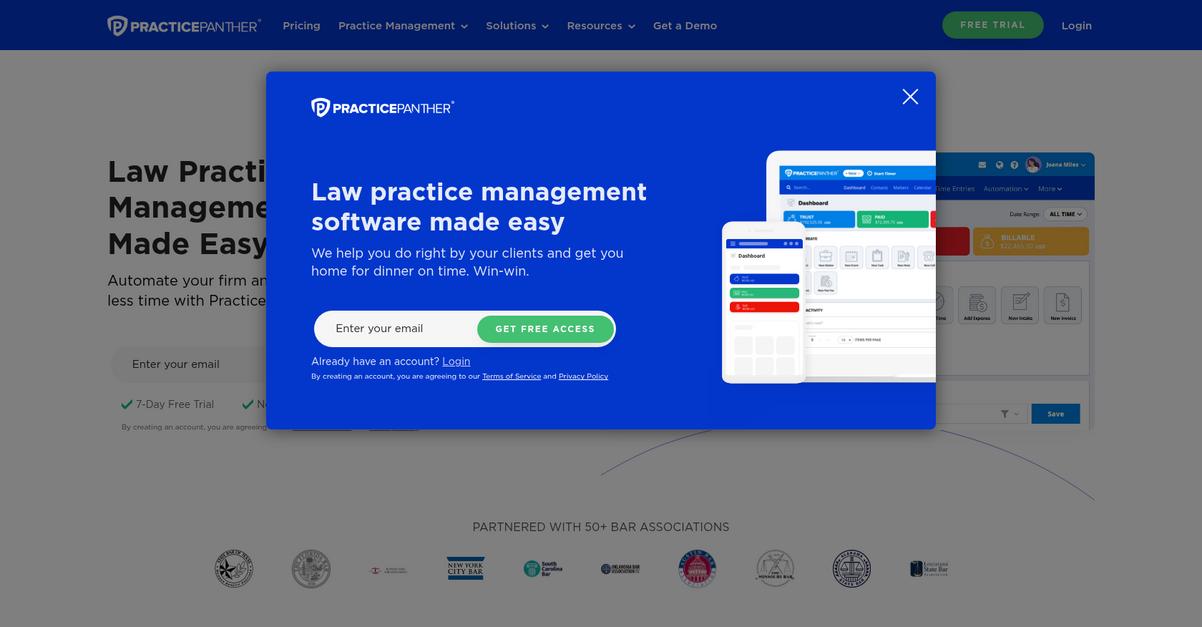
Tired of Smokeball making document organization harder?
PracticePanther offers secure client portal sharing, intuitive document templates with autofill, and integrated e-signatures to tackle frustrations that often come up in Smokeball.
If you want to eliminate confusing workflows and lost files for good, PracticePanther is designed for user-friendliness and smooth intake, which stands out versus the pokier, bug-prone experience you may have faced before.
Switching to a better workflow is possible.
Here’s how PracticePanther can become your go-to alternative. By making document management and collaboration a breeze, your firm can skip Smokeball’s aggravating search issues and focus on real legal work.
With a dedicated client portal, you can share documents securely and efficiently with clients, removing back-and-forth confusion. That portal is more central to collaboration than what Smokeball provides, helping you deliver a better experience from day one.
You’ll also love the document templates with autofill, letting your team generate contracts and legal documents in seconds. Combined with integrated DocuSign e-signatures, you can move matters forward without toggling between multiple tools or dealing with frustrating add-on limitations that some have found in Smokeball.
Better document management shouldn’t disrupt your firm.
Key features:
- Client portal for secure sharing and collaboration gives your clients a single access point to view, upload, and communicate, which is more efficient than Smokeball’s approach.
- Document templates with autofill reduce repetitive work by letting your team create, reuse, and complete legal forms instantly, avoiding the manual data entry often needed in Smokeball.
- Integrated e-signature support via DocuSign streamlines signing and approval, saving you time and frustration associated with Smokeball’s separate or less integrated e-sign capabilities.
Verdict: PracticePanther is an outstanding alternative to Smokeball for law firms seeking modern document management. Firms report that invoices and contracts are automated and sent in seconds, thanks to intuitive templates and a robust client portal—saving you enormous time compared to Smokeball’s more cumbersome process.
9. CosmoLex

Tired of lost files and billing headaches?
CosmoLex offers purpose-built document management plus integrated legal accounting, so you can finally escape Smokeball’s frustrating file searches and reliance on external tools.
Its matter-centric document storage makes it simple for you to access everything by client or matter in the cloud, unlike what you’re used to with Smokeball’s limited structure.
The result is one cohesive environment that eliminates separate software bloat and gives you a unified workspace for your entire firm.
Here’s how CosmoLex becomes a smoother transition.
You get an all-in-one platform that tackles two major Smokeball pain points at once: built-in trust accounting and robust document organization.
CosmoLex’s accounting includes three-way trust reconciliation so you never need yet another finance app, and documents always stay organized within each case or client folder, meeting compliance needs without extra effort.
Instead of emails and upload chaos, CosmoLex’s integrated client portal brings secure sharing and automatic document filing to the forefront, streamlining everything from intake to invoice. If you’re switching from Smokeball, this all-in-one approach helps your team save up to 50% on admin time while driving billing realization up.
This means simpler legal file management.
Key features:
- Matter-centric document storage with intuitive access lets you organize and locate every matter’s files centrally, so you never waste time hunting for what you need or risk noncompliance.
- Native legal accounting, including three-way trust reconciliation eliminates reliance on third-party accounting software, giving you full financial oversight and accuracy with zero extra integrations.
- Integrated client portal for document sharing and communication enables your clients to upload and access files securely while automating document filing, reducing email overload and boosting efficiency.
Verdict: CosmoLex is a clear Smokeball alternative if you want true all-in-one document management and legal accounting. Legal firms report up to 50% time saved on admin and higher billing realization, thanks to streamlined workflows and a cohesive client-matter structure you simply can’t get from Smokeball.
Conclusion
Still tired of Smokeball’s constant file headaches?
Lost documents, clunky search, and confusing billing are just some of the daily frustrations driving your team to look for something better than Smokeball.
You’re making a smart move—escaping a tool that keeps slowing everything down puts your firm back in control, not at the mercy of software quirks and workarounds.
Here’s a better choice.
FileCenter is the best alternative I’ve found for legal professionals who need organized files and reliable document search—without Smokeball’s bugs or billing hassles.
With FileCenter, you can finally organize documents the way you want, enjoy fast, desktop-first searching, and skip the complex cloud overhead that made Smokeball so frustrating.
I’d recommend you try FileCenter’s free trial today to see just how easy managing your firm’s files can be.
You’ll actually find what you’re looking for—fast.