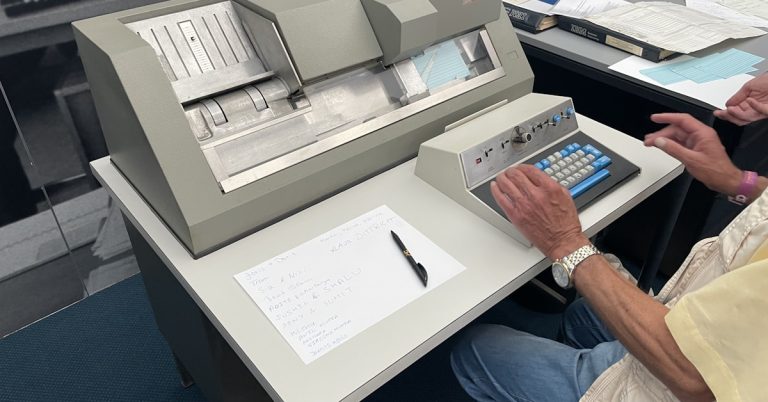

Struggling with TAB FusionRMS limitations again?
If you feel weighed down by its clunky interface, spotty cloud access, and limited scalability, you’re not the only records manager wondering if there’s something better.
All those everyday frustrations slow your team’s progress and kill morale when you spend more time wrestling software than actually managing records.
For organizations like yours, this can mean wasted budget, lost productivity, and a frustrated team that never feels in control of their digital files. TAB FusionRMS’s shortcomings often lead you to question if holding out is even worth the constant headaches, since it’s draining more resources than it should.

Fortunately, switching to a modern alternative can finally fix this, giving your team the digital filing experience you’ve wanted all along.
In this article, I’ll show you the best TAB FusionRMS alternatives built for digital filing—comparing FileCenter, Neat, M-Files, Hyland, DocuWare, FileHold, and Docsvault.
You’ll discover simpler migration, cloud freedom, smarter automation, and easier collaboration.
Let’s dive in.
Quick Summary:
| # | Alternative | Rating | Best For |
|---|---|---|---|
| 1 | FileCenter → | Users wanting modern interfaces | |
| 2 | Neat → | Small teams seeking simplicity | |
| 3 | M-Files → | Teams needing better collaboration | |
| 4 | Hyland → | Companies requiring better support | |
| 5 | DocuWare → | Budget-conscious growing businesses |
1. FileCenter

Is TAB FusionRMS holding your digital filing back?
FileCenter brings a desktop-friendly, Windows Explorer-based interface that makes digital organization intuitive, addressing the clunky experience and rigid setup you might face in TAB FusionRMS.
You get cabinet-drawer filing structures, integrated scanning with OCR, and a one-time purchase option—features designed to remove friction for fast user adoption and reduce ongoing software costs compared to your current setup.
There’s more FileCenter can do for your team.
FileCenter solves those headaches by letting you organize, scan, and manage files using an interface that feels just like your day-to-day Windows workflow.
This means you skip TAB FusionRMS’s steep learning curve by using cabinet-drawer filing directly in familiar folder views, streamlining digital migration and eliminating the stress your team feels about change.
Additionally, integrated scanning with one-click OCR converts your mountains of paper into searchable PDFs and auto-names files, which means no more juggling scanning apps or having to rename everything manually each time.
The result is a smoother switch, faster buy-in, and easier document management.
Key features:
- Cabinet-drawer system in Windows Explorer provides a familiar digital filing environment, reducing training time and team resistance unlike TAB FusionRMS’s more rigid taxonomy.
- One-time purchase with perpetual licensing allows you to avoid recurring cloud fees, offering budget-friendly document management if you prefer local storage for sensitive records.
- Integrated scanning with automatic OCR and naming digitizes and organizes paperwork with fewer steps, letting your team go paperless quickly compared to traditional file import methods.
Verdict: FileCenter stands out as a reliable TAB FusionRMS alternative, especially for digital filing. With typical users saving up to $7,500 per employee per year and boosting collaboration for 30 people, FileCenter’s familiar approach, cost flexibility, and scanning automation deliver the productivity you need when switching digital filing systems.
2. Neat
Is TAB FusionRMS making digital filing feel outdated?
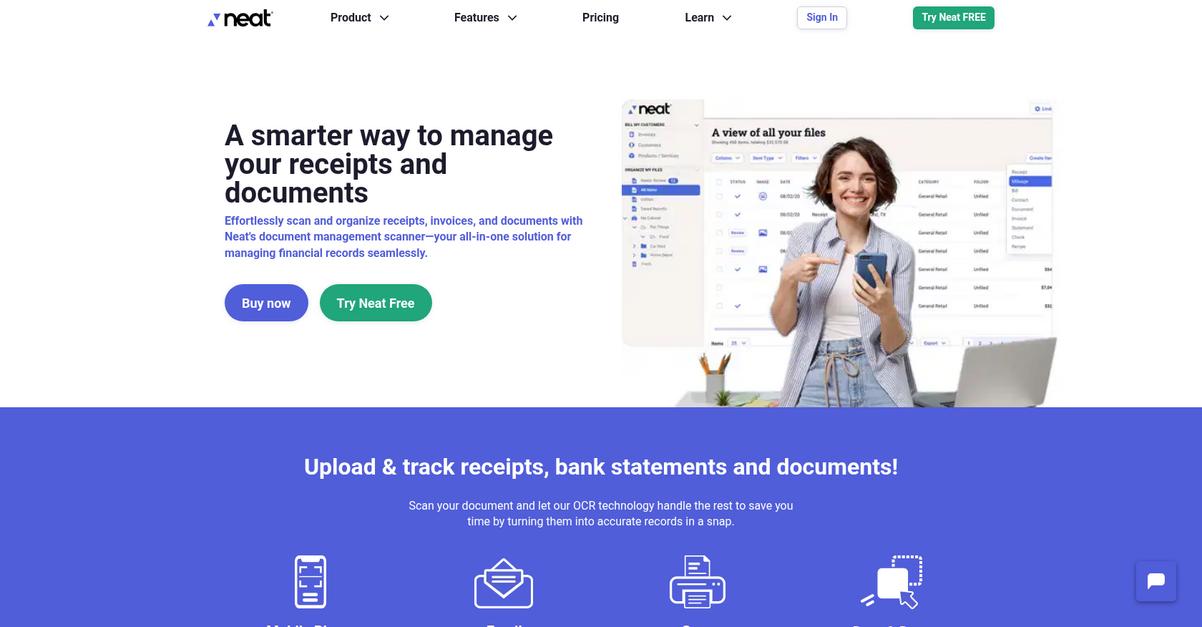
Neat counters these frustrations with mobile receipt capture that fits right into your workflow, automatic data extraction, and purpose-built financial document management.
Unlike TAB FusionRMS, which often keeps you stuck in old processes, Neat uses advanced OCR to truly automate data entry chores and cuts down on the traditional manual work you might dread.
The switch brings much-needed simplicity.
Neat offers a straightforward digital filing alternative for those ready to ditch complicated systems like TAB FusionRMS.
By focusing on user-friendly mobile tools and intelligent automation, Neat makes capturing and categorizing documents simple, whether you’re at your desk or on the move.
The system’s mobile receipt capture means you can instantly snap, organize, and track expenses as they happen, eliminating any backlog and stress from traveling or remote work.
You also get automated data extraction that pulls key info off your documents automatically, so you don’t have to double-check or retype data—this addresses one of the biggest time sinks in TAB FusionRMS.
Expense tracking and reporting features add another layer of value, letting you see exactly where your money is going and making tax season far less painful.
You’ll notice organized records and less wasted effort.
Key features:
- Mobile capture and instant categorization empowers you to scan receipts and documents from anywhere, eliminating desktop dependency and streamlining your expense workflows instantly compared to TAB FusionRMS.
- Automatic data extraction and OCR lets you skip manual entry for key fields, capturing data far more efficiently than the basic, often clunky indexing in TAB FusionRMS.
- Expense reporting tailored for small business offers detailed spending insights and export-ready reports, giving you actionable clarity where TAB FusionRMS delivers only generic record lists.
Verdict: Neat is an appealing alternative to TAB FusionRMS for digital filing because it prioritizes ease of use, mobile-first capture, and extra automation. If you’re tired of tedious data entry, Neat’s patented OCR and targeted expense management can help you streamline workflows and finally get ahead.
3. M-Files

Looking for a digital filing system that actually works?
M-Files organizes documents by their metadata, letting you categorize, tag, and instantly search for files, instead of wading through static folders like with TAB FusionRMS.
This means your team isn’t stuck dealing with rigid structures or endless navigation workarounds every day. You’ll notice how quickly you can adapt to changing file needs, which is tough with the older system.
Making a smart move starts with modern technology.
M-Files provides a fresh alternative to TAB FusionRMS by using a metadata-driven approach for organizing and retrieving your records.
Instead of hunting for documents in complicated folder paths, you get context-aware access based on document content and attributes—so you always find files by what they are, not just by where they’re stored. This lets you connect information from everywhere, simplifying onboarding for your team if you’re worried about migration issues.
Where TAB FusionRMS often requires API setups for external sources, M-Files brings in external repository connectors. So you can manage records from SharePoint, network drives, and more, without complex migrations. Combine this with efficient dynamic views tailored for each user, and you’ll see better organization, faster search, and less time wasted on manual file hunts.
Everything becomes more efficient for your digital filing.
Key features:
- Metadata-based document categorization and search delivers context-driven access to your records, freeing you from static, nested folder structures common in TAB FusionRMS.
- Dynamic views for personalized organization allow each user to create virtual folders by role or need, giving unmatched flexibility and faster workflows.
- External repository connectors integrate with legacy sources like SharePoint, network drives, and other repositories, all without mandatory data migration or API-heavy setups.
Verdict: M-Files is a standout alternative to TAB FusionRMS if you need a flexible digital filing system. Its metadata-first approach, dynamic views, and connectors enable up to 70% faster workflows and 50% better search efficiency—giving records managers the modern efficiency they need.
4. Hyland

Looking for a smoother digital filing experience?
Hyland addresses TAB FusionRMS pain points with advanced AI-powered document capture, robust workflow automation, and comprehensive case management—all designed for easier enterprise-wide adoption.
Instead of just basic scanning and inflexible records management, Hyland brings AI-driven data extraction and automated organization to your information lifecycles, reducing reliance on manual indexing or rigid processes.
You don’t have to settle for yesterday’s clunky tools.
Here’s how Hyland can help you get ahead.
By putting intelligent automation front and center, Hyland makes switching from TAB FusionRMS less daunting and far more rewarding.
Intelligent Capture takes the hassle out of digitizing paper or digital records by automatically identifying, sorting, and extracting information from your documents using cutting-edge AI and OCR. This means when you migrate, you can digitize messy folders with fewer mistakes and minimum hands-on work.
Advanced workflow automation is also a real game changer for those stuck with TAB FusionRMS’s rigid process controls. You can now build custom rules that fit your business, automate complex approvals, and keep processes moving instead of getting stuck in bottlenecks.
Add in advanced case management, and your files, related documents, emails, and even tasks all stay connected in one context—making digital filing feel less fragmented and more purposeful.
This is digital filing made smarter.
Key features:
- AI-powered document capture and classification automatically extracts and organizes files, minimizing manual data entry and providing a clear upgrade over TAB FusionRMS’s limited scanning features.
- Configurable workflow automation for enterprise-scale processes enables you to create dynamic, rule-driven document flows, surpassing the rigid controls you might be used to.
- Unified case management that contextualizes all information keeps documents, emails, and tasks linked around projects or cases, improving organization compared to document-centric records.
Verdict: Hyland stands out as a top alternative to TAB FusionRMS if you want a more intelligent digital filing system. With powerful AI capture, deep automation, and holistic case organization, Hyland helps your team modernize operations and move beyond basic record management limitations.
5. DocuWare

Feeling boxed in by TAB FusionRMS limitations?
DocuWare brings intelligent indexing and a user-friendly workflow designer, allowing you to move beyond the manual tagging and clunky setup you may have struggled with before.
Unlike TAB FusionRMS, DocuWare transforms your records with automatic data extraction and cloud accessibility for faster access. This is especially helpful when your team needs to locate and share files quickly, no matter where they’re working from.
Say goodbye to rigid, old-school filing headaches.
DocuWare stands out by making digital filing more intuitive and accessible for your team as a strong alternative to TAB FusionRMS.
This means you can automate categorization and workflows without wrestling with technical configurations or worrying about your team falling behind.
Here’s how DocuWare gives you the edge if you’re frustrated with slow, manual digital filing. The intelligent indexing tool extracts key information from your documents the moment you upload them. Your documents become instantly searchable without manual input, cutting out the grunt work that used to slow you down with TAB FusionRMS’s outdated process.
Additionally, the visual workflow designer lets your team automate document approvals or processing using simple drag-and-drop tools. This empowers non-technical users to build modern processes and connect steps in record time, making the switch much less intimidating.
Plus, full cloud accessibility ensures your files are available from any device. Together, these features help you not just catch up, but finally get ahead of your old frustrations.
Modern digital filing should work for you—not against you.
Key features:
- Intelligent Indexing extracts and applies document data automatically on upload, removing the need for manual metadata entry and making your digital filing much faster and easier than TAB FusionRMS.
- Visual workflow builder enables intuitive automation via drag-and-drop, so your team can automate document processes without technical expertise or configurations that slow you down with older systems.
- Seamless access across web and mobile devices means you can manage and retrieve records from anywhere, supporting your team’s hybrid or remote work requirements much better than traditional server setups.
Verdict: DocuWare is your go-to TAB FusionRMS alternative if you want modern digital filing that’s less work. With intelligent indexing, cloud accessibility, and the ability to automate repetitive processes, it’s reported to achieve document management at a fraction of staff cost—turning hundreds of hours of work into minutes.
6. FileHold
Feeling boxed in by old filing limitations?
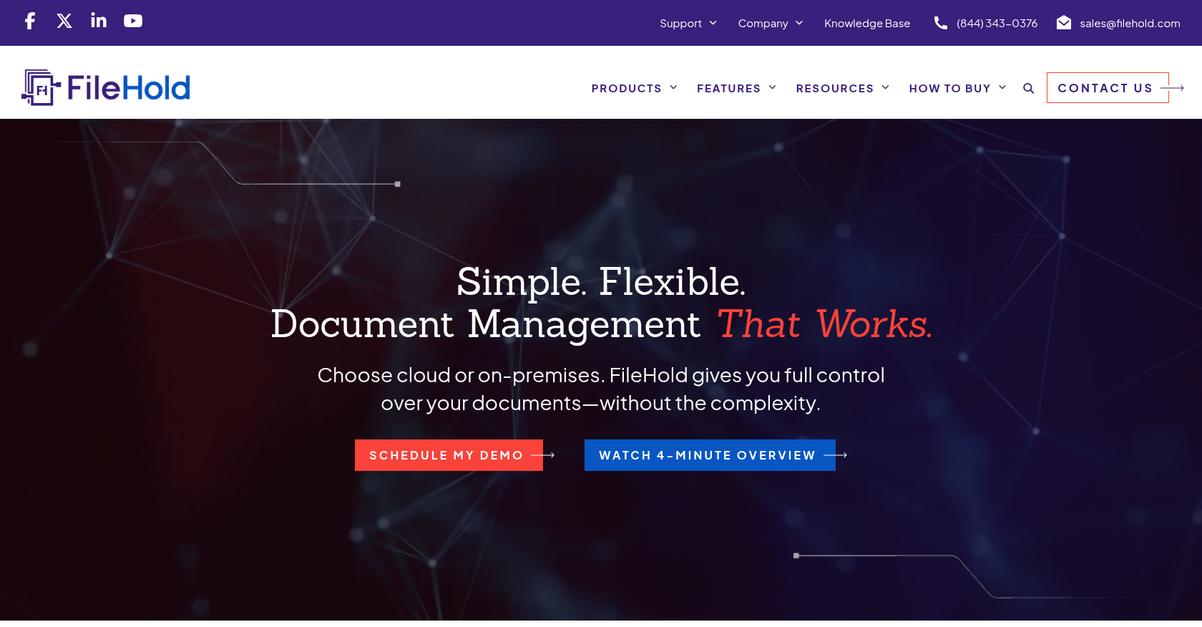
FileHold’s familiar cabinet-drawer-folder structure addresses the rigidity and confusion many encounter with TAB FusionRMS’s dated interface, while its comprehensive cloud access brings your files to any device.
You get more than just upgraded digital filing—FileHold streamlines complex records management and boosts team adoption using software that feels instantly familiar.
Modern filing needs smarter solutions.
FileHold takes the sting out of switching by giving you a digital system that matches the logic of your traditional paper archives, removing much of the confusion your team felt with TAB FusionRMS.
Thanks to its intuitive filing structure and advanced records management tools, you can maintain compliance automatically while organizing records naturally, letting your users file and retrieve key documents in seconds instead of searching through cumbersome menus.
If you want more than easy storage, FileHold’s seamless integration with Microsoft Office and Teams lets your team manage, collaborate, and edit documents directly within the tools you already use. This immediate connectivity reduces resistance, so adoption actually sticks and your migration feels less risky.
It’s a relief to finally have true digital control.
Key features:
- Familiar Cabinet-Drawer-Folder Structure makes digital file organization intuitive by replicating physical archives, so you’re not retraining your team for yet another confusing system.
- Advanced Lifecycle and Retention Management centralizes compliance and automated disposition, letting you control document policies with less manual effort than TAB FusionRMS.
- Deep Microsoft Office and Teams Integration brings editing and collaboration directly into your document workflows, so users don’t bounce between disconnected tools or face workflow disruption.
Verdict: FileHold is a strong TAB FusionRMS alternative if you want a digital filing system your team will actually use. Customers see faster adoption, stricter compliance, and report saving significant time on record retrieval and management compared to old paper-centric or legacy systems.
7. Docsvault
Fed up with rigid digital filing systems?
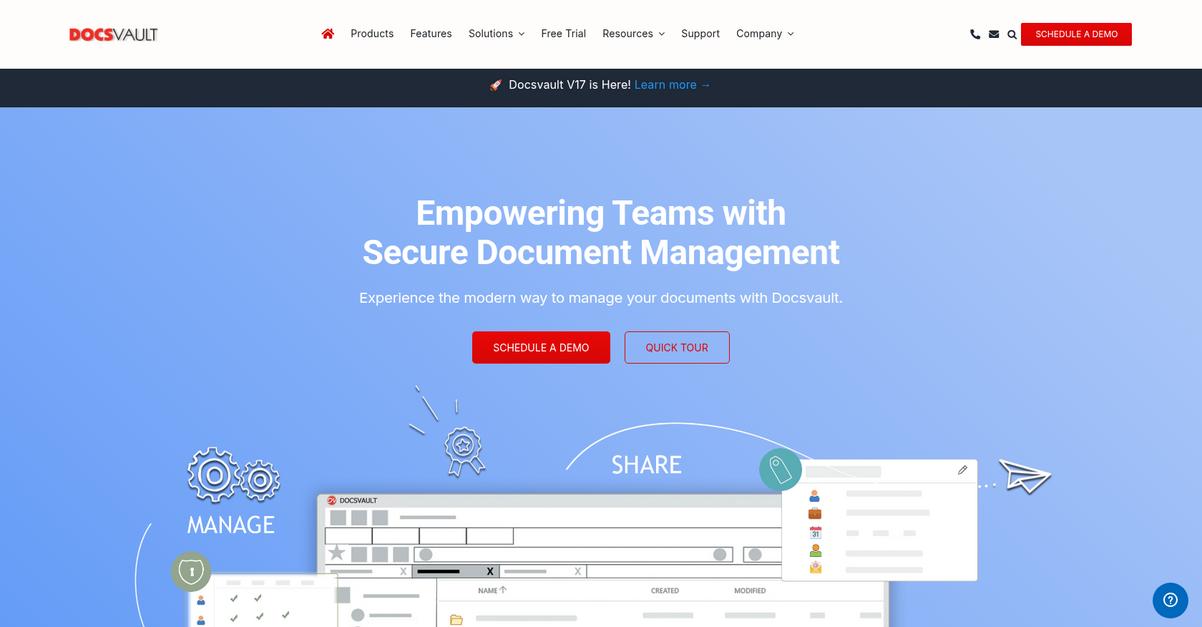
Docsvault brings drag-and-drop file management, Outlook email integration, and built-in OCR that let you ditch TAB FusionRMS’s outdated workflows for something far more efficient.
Your team can import files, folders, and even entire email chains directly, without the hassle of navigating rigid filing structures or tedious manual imports. This intuitive approach gives you quicker, more natural ways to organize digital documents and overcomes the frustrations you may face with TAB FusionRMS’s clunky interface.
Unlike other systems, Docsvault’s batch scanning, automatic indexing, and flexible licensing mean you sidestep data migration headaches, avoid expensive enterprise pricing, and keep everyone engaged with a modern, secure experience.
Here’s why this makes a difference.
Moving away from TAB FusionRMS, you’ll notice that Docsvault doesn’t force your workflow into a box. It opens up smarter ways to digitize and organize records, reducing manual effort and potential errors.
Plus, automated OCR and barcode reading turn your scanned documents into searchable files right at the point of capture, so you immediately gain searchability and compliance advantages your team needs for true paperless transformation.
You also get adaptable user licensing, letting you start small and grow as you need, all while maintaining airtight document security and compliance—both places TAB FusionRMS users often hit roadblocks.
This is modern digital filing without compromise.
Key features:
- Drag-and-drop file and email capture lets your team import documents and Outlook emails effortlessly, giving you a direct, intuitive workflow absent in TAB FusionRMS’s structured imports.
- Live OCR and rapid barcode processing instantly make new and batch-scanned records fully searchable, so you reclaim hours lost to manual document indexing and searching tasks.
- Flexible user-based licensing and modular pricing fit your company’s changing needs and eliminate unnecessary enterprise costs, especially for small and midsized businesses moving away from rigid plans.
Verdict: Docsvault stands out as a TAB FusionRMS alternative for digital filing, combining super-intuitive importing, built-in automation, and licensing that suits your budget. Users have reported doubling efficiency after switching, spending 50% less time searching for critical documents—ideal if you want smooth migration and real productivity boosts.
Conclusion
Tired of wrestling with TAB FusionRMS again?
Let’s be honest—its clunky interface and outdated cloud features just don’t cut it if you want fast, flexible digital filing. You shouldn’t have to settle for frustrating software that holds your team back.
Sticking with tools that limit your records and annoy your staff isn’t worth it—making the move to a better fit is smart when you want more speed and less busywork. Change can be tough, but it’s nothing compared to what you lose by staying stuck.
There’s a better way out there.
I keep coming back to FileCenter as the top alternative for leaving behind TAB FusionRMS headaches. FileCenter’s focus on intuitive digital filing and easy adoption just makes sense for frustrated records managers like you.
Clients love that FileCenter delivers desktop simplicity and cloud flexibility—a massive upgrade from TAB FusionRMS’s limitations.
Try FileCenter’s free trial to see the difference for yourself.
Unlock real control over your digital files.