

Still stuck managing documents the old way?
Worldox’s dated interface, poor Outlook integration, and weak cloud options make day-to-day legal work harder than it should be.
It means you’re paying for a tool that slows your busy legal team down.
Busy firms end up dealing with missing emails, lost time fighting clunky search, and frustrated staff who just want docs to sync with Outlook—costing you productivity, morale, and even billable hours. These issues can turn your document management into a daily roadblock and make every document search or client email exchange a hassle to get right.

Luckily, you have better cloud-based alternatives that are purpose-built for modern legal practices and connect seamlessly with today’s Outlook.
In this article, I’ll walk you through the best Worldox alternatives available, including top legal document management platforms like FileCenter, Clio, NetDocuments, LexWorkplace, and more.
You’ll discover solutions that deliver modern features, easier migration, and faster workflows for your legal team.
Let’s find your solution.
Quick Summary:
| # | Alternative | Rating | Best For |
|---|---|---|---|
| 1 | FileCenter → | Small teams seeking simplicity | |
| 2 | Clio → | Users wanting cloud integration | |
| 3 | iManage → | Teams needing better collaboration | |
| 4 | NetDocuments → | Users wanting modern interfaces | |
| 5 | LexWorkplace → | Companies requiring better support |
1. FileCenter

Tired of Worldox slowing down your legal workflow?
FileCenter directly addresses the frustrations you might have with Worldox by offering a more intuitive cabinet-drawer structure and integrated scanning features, cutting down the learning curve and boosting productivity from day one.
Unlike Worldox’s complicated profiling, FileCenter lets you start organizing files with a cabinet and drawer system your team already understands. This means there’s no need for extensive training or time-consuming onboarding for staff unfamiliar with new software.
You can leave Worldox’s old pain points behind.
Here’s how FileCenter steps up as an alternative to Worldox that legal professionals can actually rely on.
It has a desktop-first interface and organizes files using cabinet-drawer-folder structures, so everything feels familiar if your firm is used to physical or Windows-based filing. Integrated scanning and automated OCR make converting paper documents effortless, replacing Worldox’s separate (and often clunky) scanning workflows with a streamlined, paperless process.
Additionally, FileCenter includes a built-in PDF editor allowing you to view, edit, annotate, and redact files—no need to purchase or integrate external PDF tools. The result is a single, unified platform that delivers a smoother document management experience without relying on complicated add-ons.
You’ll notice the improvement from your very first day.
Key features:
- Cabinet-drawer-folder organization mimics physical filing so your legal team can start managing digital documents with little to no extra training or complex setup requirements.
- Integrated scanning and automatic OCR conversion lets you scan, name, and file documents as searchable PDFs instantly, simplifying your firm’s move away from paper clutter.
- Native PDF editing, redaction, and annotation tools allow you to handle sensitive legal documents in one place, cutting out reliance on external PDF software and integrations.
Verdict: FileCenter is an excellent alternative to Worldox, especially for small and mid-sized law firms seeking straightforward document management. Your firm will benefit from easier adoption, faster document retrieval, and fewer workflow disruptions—users report saving hours each week managing files compared to Worldox’s clunky search and interface.
2. Clio

Is Worldox blocking your move to the cloud?
Clio changes this experience by giving your legal team a cloud-native platform that unifies document management, client matters, and billing—all integrated far more tightly than Worldox ever could.
Because Clio centralizes your cases, documents, and client communications in one place, the days of juggling separate tools for each workflow are finally over. Everything your team needs is accessible anywhere, right from any device.
Here’s where Clio steps up as your solution.
Clio offers legal teams a true all-in-one platform, making it much easier to move case files, client records, and billing out of a patchwork of disconnected systems.
You get full-featured legal document management plus 24/7 secure access—no more headaches moving files to the server, or worrying about the limits of Worldox’s old-school deployments. Centralizing everything on Clio’s cloud gives your whole staff instant access and modern mobility, perfect for hybrid legal work and remote collaboration.
Clio’s secure client portal delivers document sharing, messaging, and collaboration in one place, connecting your clients directly to their matters. Combine this with unified calendars and billing, and you get a complete legal operations toolkit built for today’s practices.
That’s how you support your firm’s bigger ambitions.
Key features:
- Comprehensive cloud-native legal document management offers secure access from any device, letting your firm work flexibly—unlike Worldox’s traditional server-bound setup.
- All-in-one integrated practice management tools streamline billing, calendaring, and client management alongside documents, consolidating what you currently manage across separate apps or modules with Worldox.
- Secure client collaboration portal and messaging empower your team to exchange documents and communicate securely with clients and co-counsel, beyond the email-based limitations of Worldox.
Verdict: Clio is the best Worldox alternative if you want cloud-based document management and integrated practice tools for legal firms. Firms switching to Clio have reported faster intake, less admin time, and noticeably smoother client communication, all thanks to unifying workflows in one intuitive system.
3. iManage

Still wrestling with Worldox’s clunky search limitations?
iManage brings AI-powered document intelligence to your legal workflows, fixing dated search and rigid email management that frustrate Worldox users daily.
Unlike Worldox’s basic tools, iManage uses AI to classify, recommend, and organize content automatically, making large document transfers and complex casework dramatically easier for your firm to handle.
Here’s why switching could be the smarter choice.
If you want a document management experience designed for how modern legal firms actually work, iManage steps up as a true alternative to Worldox.
With iManage, you get an Outlook integration that finally delivers intelligent email filing instead of tediously dragging and dropping every message. Its advanced security and compliance go well beyond Worldox’s protections, ensuring your sensitive case information stays locked down for every client matter.
Plus, you’ll have all your documents and emails securely accessible in the cloud, giving you effortless remote work and real-time collaboration—no more jumping through hoops to access what you need outside the office.
Your team’s productivity and security both get a boost.
Key features:
- AI-driven document discovery and recommendations automatically surface and organize content, making critical legal research easier and enhancing workflow efficiency over Worldox’s manual profile-based system.
- Deep Outlook integration for intelligent email filing organizes case-related emails automatically, so your staff never miss a key client communication or waste time on manual filing.
- Enterprise-level security, compliance, and audit trails defend client data with advanced controls, crucial for regulated legal environments and offering peace of mind far beyond Worldox standards.
Verdict: iManage gives your legal firm an edge over Worldox with next-level security, AI-driven search, and superior Outlook integration. Firms using iManage report faster document retrieval and fewer compliance headaches—giving back crucial hours every month for legal work that matters most.
4. NetDocuments
Tired of Worldox holding back your remote work?
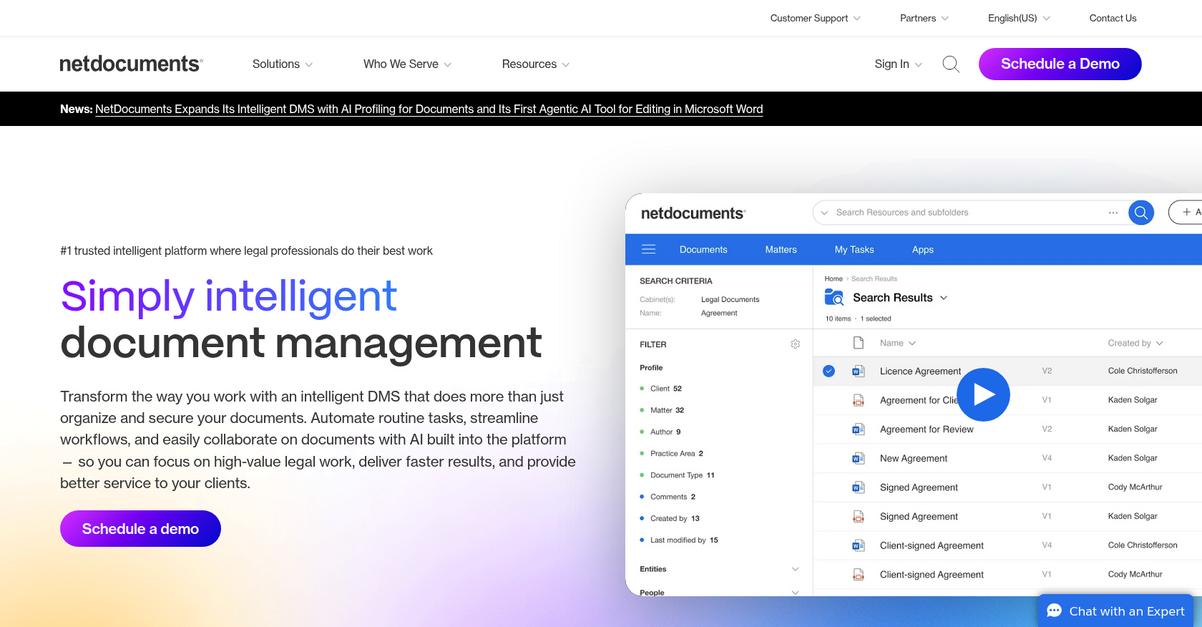
NetDocuments meets your need for intuitive cloud accessibility, easy case collaboration, and advanced security, tackling the legacy hassles and limitations you’ve tolerated with Worldox for too long.
Unlike Worldox, NetDocuments delivers true work-from-anywhere cloud access with built-in co-authoring and secure sharing. This makes a huge difference for any legal team dealing with hybrid or distributed work, letting you skip clunky VPNs or on-premise slowdowns.
You don’t have to settle for outdated software anymore.
NetDocuments lifts those restrictions Worldox users complain about, swapping clunky on-premise headaches for pure cloud convenience and boosting productivity every step of the way.
The cloud-native architecture gives your team secure, instant access to every document from any device anywhere.
Built-in co-authoring means you can edit and share documents in real time, making case collaboration with colleagues or clients much smoother—no more version confusion or endless email chains.
On top of that, NetDocuments bakes in layered encryption and detailed audit trails, so you can confidently meet even the strictest client and bar association requirements while working remotely.
You’ll finally have a platform that actually works for you.
Key features:
- Pure cloud-native access from anywhere, any device enables your team to ditch remote access issues found in Worldox and achieve true mobility—no complicated infrastructure migrations needed.
- Real-time document co-authoring and secure external sharing foster fluid teamwork, giving your team superior collaboration tools compared to Worldox’s legacy, file lock–based system.
- Advanced encryption and comprehensive compliance tools ensure sensitive legal data stays protected, exceeding what traditional on-premise solutions like Worldox deliver for today’s security needs.
Verdict: NetDocuments is an excellent alternative if you want modern legal document management that leaves legacy Worldox headaches behind. Law firms report drastically reduced IT complexity, much faster remote access, and heightened security controls after switching—making it easier to scale secure, compliant workflows across your entire firm.
5. LexWorkplace

Tired of Worldox’s outdated interface and restrictions?
LexWorkplace offers your legal team a modern, cloud-based platform with intuitive design, full Mac compatibility, and native Outlook sync—specifically addressing pain points Worldox never solved for legal document management.
Here’s how LexWorkplace approaches things differently: You get true cloud access, better remote work, and Mac support, letting you work outside your office and move beyond the limits of old-school Windows systems.
The result is a platform focused entirely on legal work.
LexWorkplace replaces legacy frustrations with practical solutions.
With LexWorkplace, your firm finally gets cloud-based flexibility and secure email/document access from anywhere. You can instantly find files using the clean, intuitive interface, or search by matter, client, or keyword—no more clunky navigation or endless drilling just to locate critical case documents or client emails.
What really makes the switch easier is native Mac compatibility backed by true cloud delivery, so you can include Apple users and all remote attorneys without workflow gaps. This means there’s no wrestling with on-premise firewalls or VPNs, and no worrying about platform-specific downtime during migrations.
Additionally, easy navigation and familiar organization eliminate staff resistance, getting your entire team productive in days—not months—after switching from Worldox. You benefit from transparent pricing, powerful search, and reliable performance, bringing everything together for hassle-free legal document management.
Cloud-first design finally empowers your firm to move forward.
Key features:
- Cloud-based legal document and email management provides round-the-clock secure access from anywhere, eliminating the on-premise limitations that made Worldox unwieldy for remote legal teams.
- Native Mac compatibility for modern law practices delivers a fully integrated, consistent experience to legal professionals using macOS, a major improvement over Worldox’s limited support for non-Windows users.
- Intuitive, modern user interface with advanced search helps your staff learn quickly and find documents or emails faster, reducing onboarding and letting your team focus on billable client work.
Verdict: LexWorkplace stands out as a user-focused alternative to Worldox for document management software for legal firms. Firms switching over highlight smoother cloud access, faster adoption with Mac compatibility, and a more intuitive user experience. You can expect improved efficiency, happier staff, and smoother integration for your modern legal practice.
6. CosmoLex
Tired of wrestling with Worldox’s legacy frustration?
CosmoLex offers a unified cloud platform with features like integrated trust accounting, case-centric document management, and all-in-one billing—addressing the biggest Worldox headaches small law firms face.
Here’s how CosmoLex stands out: All-in-one accounting, billing, and document management means less data duplication. Worldox only tackles documents, leaving you juggling multiple systems for the rest—risking IOLTA compliance headaches and wasting time on tedious double data entry.
You’ll want a legal solution that truly simplifies everything.
CosmoLex solves this by giving you a cloud-based practice management alternative designed specifically for law firms looking to upgrade from Worldox.
Everything you need—from client and case files to email and billing—is centralized within CosmoLex. You can track trust accounting and manage documents in one system, eliminating disconnected tools. When you upload a document to a matter, it’s linked directly to cases, activities, and even time tracking—making your compliance workflow much smoother than the old Worldox way.
Additionally, CosmoLex helps reduce staff resistance because there’s no need to keep learning separate products for billing, document management and accounting. You get mobile access, robust search, and built-in IOLTA safeguards, so your team spends less time chasing paperwork and more time serving clients.
This means greater efficiency with remote work.
Key features:
- Native trust accounting and legal billing ensure IOLTA and operating compliance without switching software, eliminating data entry errors common with Worldox plus separate accounting tools.
- Unified document, client, and case management keeps every file, email, and billable event in one place, streamlining daily legal workflows and minimizing toggling between two or more systems.
- Cloud-first with mobile access and robust search so you and your staff can locate, edit, and share documents securely from anywhere—something firms find lacking with legacy Worldox setups.
Verdict: CosmoLex is the Worldox alternative if your law firm wants true all-in-one document management with legal-compliant accounting and full practice billing. With 98% of users reporting simplified workflows and one New Jersey law firm eliminating three overlapping software products, CosmoLex can help you modernize, reduce costs, and focus on billable work.
7. PracticePanther
Wishing your legal document system actually felt modern?
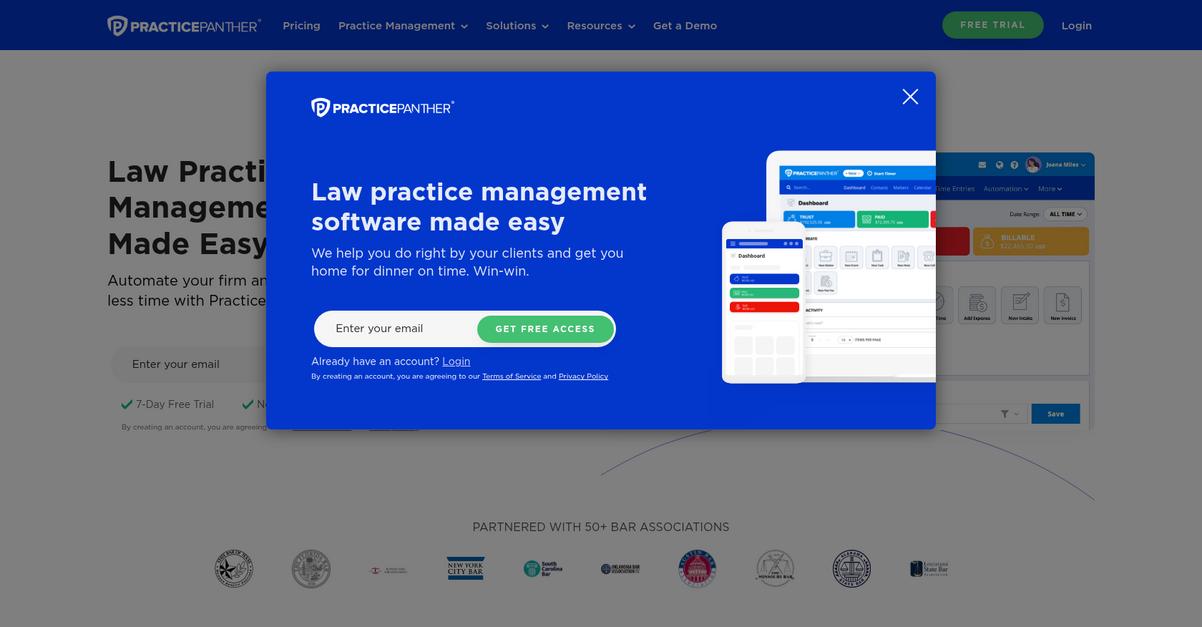
PracticePanther’s cloud-based system puts document management, client intake, and billing in one place, solving Worldox’s clunky interface and manual limitations all at once.
What you notice right away is how PracticePanther goes beyond documents with client intake tools that let you onboard new clients and manage contacts right from day one. This means your firm can organize client relationships, not just files, without needing a patchwork of programs.
That’s a big upgrade from focusing only on storage.
Moving further, PracticePanther really changes the game here.
With PracticePanther, you get a cloud-first solution built for legal work, not just file storage. Secure document storage and client files stay connected to every case, while built-in CRM and billing tie everything together for you.
Here’s how those advantages add up. Automated time tracking and invoicing means your firm bills more accurately, without Excel or extra apps. From secure document access anywhere to smart email capture, you can finally work without hitting old limitations from Worldox.
Plus, if you’ve struggled with maintaining accurate records in Worldox, PracticePanther’s integrated system helps your team avoid re-keying or lost emails. The result is productivity up, headaches down, and client communication that actually feels responsive.
Your workflow doesn’t need to stay stuck.
Key features:
- Integrated client intake and CRM onboard new clients and manage contacts from the same platform, combining case intake and ongoing relationship management beyond basic file storage.
- Secure cloud-based document management centralizes all documents and emails while ensuring reliable access and permissions, delivering more flexibility than Worldox’s desktop-bound storage.
- Automated time tracking and billing tools enable your firm to track hours, generate invoices, and manage collections together with documents, covering key needs Worldox doesn’t touch.
Verdict: PracticePanther emerges as a standout Worldox alternative if your legal firm is ready for modern, all-in-one management. By consolidating CRM, document storage, and billing, users report higher productivity and fewer errors—a proven solution for streamlining your casework and client communication.
8. Smokeball

Is Worldox holding back your legal team’s efficiency?
Smokeball offers automatic time tracking, robust document automation and integrated email management, directly tackling many issues you might face with Worldox’s dated workflow or Outlook limitations.
You’ll notice right away how Smokeball eliminates repetitive manual work through automatic time tracking and custom document creation tools that Worldox simply doesn’t provide.
Making the switch can actually be easier than you think.
With Smokeball, your legal practice can finally skip the pain of manual timesheets and clunky file systems thanks to its automation-centered design.
Here’s how that helps: all billable activity is tracked passively in the background, so if you’re missing hours due to forgotten entries in Worldox, this setup automatically captures your work. Plus, you can generate court-ready legal documents instantly from templates instead of recreating standard forms or digging through static folders every time a new case starts.
Additionally, built-in email management files communications and attachments automatically into the relevant matter. This not only ends scrambling for lost messages, but lets everyone instantly access the full case history without guesswork. If you want to improve both billing accuracy and productivity, combining these features means you work smarter without added admin.
Everything is built to maximize ease of migration.
Key features:
- Automatic time tracking for every billable minute captures all your work in the background, so you never lose track of hours and can maximize profitability from day one.
- Legal document automation with reusable court-ready templates lets you create client letters, forms, and contracts in seconds, dramatically reducing manual drafting compared to static Worldox folders.
- Integrated email management linked to case matters files each email and attachment directly with the relevant client file, eliminating communication silos and hours wasted hunting through inboxes.
Verdict: Smokeball is a top alternative to Worldox for legal professionals who want fewer manual processes and smarter billing. Firms switching to Smokeball report recapturing dozens of billable hours monthly and streamlining document workflows through automation, proving its value as a best-in-class document management software for legal firms.
9. Filevine
Is Worldox holding your workflows back?
Filevine gives you dynamic workflow automation, integrated document generation, and client portals—addressing the exact gaps that frustrate legal professionals using Worldox’s aging interface and rigid document structure.
Unlike Worldox, Filevine lets you design workflows so your staff can automate repetitive legal tasks and drafts with templates right from the cloud. This means you don’t have to fight with limited document automation or struggle when sharing files securely with clients.
Here’s how Filevine helps legal firms work smarter.
Switching to Filevine means ditching Worldox’s filing-cabinet mentality for a solution built for modern legal teams facing complex casework and document overload.
With Filevine, advanced workflow automation handles case phases and task assignments, keeping your team organized on each matter. You also get powerful document automation—auto-generate court forms or contracts using case data, so you dramatically cut down on double entry. This feature ensures accuracy and gives legal staff relief from repetitive drafting work that Worldox simply can’t automate.
Additionally, client and third-party portals offer secure, easy-to-track document exchange that supports remote work with privacy and compliance front and center. This unlocks greater collaboration, making sure external communication never gets stuck or overlooked during a critical case.
You get more than document storage—Filevine pushes real results.
Key features:
- Dynamic case-phase workflow automation gives you granular control over legal process management and task assignments, far surpassing Worldox’s document-centric workflow constraints for complex matters.
- Integrated automated document generation lets you produce legal forms and filings from templates using real case data, freeing your team from tedious, repetitive drafting work.
- Dedicated client and third-party collaboration portals provide secure online spaces for document sharing, client feedback, and external communications—key for lawyers needing streamlined, compliant interaction with outside parties.
Verdict: Filevine stands out as a powerful Worldox alternative for legal professionals needing more than just document storage. By automating case workflows and document creation, your firm saves hours each week and dramatically improves collaboration—making it especially popular with litigation and personal injury offices switching from legacy Worldox.
Conclusion
Tired of fighting with Worldox’s outdated interface?
It’s frustrating to juggle limited cloud access, clunky search, and unreliable Outlook syncing when all you want is seamless document management that just works for your legal practice.
Looking for new software makes sense—staying stuck wastes more time and money than exploring solutions that actually move your firm forward. You deserve a tool that clears daily roadblocks and lets your team focus on cases, not file headaches.
Here’s my top recommendation.
FileCenter rises to the top as the easiest way to leave Worldox’s frustrations behind. Its user-friendly design, powerful PDF tools, and smoother Outlook integration solve the pain points holding your team back.
Many fellow Worldox users have switched to FileCenter for faster searches, easier folder management, and less hassle moving your files. It’s a proven alternative that truly puts control back in your hands.
Start a free FileCenter trial today and see the difference.
You’ll actually enjoy managing documents again.