
Struggling with WRENCH SmartProject’s clutter?
If you’ve found its outdated interface a hassle, or feel limited by complex BoQ uploads that never seem to work right, I get your pain.
Frustrations with unintuitive workflows and slow CAD/BIM file handling hurt your project efficiency and team morale.
Day after day, you’re battling software instead of focusing on engineering tasks. That costs you time, interrupts project flow, and keeps your team chasing the next workaround just to get documentation sorted.

It can be costly to stick with WRENCH SmartProject since these ongoing issues can drain productivity and cause project headaches. This is exactly why considering a change has become urgent.
Thankfully, you don’t have to settle—there are smarter alternatives that address what SmartProject misses.
In this article, I’ll show you the best WRENCH SmartProject alternatives for document management software for engineers, covering tools like FileCenter, Doccept, Accruent, and more.
You’ll discover faster workflows, easier CAD/BIM handling, and truly collaborative tools your team will actually enjoy.
Let’s explore your options.
Quick Summary:
| # | Alternative | Rating | Best For |
|---|---|---|---|
| 1 | FileCenter → | Small teams seeking simplicity | |
| 2 | Autodesk Docs → | Users wanting modern interfaces | |
| 3 | Accruent Meridian → | Teams needing better compliance control | |
| 4 | RecordsKeeper.AI → | Users seeking stronger data integrity | |
| 5 | Siemens Teamcenter → | Engineering teams needing CAD integration |
1. FileCenter

Looking for a simpler switch from WRENCH SmartProject?
FileCenter makes document management far less complicated, bringing your files into a familiar desktop environment that’s easy for your team to adopt.
The cabinet-drawer structure mirrors Windows folders and skips WRENCH SmartProject’s complex metadata layers, making filing and searching faster and more intuitive for engineers. You can scan paper plans right into organized folders using built-in OCR, eliminating extra manual setup.
Here’s how FileCenter changes things for engineering teams.
By focusing on intuitive file structures and instant scanning workflows, FileCenter removes the steep learning curve and slow setups that frustrate users of WRENCH SmartProject.
Smarter ways to manage your engineering documents start here.
With FileCenter, you get an approachable document management alternative that replaces WRENCH SmartProject’s complexity with a system your team actually wants to use. The familiar cabinet system lets you drag and drop blueprints, BoQs, or CAD files directly into well-organized folders—with no database setup or confusing import process needed.
Plus, the built-in scanning and OCR means every plan becomes searchable and easily sorted, so you can move existing paper documents into digital workflows fast. This instantly cuts down on wasted admin time and manual sorting.
Additionally, FileCenter’s flexible one-time purchase model means your office avoids ongoing subscription costs. These features all drive adoption, reduce migration headaches, and let you get back to engineering work without extra IT hassle.
Switching shouldn’t slow your projects down.
Key features:
- Familiar folder structures replace complex metadata so your team can organize plans, drawings, and BoQs without spending days configuring new workflows or databases.
- Integrated scanning and automatic OCR recognition digitizes all your engineering paperwork in one step, cutting manual effort required by other systems like WRENCH SmartProject.
- One-time license purchase options give you long-term control over costs and software ownership, which eliminates the burden of mandatory subscriptions.
Verdict: FileCenter is an outstanding alternative to WRENCH SmartProject if you want easier document management for your engineering files. Small firms report saving countless hours and reducing onboarding time dramatically, especially thanks to FileCenter’s familiar structure, integrated scanning, and affordable one-time purchase model.
2. Autodesk Docs

Is WRENCH SmartProject making CAD/BIM workflows a headache?
Autodesk Docs tackles these issues with built-in CAD/BIM integration, centralized data storage, and automated document approvals—making it much easier to manage engineering documents at scale.
This means you get native design tool integration, version control, and cloud visibility all in one place, addressing the manual steps, fragmented data, and approvals delays that can happen if you use WRENCH SmartProject.
You’re getting a different experience here.
Autodesk Docs brings flexible, engineer-friendly features for better project control.
Switching to Autodesk Docs can genuinely transform your engineering document management experience. You get out-of-the-box connections to AutoCAD, Revit, and Civil 3D, plus robust BIM model support—all in a single cloud environment geared to how your projects actually work.
With a common data environment for every project document, you’ll always have the latest files and revisions at hand. Your team can review, mark up, and approve drawings, models, and specs directly in the browser—no more version confusion or frantic email trails.
Automated approval workflows and audit trails keep everything compliant and visible. Combine these with deep design integration, and you’re controlling risk while making your project hand-offs and coordination way smoother.
The result is streamlined project collaboration and reduced rework.
Key features:
- Comprehensive CAD/BIM integration across design tools means your AutoCAD, Revit, and Civil 3D files flow directly into document management with native 2D/3D viewing and markup capabilities for your engineering team.
- True common data environment (CDE) architecture ensures every project stakeholder accesses the latest documents and models, reducing errors caused by data silos common with WRENCH SmartProject.
- Configurable automated approval workflows and audit trails let you standardize review, transmittal, and sign-off, delivering greater process transparency versus manual checkpoints that often stall engineering document lifecycles.
Verdict: Autodesk Docs is a compelling alternative to WRENCH SmartProject for engineers who want superior CAD/BIM integration, a centralized data environment, and workflow automation. AEC teams using Autodesk Docs report up to 40% fewer document errors and much quicker approval cycles, directly addressing major WRENCH SmartProject pain points.
3. Accruent Meridian

Need something more purpose-built than WRENCH SmartProject?
Accruent Meridian streamlines engineering document management with specialized controls, intuitive life-cycle management, and built-in regulatory compliance—all areas where WRENCH SmartProject often feels cumbersome or generic.
This means you can benefit from purpose-built document control and advanced compliance tracking that let you move beyond WRENCH SmartProject’s one-size-fits-all approach. With Meridian, it’s easier to manage technical documentation in highly regulated or complex projects, which helps you avoid the pain points of limited version control or incomplete audit trails.
Here’s where Meridian stands apart.
Accruent Meridian is made for highly technical project environments where WRENCH SmartProject can fall short on compliance and concurrent engineering needs.
Instead of the generic document handling you may be used to, Meridian gives your engineering team tools crafted for complex asset documentation. Purpose-built for engineers, it supports intricate technical drawing lifecycles while enforcing strict access and revision controls your projects demand.
With concurrent engineering and automatic change order notifications, your team always works from the latest data, minimizing project conflicts and miscommunication. Technical drawings and revisions are tracked with real-time visibility—something WRENCH SmartProject users often wish for during critical project phases.
You’ll also appreciate Meridian’s advanced compliance features: auditable workflows, e-signatures, and comprehensive audit trails. This makes regulatory reporting and handovers much smoother, compared to the patchwork approach you might experience elsewhere.
Everything’s focused on your engineering success.
Key features:
- Purpose-built EDMS for technical drawings and assets gives your team granular control over every engineering document, supporting intricate lifecycles that generic platforms like WRENCH SmartProject just can’t handle well.
- Concurrent engineering with real-time change notifications lets your engineers safely make parallel modifications and track revisions, reducing conflicts and keeping everybody in sync.
- Deep regulatory compliance and audit trails build confidence for engineering teams working in tightly regulated industries, simplifying audits and standardizing compliance documentation right out of the box.
Verdict: Accruent Meridian stands out as a WRENCH SmartProject alternative, especially for engineering document management. If you require better compliance control and parallel editing, Meridian’s purpose-built features mean quicker handovers and regulatory confidence—users have reported noticeable downtime reduction and smoother compliance audits.
4. RecordsKeeper.AI

Ready for a more secure engineering file system?
RecordsKeeper.AI uses blockchain-backed security and AI-driven search to address the complexity and lack of intuitive design you may face with WRENCH SmartProject.
The platform tackles challenges by offering real-time compliance tracking and tamper-proof document management for engineering teams. This means you can trust the integrity of your records while automating manual compliance checks.
You get an intuitive, automated solution with less overhead.
RecordsKeeper.AI changes how you manage sensitive engineering files by using cryptographic hashes for each document and change, something WRENCH SmartProject doesn’t offer. Documents become unalterable and auditable, so you worry less about tampering or unauthorized edits.
If you’ve ever spent too long searching for CAD or BIM documents, the platform’s AI-driven categorization and natural language search are a game changer. You can find any file in seconds, no coding or manual tagging required, so your project flow stays smooth.
Additionally, automated compliance monitoring keeps everything on track, alerting you instantly to issues with GDPR, HIPAA, or SOX—reducing your manual workload and supporting both regulatory and client demands.
You’ll notice the difference versus WRENCH SmartProject.
Key features:
- Blockchain-anchored audit trail secures document history by creating immutable digital fingerprints of every change, providing a higher level of data integrity than typical version control systems.
- AI-driven search and categorization saves serious time by automatically organizing, classifying, and indexing engineering files, enabling near-instant retrieval via natural language queries.
- Continuous compliance monitoring with instant alerts handles regulatory requirements like GDPR or SOX automatically, so you get notified if issues arise—instead of chasing manual checklists.
Verdict: RecordsKeeper.AI is a compelling WRENCH SmartProject alternative if you need document management with stronger data integrity, rapid search, and proactive compliance. Users report up to 90% faster retrievals and 85% less manual record work—ideal for engineering projects with high compliance demands.
5. Siemens Teamcenter

Tired of clunky CAD/BIM handling and clumsy workflows?
Siemens Teamcenter offers deep CAD integration and robust product data management, addressing the tedious design file tracking and scattered documentation issues many engineers face in WRENCH SmartProject.
If you are looking for more than just general document handling, Teamcenter provides a truly integrated PDM platform for complex design data that makes managing detailed engineering projects less chaotic and more manageable for your team.
You’re not stuck with the same old obstacles.
Here’s how Siemens Teamcenter can make a difference for you.
With Teamcenter, your engineering files, BOMs, and all related documentation live in one controlled location, giving your team ironclad version control and secure access that WRENCH SmartProject sometimes struggles to deliver.
You get to manage multiple CAD formats right inside your familiar CAD environment. Underline this: manage Solid Edge and NX files without leaving your CAD tool, streamlining design cycles and saving serious time if you currently juggle file exports and manual uploads.
Additionally, the built-in change management automation makes sure every stakeholder knows about design updates instantly. You’ll benefit from smarter processes that move your projects along, not just track stages. That combination helps your team avoid errors and work duplication, boosting overall efficiency as you transition from WRENCH SmartProject.
Your workflows start running smoother from day one.
Key features:
- Mature PDM foundation with secure version control centralizes all engineering product data, giving you greater oversight and confidence over CAD/BIM files and every revision.
- Rich multi-CAD integration and direct file management lets you manage, review, and update CAD files from tools like Solid Edge and NX, improving productivity versus generic systems.
- Automated engineering change and process management notifies all stakeholders of critical changes automatically, minimizing miscommunication and wasted effort on evolving projects.
Verdict: Siemens Teamcenter is a compelling WRENCH SmartProject alternative for engineering document and workflow management. Your engineering teams can cut product cycle times, improve collaboration, and accelerate new product launches by leveraging proven CAD integration and real-world results like reduced time-to-market reported by existing users.
6. Synergis Adept

Tired of WRENCH SmartProject complicating your workflow?
Synergis Adept tackles that issue with its deep, multi-CAD integration and an in-app task pane, so you manage documents while staying within your favorite design tools.
This means you avoid jumping between platforms and cumbersome BoQ uploads, since document management happens right where your engineers design and collaborate.
Switching never felt more straightforward.
Synergis Adept is built to solve what WRENCH SmartProject often complicates, especially if you crave intuitive CAD/BIM document management without a steep learning curve.
With native integrations for AutoCAD, SOLIDWORKS, Inventor, and MicroStation, you get real document control directly inside your CAD software’s interface, without awkward workarounds. Your team remains focused on engineering rather than navigating multiple apps, and document controls stay visible at every step.
Additionally, Adept’s smart vaulting and replication mean your distributed teams access local copies, even across continents. Secure document vaults and automated metadata extraction eliminate the hassle of manual renaming and filing, making global collaboration far smoother than cloud-only models like WRENCH SmartProject’s.
The user-friendly deployment options and industry-praised customer support help your team adapt faster with less risk.
Switching to Synergis Adept sets your engineers up for success.
Key features:
- In-application multi-CAD integration with task pane delivers real-time document management directly inside AutoCAD, SOLIDWORKS, Inventor, and MicroStation, so your engineers never need to leave their CAD workspace.
- Smart document vaulting and global replication ensure secure storage and speedy document access for distributed engineering teams, outperforming cloud-only systems on reliability and sync performance.
- Automated metadata extraction and file naming rules save you hours on manual entry, greatly improving document organization and reducing costly mistakes caused by outdated or misfiled versions.
Verdict: Synergis Adept is an ideal WRENCH SmartProject alternative for engineering teams that demand user-friendly CAD/BIM document control. You’ll find setup and adoption much easier, with reports of up to 30% efficiency gains—plus anywhere, anytime document access and boosted workforce productivity.
7. LogicalDOC

Tired of clunky workflows and complex navigation?
LogicalDOC addresses these issues with full-text indexing, robust search, and open-source flexibility, letting you organize and retrieve engineering documents without the headaches of WRENCH SmartProject.
If you struggle finding the right document among thousands of CAD/BIM files, LogicalDOC’s powerful search makes it easier to track revisions and critical info as your projects evolve, offering a faster and more intuitive approach than the rigid search tools you might be used to.
The result is less wasted time hunting for files.
LogicalDOC brings fresh efficiency to your document management.
This means you get an alternative workflow built for clarity, not confusion, when you move away from WRENCH SmartProject.
LogicalDOC shines as a WRENCH SmartProject alternative because it takes the guesswork out of storage and retrieval. Advanced full-text indexing saves your team from endless folder browsing and instead highlights the content you actually need, whether it’s technical drawings, specifications, or reports.
Additionally, the open-source Community Edition gives you customization and community support with zero software lock-in — something you won’t find if you’re locked into traditional vendor contracts. That flexibility is a lifesaver if your workflow or integrations need to adapt as your engineering projects grow.
LogicalDOC delivers even more with universal access on Mac, Windows, Linux and mobile devices. Cross-platform mobile apps mean your field engineers, drafters, and project managers can stay productive and compliant wherever their work takes them.
It ticks off all the boxes engineers demand.
Key features:
- Advanced full-text indexing and rapid search turns every engineering document into something discoverable in seconds, minimizing the risk of missed updates or duplicated effort in large project archives.
- Open-source version with full community support gives your team a cost-effective, adaptable DMS option, letting you customize features or workflow bridges missing in WRENCH SmartProject.
- Universal platform compatibility and mobile access supports your mixed-device workforce, whether they’re reviewing plans on-site or collaborating on requirements from different OS environments.
Verdict: LogicalDOC stands out as a smart alternative to WRENCH SmartProject for engineering document management. With productivity increases of up to 40% reported and cross-platform mobile apps, you’ll achieve faster retrieval, flexible customization, and secure universal access—everything you need to streamline CAD/BIM workflows and team collaboration.
8. Doccept

Wish WRENCH SmartProject handled CAD files more easily?
Doccept stands out with automated folder structures and instant AutoCAD previews, letting your team organize and view engineering drawings without the hassle WRENCH SmartProject often brings.
Where WRENCH SmartProject users might struggle with file categorization and CAD accessibility, Doccept steps in with Auto Folder Structure and AutoCAD Preview features that simplify filing and enable direct drawing views. This means quick onboarding for your engineers and less dependency on extra CAD viewers.
Now let’s look at how Doccept raises the bar.
Switching to Doccept can transform your workflow.
Doccept solves the frustration with rigid document handling by giving you pre-set folder structures that automatically sort files by project or discipline. Plus, you can preview AutoCAD drawings straight from your browser, eliminating the need for standalone software and saving your team constant back-and-forth. If you’re tired of “another complex system,” this clarity goes a long way.
Additionally, Doccept keeps your costs predictable and low. Flexible pricing aligns with the number of users, so if your engineering firm is watching the bottom line, you won’t get stuck paying for features you never use. You also gain Single Sign-On and Active Directory integration, which streamlines both user access and IT headaches. Together, these features mean a smoother transition from WRENCH SmartProject.
Everything is built to deliver efficiency your projects demand.
Key features:
- Automated folder structuring and AutoCAD file previews give engineering teams a huge edge over generic platforms, offering instant organization and easy access to drawing files—no third-party viewers needed.
- Cost-effective pricing that scales with your needs removes barriers for smaller engineering firms and avoids the heavy infrastructure investments associated with larger, more rigid solutions.
- Active Directory and Single Sign-On integration helps IT admins manage secure team access effortlessly, ensuring adoption is smooth if you’re worried about yet another tricky rollout.
Verdict: Doccept is a rock-solid WRENCH SmartProject alternative, letting your engineering team organize, view, and secure vital CAD/BIM files faster. Firms report increased file accessibility and lower training costs—one client noted a 20% workflow speed boost when switching from manual CAD previews to Doccept’s system.
9. Ademero Content Central
Looking for a document management upgrade?
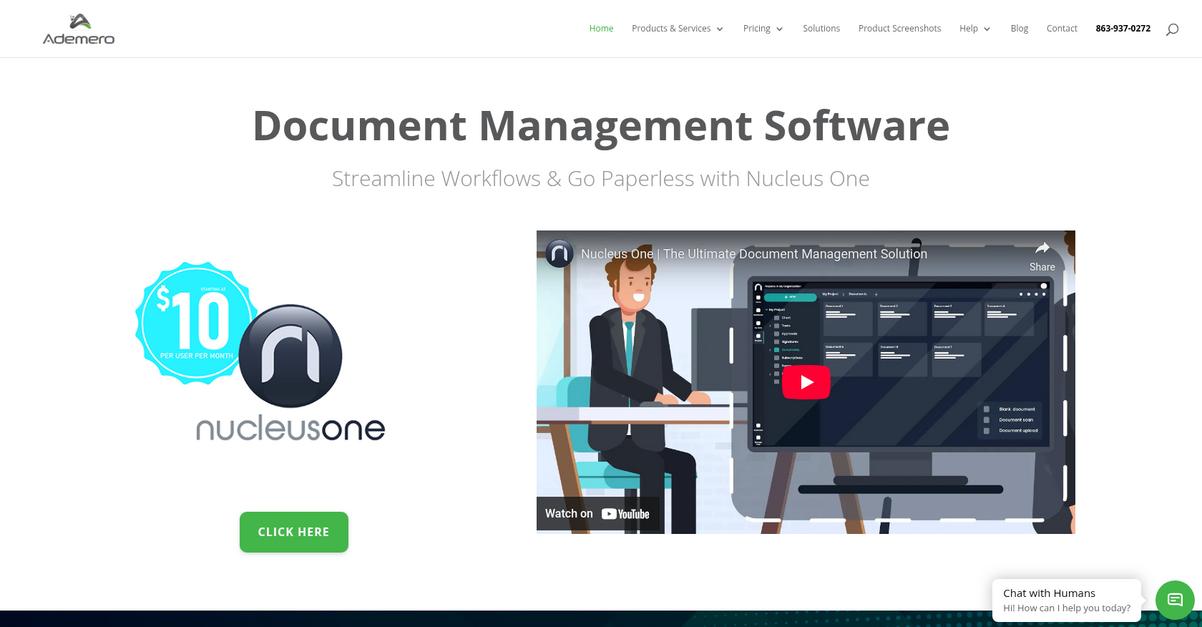
Ademero Content Central delivers a more intuitive, browser-based system with intelligent document capture, OCR-based search, and configurable folder structures that eliminate the rigidity and workflow frustration of WRENCH SmartProject.
Your team won’t have to wrestle with cumbersome workflows or cryptic CAD/BIM file retrieval like you do with WRENCH SmartProject. Instead, you get tools built for speed, accuracy, and easy adoption by engineering teams.
That’s a real difference you’ll feel right away.
Switching to Ademero Content Central gives you a browser-based platform that digitizes and organizes your project files quickly, addressing that WRENCH SmartProject pain of clunky navigation and limited automation.
The system captures documents from scanners, network folders, or email, converting everything to fully searchable PDFs with OCR. You can mirror your current folder setup using metadata-driven organization, instantly grouping files by project number or job type without a learning curve or downtime.
You also gain an enterprise workflow engine that defines unlimited approval processes and automated routing. This means your document lifecycles, signoffs, and compliance steps progress automatically—no more manual chasing or missed handoffs, which were tough hurdles in WRENCH SmartProject.
Everything aligns for engineering productivity.
Key features:
- Smart document capture with built-in OCR search lets your team digitize engineering records from scanners, folders, or email, and find documents instantly using powerful full-text search rather than manual hunt-and-peck.
- Configurable, metadata-driven folder structures allow you to mirror or improve your existing project organization, so engineers can retrieve drawings or BoQs naturally, without adapting to rigid software classifications.
- Enterprise workflow automation for engineering approvals puts you in control of unlimited workflow routing, notifications, and compliance, making lifecycle management smoother and less time-consuming than general workflows found in WRENCH SmartProject.
Verdict: Ademero Content Central is an excellent alternative to WRENCH SmartProject if you need document management that adapts to your process, not the other way around. Engineering users slash document retrieval times to seconds and automate repetitive steps, unlocking smoother CAD/BIM handling and better compliance without complex retraining.
Conclusion
Frustrated with clunky CAD/BIM workflows?
WRENCH SmartProject’s cluttered interface and complicated BoQ uploads drain your productivity and make day-to-day document handling an unnecessary challenge.
You’re smart to look for something better. Making a switch might seem daunting at first, but you’ll finally break free from the drag of unintuitive workflows and constant workaround fatigue that’s slowing your projects down.
Here’s the top alternative worth considering.
FileCenter nails what WRENCH SmartProject misses by focusing on simplicity, intuitive file organization, and fast CAD/BIM access, letting you get back to productive engineering instead of fighting your software.
I’ve seen small engineering teams thrive after switching from WRENCH SmartProject to FileCenter. Its easy setup, smooth Windows integration, and one-time pricing make it the go-to choice for hassle-free document management.
Go check out FileCenter’s free trial or demo and see the difference for yourself.
You’ll finally experience engineering document management, simplified.