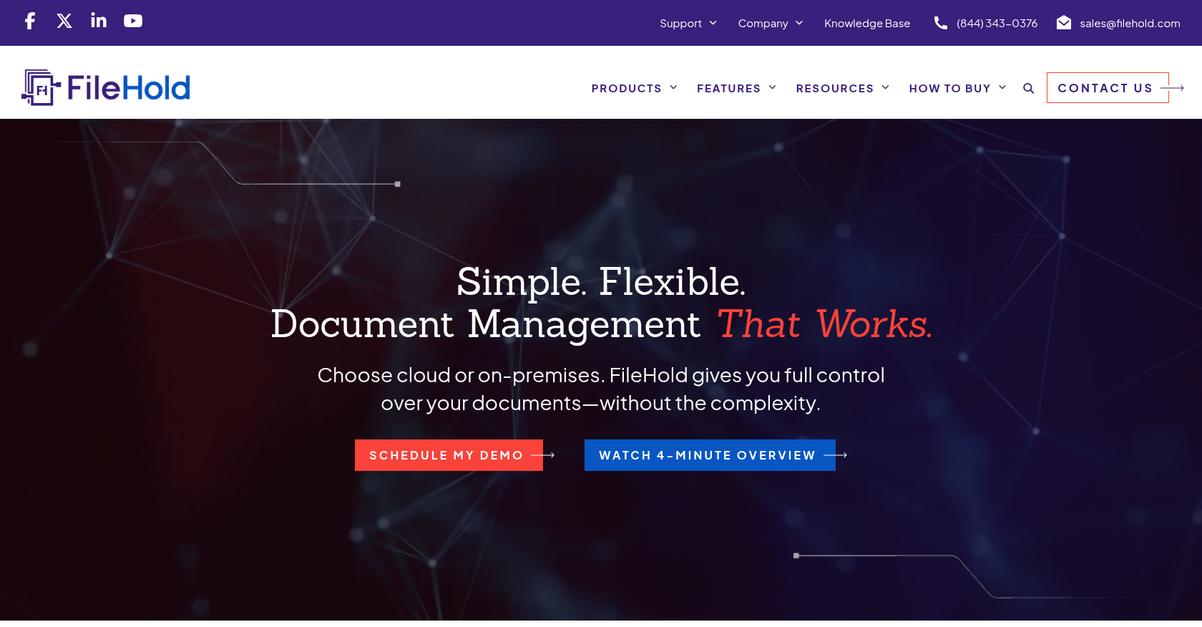

Drowning in document chaos at work?
If you’re evaluating document management tools, you probably need to replace clunky, manual file storage with a secure, efficient way to organize and control sensitive documents. That’s exactly why you’re researching FileHold right now.
But here’s the real struggle: you waste hours searching for files and approvals that should be at your fingertips—leaving your projects stuck and your team frustrated.

FileHold tackles this head-on with enterprise-level security, deep Microsoft integration, and robust workflow features. Their continuous upgrades, like multi-factor authentication and built-in e-signatures, create an environment where your documents are safe, compliant, and easy to manage.
In this FileHold review, you’ll see how transitioning to a streamlined paperless process gives back your time and peace of mind.
I’ll break down FileHold’s features, pricing, use cases, and top alternatives so you can decide if it truly fits your organization’s needs.
Read through to find the features you need to take control and get clarity on your document management decision.
Let’s dive into the analysis.
Quick Summary
- FileHold is enterprise document and records management software that supports secure storage, workflow automation, and compliance control.
- Best for organizations aiming to reduce paper use while managing complex document lifecycles across many users.
- You’ll appreciate its strong Microsoft integration and efficient workflow automation that saves time and keeps documents organized.
- FileHold offers scalable pricing starting around $10-15 per user per month with free trials and personalized quotes.
FileHold Overview
FileHold’s mission centers on empowering organizations to adopt secure, efficient, and fully digital document management, ensuring compliance and reducing both risk and operational costs.
Within the diverse document management market, FileHold focuses on serving regulated industries and process-driven organizations, including private companies and government sectors. Their scalable solutions fit both small teams and enterprise environments, and are recognized for flexible deployment, strong compliance tools, and robust integration capabilities.
Organizations ranging from local governments and nonprofits to large manufacturers and financial firms rely on FileHold. I’ve seen their system support thousands of users and millions of documents without flinching.
Here’s what FileHold does best:
- Reliable, enterprise-grade document control and security
- Advanced workflow automation with regulatory compliance in mind
- Deep Microsoft Office, SharePoint, and Adobe Sign integrations
Lately, FileHold has doubled down on improving cloud offerings, enhancing security (like multi-factor authentication), and tighter Microsoft integrations—perfect if you want future-ready, compliant document management that adapts to modern hybrid work.
With that in mind, let’s dive into features in this FileHold review to see if it fits your needs.
FileHold Features
Lost files and version chaos waste your time.
FileHold streamlines everything with a single document management solution that covers every step, from scanning to compliance. With FileHold features, you get a unified platform that removes everyday document management headaches without piecemeal add-ons or third-party patches. Here are the five main FileHold features that make document control easy and accessible for your team.
1. Document Management and Version Control
Are you tired of hunting for the latest file?
When your documents are scattered or accidentally overwritten, you’re stuck wasting hours—or worse, using outdated info. That’s a recipe for big mistakes and epic frustration in any organization.
FileHold’s document management and version control feature builds an organized, centralized digital library with automatic version tracking. You can drag and drop new files, easily see who changed what, and restore older versions whenever needed. This FileHold feature takes the guesswork and risk out of organizing critical business documents.

You get more project control, reduce bottlenecks, and make audits painless.
2. Workflow Automation
Paperwork shouldn’t slow down your approvals.
Manual review and sign-offs drag processes out for days, lead to missed deadlines, and make teamwork a hassle—especially when people are remote or busy.
With FileHold’s workflow automation, every document follows a predefined digital route for review, approval, and signature. You get built-in e-signature support (including Adobe Sign integration), automated reminders, and status tracking. This FileHold feature lets you standardize workflows for consistent, mistake-free results, no matter how complex your process.
Critical documents move faster, and your team focuses on real work, not chasing paperwork.
3. Records Management
Compliance regulations are overwhelming if you handle records manually.
Storing, tracking, and defending sensitive records manually makes compliance a headache—mistakes could mean financial penalties or legal exposure.
FileHold’s records management feature lets you lock, track, and automate the retention lifecycle for every document you flag as a record. Need bulletproof audit trails, secure holds, or easy e-discovery? This FileHold feature does it all, so you can meet HIPAA, GDPR, or internal policy obligations without stress.
You gain peace of mind knowing your compliance is under control (and audits are no longer scary).
4. Document Scanning and Imaging
Drowning in paperwork and manual data entry?
Converting stacks of paper into digital archives is tedious and time-consuming, with plenty of room for human error and lost information.
FileHold’s scanning and imaging feature supports over 300 scanner types and uses OCR to turn physical documents into searchable, categorized PDFs. With SmartSoft Capture, metadata automatically fills in as you scan, and remote users can digitize files from anywhere using WebCap. This FileHold feature breaks down the biggest barriers to going paperless.
You transform paper piles into actionable digital records, making retrieval instant and organization simple.
5. Mobile Access and Integrations
Working offsite shouldn’t mean losing access.
If your team can’t find, share, or approve documents on the road, productivity stalls and you risk lost opportunities or missed deadlines.
FileHold’s mobile and integration features provide an HTML5 interface for easy document access anywhere. You can add, search, or approve files from any device, and FileHold connects with Microsoft Office, SharePoint, Teams, and other core apps your staff already uses. Integrations extend to CRM, ERP, and accounting platforms as well. This FileHold feature puts the full power of document management in your pocket.
Your workflows don’t stop when you leave the office—everyone stays connected and productive.
Pros & Cons
- ✅ Effortless document version control and recovery
- ✅ Robust workflow automation with e-signature support
- ✅ Deep Microsoft and third-party integrations
- ⚠️ Initial setup can require IT assistance
- ⚠️ User interface looks dated compared to modern apps
All of these FileHold features work together, creating a tightly integrated platform that covers your entire document and records lifecycle. This approach minimizes manual effort and eliminates information silos for your business. Up next, let’s look at FileHold’s pricing model and what support options you’d actually get.
FileHold Pricing
How much does FileHold really cost?
FileHold pricing is built around a custom-quote approach, so you won’t find fixed plan tiers or published per-user rates on their website. Instead, every proposal is tailored to your organization’s user count, usage frequency, and implementation needs, giving you flexibility but making initial budgeting less transparent.
Cost Breakdown
- Base Platform: Custom quote
- User Licenses: $10–15/user/month (typical range)
- Implementation: Bronze/Silver/Gold plans, varies by scope
- Integrations: Varies by complexity
- Key Factors: User count, support/upgrade plan, data migration
1. Pricing Model & Cost Factors
FileHold pricing starts with flexibility in mind. Your main cost drivers are the number of named users, implementation plan level, and ongoing support through FileCare. Pricing is typically volume-based with no storage or scan fees, so what you pay depends on usage, migration needs, and custom integrations. You gain predictability since most fees are packaged, but you’ll need to scope your needs to get a quote.
The result is your budget can scale up or down based on organization size.
2. Value Assessment & ROI
You’re paying for worry-free compliance. FileHold pricing delivers cost control, with the core platform, security, and upgrades bundled in the FileCare program. Compared to fully custom document management or piecemeal cloud options, the ongoing subscription means fixed annual review, upgrades, and support are covered. I find this lets you avoid hidden fees while enjoying premium DMS functionality.
For most, you’ll spend less than piecing software together or handling audits manually.
- ???? Bonus Resource: While we’re discussing compliance needs, understanding Microsoft Purview Records Management is equally important for modern businesses.
3. Budget Planning & Implementation
Implementation won’t surprise you. Your FileHold pricing includes optional Bronze, Silver, or Gold support packages. Implementation cost varies—based on training, migration, and complexity— so you won’t pay for services you don’t need. Plan for additional migration service fees if moving from legacy systems. The upside is a straightforward path: price out users, pick your support, then only add what you require.
You’ll estimate total cost faster by identifying users, migration, and required integrations.
My Take: FileHold’s custom pricing appeals most to organizations with 10+ users, regulatory duties, or migration needs. The approach suits those seeking tailored onboarding, full-featured DMS, predictable support, and scalable costs but not chasing rock-bottom SaaS rates.
For buyers, FileHold pricing means you’ll need a sales quote but you’ll get tailored support and the right compliance features. You get full-featured DMS for predictable annual costs.
FileHold Reviews
What do actual users really say?
To deliver a transparent perspective, I’ve analyzed real FileHold reviews from verified buyers, IT admins, and end users. This analysis covers satisfaction trends, recurring praise, and frequent complaints—providing you actionable insights based on direct feedback and credible review patterns.
1. Overall User Satisfaction
Most users feel very satisfied overall.
When I break down user sentiment, FileHold reviews tend to show above-average satisfaction ratings—especially from admin staff and teams transitioning from paper processes. What you see most is a consistently high level of long-term satisfaction, marked by repeat purchases and positive comments about the experience. Review patterns seem credible, as feedback comes from a diverse mix of business sizes and industries.
Easy onboarding, strong ongoing support, and reliable functionality drive most of this satisfaction—users say their teams love the modern interface and smooth workflows.
- ???? Bonus Resource: Speaking of smart workflows, my guide on stress-free accounting automation offers insights for financial document collection.
2. Common Praise Points
FileHold’s usability keeps winning fans.
Ease of use tops nearly every list of FileHold reviews, with users saying setup and daily workflows feel intuitive—even for those new to document management tools. I notice a frequent emphasis on time savings and quick adoption in reviews, plus shout-outs for scalable storage and highly responsive customer support. Many users highlight replacing paper with digital files as a game-changer.
These strengths matter if you want rapid adaptation and lasting ROI—expect your team to work smarter and appreciate faster access to documents.
3. Frequent Complaints
Transparent pricing details remain a sticking point.
The most common frustration I see in reviews is FileHold’s lack of public pricing—potential buyers often mention extra steps just to get a cost estimate. Some also note the limitation of email-only support channels when faster responses are needed by phone. However, even critical reviews generally acknowledge the helpfulness of FileHold’s support once engaged.
For most users, these complaints are minor—not deal-breakers. They’re worth noting if quick pricing and instant phone support are major priorities for your organization.
What Customers Say
- Positive: “FileHold has one of the cleanest, most intuitive, modern and friendly interfaces I’ve ever used.” (Capterra review)
- Constructive: “No pricing on website so you have to contact them for a quote.” (G2 review)
- Bottom Line: “Our success with it has led to other locations in my company to purchase FileHold.” (Software Advice review)
Across FileHold reviews, the consensus is clear: the system delivers reliable value and excellent usability, with only minor drawbacks found in review feedback patterns.
In Conclusion
Is FileHold your best fit for 2025?
After running this detailed FileHold review, I’m convinced that your final decision should come down to your compliance demands, document volumes, and scaling needs. Here’s my bottom-line guidance to help you match FileHold to your business priorities and move forward with confidence.
1. Is FileHold for you?
Ideal for growth-minded compliance leaders
If you’re a mid-sized or larger organization needing strict document security and workflow controls, this platform stands out. FileHold fits regulated environments, companies drowning in paperwork, and teams demanding tightly managed versioning. You’ll find it particularly compelling if records retention, audit trails, and Microsoft Office/Outlook integration matter to your daily business.
Organizations with operational discipline, rising regulatory pressure, and multi-user content chaos will see the biggest wins.
You’ll succeed most if your teams value order, access control, and a familiar file-cabinet feel.
2. Overall Strengths
Rock-solid control with unmatched usability
FileHold’s strongest draw is its combination of intuitive interface and deep compliance features. It’s engineered for easy adoption—teams ramp up quickly, and power users benefit from robust workflow/project tools. You get modern search, audit trails, version control, and high security. Integration with Microsoft productivity tools gives your users a frictionless experience right from the start.
These strengths eliminate headaches and empower you to focus less on document chaos, more on strategic work.
3. Key Limitations
Transparent pricing is still missing
What holds FileHold back? The most consistent complaint is the lack of clear, upfront pricing. You have to request a custom quote, slowing the vetting process, especially for price-conscious buyers. Some also note that support is email/ticket-based, with no phone option—fine for most, but a hassle if you need real-time help.
For most well-resourced companies, these are small trade-offs against the software’s functionality and ROI.
4. Bottom line?
I recommend FileHold for scaling compliance
If you need enterprise-grade document controls, automation, and auditability, FileHold’s strengths far outweigh its minor frustrations. Growing companies, regulated industries, and document-heavy teams will easily recoup the investment through efficiency and peace of mind. If pricing transparency is a must for you, weigh that carefully.
Go for a trial/demo to see if FileHold’s navigation, controls, and workflow match your team’s real-world needs.
FileHold review in summary: this is a mature, robust choice for document-driven organizations who prioritize order and compliance. I recommend FileHold for secure document management solutions—especially when your business is ready to scale.
Bottom Line
- Verdict: Recommended for compliance-minded organizations
- Best For: Growing companies with strict document control needs
- Business Size: Mid-market to large teams (20+ users)
- Biggest Strength: Intuitive interface plus enterprise compliance features
- Main Concern: No upfront pricing transparency
- Next Step: Request a demo or personalized quote