
Missed a deadline? Risky and expensive.
If you’re constantly anxious about expired contracts, lapsed permits, or looming audits, you’re not alone. Manual document tracking just isn’t built for modern business pressure.
With so many critical files scattered everywhere, it’s easy to miss one obtuse date and suddenly face fines, service interruptions, or frantic last-minute scrambles.
It’s no wonder document management is getting prioritized—McKinsey reports that 78% of organizations used AI in 2024 for at least one business function, with document management being a core focus since the ROI is so obvious. As new tech rolls out and the scale of paperwork grows, the old way just feels impossible.

But a better process can give you peace of mind while automating the grunt work and protecting your bottom line at the same time.
In this article, I’m sharing how to manage document expiration dates in six clear steps—from organizing everything centrally to using powerful AI to stay ahead.
You’ll walk away with simple techniques and modern tools that are proven to cut stress, save time, and keep your compliance rock solid.
Let’s get started.
Key Takeaways:
- ✅ Centralize all critical document records in one repository to simplify tracking and prevent missing expiration dates.
- ✅ Automate expiration date reminders with workflows that notify responsible teams well before deadlines occur.
- ✅ Implement dedicated document management software to track and alert you on all upcoming renewals automatically.
- ✅ Define clear document lifecycle policies assigning responsibility and timelines to maintain compliance easily.
- ✅ Conduct regular, scheduled document audits to proactively catch expired or soon-to-expire files and avoid fines.
1. Centralize Your Document Records
Scattered documents are a compliance nightmare.
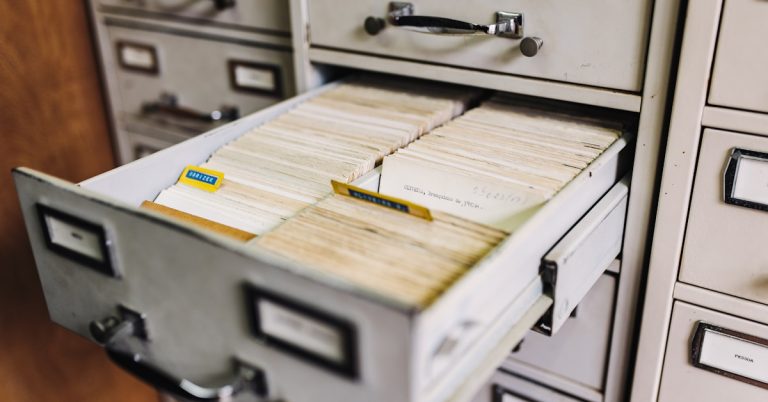
When critical files are stored across different folders, emails, and physical cabinets, tracking expiration dates becomes nearly impossible.
This disorganization leads to wasted hours searching for documents and increases the risk of missing a critical renewal, potentially leading to costly fines and operational disruptions.
An Adobe Acrobat survey reveals that you’re not alone, as 48% of respondents struggled to find documents efficiently. This highlights how common ineffective filing systems are.
- ???? Related: While we’re discussing document organization, understanding how to implement Role Based Document Access is equally important for security.
This constant searching and confusion directly sabotages your ability to manage deadlines effectively, but there is a clear solution.
A central repository changes everything for you.
By creating a single source of truth for all your documents, you eliminate the guesswork and frantic searches for expiring contracts.
This approach gives you a complete overview of all your critical files, making it simple to monitor every important expiration date.
For instance, you can create dedicated folders for different document types like permits or client agreements. This is fundamental to learning how to manage document expiration dates efficiently.
This simple structure creates immediate clarity.

Ultimately, centralization provides the foundation you need for proactive monitoring, preventing compliance issues before they ever arise.
Want to see how the right tools simplify compliance? Explore the best document management software designed specifically for HR teams and make expiration tracking effortless.
2. Automate Expiration Date Reminders
Manual reminders are bound to fail you.
Relying on sticky notes or calendar alerts for critical deadlines is a recipe for disaster and introduces unnecessary risk for your team.
Eventually, a critical date will slip through the cracks. This oversight could mean facing significant non-compliance fines or losing a key contract because of a simple, preventable mistake.
This is where human error becomes a major liability. In fact, research shows that automated reminders reduce human error because they remove the need for constant manual checks after the initial setup. This simple change drastically cuts down on oversights.
- ???? Related: While we’re discussing document challenges, understanding how to manage remote team documents is equally important for avoiding file chaos.
When you’re juggling dozens of documents, this manual approach just isn’t sustainable. So, how can you fix this vulnerability?
Let technology handle the follow-up for you.
Automating expiration date reminders is a straightforward way to create a safety net, ensuring nothing gets missed by your compliance officers.
This approach gives you a system that proactively notifies the right people at the right time, well before a deadline arrives.
Instead of manually checking dates, you can set up workflows to send notifications to specific team members 30, 60, or 90 days out. This is core to managing document expiration dates effectively.
This ensures everyone stays ahead of renewals.
By doing this, you’re not just adding convenience; you’re building a reliable compliance framework that protects your business from costly errors.
3. Implement Dedicated Tracking Software
Manual tracking systems will eventually fail you.
Relying on spreadsheets or calendars for critical dates is an invitation for costly human error and compliance misses.
As your portfolio grows, something critical will slip through. This leaves you stuck paying for avoidable fines or dealing with operational downtime.
A Userlane survey found 96% of business leaders struggle with adopting new systems, highlighting the need for truly effective tools.
- ???? Related: If you’re also looking into robust document management, my article on how to route documents for approval covers comprehensive steps for audit trails.
This gap is where the real risk lies, but dedicated software is built to close it for you.
Let me show you how it works.
Dedicated document management software gives you a single, reliable source of truth for tracking every important expiration date.
It centralizes all your critical documents, giving you automated alerts for upcoming renewals so nothing is ever overlooked again.
This software answers how to manage document expiration dates by providing features like:
- Automated notifications
- Customizable dashboards
- Role-based access controls
This completely removes the guesswork from compliance.
By implementing this, you transform a reactive, stressful process into a proactive, automated one that protects your business.
4. Define Clear Document Lifecycle Policies
Unclear policies create unnecessary compliance risks.
Without defined rules for handling documents, your team is left guessing, which often leads to critical oversights on expiration dates.
This guesswork can result in expired contracts or lapsed permits. This puts your organization at risk of significant financial penalties and operational disruptions.
It’s a costly oversight. Gartner found 75% of GDPR fines in 2024 stemmed from policy gaps, showing a direct link between poor documentation rules and penalties.
- ???? Related: While we’re discussing compliance and policy, understanding how to generate documents from templates is equally important for maintaining consistency.
Failing to build a clear framework is a recipe for compliance failures, but you can prevent this.
This is where clear policies become essential.
A document lifecycle policy provides a roadmap for every file, from its creation to its archival, preventing expiration date mishaps.
This policy should outline specific stages, including who is responsible for each document, ensuring accountability and timely action on renewals.
For example, your policy for managing document expiration dates could specify:
- Archiving contracts 90 days after expiration
- Reviewing permits 120 days before renewal
- Deleting sensitive data after 7 years
These rules remove all the dangerous guesswork.
By defining these stages, you create a predictable and defensible process that protects your company from compliance risks and fines.
5. Conduct Regular Document Audits
Unchecked documents hide significant compliance risks.
Without regular checks, expired contracts and licenses easily slip through the cracks, leaving your company completely exposed to serious legal penalties.
This oversight isn’t just an administrative error. It can lead to costly fines and operational disruptions that directly impact your bottom line and damage your company’s hard-earned reputation.
While the context is finance, a Deloitte survey shows that 91% of audit committee members agree audits improve performance. This same principle applies to your documents, revealing compliance gaps.
- ???? Related: While we’re discussing compliance gaps, understanding how to redact sensitive information is equally important to protect your data.
Leaving these risks unaddressed is a gamble you cannot afford to take. So, what’s the proactive approach to finding these issues?
This is where audits become your safeguard.
Regular document audits provide a systematic review of your entire inventory, ensuring no critical document is expired, non-compliant, or about to lapse.
This proactive check helps you catch potential compliance breaches before they can cause any real damage to your operations or finances.
Establish a recurring schedule, either quarterly or semi-annually, to verify key dates. It’s a core discipline for knowing how to manage document expiration dates.
This creates a reliable compliance safety net.
By making audits routine, you transform a reactive, stressful process into a predictable part of your overall risk management strategy.
If you want better compliance, see the best HR document management software to keep track of expiration dates and avoid unnecessary fines.
6. Leverage AI for Date Extraction
Manually tracking dates is a tedious task.
Sifting through documents to find and log a single expiration date is time-consuming and prone to human error.
This manual effort not only drains team resources but also introduces significant risk. A single missed date from a simple data entry mistake can lead to costly non-compliance.
PwC research shows AI can achieve a 40% reduction in paperwork. That’s nearly half the time spent on these mundane tasks reclaimed.
- ???? Related:If you’re also looking into document processes, my article on how to scan documents efficiently covers key methods.
Without a smarter system, you’re constantly battling the clock and the risk of costly oversights. There is a better approach.
AI-powered data extraction is the answer.
Leveraging artificial intelligence automates the process of finding and logging important dates from your documents, ensuring nothing gets missed.
AI tools scan your documents, identify key information like expiration dates, and extract the data automatically into your management system.
For instance, you can upload a new vendor contract, and the AI will instantly pull the renewal date. This is key for knowing how to manage document expiration dates effectively.
This process happens in just a few seconds.
This hands-off approach eliminates human error, frees up your team, and ensures your compliance records are always accurate and up-to-date.
Conclusion
Missed deadlines just aren’t an option.
I know how overwhelming it feels when you’re constantly chasing updates or fearing a nasty compliance fine around every corner.
And here’s the reality—there’s no dedicated “Conclusion:” stat available, but the risks of missing key dates have never been higher. A single forgotten renewal could undo months of hard work and damage your reputation for good if you’re not careful.
But things don’t have to stay this way.
Now that you’ve got a clear process for taking control, you don’t have to worry about any critical document slipping through the cracks.
With these strategies, you’ve seen how to manage document expiration dates in a way that feels completely doable—even for your small business with limited resources. Several steps in this article, like automating reminders or implementing tracking software, have already protected teams from costly surprises.
Try out just one strategy today to get started.
It’s your best shot at staying compliant and stress-free.
Want more? Check out my best HR document management software roundup to discover practical solutions for staying on top of expiration dates and compliance.