
Filing cabinets swallow your space, right?
If you’re feeling the pressure of overflowing cabinets, wasted office space, or just can’t find files when you need them, you’re not alone.
I know how quickly storage costs spiral, and how frustrating it feels to keep losing time and productivity every day.
In fact, DocuPhase notes that every 4-drawer file cabinet soaks up around 9 square feet of floor, stores up to 12,000 sheets, and hits your budget for as much as $1,500 a year. Just think about how much that adds up, especially if you’re trying to grow and keep overheads low.

But here’s the thing: there are practical ways to fix this mess and win back both your space and your sanity.
In this article, I’m diving into how to reduce filing cabinet costs—the smart moves that free up space, improve security, and help your business run smoother.
You’ll leave with tools and tactics for efficiency, security and real cost cuts.
Let’s get started.
Key Takeaways:
- ✅ Digitize paper documents with scanners to free up floor space and eliminate filing cabinet needs.
- ✅ Implement document management software for instant file access and to reduce physical storage space.
- ✅ Regularly purge unneeded files by setting and enforcing clear document retention policies.
- ✅ Optimize remaining physical storage using high-density filing systems and vertical cabinet space.
- ✅ Move documents to secure cloud storage platforms to cut costs and improve team collaboration.
1. Digitize Your Paper Documents
Are paper files draining your budget?
The costs of physical storage, from cabinets to supplies, add up quickly, but the hidden expense is often wasted employee time.
Every minute your team spends searching for misplaced documents is a minute lost from productive work. Over time, this slow drain on efficiency impacts your company’s output and your bottom line.
This widespread challenge is why the document scanning service market is expected to reach USD 13.8 billion by 2033. Businesses are clearly investing heavily to escape the paper trap.
If managing overflowing cabinets feels outdated and expensive, you’re right. It’s time for a more efficient, modern approach.
Digitization is your first and best step.
By converting paper documents into digital files, you can immediately start reclaiming expensive office space and eliminating recurring supply costs.
Digital files are stored on servers or in the cloud, eliminating the need for bulky cabinets and freeing up your budget.
Getting started is simple. You can use a scanner to create digital copies of important records like invoices, contracts, and employee files.
This is a powerful first move.

Adopting this practice is a foundational step toward reducing your filing cabinet costs and improving overall operational efficiency.
Ready to take the next step toward ditching cabinets? Check out the best document management software for small businesses to see your options.
2. Implement Document Management Software
Are your filing cabinets secretly draining your budget?
Manual document handling creates hidden inefficiencies, making it difficult for your team to quickly find critical information when it matters most.
This constant searching for misplaced files directly impacts your team’s productivity. It’s a frustrating cycle that quietly eats into your operational budget and slows down your business growth every single day.
Without a centralized system, you’re also exposing your business to unnecessary risks like data loss from physical damage, theft, or simple misplacement of important documents.
- ???? Related: While we’re discussing the management of important documents, understanding how to manage employee records digitally is equally important for modern businesses.
This daily struggle with physical files is a clear sign that you need a more streamlined approach.
A dedicated system can change all of this.
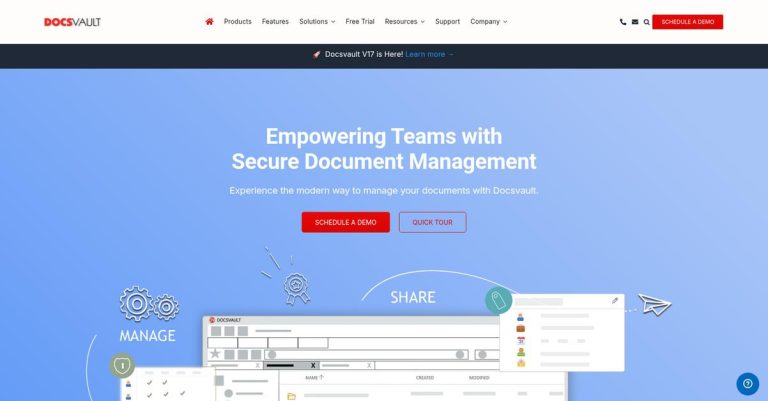
Implementing document management software centralizes your files, making them instantly accessible while significantly cutting down on physical storage needs.
It replaces bulky cabinets with a secure, digital environment. You can find any document in seconds with a simple search, which is a massive time-saver.
This software automates workflows, improves security, and is a practical step for reducing filing cabinet costs. As we discussed with digitizing documents, this is the next logical step to reclaim your space.
It’s a simple, yet powerful, operational upgrade.
You’ll not only save on storage costs but also boost your team’s efficiency and protect your company’s most valuable information.
3. Regularly Purge Unneeded Files
Your old files are costing you money.
Hoarding every document “just in case” is a direct hit to your operational budget and the efficiency of your team.
All that clutter makes finding critical information a nightmare. Your team wastes valuable time searching through outdated files, which directly slows down productivity and increases operational costs.
- ???? Related: While we’re discussing the importance of efficient document practices, understanding how to manage construction documents is crucial for avoiding costly project delays.
Gartner research reveals that an average of 4 weeks is lost each year just waiting on misplaced or lost documents. That’s a full month of payroll spent on inefficiency.
This constant drain on resources is unsustainable, but you can put a stop to this cycle.
There is a straightforward way to fix this.
By regularly purging files you no longer need, you directly free up expensive cabinet space and cut down on search times.
This means establishing a clear document retention policy that your entire team can follow easily and consistently.
You can set simple rules for what to keep, for how long, and what to securely destroy. Reducing filing cabinet costs starts with a simple schedule.
This keeps your storage lean and functional.
This single habit makes your entire filing system more efficient and less expensive to maintain, supporting your business’s growth.
4. Optimize Remaining Physical Storage
Your remaining file cabinets need a strategy.
Even after digitizing, leftover physical files can take up expensive real estate if they are not organized efficiently for your needs.
This wasted space directly translates to higher overhead and less room for productive activities. It’s frustrating when you know your office could be used more effectively.
- ???? Related:Speaking of specialized documentation, my guide on managing engineering drawings details how to reduce costly errors.
GXI Group points out that smart offices target 60-70% utilization with data-driven planning to balance comfort and efficiency. This proves that intentional organization has a major impact.
Without a plan for these lingering files, your costs will remain unnecessarily high.
This is where smart optimization comes in.
By rethinking how you use your physical storage, you can claim back valuable square footage and reduce related expenses.
This means actively managing the files you keep. You can implement a high-density filing system or consolidate cabinets into a smaller area.
For a practical approach to reducing your filing cabinet costs, you should:
- Use vertical space with taller cabinets
- Archive less-frequently accessed files offsite
- Group related documents in central locations
This makes your storage far more intentional.
Optimizing your space ensures every square foot of your office is working for you, not just holding old paperwork.
5. Embrace Cloud Storage Solutions
Your office space is too valuable for paper.
Bulky filing cabinets consume floorspace and create operational bottlenecks, making it difficult for your team to find information quickly when they need it.
Every minute your team spends searching for a document is a loss. This inefficiency directly impacts your operational expenses and puts your sensitive data at unnecessary risk from misplacement or damage.
The global trend reflects this shift away from physical files. Projections show the enterprise storage market valued at $146.36 billion will keep growing, driven by more companies adopting cloud solutions.
Continuing with outdated physical storage simply means falling behind and incurring avoidable costs. It’s time for a more modern, efficient approach.
Cloud storage can completely change your workflow.
By moving your documents to a secure cloud platform, you immediately eliminate the need for physical cabinets, reclaiming office space and slashing storage costs.
Cloud solutions offer secure, centralized access to your documents. This means no more searching through endless folders for a single piece of paper.
Imagine your team instantly accessing client files from any device or location. This is a practical step toward reducing filing cabinet costs while boosting collaboration.
This makes teamwork and document sharing seamless.
It is a scalable solution that grows with your business, ensuring you only pay for the digital storage space you actually use.
- ???? Related:While we’re discussing keeping your data secure in the cloud, understanding document permission management is equally important for compliance.
Ready to go paperless and cut costs? Check out the best document management software to streamline your workflow and reclaim your office space today.
6. Go Paperless with New Workflows
Paper-based processes are slowing you down.
Relying on physical documents for daily tasks creates bottlenecks and keeps your filing cabinets overflowing with new paper.
This constant paper shuffle hurts team productivity and increases the risk of misplacing critical information, a direct drain on your resources.
A Starleaf report shows companies see a 30% improvement in productivity with digital workflows, freeing up your team from manual paper handling.
These inefficiencies are a hidden cost preventing growth, but you can change your approach to daily tasks.
Adopt digital-first workflows from the start.
Going paperless with new workflows stops the problem at the source, preventing new documents from ever needing a physical filing cabinet.
Instead of printing, signing, and scanning, you can use digital-native tools for everything from contracts to invoices, eliminating paper entirely.
For example, you can implement digital invoicing or use e-signature software for approvals. This approach to reducing filing cabinet costs streamlines operations and keeps your office clutter-free.
This makes your processes faster and more secure.
By creating new digital habits, you not only cut down on paper but also future-proof your entire document management process.
7. Centralize Your Document Access
Scattered files cost you more than just space.
When information lives in different cabinets, departments, or even offices, finding a single file becomes a time-consuming scavenger hunt for your team.
This disorganization leads to wasted hours and frustrated employees. What’s worse is when this chaos prevents you from finding critical information when you need it most, impacting decisions and client relations.
IDC research highlights this exact issue, finding that a typical enterprise wastes $2.5 million to $3.5 million per year on fruitless information searches. This massive cost comes from time spent recreating documents that already exist but can’t be found.
This constant search and rework cycle is a hidden expense that inflates your operational costs far beyond the cabinets themselves.
Centralizing your documents is the simple solution.
- ???? Related: While discussing document centralization, understanding how to manage medical records electronically is equally important for specialized practices.
Creating a single, accessible repository for all your files immediately eliminates wasted search time and helps reduce your overall filing cabinet costs.
By storing everything in one digital location, your entire team can access information instantly, no matter where they are physically located.
This is a core component of how to reduce filing cabinet costs. It lets you apply universal access controls and security policies, ensuring the right people see the right information securely.
It simplifies collaboration and streamlines your entire workflow.
This approach provides a single source of truth, ending the confusion caused by duplicate files and giving you full control over your information.
Conclusion
Filing cabinets swallowing your office, again?
It’s a pain trying to find space and control mounting storage costs while still keeping things organized for your small business.
According to McKinsey, a massive shift has happened: 59% of businesses going paperless achieved full ROI in less than 12 months, with 84% seeing payback in under 18 months. That’s a huge win for your budget and productivity. Those numbers don’t lie—changing your approach really can give you results fast.
A better way really is within reach.
This article just walked you through the proven steps to cut space, lower costs, and free your team from paper headaches, even if you’re starting small.
I’ve shown you how to reduce filing cabinet costs with real strategies—from digitizing to smarter storage and cloud adoption—that let your business reclaim space and stay secure as you grow.
Ready to try just one tactic? Start digitizing your most-used files today and see how freeing up your office changes everything.
You’ll open up space and cut costs fast.
Want to go further? Check out the best document management software for small businesses to see what solutions can help you save even more.