
Tired of chasing paper receipts?
If you’re managing business expenses, picking software that actually captures and organizes all those documents can feel overwhelming. That’s probably why you’re sizing up Hubdoc as an option right now.
The real headache? Wasting hours sorting paperwork instead of focusing on real work—not to mention the risk of missing vital details or scrambling at tax time.

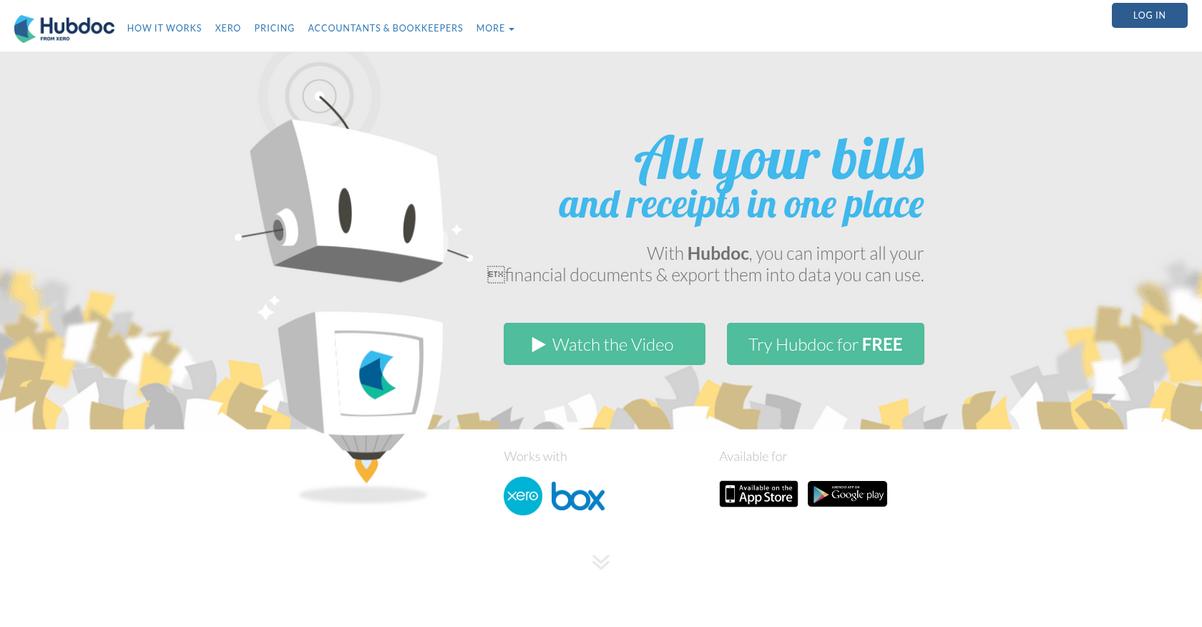
Here’s where Hubdoc stands out: it grabs your bills, receipts, and statements from hundreds of sources, auto-extracts key data, and syncs everything directly into your accounting system. Based on my deep dive, Hubdoc’s focus on integration and effortless automation is a major differentiator—especially if you’re searching for ways to reduce manual entry and audit-proof your records.
In this Hubdoc review, I’ll walk you through how this automation frees your time and sanity while making your bookkeeping more reliable and stress-free.
You’ll get insights on features, pricing, support, and what makes Hubdoc different—so you can decide if it’s a fit for your workflow.
By the end, you’ll know the features you need to streamline document collection and finally ditch manual admin for good.
Let’s dive into the analysis.
Quick Summary
- Hubdoc is a cloud accounting tool that automates fetching and extracting financial documents for bookkeeping.
- Best for small businesses and bookkeepers looking to reduce manual document handling.
- You’ll appreciate its automatic data capture and seamless syncing with Xero and QuickBooks.
- Hubdoc offers a 30-day free trial and low monthly pricing, included with select Xero plans.
Hubdoc Overview
Hubdoc’s mission is to transform how small and medium-sized businesses manage their financial paperwork, making document management simpler, smarter, and audit-ready for you.
When I look at Hubdoc’s market position, it’s clear they specialize in cloud-based, automated document collection and data extraction—specifically for accounting professionals and SMBs. What really sets them apart is their deep integration with leading cloud accounting platforms, helping firms streamline their bookkeeping processes.
Organizations like accounting and bookkeeping practices, as well as business owners across industries, rely on Hubdoc. Its inclusion in Xero’s Business plans and broad QuickBooks user base reinforces Hubdoc’s relevance and adoption.
Here’s where Hubdoc stands out:
- Intelligent automation cuts manual data entry dramatically
- Tight, real-time integrations with popular accounting platforms
- Secure document storage for easy access and compliance
With a strategic focus on automation, integration, and audit-ready processes, Hubdoc continues to innovate in line with buyers’ demand for efficiency, paper reduction, and scalable workflow solutions.
Let’s dig into this Hubdoc review to see how these strengths translate into real capabilities and value for your business.
Hubdoc Features
Tired of wasting hours tracking down receipts?
Hubdoc is a focused solution built to automate and simplify your entire document management workflow. The Hubdoc features help you save time, boost accuracy, and make audits painless by handling the hard parts of financial paperwork for you. Here are the five main Hubdoc features that make it a game-changer for small business accounting.
1. Automated Document Collection
Are your bills scattered across dozens of logins?
Chasing down statements and receipts from banks, utilities, and vendors is a soul-crushing task for business owners. It’s not just about the time—it’s the risk of missing something critical.
With Hubdoc’s automated document collection feature, you just connect your accounts once, and it fetches financial documents directly from over 700 providers. That means no more manual downloading or playing email detective—and those lost statements are a thing of the past.

You gain back valuable hours and keep everything ready for bookkeeping at all times.
- ???? **Bonus Resource:** While we’re discussing document handling, if you require powerful mobile document editing, my guide on ONLYOFFICE alternatives is a must-read.
2. Intelligent Data Extraction (OCR)
Manual data entry mistakes eat up your sanity.
When you’re stuck typing out vendor names and totals, one typo can sabotage a whole reconciliation. Entering every invoice by hand is slow, dull, and error-prone.
This Hubdoc feature uses robust OCR technology to scan each document, extracting key data like dates and amounts automatically. I’ve seen it correctly capture even tricky line items on supplier invoices, transforming what used to be retyping nightmares into one-click data readiness.
Accuracy jumps, and your finance workflow is suddenly a lot less painful.
3. Seamless Integration with Accounting Software
Ever dread pushing documents into QuickBooks or Xero?
Reconciling transactions is a chore if you have to copy and paste data between systems. It’s all too easy to misplace files, double-handle documents, or lose time matching details.
Once Hubdoc has your documents and data, this feature lets you sync everything into Xero, QuickBooks, MYOB, or Bill.com instantly. Published files pop up as invoices or bills—complete with original attachments—so reconciliation flows without headaches.
You spend less time on admin, and your books can be ready for month-end faster.
4. Secure Document Storage and Organization
Paper piles and lost files are a real risk.
If you’ve ever scrambled during tax season or an audit, you know that disorganized document storage can cost you dearly. Security worries don’t help either.
Hubdoc provides a centralized, secure cloud inbox where all documents are auto-sorted by vendor or custom folders/labels. I like that you can instantly search or tag client docs, access files anywhere, and always know your data’s protected with industry-grade encryption.
Staying organized means you’re never unprepared for clients, partners, or year-end reporting.
5. Automation of Recurring Transactions and Audit-Proofing
Recurring bills shouldn’t need hours of your time.
Processing repeat invoices is tedious if you have to re-key the same info every month. Preparing for audits by matching documents to entries can quickly become a nightmare.
Hubdoc’s automation lets you save configurations for recurring transactions and link data directly to documents. Each upload retains line item mapping, instantly populates details, and attaches the verified source. Audits get easier since everything is traceable and ready for review.
You’ll save time for your team and drastically lower your compliance stress.
Pros & Cons
- ✅ Best-in-class automated document fetching capabilities
- ✅ Reliable data extraction minimizes manual entry errors
- ✅ Strong accounting integrations reduce reconciliation work
- ⚠️ Struggles with documents from unsupported providers
- ⚠️ Some users report clunky mobile document capture
These Hubdoc features all work together to provide a unified, fully automated document management workflow. Every step—from fetching through reconciliation—is connected for maximum efficiency, ensuring less admin hassle and a much smoother accounting experience. Let’s look at how Hubdoc stacks up on pricing and real-world use next.
Hubdoc Pricing
What’s the real monthly cost for Hubdoc?
Hubdoc pricing is refreshingly straightforward, with clear and simple options that make budgeting a lot easier. You’ll find that the platform offers a single monthly subscription for non-Xero users, while Xero Business Edition subscribers actually get Hubdoc included—adding serious value without extra spend. Let’s break down exactly what your choices (and costs) are right now.
| Plan | Price & Features |
|---|---|
| Standalone Plan | $20/business/month • Automated document collection and storage • Data extraction from receipts/invoices • Integrations with top accounting platforms • 30-day free trial (50 uploads/day limit) |
| With Xero Business Edition | Included in select Xero plans • Same Hubdoc core features • Full platform integration • No added per-user fees • Seamless document syncing with Xero |
1. Value Assessment
Great value for small businesses.
You get robust document management for just $20/month—lower than most competitors. Hubdoc pricing undercuts rivals like Dext Prepare while still giving you automated capture, integration, and audit support. For Xero users, the value multiplies since you’re paying nothing extra for Hubdoc. This simplicity means you can get started fast, add users easily, and avoid surprise line items.
Hubdoc’s model means your monthly costs are predictable and align to real usage.
- ???? Bonus Resource: Speaking of efficient document processing, if you’re also optimizing how you refine your file workflow, other options are available.
2. Trial/Demo Options
You can test-drive before spending.
Hubdoc gives all users a 30-day free trial with no feature lockouts, except a fair-use limit of 50 uploads per day. That’s enough to run a genuine workflow test and verify fit for your team. The trial helps you see exactly how automation impacts your accounting “in real life.”
Try it risk-free—your budget gets proof before any actual spend.
3. Plan Comparison
Choose the right fit for your needs.
Standalone Hubdoc is ideal if you need smart document automation but don’t use Xero. If you’re a Xero Business Edition user, Hubdoc pricing is a bonus since it’s tossed in for free. Either way, both options deliver the same document automation engine for regular businesses—not just large firms.
Match the plan (and extra cost) to your accounting setup and growth plans.
My Take: Hubdoc’s flat-rate billing and Xero-inclusion make pricing ultra-transparent, so you know exactly what your cost is, every month. If you already use Xero, Hubdoc is a no-brainer. Otherwise, the $20/month price is still great for busy SMBs.
It’s rare to find such clear pricing value—especially with unlimited users and no setup fees. I recommend comparing Hubdoc’s trial side-by-side with your manual processes to see if the time savings justify the price tag.
Hubdoc Reviews
How trustworthy are Hubdoc’s customer reviews?
To dig into the real-world user experience, I analyzed verified Hubdoc reviews from G2, TrustRadius, and direct customer feedback. Here’s what you should know: these reviews reflect what everyday users praise, gripe about, and ultimately think of Hubdoc’s software.
- ???? Bonus Resource: Speaking of organizing your digital assets, you might find my guide on best record system alternatives helpful.
1. Overall User Satisfaction
Hubdoc users are mostly happy with their choice.
If you look at rating patterns, you’ll see the majority of reviews are highly positive, with Hubdoc consistently scoring above 4/5 on major platforms. Consistent high satisfaction shows a steady positive user experience. You won’t find many mentions of deal-breaking issues—instead, users report incremental improvements and positive impacts on their workflows.
What drives satisfaction? Reliable cloud access, reduction in manual tasks, and peace of mind knowing documents are organized all matter most to users in daily bookkeeping.
2. Common Praise Points
Automation and time savings top the list.
Hubdoc reviews almost unanimously highlight the value of eliminating manual paperwork and data entry. Users especially appreciate snapping photos of receipts and automatic fetching. The deep integration with platforms like Xero and QuickBooks Online stands out, often cited as a game-changer in workflow automation.
For you, this means less hassle tracking bills, and smoother communication with your accounting team—making Hubdoc a practical upgrade if efficiency is your goal.
3. Frequent Complaints
Setup headaches and feed reliability frustrate users.
Common reviews point to issues with automatic bank feeds failing or being hard to configure, especially when you depend on consistent syncing. Some mention manual uploads when automation fails. Uploading PDFs one at a time and limited integration (like no direct OneDrive support) are also noted.
For most, these complaints are annoyances rather than full deal-breakers—if document collection is mission critical, you’ll want to weigh these limitations.
What Customers Say
- Positive: “I love that I can snap a photo of a receipt and upload from my phone when I purchase something so it’s off my plate right away.” (TrustRadius)
- Constructive: “Setting up some feeds is a pain and sometimes the bank feeds break.” (G2)
- Bottom Line: “Everything is neatly organised in one place. No more chasing paperwork or digging through emails.” (TrustRadius)
In summary, Hubdoc reviews show strong user satisfaction balanced by a few technical frustrations—review patterns align with authentic, credible customer experiences and clear efficiency benefits.
In Conclusion
Is Hubdoc the right fit for your workflow?
Here’s my take after a thorough Hubdoc review: if you need a smarter way to manage financial paperwork, Hubdoc stands out for combining automation, efficiency, and seamless integration. My final recommendation brings together all key insights on who benefits most, what to expect, and how to make your choice with confidence.
1. Is Hubdoc for you?
Perfect for small to medium-sized businesses.
If you’re running a business where you handle frequent bills, receipts, or expense documents and want to ditch the paper chase, Hubdoc is a standout choice. It’s especially ideal for bookkeepers, accountants, and owner-operators going digital who value Xero or QuickBooks Online integration. If your priorities are reducing manual data entry and centralizing financial docs, you’re squarely in the target audience.
Users who benefit most see time saved, easier audits, and smoother collaboration with their accountants—especially if frequent document loss or messy paper trails have been a pain.
2. Overall Strengths
Stellar automation and accounting integrations.
What impresses me most about Hubdoc is its sharp focus on eliminating manual document collection and data entry. Automated fetching from banks and suppliers, accurate OCR extraction, mobile app uploads, and direct sync with Xero/QBO create real bookkeeping freedom. The subscription price is predictable, with Xero inclusion adding even more value for those users.
These strengths cut hours off admin time and boost bookkeeping accuracy, giving your team more space to focus on driving your business forward.
3. Key Limitations
Friction points in document feed reliability.
While Hubdoc’s core strengths are clear, the unfiltered truth is it’s not perfect: bank feed connections can be inconsistent at times, and handling multi-page PDFs remains clunky. Setup may require effort for non-technical teams, and OneDrive users will miss integrated cloud sync. Some users also report irrelevant transactions being imported by certain feeds.
For many businesses, these are manageable quirks—trade-offs for automation, but not dealbreakers if you prize paperless efficiency and work mainly in Xero/QBO ecosystems.
4. Bottom line?
A smart pick for bookkeeping efficiency seekers.
Based on my full Hubdoc review, you should choose this tool if document automation and bookkeeping speed matter most—especially with Xero or QuickBooks in your tech stack. It’s not the best fit if you rely on multi-cloud document exports or have complex document-splitting needs.
If you’re ready to shift paper-based chaos online and save hours each month, start with a trial or reach out to your accountant for setup support. You can move forward confidently knowing the benefits far outweigh the quirks for most users.
Hubdoc review verdict: this tool delivers where it counts for busy financial teams. If you rely on Xero or QuickBooks, I recommend it. For small and midsize businesses looking to streamline financial workflows, the value is real.
Bottom Line
- Verdict: Recommended
- Best For: Xero/QuickBooks users seeking automation
- Business Size: 1–100 employees, bookkeepers welcome
- Biggest Strength: Automated fetching and OCR accuracy
- Main Concern: Bank feed reliability and PDF splitting
- Next Step: Try with demo or ask your accountant