
Drowning in document chaos today?
If you’re searching for a way to organize, protect, and streamline your company’s digital files, finding the right software can feel overwhelming fast.
The truth? Wasted time hunting for documents hurts daily productivity and raises real security risks for your business. It’s frustrating and costly.

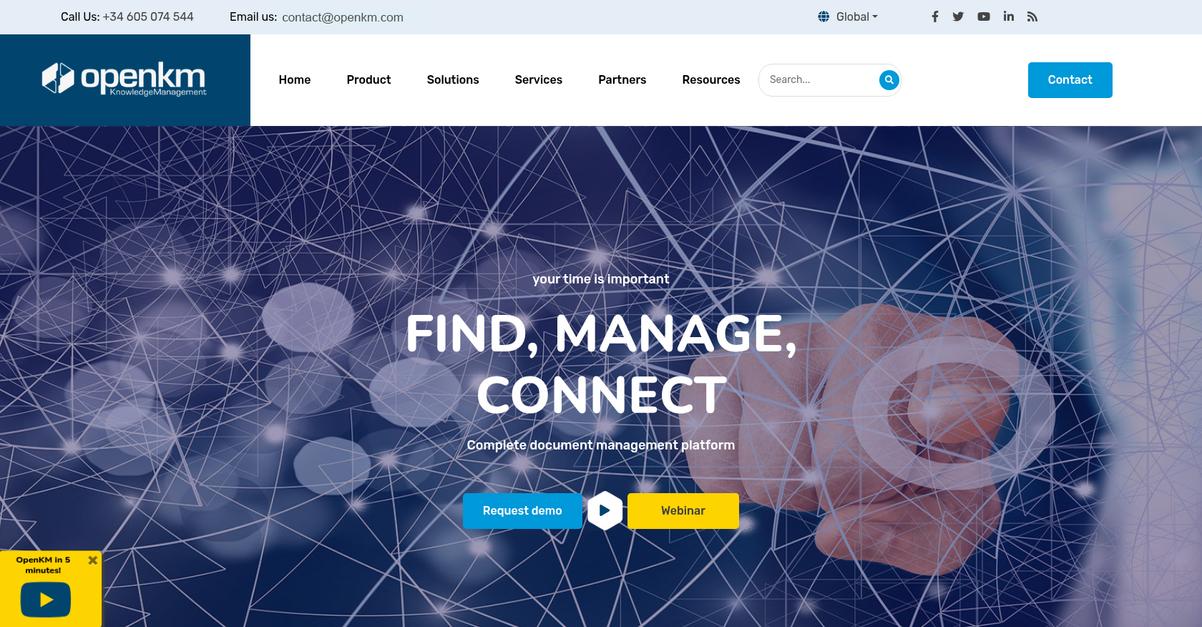
That’s exactly where OpenKM steps in—with a feature-rich document management platform and, now, its new native OKMFlow workflow engine for customized automation. What stands out in my analysis is how OpenKM delivers powerful, flexible control without the heavy complexity found in older DMS solutions.
So in this OpenKM review, I’ll show you how streamlining control saves you hours every week—revealing where OpenKM shines, what’s new for 2025, and how it stacks up to the competition.
You’ll get a clear picture of its interface, capabilities, pricing, alternatives, and whether it fits what your business actually needs to move forward.
If you want the features you need to make a confident decision and avoid common pitfalls, you’re in the right place.
Let’s dive in.
Quick Summary
- OpenKM is a document management system that centralizes digital content control with workflow automation and advanced search.
- Best for organizations needing to organize, secure, and automate document workflows across various industries.
- You’ll appreciate its robust workflow engine and powerful search that reduce manual processes and improve collaboration.
- OpenKM offers a free Community Edition plus subscription plans requiring vendor contact, with pricing starting around $10 per user per month.
OpenKM Overview
OpenKM’s mission is to help organizations of all sizes simplify how they capture, manage and secure digital documents and business content, building trust as a unified document management provider.
Serving finance, healthcare, legal, education, and public sector clients, OpenKM is especially valued for its adaptable platform and native workflow automation—a distinct edge if you’re balancing complex document processes or regulatory needs.
I’ve seen their solution adopted by SMBs and large enterprises alike, from regional firms aiming to digitize operations to global organizations prioritizing security and compliance.
Here’s where OpenKM stands out:
- Extensive document control with AI-driven search and categorization
- Powerful, customizable workflow automation (OKMFlow) for tailored process management
- Strong integration capabilities for connecting business tools and automating data flows
Now, OpenKM is focused on empowering businesses with native workflow and AI enhancements. This ties directly to what you’re looking for: digitizing, automating, and safeguarding information as business demands shift.
Let’s dive into their features in this OpenKM review to see how the platform fits real document management needs.
OpenKM Features
Drowning in document chaos every week?
OpenKM takes a unified approach to document management, focusing on streamlining your workflow, making files easy to find, and keeping sensitive information secure – all in one place. OpenKM features are built to tackle the headaches most organizations face when handling digital documents, approvals, and collaboration. Here are the five main OpenKM features that help you take control of your business content and processes.
1. Document Management and Organization
Can’t ever find the right file when you need it?
It’s all too easy for documents to end up scattered across multiple drives or email chains, turning critical information retrieval into a daily struggle. Disorganization slows down your work, leads to mistakes, and frustrates your entire team.
With robust folder hierarchies, personal spaces, and automatic metadata capture and categorization, this OpenKM feature makes organizing and retrieving files almost effortless. You’ll save time with bulk uploads and ZIP downloads, and eliminate confusion using document templates and favorites.

Your business finally gets a structured digital repository—documents are easy to find, unauthorized edits are minimized, and lost files become a thing of the past.
2. Workflow Automation (OKMFlow)
Manual approvals dragging out your projects?
Having to chase down stakeholders for every document sign-off or task validation is inefficient and prone to errors. Handwritten approvals or endless email loops mean lost time and accountability gaps.
OpenKM’s new OKMFlow engine lets you design multi-step workflows for tasks like contract approvals, invoices, or onboarding. With dynamic routing, automated alerts, and task reassignment, this feature brings real process automation to your business. Users stay informed and nothing slips through the cracks, even if people change roles.
You move from paper-chasing to productivity—projects close faster, approval bottlenecks disappear, and compliance is much easier to manage.
3. Advanced Search Functionality
Still wasting time searching through folders?
If your team spends ages tracking down the right version of a file or sifting through endless subfolders, work grinds to a halt. Information that’s hard to find is essentially lost.
The OpenKM search engine supports keyword, metadata, author, or document type searches, and now includes AI-powered conversational search capabilities. You can type or even “ask” for documents in natural language, making searches as easy as talking to a colleague. This OpenKM feature indexes everything, from PDFs to Office files.
Teams get answers in seconds, not minutes—productivity goes up, and those panic moments before meetings become rare.
4. Security and Access Control
Worried about sensitive documents getting into the wrong hands?
Unrestricted access or unclear permissions can result in accidental leaks, unauthorized edits, or even compliance violations. When privacy isn’t front and center, your business is exposed.
With fine-grained role-based access, audit trails, and optional encryption for documents at rest and in transit, OpenKM lets you tightly control who sees what. This feature extends to group or user-level permissions, making document handling as secure as you require.
You get auditability, peace of mind with compliance requirements, and reduced risk of data breaches—keeping stakeholders and regulators happy.
5. Integration Capabilities
Disconnected systems breaking your workflow?
When your document management software can’t work hand-in-hand with your CRM, ERP, or collaboration tools, teams end up duplicating data and losing valuable context. Siloed information drains efficiency.
OpenKM offers rich integration: REST APIs, SDKs (Java/.NET/NodeJS), and prebuilt connectors for platforms like Microsoft Teams. This feature lets you connect to over 500 API endpoints, sync content, automate tasks, and apply security policies everywhere. Integration with office suites and online stores is simple.
Your processes become streamlined—less copy-paste, fewer errors, and maximum productivity from your business technology stack.
Pros & Cons
- ✅ Powerful workflow automation across business processes
- ✅ Granular security and detailed audit trails
- ✅ Robust integration with third-party platforms and tools
- ⚠️ Initial setup can be time-consuming for large datasets
- ⚠️ User interface feels dated to some modern users
The combination of these OpenKM features gives you a connected environment for organizing documents, automating workflows, and protecting sensitive files. Your team benefits from a unified system that saves time and strengthens compliance, making daily document headaches a thing of the past. Next, let’s see how OpenKM compares with other document management solutions on the market.
OpenKM Pricing
How much will OpenKM set you back?
OpenKM pricing is fairly transparent for entry-level users, but it shifts to a quote-based model for advanced needs. Here’s how OpenKM breaks down their subscriptions, ensuring you can match cost to your actual document management requirements.
| Plan | Price & Features |
|---|---|
| Community Edition | Free • Basic DMS functionality • Version control • Search capabilities |
| Professional | $30/user/month starting price • Advanced workflow • Full support • Customization options |
| Cloud | $10-$50/user/month* • Hosted solution • Scalability for SMB/Enterprise • Automatic updates |
| EDRMS by Code Creator (AWS) | $5/month + AWS usage • AWS deployment • Prorated billing • Integration with AWS tools |
1. Value Assessment
You get real functionality for the price.
OpenKM’s tiered approach lets you start free or scale to pro-level features when your needs change. The Community Edition delivers meaningful DMS tools at zero cost. As you climb tiers, you’ll pay for advanced workflow, support, and scaling—costs align with real business impact.
For practical budgets, this means you only commit spend when you need advanced control, helping you avoid unnecessary upfront investment.
- ???? Bonus Resource: Speaking of document management efficiency, understanding mobile document editing solutions can further boost your team’s productivity on the go.
2. Trial/Demo Options
You can try before you buy.
OpenKM offers a free Community Edition, making basic evaluation risk-free. For paid plans, you’ll need to contact them directly for demos, but you can test core features at no cost first. This is useful if you want to confirm fit before escalating to full pricing.
With the free option, you can assess real workflows without burning budget, and gauge value before opening your wallet.
3. Plan Comparison
Pick your plan based on required scale.
If you only need simple document storage, OpenKM’s free Community plan lets you skip cost entirely. Professional and Cloud tiers scale for teams and compliance. Compare these versus your user base and security requirements; higher tiers unlock workflow and integration.
I recommend mapping pricing to your actual user count and long-term feature roadmap before choosing your plan.
My Take: OpenKM’s pricing gives you budget power—from free starter use to professional plans with greater support and automation. In my view, they fit value-conscious SMBs and enterprises wanting a scalable DMS without paying immediately.
If you value a no-risk entry point and want to avoid overpaying for unused features, OpenKM’s pricing structure is a strong fit for your bottom line.
OpenKM Reviews
Is OpenKM really meeting users’ expectations?
To give you the clearest picture, I’ve dug into recent OpenKM reviews from verified customers on trusted platforms. Here’s my analysis of what real users are actually saying, so you can judge how credible and relevant their experiences are before choosing OpenKM.
- ???? Bonus Resource: Before diving deeper, you might find my analysis of disconnected cloud files helpful.
1. Overall User Satisfaction
Most users report genuine satisfaction
Looking across dozens of reviews, I see a strong pattern: customers are generally satisfied with how OpenKM manages, secures, and organizes their documents. The software consistently earns positive feedback, and the average review rating remains solidly above four stars. In multiple cases, reviewers highlight a sense of trust in OpenKM’s reliability.
High satisfaction is driven by OpenKM’s stability, robust security, and the flexibility to manage information from anywhere. Users also mention clear ROI and operational efficiency gains.
2. Common Praise Points
Powerful features make OpenKM stand out
Here’s what users consistently say in their OpenKM reviews: the broad feature set, cost-efficiency, and responsive support get the highest marks. Customers especially praise its robust document search, strong workflow tools, and affordable pricing. Technical support is frequently mentioned as quick, knowledgeable, and helpful, giving even complex deployments a smoother ride.
For your needs, this means you can expect efficient document control, reliable customer support, and the comfort of a system that won’t break your budget—all of which matter for smooth daily operations.
3. Frequent Complaints
Interface quirks and search flexibility draw critique
Despite overall approval, several reviews point out recurring frustrations. The user interface sometimes feels dated or unintuitive—especially during onboarding. A few customers mention search flexibility limits, where “word order shouldn’t affect the results,” and slow uploads of large document batches come up occasionally.
The reality is, these issues rarely outweigh the benefits for most organizations. Frequent complaints usually concern minor annoyances, not deal-breaking flaws for the majority of OpenKM’s customer base.
What Customers Say
- Positive: “OpenKM has proven to be an extremely cost-effective document management system.” (Capterra review by David R.)
- Constructive: “Not a major issue at all but the design could use some updates.” (Capterra review)
- Bottom Line: “We feel comfortable with the application.” (Capterra review by Santiago A.)
Most OpenKM reviews showcase satisfied users coupled with a few minor critiques. Review credibility is high due to verified feedback. This means you’ll have a clear sense of what to expect next.
In Conclusion
Is your document management ready for a real upgrade?
Here’s my take: After this comprehensive OpenKM review, my final assessment boils down to whether its blend of features, value, and usability matches your business priorities. If you’re weighing document management investments, this section will give you clear guidance on fit, pros, cons, and next steps.
1. Is OpenKM for you?
Best fit for process-heavy, compliance-focused teams
Medium to large businesses, especially those handling high documentation volumes and workflow automation needs, will find OpenKM’s capabilities align well with their demands. If your organization requires centralized document control, rigorous access management, and integration flexibility, OpenKM stands out. IT-forward teams and those with custom integration projects especially benefit from the platform’s robust backend features.
Success with OpenKM is highest when you value technical flexibility, require cross-team collaboration, and want to reduce document chaos across growing teams.
2. Overall Strengths
Reliable, powerful, and highly adaptable
OpenKM shines by delivering a comprehensive feature set for secure document management. Robust workflow automation, advanced search, granular permissions, and strong integration capabilities combine with high marks for technical support and cost-effectiveness. Pricing competitiveness makes it attractive for teams frustrated with expensive legacy solutions or looking for enterprise strength without enterprise cost.
These strengths make OpenKM ideal for organizations prioritizing control, security, and efficiency gains from automated document-centric processes.
3. Key Limitations
Expect a learning curve in user experience
Some users report that OpenKM’s interface feels dated and less intuitive than other options. Occasional friction includes less flexible search queries and slower bulk uploads. While these aren’t deal-breakers for most, non-technical users or teams seeking a slick, modern interface may feel some frustration.
If fast onboarding and a cutting-edge UI top your list, these pain points could slow adoption—but most teams adapt once features prove their value.
4. Bottom line?
A smart, cost-effective choice for serious DMS needs
You should choose OpenKM if your priority is powerful, secure document management with great ROI. It’s a strong fit for businesses that demand workflow automation, integration options, and budget control. Smaller teams with basic needs or those after a highly polished interface may prefer other solutions, but for centralizing documents and automating processes, OpenKM stands tall.
I’m confident recommending a free trial or demo to ensure fit—most teams see fast payback and transformational productivity gains.
In closing, my OpenKM review confirms it punches above its weight for document-heavy, process-minded teams. If you need control, automation, and real ROI, it deserves a spot on your shortlist.
Bottom Line
- Verdict: Recommended for process-heavy, value-focused teams
- Best For: Compliance-driven IT or operations departments
- Business Size: Mid to large organizations with growing teams
- Biggest Strength: Advanced features with excellent technical support
- Main Concern: Outdated interface and steeper learning curve
- Next Step: Start with a tailored demo or free trial