
Tired of chasing down signatures?
If you’re evaluating e-signature software, you know how tricky it is to find a tool that keeps your team moving, your documents secure, and your approval process error-free.
But here’s what really hurts: every manual signature adds another frustrating delay to your projects. For most people I talk to, it means lost hours and avoidable mistakes that get in the way of real work.

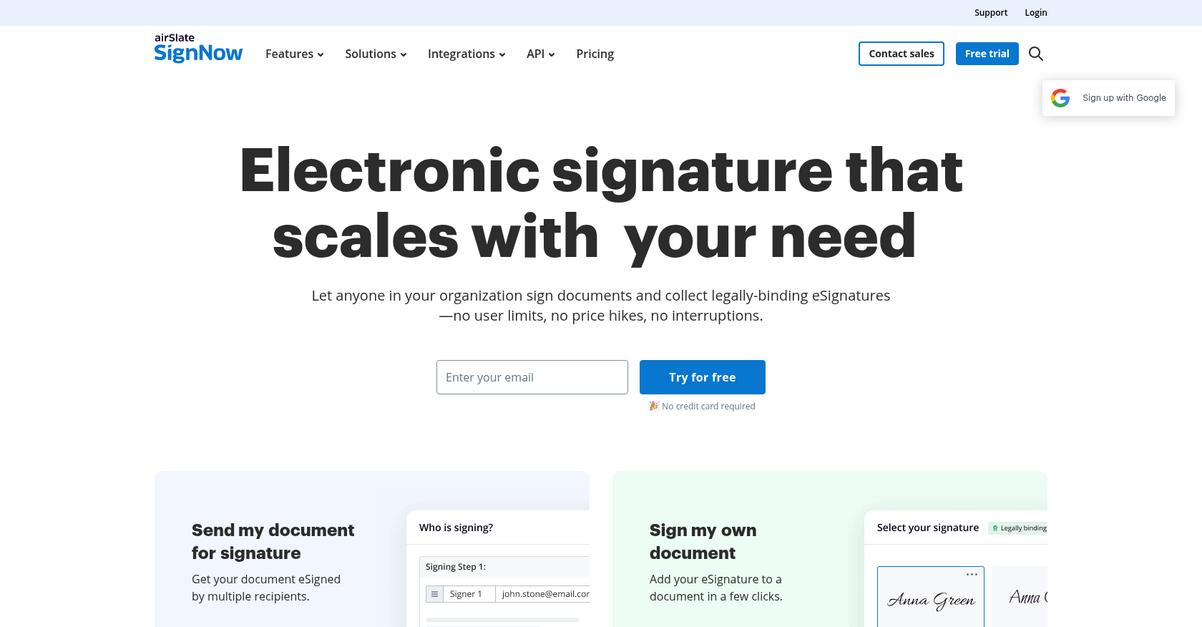
SignNow approaches this differently, letting you digitize approvals so you can get documents signed anytime, on any device—and keep processes moving. With tight integrations for apps like Salesforce and Office365, plus a business-grade focus, it’s all about boosting productivity and security without surprises.
So in this SignNow review, I’ll break down exactly how you can eliminate slowdowns and errors in your workflow. You’ll see whether it’s the right fit for your team and use case.
You’ll get my hands-on take on features, benefits, pricing, and the alternatives you should compare—everything you need to make a confident decision.
You’ll walk away knowing the features you need to digitize your process and simplify approvals.
Let’s dive in.
Quick Summary
- SignNow is an e-signature platform that streamlines document approvals and automates workflows for faster, error-free signatures.
- Best for businesses needing scalable e-signature solutions across industries like real estate, healthcare, and finance.
- You’ll appreciate its intuitive signing experience paired with workflow automation that cuts turnaround times by up to 80%.
- SignNow offers tiered pricing starting at $8/user/month with a 30-day free trial allowing up to 5 documents monthly.
SignNow Overview
SignNow’s mission is to help businesses and individuals digitize approvals and build productive teams by delivering a modern, enterprise-grade e-signature platform ready for any workflow demand.
- ???? Bonus Resource: While we’re discussing enterprise-grade platforms, understanding Microsoft Purview Records Management is equally important for compliance.
With a focus on scalable, business-friendly e-signatures and integrated automation, SignNow serves a diverse customer base of SMBs, mid-market firms, and enterprise organizations across regulated industries. What sets the platform apart is its ability to fit seamlessly into existing business systems, streamlining complex processes for sectors like financial services and healthcare.
SignNow has gained traction with organizations of all sizes, from global enterprises to government offices and educational institutions, proving its versatility and reliability at scale.
SignNow stands out for:
- Robust integration with everyday business software
- Automated document workflow and flexible template tools
- User-friendly, mobile-accessible signing for teams and clients
Strategically, SignNow continues to invest in platform expansion and deeper integrations, aligning with today’s demands for flexible, secure, and efficient document experiences across industries.
Now, let’s dive into the SignNow review to discover where the product truly excels.
SignNow Features
Sluggish document approvals slow down your entire workflow.
SignNow takes a focused approach as a single solution platform, offering a powerful set of features targeting the most painful parts of document management. These SignNow features tackle everything from slow signatures to repetitive paperwork and clunky team processes. Here are the five main SignNow features that actually move the needle for your business.
1. Simple & Fast eSignature Experience
Still chasing people for physical signatures?
Getting a signed contract shouldn’t take days of printing, scanning, and emailing attachments. Many users get stuck with outdated processes that waste everyone’s time and delay results.
SignNow’s flagship feature streamlines this entire experience. You upload a document, drag signature fields where you need them, and send it off—recipients can sign on any device in minutes, not hours. Recipients don’t need to install anything or create an account, making it painless.

Faster e-signatures directly speed up deals and minimize delays, letting you close business or move projects forward the same day.
2. Templates & Bulk Sending
Drowning in repetitive document prep?
If you handle the same contracts or onboarding paperwork every week, starting from scratch each time is tedious and error-prone. Manual paperwork slows your team and increases costly mistakes.
With SignNow’s robust templates feature, you save reusable versions of common documents and autofill essential info. Bulk sending lets you reach hundreds instantly—just upload a CSV and fire off NDAs or policy forms. This SignNow feature is a massive time-saver for HR and operations.
You avoid manual duplication, save hours each month, and standardize your paperwork so compliance is never an afterthought.
3. Workflow Automation & Conditional Documents
Manual document chasing eats up valuable hours.
- ???? Bonus Resource: Before diving deeper, you might find my analysis of financial document collection helpful.
Juggling multi-step approvals means endless email chains and missed steps. If someone forgets to follow up or route a contract, everything grinds to a halt.
SignNow’s workflow automation powers solve this by handling routing for you. Set rules, order signers, and build in smart conditional logic—if a deal’s over $50k, route it to legal first. This advanced SignNow feature removes manual tracking and cuts down on errors.
Your team spends more time on revenue-driving work instead of logistical busywork—and you get peace of mind that nothing gets missed.
4. Team Collaboration & User Management
Too many cooks in the document kitchen?
If everyone’s working from scattered inboxes, it’s hard to know who sent what—let alone maintain true data security. Untracked edits or mishandled files leave you exposed.
With SignNow, teams work from shared workspaces, controlled by customizable roles and permissions. Admins invite users, assign access, and track all document activity easily. This SignNow feature is a lifesaver for sales or legal teams handling sensitive deals.
You keep your document management organized, compliant, and transparent—even as your team grows or shifts.
5. Kiosk Mode & In-Person Signing
Awkward in-person paperwork wastes valuable time.
Getting walk-in clients or patients to sign paper forms on the spot? People rush, miss fields, or create stacks of physical files to chase later.
SignNow’s Kiosk Mode turns any iPad or tablet into a self-serve signing station. The guided workflow ensures signatures and required fields get captured every time—all instantly stored and archived. This specialized SignNow feature is perfect for gyms, clinics, or events.
You remove bottlenecks, reduce administrative mistakes, and capture approvals wherever people actually show up.
Pros & Cons
- ✅ Exceptionally easy e-signature setup for users
- ✅ Powerful workflow automation for approvals
- ✅ Robust templates and bulk sending options
- ⚠️ Limited document editing/markup capabilities
- ⚠️ Some advanced features require higher-tier plans
Every SignNow feature works with the others to eliminate friction—instead of scattered tools, you get a unified workflow for signatures, templates, team management, and real-time approvals. Your document approvals, collaboration, and compliance live in one place. Next, let’s look at where SignNow fits within your broader software stack.
SignNow Pricing
Can SignNow fit your business budget?
SignNow pricing stands out with transparent, per-user tiers and clear volume options, making it easy to estimate costs before you buy. Below, I break down how each plan stacks up—so you can see exactly what you’ll get at every price point.
| Plan | Price & Features |
|---|---|
| Business | $8/user/month billed annually $20/user/month billed monthly • Unlimited users & document signing • Unlimited templates & mobile access • Basic fillable fields • Cloud storage integration |
| Business Premium | $15/user/month billed annually $30/user/month billed monthly • All Business plan features • Bulk sending & signing links • Document groups • Request payments • Personalized branding |
| Enterprise | $30/user/month billed annually $50/user/month billed monthly • All Premium features • Conditional documents & workflow automation • Custom branding • Threat protection & authentications • Advanced compliance |
| Site License | $1.50 per signature invite • Unlimited users • Volume discounts • Full API access • Industry compliance • Custom integrations |
1. Value Assessment
SignNow offers serious value for scaling. With per-user pricing and an invite-based model for high volume, you’ll find a cost structure that matches your real usage. I appreciate that transparent pricing with practical tier jumps separates SignNow from many document automation competitors. The feature set per dollar is compelling at the Business and Premium levels, while Enterprise covers the regulatory and workflow needs of larger organizations. This means your monthly costs stay tightly aligned to your business growth.
2. Trial/Demo Options
You can try SignNow at no risk. Their 30-day free trial lets you test drive up to 5 sends each month before you commit, highlighting full workflow value—without upfront pricing pressure. I like how the trial gives you a practical feel for the interface, so you know if it’ll fit your workflow.
- ???? Bonus Resource: While we’re discussing seamless workflows, understanding secure file sharing and team collaboration is equally important for your business.
Take this chance to confirm the right tier before you pay—your budget will thank you for the real-world proof.
3. Plan Comparison
Choosing the right SignNow plan is simple. Entry-level Business packs plenty for everyday users, while Premium unlocks bulk features and payment requests. Enterprise is best for advanced automation, compliance, and brand control. With pricing scaling as features grow, it’s easy to match spend to actual needs. Focus on invite volumes and workflow requirements—too few invites or advanced tools for your team means you could spend more than you need.
My Take: SignNow’s pricing approach suits small teams, growing organizations, and high-volume enterprises alike. The clear upgrade path and simple per-user costs (plus invite flexibility) make it easy to forecast spend and avoid budget surprises. Target audience: price-conscious professionals who demand scale.
For my money, SignNow is refreshingly straightforward: per-user pricing with transparent tiers, fair overage charges, and a no-pressure trial—all adding up to strong overall value for buyers.
SignNow Reviews
Are users actually happy with SignNow?
When I analyze SignNow reviews, I focus on patterns across hundreds of verified user comments from sources like G2, Trustpilot, and Capterra. This data-driven approach ensures you get a credible look at real customer experiences—beyond marketing claims and vendor hype.
- ???? Bonus Resource: If you’re also looking into cloud storage, my article on best Dokkio alternatives unifies disconnected files.
1. Overall User Satisfaction
Satisfied users drive SignNow’s reputation.
SignNow reviews show generally strong approval with average ratings often landing above 4 out of 5 stars. Customer feedback consistently highlights efficiency and overall ease of use as game-changers for digital workflows. These positive sentiments outnumber the complaints, especially in industries transitioning from paper-based processes, where speed and reliability are crucial.
For most, satisfaction comes from SignNow’s intuitive signing process, time-saving features, and legally binding security measures. A few note frustration over pricing tiers, but efficient e-signing stays central.
2. Common Praise Points
Ease and speed stand out for most users.
One thing I notice in SignNow reviews is frequent praise for the user-friendly platform and quick document turnaround. Users really value skipping the hassles of printing and scanning, plus mobile signing boosts flexibility. Templates and easy document organization get credit for streamlining repeated workflows, while the trusted legal status of e-signatures reassures those in regulated industries.
For your business, this means you can expect faster deal closures, fewer process headaches, and confident compliance—just as users consistently highlight in their reviews.
3. Frequent Complaints
Pricing and interface limitations get attention.
Across multiple reviews, I see recurring complaints about feature limitations on lower-cost plans and the internal admin dashboard falling behind competitors in aesthetics. Some users express that advanced options or priority support require pricier subscriptions, which can frustrate smaller teams or solo professionals. A handful also cite difficulties with downloading bulk documents and support for high-volume users.
For most, these issues are minor annoyances rather than deal-breakers—important for power users, but less so for simpler workflows.
What Customers Say
- Positive: “The platform is intuitive, easy for clients to navigate, and eliminates the back-and-forth that usually comes with collecting signatures.” (G2)
- Constructive: “A little bit pricey when comparing to others in the market.” (Capterra)
- Bottom Line: “SignNow makes business processes easy and fast. It’s a real time saver for our team.” (Trustpilot)
Most SignNow reviews paint a picture of a reliable e-signature tool with strong satisfaction—though some drawbacks are worth weighing for advanced users. My review analysis draws directly from real user voices.
In Conclusion
Is SignNow the right move for your team?
After thoroughly weighing every factor in this SignNow review, here’s how I see the bottom line. My recommendation comes from balancing strengths, limitations, and real user experiences to help you make a confident decision for your document management needs.
1. Is SignNow for you?
Best for fast-moving, document-heavy teams
If you’re a small to midsize business with frequent client document exchanges, multiple approvals, or remote collaboration needs, SignNow is built for you. The platform’s user-friendly interface and strong template features help teams automate routine agreements, contracts, and NDAs without IT headaches. Legal, finance, HR, and operations teams in regulated industries are especially well-positioned for success.
You’ll benefit most when you need legally binding, audit-ready e-signatures and time savings.
2. Overall Strengths
Efficiency and simplicity take center stage
SignNow’s biggest wins come from streamlining signature workflows, mobile accessibility, and reliable legal compliance. The intuitive design accelerates onboarding and adoption for entire organizations, while templating and bulk send features keep recurring tasks efficient. Comprehensive security and compliance give peace of mind for regulated docs, and the cost reduction compared to manual processes is hard to ignore.
These strengths add up to faster deals, lower risk, and happier staff and clients.
3. Key Limitations
Not for bargain-basement or high-volume needs
SignNow does have some drawbacks, mainly around higher pricing for basic plans/features and feature gating behind premium tiers. The download and management of large volumes can feel clunky compared to some competitors. Customer support at lower tiers may lag, and the platform’s internal interface could use polish.
For most SMBs, these are manageable trade-offs, but high-volume users or price-conscious teams should scrutinize the fit.
4. Bottom line?
This one’s a strong “yes”—with context
Based on my in-depth review analysis, I recommend SignNow if you’re seeking a robust, easy-to-use digital signing tool that just works and scales. Efficient approval workflows and intuitive signing drive tremendous value for growing businesses, especially where compliance and mobile signing matter. If advanced features or all-inclusive support are must-haves, double-check your plan.
Your safest bet is to sign up for a trial or demo and confirm it matches your volume, workflow, and budget needs.
In wrapping up this SignNow review, I’m confident recommending it for growing businesses wanting to save time and reduce friction in document approvals. The combination of ease, security, and ROI delivers real results—but take care to choose the right plan for your usage.
Bottom Line
- Verdict: Recommended
- Best For: SMBs, legal, finance, HR teams
- Business Size: 5-500 users, document-heavy teams
- Biggest Strength: Simple, efficient e-signature workflows
- Main Concern: Price/features on basic plans
- Next Step: Start a free trial or book a demo