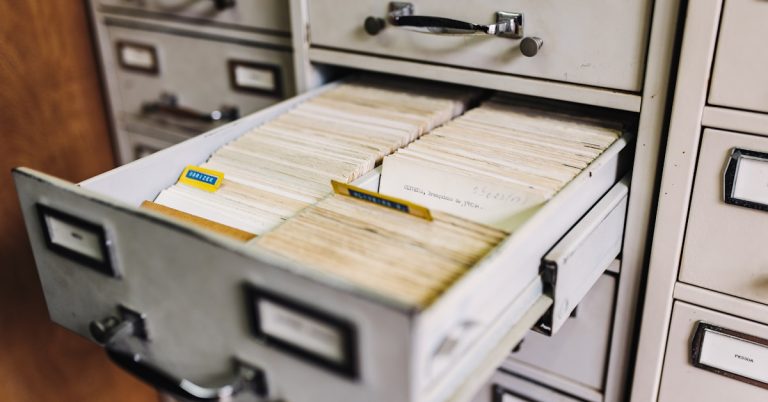

Drowning in paperwork eats up your day.
If you’re constantly buried under slow, manual document processes, I know just how draining that can be. You want fewer errors, faster access to crucial data, and a setup that works for your whole team.
Manual entry is a huge time waster, and inconsistent document handling slows everything down while pushing up error rates. It’s tough to improve accuracy and compliance when your process feels stuck in the last decade.
Right now, AIIM with Deep Analysis says 65% of enterprises are moving toward smarter Intelligent Document Processing. The pressure to streamline is real—if you want your team to focus on big-picture stuff, not just chasing files or fixing mistakes.

This article is here to show you practical ways to sidestep those daily document pains and start shaving hours off your process.
I’m going to break down the top 6 ways to reduce document processing time while boosting data accuracy—from AI-powered data capture and workflow automation, to centralizing documents and integrating your tools.
If you stick with me, you’ll pick up ideas that cut errors, reclaim lost time, and help your team get more out of every workday.
Let’s get started.
Key Takeaways:
- ✅ Automate data capture with AI OCR to extract invoices and contracts in seconds accurately.
- ✅ Streamline workflows by automating document routing, approvals, and filing to reduce delays.
- ✅ Centralize all documents in a DMS for quick search and to eliminate version confusion.
- ✅ Standardize document templates to create consistent layouts that accelerate data processing.
- ✅ Implement automated data validation to instantly flag errors and ensure business data integrity.
1. Automate Data Capture with AI OCR
Is manual data entry slowing you down?
Manually keying in data from documents is not only tedious but also a major source of costly business errors.
These mistakes ripple through your operations, causing payment delays and compliance headaches. Ultimately, your team is left wasting countless hours on corrective work.
Consider that AI-driven OCR reports accuracy rates often exceeding 99%. This level of precision is nearly impossible to maintain with manual methods.
This constant cycle of errors is a major productivity drain, but you can overcome it.
- ???? Related: If you’re also looking into efficient document handling, my guide on personal document management software can help declutter your digital life.
AI-powered OCR is the solution you need.
It automatically reads and extracts data from any document, converting it into structured, usable information without manual intervention.
Using AI OCR, you can process invoices, contracts, and forms in seconds, not hours, with incredible accuracy.
This is one of the most effective ways to reduce document processing time because it eliminates the human element from data capture. For example, it can automatically:
- Identify invoice numbers
- Extract line-item details
- Verify vendor information
It’s a huge time-saver.

This automation frees your team from tedious data entry, allowing them to focus on more strategic and valuable tasks.
2. Streamline Workflows with Automation
Manual document handling creates frustrating bottlenecks.
Relying on manual steps for data entry and approvals invites human error and creates massive delays in your workflow.
These small delays add up, causing significant productivity drains. When your team spends more time chasing paperwork, it directly impacts your bottom line and overall efficiency.
This cycle also increases the risk of compliance issues, as manual tracking makes it difficult to maintain a clear and consistent audit trail.
If this sounds familiar, it’s time to consider a more streamlined approach for handling your critical documents and data.
Automation can completely transform your entire process.
It helps you solve the repetitive tasks that consume your team’s valuable time, freeing them up for more strategic work.
You can automatically route documents for approvals, extract key data, and even file them without any manual intervention.
For instance, you can set up a workflow to automatically scan invoices, pull out the vendor name and amount, and send it to the right person.
This is a powerful, repeatable system.
By doing this, you’ll reduce human error, speed up turnaround times, and give your team back their most valuable resource: time.
3. Centralize Documents in a DMS
Scattered documents create unnecessary chaos.
When your files live in different folders, emails, and desktops, finding a single piece of information becomes a frustrating time sink.
This disorganization isn’t just an annoyance. It directly leads to stalled projects, missed deadlines, and the risk of using outdated information for critical business decisions.
The scale of this challenge is why platforms now securely manage over 500 million documents for millions of users. That volume shows how critical centralized access has become for businesses.
If this constant search is draining your team’s productivity, it’s time to consider a single source of truth for your documents.
- ???? Related: If you’re looking for solutions to organize documents effectively, my guide on best digital filing system can help.
This is where a DMS changes everything.
A document management system (DMS) creates a central, searchable hub, so your team can find any file in seconds, not hours.
This single repository gives you complete control and visibility over every version of a document, eliminating confusion and rework.
Instead of hunting through endless folders, you can use powerful search functions to instantly retrieve information. This is one of the essential ways to reduce document processing time.
It gives you back valuable hours each day.
Ultimately, centralizing your documents means your team always works with the most current and accurate information, boosting overall efficiency and accuracy.
4. Standardize Document Templates
Are inconsistent documents creating chaos for you?
When every file has a unique layout, your team wastes time just trying to find the right information to process.
This inconsistency breeds errors and bottlenecks. I’ve seen it cause missed deadlines and frustrating rework cycles, which directly harms your operational efficiency and team morale.
A template turns a document into a predictable system. As Monday.com explains, this approach supports confident decision-making because everyone knows exactly where to find key information.
If your process feels unstructured, there’s a straightforward way to introduce predictable speed and accuracy into your workflow.
- ???? Related: Speaking of an efficient workflow, you might also find my guide on paperless office software helpful for organizing your business.
Standardizing templates is your simplest, fastest fix.
By creating uniform layouts for documents like invoices or reports, you establish a consistent structure for processing information quickly.
This simple change eliminates confusion and manual checks, allowing your team to focus entirely on the data itself, not the document’s format.
I find this is one of the most effective ways to reduce document processing time. You set clear expectations for where data should be, which helps both people and software process it faster.
This single step creates so much clarity.
Ultimately, standardized templates reduce errors, accelerate turnaround times, and give your team a predictable foundation for all their work.
5. Implement Automated Data Validation
Manual data validation is a costly bottleneck.
Manually checking every single piece of data is tedious, slow, and a huge drain on your team’s valuable time.
If you’re dealing with high document volumes, the risk of human error increases exponentially, which can lead to costly compliance issues and poor business decisions based on faulty data.
Emerging Strategy reports that customers saw average savings of $4,300 from efficient workflows that used validation. This shows how much manual checks can really cost you over time.
These hidden costs and inaccuracies prevent you from processing documents efficiently, but there is a solution.
- ???? Related: While we’re discussing document solutions, understanding document versioning software is equally important for managing project timelines efficiently.
Automated data validation is your best defense.
It works by automatically cross-referencing extracted information against your existing databases or predefined rules to ensure complete accuracy from the start.
This approach lets you instantly flag discrepancies or errors without requiring a person to review every single line item manually.
For example, the system can verify that invoice numbers match purchase orders or that customer details are consistent across all forms, which is one of the best ways to reduce document processing time.
This makes your entire workflow more trustworthy.
By implementing this, you create a system that not only saves time but also guarantees the integrity of your business data.
6. Integrate Document Systems for Flow
Your document systems aren’t speaking to each other.
This disconnect creates data silos and manual re-entry, forcing your team to waste time searching for information across multiple platforms.
This constant switching between apps not only slows down workflows but also increases the risk of human error, leaving your data accuracy vulnerable.
When critical information is fragmented, decision-making stalls and simple tasks turn into complex projects, draining your team’s energy and resources.
This operational friction is a major roadblock to efficiency. But what if your systems could communicate seamlessly with each other?
- ???? Related: While discussing efficient document handling, you might also find my guide on best PDF management software helpful for ensuring comprehensive document control.
Integrate your tools for a single workflow.
By connecting your CRM, ERP, and other business software, you create a unified ecosystem where documents and data flow freely between systems.
This eliminates the need for manual data transfer, ensuring information is consistent and up-to-date everywhere without extra effort from your team.
For instance, an invoice from your ERP can automatically trigger a workflow in your document management system. These are powerful ways to reduce document processing time.
This creates a truly automated document lifecycle.
This cohesive approach not only speeds up processes but also significantly enhances the accuracy and reliability of your business data across all platforms.
Conclusion
Still drowning in manual document chaos?
I’ve seen how inefficiencies and endless paperwork can grind your team down, making growth feel just out of reach.
Here’s something eye-opening—a recent SER Group survey found that the biggest benefit of Intelligent Document Processing is its power to reduce processing time for 50% of users, far above simple headcount cuts. Boosting productivity really is the name of the game, saving hours you can’t afford to waste. (50% reduced processing time)
Here’s the good news.
Everything you need to finally tackle these bottlenecks is right in the article above.
By following my favorite ways to reduce document processing time, you’ll eliminate those clunky processes and unlock time for more strategic work. Real teams I’ve helped in finance and healthcare have freed up entire days each month this way.
Try automating just one step—your efficiency will thank you.
You’ll win back hours every single week.