
Is your team overwhelmed by fragmented communication?
If you’re searching for a solution to unify chat, email, files, and meetings, you’re probably feeling the pressure of endless tool-switching and information getting lost.
The real headache? Wasting hours chasing updates instead of making progress. If you’re tired of missed deadlines and frustration piling up, you know something has to change.

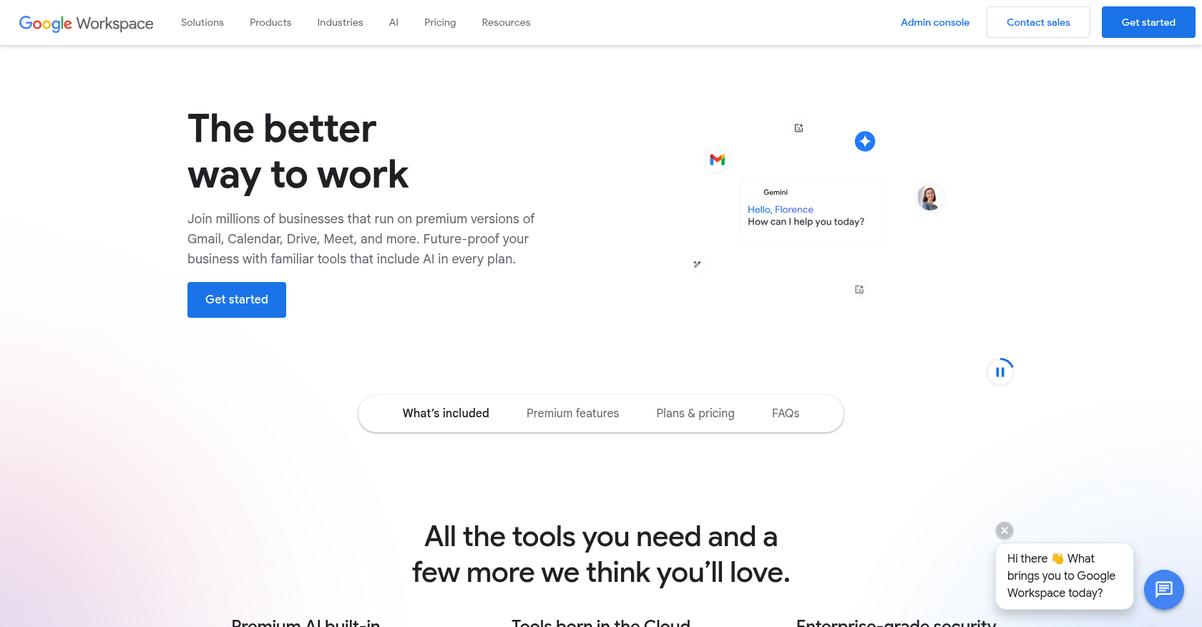
That’s where Google Workspace stands out—by combining Gmail, Docs, Drive, and new AI-powered tools to centralize your projects, coordinate your team, and cut busywork so you can actually focus on results. After testing the latest Gemini AI enhancements and digging into admin management, I’ll show you how it could fit your workflow.
In this Google Workspace review, I’ll break down features, pricing, and how it finally brings everything into one place, all to help you decide if it’s what you need.
You’ll discover how the apps work together, their real-world impact, AI automation, pricing plans, limits—and key alternatives—so you can make a confident, informed choice for your business.
By the end, you’ll know the features you need to manage work without bottlenecks and whether Google Workspace is the answer for your team.
Let’s dive into the analysis.
Quick Summary
- Google Workspace is a cloud-based productivity suite that streamlines communication, file sharing, and collaboration for your team.
- Best for small to medium businesses needing integrated tools for remote and hybrid work.
- You’ll appreciate its real-time collaboration and AI-powered assistant that automate tasks and enhance productivity.
- Google Workspace offers tiered pricing with plans from Starter to Enterprise and a 14-day free trial for up to 10 users.
Google Workspace Overview
Google Workspace exists to empower teams with an integrated, cloud-first platform that elevates productivity and collaboration across organizations of all sizes. You can trust its focus on providing a unified environment for content creation, communication, and project coordination.
Within the productivity software space, Google Workspace primarily serves small and midsize businesses needing modern, collaboration-first tools—but its enterprise offerings scale to even the most security-conscious and highly regulated industries. The intuitive integration of email, storage, video, and AI assistance sets it apart from legacy office suites.
- ???? Bonus Resource: While we’re discussing business operations, understanding document approvals across your business is equally important.
It’s not just tech firms: retail, healthcare, education, and public sector organizations across the globe rely on Google Workspace. Millions of active businesses—ranging from startups to Fortune 500 enterprises—validate its robust reputation.
Here’s what sets Google Workspace apart:
- Effortless collaboration with real-time editing and sharing
- Powerful AI capabilities embedded throughout core tools
- Enterprise-grade security and administrative controls
Google’s strategic bet on AI and secure, hybrid work tools keeps Workspace aligned with today’s buyer priorities—especially as distributed teams and cloud migration become the norm.
Let’s dive into this Google Workspace review to discover if its features match your business needs.
Google Workspace Features
Tired of juggling separate apps for business tasks?
Google Workspace takes a multi-solution approach, giving you an integrated suite built for productivity. With Google Workspace features engineered to work together, you get communication, collaboration, and organizational tools all in a single, cloud-based package. These are the five core Google Workspace solutions that address the real challenges modern teams face:
1. Gmail with Custom Business Email
Looking unprofessional in client emails?
Using a personal email address for work can chip away at your company’s brand credibility and let important messages end up in spam folders.
With Gmail’s custom business email, you can use your own domain (e.g., @yourcompany.com) and access advanced AI-powered security, spam protection, and an interface everyone already knows. This Google Workspace feature streamlines communication and shields your inbox from most threats daily, so no extra security headaches.

Your business builds trust, keeps communications secure, and projects a professional image with every email you send.
2. Google Drive for Cloud Storage and File Management
Battling lost files or outdated versions?
When files live on local computers or email attachments, collaboration turns messy—duplicates, missing edits, and plenty of wasted time.
Google Drive makes all your files—Docs, PDFs, spreadsheets, and more—accessible from any device, with automatic syncing and folder controls. You can share files in seconds, set permissions, and track edits; plus, Drive handles Microsoft Office files and 100+ other formats. This Google Workspace feature tames version chaos.
You cut file confusion and keep everyone working from the latest document, no matter where your team is located.
3. Google Meet for Video Conferencing
Can’t get virtual meetings to run smoothly?
Technical hiccups or clunky scheduling can stall productivity and make video meetings stressful.
Google Meet offers reliable video conferencing with easy screen sharing, recording for recaps, and built-in Calendar integration for fast scheduling. With Gemini, you even get real-time transcriptions and AI meeting assistance. This Google Workspace solution makes meetings feel like less of a hassle—even for remote teams.
You spend less time troubleshooting and more time getting things done face-to-face, remotely or in-office.
4. Google Docs, Sheets, and Slides for Real-time Collaboration
Struggling with document chaos and version headaches?
Emailing files back and forth means edits get lost, feedback piles up, and teamwork suffers.
Docs, Sheets, and Slides let your entire team co-edit documents, spreadsheets, and presentations together, live. Everyone sees the latest updates the second they happen, with full version history. As a Google Workspace feature, it means collaboration is actually frictionless. You can also highlight key specifics:
- Simultaneous editing by multiple users
- Built-in chat and comments
- Automatic cloud saves for zero data loss
Your workflows get faster, and your team spends less time merging drafts and more time making real progress.
5. Gemini for AI-Powered Productivity
Drowning in repetitive tasks and inbox overload?
Manual email writing, meeting scheduling, or content creation can devour your workday and stall progress on bigger projects.
Gemini tackles the routine for you, offering AI-powered help directly in your Workspace apps. It drafts emails, suggests responses, generates summaries, refines writing, and even helps build images or tables—all without leaving the tools you already use. This Google Workspace feature boosts productivity with intelligence that adapts to your needs.
You reclaim hours for true problem-solving while Gemini takes care of the busywork automatically.
Pros & Cons
- ✅ End-to-end integration for all productivity needs
- ✅ AI-driven automations boost team efficiency
- ✅ Secure, device-agnostic access for remote work
- ⚠️ Advanced spreadsheet functions are limited in Sheets
- ⚠️ Learning curve for managing admin settings
Together, these Google Workspace features create a connected ecosystem where email, files, meetings, and AI support flow naturally between tools. Your team gains a single source of truth for work—from brainstorm to completion. Let’s explore how this unified approach fuels productivity even further.
Google Workspace Pricing
Are you worried about surprise subscription costs?
When it comes to Google Workspace pricing, you get the clarity of published plans with per-user rates for different team sizes and budgets. Google has built transparency into its tiered pricing, making it easier to predict what your monthly or annual spend will look like. Let’s break down the costs and features for every plan so you can see where your business fits—and what kind of value you’ll actually get.
| Plan | Price & Features |
|---|---|
| Business Starter | $8.40/user/month (or $7 billed annually) • 30 GB pooled storage per user • Custom business email • Gemini AI in Gmail/app • Video meetings for up to 100 |
| Business Standard | $16.80/user/month (or $14 billed annually) • 2 TB pooled storage per user • Full Gemini AI suite • Video meetings for up to 150 • Meeting recording • Enhanced security controls |
| Business Plus | $26.40/user/month (or $22 billed annually) • 5 TB pooled storage per user • Advanced security & Vault • Attendance tracking • Full Gemini AI suite • Video meetings for up to 250 |
| Enterprise | Contact sales for pricing • 5 TB+ pooled storage per user • S/MIME encryption • DLP & endpoint management • Video meetings for up to 1000 • Enhanced support |
| Essentials Starter | Free • 15 GB Drive storage per user • Docs, Sheets, Slides access • No custom email • No time limits • Collaboration with work email |
1. Value Assessment
Predictable pricing delivers strong budget control.
You’ll get a published per-user rate—with AI-powered features included in all paid plans—so it’s easy to forecast your monthly or annual expenses. Unlike opaque enterprise quotes, Google Workspace pricing lets you match cost to value instantly. If you want built-in security and productivity, you’re paying for the platform, not surprise extras.
This means your software spend stays easy to justify and scale.
2. Trial/Demo Options
Start with a risk-free 14-day trial.
Google offers a no-obligation 14-day free trial on all core business plans, letting you evaluate features and performance before any payment. You get up to 10 trial users and can explore everything from Gemini AI to video calls and storage. Pricing is fully visible, so it’s easy to test value.
Use this trial to benchmark fit for your workflow and budget before committing.
3. Plan Comparison
Choosing the right plan saves real money.
Each plan ratchets up key features—AI, storage, security, and meeting size—as the price increases. If you need advanced admin tools, vault, or larger calls, it’s cheaper than adding point solutions. With Google Workspace pricing, you buy only what fits your organization.
You can start small and scale up as your usage or risk profile grows.
My Take: Google’s published pricing means less hassle for SMBs and IT managers: transparent upgrades, no quoting games, and quick math for annual budget cycles. If you prize predictability, its published plans make planning and scaling simple.
For most businesses, Google Workspace pricing balances AI innovation with clear per-user costs. Budget predictability keeps spending under your control long-term—especially if you avoid over-buying storage or security you don’t yet need.
Google Workspace Reviews
Wondering how real users rate Google Workspace?
To give you an honest look at how people actually experience the platform, I dove into thousands of Google Workspace reviews across G2, Capterra, and TrustRadius. Here’s what stands out from the feedback—directly from users themselves.
- ???? Bonus Resource: If you’re managing files, my guide on alternatives to organize personal files can provide valuable insights.
1. Overall User Satisfaction
Users are overwhelmingly positive.
The bulk of reviews show cloud-high approval, with average scores sitting at 4.6 to 4.7 out of 5 stars. What stands out is just how many users give 9 or 10 ratings, making Google Workspace one of the most recommended document management suites in its class. People consistently mention the platform as a productivity booster and “must-have” for team collaboration.
User satisfaction usually comes from ease of access, time-saving features, and the reliability of Google’s cloud—letting you work efficiently from anywhere.
2. Common Praise Points
Integration is users’ favorite feature.
Praise in Google Workspace reviews centers on the seamless ecosystem—Gmail, Drive, Docs, Sheets, Meet, and Calendar all work together without a hitch. What users most appreciate is the effortless switch between different apps, and the powerful real-time collaboration that just works. Many call out how even non-techy team members can use it or onboard quickly.
For you, this all means less wasted time, faster teamwork, and feeling confident everyone is always on the same page no matter where they are.
3. Frequent Complaints
Customization and support don’t always measure up.
If there’s one recurring gripe in user reviews, it’s frustration with limited advanced features—especially in Docs and Sheets vs. Microsoft’s desktop software. Users also complain that customer support can feel slow and impersonal, with too many hoops to reach a human. These issues show up often enough to be credible.
The good news is most users see these drawbacks as manageable, especially for small to midsize teams who want efficiency over deep custom tweaks.
What Customers Say
- Positive: “What I like best about Google Workspace is how seamlessly all the tools integrate with each other.” (G2)
- Constructive: “The most significant downside is the Customer Support, which is often frustratingly difficult to navigate.” (Capterra)
- Bottom Line: “Everything is very easy to use and switching between Gmail, Drive, Docs and Meet feels so seamless.” (TrustRadius)
Overall, the patterns in Google Workspace reviews make it clear most users are highly satisfied, with a few caveats around support and customization. This review analysis is based on real user opinions, so you can make your own informed decision.
In Conclusion
Is Google Workspace the right choice for your team?
Here’s my take: after this comprehensive Google Workspace review, I can confidently say the platform delivers outstanding value for teams needing reliable, cloud-first collaboration and productivity tools. My final assessment and recommendation combine product strengths, target audience fit, and honest limitations so you can make the most informed decision for your business.
1. Is Google Workspace for you?
Best for growing, distributed teams
If your business relies on real-time collaboration, easy document management, and remote access, Google Workspace is a strong match. Teams spanning multiple locations, small to mid-sized companies, and organizations prioritizing simple IT setup will see the most benefit. Companies that desire an all-in-one suite with strong Gmail integration and minimal onboarding friction are the true target users here.
You’ll thrive if fast, secure access and frictionless teamwork are mission-critical.
2. Overall Strengths
Collaboration is the standout advantage
Google Workspace’s greatest strengths are its user-friendly design, seamless integration across Gmail, Drive, Docs, Sheets, and Meet, and smart AI-driven productivity features. The platform’s cloud foundation keeps your work accessible from anywhere. Affordable pricing, rapid deployment, and continuous product updates further boost its business appeal.
These strengths matter because they save your team time and drive measurable productivity improvements across daily workflows.
3. Key Limitations
Customization and support need consideration
The main drawbacks center on limited advanced features in Docs and Sheets when compared with desktop alternatives and occasional frustrations around support responsiveness. Large enterprises may also run into licensing limits on lower-tier plans. These constraints show up most for power users or teams with deeply specialized workflow needs.
For most teams, these downsides are manageable trade-offs—unless you require intensive customization or top-tier, on-demand support.
4. Bottom line?
Smart choice for unified cloud collaboration
You should choose Google Workspace if you value efficiency, simple administration, and high-return cloud investment. Its unified approach outpaces traditional setups for most modern businesses, and it’s a particularly good fit for companies upgrading from scattered tools or legacy servers. If you need full-featured spreadsheets or niche customization, weigh that before committing.
Your best next step is to start a free trial and test core features with your stakeholders.
I’ll wrap up this Google Workspace review by saying you’ll be hard-pressed to find a more unified and productive suite for cloud-first teams. Strongly recommended for remote collaboration and productivity with only minor caveats for power users.
Bottom Line
- Verdict: Recommended
- Best For: Cloud teams needing simple collaboration
- Business Size: SMBs to mid-market (1-300 users)
- Biggest Strength: Effortless document and team collaboration
- Main Concern: Limited advanced customization options
- Next Step: Start a free trial or request a demo